1
4.8
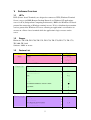
Window Manager.........................................................................................23
4.8.1
Style .....................................................................................................24
4.8.1.1 Title font...........................................................................................24
4.8.1.2 Title alignment .................................................................................25
4.8.1.3 Button layout....................................................................................25
4.8.2
Keyboard Shortcuts..............................................................................25
4.8.3
Focus ....................................................................................................26
4.8.3.1 Focus model .....................................................................................26
4.8.3.2 New window focus ..........................................................................26
4.8.3.3 Raise on focus ..................................................................................27
4.8.3.4 Raise on click ...................................................................................27
4.8.4
Advance ...............................................................................................27
4.8.4.1
4.8.4.2
4.8.4.3
Windows snapping...........................................................................28
Wrap workspaces .............................................................................28
Opaque move and resize ..................................................................28
4.8.4.4 Double click action ..........................................................................28
4.8.5
Window Manager Tweaks ...................................................................28
4.8.6
Workspaces and Margins .....................................................................29
4.8.6.1 Workspaces ......................................................................................30
4.8.6.1.1 Workspace names ......................................................................30
4.8.6.2 Margins ............................................................................................30
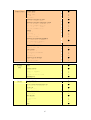
5
Network................................................................................................................32
5.1
Citrix Presentation Server Client .................................................................32
5.1.1
Creating a New ICA Connection Entry ...............................................33
5.1.1.1 Connecting to a Citrix Server ..........................................................34
5.1.2
Changing a Connection Entry..............................................................34
5.1.2.1 Configuring Network Properties......................................................34
5.1.2.2 Improving Performance over a Low-Bandwidth Connection..........35
5.1.2.3 Specifying an Application to Run at Connection ............................38
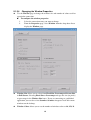
5.1.2.4 Changing the Window Properties ....................................................40
5.1.2.5 Configuring Login Properties ..........................................................41
5.1.3
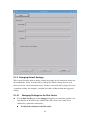
Changing Default Settings ...................................................................42
5.1.3.1
5.1.3.2
5.1.3.3
5.1.3.4
5.1.3.5
Changing Settings for the Disk Cache .............................................42
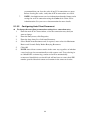
Configuring Auto Client Reconnect ................................................44
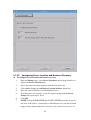
Configuring Server Location and Business Recovery .....................45
Configuring Hotkeys........................................................................46
Configuring Preferences ..................................................................48
2