1
1.
2.
3.
4.
5.
6.
CARE AND MAINTENANCE
Children should be supervised when using this appliance.
Never wrap the earphone lead around any animal or person. Special care should be taken with long
wires.
Clean your unit with a damp (never wet) cloth. Solvent or detergent should never be used.
Avoid leaving your unit in direct sunlight or in hot, humid or dusty places.
Keep your unit away from heating appliances and sources of electrical noise such as fluorescent lamps
or motors.
If drop-outs or interruptions occur in the music during CD play, or if the CD fails to play at all, its bottom
surface may require cleaning. Before playing, wipe the disc from the center outwards with a good soft
cleaning cloth.
TROUBLESHOOTING GUIDE
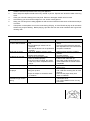
Symptom
Noise or sound distorted
on AM or FM broadcast
AM or FM no sound
Possible Cause
- Station not tuned properly for AM or
FM.
- FM: FM telescopic antenna is not
extended.
- AM: The bar antenna is not positioned
correctly
- Unit not in “RADIO” function mode.
CD skips while playing
- Volume set at minimum
- Unit not in CD function mode.
- CD is not loaded properly.
- If the CD is self-compiled, the media
used may not be compatible with the
player.
- Disc is dirty or scratched.
Intermittent sound from
CD player
- Dirty or defective disc
- Dirty pick up lens
CD player will not play
Sound appears
distorted at high volume
setting
- Player is subject to excessive shock
or vibration
- Volume control is set to maximum.
E-10
Solution
- Retune the AM or FM broadcast
station.
- FM: Extend FM telescopic antenna.
- AM: Reposition the unit until the best
reception is obtained.
- Slide Function Switch to “RADIO”
position.
- Increase Volume.
- Select CD function mode.
- Load CD with label side up.
- Use better quality blank media and
retest. Make sure the format used is
compatible.
- Wipe CD with clean cloth or use
another disc.
- Clean or replace the defective disc.
- Use a CD lens cleaning disc to clean
the lens.
- Relocate the player away from
shock or vibration.
- Adjust Volume Control to a lower
comfortable level.
- Turn off the DBBS function for very
loud music.