1
StorageCraft - ImageManager User Guide
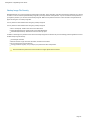
ShadowProtect Overview
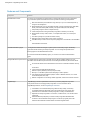
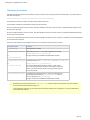
ShadowProtect provides robust and flexible disaster recovery by creating and managing backup image files. Each backup image file represents
the exact state of your system at a given point-in-time. ShadowProtect provides tremendous advantages over traditional disaster recovery
methods.
Other Methods
Shadow Protect
1. Repair hardware if necessary
1. Repair hardware if necessary
2. Collect all necessary OS media
2. Boot from Recovery CD
3. Reload OS from CD-ROM
3. Restore entire system or selected files
4. Reboot
4. Reboot 5. Apply multiple service packs
FULLY RESTORED IN MINUTES
6. Reboot (this could take several reboots)
7. Reload backup software from CD-ROM
8. Patch backup software to the latest support level
9. Reboot
10.Load recovery tape and restore
FULLY RESTORED IN HOURS
You should be aware of the following information as you prepare to install and use ShadowProtect:
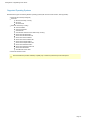
Features and Components
Usage Scenarios
Page 4