1
StorageCraft - ImageManager User Guide
ShadowProtect IT Edition User Guide
Welcome to the StorageCraft® ShadowProtect® IT Edition User Guide. This Guide describes the ShadowProtect technology, how to use the
product, and how to derive maximum benefit from ShadowProtect IT Edition. All references to ShadowProtect in this Guide refer to
ShadowProtect IT Edition.
This Guide includes the following major sections:
ShadowProtect Overview
How ShadowProtect Works
Starting ShadowProtect IT Edition
Understanding the User Interface
Creating a Backup Image File
Mounting a Backup Image File
Restoring a Volume
Using Image Conversion Tool
Other Operations
Best Practices
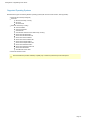
Additionally, this Guide includes the following general information sections:
Product Support
Glossary
Additional Information
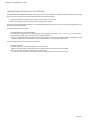
For emerging issues and other resources, see the following:
The readme.txt file included with the ImageManager product files.
The StorageCraft technical support Web site at www.storagecraft.com/support.html.
This User Guide is also available in the ShadowProtect user interface from the Help menu.
Documentation Conventions
Note or Warning text provides important information about the configuration and/or use of ShadowProtect ImageManager.
Page 3