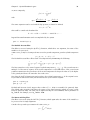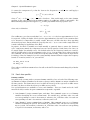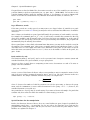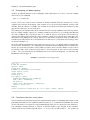
1
Chapter 10. User-defined functions
62
Return values
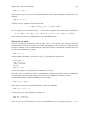
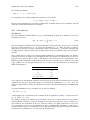
Functions can return nothing (just printing a result, perhaps), or they can return a single variable
— a scalar, series, list or matrix. The return value, if any, is specified via a statement within the
function body beginning with the keyword return, followed by a type specifier and the name of a
variable (as in the listing of parameters). There can be only one such statement. An example of a
valid return statement is shown below:
return scalar SSR
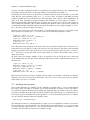
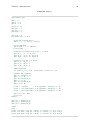
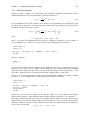
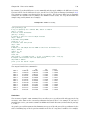
Having a function return a list is one way of permitting the “return” of more than one variable.
That is, you can define several variable inside a function and package them as a list; in this case
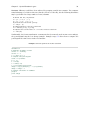
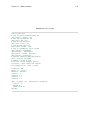
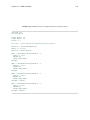
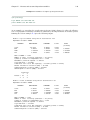
they are not destroyed when the function exits. Here is a simple example, which also illustrates the
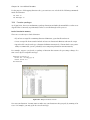
possibility of setting the descriptive labels for variables generated in a function.
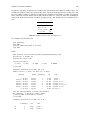
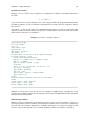
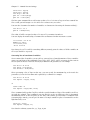
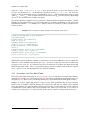
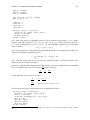
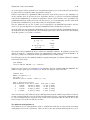
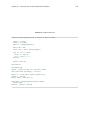
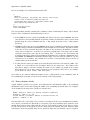
function make_cubes (list xlist)
list cubes = null
loop foreach i xlist --quiet
series $i3 = $i^3
setinfo $i3 -d "cube of $i"
list cubes += $i3
end loop
return list cubes
end function
open data4-1
list xlist = price sqft
list cubelist = make_cubes(xlist)
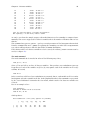
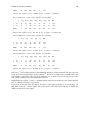
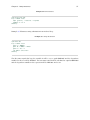
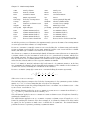
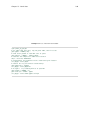
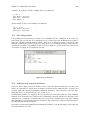
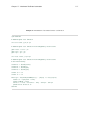
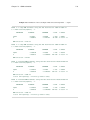
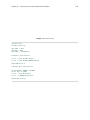
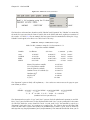
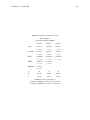
print xlist cubelist --byobs
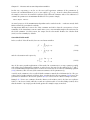
labels
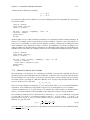
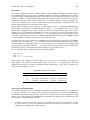
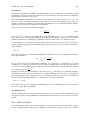
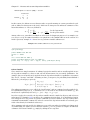
Note that the return statement does not cause the function to return (exit) at the point where it
appears within the body of the function. Rather, it specifies which variable is available for assignment when the function exits, and a function exits only when (a) the end of the function code is
reached, (b) a gretl error occurs, or (c) a funcerr statement is reached.
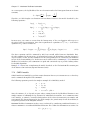
The funcerr keyword, which may be followed by a string enclosed in double quotes, causes a
function to exit with an error flagged. If a string is provided, this is printed on exit, otherwise a
generic error message is printed. This mechanism enables the author of a function to pre-empt an
ordinary execution error and/or offer a more specific and helpful error message. For example,
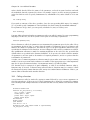
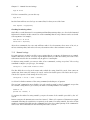
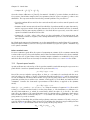
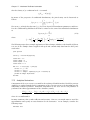
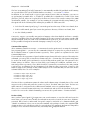
if nelem(xlist) = 0
funcerr "xlist must not be empty"
end if
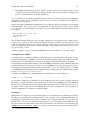
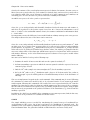
Error checking
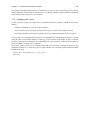
When gretl first reads and “compiles” a function definition there is minimal error-checking: the
only checks are that the function name is acceptable, and, so far as the body is concerned, that you
are not trying to define a function inside a function (see Section 10.1). Otherwise, if the function
body contains invalid commands this will become apparent only when the function is called, and
its commands are executed.
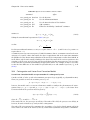
Printing of output
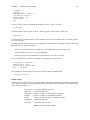
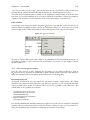
The usual mechanism whereby gretl echos commands, and reports on the creation of new variables,
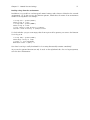
is suppressed by default when a function is being executed. If you want to turn this on (for example,