1
Task 1: Access Routers Using a Terminal Server
5
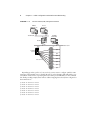
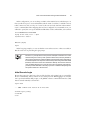
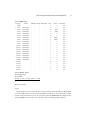
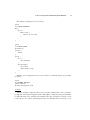
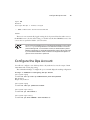
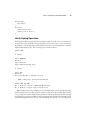
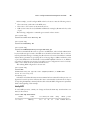
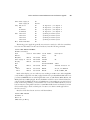
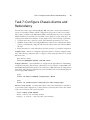
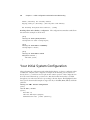
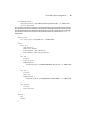
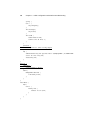
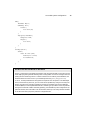
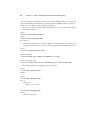
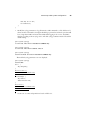
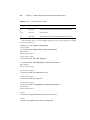
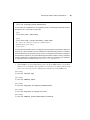
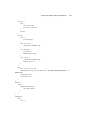
In this configuration, you can see that port 2001 on the terminal server, which maps to its
first asynchronous port, is associated with the symbolic name of r1. Now, to establish a reverse
telnet connection to the console port of router 1, the user need only enter r1 on the terminal
server’s command line. If host mappings have not been configured on your terminal server, you
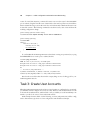
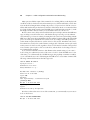
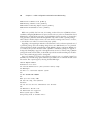
will need to specify the correct port identifier and IP address on the command line, as shown here:
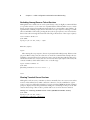
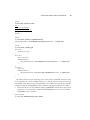
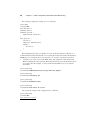
cert-ts#telnet 10.0.1.101 2001
Trying 10.201.1.253, 2001 ... Open
<operator hits “enter”>
Amnesiac (ttyd0)
login:
In the foregoing example, you can see that the reverse telnet session to r1 has succeeded, in
that the router is now presenting its login prompt.
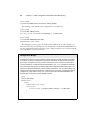
The Amnesiac prompt shown in the previous example is indicative of a router
that is booting from a factory-fresh JUNOS software load, which, by definition,
will not have a hostname configured. When preparing the lab for JNCIP testing,
it is standard practice for the proctor to flash every router using removable media
(PCMCIA) cards at the end of each certification attempt. This ensures that each
new candidate will begin his or her test from a known starting point and will
prevent possible difficulties caused by a previous candidate’s tampering with
the system’s binaries or file structure.
Initial Console Login
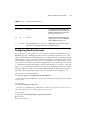
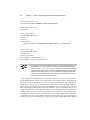
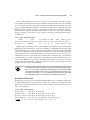
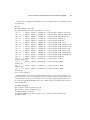
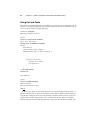
Because the router is booting from a factory-fresh load, the only existing login account will be
the user root. Initially, this account has no associated password. When logging in as root, the
user is presented with the shell prompt, so the JUNOS software command-line interface (CLI)
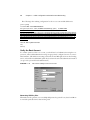
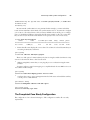
must be started manually as shown here:
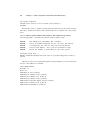
login: root
--- JUNOS 5.2R1.4 built 2002-03-10 01:12:05 UTC
Terminal type? [vt100]
root@% cli
root>