1
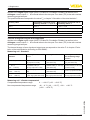
9 Diagnosis, asset management and service
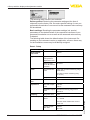
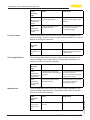
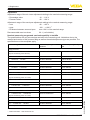
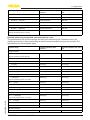
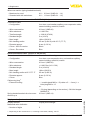
Code
Cause
Rectification
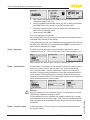
M501
–– Index markers are not continuously rising, for examle
unlogical value pairs
–– Check linearization table
–– Delete table/Create new
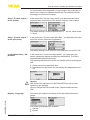
M502
–– Hardware error EEPROM
–– Exchanging the electronics
–– Send instrument for repair
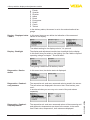
M504
–– Hardware defect
–– Check connections
–– Exchanging the electronics
–– Send instrument for repair
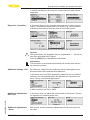
M507
–– Error during setup
–– Error when carrying out a
reset
–– Carry out reset and repeat
setup
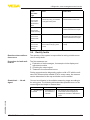
Text message
Error in the
non-active
linearization
table
Error in the
event memory
Error on an
device interface
Error in the
instrument
settings
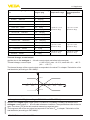
9.4 Rectify faults
Reaction when malfunctions occur
The operator of the system is responsible for taking suitable measures to rectify faults.
Procedure for fault rectification
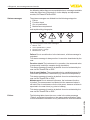
The first measures are:
•
•
•
Evaluation of fault messages, for example via the display and
adjustment module
Checking the output signal
Treatment of measurement errors
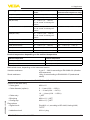
Further comprehensive diagnostics options offer a PC with the software PACTware and the suitable DTM. In many cases, the reasons
can be determined in this way and faults can be rectified.
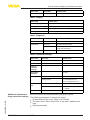
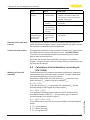
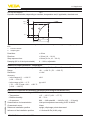
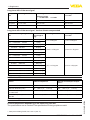
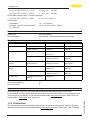
Check the 4 … 20 mA
signal
Connect a multimeter in the suitable measuring range according to
the wiring plan. The following table describes possible errors in the
current signal and helps to remove them:
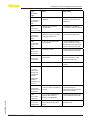
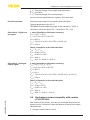
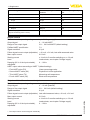
Error
Cause
Rectification
–– Set damping according to the
instrument via the display and
adjustment module or PACTware/
DTM
45028-EN-131010
4 … 20 mA signal –– Fluctuations of
not stable
the measured
variable
VEGABAR 82 • 4 … 20 mA/HART
59