1
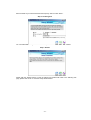
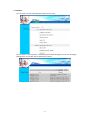
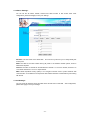
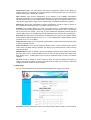
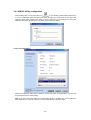
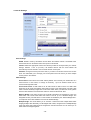
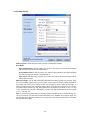
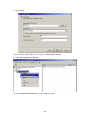
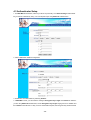
AP Mode: WAP-1965 has four operation modes. By default, it is set to AP mode.
Access Point: This mode is set to WAP-1965 by default. This connects your wireless PCs to a
wired network. In most cases, no change is necessary. Up to 63 wireless clients can be
connected through WAP-1965.
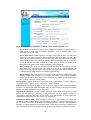
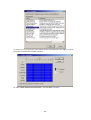
Access Point Client: A WAP-1965 set to AP Client mode is able to talk to one WAP-1965
functioning in AP mode and wireless client within its range. This mode allows your WAP-1965
client to be the wirelessly bridged to the main WAP-1965. When you select this mode, please
enter the MAC address of the main WAP-1965 into “Remote AP BSS ID” field. Or you can click
on “Site Survey” button to search available AP in range. When you connect to a specific AP, its
MAC address will appear on the “Remote AP BSS ID” field automatically.
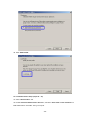
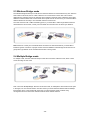
Wireless Bridge: This mode connects two physically separated LAN segments by using two
WAP-1965s. The remote WAP-1965 also needs to be set up as a Wireless Bridge. The
designated access point with which it communicates is identified by the “Remote Bridge MAC”.
It corresponds to the MAC Address of the remote Wireless Bridge.
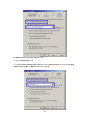
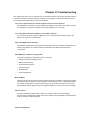
Multiple Bridge: This mode allows you to construct a network that has multiple WAP-1965s
bridging multiple LANs wirelessly. For all bridged WAP-1965s, configure them in Multiple
Bridge mode and all the WAP-1965s must be configured on the same channel. You can have
up to 14 WAP-1965 to be bridged together.
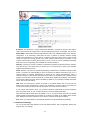
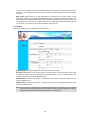
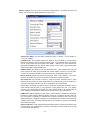
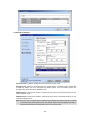
Beacon Interval: Specify the Beacon Interval value. Enter a value between 1 and 1000. Beacons
are packets sent by an Access Point to synchronize a wireless network.
RTS Threshold: Use this field to specify a value for the RTS Threshold. Enter a value between 256
and 2432. This value should remain at its default setting of 2,432. Should you encounter inconsistent
data flow, only minor modifications are recommended.
Fragmentation Threshold: This field is used to specify the fragmentation threshold. Enter a value
between 256 and 2346. If you experience a high packet error rate, try to slightly increase your
Fragmentation Threshold. The value should remain at its default setting of 2,346. Setting the
Fragmentation Threshold too low may result in poor performance.
DTIM Interval (Beacon Rate): Specify the Beacon Rate. Enter a value between 1 and 65535 that
specifies the Delivery Traffic Indication Message (DTIM). A DTIM is a countdown informing clients of
the next window for listening to broadcast and multicast messages. When the AP has buffered
broadcast or multicast messages for associated clients, it sends the next DTIM with a DTIM Interval
value. AP Clients hear the beacons and awaken to receive the broadcast and multicast messages.
- 10 -