1
1/76
MOBOTIX ExtIO User Manual
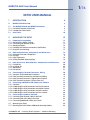
EXTIO USER MANUAL
1
INTRODUCTION
4
1.1
MOBOTIX ExtIO Concept
6
1.2 The MOBOTIX ExtIO and MOBOTIX Cameras
1.2.1 Functional Overview of the ExtIO
1.2.2 Comparison ExtIO/CamIO
8
8
9
1.3
Accessories
10
2
MOUNTING THE EXTIO
12
2.1
2.1.1
2.1.2
2.1.3
2.1.4
2.1.5
Preparing the Installation
Mounting to a Wall or Ceiling
Connecting via Network or USB
Mounting Options
Providing the Camera Connections, Wall Outlets
Directions for Mounting
12
13
13
14
14
15
2.2
2.2.1
2.2.2
2.2.3
2.2.4
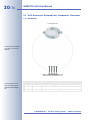
ExtIO: Delivered Parts, Components and Dimensions
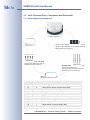
Delivered Parts and Components
Housing
ExtIO Dimensions
Drilling Template Mounting Ring
16
16
17
18
18
2.3
2.3.1
2.3.2
2.3.3
2.3.4
ExtIO Accessories: Delivered Parts, Components and Dimensions
On-Wall Set
In-Ceiling Set
Wall Mount
Pole Mount
20
20
22
24
26
2.4
2.4.1
2.4.2
2.4.3
2.4.4
Connecting the Terminal Connectors, Wiring
Overview: ExtIO Board and Connectors
ExtIO Terminal Connector for the Ethernet Cabling
ExtIO Terminal Connector 1 (Signal Inputs/Outputs)
ExtIO Terminal Connector 2 (Line-In/Line-Out)
30
30
31
32
33
2.5
2.5.1
2.5.2
2.5.3
2.5.4
2.5.5
Connecting a MOBOTIX USB Cable to the Camera
Overview
Establishing the USB Connection to a D22M Camera
Establishing the USB Connection to a M22M Camera
Establishing the USB Connection to a M12 Camera
Establishing the USB Connection to a D12 Camera
34
34
35
36
38
40
2.6
2.6.1
2.6.2
2.6.3
Connecting the Cable to the ExtIO
Connecting the Ethernet Cable to the ExtIO
Connecting the USB Cable to the ExtIO
Connecting Additional Cables to the ExtIO
42
42
44
46
2.7 Mounting the ExtIO
2.7.1 Mounting the ExtIO Without Additional Mounting Options
© MOBOTIX AG • Security-Vision-Systems • Made in Germany
www.mobotix.com • [email protected]
48
48