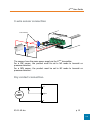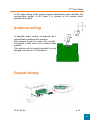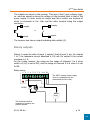
1
ARF20 User Guide
Synchronised mode
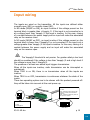
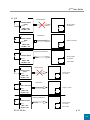
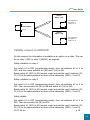
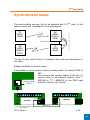
This mode enables two-way links to be achieved with 2 ARF20 pairs. In this
case the return link is dependent on the outgoing link.
Common power supply ground
RX
ARF20
(6189 or
6678)
TX
ARF20
(6188)
§
Synchronisation signal
RX
ARF20
(6189 or
6678)
¦
Signal de synchronisation
TX
ARF20
(6188)
The link (2) only works if link (1) is present. Take care over transmission in
rest state.
Setting transmitter to synchro mode
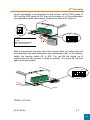
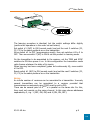
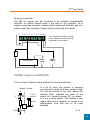
A transmitter is set to synchro mode by setting switch #2 marked SYNC to
OFF.
Then connect the synchro output of the link (1)
receiver (pad to be soldered marked "sync" /
ARF6189 or "2" / ARF6678) to the TRIG input
Synchro mode
terminal of the link (2) receiver.
control
SYNC
<
OUTPUT 1 TO 8
>
S +V 0V
SYNC
TRIG
<
INPUT 1 TO 8
>
+V 0V
ARF6188D
ARF6189D
Connect the power supply 0V
to one another
05-11-V4-tcx
To ARF6188 transmitter
TRIG terminal
p 20
TOP