1
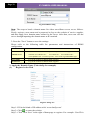
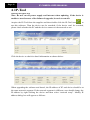
Page 4 IP CAMERA USER MUANUAL Item CPU Memory HDD Specification Intel Core 2 Duo 2.2 GHz or AMD Dual core 3800+ 2GB 250GB Notice: The mentioned specifications are provided considering CIF real-time resolution. The AMD chip hyper-3800+ and X64 series are not tested. For real-time view at CIF, max 25 channels can be played concurrently. For real-time view at D1, max 6 channels can be played concurrently. Installation Process Find CMS software from CD and then double click “Setup.exe” file to pop up installation wizard. Install the software according to the prompts in the wizard. After you complete the installation, you will see the CMS and IP-Tool icon on the desktop. Please see the user manual of this software for more details. If you need to install IP-Tool separately, please double click IP-Tool installation package and install it according its wizard prompts. After you finish installing, double click IP-Tool icon to start IP-Tool.