1
8
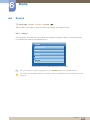
System
z
8.12.3
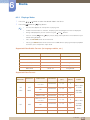
If you have selected an Anynet+ device by pressing the SOURCE button and then selecting
its input source, you cannot use the Anynet+ function. Make sure to switch to an Anynet+
device by using the Device List.
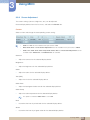
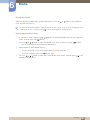
Receiver
You can listen to sound through a Receiver (i.e. Home Theater) instead of the product Speaker.
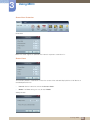
To listen to sound through a receiver, go to Receiver screen (System
Anynet+ (HDMI-CEC)
Receiver). Then select Receiver and set to On.
If your Receiver supports audio only, it may not appear in the device list.
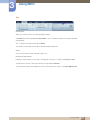
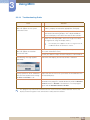
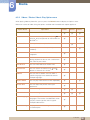
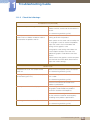
Troubleshooting for Anynet+
Problem
Anynet+ does not work.
Possible Solution
z
Check if the device is an Anynet+ device. The Anynet+ system
supports Anynet+ devices only.
z
You can connect only one receiver (home theater).
z
Check if the Anynet+ device power cord is properly connected.
z
Check the Anynet+ device’s Video/Audio/HDMI cable
connections.
z
Check whether Anynet+ (HDMI-CEC) is set to On in the Anynet+
setup menu.
z
Check whether the remote control is Anynet+ compatible.
z
If you have removed and then reconnected the HDMI cable,
please make sure to search devices again or turn your product off
and on again.
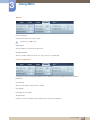
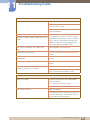
I want to start Anynet+.
z
Check if the Anynet+ function of the Anynet device is set on.
z
Check if the Anynet+ device is properly connected to the product
and check if the Anynet+ (HDMI-CEC) is set to On in the
Anynet+ Setup menu.
z
Press the TOOLS button to display the Anynet+ menu and select
a menu you want.
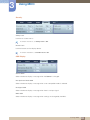
I want to exit Anynet+.
z
Select View PC in the Anynet+ menu.
z
Press the SOURCE button on the product remote control and
select a non- Anynet+ device.
8 System
160