1
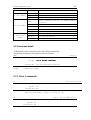
A2 Micro panel thermal printer
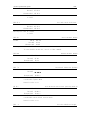
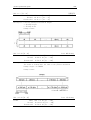
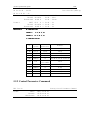
FF
Format
Description
11/24
Print the data in buffer and locate to the next black mark
ASCII
FF
Decimal
Hexadecimal
12
0c
Print the data in the buffer.
Locate to the black mark
NOTE: Only board with black mark function support this command.
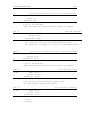
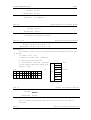
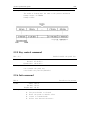
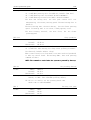
ESC J n
Format
Description
ESC FF
Format
Print and feed paper
ASCII
Decimal
Hexadecimal
n = 0-255。
ESC J prints the data in the print buffer and feeds n dots.
The command will not change the setting set by command ESC 2,ESC 3.
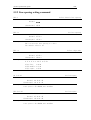
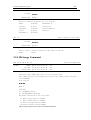
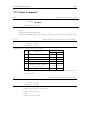
Print the data in buffer and locate to the next black mark
ASCII
Decimal
Hexadecimal
Description
ESC J n
27 74 n
1B 4A n
ESC FF
27 12
1b 0c
Print the data in the buffer.
Locate to the black mark
NOTE: Only board with black mark function support this command.
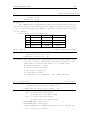
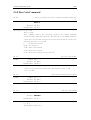
ESC d n
Print and feed n lines
Format
ASCII
Decimal
Hexadecimal
ESC d n
27 100 n
1B 64 n
Description
n = 0-255。
Print the data in the buffer and feed paper n lines.
The lines height is defined by ESC 2,ESC 3.
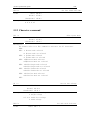
ESC = n
Set print online or offline
Format
ASCII
Decimal
Hexadecimal
Description
n = 0,1
1: Online
0: Offline
ESC = n
27 61 n
1B 3d n