1
HCI Glossary
A Web-Based Glossary on Human Computer Interaction
2. Browsing the Glossary
Starting from the main HCI glossary page (figure 0.1), we press the “A”-button in the
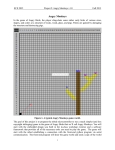
glossary navigation button panel. It becomes highlighted and the terms within the “A”category are shown below the button panel:
Figure 2.1: HCI Glossary terms within the “A”-category.
By clicking on the term “acceptance” (for instance), the following information will be shown
in the information panel:
User Manual
Page 7 of 19