1
TABLE OF CONTENTS
1
INTRODUCTION
5
2
INSTALLATION OF PAYMENT TERMINAL
6
WORKING WITH THE PAYMENT TERMINAL
9
1.1
1.2
2.1
2.2
2.3
2.4
3
3.1
3.2
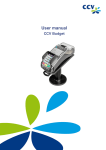
The CCV Mobile payment terminal
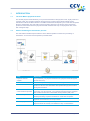
Parties facilitating the transaction process
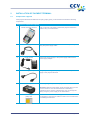
Components supplied
Installation guidelines
2.2.1
Environmental factors
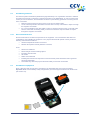
Installation of equipment
Data communication
2.4.1
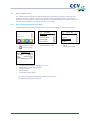
View current communication settings
5
5
6
7
7
7
8
8
3.7
3.8
3.9
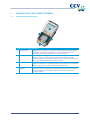
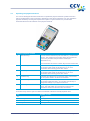
Overview of payment terminal
Operating the payment terminal
3.2.1
Entering letters and punctuation marks
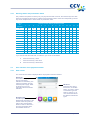
User interface of the payment terminal
3.3.1
Start screen
3.3.2
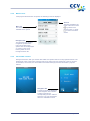
Menu screen
3.3.3
Card holder screens
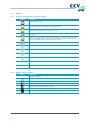
Symbols
3.4.1
Function symbols and navigation symbols
3.4.2
Battery status indicators
3.4.3
Network status indicators
3.4.4
Status indicators for external power supply
Merchant password
Activating and deactivating the payment terminal
3.6.1
Activating the terminal
3.6.2
Deactivating the terminal
Sleep mode
Use of payment cards
Replacing a printer roll
9
10
11
11
11
12
12
13
13
13
14
14
15
16
16
16
17
17
17
4
CARRYING OUT TRANSACTIONS
18
4.3
4.4
4.5
Overview of transaction types
Sale
4.2.1
Manual credit card transactions
Cancellation
Reservation
Sale after reservation
5
PAYMENT CARDS
25
6
FINANCIAL REPORTS
32
3.3
3.4
3.5
3.6
4.1
4.2
5.1
5.2
6.1
6.2
6.3
6.4
6.5
CID088A/03012013
Viewing settings
Changing settings
5.2.1
Adding a payment card
5.2.2
Deleting a payment card
5.2.3
Changing the Merchant ID for a payment card
Types of financial reports
Automatically printing reports when the terminal is deactivated
Printing interim reports
6.3.1
Printing an interim totals report
6.3.2
Printing an interim E-Journal
Report settings
6.4.1
Activating the E-Journal feature
6.4.2
Deactivating the E-Journal feature
Deleting the E-Journal
18
19
20
21
23
24
25
27
27
29
30
32
32
33
33
35
37
37
39
40
Page 3 of 52