1
commands would be hymodelc to execute the model, and concplot to create a Postscript file
called concplot.ps. Command line arguments are required for concplot. Normally the GUI
is used to create the Control file for the simulation. If the file is missing, the model will
prompt you for input from the keyboard. Your inputs are copied to a file called Startup.
That file may then be edited and renamed to Control for subsequent simulations. Conread
and con2asc are provided as examples of how to read concentration files for users to develop
other applications.
document - This directory contains PDF (Adobe Portable Document Format) versions of the
User’s Guide and other documentation such as ARL-224, the principal ARL Technical
Memorandum describing the model and equations. This User’s Guide (this document)
provides detailed instructions in setting up the model, modifications to the Control file to
perform various simulations and output interpretation. The Readme.txt file contains
additional information about compilation, typical CPU times, and a summary of recent model
updates.
graphics - There are two types of graphical plotting programs provided in the \concmdl and
\trajmdl directories. Publication quality graphics can be created using the postscript
conversion programs, concplot and trajplot, which use a Fortran Postscript library created by
Kevin Kohler3. All graphical routines use the map background file arlmap in this directory.
The map background file uses a simple ASCII format and contains the world’s coastal and
political boundaries at relatively coarse resolution. Other higher resolution map background
files are available from the Hysplit download web page. All graphical programs search the
startup directory first for arlmap before going to \graphics, therefore customized maps can
be created without changing the Hysplit installation structure.
guicode - This directory contains a Tcl/Tk GUI interface source code script for Hysplit. The
interface is used to set up the input Control file as well as run the graphical output display
programs. To use the interface you must first install Tcl/Tk. The upper-level Tcl script is
called hysplit4.tcl, which calls all other Tcl scripts. The Hysplit GUI is started by executing
this script. The Desktop short-cut as well as the Start Menu options should point to this
script. If the installation program did not properly setup the Desktop, you should copy the
shortcut from \working or you can manually create a short-cut to the script and edit its
properties such that the "Start In" directory is \working. You should also select the Hysplit
icon from the \icons directory before moving it to the Desktop.
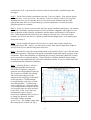
icons - Normally if you install Hysplit to the default drive c:\hysplit4, there should be a
desktop icon as well as entries in the Start Programs menu. If these short-cuts were not set
up properly, you can edit the Setup.bat file to reflect your directory structure. If you still
have trouble, then the icons supplied in this directory can be used to replace the default
Windows icons if you create shortcuts to Hysplit from the desktop. Use the right mouse
button and select: Properties | Shortcut | Change Icon. Note that the \working\hysplit4.tcl
shortcut should be copied to the desktop.
3
PSPLOT libraries can be found at www.nova.edu/ocean/psplot.html and were created by Kevin
Kohler ([email protected]).
4