1
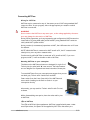
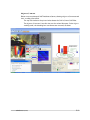
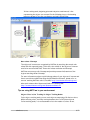
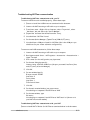
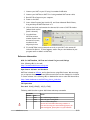
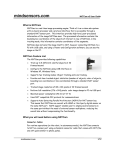
For offline operations (for programming and configurations), NXTCam connects to PC using mini-USB cable. (This is in addition to the cable you would use to connect NXT to your PC). Adjacent picture shows the mini-USB connector you would need on your USB cable, this connector is commonly used for digital cameras. If you need to acquire a cable separately, it should be a ‘5 wire’ cable. USB Driver installation In order for NXTCam to work properly, you will need to install USB drivers for your operating system. Currently support exists for: Windows XP (i386 and AMD processors) Windows Vista (i386 and AMD processors) Mac OS X v10.4.10 (PowerPC G4) Download the drivers and installation instructions from following location: http://www.mindsensors.com/NXTCam_Driver_Installation.htm Viewer and Configuration Software To see the picture that’s in the field of view of NXTCam, capture that picture for analysis and configure the Colormaps for onboard processing, you will need to install and use Viewer and Configuration software on your PC. For MS-Windows XP/Vista, download Viewer and Configuration software from: http://nxtcamview.sourceforge.net/ For Macintosh, download Viewer and Configuration software from: http://www.mindsensors.com/index.php? module=documents&JAS_DocumentManager_op=viewDocument&JAS_Document_id= 53 Programming Environments NXTCam is supported for use in NXT-G using a custom block. Download the block from following URL: http://www.mindsensors.com/NXTCam_NXT-G_Block.htm Follow the installation instructions provided at this URL to install the block. LeJOS API’s are available at: http://lejos.sourceforge.net/p_technologies/nxt/nxj/api/lejos/nxt/NXTCam.html RobotC API’s are available at: http://www.mindsensors.com/index.php? module=documents&JAS_DocumentManager_op=viewDocument&JAS_Document_id= 50 NXC/NBC Library functions are available at: http://www.mindsensors.com/index.php? module=documents&JAS_DocumentManager_op=viewDocument&JAS_Document_id= 57 mindsensors.com 2/13