1
EsiWelma s.r.l.
A
M
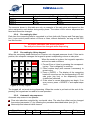
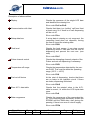
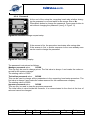
Figure 16: Allotting
setup buttons
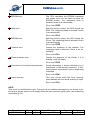
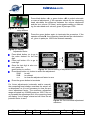
Press black button «A» or green button «M» to select automatic
or manual adjustment. If the operator selects A, the computing
head calculates the difference between the volume dispensed
and the true volume (20 litres), and suggests adding or subtracting the calculated error volume, given in parts per 1000.
Press the green button again to terminate the procedure. If the
operator selects M, the computing head allows the calculated error, given in parts per 1000 to be entered manually.
L
p.u.
/L
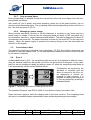
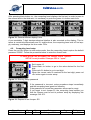
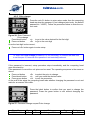
Figure 17: Display
Adjustment factor
Press black button «t» to go to
the value desired for the first
digit.
L
Press red button «S» to go to
p.u.
next digit.
/L
Once the last digit is also correct, press the
green button to confirm.
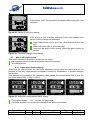
Figure 18: Manual setting of adjustment factor
Press black button «t» button to select the adjustment:
SUM
to add
SUB
to subtract
===
to clear the adjustment factor to zero
Press the green button to terminate
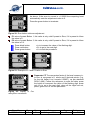
For future adjustments (automatic and/or manual),
the computing head always considers the actual value dispensed, so it is not necessary to clear the previous adjustment factor. The maximum adjustment
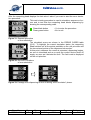
range accepted is ± 9.99999 parts per 1000. If the error exceeds the adjustment limit, the computing head
will display "out of range" status and will clear the adjustment factor to zero.
L
p.u.
/L
L
p.u.
/L
Figure 19: Error exceeds adjustment
maximum
Type / No.
EW055. 601
Rev.
C
Fw
D
Date
05 August 2011
Page
21
Total pages
40