1
When you are charging the battery you can use
your phone as normal; however the charging
time will be longer.
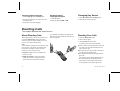
Plug the charger into a mains socket. The phone
now starts to charge the battery and you can see
the battery meter in the display move while
charging.
About the Battery
and the SIM Card
About the Charging
Function
The Battery
Your phone is supplied with a Nickel Metal Hydride battery. The battery is not charged before
shipment, even though there might be enough
power to turn the phone on.
When you connect external power to the phone,
the battery is charged. When the battery is fully
charged, the charging stops. You cannot overcharge your battery.
Remember to recycle the battery when you will
not use it anymore.
The SIM Card
Before you can start using your phone, you
need to order a SIM Card from a GSM service
provider. The SIM Card is a computer circuit
that keeps track of your phone number, the services that you have ordered from the service
provider, and your phone book information.
The SIM Card sometimes contains information
that lets the phone automatically change the display texts into the language of the SIM Card.
Your SIM Card is supplied with a security code
or PIN (Personal Identity Number) that you
need to enter into the phone to gain access to
the phone and network.
Turning On the Phone and General Information
This chapter describes the display information you receive from your phone when you use it.
Turning On
the Phone
1. Press and hold down the NO key until you
hear a click. The display will prompt you to
enter the PIN (the security code that follows
your SIM Card).
PIN:
2. Enter the PIN and press YES.
The PIN is indicated as **** in the display.
LZT 126 1352/7 R1A
If you entered the PIN correctly, you will be
welcomed by your phone. Then it searches
for a network.
When a network is found, the indicator light on
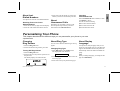
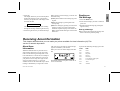
top of the phone flashes green once every second and the standby display is shown (see Figure 4).
Figure 4. Standby display.
Turning Off the Phone
●
Press and hold the NO key until you hear a
click and the display is dark.
3
EN
4. Connecting
Charger to Mains