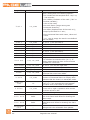
1
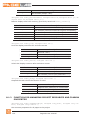
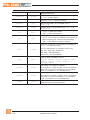
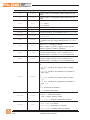
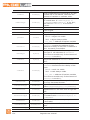
2.10
Inserting buttons
28
2.10.1
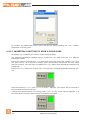
Inserting a led-button
28
2.10.2
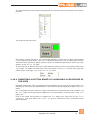
Inserting a boolean variable command button
29
2.10.3
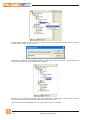
Inserting a button to open a child page
30
2.10.4
Inserting a button aimed at launching a procedure of the user
31
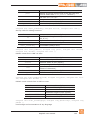
2.11
Visibility and updating of controls
33
2.11.1
The visibility property
33
2.11.2
The refresh property
35
2.12
Compiling and downloading the project on the target
35
2.12.1
Connecting to the target
36
2.12.2
Compiling pages for the target
36
2.12.3
Downloading and executing the compiled pages on the target
37
37
2.12.4Simulation
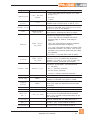
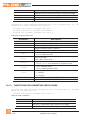
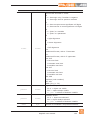
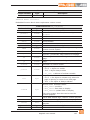
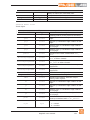
3.
PageLab layout
39
3.1
Project window
39
3.2
Embedded editors
39
3.3
Properties window
40
3.4Toolbars
40
3.5
The output window
40
3.6
Target variables and parameters
40
3.7
Table of keys-actions associations
41
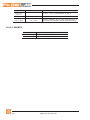
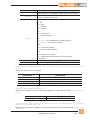
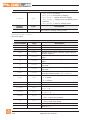
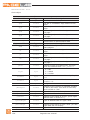
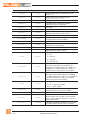
HMI project in PageLab
43
Project properties
43
4.
4.1
4.1.1General
43
4.1.2
System options
44
4.1.3
Language selection
44
4.1.4
Global periodic procedure
46
4.2
Frame set
46
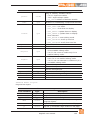
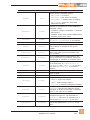
4.3Pages
47
4.3.1
Navigating between pages
47
4.3.2
Child Pages
47
4.3.3
Pop-up pages
48
4.3.4
Asynchronous messages
48
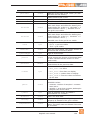
4.4Controls
49
4.4.1Static
49
4.4.2
Graphic element
49
4.4.3
Edit box
49
4.4.4
Text box
50
IV
PageLab user manual