1
AZedit Software
User Manual
Up to and including version 3.4.0
93507769000 Rev B
05/2008
PROPRIETARY NOTICE
SHIPPING TO THE MANUFACTURER
The product information and design disclosed herein were originated by
and are the property of Telex Communications, Inc. Telex reserves all
patent, proprietary design, manufacturing, reproduction, use and sales
rights thereto, and to any article disclosed therein, except to the extent
rights are expressly granted to others.
All shipments of product should be made via UPS Ground, prepaid (you
may request from Factory Service a different shipment method). Any
shipment upgrades will be paid by the customer. The equipment should
be shipped in the original packing carton. If the original carton is not
available, use any suitable container that is rigid and of adequate size. If
a substitute container is used, the equipment should be wrapped in paper
and surrounded with at least four (4) inches of excelsior or similar
shock-absorbing material. All shipments must be sent to the following
address and must include the Proof of Purchase for warranty repair.
Upon completion of any repair the equipment will be returned via
United Parcel Service or specified shipper, collect.
COPYRIGHT NOTICE
Copyright 2008 by Telex Communications, Inc. All rights reserved.
Reproduction, in whole or in part, without prior written permission from
Telex is prohibited.
WARRANTY NOTICE
See the enclosed warranty card for further details.
CUSTOMER SUPPORT
Technical questions should be directed to:
Customer Service Department
RTS/Telex Communications, Inc.
12000 Portland Avenue South
Burnsville, MN 55337 USA
Telephone: 800-392-3497
Fax: 800-323-0498
RETURN SHIPPING INSTRUCTIONS
Customer Service Department
Telex Communications, Inc. (Lincoln, NE)
Telephone: 402-467-5321
Fax: 402-467-3279
Factory Service: 800-553-5992
Please include a note in the box which supplies the company name,
address, phone number, a person to contact regarding the repair, the type
and quantity of equipment, a description of the problem and the serial
number(s).
Factory Service Department
Telex Communications, Inc.
8601 East Cornhusker Hwy.
Lincoln, NE 68507 U.S.A.
Attn: Service
Table
of
Contents
INTRODUCTION ......................................................................... 3
Introduction ................................................................................ 3
AZedit Description ..................................................................... 3
Getting Started ........................................................................... 3
AZedit Installation and Configuration ....................................... 4
Uninstalling AZedit .................................................................... 4
Connection to Matrix Intercom System ...................................... 6
Intercom Configuration Description .......................................... 6
Master Controller Intercom Configuration ................................ 7
AZedit Intercom Configuration Settings ..................................... 8
Setup File Configuration Settings .............................................. 9
Modes of Operation .................................................................... 9
Connecting to ONLINE Mode from FILE Mode ........................ 9
Connecting / Disconnecting - SERVER Mode .......................... 10
Trouble Connecting? ................................................................ 11
GENERAL USAGE TOOLS ....................................................... 13
Status Bar ................................................................................. 13
Standard Tool Bar .................................................................... 14
Navigation Toolbars ................................................................. 20
Frequently Used Toolbar Operations ...................................... 27
Frequently Used Column Features .......................................... 30
Keyboard Shortcuts
upto and including version 3.4.0 and later .............................. 34
SCREEN DESCRIPTION .......................................................... 39
Ethernet Settings ....................................................................... 39
LEFT CONTROLLER (ACTIVE) GROUP BOX .............................. 41
RIGHT CONTROLLER (STANDBY) GROUP BOX ......................... 41
Communications ....................................................................... 43
IP ADDRESS GROUP BOX ........................................................ 44
Available Intercoms .................................................................. 45
INTERCOMS GROUP BOX ......................................................... 45
SELECTED INTERCOM GROUP BOX ......................................... 45
Secondary AZedit Sessions ....................................................... 47
CONNECTION GROUP BOX ...................................................... 47
BAUD RATE GROUP BOX ........................................................ 47
PROTOCOLS ENABLED GROUP BOX ........................................ 48
Resources Page ........................................................................ 49
ASSIGNMENT TYPE RESOURCES GROUP BOX ........................... 50
INTERCOM SETUP GROUP BOX ............................................... 51
Options Page ............................................................................ 53
Intercom Sizing Wizard ............................................................ 56
RVON Configuration Window .................................................. 58
SETTINGS FOR RVON CARD GROUP BOX ............................... 59
SETTINGS FOR PASS-THROUGH SERIAL VIA
ETHERNET GROUP BOX .......................................................... 60
SETTINGS FOR CONNECTED DEVICES GROUP BOX .................. 60
GPIO-16 Configuration Window ............................................. 62
SELECT GPIO-16 GROUP BOX ............................................... 62
GPIO-16 CONFIGURATION GROUP BOX ................................. 63
Configure Logging Window ..................................................... 64
Authentication Configuration Window ..................................... 66
SESSIONS SETTINGS GROUP BOX ............................................. 67
INTERCOM USERS GROUP BOX ............................................... 67
Add/Edit User Window ............................................................. 68
SNMP Configuration Window .................................................. 70
SYSTEM INFORMATION GROUP BOX ........................................ 70
COMMUNITY STRINGS GROUP BOX ......................................... 71
VALID HOSTS GROUP BOX ...................................................... 71
Application Preferences Window ............................................. 73
Startup/Shutdown Page ............................................................ 73
Alphas Page .............................................................................. 75
Logging Page ........................................................................... 76
General Page ............................................................................ 78
Advanced Page ......................................................................... 80
Authentication Page ................................................................. 83
Maintenance Page .................................................................... 85
Keypanels/Ports Window ......................................................... 86
SCROLL ENABLE GROUP BOX ................................................. 87
KEYPANEL/PORT SETTINGS GROUP BOX ................................. 88
PORT STATUS GROUP BOX ...................................................... 89
LISTEN KEYS GROUP BOX ....................................................... 89
TALK KEYS GROUP BOX ......................................................... 91
Keypanel/Port Configuration Window ..................................... 93
Setup Page ................................................................................ 93
PANEL GROUP BOX ................................................................ 93
DEFAULT VIEW GROUP BOX ................................................... 94
SHOW TYPE GROUP BOX ........................................................ 95
SETUP PAGE OPTIONS GROUP BOX ........................................ 96
Advanced Page ......................................................................... 96
PRIORITIES GROUP BOX ......................................................... 96
Vox Page .................................................................................. 98
Gain Setup Window .................................................................. 99
POINT-TO-POINT LISTEN GAINS GROUP BOX .......................... 99
PARTY LINE LISTEN GAINS GROUP BOX ................................ 100
I/O GAINS GROUP BOX ......................................................... 100
Select Key Assignment Window .............................................. 102
Party Lines Window ................................................................104
SCROLL ENABLE GROUP BOX ................................................105
PARTY LINE TALLIES GROUP BOX ..........................................106
Special Lists Window ..............................................................108
SCROLL ENABLE GROUP BOX ................................................109
IFBs Window ...........................................................................111
Edit IFB Window .....................................................................113
IFB .......................................................................................113
SCROLL ENABLE GROUP BOX ................................................113
INPUT GROUP BOX ................................................................114
OUTPUT GROUP BOX ............................................................114
LISTEN SOURCE GROUP BOX .................................................115
IFB Priorities Window ............................................................116
SET PRIORITY OF SELECTED PORTS GROUP BOX ...................116
IFB Listen Destination Window ..............................................118
IFB Special Lists Window .......................................................120
SCROLL ENABLE GROUP BOX ................................................121
Program Listen Source Window .............................................123
GPI Output Window ................................................................125
Edit GPI Output Window ........................................................127
GPI OUTPUT GROUP BOX .....................................................127
SCROLL ENABLE GROUP BOX ................................................127
INPUT GROUP BOX ................................................................128
OUTPUT GROUP BOX ............................................................128
GPI Input Window ..................................................................129
Edit GPI Input Window ...........................................................130
GPI INPUT GROUP BOX ........................................................131
KEYPANEL GROUP BOX .........................................................131
KEY NUMBER GROUP BOX ....................................................131
KEY TYPE GROUP BOX ..........................................................131
ISO Window ............................................................................132
Edit ISO Window .....................................................................134
ISO GROUP BOX ...................................................................134
SCROLL ENABLE GROUP BOX ................................................134
OPTIONS GROUP BOX ............................................................135
OUTPUT GROUP BOX ............................................................135
GPIO-16s Window ..................................................................136
Edit GPIO-16 Window ............................................................137
GPIO-16 GROUP BOX ..........................................................137
CONFIGURATION GROUP BOX ...............................................137
Select GPIO-16 Window .........................................................138
Assignment Group Window .....................................................139
SCROLL ENABLE GROUP BOX ................................................140
LCP-102 Window ....................................................................142
LCP-102 GROUP BOX ...........................................................143
MODE GROUP BOX ...............................................................144
SETUP PAGE 1 THROUGH PAGE 4 GROUP BOX ......................144
PAP-32 Window ......................................................................145
PROGRAM INPUTS GROUP BOX ..............................................146
IFBS GROUP BOX .................................................................147
ARP-32 Window ......................................................................148
INPUTS GROUP BOX ..............................................................149
OUTPUTS GROUP BOX ...........................................................150
Crosspoint Status Window ......................................................151
IS TALKING TO... GROUP BOX ...............................................152
IS LISTENING TO... GROUP BOX .............................................152
Crosspoint Inspection Window ...............................................154
Inter-Panel Dim Table Window ..............................................156
UPL Resources Window ..........................................................158
Edit UPL Resource Window ...................................................160
UPL RESOURCE GROUP BOX ................................................160
SCROLL ENABLE GROUP BOX ................................................160
UPL Statements Window ........................................................162
Edit UPL Statement Window ..................................................164
UPL STATEMENT GROUP BOX ...............................................164
INPUT A GROUP BOX ............................................................165
OPERATION GROUP BOX .......................................................166
INPUT B GROUP BOX ............................................................167
OUTPUT ACTION GROUP BOX ...............................................168
VOX Window ...........................................................................171
THRESHOLD GROUP BOX ......................................................172
HOLD TIME GROUP BOX .......................................................172
OPTIONS GROUP BOX ...........................................................173
Crosspoint Gains Window ......................................................175
GAIN CONTROLS GROUP BOX ................................................176
OPTIONS GROUP BOX ...........................................................176
Party Line Gains Window .......................................................178
GAIN CONTROLS GROUP BOX ................................................179
OPTIONS GROUP BOX ...........................................................179
Input/Output Gains Window ...................................................181
GAIN CONTROLS ....................................................................181
OPTIONS GROUP BOX ...........................................................182
Port Alphas Window ...............................................................184
Edit Port Alpha/Description Window .....................................187
Alpha Windows .......................................................................189
Edit Alpha/Description Window .............................................191
GPI Input and DIM Description Windows .............................193
Edit GPI Input and Dim Descriptions Window ......................194
I/O Card Description Window ................................................195
Edit I/O Card Description Window ........................................196
PAP/LCP Description Window ...............................................197
Edit PAP/LCP Description Window .......................................198
Port Status Window ................................................................200
Clear Port Status Window ......................................................203
SELECT SCOPE OF OPERATION GROUP BOX ..........................203
SELECT ITEMS TO CLEAR GROUP BOX ...................................203
Master Controller Status Window ..........................................204
Standby Master Controller Status Window ............................206
DBX Link Status Window ........................................................208
I/O Card Status Window .........................................................212
PAP & LCP-102 Status Window ............................................214
UIO-256 Status Window .........................................................216
Trunk Master Status Window ..................................................218
Trunk Inspection Window .......................................................220
ORIGINATION ASSIGNMENTS GROUP BOX ..............................221
DESTINATION ASSIGNMENTS GROUP BOX ..............................221
Remote Intercoms Status Window ...........................................222
SELECT AN OPERATION... GROUP BOX ..................................223
RVON Connection Status Window ..........................................224
SELECT LOCAL CARD AND CHANNEL GROUP BOX .................224
REMOTE CONNECTION INFORMATION GROUP BOX ................225
CONNECTION INFORMATION GROUP BOX ..............................225
VOIP PLAYOUT STATISTICS GROUP BOX ...............................226
NETWORK STATISTICS GROUP BOX ........................................228
ERROR COUNTS GROUP BOX .................................................229
SERIAL TO ETHERNET GROUP BOX ........................................230
ETHERNET TO SERIAL GROUP BOX ........................................231
Master Controller Version Information Window ....................232
I/O Card Version Information Window ..................................233
Keypanel Version Information Window ..................................234
GPIO-16 Version Information Window .................................. 235
Log Viewer Window ............................................................... 236
Keypanel Screen Saver Window ............................................. 239
Keypanel Passwords Window ................................................. 241
Select Intercom Window ......................................................... 242
Add Intercom Window ............................................................ 243
INTERCOM GROUP BOX ......................................................... 243
IP ADDRESS GROUP BOX ...................................................... 244
Select User Window ................................................................ 245
Add User Window ................................................................... 246
USER GROUP BOX ................................................................ 246
COPY SETTINGS FROM GROUP BOX ...................................... 246
Connected Users Window ....................................................... 247
Create Desktop Shortcut Window .......................................... 248
Cronus Passwords Window .................................................... 249
Paste Special Window ............................................................ 251
ADVANCED GROUP BOX ........................................................ 251
SCROLL ENABLES GROUP BOX .............................................. 252
INDIVIDUAL KEY SETTINGS GROUP BOX ................................ 252
MISCELLANEOUS GROUP BOX ............................................... 253
SETUP PAGES GROUP BOX .................................................... 254
COPY SETUP PAGES GROUP BOX .......................................... 254
KEYS GROUP BOX ................................................................. 255
DESTINATION GROUP BOX .................................................... 256
Partial Save Window .............................................................. 257
SELECT SUBSET TO SAVE GROUP BOX ................................... 258
Advanced Partial Save Selection Window .............................. 261
ITEMS TO OPERATE ON... GROUP BOX .................................. 261
SCOPE OF OPERATION GROUP BOX ...................................... 262
Send All Window ..................................................................... 263
Check For Duplicate Alphas Window .................................... 265
Refresh Screens ...................................................................... 267
Search For Key Assignment Window ..................................... 267
SEARCH FOR: GROUP BOX ................................................... 268
REPLACE WITH: GROUP BOX ................................................ 269
Search Status: Window ........................................................... 270
Key Assignment Grid Window ................................................ 272
Keypanel Print Options Window ............................................ 273
SELECT KEYPANELS GROUP BOX .......................................... 273
SELECT REPORT TYPE GROUP BOX ....................................... 274
Other Print Windows .............................................................. 275
List
of
Figures
FIGURE 1.
FIGURE 2.
FIGURE 3.
FIGURE 4.
FIGURE 5.
FIGURE 6.
FIGURE 7.
FIGURE 8.
FIGURE 9.
FIGURE 10.
FIGURE 11.
FIGURE 12.
FIGURE 13.
FIGURE 14.
FIGURE 15.
FIGURE 16.
FIGURE 17.
FIGURE 18.
FIGURE 19.
FIGURE 20.
FIGURE 21.
FIGURE 22.
FIGURE 23.
FIGURE 24.
FIGURE 25.
FIGURE 26.
FIGURE 27.
FIGURE 28.
FIGURE 29.
FIGURE 30.
FIGURE 31.
FIGURE 32.
FIGURE 33.
FIGURE 34.
FIGURE 35.
FIGURE 36.
FIGURE 37.
FIGURE 38.
FIGURE 39.
FIGURE 40.
FIGURE 41.
FIGURE 42.
FIGURE 43.
FIGURE 44.
Status Bar - AZedit .............................................................................................................................................................. 13
Ethernet Configuration Window ......................................................................................................................................... 40
Communications Window ................................................................................................................................................... 43
Available Intercoms Window .............................................................................................................................................. 45
Secondary AZedit Sessions Window ................................................................................................................................... 47
Intercom Configuration Window - Resources Page ........................................................................................................... 49
Intercom Configuration Window - Options Page ............................................................................................................... 53
RVON Configuration Window ............................................................................................................................................ 59
GPIO-16 Configuration Window ........................................................................................................................................ 62
Configure Logging Window ................................................................................................................................................ 65
Authentication Configuration Window ............................................................................................................................... 66
Add User and Edit User Windows ...................................................................................................................................... 68
SNMP Configuration Window ............................................................................................................................................ 70
Application Preferences Window - Startup/Shutdown page ............................................................................................... 73
Configuration Change Warning ......................................................................................................................................... 74
AZedit Exit Message ........................................................................................................................................................... 74
Application Preferences - Alphas page .............................................................................................................................. 75
Application Preferences - Logging Page ............................................................................................................................ 76
Application Preferences - General Page ............................................................................................................................ 78
ONLINE Save Warning Message ........................................................................................................................................ 79
Application Preferences - Advanced Page ......................................................................................................................... 80
Application Preferences - Authentication Page ................................................................................................................. 83
Application Preferences - Maintenance Page .................................................................................................................... 85
Keypanel/Ports Window ..................................................................................................................................................... 87
Listen, Talk and Talk Level 2 Assignments ......................................................................................................................... 90
Show Volume Example ....................................................................................................................................................... 91
Keypanel/Port Configuration Setup Window ..................................................................................................................... 93
Keypanel/Port Configuration - Advanced Page ................................................................................................................. 96
Keypanel/Port Configuration - Vox Page ........................................................................................................................... 98
Gain Setup Window ............................................................................................................................................................ 99
Gain Reset Window ........................................................................................................................................................... 101
Select Key Assignments for Listen and Talk Keys ............................................................................................................ 102
Party Lines Window .......................................................................................................................................................... 104
Special Lists Window ........................................................................................................................................................ 108
IFBs Window .................................................................................................................................................................... 111
Edit IFB Window .............................................................................................................................................................. 113
IFB Priorities Window ...................................................................................................................................................... 116
IFB Listen Source Window ............................................................................................................................................... 118
IFB Special Lists Window ................................................................................................................................................. 120
Program Listen Source Window ....................................................................................................................................... 123
GPI Outputs Window ........................................................................................................................................................ 125
Edit GPI Output Window .................................................................................................................................................. 127
GPI Inputs Window ........................................................................................................................................................... 129
Edit GPI Input Window .................................................................................................................................................... 130
FIGURE 45.
FIGURE 46.
FIGURE 47.
FIGURE 48.
FIGURE 49.
FIGURE 50.
FIGURE 51.
FIGURE 52.
FIGURE 53.
FIGURE 54.
FIGURE 55.
FIGURE 56.
FIGURE 57.
FIGURE 58.
FIGURE 59.
FIGURE 60.
FIGURE 61.
FIGURE 62.
FIGURE 63.
FIGURE 64.
FIGURE 65.
FIGURE 66.
FIGURE 67.
FIGURE 68.
FIGURE 69.
FIGURE 70.
FIGURE 71.
FIGURE 72.
FIGURE 73.
FIGURE 74.
FIGURE 75.
FIGURE 76.
FIGURE 77.
FIGURE 78.
FIGURE 79.
FIGURE 80.
FIGURE 81.
FIGURE 82.
FIGURE 83.
FIGURE 84.
FIGURE 85.
FIGURE 86.
FIGURE 87.
FIGURE 88.
FIGURE 89.
FIGURE 90.
FIGURE 91.
FIGURE 92.
FIGURE 93.
FIGURE 94.
FIGURE 95.
FIGURE 96.
FIGURE 97.
FIGURE 98.
FIGURE 99.
FIGURE 100.
FIGURE 101.
FIGURE 102.
FIGURE 103.
FIGURE 104.
ISO Window .......................................................................................................................................................................132
Edit ISO Window ...............................................................................................................................................................134
GPIO-16 System Window ..................................................................................................................................................136
Edit GPIO-16 Window ......................................................................................................................................................137
Select GPIO-16 Window ...................................................................................................................................................138
Assignment Group Window ...............................................................................................................................................140
LCP-102 Window ..............................................................................................................................................................143
PAP-32 Setup Window ......................................................................................................................................................145
ARP-32 Setup Window ......................................................................................................................................................148
Crosspoint Status Window .................................................................................................................................................151
Inter-Panel Dim Setup Window .........................................................................................................................................156
UPL Resources Window ....................................................................................................................................................158
Edit UPL Resource Window ..............................................................................................................................................160
UPL Statement Window .....................................................................................................................................................162
Edit UPL Statement Window .............................................................................................................................................164
VOX Window .....................................................................................................................................................................171
Crosspoint Gain Window ..................................................................................................................................................175
Party Line Gains Window .................................................................................................................................................178
Input/Output Gains Window ..............................................................................................................................................181
Port Alpha Window ...........................................................................................................................................................185
Edit Port Alpha / Description Window ..............................................................................................................................187
Alpha Windows in AZedit ..................................................................................................................................................190
Edit Alpha/Description Window ........................................................................................................................................191
GPI Input Descriptions and DIM Descriptions ................................................................................................................193
Edit GPI Input and Dim Descriptions Window .................................................................................................................194
I/O Card Descriptions Window .........................................................................................................................................195
Edit I/O Card Description Window ...................................................................................................................................196
PAP and LCP Descriptions Window .................................................................................................................................197
Edit PAP/LCP Description Window ..................................................................................................................................198
Port Status Window ...........................................................................................................................................................200
Show Enhanced Status Columns .......................................................................................................................................202
Clear Port Status Window .................................................................................................................................................203
Master Controller Status Window .....................................................................................................................................204
Standby Master Controller Status Window .......................................................................................................................206
DBX Link Status Window ..................................................................................................................................................208
I/O Card Status Window ....................................................................................................................................................212
PAP and LCP Status Window ...........................................................................................................................................214
UIO Status Window ...........................................................................................................................................................216
Trunk Master Status Window ............................................................................................................................................218
Trunk Inspection Window ..................................................................................................................................................220
Remote Intercom Status Window .......................................................................................................................................222
Clear Key Assignments Window ........................................................................................................................................223
RVON Connection Status - Card / Channel Page .............................................................................................................224
RVON Connection Status - Connection Page ...................................................................................................................225
RVON Connection Status - VOIP Page .............................................................................................................................226
RVON Connection Status - Network Page ........................................................................................................................228
RVON Connection Status - Errors Page ...........................................................................................................................229
RVON Connection Status - Pass-Through Page ...............................................................................................................230
Master Controller Version Information Window ..............................................................................................................232
I/O Card Version Information Window .............................................................................................................................233
Keypanel Version Information Window ............................................................................................................................234
GPIO-16 Version Information Window ............................................................................................................................235
Log Viewer Window ..........................................................................................................................................................238
Keypanel Screen Saver Window ........................................................................................................................................239
Keypanel Passwords Window ...........................................................................................................................................241
Select Intercom Window ....................................................................................................................................................242
Add Intercom Window .......................................................................................................................................................243
Select User Window ...........................................................................................................................................................245
Add User Window ..............................................................................................................................................................246
Connected Users Window .................................................................................................................................................247
FIGURE 105.
FIGURE 106.
FIGURE 107.
FIGURE 108.
FIGURE 109.
FIGURE 110.
FIGURE 111.
FIGURE 112.
FIGURE 113.
FIGURE 114.
FIGURE 115.
FIGURE 116.
FIGURE 117.
FIGURE 118.
Create Desktop Shortcut Window ..................................................................................................................................... 248
Cronus Passwords Window .............................................................................................................................................. 249
Paste Special Window ....................................................................................................................................................... 251
Partial Save Window ......................................................................................................................................................... 257
Advanced Partial Save Selection ...................................................................................................................................... 261
Send All Window and Send All Window with Details Selected ......................................................................................... 263
Checking for Duplicate Alphas... progression window .................................................................................................... 265
Duplicate Alphas Window ................................................................................................................................................. 266
Search For Key Assignment Search For: Window ........................................................................................................... 267
Search For Key Assignment - Replace with: Window ...................................................................................................... 269
Search Status Window and the Search Status - Replace Window .................................................................................... 270
Key Assignment Grid ........................................................................................................................................................ 272
Keypanel Print Options Window ...................................................................................................................................... 273
Print Preview Window ...................................................................................................................................................... 275
CHAPTER 1
Introduction
Introduction
Intercom system configuration has never been easier with the advent of Telex’s AZedit Intercom System software. AZedit is a
Windows®-based, full-featured configuration software, providing online and offline configuration capabilities. It gives you the
ability to manage multiple intercom systems, assign and reassign users to different ports, as well as dynamically add intercom
hardware to your system setup without jumper changes. AZedit has the capability to load pre-set configuration files, which
means configurations saved to a disk can be uploaded to the “live” application at anytime without interruption. AZedit’s
configuration capabilities allow you to make changes directly to the application or upload changes from a file created at an
earlier time.
AZedit Description
AZedit is automatically configured to work on any Telex intercom system. This means, if you have an ADAM, ADAM CS,
Zeus, or Cronus intercom system, AZedit displays only resources available for that intercom system. On the other hand, if you
have a multi-frame ADAM intercom system, AZedit displays all the available resources configured in your system, even if
they are not presently being used.
Getting Started
The AZedit software comes with a CD used to install the application onto a central computer.
Minimum Requirements for Software Installation
•
•
Pentium Processor
•
Microsoft® Internet Explorer 5.01 and higher or NT Service Pack 6.0.
•
Microsoft® Windows 98, NT, 2000, XP.
64 MB Ram
3
AZedit Installation and Configuration
During installation, AZedit creates six (6) sub-folders within the application folder. These folders are :
•
•
•
•
•
•
•
The Auth folder is the default folder where authentication files are stored.
The Firmware folder is the default folder where the application looks for firmware update files.
The Log folder is the default location where the application saves the log files.
The Res folder is the default location where the application saves restriction files.
The SNMP folder is the default location where the application saves SNMP configuration files.
The USB folder is where the USB drivers reside for you to download for USB use.
The V3XX (versions) folder is where the application stores the AZedit.exe file, the help files, and setup files
used with AZedit.
When you remove the application, these sub-folders are not to be removed.
NOTE:
In earlier versions of AZedit, not all of these folders are present.
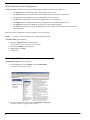
To install AZedit, do the following:
1.
Insert the AZedit CD into the CD-ROM drive.
The CD begins Autorun installation of the software.
2.
Select all the defaults, when prompted.
3.
When finished, click OK.
AZedit opens.
Uninstalling AZedit
To uninstall the software, do the following:
4
1.
From the Start menu, select Settings, and then Control Panel.
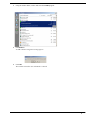
The Control Panel window appears.
2.
From the Control Panel window, select Add or Remove Programs.
The Add or Remove Programs window appears.
3.
Using the window slider, scroll to and select the AZedit program.
4.
Click Remove.
An Add or Remove Programs warning appears
5.
Click OK.
The windows uninstaller runs and AZedit is removed.
5
Connection to Matrix Intercom System
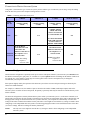
Using Table 1, determine the type of intercom system you have and the type of connection you are using. Verify the cabling
from the intercom system to the computer running AZedit is correct.
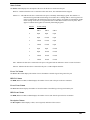
TABLE 1. Connecting
Serial
RS-232
USB
to the Intercom System
ADAM
ADAM CS
Cronus
Zeus & ZeusII
J1 connected to
computer running
AZedit
J900 connected to
computer running
AZedit
J1 connected to
computer running
AZedit
J25 connected to
computer running
AZedit
N/A
N/A
J7 connected to
computer running
AZedit. The USB
drivers are located in
C:\Telex\AZedit\USB.
N/A
For more information
on the USB connection,
see the Cronus User
Manual - 93507770000.
J1 on the Master
Controller back card
connected to the
Ethernet connection on
Ethernet/ the computer or to a
Network network switch
NOTE: This cabling
requires a
crossover cable.
N/A
J8 connected to the
Ethernet connection on
the computer or a
network switch
N/A
NOTE: This cabling
requires a
crossover cable.
Intercom Configuration Description
AZedit intercom configuration is primarily made up of resources and options related to your intercom system. Resources are
the number of intercom ports, party lines, etc. available on a system. Options describe such things as the number of talk levels
for each talk key, or the number of setup pages for each keypanel. These resources and options may be changed to
accommodate your unique environment.
Some options slightly modify the operation of the intercom system. Some resource and option settings are limited by the
amount of available hardware.
For example, in a Resource list, the number of ports is limited to the number of AIO (Audio Input Output) cards in the
intercom system. For other resources and options, the quantity is primarily limited by the amount of available memory in the
master controller.
The intercom configuration is actually defined in three places within your intercom system: 1) in the master controller 2) in
AZedit and 3) in each setup file. We normally recommend you set the intercom configuration in the master controller first, and
then apply these settings to AZedit afterward. Once you have done this, your setup files are automatically set to the same
settings as the master controller and AZedit. The only time where a user might not want all three (3) settings to match is when
configuring several independent intercom systems. The following paragraphs contain a more detailed discussion of the three
(3) resource settings, and how to manage the memory limitations.
NOTE:
6
The only time a user might not want all three (3) settings to match is when configuring several independent
intercom systems.
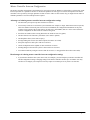
Master Controller Intercom Configuration
The master controller configuration is the backbone for your intercom system. Whatever is defined here, is allowed for actual
intercom operation. It is possible to increase or decrease the quantities of some types of resources and options in the master
controller to free up memory for larger quantities of other resources. There are also reasons why you might want to reduce or
eliminate quantities of resources and options not required:
Advantages of reducing master controller intercom configuration settings
•
•
•
•
•
•
•
•
•
•
The intercom system powers up faster with fewer resources.
Less memory resources are used in the system controller. For example, in larger, multi-frame intercom systems,
where the number of intercom ports can exceed several hundred, the configuration information for the ports
requires a large portion of the system memory. In such cases, unused IFBs, ISOs etc. can be removed from the
resource configuration to make room for resources being used.
Scroll lists are smaller (when viewing them either in AZedit or from a keypanel).
AZedit connects to the intercom system faster (fewer items to upload).
AZedit updates faster (fewer items to query).
Saving/Loading files is faster (less data to upload, less data to save/load).
Setup files require less disk space with fewer resources.
Checks for duplicate names (alphas) is faster with fewer resources.
Sending changes to the intercom system is faster with fewer resources.
You cannot mistakenly configure resources that do not exist (i.e. using ports that do not have AIO Cards).
Disadvantages of reducing master controller intercom configuration settings
•
If you add more hardware later (more AIO Cards, for example), you must readjust your master controller and
AZedit configuration settings. Changing settings in the master controller can take up to 10 minutes. You may
also have to reconfigure your setup files. This may require 2-3 minutes per file if you have several files.
7
AZedit Intercom Configuration Settings
NOTE:
In AZedit versions before 2.0, AZedit.ini, located in the AZedit folder, defined the quantity for each resource and
option. These quantities can be changed.
In AZedit versions 2.0 and higher, the .ini file is not used. The application defaults are defined through the registry editor
(Run/Regedit).
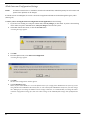
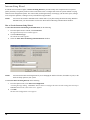
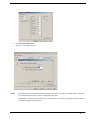
To ensure you are viewing the intercom configuration for the application, do the following:
8
1.
If you have been working on a setup file in FILE mode, save any changes you have made. If you have been working
on the online setup file in ONLINE mode, send your changes to the intercom system.
2.
Select New from the File menu, or click the New File button.
A warning message appears.
3.
Click OK.
4.
From the Options menu, select Intercom Configuration.
A warning message appears.
5.
Click OK.
The Intercom Configuration window appears.
6.
Click the Resources page.
When you first install AZedit, it is set to the default resources for a single frame ADAM intercom system. If you are
using AZedit with an ADAM CS Intercom System, or with a multi-frame ADAM Intercom System, you must change
this. Although you can change the AZedit resource settings at this time, we recommend that you change the master
controller configuration settings first, then select those settings as the AZedit default settings when prompted to do
so.
Setup File Configuration Settings
Whenever you open a setup file, the intercom configuration settings for that setup file are loaded. You can change the intercom
configuration to different settings than the AZedit default settings. However, the only time you might want to do this is when
you are creating setup files for several different intercom systems, each with a different set of resources. Usually, you create
your setup files using the default application resources.
To create a new file with the default configuration settings, do the following:
1.
From the File menu, select New.
If you are in Online mode, a message indicating “You are about to exit ONLINE mode and edit a default intercom
setup”.
2.
Click OK.
AZedit enters FILE mode and opens a default intercom setup file.
Modes of Operation
There are three different modes AZedit can run in: File, Online, and Server mode.
FILE:
File mode indicates the computer is not communicating with the intercom system. In this mode the user can
create new setup files and open/edit existing setup files, without the worry of interrupting users.
File mode is an excellent way to make a lot of changes that can be uploaded to the intercom system as a
batch change without interruptions. The changes made in File mode can also be saved to a disk for upload at
a later time. This also ensures a backup of changes made to the system.
ONLINE:
Online mode indicates the computer is communicating with the intercom system. Users can make changes to
the intercom configuration or send setup files to the intercom system.
SERVER:
Server mode indicates the computer is online and operating in Server mode. Users can view current intercom
system configurations, as well as intercom activity.
While in Server mode, no changes can be made. This eliminates any redundancy of effort by more than one
user.
Connecting to ONLINE Mode from FILE Mode
Once you have finished making changes to the intercom system in FILE mode and have saved changes, you may want to
connect to the intercom system from FILE mode to upload the changes.
To connect to ONLINE mode, do the following:
1.
From the menu bar, select Online.
The Online drop-down menu appears.
2.
From the drop-down menu, select Connect.
The word ONLINE appears in the lower right-hand corner of the main AZedit window.
9
To disconnect from ONLINE mode, do one of the following:
Using the New file option
1.
From the File menu, select New.
A message indicating “you are about to exit ONLINE mode and edit a default intercom setup” appears.
2.
Click OK to accept. Otherwise, click Cancel.
The word FILE appears in the lower right-hand corner of the main AZedit window.
Using the Open file option
1.
From the File menu, select Open.
A message indicating “You are about to exit ONLINE mode and open a file” appears.
2.
Click OK to accept. Otherwise, click Cancel.
The Setup browse window appears for you to choose the setup you would like to open. Also, the word FILE appears
in the lower right-hand corner or the main AZedit window.
Using the Save file option
1.
From the File menu, select Save.
The Save (Online setup) browse window appears.
2.
In the File Name text box, enter the setup file name to be saved (for example, Setup_9302003.adm).
3.
Click Enter.
The Confirmation - ONLINE Save As window appears.
4.
When the option to stay online or enter file mode appears, select Enter FILE Mode. Otherwise, select ONLINE.
5.
Click Continue. Otherwise, click Cancel to cancel the upload and return to the main AZedit window.
The upload of the setup file begins. You see a status bar until it is finished uploading the data. Once the file is
uploaded, the word FILE appears in the lower right-hand corner of the main AZedit window.
Connecting / Disconnecting - SERVER Mode
Monitoring the status of the intercom system is vital to effective and efficient operation. Server Mode allows the user to view
real-time intercom activity. Remember, changes to the intercom system may not be made in SERVER Mode.
NOTE:
You must be in ONLINE Mode before you can enter SERVER Mode.
To connect using SERVER Mode, do the following:
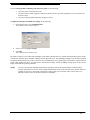
>
From the Online menu, select Server Mode.
A check mark appears next to Server Mode when it is active, the background in all fields turns purple, and the word
SERVER appears in the lower right-hand corner of the main AZedit window.
To disconnect from SERVER Mode, do the following:
>
10
From the Online menu, select Server Mode.
The check mark is removed from Server Mode, the background in all fields returns to white, and the word ONLINE
appears in the lower right-hand corner of the main AZedit window.
Trouble Connecting?
If you are having trouble connecting to the intercom system, try the following:
•
•
•
Verify the power to the intercom is ON.
Verify the intercom cable is properly connected to the PC. Refer to the cable information you received with your
intercom system.
Verify the COM port and the Baud rate settings are correct.
To adjust the COM port and Baud rate settings, do the following:
1.
From Options menu, select Communications.
The Communications window appears.
2.
Verify or select the proper settings.
3.
Click OK.
The Communications window closes.
By default, AZedit is set for COM1 and 38,400kbps (38.4K baud). The baud rate set in AZedit must match the baud rate setting
of the master controllers in the ADAM or ADAM CS frame (Dip Switch #1). The 38,400kbps setting provides the fastest possible
file uploads and downloads, but you may experience more communication errors operating at this speed than at a lower baud rate
setting. Cable lengths of 30-50 ft. (9-15 meters) have been used successfully with the 38,400kbps setting. However, this may not
always work under all operating conditions.
NOTE:
If you are experiencing communication problems operating at this speed, check the Master Controller Status
window (Status|Master Controller Status). Rapid communication errors on the right side of the window indicates a
problem. In such cases, check cable construction or cable routing, or use a shorter cable. You may have to try
different scenarios before one permits operation at 38,400kbps.
11
12
CHAPTER 2
General Usage Tools
Status Bar
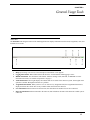
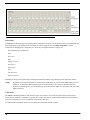
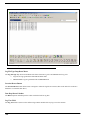
The Status Bar runs along the bottom of the AZedit application. It displays information such as mode, assignments, users, and
transmit/receive status.
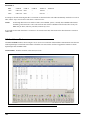
FIGURE 119.
Status Bar - AZedit
1.
Help: By browsing over an icon, a brief description of the button or icon appears.
2.
Logging Information: When enabled, this field shows the word LOGGING when logging is active.
3.
MODE information: This field shows which mode AZedit is running: FILE, ONLINE, or SERVER. For more
information on modes, See “Modes of Operation” on page 9.
4.
Tx/Rx Information: These lights display the transmit and receive status of the intercom system. Green lights mean
operation is normal. Red lights mean there is a problem.
5.
Assignment Information: When you hover over or click in a key assignment field, the assignment information is
displayed in these three fields. This is only available when connected to the intercom.
6.
User information: When connected to the intercom, this field shows the number of users also connected.
7.
Intercom Information: When connected to the intercom, this field shows the name of the intercom to which you are
connected.
13
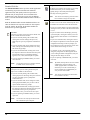
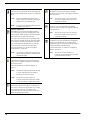
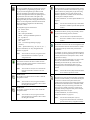
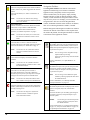
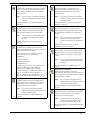
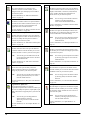
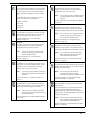
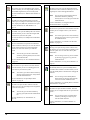
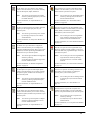
Standard Tool Bar
Merge Icon
The Standard Toolbars at the top of the AZedit application
window help you perform common tasks within the
application easily and quickly. Each icon represents a
different task you can perform. You can customize the
toolbars to have only the icons you use most. In addition,
there is a second customizable standard toolbar available, if
needed.
The Merge icon combines the contents of a previously
saved file into the file you are currently editing.
Typically, merge is used with partial setup files
previously saved using partial save.
Both the Standard Toolbar and the Standard Toolbar 2 can
either be docked to the top of the window or float separate
from the window. By default, the Standard Toolbars are
docked to the top of the application.
The Save icon saves the current AZedit setup file. Save
is available in the File menu and via the Save button.
New Icon
The New icon creates a new setup file for AZedit. New
is also available from the File menu.
• If you are currently editing a file in FILE mode,
clicking New clears all settings and open a new,
blank setup file (you are prompted for confirmation
first).
• If you are in FILE mode, but no changes have been
made, clicking New immediately starts a new setup
file without any prompts.
• If you are in ONLINE mode, clicking New causes
the computer to disconnect from the intercom system
and enter FILE mode (A confirmation message
appears). Then, a new, blank setup file is opened.
• If you are operating in SERVER mode, you cannot
start a new file.
Note:
You can also use File|New from the menu bar
in AZedit to start a new setup file.
Note:
Save Icon
• If you are currently editing a new file in FILE mode,
clicking Save lets you select a file name and location
to save.
• If you are in FILE mode, and editing a previously
opened setup file, clicking Save allows you to save
the file with the same file name or with a different
name.
• If you are in ONLINE mode, clicking Save causes
the computer to upload the current intercom system
configuration and merge it with any changes you
have made but not sent to the intercom system. This
assures that the latest settings are saved.
For example, if one or two keypanel operators
change key assignments on their keypanels while
you are editing the Online configuration, both your
changes and their changes are saved.
• If you are operating in SERVER mode, you cannot
save a file.
Note:
By default, all setup files are saved in a folder
called Setups, which is located in your
AZedit program folder. This folder is not
deleted if you use the Uninstall utility to
remove AZedit. We recommend that you
save your files in this folder.
Note:
You can also use File|Save from the menu
bar in AZedit to use Save.
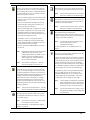
Open Icon
The Open icon opens an existing AZedit setup file.
Open is also available in the File menu.
• If you are currently editing a file in FILE mode,
clicking Open clears all settings and opens a file that
you select from disk (you are prompted for
confirmation first).
• If you are in FILE mode, but no changes are made,
clicking Open immediately lets you select a file to
open from disk without any prompts.
• If you are in ONLINE mode, clicking Open causes
the computer to disconnect from the intercom system
and enter FILE mode (you are prompted for
confirmation). Then, you can select a file to open.
• If you are operating in SERVER mode, you cannot
open a file.
Note:
14
You can also use File|Open from the menu
bar in AZedit to open a setup file.
You can also use File|Merge from the menu
bar in AZedit to merge two setup files.
Save As Icon
Print Preview Icon
The Save As icon saves the current AZedit setup file
under another file name. Use the Save As operation to
save an existing file you want to change without losing
the original setup file. Save As is available in the File
menu and via the Save As button.
The Print Preview icon opens a display window to let
you see how the printed page looks before you print it.
• If you are currently editing a new file in FILE mode,
Print Setup Icon
clicking on Save As lets you select a file name and
location to save.
• If you are in FILE mode, and editing a previously
opened setup file, clicking Save As allows you to
save the file with a new file name.
Note:
The Print Setup command lets you select a printer, the
orientation of the paper, and any other options that are
available for your selected printer.
Note:
• If you are in ONLINE mode, clicking Save As causes
the computer to upload the current intercom system
configuration and merge it with any changes you
have made but not sent to the intercom system. This
assures the latest settings are saved.
For example, if one or two keypanel operators
change key assignments on their keypanels while
you are editing the Online configuration, both your
changes and their changes are saved.
• If you are operating in SERVER mode, you cannot
use Save As.
Note:
Note:
By default, all setup files are saved in a folder
called Setups, which is located in your
AZedit program folder. This folder is not be
deleted if you use the Uninstall utility to
remove AZedit. We recommend that you
save your files in this folder.
You can also use File|Save As... from the
menu bar in AZedit to access Save As.
Partial Save Icon
The Partial Save icon lets you save parts of the setup
file you are currently working on. Later, you can send
the partial configuration to the intercom system using
the Send File command. On the other hand, you can use
the Merge command to merge the partial file into
another setup file you are working on. For example,
you might use Partial Save to save all of your UPL
Resources and UPL Statements in their own file. You
can then merge this file into your other setup files using
the Merge command.
Note:
You can also use File|Partial Save... from the
menu bar in AZedit to perform a partial save.
Print Icon
You can also use File|Print Preview from the
menu bar in AZedit to access Print Preview.
You can also use File|Print Setup... from the
menu bar in AZedit to access Print Setup.
Communications Icon
The Communications icon displays the
Communications window. From this window you can
configure the type of connection your intercom system
is using: Serial, USB, or Network.
Note:
You can also use Options|Communications
from the menu bar to access the
communications window.
For more information, see “Communications” on
page 43.
Clear Icon
The Clear icon (cancel changes command) cancels the
operation without making changes.
Unlike Undo, which only lets you work on a “stack” of
changes (last change made, is the first change undone),
cancel changes lets you move from window to window
and clear the changes made to any item. In addition,
when you select an item and then select cancel changes,
the confirmation dialog asks whether you would like to
Cancel Changes for ALL items of the selected type.
For example, if you are viewing the IFB window and
click on an IFB, then select Cancel Changes, the
confirmation dialog reads “Are you sure you want to
Cancel Changes for the selected IFB?”, and a check
box that reads “Cancel Changes for ALL IFBs”.
Note:
Cancel Changes is available only in ONLINE
mode and only when an item is selected that
has been changed since the last time changes
were saved or sent to the intercom system.
Note:
You can also use Edit|Cancel Changes from
the menu bar in AZedit to cancel changes that
have been made.
The Print icon opens the Print window. You can print
the configuration information for whatever view you
are currently viewing.
Note:
You can also use File|Print... from the menu
bar in AZedit to print a window.
For more information, see “Keypanel Print Options
Window” on page 273.
15
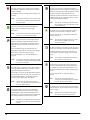
Abort Icon
Paste Icon
The Abort icon erases any changes you have made to
the ONLINE configuration. You must be in ONLINE
mode to select this.
The Paste icon pastes the contents of the Windows
Clipboard into the current configuration window (if that
window is of the same type as the one that was copied).
If SERVER or FILE is indicated, Abort Changes is not
available.
The paste command is only used after the copy
command. (To select certain items you want to paste, or
to simultaneously paste to multiple windows, you can
use Paste Special instead of Paste.)
Note:
You can also use Online|Abort Changes from
the menu bar in AZedit to abort changes that
have been made.
Note:
About Icon
The About icon displays a window that details the
AZedit version, its build date, and copyright
information.
Note:
You can also use Help|About AZedit from the
menu bar to access the About window.
You can also use Edit|Paste from the menu
bar in AZedit to paste selected items into the
setup configuration.
Preferences Icon
The Preferences icon opens the Preferences window.
Preferences are optional user settings for AZedit.
For more information, see “Application Preferences
Window” on page 73.
Activate (Send All Changes) Icon
The Activate (Send All) icon sends changes made in
AZedit to the Master Controller and the keypanels.
Send Changes is only available in ONLINE mode. If
SERVER or FILE is indicated, Send Changes is not
available.
When you make changes, the changed items are
highlighted in yellow. When you select Send Changes,
these items are sent to the intercom system.
For more information, see “Send All Window” on
page 263.
Note:
Redo Icon
The Redo icon allows you to redo up to 20 consecutive
changes you previously canceled with the Undo Button.
The Redo command is cleared every time you save
your setup file or send your changes to the intercom
system.
Note:
Note:
You can also use Online|Send Changes from
the menu bar in AZedit to send changes made
to the master controller.
Alpha Copy Icon
The Alpha Copy icon opens the Copy Alpha window.
The Copy Alpha window helps you quickly copy and
paste selected alpha or alias names.
For example, you could copy all Alpha names and paste
them to all Alias names.You may want to do this if you
have just added trunking to a stand alone intercom
system and must employ using Alias names.
Note:
You can also use Alphas|Advanced Copy
Utility... from the menu bar in AZedit to open
the Copy Alphas window.
Refresh Alphas Icon
The Refresh Alphas icon allows you to upload all
current alphas from the intercom system to AZedit.
Refresh Alphas is only available in ONLINE mode.
This allows it to retrieve the most current configuration
and status information from the intercom system.
Note:
16
You can also use Alphas|Refresh Alphas from
the menu bar in AZedit to perform a Refresh
Alphas.
You can also use Options|Preferences from
the menu bar in AZedit to access the
Preferences window.
You can also use Edit|Redo from the menu
bar in AZedit to perform a redo.
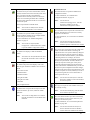
Resources Icon
The Resources icon opens the resource page of the
Intercom Configuration window. In this window you
can configure your intercom system manually or use
the Intercom Sizing Wizard to help in configuring your
system.
For more information, see “Resources Page” on
page 49.
Note:
You can also use Options|Intercom
Configuration from the menu bar in AZedit
to access the Resources window.
Intercom Icon
The Intercom icon opens the Select Intercom window.
From this window, you can change the intercom system
you are viewing.
Note:
You can also use Authentication|Change
Intercom to change intercom systems.
Send Icon (Send File)
Authentication Icon
The Send icon lets you select a file from disk, view its
contents, and then send it to the intercom system. If the
file is a complete setup file, all configuration
information in the intercom system is overwritten. If
the file was created using the Partial Save command,
only those items contained in the file are overwritten in
the intercom system.
The Authentication icon opens the authentication
configuration window.
For more information, see “Authentication
Configuration Window” on page 66.
Note:
Send is only available in ONLINE mode.
Note:
You can also use Edit|Send File from the
menu bar in AZedit to access send file.
SNMP Icon
The SNMP icon opens the SNMP Configuration
window. From this window you can configure SNMP
to work with your intercom system.
For more information, see “SNMP Configuration
Window” on page 70.
Note:
You can also use Options|SNMP
Configuration... from the menu bar in AZedit
to open the SNMP Configuration window.
Toolbar Icon
The Toolbar icon displays or hides the Standard
Toolbar.
Note:
You can also use View|Standard Toolbar from
the menu bar in AZedit to show or hide the
toolbar.
Toolbars Drop Down Menu Icon
The Toolbars drop down menu displays a list of the
different types of toolbars available to show or hide in
AZedit.
You can show or hide:
• Standard toolbar
• Standard 2 toolbar
• Navigation toolbar
• Navigation 2 toolbar
• Status Bar
• Key Assignment Grid
You can also use
Authentication|Configuration... from the
menu bar in AZedit to access the
authentication configuration window.
Connected Users Icon
The Connected Users icon opens the Connected Users
window, which displays a list of all users currently
logged on to the Intercom.
For more information, see “Connected Users Window”
on page 247.
Note:
You can also use Authentication|Show
Connected Users from the menu bar in
AZedit to open the Connected Users window.
Connect Icon
The Connect icon connects the intercom system when
AZedit is in FILE mode. Before connecting, the
program checks to see if you have made any changes to
your current intercom setup file. If there are changes,
you can cancel the connection and save your file before
connecting. If there are no changes, the current
intercom system setup file is immediately upload from
the intercom system master controller, and this overwrites any setup file currently open. After you are
connected, ONLINE is displayed in the lower-right
corner of the window. In ONLINE mode, you can view
the intercom system configuration and make changes,
and you can also check various intercom statistics, such
as which crosspoints are closed, which keys are active
on a specific keypanel, the versions of firmware in
various system devices, etc.
Note:
You can also use Online|Connect from the
menu bar in AZedit to connect the AZedit to
the intercom system.
Copy Icon
What’s New Icon
The Copy icon copies the entire window content you
are currently viewing.
The What's New icon opens the developer's notes that
describe the features, by version, within the AZedit
application.
Note:
Note:
You can also use Help|What’s New from the
menu bar in AZedit to access the What’s New
document.
You can also use Edit|Copy from the menu
bar in AZedit to perform a copy.
Create Shortcut Icon
The Create Shortcut button opens the Create Desktop
Shortcut window. You can create a shortcut on your
desktop to the intercom system.
For more information, see “Create Desktop Shortcut
Window” on page 248.
Note:
You can also use Authentication|Create
Shortcut from the menu bar in AZedit to
create a shortcut for AZedit on the desktop.
17
Cut Icon
Shrink Icon
The Cut icon cuts selected information and temporarily
places it on the clipboard until you paste it to a different
field.
The Shrink icon gives you the ability to manually
decrease the size of the font in the application with the
click of the mouse.
Note:
If you cut information and do not paste it
before cutting more information, the original
information cut is permanently lost.
Note:
Note:
You can also use Edit|Cut from the menu bar
in AZedit to perform a cut.
Duplicate Alphas Icon
The Duplicates? icon checks for duplicate alphas in
your system after you have been modifying the setup
file. By default, AZedit prompts to check for duplicate
alphas whenever you open a file from disk.
Grow Icon
The Grow icon gives you the ability to manually
increase the size of the font in the application with the
click of the mouse.
Note:
You can also use View|Font Size from the
menu bar in AZedit to set the size of text
displayed in windows.
In a large-scale intercom system, the possibility exists
that you may accidentally assign the same name (alpha)
to two different resources. Two resources of the same
type can NEVER have the same name (for example,
two intercom ports cannot have the name DIR1).
For more information, see “Check For Duplicate
Alphas Window” on page 265.
GPIO-16 Icon
The GPIO-16 icon opens the GPIO-16 Configuration
window. From this window you can setup various
configuration options, such as IP Addressing, Ethernet
settings, and Master Controller settings.
For more information, see “GPIO-16 Configuration
Window” on page 62.
Note:
Note:
You can also use Alphas|Check for Duplicate
Alphas from the menu bar in AZedit to check
for duplicate alphas.
Ethernet Configuration Icon
The Ethernet Configuration icon opens the Ethernet
Setup window. Configure the Ethernet connection for
the intercom system.
For more information, see “Ethernet Settings” on
page 39.
Note:
You must be connected to the intercom using
a serial or USB connection to configure
Ethernet for the intercom system
Note:
You can also use Options|Ethernet
Configuration from the menu bar in AZedit
to open the Ethernet Configuration window.
Font Drop Down Menu Icon
The Font drop down menu displays several different
text sizes for viewing the setup windows. If you select
one of the larger text sizes, the complete setup
information does not fit on your window. In this case,
scroll bars appear on the window.
18
You can also use View|Font Size from the
menu bar in AZedit to set the size of text
displayed in windows.
You can also use Options|GPIO-16
Configuration from the menu bar in AZedit
to open the GPIO-16 window.
Assignment Grid Icon
Paste Special Icon
The Key Assignment Grid icon provides easy access to
key assignments for programming keypanels. To use
the grid, click the assignment type combo box and
select the assignment type from the list that appears.
Based on the assignment selected, the alphas appear in
the grid below. Click the border of the grid’s outer
frame and drag the mouse to resize the grid. Once the
alpha appears that you wish to assign, place the mouse
pointer over the assignment, hold down the left mouse
button, and drag the assignment to the desired key
(either talk or listen).
The Paste Special icon opens the Paste Special window.
Paste Special is available in the Edit menu. It gives you
greater control over pasting than you get when using
the Paste command. You can paste portions of the
Windows Clipboard to a window. On the other hand,
you can paste to multiple windows.
The assignment types are abbreviated:
PP – Point-to-Point
PL – Party Line
IFB – Interrupt Fold-Back
IFB SL – Interrupt Fold-Back Special List
SL – Special List
GPIout – GPI output
ISO – Isolate
UPL – Universal Programming Language
(resource)
SPCL – Special Function (e.g. AL, AF, AC, etc…)
For more information, see “Key Assignment Grid
Window” on page 272.
Note:
You can also use View|Key Assignment Grid
from the menu bar in AZedit to open the
Assignment Grid.
Forward Icon
The Forward icon allows the user to follow the same
sequence of windows used to go back. Forward must be
used in conjunction with Back.
Note:
You can also use View|Go Forward from the
menu bar in AZedit to advance to the next
window.
NavBar 2 Icon
The NavBar 2 icon allows the user to show or hide the
Navigation 2 Toolbar.
For more information, see “Paste Special Window” on
page 251.
Note:
You can also use Edit|Paste Special from the
menu bar in AZedit to open the Paste Special
window.
Back Icon
The Back icon allows you to go to previously viewed
(up to 20 consecutively previous) windows.
Note:
You can also use View|Go Back from the
menu bar in AZedit to return to the previous
window
Refresh Icon
The Refresh icon restores the current configuration and
status information about an intercom station in AZedit.
Use Refresh with any window that provides status
information.
For example, if you are viewing a particular Keypanel/
Port window, by selecting Refresh you can see the keys
currently activated. For each key that is ON, a red dot
appears above the key.
The windows refresh automatically every few seconds.
However, the time between refreshes can vary,
depending on intercom activity, and the size of the
intercom system. Use Refresh to ensure you are
viewing the most recent information for a particular
window.
Note:
You can also use View|Refresh from the menu
bar in AZedit to perform a refresh.
Search Icon
The Nav Bar icon allows the user to show or hide the
Navigation Toolbar.
The Search icon opens the Search For Key Assignment
window. From this window you can search for all ports
or resources in an intercom system. Search (and
Replace) helps you change ports without searching for
all ports that are affected. Search is sometimes useful,
for example, when you are moving a user from one
intercom port to another. You have to search for all
keypanels with keys assigned to that person's old port,
and change them to the new port.
Note:
For more information, see “Search For Key
Assignment Window” on page 267.
Note:
You can also use View|Navigation Toolbar 2
from the menu bar in AZedit to show or hide
the Navigation Toolbar 2.
NavBar Icon
You can also use View|Navigation Toolbar
from the menu bar in AZedit to show or hide
the Navigation Toolbar.
Note:
You can also use Edit|Search for key
assignment from the menu bar in AZedit to
open the search for key assignment window.
19
User Icon
The User icon opens the Select User window. From this
window, switch User profiles logged onto the intercom
system.
For more information, see “Select User Window” on
page 245.
Note:
You can also use Authentication|Change
User from the menu bar in AZedit to open the
Select User window.
Server Status Icon
The Server Status icon turns Server Mode ON and OFF.
This button is only available in ONLINE mode.
For more information about AZedit modes of
operation, see “Modes of Operation” on page 9.
Note:
You can also use Online|Server Mode from
the menu bar in AZedit to switch to Server
Mode.
Status Bar Icon
The Status Bar icon shows or hides the status bar
located at the bottom of the AZedit application window.
For more information, see “Status Bar” on page 13.
Note:
You can also use View|Status Bar from the
menu bar in AZedit to advance to the next
window.
Navigation Toolbars
The Navigation Toolbars at the bottom of the AZedit
application window help you to maneuver around the
application easily and quickly. Each icon represents a
different window that you can open by simply clicking.
Besides being able to jump to different windows within
AZedit, you can customize the navigation toolbars to have
only the icons you use. For example, you can customize the
navigation bar to have an icon for the Keypanel/Ports
window, the RVON and all the status windows. In addition,
there is a second navigational bar available, if needed.
Both the Navigation and Navigation 2 Toolbars can either be
docked to the bottom of the window or float separate from
the window. By default, the Navigation Toolbars are docked
to the bottom of the application window.
AGRPs Alpha Icon
The AGRPs Alpha icon opens the Assignment Group
Alphas window. From this window you can create or
modify descriptions and alphas for assignment groups
in your intercom system.
Note:
Toolbar2 Icon
The Toolbar2 icon displays or hides the Standard
Toolbar2.
Note:
You can also use View|Standard Toolbar2
from the menu bar in AZedit to show or hide
the Standard Toolbar2.
Undo Icon
The Undo icon can undo up to 20 consecutive
previously made changes. The Undo command is
cleared every time you save your setup file or send your
changes to the intercom system in ONLINE mode.
Note:
You can also use Edit|Undo from the menu
bar in AZedit to undo previous modifications.
Error Information Icon
The Error Information icon opens the Error Information
window, which displays enhanced error information on
recently occurring errors.
Note:
You can also use Help|Error Information
from the menu bar in AZedit to open the
Error Information window.
You can also get to the Assignment Group
Alphas window by selecting
Alphas|Assignment Groups from the AZedit
menu bar.
For more information, see “Alpha Windows” on
page 189.
DIMs Description Icon
The DIMs Description icon opens the Inter-panel Dim
Descriptions window. From this window you can
create or modify the description for inter-panel DIMs
in your intercom system.
Note:
You can also get to the DIMs Description
window by selecting Alphas|Dim Table from
the AZedit menu bar.
For more information, see “GPI Input and DIM
Description Windows” on page 193.
Gains Drop Down Menu Icon
The Gains drop down menu icon displays a list of three
options: Crosspoint, Party Line, and I/O Gains
windows.
From these windows you can modify gain settings for
crosspoints, party lines, and inputs/outputs in your
intercom system.
NOTE:
You can also get to the Gains drop down
menu by selecting System|Gains from
the AZedit menu bar.
For more information, see “Crosspoint Gains Window”
on page 175, “Party Line Gains Window” on page 178,
or “Input/Output Gains Window” on page 181.
20
GPIs Icon
I/O Cards Alphas Icon
The GPIs Icon opens the GPI Input window. From this
window, you can designate or modify the port, alpha,
the key number, and the key type for GPIs in your
intercom system.
The I/O Cards Alpha icon opens the IO Card
Descriptions window. From this window, you can
modify I/O card descriptions for cards in your
intercom system.
Note:
Note:
You can also get to the GPI Input window by
selecting System|GPI Input from the AZedit
menu bar.
You can also get to the I/O Card Alphas
window by selecting Alphas|I/O Card from
the AZedit menu bar
For more information, see “GPI Input Window” on
page 129.
For more information, see “I/O Card Description
Window” on page 195.
IFBs Alphas Icon
I/O Card Versions Icon
The IFB Alphas icon opens the IFB Alphas window.
From this window you can modify the description,
alpha, and alias of IFBs in your intercom system.
The I/O Card Versions icon opens the IO Card
Versions window. From this window, you can view
I/O card versions and upgrade I/O card firmware
versions.
Note:
You can also get to the IFB Alphas window
by selecting Alphas|IFB from the AZedit
menu bar
Note:
For more information, see “Alpha Windows” on
page 189.
IFB Drop Down Menu Icon
The IFB Drop Down Menu icon opens the IFBs
window. From this window you can view, create, and
modify IFBs in the intercom system.
Use the drop down arrow to display a list of four
options to choose to view. These include:
• IFB Priority
• PGM Listen Source
• IFB Listen Destination
• IFB Special List
From these windows you can view the IFB priorities,
configure the PGM Listen Source, IFB listen
destinations, or the IFB special lists windows.
For more information, see “IFB Priorities Window” on
page 116, “Program Listen Source Window” on
page 123, “IFB Listen Destination Window” on
page 118, or “IFB Special Lists Window” on page 120.
You can also get to the I/O Card Versions
window by selecting Status|Software
Versions|I/O Cards from the AZedit menu
bar
For more information, see “I/O Card Version
Information Window” on page 233.
ISO Alphas Icon
The ISO Alpha icon opens the ISO Alphas window.
From this window you can rename default alphas,
aliases and descriptions for ISOs in your intercom
system.
Note:
You can also get to the ISO Alphas window
by selecting Alphas|ISO from the AZedit
menu bar.
For more information, see “Alpha Windows” on
page 189.
Keypanels/Ports Status Icon
The Keypanel/Ports Status icon opens the
Keypanel/Ports Status window. From this window, you
can view the status of the Keypanel/Ports and upgrade
keypanel firmware versions.
IFB SL Alphas Icon
The IFB SL Alpha icon opens the IFB Special List
Alphas window. From this window you can rename
default alphas, aliases, and descriptions for IFB
Special Lists in your intercom system.
Note:
You can also get to the IFB SL Alphas
window by selecting Alphas|IFB Special List
from the AZedit menu bar
For more information, see “Alpha Windows” on
page 189.
Note:
You can also get to the Keypanel/Ports
Status window by selecting Status|Keypanel/
Ports from the AZedit menu bar.
For more information, see“Port Status Window” on
page 200.
Keypanel/Ports Icon
The Keypanel/Ports icon opens the Keypanels/Ports
window. From this window, you can configure
keypanels in your intercom system.
Note:
You can also get to the Keypanel/Ports
window by selecting System|Keypanel
Assignment from the AZedit menu bar.
For more information, see “Keypanels/Ports Window”
on page 86.
21
Listen Destination Icon
RVON Connection Status Icon
The Listen Destination icon opens the Listen
Destination window. From this window you can
configure listener ports and output ports for IFBs in
your intercom system.
The RVON Connection Status icon opens the RVON
Connection Status window. From this window you can
display Card/Channel, Connection, VOIP, Network,
Errors, and Pass-Through status information for
RVON devices in your intercom system.
For more information, see “IFB Listen Destination
Window” on page 118.
Master Controller Version Icon
The Master Controller Version icon opens the Master
Controller Version window. From this window you can
view Master Controller version information and
upgrade the master controller firmware.
For more information, see “Master Controller Version
Information Window” on page 232.
PAPs and LCPs Descriptions Icon
You can also get to the RVON Connection
window by selecting Status|RVON
Connection from the AZedit menu bar.
For more information, see “RVON Connection Status
Window” on page 224.
RYs Icon
The RYs icon opens the GPI Outputs window. From
this window you can determine input and output ports,
as well as individual scroll enable settings.
The PAPs and LCPs Description icon opens the PAP
and LCP Descriptions window. From this window you
can create or modify the descriptions for PAPs or
LCP-102s in your intercom system.
Note:
For more information, see “Edit PAP/LCP Description
Window” on page 198.
For more information, see “GPI Output Window” on
page 125.
PAPs and LCPs Status Icon
SLs Icon
The PAPs and LCPs Status icon opens the PAP and
LCP Status window. From this window you can view
the status for PAPs or LCPs in your intercom system.
The SLs icon opens the Special Lists window. From
this window you can create and configure special lists
in your intercom system.
Note:
Note:
You can also get to the PAPs and LCP-102
by selecting Status|PAP and LCP-102 from
the AZedit menu bar
You can also get to the GPI Output window
by selecting System|GPI Output from the
AZedit menu bar.
You can also get to the Special Lists window
by selecting System|Special Lists from the
AZedit menu bar.
For more information, see “PAP & LCP-102 Status
Window” on page 214.
For more information, see “Special Lists Window” on
page 108.
PL Gains Icon
UIO Status Icon
The PL Gains icon opens the Party Line Gains
window. From this window you can modify gain
settings for party lines in your intercom system.
The UIO Status icon opens the UIO Status window.
From this window you can view the status for UIO-256
and GPIO-16 units in your intercom system.
Note:
Note:
You can also get to the PL Gains window by
selecting System|Gains|Party Line Gains
from the AZedit menu bar.
You can also get to the UIO Status window
by selecting Status|UIO from the AZedit
menu bar.
For more information, see “Party Line Gains Window”
on page 178.
For more information, see “UIO-256 Status Window”
on page 216.
Keypanel/Ports Alphas Icon
URs Alphas Icon
The Keypanel/Ports Alpha icon opens the
Keypanel/Port Alphas window. From this window you
can create or modify descriptions, output alphas, input
alphas, and aliases for keypanel/ports in your intercom
system.
The URs Alpha icon opens the UPL Resource Alphas
window. From this window you can create or modify
the description, alpha, and alias for UPL resources in
your intercom system.
Note:
You can also get to the Keypanel/Port
Alphas window by selecting
Alphas|Keypanels/Ports from the AZedit
menu bar.
For more information, see “Port Alphas Window” on
page 184.
22
Note:
Note:
You can also get to the UPL Resources
window by selecting Alphas|UPL Resource
from the AZedit menu bar.
For more information, see “Alpha Windows” on
page 189.
Versions Drop Down Menu Icon
Trunks Status Icon
The Versions Drop Down Menu icon opens the Select
Device window. From this window, select the device
for which you want to view status. Options include
Master Controllers, Keypanels, I/O Cards, or GPIO16s.
The Trunks Status icon opens the Trunk Status
window. From this window can view the status of
trunked lines in your intercom system.
Note:
Use the drop down arrow to display a list of four
options to choose to view. These include:
• Master Controllers
• I/O Cards
• Keypanels
• GPIO-16s
XCP Status Icon
The XCP Status icon opens the Crosspoint Controller
Status window. From this window, you can view the
status of crosspoints in your intercom system.
For more information, see “Crosspoint Status
Window” on page 151.
XCP Icon
The XCP icon opens the Crosspoints Status window.
From this window you can create and configure
crosspoints used in your intercom system.
Note:
You can also get to the Crosspoint Status
window by selecting System|Crosspoint
from the AZedit menu bar.
For more information, see “Crosspoint Status
Window” on page 151.
GPIOs Icon
The GPIOs icon opens the GPIO-16s window. From
this window you can enable/disable Ethernet, change
IP Addresses, and view information concerning
GPIO-16 units in your intercom system.
Note:
You can also get to the GPIO-16 window by
selecting System|GPIO-16 from the AZedit
menu bar.
You can also get to the Trunk Status window
by selecting Status|Trunks from the AZedit
menu bar.
For more information, see “Trunk Inspection Window”
on page 220.
AGRPs Icon
The AGRPs icon opens the Assignment Groups
window. From this window you can create, modify,
and delete assignment groups in your intercom system.
Note:
You can also get to the Assignment Groups
window by selecting System|Assignment
Groups from the AZedit menu bar.
For more information, see “Assignment Group
Window” on page 139.
DIMs Icon
The DIMs icon opens the Inter-panel Dim Tables
window. From this window you can add and remove
ports to and from DIM tables in your intercom system.
Note:
You can also get to the Inter-panel DIM
Table window by selecting System|Dim
Table from the AZedit menu bar.
For more information, see “Inter-Panel Dim Table
Window” on page 156.
GPIs Alpha Icon
The GPIs Alpha icon opens the GPI Input Description
window. From this window you can change the default
description of the GPI Input.
Note:
You can also get to the GPI Input
Descriptions window by selecting
Alphas|GPI Input from the AZedit menu bar.
For more information, see “GPIO-16s Window” on
page 136.
For more information, see “GPI Input and DIM
Description Windows” on page 193.
DBX Status Icon
Icoms Status Icon
The DBX Status icon opens the DBX Links Status
window. From this window you can view the status of
DBX cards installed and upgrade the firmware.
The Icoms Status icon opens the Remote Intercoms
Status window.
Note:
You can also get to the DBX Links Status
window by selecting Status|DBX Links from
the AZedit menu bar.
For more information, see “DBX Link Status Window”
on page 208.
This window displays a two-column status window
and four operations (radio buttons) that can be
performed from this window. The text description of
options 1 and 3 can change depending on the intercom
selected in the status list.
Note:
You can also get to the Remote Intercom
Status window by selecting Status|Remote
Intercom from the AZedit menu bar.
For more information, see “Remote Intercoms Status
Window” on page 222.
23
Priorities Icon
KPs Version Icon
The Priorities icon opens the IFB Priorities window.
From this window, you can configure IFB priorities for
selected IFB assignments in your intercom system.
The KPs Version icon opens the Keypanel Versions
Information window. From this window you can view
keypanel/port versions and upgrade firmware.
For more information, see “IFB Priorities Window” on
page 116.
Note:
IFBs Icon
The IFBs icon opens the IFBs window. From this
window you can configure scroll enable actions, input
ports, output ports, DIM level, and listen source ports.
For more information, see “IFBs Window” on
page 111.
IFB SL Icon
The IFB SL icon opens the IFB Special Lists window.
From this window you can create and configure IFB
special lists for your intercom system.
For more information, see “Keypanel Version
Information Window” on page 234.
LCPs Icon
The LCPs icon opens the LCP-102s window. From this
window you can configure LCPs in your intercom
system.
Note:
For more information, see “IFB Special Lists Window”
on page 120.
I/O Cards Status Icon
The I/O Cards Status icon opens the IO Card Status
window. From this window you can view the status of
the I/O cards in the intercom system and upgrade
firmware for most of the cards in your intercom
system.
Note:
You can also get to the I/O Cards Status
window by selecting Status|I/O Cards from
the AZedit menu bar.
For more information, see “I/O Card Status Window”
on page 212.
IO Gains Icon
The IO Gains icon opens the IO Card Gains window.
From this window you can set or modify gain levels
for IO cards in your intercom system.
Note:
You can also get to the I/O Gains window by
selecting System|Gains|Input / Output Gains
from the AZedit menu bar.
The ISOs icon opens the ISOs window. From this
window you can create and configure ISO assignments
in your intercom system.
Note:
You can also get to the ISOs window by
selecting System|ISO from the AZedit menu
bar.
For more information, see “ISO Window” on
page 132.
You can also get to the LCP-102s window by
selecting System|LCP-102 Assignment from
the AZedit menu bar.
For more information, see “PAP & LCP-102 Status
Window” on page 214.
Logs Icon
The Logs icon opens the Log Viewer window. From
this window you can view log files (if enabled) in your
intercom system. You can view these files by date
and/or times.
Note:
You can also get to the Log Viewer window
by selecting Logging|View Log from the
AZedit menu bar.
For more information, see “Log Viewer Window” on
page 236.
Standby Status Icon
The Standby Status icon opens the Standby Master
Controller Status window. From this window you can
view the standby master controller status and upgrade
firmware.
Note:
For more information, see“Input/Output Gains
Window” on page 181.
ISOs Icon
You can also get to the Keypanel Version
Information window by selecting
Status|Software Versions|Keypanels from the
AZedit menu bar.
You can also get to the Standby Master
Status window by selecting Status|Standby
Controller from the AZedit menu bar.
For more information, see “Standby Master Controller
Status Window” on page 206.
PAP Icon
The PAP icon opens the PAP-32 window. From this
window you can configure PAP-32s for your intercom
system.
Note:
You can also get to the Crosspoint Status
window by selecting System|Crosspoint
from the AZedit menu bar.
For more information, see “PAP-32 Window” on
page 145.
24
PL Alphas Icon
TM Status Icon
The PL Alphas icon opens the Party Line Alphas
window. From this window you can create or modify
party line descriptions, alphas, and aliases.
The TM Status icon opens the Trunk Master Status
window. From this window you can view the trunk
master status for your intercom system.
Note:
Note:
You can also get to the Party Line Alphas
window by selecting Alphas|Party Line from
the AZedit menu bar.
You can also get to the Trunk Master Status
window by selecting Status|Trunk Master
from the AZedit menu bar.
For more information, see “Alpha Windows” on
page 189.
For more information, see “Trunk Master Status
Window” on page 218.
PLs Icon
UPL Icon
The PLs icon opens the Party Line window. From this
window you can configure party lines for your
intercom system.
The UPL icon opens the User Programmable Logic
Statements window. From this window you can create,
enable, disable, and delete user programmable
statements for your intercom system.
Note:
You can also get to the Party Lines window
by selecting System|Party Line from the
AZedit menu bar.
For more information, see “Party Lines Window” on
page 104.
RVON Icon
Note:
For more information, see “UPL Statements Window”
on page 162.
The RVON icon opens the RVON Configuration
window. From this window you can configure the
origination and destination points, device types, codec
information, and serial pass through information for
RVON devices in your intercom system.
URs Icon
Note:
Note:
You can also get to the RVON Configuration
window by selecting
System|Miscellaneous|RVON Configuration
from the AZedit menu bar.
You can also get to the User Programable
Logic window by selecting System|UPL
Statements from the AZedit menu bar.
The URs icon opens the User Programmable Logic
Resources window. From this window you can view
and scroll enable user programmable logic resources in
your intercom system.
You can also get to the User Programmable
Logic Resources window by selecting
System|UPL Resources from the AZedit
menu bar.
For more information, see “RVON Configuration
Window” on page 58.
For more information, see “UPL Resources Window”
on page 158.
RYs Alpha Icon
Vox Icon
The RYs Alpha icon opens the GPI Output Alphas
window. From this window you can create or modify
descriptions, alphas, and aliases for GPI Outputs in
your intercom system.
The Vox icon opens the Vox Settings window. From
this window you can configure vox settings for
specific ports in your intercom system.
Note:
Note:
You can also get to the GPI Output Alphas
window by selecting Alphas|GPI Output
from the AZedit menu bar.
For more information, see “Alpha Windows” on
page 189.
SL Alphas Icon
The SL Alphas icon opens the Special List Alphas
window. From this window you can create or modify
descriptions, alphas, and aliases for special lists in your
intercom system.
Note:
You can also get to the Special List Alphas
window by selecting Alphas|Special List
from the AZedit menu bar.
For more information, see “Alpha Windows” on
page 189.
You can also get to the Vox Settings window
by selecting System|Vox from the AZedit
menu bar.
For more information, see “VOX Window” on
page 171.
XPT Gains Icon
The XPT Gains icon opens the Crosspoint Gain
window. From this window you can set and adjust
gains for crosspoints defined in your intercom system.
Note:
You can also get to the Crosspoint Gain
window by selecting
System|Gains|Crosspoint Gains from the
AZedit menu bar.
For more information, see “Crosspoint Gains Window”
on page 175.
25
ARPs Icon
Lstn Src Icon
The ARPs icon opens the ARP-32 Assignment
window. From this window you can create and modify
ARP options for units in your intercom system.
The Lstn Src icon opens the Program Listen Source
window. From this window you can configure program
listen source options for IFBs in your intercom system.
Note:
Note:
You can also get to the ARP-32 Assignment
window by selecting System|ARP-32
Assignment from the AZedit menu bar.
You can also get to the Program Listen
Source window by selecting System|PGM
Listen Source from the AZedit menu bar.
For more information, see “ARP-32 Window” on
page 148.
For more information, see “Program Listen Source
Window” on page 123.
GPIO-16 Version Icon
Alpha Icon
The GPIO-16 Version icon opens the GPIO-16 Version
Information window. From this window you can view
GPIO-16 version information and upgrade the
GPIO-16 firmware.
The Alpha icon opens the Keypanel/Port Alphas
window (see, “Port Alphas Window” on page 184).
From this window you can modify keypanel/port
descriptions, input alphas, output alphas, and aliases.
Note:
Use the drop down arrow to display a list of 12 options
to choose to view. These include:
You can also get to the GPIO-16 Version
Information window by selecting
Status|Software Versions|GPIO-16 from the
AZedit menu bar.
For more information, see “GPIO-16 Version
Information Window” on page 235.
• Party Line
• IFB
• IFB Special List
• Special List
• GPI Output
• ISO
• UPL Resource
• Assignment Groups
• GPI Input
• DIM Tables
• I/O Cards
• PAP and LCP-102
For more information, see “Alpha Windows” on
page 189.
26
Frequently Used Toolbar Operations
Below are many of the most frequent toolbar operations used in AZedit.
Show/Hide the Status Bar
To show/hide the status bar, do the following:
> From the View menu, select Status Bar or click the status icon.
The Status Bar appears (or disappears) at the bottom of the AZedit application window.
Show/Hide the Toolbars
NOTE:
These instructions can be applied to either the Standard Toolbar(2) or the Navigation Toolbar(2).
To show the toolbar, do the following:
> From the View menu, select Navigation/Standard Toolbar or Navigation/Standard Toolbar 2.
A check mark appears next to your selection and the toolbar appears.
To hide the toolbar, do the following:
> From the View menu, select Navigation/Standard Toolbar or Navigation/Standard Toolbar 2.
The check mark is removed from next to your selection and the toolbar disappears.
NOTE:
When the Toolbars are not docked to the application window, you can hide them by clicking the X in the upper
right corner of the toolbar.
Dock and Undock the Toolbars
Often you may need to create space on the application desktop, but do not want to lose the usefulness of the toolbars. AZedit
gives you the freedom to have docked or floating (undocked) toolbars. The floating toolbars can be moved inside or outside
the application desktop, giving you more space to work.
You can dock toolbars on the top, bottom, and sides of the application window.
NOTE:
These instructions can be applied to either the Standard Toolbar(2) or the Navigation Toolbar(2).
To undock a toolbar, do the following:
> On the far left side of a toolbar, click and drag the toolbar away from its docked position.
The toolbar becomes detached from the application desktop.
NOTE:
You can also undock the toolbar by double-clicking the upper-right side of the toolbar. The toolbar returns to its
last floating position.
27
To dock a toolbar, do the following:
> On the toolbar, click the blue banner and drag it to the desired docking position on the application desktop.
The toolbar docks itself to the specified position.
NOTE:
You can also dock the toolbar by double-clicking the upper-right side of the toolbar.
Customize a Toolbar
Customize the Standard, Standard2, Navigation, Navigation2 toolbar to arrange your most used icons
To customize a toolbar, do the following:
1.
From the view menu, select Customize Toolbars.
The Customize Toolbars flyout menu appears.
2.
From the flyout menu, select Standard, Standard 2, Navigation, or Navigation 2, depending upon the toolbar you
want to customize.
The Customize Toolbar screen appears.
3.
From the Available toolbar buttons list, select an icon you want to put on the toolbar.
NOTE:
4.
NOTE:
5.
28
You can only move one (1) icon at a time when customizing a toolbar.
Click Add.
The icon moves to the Current toolbar buttons list.
To remove an icon from an existing toolbar, select the icon in the Current toolbar buttons list, and then click
Remove.
Once you are finished moving the desired buttons to the current toolbar list, use the Move Up and Move Down
buttons to select the toolbar position for your icons.
6.
From the Text Options drop down menu, select Show Text Labels, Selective Text Right, or No Text Labels.
Show Text Labels
Selective Text Right
7.
From the Icon Options drop down menu, select Small Icons or Large Icons.
8.
When you are finished, click Close.
The toolbar automatically reflects the modifications.
No Text Labels
29
Frequently Used Column Features
Resize List Columns
Occasionally, the columns in AZedit are too narrow to display all their information at one time. When this happens, you can
resize any column to any width you like.
To resize a column, do the following:
1.
Open a window with a column view.
2.
Place your cursor over a column marker, left-click and hold (see below).
Resize
Arrow
3.
NOTE:
30
Drag your cursor to the desired column width.
You can automatically resize columns to display all the information by double-clicking the resize spot.
Hide and Display List columns
On many screens with column views, you have the ability to hide columns. This is useful because it allows you to hide
columns you rarely use or do not want other users to see.
To hide columns, do the following:
1.
Open the window (with column views) in which you want to hide a column.
2.
Right-click the column header, and then select Hide.
The column closes.
NOTE:
3.
You can only hide one column at a time.
Repeat step 2 for any other columns you want to hide.
31
To display hidden columns, do the following:
32
1.
Right-click the column header, and then select Show Column.
The Show Column popup menu displays.
2.
From the Show Column menu, select the column you want to show.
OR
Select All to show all the hidden columns.
Rearrange Columns
AZedit allows for many of its columns throughout the application to be rearranged. This means you can group columns
together to better suit the information you want to view.
To rearrange columns, do the following:
1.
In AZedit, open a window with columns.
2.
Click and drag the column header to the position you desire.
3.
Repeat step 2 until you have rearranged your columns to your satisfaction.
33
Keyboard Shortcuts
upto and including version 3.4.0 and later
CONTEXT
KEYBOARD SHORTCUT
DESCRIPTION
All main windows
F1
Opens Help for the active window
All main windows
F2
Opens the Keypanels/Ports window
All main windows
F3
Opens the Party Line window
All main windows
F4
Opens the IFBs window
All main windows
F5
Opens the Special Lists window
All main windows
F6
Opens the GPI Outputs window
All main windows
F7
Opens the ISOs window
All main windows
F8
Opens the GPI Inputs window
All main windows
F10
Opens the Send All window (ONLINE mode only)
All main windows
F11
Opens the Crosspoint Status window
All main windows
F12
Opens the Send window (in ONLINE mode only)
All main windows
Shift+F1
Activates the “What’s This Help”
All main windows
Shift+F2
Opens the Port Alphas window
All main windows
Shift+F3
Opens the Party Line Alphas window
All main windows
Shift+F4
Opens the IFB Alphas window
All main windows
Shift+F5
Opens the Special Lists Alphas window
All main windows
Shift+F6
Opens the GPI Outputs Alphas window
All main windows
Shift+F7
Opens the ISO Alphas window
All main windows
Shift+F8
Opens the GPI Input Alphas window
All main windows
Shift+F12
Opens the Other Alphas window
All main windows
Shift+Alt+F5
Opens the IFB Special List Alphas window
All main windows
Shift+Alt+F10
Opens the Inter Panel Dim Descriptions
All main windows
Ctrl+space bar
Refreshes data; re-upload alphas from intercom (ONLINE
mode only)
All main windows
Ctrl+Left arrow
Goes back to previous view
All main windows
Ctrl+Right arrow
All main windows
Ctrl+Shift+F12
All main windows
Ctrl+N
Creates a new file
All main windows
Ctrl+O
Opens a file
All main windows
Ctrl+M
Merges a File (FILE mode only)
All main windows
Ctrl+S
Saves current file
All main windows
Ctrl+A
Saves current file with a new name (Save As)
34
Goes forward to next view
Refreshes alphas, re-upload alphas from intercom (ONLINE
mode only)
CONTEXT
KEYBOARD SHORTCUT
DESCRIPTION
All main windows
Ctrl+P
Performs a Partial Save
All main windows
Ctrl+G
Goes ONLINE (FILE mode only)
All main windows
Ctrl+L
Loads a file and mark changes for sending (ONLINE mode
only)
All main windows
Ctrl+F10
All main windows
Ctrl+Shift+M
Displays the MC/AIO memory (ONLINE mode only)
All main windows
Ctrl+Shift+C
Displays AZedit communications statistics (ONLINE mode
only)
Sends changes to intercom (ONLINE mode only)
All windows
Ctrl+C
Copies the current window data
All windows
Ctrl+V
Pastes the data copied to the clip board.
All windows
Alt+Backspace
All windows
Ctrl+Z
Reverses the last action
All windows
Ctrl+Shift+Z
Does the last action over
All windows
Ctrl+F
All windows
Ctrl+F12
Any Alpha window
Enter
Reverses last action
Searches for key assignment
Edits Alpha for most current resource (must be enabled in
preferences)
Opens the Edit Alpha/Description window
Any text field
Shift+1 (on keypad)
Moves cursor to end of text field
Any text field
Shift+7 (on keypad)
Moves cursor to beginning of text field
All main windows
All windows
Ctrl+Shift+V
Ctrl+Backspace
Opens the Select Device for Version Display (ONLINE mode
only)
Drops the first active menu down
Keypanel Ports window
Ctrl+Enter
Displays the Select Key Assignment window when the cursor
is in a Listen or Talk field.
Keypanel / Ports window
Shift+Enter
Displays the Gain Setup window when cursor is in a Listen or
Talk field.
Any Column view
Shift+Page Down
Any Column view
Ctrl+Shift
Any Column view
Ctrl
Any main window
Ctrl+F2
Opens the LCP-102 window
Any main window
Ctrl+F8
Opens the UPL Resources window
Any main window
Ctrl+F9
Opens the Assignment Groups window
Any main window
Ctrl+F11
Opens the Vox Settings window
Any main window
Ctrl+F12
Opens the Edit Alpha/Description window
Keypanel/Ports window
Ctrl+W
Selects all entries in column
Allows you to select blocks of the column entries
Allows you to select specific entries from the column.
Shows the current listen levels for the keypanel being viewed.
All windows
Alt+E
Opens the Edit drop down menu
All windows
Alt+T
Opens the Status drop down menu
35
CONTEXT
KEYBOARD SHORTCUT
DESCRIPTION
All window
Alt+O
Opens the Option drop down menu
All windows
Alt+L
Opens the Logging drop down menu
All windows
Alt+H
Opens the Help drop down menu
All windows
Alt+F
Opens the File drop down menu
All windows
Alt+N
Opens the Online drop down menu
All windows
Alt+U
Opens the Authentication drop down menu
All windows
Alt+A
Opens the Alphas drop down menu
All windows
Alt+V
Opens the View drop down menu
Ctrl+Alt+F4
Opens the IFB Priorities window
All main windows
All windows
Alt
Activates the main drop down menu
All sub-windows (i.e.,
keypanel/port configuration
Ctrl+F1
Displays the help for whichever field is active on the subwindow.
All sub-windows
Alt+F4
Closes the active sub-window
Any notebook window (a
window with tabbed pages)
Ctrl+Tab
Any notebook window (a
window with tabbed pages)
Ctrl+Shift+Tab
Moves to the next page, going from left to right
Moves to the preceding page, going from right to left
Any window
Tab
Any window
Shift+Tab
Moves the cursor to the previous field
Any main window
Alt+F2
Opens the Select Gain Type window
Any main window
Alt+F3
Opens the Search for Key Assignment window
Any main window
Alt+F4
Exits the AZedit application
Any main window
Alt+F5
Opens the IFB Special Lists window
Any main window
Alt+F8
Opens the UPL Statements window
Any main window
Alt+F10
Opens the Inter Panel DIM Table window
Any main window
Ctrl+Shift+F2
Opens the PAP-32s window
Any main window
Ctrl+Shift+F4
Opens the IFB Listen Destinations window
Any main window
Ctrl+Shift+F8
Opens the UPL Resource Alphas window
All main windows
Ctrl+Shift+F9
Opens the Assignment Group Alpha window
All main windows
Ctrl+Shift+F10
Displays the right-click drop down menu for the active field, if
any
All main windows
Ctrl+F6
Opens the GPIO-16s window
All main windows
Ctrl+F4
Opens the PGM Listen Source window
36
Moves the cursor to the next field
CONTEXT
KEYBOARD SHORTCUT
Ctrl+R
Keypanel/Ports window,
any talk or listen field
Keypanel/Ports window,
View by Setup Page set
DESCRIPTION
Toggles the key restriction state
Ctrl+Shift+R
Toggles the key restriction state, and set all keys to the right to
the same state
Ctrl+Alt+R
Toggles the key restriction state, and set all keys to the left to
the same state
Ctrl+D
Toggles the latch disable state
Ctrl+Shift+D
Toggles the latch disable state, and set all keys to the right to
the same state
Ctrl+Alt+D
Toggles the latch disable state, and set all keys to the left to the
same state
Page Down
Displays the next setup page/panel
Page Up
Displays the previous setup page/panel
Page Down
Displays the next setup page/panel
Page Up
Display previous setup page/panel
LCP-102s window
Ctrl+Page Down
Displays the next keypanel, PL, SL, etc....
Most windows
Ctrl+Page Up
Keypanel/Ports window
Ctrl+Tab
Ctrl+Shift+Tab
Displays the previous keypanel, PL, SL, etc....
Toggles between setup page and panel oriented views
Toggles between setup page and panel oriented views (for all
ports)
Alt+>
Shifts the keypanel display to the left (when panel has more
than 16 keys)
Alt+<
Shifts the keypanel display to the right (when panel has more
than 16 keys)
Keypanel/Ports window,
KP-32 keypanel, View by
Panel Type selected
Ctrl+T
Toggles the KP-32 key assignment viewing between talk and
listen keys
Keypanel/Ports window
Ctrl+1
Displays talk level 1 key assignments
Ctrl+2
Displays talk level 2 key assignments
Ctrl+3
Displays talk level 3 key assignments
Ctrl+4
Displays talk level 4 key assignments
Ctrl+Shift+1
Ctrl+Up
Displays listen level 1 key assignments
Displays previous key level
Ctrl+Down
Displays next key level
Ctrl+Home
Moves focus to port number edit box
37
38
CHAPTER 3
Screen Description
Ethernet Settings
The Ethernet Settings window, shown in Figure 120, is used to configure an Ethernet connection between the matrix and
AZedit.
NOTE:
You must be connected to the intercom using a serial or USB connection to configure Ethernet for the intercom
system.
39
NAVIGATION: From the menu bar, select Options|Ethernet Setup...
FIGURE 120.
40
Ethernet Configuration Window
Left Controller (Active) Group Box
The Left Controller (Active) group box displays the configuration options for the active master controller. The active master
controller is the backbone for controlling communicating across the intercom system.
NOTE:
When a failover occurs, the standby master controller becomes the active master controller. For example, if the
Left Controller (Active) fails, the Right Controller (Standby) becomes the active controller. This means the
Active controller is now in the Right slot (physically) in the intercom system.
IP Address Field
The IP Address field identifies the IP Address of the active master controller.
Network Mask Field
The Network Mask field identifies the network mask address of the active master controller. A network mask determines
which computers can be accessed locally without using a gateway, and which computers can only be reached through a
gateway.
Default Gateway Field
The Default Gateway field identifies the default gateway address of the active master controller. A default gateway is a node
on a computer network that serves as an access point to another network. The gateway address is usually the IP Address of the
router used to grant other computers access to a network.
MAC Address Field
The MAC Address field identifies the MAC (media access card) address of the active master controller. A MAC Address is a
unique code (address) assigned to most forms of networking hardware. This address is permanently assigned to the hardware.
This field cannot be modified.
Right Controller (Standby) Group Box
The Right Controller (Standby) group box displays the configuration options for the standby master controller. The right
controller acts as a backup for the active master controller. This means if the active master controller fails, the right controller
takes over the Active Controller spot.
NOTE:
When a failover occurs, the standby master controller becomes the active master controller. For example, if the
Left Controller (Active) fails, the Right Controller (Standby) becomes the active controller. This means the
Active controller is now in the Right slot (physically) in the intercom system.
IP Address Field
The IP Address field identifies the IP Address of the standby master controller.
Network Mask Field
The Network Mask field identifies the network mask address of the standby master controller. A network mask determines
which computers can be accessed locally without using a gateway, and which computers can only be reached through a
gateway.
Default Gateway Field
The Default Gateway field identifies the default gateway address of the standby master controller. A default gateway is a
node on a computer network that serves as an access point to another network. The gateway address is usually the IP Address
of the router used to grant other computers access to a network.
41
MAC Address Field
The MAC Address field identifies the MAC Address of the standby master controller. A MAC Address is a unique code
(address) assigned to most forms of networking hardware. The address is permanently assigned to the hardware.
This field is cannot be modified.
Apply Button
The Apply button applies the modifications to the Ethernet settings without closing the window.
Close Button
The Close button closes the window without saving the modifications made.
To configure Ethernet in AZedit, do the following:
1.
Verify the PC running AZedit is connected to the intercom system by either a serial connection or a USB connection.
2.
In AZedit, from the Options menu, select Ethernet Setup.
The Ethernet Setup window appears.
Under Left Controller (Active)
3.
In the IP Address field, enter the IP Address of the active master controller.
4.
In the Network Mask field, enter the network mask address of the active master controller.
5.
In the Gateway Address field, enter the gateway address of the active master controller.
Under Right Controller (Standby)
42
6.
In the IP Address field, enter the IP Address of the standby master controller.
7.
In the Network Mask field, enter the network mask address of the standby master controller.
8.
In the Gateway Address field, enter the gateway address of the standby master controller.
9.
Click Apply.
Ethernet is configured in AZedit.
Communications
The Communications window, shown in Figure 121, is used to select and configure the type of connection AZedit uses to
communicate with the intercom system.
NAVIGATION: From the menu bar, select Options|Communications.
To access the Communications window, do the following:
FIGURE 121.
Communications Window
Connection Radio Buttons
The Connection radio buttons identify the type of connection AZedit uses to communicate with the intercom system. The
following connection types are available:
Serial - when selected, a serial connection is used to connect AZedit to the intercom system.
USB - when selected, a USB connection is used to connect AZedit to the intercom system.
Network - when selected, an Ethernet connection is used to connect AZedit to the intercom system.
COM Port Drop Down Menu
The COM Port drop down menu identifies the COM port (of the PC running AZedit) to use for a serial connection.
By default, the following selections are available in the drop down menu:
COM 1
COM 2
COM 3
COM 4
NOTE:
By default, COM 1– 4 are listed in the drop down menu, however you can also manually enter the COM port
number into this field, if desired.
43
Baud Rate Drop Down Menu
The Baud Rate drop down menu identifies the baud rate the serial connection uses to send and receive audio and data.
Available selections are:
9600bps
19.2kbps
38.4kbps
IP Address Group Box
Main Field
The Main field identifies the IP Address given to the Active Master Controller. There are two IP Addresses AZedit can use to
contact the intercom system – the Main and Partner. If AZedit gets no response from one of the IP Addresses, then it switches
to the other IP Address.
Browse Button
The Browse button
opens the Available Intercoms window. From this window you can select the intercom to which you
want to connect with AZedit. For more information on the Available Intercoms window, see “Available Intercoms” on
page 45.
Partner Field
The Partner field identifies the IP Address given to the Standby Master Controller. When connected to the network with
Ethernet an intercom system has two Master Controllers (the Active and Standby). The Standby Master Controller acts as the
Active Master Controller's backup in failover protection.
Advanced Button
The Advanced button opens the secondary AZedit sessions communications configuration window (see “Secondary AZedit
Sessions” on page 47). From this window you can configure the COM port and baud rate for additional, serially connected
AZedit sessions on the J9 and J10 connectors of the intercom system. This is available with ADAM systems only.
OK Button
The OK button applies the modifications made and closes the window.
Cancel Button
The Cancel button does not apply the modifications made and closes the window.
44
Available Intercoms
The Available Intercoms window, shown in Figure 122, displays a list of intercom systems available to which AZedit can
connect.
NAVIGATION: From the menu bar, select Options|Communications and press the browse button.
FIGURE 122.
Available Intercoms Window
Intercoms Group Box
The Intercoms group box displays a selectable list of intercoms (active and standby) in the system.
NOTE:
When you have a Standby Master Controller installed, a black and white intercom icon appears in this window.
Selected Intercom Group Box
The Selected Intercom group box displays information detailing the intercom selected from the Intercoms group box.
Name Field
The Name field displays the name of the selected intercom.
This field cannot be modified.
Type Field
The Type field displays the type of master controller used in the selected intercom.
This field cannot be modified.
45
Status Field
The Status field displays the status of the master controller used in the selected intercom.
This field cannot be modified.
IP Address Field
The IP Address field displays the active master controller IP Address of the selected intercom system.
This field cannot be modified.
IP Partner Field
The IP Partner field displays the standby master controller IP Address of the selected intercom system, if used. The standby
master controller serves as a backup to the active master controller in case of a failure.
This field cannot be modified.
Connections Field
The Connections field displays the number of connections currently available on the intercom system.
This field cannot be modified.
Descriptions Field
The Description field displays the description created for the selected intercom.
This field cannot be modified.
OK Button
The OK button applies the selection made and closes the window.
Cancel Button
The Cancel button does not apply the selection made and closes the window.
46
Secondary AZedit Sessions
The Secondary AZedit Sessions, shown in Figure 123, is used to configure additional AZedit sessions (up to 3) connected to
the same intercom system, but run on separate computers. Multiple sessions are not supported for ADAM CS. To use this
feature, you must configure the advanced communications settings on the computer running the primary AZedit session which
is connected to J1 of the XCP-ADAM-MC Master Controller Breakout Panel. Second and third computers can then be
connected to J9 and J10 of the Master Controller Breakout Panel.
NOTE:
From the menu bar, select Options|Communications and then press Advanced.
FIGURE 123.
Secondary AZedit Sessions Window
Connection Group Box
The Connection group box displays Port J9 and Port J10 which are used to connect multiple AZedit sessions on different
computers to one intercom system.
Baud Rate Group Box
Baud Rate Drop Down Menu
The Baud Rate drop down menu indicates the baud rate at which the multiple sessions are connecting to the intercom system.
Available selections are:
9600bps
19.2kbps
38.4kbps
47
Protocols Enabled Group Box
AZedit Protocol Check Box
The AZedit Protocol check box indicates AZedit is being used for the multiple session.
Command Line Protocol Check Box
The Command Line Protocol check box indicates that command line protocol is being used for the multiple session.
Intercom Configuration Window
The Intercom Configuration window is used to configure AZedit to match the intercom system to which it is connected. This
window contains two pages: Resources and Options. Resources are the quantities of intercom ports, party lines, etc. available.
Options describe quantities for such things as the number of talk levels for each talk key or the number of setup pages for each
keypanel. Some options slightly modify the operation of the intercom system.
NAVIGATION: From the menu bar, select Options|Intercom Configuration and then press Intercom Sizing Wizard.
Also available, is the Intercom Sizing Wizard. The Intercom Sizing Wizard, when used in ONLINE mode, polls the intercom
system for its available resources and then displays the results in the resource page fields.
NOTE:
You can use the Intercom Sizing Wizard in File mode to run test intercom system configurations. This is helpful
when you are planning to implement a new system or upgrade an existing system.
IMPORTANT:
48
This will cause a First Birthday on the Intercom System. A first birthday completely erases all data and
resets the application to the factory defaults.
Resources Page
The Resources page, shown in Figure 124, is used to define the resources available in intercom system such as the number of
frames, the number of ports available, assignment type allocations, and intercom system setup.
NAVIGATION: From the menu bar, select Options|Intercom Configuration and then select Resources.
FIGURE 124.
Intercom Configuration Window - Resources Page
Frames Field
The Frames field identifies the number of frames in the intercom system. To make changes to this field you must use the
Intercom Sizing Wizard.
Ports Field
The Ports field identifies the number of ports in the intercom system. When multiple frames are used, this field displays the
total number of ports available across every connected frame. To make changes to this field you must use the Intercom Sizing
Wizard.
Intercom Sizing Wizard Button
The Intercom Sizing Wizard button opens the Intercom Sizing Wizard. The intercom sizing wizard guides you through a
series of questions related to your intercom system to determine the resources available to you.
49
Assignment Type Resources Group Box
NOTE:
Some resources listed in this section may not appear in all intercom systems. This list is dependent upon
intercom system resource availability.
Party Lines Field
The Party Lines field identifies the number of party lines allowed in your intercom system. This field may be set to any
amount, within memory limits, or may be reduced to 0 if no party lines are used. If party lines are reduced to 0, all party line
(PL) features become inactive and do not appear in scroll lists.
For more information, see “Party Lines Window” on page 104.
IFBs Field
The IFBs field identifies the number of IFB assignments allowed in your intercom system. This field may be set to any
amount, within memory limits, or may be reduced to 0 if no IFBs are used. If IFBs are reduced to 0, all IFB features become
inactive and do not appear in scroll lists. Also, Program Assign Panels are not able to operate.
For more information, see “IFBs Window” on page 111.
IFB Special Lists Field
The IFB Special Lists field identifies the number of IFBSL assignments allowed in your intercom system. This field may be
set to any amount, within memory limits, or may be reduced to 0 if no IFBs are used. If IFBs are reduced to 0, all IFB SL
features become inactive and do not appear in scroll lists.
For more information, see “IFB Special Lists Window” on page 120.
Special Lists Field
The Special Lists field identifies the number of Special List assignments allowed in your intercom system. This field may be
set to any amount, within memory limits, or may be reduced to 0 if no special lists are used. If special lists are reduced to 0, all
special list (SL) features become inactive and do not appear in scroll lists.
For more information, see “Special Lists Window” on page 108.
GPI Outputs Field
The GPI Outputs field identifies the number of GPI Outputs allowed in your intercom system. All ADAM, ADAM CS, and
Zeus frames include 8 GPI inputs and 8 GPI outputs. (In a multi-frame ADAM system, only the GPI inputs and outputs of the
first frame, called the master frame, are used.) Additional GPI inputs and outputs are supplied by optional UIO-256 Universal
Input/Output frames. If you do not have any UIO-256 frames, you can reduce GPI inputs and outputs to eight. If you do not
plan on using the GPI at all, you can reduce the quantity to 0. If GPI inputs or outputs are reduced to 0, all GPI features
become inactive and do not appear in scroll lists.
The value range for this field is 1 to 8 to the local frame. With additional accessories, up to 256 inputs may be possible.
For more information, see “GPI Output Window” on page 125.
ISOs Field
The ISOs field identifies the number of ISOs allowed in your intercom system. This field may be set to any amount, within
memory limits, or may be reduced to 0 if no ISOs are used. If ISOs are reduced to 0, all ISO features become inactive and do
not appear in scroll lists.
For more information, see “ISO Window” on page 132.
50
Assignment Groups Field
The Assignment Groups field identifies the number of Assignment Groups (AGRP) allowed in your intercom system. This
field may be set to any amount, within memory limits, or may be reduced to 0 if no AGRPs are used. If AGRPs are reduced to
0, all AGRP features become inactive and do not appear in scroll lists.
For more information, see “Assignment Group Window” on page 139.
UPL Resources Field
The UPL Resources field identifies the number of UPL Resources allowed in your intercom system. This field may be set to
any amount, within memory limits, or may be reduced to 0 if no UPL resources are used. If UPL Resources is set to 0, all UPL
resource features become inactive and do not appear in scroll lists.
For more information, see “UPL Resources Window” on page 158.
UPL Statements Field
The UPL Statements field identifies the number of UPL Statements allowed in your intercom system. This field may be set to
any amount within memory limits, or may be reduced to 0 if no UPL statements are used. If UPL statements are reduced to 0,
UPL features become inactive.
For more information, see “UPL Statements Window” on page 162.
GPI Inputs Field
The GPI Inputs field identifies the number of GPI Inputs allowed in your intercom system. The value range for this field is 1
to 8 local to the frame. With additional accessories, up to 256 inputs may be possible.
For more information, see “GPI Input Window” on page 129.
Inter-panel Dims Field
The Inter-Panel Dims field identifies the number of inter-panel dims allowed in your intercom system. This field may be set
to any amount, within memory limits, or may be reduced to 0 if no inter-panel dim tables are used. If inter-panel dims are
reduced to 0, references to this feature become inactive.
For more information, see “Inter-Panel Dim Table Window” on page 156.
PAP / LCP-102 Field
The PAP/LCP-102 field identifies the number of PAP/LCP-102 devices allowed in your intercom system.
The maximum number of devices is 15 (PAPs and LCPs combined).
For more information, see “PAP-32 Window” on page 145.
For more information, see “Edit PAP/LCP Description Window” on page 198.
Intercom Setup Group Box
The Intercom Setup group box displays the type of intercom system to which AZedit is connected and whether redundant
audio, test audio, or high density audio is enabled.
Intercom System Field
The Intercom System field indicates the type of intercom system to which AZedit is connected. This field also displays
whether DBX (Dual Bus Expander) is being used. DBX is used to connect and pass audio between two ADAM intercom
frames. Redundancy between frames can be achieved through the use of DBX cards.
51
Redundant Audio Check Box
The Redundant Audio check box indicates redundant audio is being used. Redundant audio (also known as fail-over
protection) means it is possible to disable any one DBX coaxial link without losing any audio between frames.
In order for redundant audio to exist, there must be two coaxial links between every pair of frames. For example, in a three
frame system two links between frames 1 and 2, two links between frames 2 and 3, and two links between frames 1 and 3 (or
six links in total) must exist. A non-redundant three frame system needs only one link between each pair of frames, (1-2, 2-3,
and 1-3, or three links in total). When there are two links between a pair of frames, only one link is required to pass audio
(although both carry the audio between frames, the audio is only used from one link). So, if one link is cut, the other link can
immediately be used to provide the same audio.
Test Audio Check Box
The Test Audio check box indicates test audio is enabled and being passed between frames. DBX cards use test audio to
constantly monitor the audio being passed between frames. If an audio problem persists, the DBX cards try to correct it.
Without test audio, the links between frames can be operational, but it is possible that no audio is being passed over the links.
High Density Check Box
The High Density check box indicates the number of ports available for use within a multi-frame system. For example, a
standard frame has 128 ports available for use; however, when high density is selected, the number of ports available becomes
256 including the DBX cards. (272 ports without DBX cards). As the number of frames increases, the number of ports
available on each frame decreases to accommodate the number of DBX cards used to connect the frames.
NOTE:
52
This option is only used with AIO-16 and RVON-16 cards.
Options Page
The Options Page, shown in Figure 125, is used to view and/or modify system options, such as talk levels, setup pages per
ports, panels with key labels, etc.
•
•
•
NOTE:
In ONLINE or SERVER mode, this screen shows you the Options settings in the master controller.
If you start AZedit in FILE mode (without opening a setup file) this screen shows you the AZedit Option settings.
If you open a setup file in FILE mode, this screen shows you the Option settings for that setup file.
We recommend you have a thorough understanding of the intercom configuration before modifying these
options.
NAVIGATION: From the menu bar, select Options|Intercom Configuration and then select Options.
FIGURE 125.
Intercom Configuration Window - Options Page
Talk Levels Field
The Talk Levels field indicates the number of Talk Levels available in the system. By default this field is set to 2; however,
you can change this number to accommodate your particular intercom system.
This field value can range from 2 to 4.
53
Listen Levels Field
The Listen Levels field indicates the number of Listen Levels available in the system. Currently, one (1) listen level is
supported.
This field cannot be modified.
Panels with Key Labels Field
The Panels with Key Labels field indicates the number keypanels allowed to have key labels in the system. By default this
value is set to 0.
This field value can range from 0 to 272.
Key Labels Per Panel Field
The Key Labels Per Panel field indicates the number of key labels allowed per key panel in the system. By default this value
is set to 0.
This field value can range from 0 to 64.
Setup Pages Per Port Field
The Setup Pages Per Port field indicates the number of talk/listen key pairs allowed per port.
This field value can range from 4 to 15.
Physical Panels Per Port Field
The Physical Panels Per Port field indicates the number of keypanels and expansion panels are allowed in the system.
Currently, only one (1) keypanel and three (3) expansion panels are supported.
This field cannot be modified.
Maximum IFB Priority Field
The Maximum IFB Priority field indicates the highest priority allowed to be assigned to an IFB in the system. IFB priorities
determine which keypanel gets first access to an IFB in cases where two or more keypanels are trying to access the IFB at the
same time. By default, the IFB priority for each intercom port can be individually set to any number from 0 through 3. With
the priority set to 3, the keypanel overrides any other keypanel set to a lower priority. Keypanels that are set to the same
priority can simultaneously access IFBs.
This field value can range from 1 to 8.
Use Input Alphas Check Box
The Use Input Alphas check box indicates that input alphas are enabled for the system.
Auto Listen Functions Pick Up All Talk Levels Check Box
The Auto Listen Function Pick Up All Talk Levels check box indicates the keypanel operator can automatically talk and
listen to all talk levels when the talk key is activated. The listen-level adjustment only adjusts a single listen crosspoint level.
This feature is only available when auto-listen is assigned to a key and the key also has several assigned talk levels.
NOTE:
54
The listen-level adjustment only adjusts a single listen crosspoint level.
Allow For Remote Trunk Master Check Box
The Allow for Remote Trunk Master check box indicates your intercom system is connected to a remote trunk master via a
modem. In this case, there may be some data transmission delay, so the timeout period extends to compensate. In addition, the
normal baud rate for direct connection to the trunk master (38.4 kbaud) changes to 9600 baud for the modem connection. (This
overrides the setting of DIP switch 4 on the master controller in an ADAM or ADAM CS frame.)
Don’t Generate Tallies For In-Use Trunk Assignments Check Box
The Don't Generate Tallies for In-Use Trunk Assignments check box indicates you do not want to generate tallies for
in-use trunk assignments.
Don’t Generate Tallies For Off-Hook TIF Assignments Check Box
The Don't Generate Tallies for Off-Hook TIF Assignments check box indicates you do not want to generate tallies for
off-hook TIF assignments.
Don’t Generate Indefinite PL Tallies Check Box
The Don't Generate Indefinite PL Tallies check box indicates you do not want to generate tallies for indefinite PLs.
Always Stack Callers in Call Waiting Window Check Box
The Always Stack Callers in Call Waiting Window check box indicates callers are stacked in the call waiting window.
Configure Onboard GPI Outputs in FR9528 Mode Check Box
The Configure Onboard GPI Outputs in FR9528 Mode check box indicates you are using a FR9528 Relay Frame. Remove
the check mark if you are using the GPI connector on your ADAM or ADAM CS frame, instead of FR9528.
Generate Snoop Tallies Check Box
The Generate Snoop Tallies check box indicates you want to generate snoop tallies. Snoop tallies provide an indication to
keypanel users that somebody is listening to them.
NOTE:
To use Snoop Tallies, the keypanel must be working in HOT MIC (USM) mode. This is available only on KP-32
keypanels.
55
Intercom Sizing Wizard
In AZedit version 2.08.00 or higher, an Intercom Sizing Wizard is provided to help users setup their intercom systems
quickly and easily. The primary function of this wizard allows users to configure their intercom systems without worrying
about incorrect configuration options. The wizard walks you through each step of setting up your intercom system, asking a
series of specific questions, resulting in an easy and efficient setup procedure.
NOTE:
You can use this wizard in ONLINE mode or FILE mode. If you plan on using the Intercom Sizing Wizard in
ONLINE mode, you must remember to select the Allow Intercom Resizing in Online Mode checkbox.
How to Use the Intercom Sizing Wizard
To select the Allow Intercom Resizing in ONLINE mode, do the following:
1.
From the Option menu in AZedit, select Preferences.
The Application Preferences window appears.
2.
Click the Advanced page.
The Advanced window appears.
3.
Select the Allow Intercom Resizing in ONLINE Mode checkbox.
NOTE:
You must use the Intercom Sizing Wizard if you are changing the number of frames, the number of ports, or the
Intercom Setup options in your system.
To access the Intercom Sizing Wizard, do the following:
56
1.
From the Options menu, select Intercom Configuration.
A warning message reading, “WARNING! You are about to reconfigure the intercom! The existing intercom setup is
ERASED and intercom system will be reset” appears.
2.
Click OK.
The Intercom Configuration screen appears.
3.
NOTE:
Click Intercom Sizing Wizard.
The Intercom Sizing Wizard begins.
In ONLINE mode, the wizard automatically determines your intercom system size, and then walks you through
to get information that is more specific for configuring your system.
In FILE mode, you must pick your intercom system, and then the wizard walks you through the different options
to determine the intercom system setup.
57
More Configuration Windows
RVON Configuration Window
The RVON Configuration window, shown in Figure 126, is used to configure RVON devices in the intercom system.
All five (5) RVON devices provide VoIP (Voice Over Internet Protocol) communications for the RTS® family of intercoms. In
general, voice over IP means sending voice information in digital form using discrete packets, rather than the traditional
telephone network. All of the RVON devices deliver an integrated solution for connecting custom keypanels to the Intercom
Matrix over standard IP networks by supporting 8 or 16 channels (ports) of audio IN and OUT.
The RVON devices supported by AZedit are as follows:
•
•
RVON-8 -
provides eight channels IN and OUT of digital audio.
RVON-1 -
provides voice over IP (Internet Protocol) communications for the KP-32 and KP-812
families of keypanels.
•
RVON-C -
provides voice over IP (Internet Protocol) communications for the RTS® Cronus intercom
system.
•
RVON-16 -
provides 16 channels IN and OUT of digital audio.
RVON devices are fully compatible with internationally recognized standards and support the following protocols: G.711,
G.729AB, and G.723 (5.3k and 6.3k).
NOTE:
RVONedit is a Windows®-based, GUI (Graphical User Interface) application designed exclusively for Telex
RVON products. The application can be used to display or configure RVON (VoIP) options associated with the
different devices. RVONedit is to the VoIP products as AZedit is to ADAM, Cronus, and Zeus. Please contact
your customer service representative for ordering details. There are five (5) RVON devices in the RVON family:
•
•
•
•
•
RVON-8
RVON-1
RVON-I/O
RVON-C
RVON-16
NAVIGATION: From the menu bar, select System|Miscellaneous|RVON Configuration.
NOTE:
Remember to send any changes you make to the intercom system using Edit|Send Changes or the Activate
button.
58
FIGURE 126.
RVON Configuration Window
Settings for RVON Card Group Box
RVON Card Drop Down Menu
The RVON Card drop down menu is used to select the card slot where the RVON card resides.
IP Address Field
The IP Address field indicates the IP Address of the RVON card.
NOTE:
An IP Address is an identifier or numerical name for a computer or device on a network. Data between
computers is routed over the network using these addresses to identify which computer a message is being sent to
and which computer a message is being sent from. The format of an IP Address is a 32-bit numeric address
written as four numbers separated by periods. For example, an IP Address looks like 10.100.1.1.
Network Mask Field
The Network Mask field indicates the network mask address of the RVON card, if applicable.
NOTE:
A network mask indicates which computers can be accessed locally without using a gateway, and which
computers can only be reached through a gateway. The bits in the network mask determine what is a network and
what is a computer.
Default Gateway Field
The Default Gateway field indicates the default gateway address used of the RVON card, if applicable. The gateway address
is the IP Address used when a connection outside your network is commenced.
59
Settings for Pass-Through Serial Via Ethernet Group Box
Target IP Address
The Target IP Address field displays the IP Address of the device to which you want to connect over Ethernet.
Serial Baud Rate Drop Down Menu
The Serial Baud Rate drop down menu is used to select the baud rate at which the data is transmitted.
The available baud rates are:
9600kbps
19.2kbps
38.4kbps
Settings for Connected Devices Group Box
RVON Channel Drop Down Menu
The RVON Channel drop down menu is used to select the channel used to communicate to another device across the network.
Device IP Address Field
The Device IP Address field indicates the device IP Address to which you want to connect.
Device Type Drop Down Menu
The Device Type drop down menu is used to select the type of device to which you want to connect.
Device Channel Drop Down Menu
The Device Channel drop down menu is used to select the channel on the device to which the RVON card communicates.
Codec Type Drop Down Menu
The Codec Type drop down menu is used to select the codec type for this channel.
Selections available are:
G.711ms law
G.711A law
G.729AB
G.723 (5.3k)
G.723 (6.3k)
NOTE:
A codec is an algorithm used to compress audio. There are five (5) codecs supported by Telex: G.711ms law,
G.711A law, G.729AB, G.723 (5.3k), and G.723 (6.3k). The type of codec dictates the quality of audio you hear
and the network bandwidth used. The packet size determines how much audio data is carried across the network
in each transmitted packet. The codec type and packet size chosen require different amounts of bandwidth from
the network.
The Intercom System Administrator and the Network Administrator might want to work together in choosing the codec type
and packet size suitable for the size of the network.
60
Packet Size Drop Down Menu
The Packet Size drop down menu is used to select the size of each audio packet.
Selections available are:
10ms audio/packet
20ms audio/packet
30ms audio/packet
As with the codec type, the packet size you choose for the audio transfer affects the audio you hear and the bandwidth you use
over the network. Using a larger audio packet size results in less bandwidth use. However, the larger packet size can result in
higher delays and longer gaps if the packet is lost. On the other hand, smaller packet sizes result in larger bandwidth use, but
lower delays and smaller gaps if the packet is lost.
NOTE:
The Intercom System Administrator and the Network Administrator may want to work together in choosing the
codec type and packet size suitable for the size of the network.
Enable VAD (Voice Activity Detection) Check Box
The Enable VAD (Voice Activity Detection) check box is used to enable VAD on the channel. VAD saves network bandwidth
by stopping the flow of audio packets when silence is detected. VAD is similar to VOX.
61
GPIO-16 Configuration Window
The GPIO-16 Configuration window, shown in Figure 127, is used to configure the GPIO-16 device. Some settings include
the IP Address, Network Mask, and Gateway Address.
NAVIGATION: From the menu bar, select Options|GPIO-16 Configuration.
NOTE:
Remember to send any change you make to the intercom system using Edit|Send Changes or the Activate button.
FIGURE 127.
GPIO-16 Configuration Window
Select GPIO-16 Group Box
IP Address Field
The IP Address field indicates the IP Address of the GPIO-16 device.
Lookup Button
The Look-Up button
is used to look up a GPIO-16 IP Address manually entered into the IP Address field. This IP
Address may be on the other side of the gateway.
62
Browse Button
The Browse button
opens the “Select GPIO-16 Window” on page 138. From this window, you can select a GPIO-16
device from a list of all the devices on the local network that can respond to a broadcast. The MAC Address, IP Address, and a
description of the device are displayed in the window.
NOTE:
If this is the first time the GPIO-16 is being used, only the MAC Address of the unit displays.
GPIO-16 Configuration Group Box
MAC Address Field
The MAC Address field displays the MAC Address of the GPIO-16. This field is not configurable.
NOTE:
Do not confuse the MAC Address with an IP Address. The MAC Address is a fixed address that identifies a
physical piece of hardware on a network. An IP Address, on the other hand, is a network identifier for a computer
or device on a TCP/IP network. Where, typically, MAC Addresses are hard-coded to a device, an IP Address is
not.
Description Field
The Description field is used to enter a unique description, up to 48-characters, for the GPIO-16 device. This description
appears in the GPIOs window (System|GPIO-16).
New IP Address Field
The New IP Address field is used to enter or change the IP Address for the GPIO-16 device.
Network Mask Field
The Network Mask field is used to enter a network mask, if applicable, for the GPIO-16 device.
NOTE:
A network mask is a 32-bit number indicating the range of IP Addresses residing on a single IP/Subnet/Supernet.
An example of a network mask is 255.255.255.0.
Default Gateway Field
The Default Gateway field is used to enter the default gateway address for the GPIO-16 device.
NOTE:
A default gateway is a node on a computer network that serves as an access point to another network.
Ethernet Settings Drop Down Menu
The Ethernet Settings drop down menu is used to select the Ethernet settings for the GPIO-16 device.
The values for this field are:
10Mbps, Half-Duplex
100Mbps, Half-Duplex
10Mbps, Full-Duplex
100Mbps, Full-Duplex
Auto negotiate - The GPIO-16 automatically alternates between 100Mbps half-duplex and 10Mbps half-duplex in an
attempt to determine what link speeds are supported.
63
Current Settings Field
The Current Settings field displays the current Ethernet speed, selected by the auto-negotiate menu item.
Primary MC Field
The Primary MC field indicates the IP Address of the primary master controller.
Current Button
The Current button
is used to select the IP Address of the intercom AZedit is communicating with.
Primary MC Browse Button
The Primary MC Browse button is used to display all intercoms on the local network that can respond to a broadcast.
Backup MC Field
The Backup MC field indicates the IP Address of the backup master controller.
Apply Button
The Apply button sends all changes to the intercom. It saves all changes you have made and does not close the active window.
Close Button
The Close button closes the current window without saving any changes.
Configure Logging Window
The Configure Logging window, shown in Figure 128, is used to configure the connection type of the AZedit sessions where
log messages are sent when the Log To File (See “Logging Page” on page 76.) option is selected. The Configure Logging
window is only accessible when connected to AZedit using the J1 serial connection or using the target AZedit session.
IMPORTANT:
If you are using an ADAM system, you must be running a MCII-e version 1.5.1 or later.
NAVIGATION: From the menu bar, select Logging|Configure Logging.
NOTE:
Remember to send any changes you make to the intercom system using Edit|Send Changes or the Activate
button.
64
FIGURE 128.
NOTE:
Configure Logging Window
When a Cronus is connected and running, a USB radio button is seen. You may select the USB radio button to
send log messages to another AZedit session connected via a USB connection.
J1 Radio Button
The J1 radio button indicates log messages are sent to another AZedit session connected serially over the J1 port.
NOTE:
The only AZedit sessions allowed to configure the log destination are the AZedit session currently configured as
that target destination for log messages or the main serial connection connected to J1 of the ADAM MC breakout
panel. Restrictions can be set up for the AZedit destination session to restrict access to the Configure Logging
window.
J9 Radio Button
The J9 radio button indicates log messages are sent to another AZedit session connected serially over the J9 port.
J10 Radio Button
The J10 radio button indicates log messages are sent to another AZedit session connected serially over the J10 port.
Ethernet Radio Button
The Ethernet radio button indicates log messages are sent to another AZedit session connected over Ethernet.
IP Address Field
The IP Address field is used to enter the IP Address of the computer running the AZedit session you want to send log
messages to over Ethernet.
65
Authentication Configuration Window
The Authentication Configuration window, shown in Figure 129, is used to configure authentication for your intercom
system. Authentication is the process of determining whether someone is, in fact, who he or she declares to be. In private and
public computer networks (including the Internet), and similarly AZedit, authentication is commonly done through the use of
user profiles and passwords. Intercoms supporting authentication may require a username and password for each AZedit
session.
With the introduction of Ethernet connections, it is easier for users to log onto AZedit from more places within the network
and beyond. Because of this capability, the security of your Intercom can become compromised. With Authentication, a level
of security is placed on your intercom that requires the use of profiles and personal passwords.
Authentication is enabled on J9, J10, USB or Ethernet sessions. However, the J1 or serial connection session is always be
unauthenticated.
Authentication is configured through AZedit, where usernames and passwords are specified for each user. You can configure
users as administrators for the different intercom systems or require a restrictions file to be present. Editing authentications
requires Administrator status or connection on an authenticated system.
When user profiles are present, users can change their passwords and have passwords remembered for future automated
logons. With the ability to have multiple AZedit sessions running different intercom sessions and allowing for multiple users
on each computer, controlling access is made easier through the use of user profiles. User profiles include configuration,
capabilities, communication settings, preferences and toolbar configurations. Profiles are stored separately for each intercom.
For example, if you have three intercom systems (Intercom 1, Intercom 2, and Intercom 3), each intercom system has its own
user profile folder.
NAVIGATION: From the menu bar, select Authentication|Configuration.
NOTE:
Remember to send any changes you make to the intercom system using Edit|Send Changes or the Activate
button.
FIGURE 129.
66
Authentication Configuration Window
Sessions Settings Group Box
Enable Authentication Support Check Box
The Enable Authentication Support check box is used to enable authentication for the current AZedit session.
Require Authentication On Check Boxes
The Require Authentication On check boxes are used to select the types of connections that require authentication to use.
J9 - All J9 serial sessions
J10 - All J10 serial sessions
Ethernet - All Ethernet sessions
NOTE:
When connected to a Cronus, a USB option is available.
Intercom Users Group Box
User Column
The User column displays the name of the user added to the authentication file.
Password? Column
The Password? column displays whether the user has a password associated with the authentication file for the intercom.
Admin? Column
The Admin? column displays if the user is an administrator for the intercom. If the user is an administrator, a Yes appears in
the column. Otherwise, a No is displayed.
Restricted? Column
The Restricted? column indicates a restrictions file should be used by AZedit. If a restrictions file is needed, a Yes appears in
the column. Otherwise, a No is displayed.
Add Button
The Add button opens the Add User window. From this window you can create users to add to the intercom users list. For
more information, see “Add/Edit User Window” on page 68.
Edit Button
The Edit button opens the Edit User window. From this window you can edit existing user profiles from the intercom users
list. Highlight the users profile, and then click Edit.
Delete Button
The Delete button deletes the selected user profile from the Intercom Users list.
Load Button
The Load button is used to load the Authentication File to the current intercom system.
67
Save Button
The Save button is used to save the current authentication file. If this is the first save performed, you must name the file. Files
are saved to the file path defined in AZedit Preferences on the Authentication page. See “Authentication Page” on page 83.
Apply Button
The Apply button sends all changes to all cards in the intercom. It saves all changes you have made and does not close the
active window.
Done Button
The Done button closes the current window after an Apply has been made. The Done button is the default button seen on the
Authentication window.
Cancel Button
The Cancel button closes the current window without saving or applying any modifications. The Cancel button appears only
after you create or modify an authentication file. Otherwise, the Done button is shown.
Add/Edit User Window
The Add/Edit User window, shown in Figure 130, is used to create or modify user profiles for use with authentication.
NOTE:
Remember to send any changes you make to the intercom system using Edit|Send Changes or the Activate
button.
FIGURE 130.
Add User and Edit User Windows
User Name Field
The User Name field is used to enter the user name for the profile you create or modify in the authentication file.
There is no character limit on this field, however anything over 24 characters is truncated in the user name column on the
Authentication Configuration window.
68
Password Field
The Password field is used to enter or modify a password for the profile you create in the authentication file. Passwords
display as asterisks (*) when you enter them into the field.
There is no character limit on the password field. However, use the password tips below to create secure and easy to remember
passwords.
To create a secure password that is easy for you to remember, follow these simple steps:
•
•
Do not use personal information.
Do not use real words. There are tools available to help attackers guess your password.
With today's computing power, it doesn't take long to try every word in the dictionary and
find your password, so it is best if you do not use real words for your password.
•
Mix different character types. You can make a password much more secure by mixing
different types of characters. Use some uppercase letters along with lowercase letters,
numbers and even special characters such as '&' or '%'.
•
Use a pass-phrase. Rather than trying to remember a password created using various
character types which is also not a word from the dictionary, you can use a pass-phrase.
Think up a sentence or a line from a song or poem that you like and create a password
using the first letter from each word.
User is an Administrator Check Box
The User is an Administrator check box is used to indicate the current user profile is an administrator for this intercom
system. Administrator rights allow the user to make changes to the authentication file.
User Requires Restrictions Check Box
The User Requires Restrictions check box indicates a restrictions file is applied to this user.
A Restrictions File is a set of permissions created for a specific user. For example, you can set restrictions so certain users are
unable to create new users within the intercom system.
NOTE:
Telex's Restriction Editor is a 32-bit Windows application designed to run under Windows 2000 and Windows
XP. It may also run on Windows NT/95/98/ME with Internet Explorer V6.0 or later. Restrictions Editor requires
a copy of AZedit.exe to be available in order to determine the AZedit menu structure for creating restrictions.
Restrictions Editor is a tool to create restriction files for use with AZedit Intercom software. Restriction Files allow
administrators to manage user access to resources and features. AZedit includes support for user restrictions by reading and
analyzing a text file (the restrictions file) that sends out the set of resources and features available to each user.
69
SNMP Configuration Window
The SNMP Configuration window, shown in Figure 131, is used to configure SNMP (Simple Network Management
Protocol) for your Intercom System. Simply put, SNMP allows you to send messages when specified events occur over the
Intercom System.
NAVIGATION: From the menu bar, select Options|SNMP Configuration.
NOTE:
Remember to send any changes you make to the intercom system using Edit|Send Changes or the Activate
button.
FIGURE 131.
SNMP Configuration Window
System Information Group Box
The System Information group box is used for documentation purposes. This is so the user knows which device is configured
and where it is physically located.
Contact Field
The Contact field identifies the name of the Intercom System in which SNMP is configured.
Up to 100 characters can be entered into this field.
Location Field
The Location field identifies the physical location of the intercom system (for example, 3rd floor, Sacramento).
Up to 100 characters can be entered into this field.
70
Contact Field
The Contact field identifies the name of the person responsible for the specified SNMP device.
Up to 100 characters can be entered into this field.
Community Strings Group Box
Read-Only Field
The Read-Only field displays the password that provides read-only access via SNMP.
The default entry is public. Public allows every user access to Read the SNMP structure.
Up to 64 characters can be entered into this field.
Read-Write Field
The Read-Write field displays the password that provides read-write access via SNMP.
Up to 64 characters can be entered into this field.
Traps Field
The Traps field displays the trap identifier for the SNMP event monitor. The Traps community string specifies the community
string included in all SNMP traps generated by the intercom.
The default entry is trap.
NOTE:
A SNMP Trap is a notification event issued by a managed device (the Intercom System) to the network
management station when an event or error occurs. When an event or error occurs, a message is sent to the
SNMP Monitoring Software with the Trap Community String description.
Valid Hosts Group Box
Use List of Valid Hosts? Check Box
The Use List of Valid Hosts? check box is used to allow queries to the specified SNMP Monitoring machines. You can
specify the IP Address of these machines in the Valid Host IP Address list.
Valid Host Entry Field
The Valid Host Entry field is used to add up to five (5) IP Addresses of host machines that accept SNMP requests.
NOTE:
You must enter a valid IP Address structure for the Add button to become active.
Valid Host List
The Valid Host list displays the IP Addresses of the machine that accept SNMP queries.
Add Button
The Add button adds the specified IP Address to the valid host list.
NOTE:
You must enter a valid IP Address structure for the Add button to become active.
71
Remove Button
The Remove button removes the selected IP Address from the valid host list. You can only remove one (1) IP Address at a
time.
Trap Targets Group Box
Trap Target Entry Field
The Trap Target Entry field displays the IP Address of the computer where the trap messages are sent. You can have up to
five (5) devices configured to accept these messages.
NOTE:
You must enter a valid IP Address structure for the Add button to become active.
Trap Target List
The Trap Target list displays a list of all the IP Addresses (computers) where you want Trap messages sent.
Add Button
The Add button adds the IP Address in the trap target entry field to the trap target list.
NOTE:
You must enter a valid IP Address structure for the Add button to become active.
Remove Button
The Remove button removes the selected IP Address from the trap target list. You can only remove one (1) IP Address at a
time.
Load Button
The Load button is used to load the SNMP File to the current intercom system.
Save Button
The Save button is used to save the current SNMP file. If this is the first save performed, you must name the file. Files are
saved to the file path defined in Preferences on the Advanced page. See “Advanced Page” on page 80.
Apply Button
The Apply button sends all changes to all cards in the intercom. It saves all changes you have made and does not close the
active window.
Done Button
The Done button closes the current window after an Apply has been made. The Done button is the default button seen on the
SNMP Configuration screen.
Cancel Button
The Cancel button closes the current window without saving or applying any modifications made. The Cancel button appears
only after you create or modify an SNMP file. Otherwise, the Done button is shown.
72
Application Preferences Window
The Application Preferences window, shown in Figure 132, is used to set application preferences for Startup/Shutdown
operations, Alpha displays, Logging operations, General operations, Advanced operations, Authentication save options, and
Maintenance operations.
NAVIGATION: From the menu bar, select Options|Preferences.|
FIGURE 132.
Application Preferences Window - Startup/Shutdown page
Startup/Shutdown Page
The Startup/Shutdown page, shown in Figure 132, is used to configure startup and shutdown options for the AZedit
application.
Auto Connect at Startup Check Box
The Auto Connect at Startup check box indicates AZedit enters ONLINE mode when the application is started.
Auto Enter SERVER Mode Check Box
The Auto Enter SERVER Mode check box indicates AZedit enters SERVER mode when the application is started.
73
Warn About Changes in Configuration Check Box
The Warn About Changes in Configuration check box indicates a warning message (Figure 133) displays every time the
Intercom Configuration window is accessed (Options|Intecom Configuration).
FIGURE 133.
Configuration Change Warning
Save Window Position on Exit Check Box
The Save Window Position on Exit check box indicates the current window position is saved upon exit. This setting keeps
the last window placement when you close AZedit and remembers the setting when you open AZedit again.
Ask For Confirmation Before Exit Check Box
The Ask For Confirmation Before Exit check box indicates the popup message below appears every time AZedit is closed.
FIGURE 134.
AZedit Exit Message
Save Advanced Communication Settings Locally Check Box
The Save Advanced Communication Settings Locally check box indicates communication settings are saved locally on the
intercom system.
74
Alphas Page
The Alphas page, shown in Figure 135, is used to configure the way AZedit displays Alphas, from sorting to character length.
FIGURE 135.
Application Preferences - Alphas page
Sort Alphas: Drop Down Menu
The Sort Alphas: drop down menu is used to select how you would like to view alphas appearing in a list; either by alpha or
by number. If by alpha is selected, the alphas appear in alphabetical order. If by number is selected, the alphas appear in
numerical order.
Allow Alpha Edit From Any View (CTRL+F12) Check Box
The Allow Alpha Edit From Any View (CTRL+F12) check box indicates changes to alphas on any screen within AZedit are
allowed. By selecting this configuration option, you are not limited to editing alphas in the Alpha window.
Show All Sizes on Alpha Views Check Box
The Show All Sizes on Alpha Views check box displays all alpha sizes (4-, 6-, and 8-character) in all alpha columns. These
columns refer to the character size of the alpha.
NOTE:
When you enter a 4-character alpha, and View All Sizes on Alpha Views, the 4-character alpha populates the 6character and 8-character fields.
Automatically Check for Duplicate Alphas After Opening a File Check Box
The Automatically Check for Duplicate Alphas After Opening a File check box indicates AZedit automatically searches a
new file for duplicate alphas in the system. This can help decrease the possibility of having duplicate alphas for different ports.
Prompt Before Auto-Checking When a File is Opened Check Box
The Prompt Before Auto-Checking When a File is Opened check box is used to display the message, “Do you want to
check for duplicate alphas?” every time a new setup file is loaded.
75
Prompt When Duplicate Alpha is Created Check Box
The Prompt When Duplicate Alpha is Created check box is used to display a warning message when a duplicate alpha is
created on the intercom system.
By default the check box is selected.
Suppress Default Alphas From Pick Lists Check Box
The Suppress Default Alphas From Pick Lists check box indicates any alpha with a default label is hidden in the application
display.
Preferred Alpha Size Drop Down Menu
The Preferred Alpha Size drop down menu displays alpha size options available to create and display in AZedit, including
drop down lists throughout the application.
Options include: 4-character, 6-character, and 8-character.
Logging Page
The Logging Page, shown in Figure 136, is used to configure how logging in AZedit operates. You can also configure where
Log Files are archived.
FIGURE 136.
Application Preferences - Logging Page
Enable SERVER Mode Logging Check Box
The Enable SERVER Mode Logging check box indicates events that occur in SERVER mode are logged to the Log File. For
example, an intercom system requests a file from a keypanel. A record of this event is sent to the log file.
76
Enable Standard Talk/Listen Logging Support Check Box
The Enable Standard Talk/Listen Logging Support check box indicates standard logging is active in ONLINE and FILE
Mode. This is also known as key press logging.
Set Standard Log Mode and Startup To Check Box
The Set Standard Log Mode and Start To check box allows the user to select how to log events when AZedit starts. The
options are as follows:
Disable Logging
Logging is not active.
Log to File:
Log events are written to a predetermined file on the computer or network.
Log to Serial Port:
Log events are sent to a device connected over a serial port.
Log Files .LOG Field
The Log Files .LOG field indicates where log events are logged on the computer or network. You must have the Log to File
radio button selected.
Browse Button
The Browse button opens a navigation window you can use to navigate to a folder to log events on the computer or network.
77
General Page
The General Page, shown in Figure 137, is used to further configure AZedit to fit your intercom system application. From
this window you can configure AZedit to automatically create backup files (.bak), confirm file names, prompt an ONLINE
save before going into FILE mode, etc.
FIGURE 137.
Application Preferences - General Page
Automatically Create .BAK Files Check Box
The Automatically Create .BAK Files check box indicates AZedit automatically creates a backup file every time a Save is
performed. The backup file is created in the same file as the setup file and retains all settings from the last Save made. The
backup file can be useful when you want to return to the previously saved file settings.
By default, Automatically create .BAK files is selected.
Confirm File Name Before Save in FILE Mode Check Box
The Confirm File Name Before Save in FILE Mode check box enables a confirmation message verifying the file name and
save directory to be shown every time you save a setup file.
By default, Confirm File Name Before Save in FILE Mode is selected.
78
Prompt to Enter FILE Mode During ONLINE Save Check Box
The Prompt to Enter FILE Mode During ONLINE Save check box indicates a confirmation window appears when a Save
is performed in ONLINE mode. When you save the ONLINE configuration to a file on disk, AZedit always uploads the
current intercom settings before proceeding with the save. These settings are merged with any changes you have made, but
have not yet been sent to the intercom system. The file you save contains current system settings, plus any changes you have
made.
NOTE:
A backup copy of your system configuration is not needed for protection against power loss since the system's
master controller retains the system configuration (even during a power outage). However, the backup copy does
give you protection against a complete failure of the master controller itself. (A backup master controller in the
ADAM or ADAM CS frame also accomplishes this.) In addition, a backup disk copy gives you protection against
unwanted changes to the intercom system configuration
FIGURE 138.
ONLINE Save Warning Message
When the confirmation window appears, you have two options when saving the setup file:
Stay ONLINE:AZedit stays in ONLINE mode when the save is performed. If you choose to stay in ONLINE mode, you
can later send changes you have made to the intercom system, and your
ONLINE configuration then matches what you have saved to disk.
WARNING:If you stay online, there is a risk of changes being made by another keypanel operator to the setup file
after you save in ONLINE mode.
Enter File mode, editing the file just saved:AZedit enters FILE mode. If you choose to enter FILE mode the current
system settings, plus your changes, are saved to disk; however, the
changes are not sent to the intercom system. In this case, if you want to
update the intercom system to match the file you have saved, you must
enter ONLINE mode and send the file you saved to the intercom system.
Show Preview of Changes to be Sent During Send Changes Check Box
The Show Preview of Changes to be Sent During Send Changes check box indicates the Send All window appears
displaying a list of changes you made. This allows you to verify the changes before you send them to the intercom system.
By default, Show Preview of Change to be Sent During Send Changes is enabled.
For more information, see “Send All Window” on page 263.
79
Warn When Editing Keypanel Setup for IFB Output Port Check Box
The Warn When Editing Keypanel Setup for IFB Output Port check box displays the message “This port is configured as
an IFB output bus for at least one IFB. There may not be a physical keypanel associated with this port every time changes are
made to an IFB output port.” This helps to insure no changes are made to existing IFB assignments.
Automatically Latch Disable Keys when IFB is Assigned Check Box
The Automatically Latch Disable Keys when IFB is Assigned check box disables latching for keys with IFB assignments.
Warn When Setting Key States on an Incompatible Keypanel Check Box
The Warn When Setting Key States on an Incompatible Keypanel check box displays the warning message “This
command may not work as expected due to physical design of this port’s keypanel”, when an incompatible keypanel is being
modified.
Setup Files (.ADM): Field
The Setup Files (.ADM) field indicates where to save setup files on the computer or network.
Browse Button
The Browse button opens a navigation window you can use to navigate to a folder to save setup files on the computer or
network.
Advanced Page
The Advanced Page, shown in Figure 139, is used to set advanced options for the currently connected intercom system. These
options include: panel poll delay support, TIF support, Trunking support, SERVER mode support, allow intercom resizing in
ONLINE mode, allow crosspoint inspection in FILE mode, allow firmware download and allow key state changes.
FIGURE 139.
80
Application Preferences - Advanced Page
Enable Panel Poll Delay Support Check Box
The Enable Panel Poll Delay Support check box enables panel poll support in AZedit. Panel Poll Delay is typically used
when a keypanel’s data line is connected to the intercom port via a modem link from a remote location. In this situation, there
may be a slight delay in data transmission from the remote keypanel to the intercom system. This may cause sporadic
operation or no operation at all. However, by setting a delay time, the intercom system waits a little longer for data
transmissions from the remote keypanel.
Enable TIF/Phone Support Check Box
The Enable TIF/Phone Support check box enables TIF (Telephone Interface Frame) or phone devices to be used with
AZedit.
Enable Trunking Support Check Box
The Enable Trunking Support check box enables the alias alphas and trunking on the system. Aliases are used only with
trunked intercom systems. Alias names are used to identify destinations in your intercom system to AZedit administrators and
keypanel operators in other intercom systems. Aliases are provided because sometimes an Alpha name being used in your
intercom system is also being used in some other intercom system. In this case, you can enter an Alias name that does not
conflict with the name already in use. Another reason you might want to use an Alias is some other name might be more
meaningful to keypanel operators in another intercom system.
Enable SERVER Mode Support Check Box
The Enable SERVER Mode Support check box allows users to enter into SERVER mode.
NOTE:
When SERVER mode is on, you can view the online configuration and also observe intercom activity, but you
cannot make any changes and you cannot manually load or send files.
Allow Intercom Resizing in ONLINE Mode Check Box
The Allow Intercom Resizing in ONLINE Mode check box allows changes to the intercom system via the Intercom Sizing
Wizard. If this option is not selected, no configuration changes may be made to the Intercom.
Allow Crosspoint Inspection in FILE Mode Check Box
The Allow Crosspoint Inspection in FILE Mode check box allows users to review crosspoint connections in FILE mode.
This option can be used to test new Setup file crosspoint configurations (Party Lines, Special Lists, etc.…) before going “live”
with the file.
Allow Firmware Download Check Box
The Allow Firmware Download check box allows users to download firmware to connected devices in AZedit. If you do not
want users to be able to download firmware to connected devices, clear the check box. For more information on how to
download firmware, see X.
81
Allow Key State Changes Check Box
The Allow Key State Changes check box allow users to turn the talk or listen key function ON and OFF in AZedit.
To Turn Key States ON or OFF, do the following:
1.
In AZedit, click the Keypanel/Ports icon.
The Keypanel/Ports window appears.
2.
Right-click in a listen or talk field.
A pop-up menu appears.
3.
From the pop-up menu, select Turn Key On (Turn Key Off).
A red dot appears above the key assignment to signify the key is active.
Firmware Files (.HEX, .MOT, .BIB): Field
The Firmware Files (.HEX, .MOT, .BIB): field indicates where the firmware files are stored on the computer or network. By
default, firmware files are stored in C:\TELEX\AZedit\V3.X.X\FIRMWARE.
Browse Button
The Browse button opens a window you can use to navigate to a folder to save firmware files on the computer or network.
SNMP Configuration Files (.AZS): Field
The SNMP Configuration Files (.AZS): field indicates where SNMP configuration files are stored on the computer or
network. By default, SNMP configuration files are stored in C:\TELEX\AZedit\V3.X.X\SNMP.
Browse Button
The Browse button opens a window you can use to navigate to a folder to save SNMP configuration files on the computer or
network.
82
Authentication Page
The Authentication Page, shown in Figure 140, is used to indicate where to store restriction and authentication files.
Authentication is the process of determining whether someone is, in fact, who he or she declares to be. In private and public
computer networks (including the Internet), and similarly AZedit, authentication is commonly done through the use of user
profiles and passwords. Intercoms supporting authentication may require a username and password for each AZedit session.
Restrictions Editor, a tool to create restriction files for use with AZedit, is a 32-bit Windows® application designed to run
under Windows 2000® and Windows XP®. It may also run on Windows NT/95/98/ME® with Internet Explorer V6.0 or later.
Restriction files allow administrators to manage user access to resources and features. AZedit includes support for user
restrictions by reading a text file (the restrictions file) and parsing out the set of resources and features available to each user.
NOTE:
Restrictions Editor requires a copy of AZedit.exe be available in order to determine the AZedit menu structure
for creating restrictions.
FIGURE 140.
Application Preferences - Authentication Page
Warn When Attempting to Change Communication Settings Check Box
The Warn When Attempting to Change Communication Settings check box displays a warning message when you make
changes to the Communications window.
Restriction Files (.RES): Field
The Restriction Files (.RES): field indicates where restriction configuration files are stored on the computer or network.
The Restrictions file can be on a network shared drive so one computer can run Restrictions Editor and create .RES files for
each connected intercom from a central location. In addition, AZedit caches a copy of a .RES file on the local machine. So, if
the network is down, AZedit is still able to access the most recent copy of the .RES file by using this cached version. If you are
not using a network share, you do not have to specify the Restriction Files directory, AZedit only looks in the cache directory.
NOTE:
Restriction files are only used with the Restriction Editor software. For more information, contact Telex
Communications technical support.
83
Browse Button
The Browse button opens a window you can use to navigate to a folder to save Restriction files on the computer or network.
Restriction Cache Files (.RES): Field
The Restriction Cache Files (.RES): field indicates where to save the restriction files AZedit saves locally to prevent any
downtime in case of network failure. The Restrictions Cache File saves these files in the Restrictions Cache Directory
(C:\TELEX\AZEDIT\RES). If you are not using a network share, you do not have to specify the restriction files directory,
AZedit only looks in the cache directory.
NOTE:
Restriction files are only used with the Restriction Editor software. For more information, contact Telex
Communications technical support.
Browse Button
The Browse button opens a navigation window you can use to navigate to a folder to save Restriction Cache files on the
computer or network.
Authentication Configuration Files (.AZA) Field
The Authentication Configuration Files (.AZA) field indicates where to store the authentication configuration files. When
using Authentication, AZedit creates an authentication configuration file (.AZA) that retains the settings you specify for
AZedit use.
The AZedit Installation creates a directory under C:\Telex\AZedit\ called AUTH to hold these files. You can change where
AZedit is to store these files, if desired.
Browse Button
The Browse button opens a window you can use to navigate to a folder to save authentication files on the computer or
network.
84
Maintenance Page
The Maintenance Page, shown in Figure 141, is used to grant users specific user/device configuration abilities, such as
adding, deleting and editing user and device profiles.
FIGURE 141.
Application Preferences - Maintenance Page
Allow User to Add Intercoms Check Box
The Allow User to Add Intercoms check box allows users to add intercom systems to the AZedit application.
Allow User to Delete Intercoms Check Box
The Allow User to Delete Intercoms check box allows users to delete intercom systems from the AZedit application.
Allow User to Change the Default Intercom Check Box
The Allow User to Change the Default Intercom check box allows users to change the default intercom system AZedit
connects with.
Allow User to Add User Profiles Check Box
The Allow User to Add User Profiles check box allows users to create user profiles used in AZedit.
Allow User to Delete User Profiles Check Box
The Allow User to Delete User Profiles check box allows users to delete user profiles from the AZedit application.
Allow User to Change the Default User Check Box
The Allow User to Change the Default User check box allows users to change the default user profile used when logging on
to AZedit.
Hide This Dialog (Permanently) Check Box
The Hide This Dialog (Permanently) check box to hide the maintenance page.
IMPORTANT:
Once you choose this option, there is no way to turn this page back ON through AZedit. You must use
Windows® Registry Editor to enable the maintenance page.
85
Setup Screens
Keypanels/Ports Window
The Keypanels/Ports window, shown in Figure 142, is used mainly to set up keypanels in the intercom system. However it
can be used to do the following:
• Keypanel Setup: You use this window to connect a keypanel to a particular intercom port, and then set up that
keypanel. Keypanel setup includes assigning the keys and options.
• Non-keypanel Usage of a Port: Even if you are not using a keypanel at a port, there may still be a few items you
want to configure.
• View Keypanel Activity: You can view keypanel activity, such as key activations, during operation in ONLINE or
SERVER mode.
• GPI Input Assignment: You can use GPI inputs to simulate keypanel keys even when no keypanel is connected at
an intercom port. First, you use GPI Input setup to define which “key” to activate
at a specific port. Then, use keypanel setup to select that port and assign the
“key”.
NAVIGATION: From the menu bar, select System|Keypanel Assignment.
IMPORTANT:
Remember to send any change you make to the intercom system using Edit|Send Changes or the
Activate button.
86
FIGURE 142.
Keypanel/Ports Window
Port Field
The Port field indicates the port number for the keypanel setup currently being viewed. Typing a different port number in this
box shows the setup information for the specified port.
NOTE:
Once the port number has been entered, the Alpha drop down menu populates with the corresponding name. You
can also populate the Alpha drop down menu first, which in turn, automatically populates the Port field.
Alpha Drop Down Menu
The Alpha drop down menu indicates the port alpha for the port setup currently being viewed.
NOTE:
Once the port alpha has been entered, the Port field populates with the corresponding name.
Scroll Enable Group Box
Scroll Enable check boxes appear in the setup views for the following destination types: intercom ports, party lines, IFBs,
Special Lists, GPI Outputs, UPL Resources, and ISOs. The Scroll Enable check boxes control who can view destinations in
scroll lists and assign those destinations to keypanel keys. When you are using AZedit within your own intercom system, you
always have access to the complete scroll lists. However, access for everyone else is controlled as follows:
87
Local Check Box
The Local check box indicates any keypanel operator in your intercom system with a programmable keypanel can find the
destination name in a scroll list and assign it to a key.
If you remove this check mark and send the change to the intercom system, keypanel operators cannot see the destination
name in their scroll lists, and therefore, are not able to assign it to a key. Also, they are not able to assign it using keypad
numeric entry (KP9X series keypanels). And, if the destination name appears in any display on their keypanel, they are not
able to copy it to any other key.
Trunk Check Box
The Trunk check box indicates any keypanel operator in a remote intercom system with a programmable keypanel can view
the destination in a scroll list and assign it to a key on their keypanel.
If you remove this check mark and send the change to the intercom system, remote keypanel operators are not able to view the
destination or assign it to a key by any means.
NOTE:
The trunk check box is only selectable if trunking has been activated.
AZedit Check Box
The AZedit check box indicates an AZedit user in a remote intercom system is able to view the destination in a scroll list and
assign it to keypanel keys in the remote intercom system.
If you remove the check mark, remote AZedit users do not have access to these scroll lists
NOTE:
The AZedit check box is only selectable if trunking has been activated.
LCP-102 Check Box
The LCP-102 check box indicates the intercom port is displayed in the IFB input scroll list of an LCP-102 operating in PAP
mode. When enabled, the port can be selected as the program source for an IFB input.
NOTE:
The LCP-102 check box only appears in the Keypanels/Ports main screen.
Keypanel/Port Settings Group Box
Page Drop Down Menu
The Page drop down menu is used to select the page of keypanel assignments to view. Currently there are four pages available
to view.
Edit Button
The Edit button opens the Keypanel/Port Configuration window. From this window you can properly configure an intercom
port for use with a keypanel. Some setup options include selection modes of keypanels, default views, setup page options,
priorities, panel poll delays, IFB listen destinations, and VOX (Voice Operated Switch)1. For more information, see
“Keypanel/Port Configuration Window” on page 93.
1. Vox or voice operated switch is a switch that activates when sound over a certain threshold is detected. It is usually used to turn on a
transmitter or recorder when someone speaks. It is sometimes used instead of a push to talk button on transmitters or to save storage
space on recording devices. The circuitry usually includes a delay or hold time threshold that leaves the circuit activated when the sound
stops. This keeps the circuit from turning off during short pauses in speech.
88
Gain Button
The Gain button
opens the Gain Setup window. From this window you can set the listen gains for point-to-point and
party line assignment types and input/output gains. For more information, see “Gain Setup Window” on page 99.
Port Status Group Box
The Port Status group box displays various status icons indicating processes running in the intercom system. The following
items are displayed in the Port Status group (upper-right corner of the Keypanels / Ports screen). Most of these icons activate
based on keypanel features detected by the intercom system master controller.
Heartbeat Icon: Indicates a data device (keypanel, TIF, or Camera Delegate Panel) is
connected to the intercom port.
Warning Icon: Indicates the intercom port is defined as an IFB output (in the IFB Setup
screen).
Headset Icon: Indicates the connected keypanel has a headset selected.
LEDs Icon: These icons display the on/off state of any local GPI inputs and outputs. These
indicators function only when a keypanel with a local GPI port is connected. Bright Green/
Bright Red=On (Asserted), Green/ Red=Off (Inhibited) in 16 slices to show RVON GPI
activity.
Question Mark Icon: Indicates that the keypanel type you have selected (with the Edit
button) does not match what is reported by the intercom system.
Listen Keys Group Box
D (Latch Disable) Check Box
The D (Latch Disable) check box indicates the keypanel key cannot be latched ON by the user. Remove the check mark to
activate latching capabilities for that key.
NOTE:
You can also enable and disable the Latch Disable check box by pressing Ctrl+D.
R (Key Restrict) Check Box
The R (Key Restrict) check box indicates the keypanel key is restricted and cannot be modified by the user. Use this option to
prevent a keypanel operator from changing a key assignment
NOTE:
You can also enable and disable the Key Restrict check box by pressing Ctrl+R.
89
FIGURE 143.
Listen, Talk and Talk Level 2 Assignments
Listen Field
The Listen field (shown in Figure 143) displays the key assignments assigned to the keypanel listen keys. You can modify the
listen assignment by right-clicking in the listen field you want to change and select Change Assignment. For more
information on changing the key assignment, see “Select Key Assignment Window” on page 102.
The assignment types available are:
Ports
Party Lines
IFBs
IFB Special Lists
Special Lists
GPI Outputs
ISOs
UPL Resources
Special Functions
Depending on the type of keypanel being configured determines the number of keys displayed in the application window.
NOTE:
By default listen assignment alphas are 4 characters in length. However, you can set the alpha length to 6 and 8
characters. To change the alpha character length, select Options|Preferences from the menu bar. When the
Preferences window appears, go to the Alphas page. From the Preferred Alpha Size drop down menu, select the
alpha size desired.
CWW Field
The CWW (Call Waiting Window) field (shown in Figure 143) is used to receive and respond to callers in the intercom
system who do not have key assignments. Typically, the CWW is the 16th key on the keypanel and has the special function
Auto-Follow assigned to it. No key assignments can be made to this field.
The CWW window can also be used to view scroll lists and call people from the scroll list.
90
Show Volume Button
The Show Volume button
displays the current listen levels for the keypanel being viewed. The listen levels only display on
keys that have assignments configured.
FIGURE 144.
Show Volume Example
Talk Keys Group Box
D (Latch Disable) Check Box
The D (Latch Disable) check box indicates the keypanel key cannot be latched ON by the user. Remove the check mark to
activate latching capabilities for that key.
NOTE:
You can also enable and disable the Latch Disable check box by pressing Ctrl+D.
R (Key Restrict) Check Box
The R (Key Restrict) check box indicates the keypanel key is restricted and cannot be modified by the user. Use this option to
prevent a keypanel operator from changing a key assignment
NOTE:
You can also enable and disable the Key Restrict check box by pressing Ctrl+R.
Talk Field
The Talk field (as shown in Figure 143 on page 90) displays the key assignments assigned to the keypanel talk keys. You can
modify the talk assignment by right-clicking in the listen field you want to change and selecting Change Assignment. For more
information on changing the key assignment, see “Select Key Assignment Window” on page 102.
The assignment types available are:
Ports
Party Lines
IFBs
IFB Special Lists
Special Lists
GPI Outputs
ISOs
UPL Resources
Special Function
Depending on the type of keypanel being configured, determines the number of keys displayed in the application window.
91
NOTE:
By default talk assignment alphas are 4 characters in length. However, you can set the alpha length to 6 and 8
characters. To change the alpha character length, select Options|Preferences from the menu bar. When the
Preferences window appears, go to the Alphas page. From the Preferred Alpha Size drop down menu, select the
alpha size desired.
Level 2 Talk Field
The Level 2 Talk field, shown in Figure 143 on page 90, displays the key assignments for the keypanel level 2 talk keys.You
can assign a level 2 talk key to activate along with a normal talk key assignment (talk level 1). Talk Level 2 is typically used
with inter-panel dim tables, or to activate a relay or GPI Output. You can modify the special function by right-clicking in the
listen field you want to change and selecting Change Assignment. For more information on changing the key assignment, see
“Select Key Assignment Window” on page 102.
NOTE:
The following causes a first birthday on your intercom. Be sure to save your Setup file.
You can only assign talk level 2 after you have assigned talk level 1. You can also activate additional talk levels.
In the Options menu, select Intercom Configuration, then select the Options Page. You can set Talk levels to 2, 3,
or 4. To have more than 2 talk levels requires the following firmware:
•ADAM Master Controller firmware version V9.6.1 or greater.
•ADAM Audio Input / Output card firmware version V9.5.1 or greater.
Assignments types available for level 2 talk are:
Ports
Party Lines
IFBs
IFB Special Lists
Special Lists
GPI Outputs
ISOs
UPL Resources
Special Function - for more information, see “Select Key Assignment Window” on page 102.
NOTE:
92
By default, level 2 talk assignment alphas are 4 characters in length. However, you can set the alpha length to 6
and 8 characters. To change the alpha character length, select Options|Preferences from the menu bar. When the
Preferences window appears, go to the Alphas page. From the Preferred Alpha Size drop down menu, select the
alpha size desired.
Keypanel/Port Configuration Window
The Keypanel/Port Configuration Window is used to configure a selected port. There are three (3) pages divided into logical
option groups: Setup, Advanced, and Vox.
Setup Page
The Setup Page, shown in Figure 145, is used to configure an intercom port for use with a keypanel. Each keypanel can have
up to four (4) setup pages of key assignments, and each setup page can assign up to 16 pairs of talk/listen keys. Typically, one
setup page is used for the main keypanel, and one setup page is used for each expansion panel connected to the main keypanel
(if there are any).
NOTE:
Some keypanels may have more or less than 16 keys. Therefore, there may be cases where all 16 keys on a setup
page are not used. There may also be cases, such as with the KP-32 keypanel, where the keypanel itself uses not
only all of the keys on one setup page, but also all of the keys on another setup page.
FIGURE 145.
Keypanel/Port Configuration Setup Window
Panel Group Box
The Panel group box displays the four types of setup pages allowed per port in AZedit. Currently, only four setup pages are
supported - one main panel and three expansion panels.
Type Drop Down Menu
The Type drop down menu identifies the type of keypanel or expansion panel being used.
93
Setup Page Drop Down Menu
The Setup Page drop down menu identifies the setup page to display for the specified keypanel or expansion panel.
The available selections are: Setup Page 1, Setup Page 2, Setup Page 3, and Setup Page 4.
•
If the keypanel and expansion panels have been automatically selected (AZedit in ONLINE mode and Show
Type set to Reported by Intercom), the Setup Pages are also assigned automatically to match the
keypanel/expansion panel configuration.
•
If you have manually selected the keypanel and expansion panel types, then you must use the Setup Page
selection boxes to assign a setup page to each keypanel and expansion panel. If you are not using expansion
panels, assign a page to the Main keypanel, and select No Setup Page for all expansion panels.
NOTE:
KP-12: There are two types of expansion panels for the KP-12: the EKP-12, with 12 keys, and the EKP-20, with
20 keys. One or more of each type can be connected to the KP-12 in any order, and there may not be an absolute
relationship between setup pages and expansion panels. In this case, assign enough setup pages to expansion
panels to take care of the total number of expansion panel keys available.
Example 1: Suppose there is only an EKP12 expansion panel connected to the KP-12. In this case, assign
Expansion Panel 1 to any available setup page. This takes care of all 12 keys on the expansion panel, with 4
keys left over.
Example 2: An EKP20 and an EKP-12 is connected to the KP-12. This means there are a total of 32 expansion
panel keys available. In this case, assign Expansion Panel 1 to any available setup page to take care of the first
16 expansion keys. Then, assign Expansion Panel 2 to another setup page to take care of expansion keys 17-32.
Default View Group Box
By Panel Type Radio Button
The By Panel Type radio button indicates the Keypanel/Ports window displays the correct quantity of Talk and Listen keys
based on the Type settings. For example, a setup page assigned to the KP-12 displays only 12 Talk and Listen keys. Typically,
view by Panel Type should be the preferred viewing mode
NOTE:
When viewing the setup pages for a particular intercom port, you can switch back and forth between view by
Panel Type and view by Setup Page by pressing Ctrl+Tab on the computer keyboard. If you want to change the
view mode for all intercom ports, use Shift+Ctrl+Tab.
NOTE:
For KP-32 Users: In view by Panel Type mode, all 32 keys on the KP-32 displays on one screen. In this mode, it
is not possible to display the talk, listen, and talk level 2 assignments at the same time. Therefore, a selection
arrow appears in the upper-right corner of the key group. Click the arrow to select which type of keys you want to
assign.
94
By Setup Page Radio Button
The By Setup Page radio button indicates the Keypanel/Ports screen displays all 16 talk and listen key assignments available
on a setup page, regardless of whether the keypanel or expansion panel has that number of keys.
NOTE:
For KP-32 Users: In view by Setup Page mode, only 16 keys on the KP-32 displays in one screen. However, you
can assign talk, listen, and talk level 2 all in the same screen as for any other keypanel.
To assign the first 16 keys, select the setup page currently assigned to the main keypanel.
To assign the remaining 16 keys, select the setup page currently assigned to expansion panel Exp1.
NOTE:
When viewing the setup pages for a particular intercom port, you can switch back and forth between view by
Panel Type and view by Setup Page by pressing Ctrl+Tab on the computer keyboard. If you want to change the
view mode for all intercom ports, use Shift+Ctrl+Tab.
Show Type Group Box
Set by User Radio Button
The Set by User radio button enables manual selection of keypanel and expansion panel model names in the Type selection
boxes. You must select Set by User if you want to setup keypanels in FILE mode. You must also select this option if your
intercom system master controller cannot correctly determine (in ONLINE mode with Reported by Intercom selected) the type
of keypanel connected to the intercom port.
Most of the keypanel types in the Type list box are self-explanatory, being various models of keypanels. A few selections, such
as the TIF INTERFACE and the CDP-950 may not be thought of as keypanels, though they are specialized types of keypanels.
If you are using one or more GPI inputs to activate key assignments at a particular intercom port, we recommend you set Show
Type to Set by User, and then set the Type list box for the Main Panel to Virtual. This helps to remind you, GPI inputs are
being used to control key assignments for this port. For more information on this subject, see System GPI Description.
95
Reported by Intercom Radio Button
The Reported by Intercom radio button enables the master controller to display the type of keypanel you select to view. You
must be in ONLINE mode for this option to work properly.
Setup Page Options Group Box
Setup Restrict Check Box
The Setup Restrict check box indicates the keypanel operator cannot change the setup page they are viewing. By default,
keypanel operators can change the setup page usage from their keypanels. If you do not want the keypanel operator to do this,
select the Setup Restrict check box.
Advanced Page
The Advanced Page, as shown in Figure 146, is used to further configure options for the selected port, such as priority levels,
panel poll delay time, listen destinations, etc.
FIGURE 146.
Keypanel/Port Configuration - Advanced Page
Priorities Group Box
IFB Priority Field
The IFB Priority field indicates the default IFB priority level for the selected port. This means any IFB assigned to this
keypanel is assigned this priority automatically. You can change individual priority levels using the IFB Priority window. For
more information, see “IFB Priorities Window” on page 116.
By default, this field is set to three (3), however the field value can range from 0 to 8.
96
Trunk IFB Priority Field
The Trunk IFB Priority field indicates the default trunk IFB priority level for the selected port. This means any trunked IFB
assigned to this keypanel is assigned this priority automatically. You can change individual priority levels using the IFB
Priority window. For more information, see “IFB Priorities Window” on page 116.
This field value can range from 0 to 8.
Trunk Priority Field
The Trunk Priority field indicates the default trunk priority level for the selected port. This means any trunk assigned to this
keypanel is assigned this priority automatically. You can change individual priority levels using the IFB Priority window. For
more information, see “IFB Priorities Window” on page 116.
This field value can range from 0 to 8.
Panel Poll Delay (ms) Field
The Panel Poll Delay (ms) field indicates the amount of time, in ms, data is delayed in data transmissions from remote
keypanel to the intercom system. Panel poll delay is used when a keypanel’s data line is connected to the intercom system
using a modem link from a remote location. A slight delay in data transmission from the remote keypanel to the intercom
system, may be seen and may cause sporadic or no operation. By setting the delay time, the intercom system waits longer for
data transmissions from the remote keypanel.
This field ranges from 0 to 500ms.
IMPORTANT:
Connect only one remote keypanel per AIO card, and assign only one panel poll delay per AIO card. In
addition, since excessive poll delay can impair system performance, use the minimum delay required to
assure proper operation of the remote keypanel. However, allow for the possibility of fluctuations in the
delay time.
97
Vox Page
The Vox page, shown in Figure 147, is used to configure VOX on the selected port. Vox is the threshold level of audio at
which a channel becomes active. When a threshold is set, a microphone does not activate until the preset audio level is
attained. This prevents a channel from staying ON when no one is around in a high activity area.
Vox is supported in Cronus Intercom system and in intercoms with AIO-16 cards. Through AZedit, you can control enabling
and disabling VOX, as well as setting the threshold level and the hold time.
VOX support requires the following minimum firmware versions:
•
•
•
•
Master Controller V9.25.0, or Master Controller II-e V1.1.0
DBX V1.15.0 with Peripheral Controller V10.15.0, or Peripheral Controller II-e V1.15.03
AIO-16 V1.1.0 or later
Cronus V1.1.0 or later
FIGURE 147.
Keypanel/Port Configuration - Vox Page
Enable VOX Check Box
The Enable VOX check box is used to activate Vox on the specified port.
NOTE:
Cronus and the AIO-16 cards are the only devices with Vox support.
Vox Threshold Box
The Vox Threshold box displays the level, in dB, at which Vox activates on the keypanel. Use the arrows to change the Vox
level.
This field value can range from 0.0dB to -126.0dB.
98
Hold Time Box
The Hold Time box displays the amount of time, in seconds, the port stays open when no activity is present. Use the arrows to
change the Hold Time amount.
This field value can range from 0.2 seconds to 12.5 seconds.
Enabled Via UPL Statement Check Box
The Enabled Via UPL Statement check box enables Vox to be activated on a port through the use of a UPL statement.
Gain Setup Window
The Gain Setup window, shown in Figure 148, is used to set point-to-point, party line, and I/O listen gains or to reset gain
levels to application defaults. Gain adjustments take effect when you send your changes to the intercom system. Gain settings
are saved in your setup file, if you save it to disk.
IMPORTANT:
FIGURE 148.
Do not make an adjustment here, when it would be better to adjust an Analog Input gain. For example,
suppose there is an external audio source connected at port 1, and keypanels at ports 2 through 5 have
keys assigned to listen to the external audio source. Now, suppose all of the keypanel operators are
always turning their volume controls down when listening to port 1, and then turning them up again to
listen to everything else. You could adjust the point-to-point listen level from port 1 to each of the
keypanel ports. However, the real problem is the external audio coming into port 1 is at a higher level
than the normal system level. To correct this, reduce the analog input gain for port 1 instead of adjusting
point-to-point gains for ports 2 through 5. You can access Analog Input/Output Gains by selecting
Gains in the System menu (System|Gains|Input Output Gains).
Gain Setup Window
Point-to-Point Listen Gains Group Box
The Point-to-Point Listen Gains group box is used to adjust the level at which the currently selected intercom port “hears” a
specified intercom port.
99
Input Port Field
The Input Port field indicates the intercom port number where the audio source is connected. You can manually enter the port
number to which you want to adjust the listen gain level.
NOTE:
You can also use the Input Port Alpha drop down menu to select the port number to which you want to change
the listen gain level.
Input Port Alpha Drop Down Menu
The Input Port Alpha drop down menu displays a list of input ports to select from when you want to change the listen gain
level. Once you have selected a port from this list, the Input Port field automatically populates with the input port number.
Gain Drop Down Menu
The Gain drop down menu displays a list of gain levels, in dB, from which you can select the specified input port listen gain.
This field value can range from 6.0dB to -72.2dB or Mute.
Party Line Listen Gains Group Box
The Party Line Listen Gains group box is used to adjust the level at which the currently selected intercom port hears a
specified party line.
Party Line Field
The Party Line field indicates the port number of the party line where the audio source is connected. You can manually enter
the port number of the party line you want to adjust the listen gain level.
NOTE:
You can also use the Party Line Alpha drop down menu to select the party line port alpha to which you want to
change the listen gain level.
Party Line Alpha Drop Down Menu
The Party Line Alpha drop down menu displays a list of party line alphas from which you can choose to change the listen
gain level. Once you have selected an alpha from this list, the Party Line field automatically populates with the party line port
number.
Gain Drop Down Menu
The Gain drop down menu displays a list of gain levels, in dB, from which you can set the specified party line port listen gain.
This field value can range from 6.0dB to -72.2dB or Mute.
I/O Gains Group Box
The I/O Gains group box is used to view input gain and output gain.
Input Gain Field
The Input Gain field displays the amount of gain, in dB; the input level to the intercom port has been increased or decreased.
Gain adjustments can range from +20dB to –20dB.
NOTE:
100
Gain adjustments take effect when you send your changes to the intercom system. Gain settings are saved in your
setup file if you save it to disk.
Output Gain Field
The Output Gain field displays the amount of gain, in dB, the output level to the intercom port has been increased or
decreased.
Gain adjustments can range from +20dB to –20dB.
NOTE:
Gain adjustments take effect when you send your changes to the intercom system. Gain settings are saved in your
setup file if you save it to disk.
Port Gain Reset Button
The Port Gain Reset button opens the gain reset window. You can choose to reset Point-to-Point listen gains and/or Party Line
listen gains to the application defaults (0dB).
FIGURE 149.
Gain Reset Window
OK Button
The OK button applies the changes made and closes the Gain Setup window.
Cancel Button
The Cancel button disregards the changes made and closes the Gain Setup window.
101
Select Key Assignment Window
The Select Key Assignment window, shown in Figure 150, is used to change key assignments and special functions for listen
and talk keys on the Keypanel/Ports window.
FIGURE 150.
Select Key Assignments for Listen and Talk Keys
Select Intercom System Drop Down Menu
The Select Intercom System drop down menu indicates the intercom for which you want to see key assignments. Once you
have selected the intercom system to view, the assignment types appear in the Type List window.
NOTE:
You must have Enable Trunking Support (Options|Preferences|Advanced) selected to view other intercom
systems in AZedit.
Type List Window
The Type List window displays a list of assignment types from which to choose. Once an assignment type is chosen, a list of
port numbers and their alphas appear in the #/Alpha window.
The assignment types available are as follows:
Ports
Party Lines
IFBs
IFB Special Lists
Special Lists
GPI Outputs
ISOs
UPL Resources
Special Functions - There are separate special functions for talk and listen keys.
Special Functions
Special Functions For Talk Keys
102
All-Call (AC) -
When a talk key is assigned as an All-Call talk key, activating the key also activates the talk paths
for all talk keys to the left of it (up to, but not including another All-Call key).
NOTE: Another way of accomplishing the same thing is by setting up a special list. If you want to talk to the same group
of destinations from any of several keypanels, a special list is a better choice, because once you set up the special
list, you can assign it to any key without consideration of what is assigned to other keys.
DIM -
DIM (for talk level 2 assignments only, when talk level 1 is a point-to-point key assignment) This
assignment is used with inter-panel dim tables.
Special Functions For Listen Keys
Auto-Follow (AF) -
This special function causes a listen key assignment to always be the same as the talk key paired
with it. Auto-follow is a convenient assignment because you only have to assign a listen key once.
Then, whenever you change the talk key assignment, the listen key automatically follows to the
new assignment.
•Many users find it convenient to assign auto-follow to all listen keys. That way, they rarely have
to bother with listen key assignments, because as they change talk key assignments, the listen
key assignments automatically change as well.
•When you assign auto-follow to a listen key, you still have to manually activate the listen key to
hear certain types of destinations. For example, if you activate a talk key to talk to a party line,
you have to activate a listen key if you want to listen to the party line. The same is also true for
belt packs connected to intercom ports. This is because party lines and belt packs cannot
themselves activate talk crosspoints in the intercom system (the talk button on most belt packs
is simply a microphone on/off switch). In cases where you need to activate both a talk and a
listen key to communicate with a destination, try using auto-listen.
Auto-Listen (AL) -
This special function causes a listen key assignment to always be the same as the talk key that is
paired with it. Auto-Listen is similar to Auto-Follow EXCEPT listen automatically activates
whenever the talk key is activated. Auto-listen is an effective listen key assignment for use with
party lines or other non-keypanel devices such as belt packs. This is because these devices do not
have the talk-back capability that keypanels have. If you find that you are always activating the
listen key when you want to talk to a particular destination, you might want to assign auto-listen to
that listen key. Auto-listen is generally required when listening to party lines or belt packs from a
keypanel that does not have listen keys.
Auto-Mute (AM) -
This special function causes a listen key assignment to always be the same as the talk key it is
paired with. Auto-Mute is similar to Auto-Follow EXCEPT listening is automatically muted when
the talk key is activated. Auto-mute is useful for talking to devices that echo your voice back to
you. If you need to activate the listen key when conversing with a destination, but you hear an echo
whenever you activate the talk key, consider assigning auto mute to the listen key.
Auto-Reciprocal (AR)-This special function causes a listen key's assignment to be the same as the talk key it is paired
with. Auto-Reciprocal is similar to Auto-Follow EXCEPT listening is forced continuously ON,
even when the talk key is off. Auto-reciprocal is useful, for example, when you wish to monitor a
party line continuously from a keypanel without actually making the keypanel a listener on the
party line.
Auto-Table (AT) -
This special function causes a listen key's assignment to be the same as the Listen Source for
whatever IFB is currently assigned to the talk key. (You define the Listen Source during IFB setup.)
Auto Table is convenient in a broadcast environment when a director needs 2-way communication
with the IFB talent, AND the IFB keys are being reassigned frequently during the course of a
program to talk to new talent locations. Several IFBs can be set up in advance, and their Listen
Sources can be defined. Then, when the IFB key is reassigned on the director keypanel, the Listen
Source for each new IFB automatically becomes the listen key assignment for the IFB key.
NOTE: Use this assignment with a listen key only when the corresponding talk key has been assigned to an IFB.
103
Party Lines Window
The Party Lines window, as shown in Figure 151, is used to create a port where any number of people can talk and/or listen to
a group. A party line (also known as a conference line) is typically used when several users of non-keypanel devices (such as
belt packs or camera intercoms) are engaged in a specific common activity and need to talk and/or listen to each other all the
time. For example, a TV station has two control rooms and three studios. Because the producers in the control rooms want to
talk to the everyone in the individual studios (but not all the studios), a dedicated port is setup to act as a party line for each
studio. The producer can press one key (assigned to the designated party line) on the keypanel and talk to everyone assigned to
that party line
IMPORTANT:
Do not confuse party lines and special lists.
A party line is typically used when several users of non-keypanel devices (such as belt packs or camera intercoms) are
engaged in a specific common activity and they need to talk and/or listen to each other all the time. Keypanels are almost
never members of party lines (although they can be). However, a keypanel key can be assigned to occasionally talk or
listen to a party line, if desired.
A special list is used when a keypanel operator needs to occasionally talk or listen to a group of intercom ports that are
otherwise unrelated.
NAVIGATION: From the menu bar, select System|Party Lines.
NOTE:
Remember to send any changes you make to the intercom system using Edit|Send Changes or the Activate
button.
FIGURE 151.
104
Party Lines Window
PL Field
The PL field indicates the party line port number for which you are configuring.
NOTE:
Once the port number has been entered, the Alpha drop down menu populates with the corresponding name. You
can also populate the Alpha drop down menu first, which in turn automatically populates the Port field.
Alpha Drop Down Menu
The Alpha drop down menu indicates the party line port alpha for the port setup currently being viewed.
NOTE:
Once the port alpha has been entered, the Port field populates with the corresponding name.
Scroll Enable Group Box
The Scroll Enable check boxes appear in the setup views for the following destination types: intercom ports, party lines, IFBs,
Special Lists, GPI Outputs, UPL Resources, and ISOs. The Scroll Enable check boxes control who can view destinations in
scroll lists and assign those destinations to keypanel keys. When you are using AZedit within your own intercom system, you
always have access to the complete scroll lists. However, access for everyone else is controlled as follows:
Local Check Box
The Local check box indicates any keypanel operator in your intercom system with a programmable keypanel can find the
destination name in a scroll list and assign it to a key.
If you remove this check mark and send the change to the intercom system, keypanel operators cannot see the destination
name in their scroll lists, and therefore, are not be able to assign it to a key. Also, they are not able to assign it using keypad
numeric entry (KP9X series keypanels). And, if the destination name appears in any display on their keypanel, they are not
able to copy it to any other key.
Trunk Check Box
The Trunk check box indicates any keypanel operator in a remote intercom system with a programmable keypanel can view
the destination in a scroll list and assign it to a key on their keypanel.
If you remove this check mark and send the change to the intercom system, remote keypanel operators are not able to view the
destination or assign it to a key by any means.
NOTE:
The trunk check box is only selectable if trunking has been activated.
AZedit Check Box
The AZedit check box indicates an AZedit user in a remote intercom system are able to view the destination in a scroll list and
assign it to keypanel keys in the remote intercom system.
If you remove the check mark, remote AZedit users do not have access to these scroll lists
NOTE:
The AZedit check box is only selectable if trunking has been activated.
105
Party Line Tallies Group Box
Party Line Tallies are used when two (2) or more keypanels have keys assigned to talk to the same party line. Note, these are
not keypanels that are members of the party line, but keypanels that can talk to the party line with an intercom key.
For example, two different keypanels have the same party line assigned to a talk key. If one of the keypanels activates the party
line talk key, the tally indication is supplied at the other keypanel. Typically, the tally indication is a flashing alphanumeric
display (KP9X series keypanels) or a continuously lit red LED indicator (most other keypanels). The tally indication tells the
keypanel operator that activating the party line key breaks in on a conversation already in progress.
There are two configurable types of tally indicators - Local Party Line Tallies and Trunk Party Line Tallies.
Local Check Box
The Local check box is used to enable local party line tallies on the local intercom system.
Trunk Check Box
The Trunk check box is used to enable party line tallies on a remote intercom system.
Port Column
The Port column displays a list of ports on the Intercom System.
Alpha Column
The Alpha column displays a list of alphas for the ports on the intercom system.
P-T Column
The P-T column indicates the port is a Party Line Talker. If there is a green YES, the port is a party line talker. If a red NO
displays, the port is not a party line talker.
P-L Column
The P-L column indicates the port is a Party Line Listener. If there is a green YES, the port is a party line listener. If a red NO
displays, the port is not a party line listener.
Key? Column
The Key? column provides a valid indication in ONLINE or SERVER mode only. This column indicates when an intercom
port is talking or listening to the party line using intercom keys. It refreshes (updates with current information) frequently
during normal operation.
To force a refresh, use the Refresh command in the View menu, or press Ctrl+Space.
Possible display indications are:
§Talk:
The port has a talk key pressed to talk to the party line.
§Listen: The port has a listen key pressed to listen to the party line.
§Both: The port has both a talk and listen key pressed for 2-way communication with the party line.
106
PL Talker Button
The PL Talker button designates the selected port as a permanent talker on the currently viewed party line assignment. This
means this port is always able to talk. The permanent talker assignment is usually only used with non-intelligent devices (i.e.
devices that cannot instruct the intercom system on how to route the audio). This option is usually not used with keypanels.
NOTE:
You can assign both PL Talker and PL Listener on party line assignments.
PL Listener Button
The PL Listener button designates the selected port as a permanent listener on the currently viewed party line assignment.
This means the port is always able to listen. The permanent listener assignment is usually only used with non-intelligent
devices (i.e. devices that cannot instruct the intercom system on how to route the audio). This option is usually not used with
keypanels.
NOTE:
You are able to assign both PL Talker and PL Listener on the currently viewed party line assignment.
NOT PL Talker Button
The NOT PL Talker button removes the PL Talk assignment from the selected port.
NOT PL Listener Button
The NOT PL Listener button removes the PL Listen assignment from the selected port.
Select All Button
The Select All button highlights all of the items from the Available or Selected list.
De-Select All Button
The De-select All button de-selects any selected items from the Available or Selected list.
Invert Selections Button
The Invert Selections button reverses the selections in the current view.
For example, if ports 1 through 5 are highlighted, while ports 6 through 10 are not, when the Invert Selection button is clicked,
ports 1 through 5 are deselected and ports 6 through 10 become highlighted.
107
Special Lists Window
The Special List window, shown in Figure 152, is used to configure special lists in AZedit. A special list is a group of
intercom ports keypanel operators can talk or listen to by activating a single key. Special lists are typically used for paging, All
Call, Group Call, etc. Using AZedit, you can define the members of the special list. Once a special list has been set up, you
typically assign it to a keypanel key using Keypanel setup. The keypanel operator can then activate the special list key to talk
or listen to all members of the special list.
IMPORTANT:
Do not confuse special lists and party lines.
A special list is used when a keypanel operator needs to occasionally talk or listen to a group of intercom ports that are
otherwise unrelated.
A party line is typically used when several users of non-keypanel devices (such as belt packs or camera intercoms) are
engaged in a specific common activity and they need to talk and/or listen to each other all the time. Keypanels are almost
never members of party lines (although they can be). However, a keypanel key can be assigned to occasionally talk or
listen to a party line, if desired.
NAVIGATION: From the menu bar, select System|Special List.
IMPORTANT:
Remember to send any changes you make to the intercom system using Edit|Send Changes or the
Activate button.
FIGURE 152.
108
Special Lists Window
SL Field
The SL field indicates the port number for which you are configuring a special list.
NOTE:
Once the port number has been entered, the Alpha drop down menu populates with the corresponding name. You
can also populate the Alpha drop down menu first, which, in turn, automatically populates the Port field.
Alpha Drop Down Menu
The Alpha drop down menu indicates the special list port alpha currently being viewed.
NOTE:
Once the special list alpha has been selected, the SL field populates with the corresponding port number.
Scroll Enable Group Box
The Scroll Enable check boxes appear in the setup views for the following destination types: intercom ports, party lines, IFBs,
Special Lists, GPI Outputs, UPL Resources, and ISOs. The Scroll Enable check boxes control who can view destinations in
scroll lists and assign those destinations to keypanel keys. When you are using AZedit within your own intercom system, you
always have access to the complete scroll lists.
However, access for everyone else is controlled as follows:
Local Check Box
The Local check box indicates any keypanel operator in your intercom system with a programmable keypanel can find the
destination name in a scroll list and assign it to a key.
If you remove this check mark and send the change to the intercom system, keypanel operators cannot see the destination
name in their scroll lists, and therefore, are not able to assign it to a key. Also, they are not able to assign it using keypad
numeric entry (KP9X series keypanels). And, if the destination name appears in any display on their keypanel, they are not
able to copy it to any other key.
Trunk Check Box
The Trunk check box indicates any keypanel operator in a remote intercom system with a programmable keypanel can view
the destination in a scroll list and assign it to a key on their keypanel.
If you remove this check mark and send the change to the intercom system, remote keypanel operators are not able to view the
destination or assign it to a key by any means.
NOTE:
The trunk check box is only selectable if trunking has been activated.
AZedit Check Box
The AZedit check box indicates an AZedit user in a remote intercom system is able to view the destination in a scroll list and
assign it to keypanel keys in the remote intercom system.
If you remove the check mark, remote AZedit users does not have access to these scroll lists.
NOTE:
The AZedit check box is only selectable if trunking has been activated.
Relay Field
The Relay field contains the number assigned to a selected relay. Relays are switches that open and close. Relays are optional
in special lists. If a relay is selected, then the relay closes when the special list currently being viewed is activated from a
keypanel.
109
Alpha Drop Down Menu
The Alpha drop down menu contains the alpha assigned to the Special List currently being viewed.
NOTE:
Once the relay alpha has been selected, the relay field populates with the corresponding relay number.
Port Column
The Port column displays a list of all the ports in the intercom system.
Alpha Column
The Alpha column displays the name assigned to the port.
NOTE:
You can change these names to ones that are more meaningful to keypanel operators. Click on the row where you
want to change the name, and then press Ctrl+F12.
SL Member? Column
The SL Member? column displays whether the port is part of an special list. If the selected port belongs to a special list, a
green Yes appears, otherwise, a red No appears in this column.
Add to SL Button
The Add to SL Button adds selected ports to a special list. When a port is added to a special list, a green Yes appears in the SL
Member? column.
Remove from SL Button
The Remove from SL Button removes selected ports from a special list. When a port is added to a special list, a green Yes
appears in the SL Member? column.
Select All Button
The Select All button marks (highlights) all of the items from the Available or Selected list.
De-Select All Button
The De-select All button de-selects any selected items from the Available or Selected list.
Invert Selections Button
The Invert Selections button reverses the selections in the current view.
For example, if ports 1 through 5 are highlighted, while ports 6 through 10 are not, when the Invert Selection button is clicked,
ports 1 through 5 are deselected and ports 6 through 10 become highlighted.
110
IFBs Window
The IFB window, shown in Figure 153, displays configuration information for the IFB assignments created in your intercom
system. IFB, also known as interrupted fold-back, interrupted feedback, or switched talk back, is a method for a keypanel
operator to interrupt an audio source someone is listening to, and then talk to that listener. When the keypanel operator is
finished talking and turns off the IFB key, the original audio source “folds back”, or reconnects, to the listener. IFB could be
used, for example, to interrupt background music on a PA system while someone is paging. Mostly, though, it is used in
broadcasting to cue talent, such as news anchors, field reporters, etc.
Use the Edit IFB window to create or modify IFB assignments.
To access the Edit IFB window, double-click an IFB assignment. The Edit IFB window appears. For more information, see
“Edit IFB Window” on page 113.
NAVIGATION: From the menu bar, select System|IFB.
IMPORTANT:
Remember to send any changes you make to the intercom system using Edit|Send Changes or the
Activate button.
FIGURE 153.
IFBs Window
IFB Column
The IFB column displays the IFB number. This number is not configurable. However, you can control how many IFBs are
available for use by changing the intercom configuration settings. See, “Resources Page” on page 49.
111
Alpha Column
The Alpha column displays the name assigned to the IFB. Default names are IF01, IF02, etc. You can change these names to
ones that are more meaningful to keypanel operators. See, “Alpha Windows” on page 189.
DIM Column
The DIM column displays the dim level, in dB, for program audio.
This field value ranges from -72.2dB to 1.0dB and MUTE. MUTE indicates there is no dimming value and the program audio
mutes during IFB operation.
LC Column
The LC column displays the scroll enable settings: LC indicates Local, TK indicates Trunk, and AE indicates AZedit. For each
type of scrolling, the letters appear green if that type of scrolling is enabled, and brown (or red when selected) if that type of
scrolling is disabled.
TK Column
The TK column displays the scroll enable settings: LC indicates Local, TK indicates Trunk, and AE indicates AZedit. For each
type of scrolling, the letters appear green if that type of scrolling is enabled, and brown (or red when selected) if that type of
scrolling is disabled.
AE Column
The AE column displays the scroll enable settings: LC indicates Local, TK indicates Trunk, and AE indicates AZedit. For each
type of scrolling, the letters appear green if that type of scrolling is enabled, and brown (or red when selected) if that type of
scrolling is disabled.
Input Column
The Input column displays the input port number for the selected IFB.
Alpha Column
The Alpha column displays the input port alpha for the selected IFB.
Output Column
The Output column displays the output port for the selected IFB.
Alpha Column
The Alpha column displays the output port alpha for the selected IFB.
Listen Column
The Listen column displays the listen audio source to which the destination is listening. This is uninterrupted audio.
Alpha Column
The Alpha column displays the listen source port alpha for the selected listen source.
112
Gain Column
The Gain column displays the analog output gain for the intercom port designated as the IFB Output. If the IFB listening
device connected to the output port does not have a volume control, you can adjust the analog output gain to suit the listener's
preference. Adjust the analog output gain through either AZedit (System|Gains|Input/Output Gains) or from an LCP-102
operating in PAP mode.
Edit IFB Window
The Edit IFB window, shown in Figure 154, is used to configure IFB assignments in your intercom system.
NOTE:
Remember to send any changes you make to the intercom system using Edit|Send Changes or the Activate
button.
FIGURE 154.
Edit IFB Window
IFB
The IFB group box displays the IFB Number and Alpha. You can modify the Alpha using the IFB Alpha screen (Alphas|IFB).
See, “Alpha Windows” on page 189.
Scroll Enable Group Box
The Scroll Enable check boxes appear in the setup views for the following destination types: intercom ports, party lines, IFBs,
Special Lists, GPI Outputs, UPL Resources, and ISOs. The Scroll Enable check boxes control who can view destinations in
scroll lists and assign those destinations to keypanel keys. When you are using AZedit within your own intercom system, you
always have access to the complete scroll lists.
However, access for everyone else is controlled as follows:
113
Local Check Box
The Local check box indicates any keypanel operator in your intercom system with a programmable keypanel can find the
destination name in a scroll list and assign it to a key.
If you remove this check mark and send the change to the intercom system, keypanel operators cannot see the destination
name in their scroll lists, and therefore, are not able to assign it to a key. Also, they cannot assign it using keypad numeric
entry (KP9X series keypanels). And, if the destination name appears in any display on their keypanel, they are not able to copy
it to any other key.
Trunk Check Box
The Trunk check box indicates any keypanel operator in a remote intercom system with a programmable keypanel can view
the destination in a scroll list and assign it to a key on their keypanel.
If you remove this check mark and send the change to the intercom system, remote keypanel operators are not able to view the
destination or assign it to a key by any means.
NOTE:
The trunk check box is only selectable if trunking has been activated.
AZedit Check Box
The AZedit check box indicates an AZedit user in a remote intercom system is able to view the destination in a scroll list and
assign it to keypanel keys in the remote intercom system.
If you remove the check mark, remote AZedit users do not have access to these scroll lists.
NOTE:
The AZedit check box is only selectable if trunking has been activated.
Input Group Box
Port Number Field
The Port Number field indicates the Program Input port. Program Input is audio coming into the Matrix. Program input is
sometimes referred to as Mix Minus (-).
NOTE:
Once the port number has been entered, the Alpha drop down menu populates with the corresponding name. You
can also populate the Alpha drop down menu first, which, in turn, automatically populates the Port field.
Port Alpha Drop Down Menu
The Alpha drop down menu indicates the IFB port alpha currently being viewed.
NOTE:
Once the IFB alpha has been selected, the Port field populates with the corresponding IFB port number.
Output Group Box
Port Number Field
The Port Number field indicates the IFB output port. The IFB Output is the audio heard by the talent. For example, the
Program Input plus the Talent’s mic (so they can hear themselves talk) is routed and heard as the IFB output.
NOTE:
114
Once the port number has been entered, the Alpha drop down menu populates with the corresponding name. You
can also populate the Alpha drop down menu first, which, in turn, automatically populates the Port field.
Port Alpha Drop Down Menu
The Alpha drop down menu indicates the IFB output port alpha currently being viewed.
NOTE:
Once the IFB output port alpha has been selected, the Port field populates with the corresponding port number.
Dim Level Drop Down Menu
The Dim Level drop down menu allows you to choose to diminish the speaker or headphone audio level by a specific amount.
Dim levels can range from –1.0dB to –72.2dB and MUTE.
NOTE:
By default, the audio source mutes while the keypanel operator is talking. If you want the signal to diminish by a
certain amount during IFB, select a different amount in the DIM Level drop down list.
Output Gain Field
The Output Gain field displays the analog output gain (in dB) for the intercom port designated as the IFB output. If the IFB
listening device connected to the output port does not have volume control, you can adjust the output gain to suit the listener’s
preferences on the Analog Input/Output Gains screen or from and LCP-102 operating in PAP mode.
Modifications to this field cannot be made.
To change the output gain for the port use the Analog Gain Input/Output Window (Systems|Gain|Input/Output). For more
information, see “Input/Output Gains Window” on page 181.
Listen Source Group Box
The Listen Source is audio usually mixed into the program input.
For example, anchors desk mic audio (listen source audio) mixed into the newscast (program input).
Port Number Field
The Port Number field indicates the Listen Source port.
NOTE:
Once the port number has been entered, the alpha drop down menu populates with the corresponding name. You
can also populate the Alpha drop down menu first, which, in turn, automatically populates the Port field.
Port Alpha Drop Down Menu
The Port Alpha drop down menu indicates the listen source port alpha currently being viewed.
NOTE:
Once the IFB output port alpha has been selected, the Port field populates with the corresponding port number.
For more information, see AT on page 103.
115
IFB Priorities Window
The IFB Priorities window, shown in Figure 155, is used to configure the IFB Port priority. This allows you to put higher
priority on specific IFB assignments over other IFB assignments.
NAVIGATION: From the menu bar, select System|IFB Priority.
IMPORTANT:
Remember to send any changes you make to the intercom system using Edit|Send Changes or the
Activate button.
FIGURE 155.
IFB Priorities Window
Set Priority of Selected Ports Group Box
The Set Priority of Selected Ports group box allows the user to determine which keypanel gets first access to an IFB in cases
where two or more keypanels are trying to access the IFB at the same time. By default, the IFB priority for each intercom port
can be individually set from 0 through 3. With the priority set to 3, the keypanel overrides any other keypanel set to a lower
priority. Keypanels that are set to the same priority can simultaneously access IFBs.
116
NOTE:
You can add more IFB priority levels (up to 8) in the intercom configuration settings (Options|Intercom
Configuration|Options Page). For more information, see “Resources Page” on page 49.
Port
The Port column displays a list of IFB ports on the intercom system.
Alpha
The Alpha column displays a list of alphas (if applicable) for the IFB ports on the intercom system.
Priority
The Priority column displays the priority level for the selected IFB port.
Select All Button
The Select All button marks (highlights) all of the items from the Available or Selected list.
De-Select All Button
The De-select All button is used to de-select any selected items from the Available or Selected list.
Invert Selections Button
The Invert Selections button reverses the selections in the current view.
For example, if ports 1 through 5 are highlighted, while ports 6 through 10 are not, when the Invert Selection button is clicked,
ports 1 through 5 are deselected and ports 6 through 10 become highlighted.
117
IFB Listen Destination Window
The IFB Listen Destination window, shown in Figure 156, is used to configure the listen destinations for an IFB.
NAVIGATION: From the menu bar, select System|IFB Listen Destination.
IMPORTANT:
Remember to send any changes you make to the intercom system using Edit|Send Changes or the
Activate button.
FIGURE 156.
IFB Listen Source Window
Port Field
The Port field contains the port number of the origin to which you want the listener port to connect.
NOTE:
Once the port number has been entered, the Alpha drop down menu populates with the corresponding name. You
can also populate the Alpha drop down menu first, which, in turn, automatically populates the Port field.
Alpha Drop Down Menu
The Alpha drop down menu indicates the IFB listen origination port alpha.
NOTE:
118
Once the alpha has been entered, the Port field populates with the corresponding name.
Set Listen Output Button
The Set Listen Output button assigns the selected destination listen port to the selected port in the Listener column.
Listener column
The Listener column displays the listen destination port.
Alpha column
The Alpha column displays the listen destination alpha.
Output column
The Output column displays the listen origin port.
Alpha column
The Alpha column displays the listen origin alpha.
Reset Button
The Reset button is used to return selected IFB listen destinations to their original configuration. Use the Select All, Invert
Selections and De-Select All button to select the IFB listen destinations with which you want to work.
NOTE:
To select several individual ports, press Ctrl on the keyboard and click the different ports you want to select.
Select All Button
The Select All button highlights all of the items from the Available or Selected list.
De-Select All Button
The De-select All button de-selects any selected items from the Available or Selected list.
Invert Selections Button
The Invert Selections button reverses the selections in the current view.
For example, if ports 1 through 5 are highlighted, while ports 6 through 10 are not, when the Invert Selection button is clicked,
ports 1 through 5 are deselected and ports 6 through 10 become highlighted.
119
IFB Special Lists Window
The IFB Special Lists window, shown in Figure 157, is used to create and maintain IFB Special Lists. An IFB Special List is
similar to a Special List, except the members are IFBs instead of ports.
NOTE:
Requires the following minimum firmware versions:
•
•
•
Master Controller v9.22.0
DVX v1.13.0 with Peripheral Controller v10.13.0
TM-2000 v8.5.1 (for remote access to IFB SLs)
NAVIGATION: From the menu bar, select System|IFB Special Lists.
IMPORTANT:
Remember to send any changes you make to the intercom system using Edit|Send Changes or the
Activate button.
FIGURE 157.
120
IFB Special Lists Window
IFB SL Field
The IFB SL field indicates the IFB special list number. By default, you can have 32 IFB SLs. However, the number of IFB
SLs is a configurable option on the Resources page of the Intercom Configuration screen, found on page 49. You can designate
the number of IFB SLs from 0-999.
NOTE:
Once the IFB SL number has been entered, the Alpha drop down menu populates with the corresponding name.
You can also populate the Alpha drop down menu first, which, in turn, automatically populates the Port field.
Alpha Drop Down Menu
The Alpha drop down menu displays a list of IFB special list port alphas from which to select.
NOTE:
Once the alpha has been entered, the IFB SL field populates with the corresponding number.
Scroll Enable Group Box
The Scroll Enable check boxes appear in the setup views for the following destination types: intercom ports, party lines, IFBs,
Special Lists, GPI Outputs, UPL Resources, and ISOs. The Scroll Enable check boxes control who can view destinations in
scroll lists and assign those destinations to keypanel keys. When you are using AZedit within your own intercom system, you
always have access to the complete scroll lists. However, access for everyone else is controlled as follows:
Local Check Box
The Local check box indicates any keypanel operator in your intercom system with a programmable keypanel can find the
destination name in a scroll list and assign it to a key.
If you remove this check mark and send the change to the intercom system, keypanel operators cannot see the destination
name in their scroll lists, and therefore, are not able to assign it to a key. Also, they cannot assign it using keypad numeric entry
(KP9X series keypanels). And, if the destination name appears in any display on their keypanel, they are not able to copy it to
any other key.
Trunk Check Box
The Trunk check box indicates any keypanel operator in a remote intercom system with a programmable keypanel can view
the destination in a scroll list and assign it to a key on their keypanel.
If you remove this check mark and send the change to the intercom system, remote keypanel operators are not able to view the
destination or assign it to a key by any means.
NOTE:
The trunk check box is only selectable if trunking has been activated.
AZedit Check Box
The AZedit check box indicates an AZedit user in a remote intercom system is able to view the destination in a scroll list and
assign it to keypanel keys in the remote intercom system.
If you remove the check mark, remote AZedit users do not have access to these scroll lists.
The AZedit check box is only selectable if trunking has been activated.
NOTE:
Once the port alpha has been selected, the SL field populates with the corresponding name.
121
IFB Column
The IFB column displays a list of IFBs that can be added to the IFB special list. This number is not configurable. However,
you can control how many IFBs are available for use by changing the intercom configuration settings, see “Resources Page”
on page 49.
Alpha Column
The Alpha column displays the name assigned to the IFB. Default names are IF01, IF02, etc. You can change these names
using the IFB SL Alphas screen. For more information, see “Alpha Windows” on page 189.
IFB SL Member? Column
The IFB SL Member? column displays whether the IFB is part of an IFB SL. If the selected port belongs to a special list, a
green Yes appears, otherwise, a red No appears in this column.
Add to IFB SL Button
The Add to IFB SL button adds selected IFBs to an IFB special list.
Remove from IFB SL Button
The Remove from IFB SL button removes selected IFBs from the IFB special list.
Select All Button
The Select All button highlights all of the items from the Available or Selected list.
De-Select All Button
The De-select All button de-selects any selected items from the Available or Selected list.
Invert Selections Button
The Invert Selections button reverses the selections in the current view.
For example, if ports 1 through 5 are highlighted, while ports 6 through 10 are not, when the Invert Selection button is clicked,
ports 1 through 5 are deselected and ports 6 through 10 become highlighted.
122
Program Listen Source Window
The Program (PGM) Listen Source window, shown in Figure 158, is used to direct the IFB PGM Listen Source audio when
the IFB Program Input changes. The Program Listen Source Window is only used when IFB PGM Input changes are made
using a UPL (User Programmable Logic) Statement, PAP-32 (Program Assign Panel), or an LCP-102 (Level Control Panel).
NAVIGATION: From the menu bar, select System|PGM Listen Source.
NOTE:
Remember to send any changes you make to the intercom system using Edit|Send Changes or the Activate
button.
FIGURE 158.
Program Listen Source Window
Port Field
The Port field contains the port number for the PGM Listen Source (for example, news anchor’s desk microphone). Once the
port is entered, the Alpha drop down list populates with the ports associated alpha.
123
Alpha Drop Down Menu
The Alpha drop down menu displays a list of program listen source port alphas from which the user can select. Once the port
alpha is chosen, the port field automatically populates with the corresponding port number.
NOTE:
To change the name of the port alpha, use the Port Alphas window. You can access the port alphas window using
either of the following methods:
•
From the Alphas menu, select Port.
The Port Alphas window appears.
•
Click the Alphas icon in the navigation toolbar.
The Port Alphas window appears.
Set Listen Source Button
The Set Listen Source button sets the IFB PGM listen source for the selected Program Input (Input column).
Input Column
The Input Column displays a list of IFB program input ports in the intercom system.
Alpha Column
The Alpha column displays the IFB program port alpha for the corresponding program input port.
Listen Column
The Listen column displays the port number of the program listen source you assign to the selected program input port.
Alpha Column
The Alpha column displays the port alpha of the program listen source you assign to the selected program input port.
None Button
The None button clears the listen source assignment information when the program input assignment changes. When assigned,
a dash (-) appears in the listen and alpha columns.
No Change Button
The No Change button indicates the listen source assignment information does not change when the program input
assignment changes. When assigned, No Change appears in the listen column.
Select All Button
The Select All button highlights all of the items from the Available or Selected list.
De-Select All Button
The De-select All button de-selects any selected items from the Available or Selected list.
Invert Selections Button
The Invert Selections button reverses the selections in the current view.
For example, if ports 1 through 5 are highlighted, while ports 6 through 10 are not, when the Invert Selection button is clicked,
ports 1 through 5 are deselected and ports 6 through 10 become highlighted.
124
GPI Output Window
The GPI Output window, shown in Figure 159, is used to display the configuration information for GPI Outputs.
Use the Edit GPI Output window to create or modify a GPI Output.
To access the Edit GPI Output window, double-click the GPI Output for which you want to edit. The Edit GPI Output
window appears. For more information, see “Edit GPI Output Window” on page 127.
NAVIGATION: From the menu bar, select System|GPI Output.
NOTE:
Remember to send any changes you make to the intercom system using Edit|Send Changes or the Activate
button.
FIGURE 159.
GPI Outputs Window
RY Column
The RY column displays the GPI Output number. This number is not configurable. However, you can control how many GPI
Outputs are available for use by changing the intercom configuration (see “GPI Outputs Field” on page 50).
125
Alpha Column
The Alpha column displays the name assigned to the GPI Output. Changes can be made to the Alpha using the GPI Output
Alphas window (Alphas|GPI Output). Double-click on the GPI Output you want to change to access the Edit window.
LC Column
The LC column displays the local scroll enable settings. A red LC indicates local scroll enable is not active. A green LC
indicates local scroll enable is active.
TK Column
The TK column displays the trunk scroll enable settings. A red TK indicates trunk scroll enable is not active. A green TK
indicates trunk scroll enable is active.
AE Column
The AE column displays the AZedit scroll enable settings. A red AE indicates AZedit scroll enable is not active. A green AE
indicates AZedit scroll enable is active.
Input Column
The Input column displays the GPI input port number configured for the GPI Input
Alpha Column
The Alpha column displays the GPI input port alpha configured for the GPI Input
Output Column
The Output column displays the GPI output port number configured for the GPI Output.
Alpha Column
The Alpha column displays the GPI output port alpha configured for the GPI Output.
Status Column
The Status column displays status information in ONLINE or SERVER mode. If the GPI Output is activated, ON displays;
otherwise, OFF displays. The information in this column updates periodically.
NOTE:
126
To force an update, select Refresh from the View menu at the top of the main window. Or, press Ctrl+Space on
the keyboard.
Edit GPI Output Window
The Edit GPI Output window, shown in Figure 160, is used to configure GPI outputs you want to use in your intercom
system.
FIGURE 160.
Edit GPI Output Window
GPI Output Group Box
The GPI Output group box displays the GPI Output Number and Alpha. You can modify the Alpha using the GPI Output
Alpha screen (Alphas|GPI Output).
Scroll Enable Group Box
The Scroll Enable check boxes appear in the setup views for the following destination types: intercom ports, party lines, IFBs,
Special Lists, GPI Outputs, UPL Resources, and ISOs. The Scroll Enable check boxes control who can view destinations in
scroll lists and assign those destinations to keypanel keys. When you are using AZedit within your own intercom system, you
always have access to the complete scroll lists. However, access for everyone else is controlled as follows:
Local Check Box
The Local check box indicates any keypanel operator in your intercom system with a programmable keypanel can find the
destination name in a scroll list and assign it to a key.
If you remove this check mark and send the change to the intercom system, keypanel operators cannot see the destination
name in their scroll lists, and therefore, are not able to assign it to a key. Also, they cannot assign it using keypad numeric entry
(KP9X series keypanels). And, if the destination name appears in any display on their keypanel, they are not able to copy it to
any other key.
Trunk Check Box
The Trunk check box indicates any keypanel operator in a remote intercom system with a programmable keypanel can view
the destination in a scroll list and assign it to a key on their keypanel.
If you remove this check mark and send the change to the intercom system, remote keypanel operators are not able to view the
destination or assign it to a key by any means.
NOTE:
The trunk check box is only selectable if trunking has been activated.
127
AZedit Check Box
The AZedit check box indicates an AZedit user in a remote intercom system is able to view the destination in a scroll list and
assign it to keypanel keys in the remote intercom system.
If you remove the check mark, remote AZedit users do not have access to these scroll lists.
NOTE:
The AZedit check box is only selectable if trunking has been activated.
Input Group Box
Port Number Field
The Port Number field indicates the GPI Input port.
NOTE:
Once the port number has been entered, the Alpha drop down menu populates with the corresponding name. You
can also populate the Alpha drop down menu first, which, in turn, automatically populates the Port field.
Port Alpha Drop Down Menu
The Alpha drop down menu indicates the GPI Input port alpha currently being viewed.
NOTE:
Once the alpha has been selected, the Port field populates with the corresponding port number.
Output Group Box
Port Number Field
The Port Number field indicates the GPI Output port.
NOTE:
Once the port number has been entered, the Alpha drop down menu populates with the corresponding name. You
can also populate the Alpha drop down menu first, which, in turn, automatically populates the Port field.
Port Alpha Drop Down Menu
The Alpha drop down menu indicates the GPI Output port alpha currently being viewed.
NOTE:
128
Once the alpha has been selected, the Port field populates with the corresponding port number.
GPI Input Window
The GPI Input window, shown in Figure 161, is used to display the configuration information for the intercom system GPI
Inputs. GPI Inputs can be used to activate key assignments, as inputs to UPL statements and for many other applications.
Use the Edit GPI Input window to create or modify a GPI Input.
To access the Edit GPI window, double-click the GPI Input for which you want to edit. The Edit GPI Input window appears.
For more information, see “Edit GPI Input Window” on page 130.
NAVIGATION: From the menu bar, select Systems|GPI Input.
NOTE:
Remember to send any changes you make to the intercom system using Edit|Send Changes or the Activate
button.
FIGURE 161.
GPI Inputs Window
GPI Input Column
The GPI Input column displays the GPI Input number. This number cannot be modified. However, you can control the
number of GPI Inputs available for use by changing the intercom configuration (Options|Configuration). The basic system
hardware has 8 GPI Inputs. If you do not have additional UIO-256 or GPIO-16 frames attached, you can limit your GPI Inputs
to 8.
129
Keypanel Column
The Keypanel column displays the keypanel number assigned to activate by the GPI Input.
Keypanel Alpha Column
The Keypanel Alpha column displays the keypanel alpha of the keypanel activated by the GPI Input.
Key Column
The Key column displays the key assigned to be activated by the GPI Input.
Key Type Column
The Key Type column displays the type of key activated by the GPI Input - either Talk or Listen. This column is blank when
No Key is selected as the key type.
NOTE:
You can temporarily deactivate a GPI input by checking the No Key box. This is the same as entering 0 for the
key number. The No Key assignment is included so that you can reactivate the GPI input again later without
having to redefine all of the parameters.
Status Column
The Status column displays status information in ONLINE or SERVER mode. If the GPI Input is active, ON displays.
Otherwise, OFF displays. The information in this column updates periodically.
To force an update, select Refresh from the View menu at the top of the application window.
Edit GPI Input Window
The Edit GPI Input window, shown in Figure 162, is used to configure the GPI Input to select the intercom port and the
intercom “key” activated whenever the selected GPI input is activated. There does not have to be an actual keypanel installed
at the selected intercom port. Each GPI input itself acts like a key. Alternatively, you can connect a keypanel to the intercom
port and set up one or more GPI inputs as well. This would allow you to activate key assignments not only by pressing the
keypanel keys, but also by activating the GPI inputs.
NOTE:
Remember to send any changes you make to the intercom system using Edit|Send Changes or the Activate
button.
FIGURE 162.
130
Edit GPI Input Window
GPI Input Group Box
The GPI Input group box displays the number assigned to the GPI Input. This number cannot be modified. However, you can
control the number of GPI Inputs available for use by changing the intercom configuration (Options|Configuration).
NOTE:
Without a UIO-256, there are only eight (8) GPI Inputs with the basic system.
Keypanel Group Box
Port Number Field
The Port Number field indicates the port number of the keypanel activated by the GPI Input. When you populate this field,
the corresponding Port Alpha appears in the drop down menu.
Port Alpha Drop Down Menu
The Port Alpha drop down menu indicates the port alpha of the keypanel activated by the GPI Input. When you select a Port
Alpha from the list, the corresponding Port Number appears in the port number field.
Key Number Group Box
Number Field
The Number field indicates the actual keypanel key number activated by the GPI Input. Numbering of keys begins at the
bottom left, ending at the top right.
NOTE:
Keypanel numbering differs between keypanel types.
Key Type Group Box
The Key Type radio buttons are used to select the type of key activated by the GPI Input.
Selections available are:
Talk Radio Button:
Sets the GPI port as a Talk key.
Listen Radio Button:
Sets the GPI port as a Listen key.
No Key Radio Button:
Temporarily deactivates a GPI input. This is the same as entering 0 for the key number.
The No Key assignment is included so you can reactivate the GPI input again later without
having to redefine all of the parameters.
131
ISO Window
The ISO (Isolate) window, shown in Figure 163, displays configuration settings for ISOs in the intercom system. An ISO is a
type of key assignment used by a keypanel operator to separate an intercom port completely from the rest of the intercom
system. ISOs are used when a user wants to have a private conversation with a particular intercom port. There is also an
option, called ISO Self, which cuts the keypanel operator’s keypanel off from the rest of the intercom system. When the ISO
key is released, normal intercom operation is automatically restored.
ISO is often used in a broadcasting environment, and may be referred to as “Camera ISO”. In this application, camera
operators are often assigned to a party line. ISO provides a means for a keypanel operator to isolate a particular camera from
the party line to direct the camera operator without outside interference.
Once all configurations have been sent to the intercom system, the keypanel operator is able to isolate the specified ISO output
by pressing the ISO key.
Use the Edit ISO window to create or modify an ISO.
To access the Edit ISO window, double-click the ISO for which you want to edit. The Edit ISO window appears. For more
information, see “Edit ISO Window” on page 134.
NAVIGATION: From the menu bar, select System|ISO.
NOTE:
Remember to send any changes you make to the intercom system using Edit|Send Changes or the Activate
button.
FIGURE 163.
132
ISO Window
ISO Column
The ISO column displays the default ISO number (001, 002, etc.). This number cannot be modified.
Alpha Column
The Alpha column displays the name assigned to each ISO. You can change the default alphas (IS01, IS02, etc.) to more
meaningful names using the Alpha ISO window (Alphas|ISO).
NOTE:
The Alpha Size selected from the “Preferred Alpha Size Drop Down Menu” on page 76, determines the length of
Alpha allowed. Selections are 4-, 6- and 8-character lengths.
ISO Self? Column
The ISO Self? column displays whether the keypanel’s active talk key assignment is suspended while the ISO key is pressed.
LC Column
The LC column displays the local scroll enable settings. A red LC indicates local scroll enable is not active. A green LC
indicates local scroll enable is active.
TK Column
The TK column displays the trunk scroll enable settings. A red TK indicates trunk scroll enable is not active. A green TK
indicates trunk scroll enable is active.
AE Column
The AE column displays the AZedit scroll enable settings. A red AE indicates AZedit scroll enable is not active. A green AE
indicates AZedit scroll enable is active.
Output Port Column
The Output Port column displays the port number of the port to isolate when the ISO key is pressed.
Output Port Alpha Column
The Output Port Alpha column displays the port alpha of the port to isolate when the ISO key is pressed.
133
Edit ISO Window
The Edit ISO window, shown in Figure 164, is used to configure ISO assignments in the intercom system.
NOTE:
Remember to send any changes you make to the intercom system using Edit|Send Changes or the Activate
button.
FIGURE 164.
Edit ISO Window
ISO Group Box
The ISO group box displays the ISO Number and Alpha. You can modify the Alpha using the ISO Alpha screen (Alphas|ISO).
Scroll Enable Group Box
The Scroll Enable check boxes appear in the setup views for the following destination types: intercom ports, party lines, IFBs,
Special Lists, GPI Outputs, UPL Resources, and ISOs. The Scroll Enable check boxes control who can view destinations in
scroll lists and assign those destinations to keypanel keys. When you are using AZedit within your own intercom system, you
always have access to the complete scroll lists. However, access for everyone else is controlled as follows:
Local Check Box
The Local check box indicates any keypanel operator in your intercom system with a programmable keypanel can find the
destination name in a scroll list and assign it to a key.
If you remove this check mark and send the change to the intercom system, keypanel operators cannot see the destination
name in their scroll lists, and therefore, are not able to assign it to a key. Also they cannot assign it using keypad numeric entry
(KP9X series keypanels). And, if the destination name appears in any display on their keypanel, they are not able to copy it to
any other key.
Trunk Check Box
The Trunk check box indicates any keypanel operator in a remote intercom system with a programmable keypanel can view
the destination in a scroll list and assign it to a key on their keypanel.
If you remove this check mark and send the change to the intercom system, remote keypanel operators are not able to view the
destination or assign it to a key by any means.
134
NOTE:
The trunk check box is only selectable if trunking has been activated.
AZedit Check Box
The AZedit check box indicates an AZedit user in a remote intercom system is able to view the destination in a scroll list and
assign it to keypanel keys in the remote intercom system.
If you remove the check mark, remote AZedit users cannot have access to these scroll lists.
NOTE:
The AZedit check box is only selectable if trunking has been activated.
Options Group Box
ISO Self? Check Box
The ISO Self? check box indicates the keypanel operator’s talk key is suspended while the ISO key is active. By selecting this
option, the keypanel operator, when the ISO key is selected, cannot be interrupted by another caller.
Output Group Box
Port Number Field
The Port Number field indicates the port number of the port to isolate when the ISO key is pressed. Once the port number
field is populated, the corresponding port alpha appears in the port alpha drop down menu.
Port Alpha Drop Down Menu
The Port Alpha drop down menu indicates the port alpha of the port to isolate when the ISO key is pressed. Once the port
alpha is selected from the drop down menu, the corresponding port number appears in the port number field.
135
GPIO-16s Window
The GPIO-16s window, shown in Figure 165, displays the setup options selected for each GPIO-16 frame configured in the
intercom system.
Use the Edit GPIO-16s window to modify the GPIO-16 settings.
To access the Edit GPIO-16 window, double-click the GPIO-16 you want to modify. The Edit GPIO-16s window appears. For
more information, see “Edit GPIO-16 Window” on page 137.
NAVIGATION: From the menu bar, select System|GPIO-16.
NOTE:
Remember to send any changes you make to the intercom system using Edit|Send Changes or the Activate
button.
FIGURE 165.
GPIO-16 System Window
GPIO-16 Column
The GPIO-16 column displays the GPIO-16 relay group number. By default, AZedit is configured for six (6) groups (each
group consisting of 16 relays).
You can assign up to 16 groups (with a maximum of 256 relays).
136
Ethernet? Column
The Ethernet? column displays whether or not Ethernet is enabled on the GPIO-16 device.
IP Address Column
The IP Address column displays the IP Address assigned to the GPIO-16 device.
Description Column
The Description column displays a brief description of the GPIO-16 device. This description is created in the GPIO-16
Configuration screen (Options|GPIO-16 Configuration). For more information, see “GPIO-16 Configuration Window” on
page 62.
Edit GPIO-16 Window
The Edit GPIO-16 window, shown in Figure 166, is used to modify existing GPIO-16 device settings, such as IP Address, and
Ethernet connectivity. For complete configuration options, see “GPIO-16 Configuration Window” on page 62.
NOTE:
Remember to send any changes you make to the intercom system using Edit|Send Changes or the Activate
button.
FIGURE 166.
Edit GPIO-16 Window
GPIO-16 Group Box
The GPIO-16 group box displays the GPIO-16 relay group number.
This number cannot be modified.
Configuration Group Box
Ethernet Connection Check Box
The Ethernet Connection check box enables Ethernet on the GPIO-16 device.
IP Address Field
The IP Address field indicates the IP Address for the selected GPIO-16 device.
137
Browse Button
The GPIO-16 Browse button opens the Select GPIO-16 window. From this window, you can select a GPIO-16 device from a
list of all the devices on the local network that can respond to a broadcast. For more information, see “Select GPIO-16
Window” on page 138.
NOTE:
If this is the first time the GPIO-16 is being used; only the MAC Address of the unit appears.
Select GPIO-16 Window
The Select GPIO-16 window, shown in Figure 167, is used to select a GPIO-16 device from a list of all the devices on the
local network that can respond to a broadcast. The MAC Address, IP Address, and a description of the device are displayed in
the window.
NOTE:
Remember to send any changes you make to the intercom system using Edit|Send Changes or the Activate
button.
FIGURE 167.
Select GPIO-16 Window
MAC Address Column
The MAC Address column displays the MAC Address of the GPIO-16.
NOTE:
If this is the first time the GPIO-16 is being used; only the MAC Address of the unit appears.
IP Address Column
The IP Address column displays the IP Address of the GPIO-16 device.
NOTE:
If this is the first time you are connecting the GPIO-16, this column may be blank.
Description Column
The Description column displays a unique description of the GPIO-16. This description is configured in the GPIO-16
Configuration screen (Options|GPIO-16 Configuration…).
138
Assignment Group Window
The Assignment Group window, shown in Figure 168, is used to configure Assignment Groups to be used in your intercom
system. Assignment Groups are lists of random key assignments (both local and remote) of any key type, which is available in
a single scroll list, to any keypanel. Assignment Groups logically group different types of key assignments into one single
scroll list.
For example, you can combine all ports, party lines, and IFBs associated to a studio into one assignment group that can then be
called up by a keypanel.
An Assignment Group has an alpha and description, as well as scroll restriction flags. They are not available to remote
intercoms, however assignment groups can have remote keys assigned to them. In addition, assignment groups can contain key
assignments that are scroll restricted.
NOTE:
At the keypanel, press PGM/SEL in an idle state that brings up a list of Assignment Groups sorted by alpha.
Press PGM/SEL again to select a specific group.
Requires the following minimum firmware versions:
•
•
•
•
Master Controller v9.22.0
DBX v1.13.0 with Peripheral Controller v10.13.0
KP-32 v2.0.1
KP-96 v8.9
NAVIGATION: From the menu bar, select System|Assignment Groups.
NOTE:
Remember to send any changes you make to the intercom system using Edit|Send Changes or the Activate
button.
139
FIGURE 168.
Assignment Group Window
Group Field
The Group field indicates the assignment group number. By default, there are 32 assignment group positions available. Using
the Intercom Configuration window (Options|Intercom Configuration), you can set the number of assignment groups allowed
from 1 to 999.
When the Group field is entered, the alpha drop down menu automatically populates with the corresponding alpha name.
Alpha Drop Down Menu
The Alpha drop down menu indicates the alpha name attached to the group number. When the Alpha name is selected from
the drop down list, the group field automatically populates with the corresponding group number.
Scroll Enable Group Box
The Scroll Enable check boxes appear in the setup views for the following destination types: intercom ports, party lines, IFBs,
Special Lists, GPI Outputs, UPL Resources, and ISOs. The Scroll Enable check boxes control who can view destinations in
scroll lists and assign those destinations to keypanel keys. When you are using AZedit within your own intercom system, you
always have access to the complete scroll lists. However, access for everyone else is controlled as follows:
140
Local Check Box
The Local check box indicates any keypanel operator in your intercom system with a programmable keypanel can find the
destination name in a scroll list and assign it to a key.
If you remove this check mark and send the change to the intercom system, keypanel operators cannot see the destination
name in their scroll lists, and therefore, are not able to assign it to a key. Also, they are not able to assign it using keypad
numeric entry (KP9X series keypanels). And, if the destination name appears in any display on their keypanel, they cannot
copy it to any other key.
Trunk Check Box
The Trunk check box indicates any keypanel operator in a remote intercom system with a programmable keypanel can view
the destination in a scroll list and assign it to a key on their keypanel.
If you remove this check mark and send the change to the intercom system, remote keypanel operators are not able to view the
destination or assign it to a key by any means.
NOTE:
The trunk check box is only selectable if trunking has been activated.
AZedit Check Box
The AZedit check box indicates an AZedit user in a remote intercom system are able to view the destination in a scroll list and
assign it to keypanel keys in the remote intercom system.
If you remove the check mark, remote AZedit users do not have access to these scroll lists.
The AZedit check box is only selectable if trunking has been activated.
Once the port alpha has been selected, the SL field populates with the corresponding name.
Alpha Column
The Alpha column displays Alpha of the assignment type in the assignment group.
Intercom Column
The Intercom column displays the intercom name where the key assignment resides. Because AZedit supports trunking
systems, multiple intercom systems may be connected and share port assignments.
Type Column
The Type column displays the type of assignment for that port.
Number Column
The Number column displays the port number where the assignment resides.
Member? Column
The Member? column displays whether a key assignment is part of an Assignment Group. A Y appears in the column
indicating it is part of the group.
Add To Group Button
The Add To Group button opens the Select Key Assignment Window. From this window you can select different key
assignments to add to the assignment group. For more information, see “Select Key Assignment Window” on page 102.
141
Remove From Group Button
The Remove From Group button removes selected key assignments from the currently viewed Assignment group.
NOTE:
You can select all the key assignments in an Assignment Group by selecting the top assignment, and then
pressing Ctrl+Shift and clicking the bottom assignment. To select specific key assignments from the assignment
group, press Ctrl and click the assignments you want to remove.
LCP-102 Window
The LCP-102 window, shown in Figure 169, is used to configure LCP-102 panels in the intercom system. The LCP-102
combines the features of an Analog I/O Gain Adjustment Panel, a Camera Delegate Panel, and a Program Assign Panel in a
single frame.
It is easy to switch between its three panel modes and make rapid configuration changes using the menu selector on the front
panel. In each mode, you can make up to 64 assignments and then adjust the levels for those assignments.
For example, in TRIMS mode, you can assign and adjust the analog input and output gains for up to 64 intercom ports. In PAP
mode, you can select the program input source and set its level for each of 64 IFBs. In CDP mode, you can assign up to 64
intercom ports to any combination of party lines and then adjust the listen level for each participant on that party line. The
LCP-102 connects to the auxiliary data port of any ADAM or ADAM CS Intercom System, and it also has a loop connector
for connection to another auxiliary device, such as another LCP-102, or a UIO-256 Universal Input/Output frame. Since a
single LCP-102 provides trim adjustments for 64 ports, only one unit is required to configure an ADAM CS Intercom System
completely. For larger ADAM Intercom Systems, up to 15 additional LCP-102 frames can be connected via the loop
connectors.
NOTE:
In AZedit adjusting analog I/O gains is the same as adjusting analog I/O trims at an LCP-102. In addition, in the
LCP-102 setup screen the Analog I/O Gains mode is the same as TRIMS mode at an LCP-102.
NAVIGATION: From the menu bar, select System|LCP-102 Assignment.
NOTE:
Remember to send any changes you make to the intercom system using Edit|Send Changes or the Activate
button.
142
FIGURE 169.
LCP-102 Window
LCP-102 Group Box
LCP-102 Frame ID/Polling ID Drop Down Menu
The LCP-102 Frame ID/Polling ID drop down menu is used to select the LCP-102 Frame ID and Polling ID you want to
display.
In a multiple frame system, the different frames are designated as follows:
1: 01
2: 01
1: 02
2: 02
1: 03
2: 03
143
LCP Description Drop Down Menu
The LCP Description drop down menu is used to select the Frame ID and Polling ID description from the drop down menu.
Once you select the description, the FrameID/PollingID populates with the corresponding information.
Mode Group Box
LCP-102 Mode Drop Down Menu
The LCP-102 Mode drop down list is used to select the LCP-102 operating mode. There are three (3) display modes for the
LCP-102:
•
•
•
In I/O Gains mode you can assign and adjust the analog input and output gains for up to 64 intercom ports.
In PAP mode, you can select the program input source and set its level for each of 64 IFBs.
In CDP mode, you can assign up to 64 intercom ports to any combination of party lines and then adjust the listen
level for each participant on that party line.
Enabled Check Box
The Enabled check box indicates an operator at the LCP-102 can access the currently selected mode and change settings. If
you remove the check mark, you can only access this mode and change settings using AZedit.
Setup Page 1 through Page 4 Group Box
LCP Key Assignment Field
The LCP Key Assignment field identifies the assignment for the key. You can manually add the assignment or you can right
click and select Change Assignment, which displays the Select Key Assignment window. For more information, see “Select
Key Assignment Window” on page 102.
NOTE:
Active displays next to the page number that is currently the active page on the LCP-102.
Change Setup Button
The Change Setup button opens the Select Active Setup Page window. From this window select the page you want to set as
the active Setup Page.
Selections include Page1, Page 2, Page 3, and Page 4.
144
PAP-32 Window
The PAP-32 window, shown in Figure 170, is used to configure the PAP-32 in the intercom system. A PAP is an optional rackmount component that lets a user select program input ports for IFBs without having to run AZedit. Changes made at the
Program Assign Panel also appear in the IFB main screen in the configuration program.
NAVIGATION: From the menu bar, select System|PAP-32 Assignment.
NOTE:
Remember to send any changes you make to the intercom system using Edit|Send Changes or the Activate
button.
FIGURE 170.
PAP-32 Setup Window
PAP-32 Drop Down Menu
The PAP-32 drop down menu is used to select the PAP-32 numbered resource (up to 15) you want to configure. Once you
select the PAP-32 number, the PAP-32 Description automatically displays the corresponding description.
PAP-32 Description Drop Down Menu
The PAP-32 Description drop down menu is used to select the PAP-32 resource you want to configure. Once you select the
PAP-32 description, the PAP-32 number automatically displays the corresponding number.
145
Panel Drop Down Menu
The Panel drop down menu is used to select which PAP panel you are currently configuring. By default, you have a main
panel and three (3) expansion panels.
Program Inputs Group Box
Page Drop Down Menu
The Page drop down menu is used to select which PAP page you want to work with.
There are eight (8) pages available for each PAP-32 device.
>
Use the drop down button to make your selection.
(R) Restrict Check Box
The (R) Restrict check box is used to prevent a keypanel operator from changing a key assignment. (Alternatively, press
Ctrl+R on the computer keyboard while selecting the key assignment.)
Program Input Assignment Fields
The Program Input Assignment fields display the port for the source of audio. You can manually add the assignment or you
can right click and select Change Assignment, which displays the Select Key Assignment window. For more information, see
“Select Key Assignment Window” on page 102.
Page Lock Check Box
The Page Lock check box is used to lock the current page configuration so assignments are not configurable from the front
panel of the PAP.
146
IFBs Group Box
Page Drop Down Menu
The Page drop down menu is used to select which IFB page you want to work with. There are eight (8) pages available for
each PAP-32 device.
>
Use the drop down button to make your selection.
(R) Restrict Check Box
The (R) Restrict check box is used to prevent a keypanel operator from changing a key assignment. (Alternatively, press
Ctrl+R on the computer keyboard while selecting the key assignment.)
IFB Assignment Fields
The IFB Assignment fields display the port for the destination of audio. You can manually add the assignment or you can
right click and select Change Assignment, which displays the Select Key Assignment window. For more information, see
“Select Key Assignment Window” on page 102.
Page Lock Check Box
The Page Lock check box is used to lock the current page configuration so assignments are not configurable from the front
panel of the PAP.
147
ARP-32 Window
The ARP-32 (Audio Routing Panel) window, shown in Figure 171, is used to configure the ARP-32 device within the
intercom system. The ARP-32 provides the user with the ability to assign one of up to 16 crosspoints and/or up to 16 different
crosspoints. Through the use of up to three (3) expansion panels, allowing for a total of 64 input keys and 63 output keys, in
addition to the scroll key.
The sum total of ARPs and LCP-102s cannot exceed 15 in a system. The ARP-32 works with ADAM intercom matrix system
with a MCII-e only. The ARP-32’s key assignments and setup page assignments are stored by the ADAM MCII-e controller,
and downloaded to the panel when it powers up. Changes made at the ARP-32 are automatically saved by the MCII-e.
Changes can also be made using AZedit. ARP firmware version 0.0.1 and later allows configuration of crosspoint connections.
NOTE:
Remember to send any changes you make to the intercom system using Edit|Send Changes or the Activate
button.
FIGURE 171.
ARP-32 Setup Window
ARP-32 Drop Down Menu
The ARP-32 drop down menu is used to select the ARP-32 numbered resource (up to 15) you want to configure. Once you
select the ARP-32 number, the ARP-32 Description automatically displays the corresponding description.
ARP-32 Description Drop Down Menu
The ARP-32 Description drop down menu is used to select the ARP-32 resource you want to configure. Once you select the
ARP-32 description, the ARP-32 resource automatically displays the corresponding number.
148
Panel Drop Down Menu
The Panel drop down menu is used to select which ARP panel you are currently configuring. By default, you have a main
panel and three (3) expansion panels.
Inputs Group Box
Page Drop Down Menu
The Page drop down menu is used to select which Input page you want to work with.
There are eight (8) pages available for each ARP-32 device.
>
Use the drop down button to make your selection.
(R) Restrict Check Box
The (R) Restrict check box is used to prevent a keypanel operator from changing a key assignment. (Alternatively, press
Ctrl+R on the computer keyboard while selecting the key assignment.)
Input Assignment Fields
The Input Assignment fields display the port for the source of audio. You can manually add the assignment or you can
right-click and select Change Assignment, which displays the Select Key Assignment window. For more information, see
“Select Key Assignment Window” on page 102.
Page Lock Check Box
The Page Lock check box is used to lock the current page configuration so assignments are not configurable from the front
panel of the ARP.
149
Outputs Group Box
Page Drop Down Menu
The Page drop down menu is used to select the Output page with which you want to work.
There are eight (8) pages available for each ARP-32 device.
>
Use the drop down button to make your selection.
(R) Restrict Check Box
The (R) Restrict check box is used to prevent a keypanel operator from changing a key assignment. (Alternatively, press
Ctrl+R on the computer keyboard while selecting the key assignment.)
Output Assignment Fields
The Output Assignment fields display the port for the destination of audio. You can manually add the assignment or you can
right-click and select Change Assignment, which displays the Select Key Assignment window. For more information, see
“Select Key Assignment Window” on page 102.
Page Lock Check Box
The Page Lock check box is used to lock the current page configuration so assignments are not configurable from the front
panel of the PAP.
150
Crosspoint Status Window
The Crosspoint Status window, shown in Figure 172, is used to configure crosspoint connections in the intercom system. A
crosspoint is the point where two ports intersect, in turn being able to talk and listen to each other. The crosspoint is basically
the connecting point between the talker and the listener. There are separate talk and listen crosspoints between every intercom
port and every other intercom port in the intercom system.In terms of crosspoints, talking from one port to a second port is the
same thing as the second port listening to the first port. However, this does not mean that any intercom port can arbitrarily
listen to another intercom port.
Methods of Crosspoint Activation
Keypanel Key Assignments:
Crosspoints turn on and off as keypanel operators press keys to talk and listen to each
other.
Forced Crosspoint:
The talk and listen ports on a specific intercom can always be forced to talk/listen to
another intercom port.
Party Lines:
When an intercom port is assigned to talk and/or listen to a party line, the talk and/or listen
crosspoints are permanently closed between that intercom port and all other intercom
ports that are members of the party line. Removing a member from a party line releases
the crosspoints. Members are assigned to party lines using party line setup.
Trunking Port:
Trunk ports are shown as talk and listen in the Crosspoint Status window.
NAVIGATION: From the menu bar, select System|Crosspoint.
NOTE:
Remember to send any changes you make to the intercom system using Edit|Send Changes or the Activate
button.
FIGURE 172.
Crosspoint Status Window
151
Port Field
The Port field displays the port number for the port currently being viewed.
NOTE:
You can manually enter the port number in this field. Once the port is entered, the corresponding alpha appears in
the Alpha field.
Alpha Drop Down Menu
The Alpha drop down menu displays the port alpha for the port currently being viewed.
NOTE:
Once you select an alpha from the list, the corresponding port number appears in the port field.
Is Talking To... Group Box
The Is Talking To.... columns are used to select a port or multiple ports to which the currently selected port is talking to.
NOTE:
You can select more than one port to talk or listen to by performing one of the following:
•
•
To select random ports, press and hold the Ctrl key and click the ports you want to select.
To select a block of ports, click the top-most port in the block; press and hold the Ctrl + Shift; press the
bottom-most port in the block. All the ports in between the top and bottom port are selected.
Port Column
The Port column displays the available port numbers.
Alpha Column
The Alpha column displays the alphas of the available ports.
Closed Column
The Closed column displays whether the crosspoint between two (2) ports is closed. If a crosspoint is closed, the port is being
used. You can force a crosspoint by clicking the Force button.
F/I Column
The F/I column shows if the crosspoint is forced closed or inhibited.
Is Listening To... Group Box
The Is Listening To.... columns are used to select a port or multiple ports to which the currently selected port is listening to.
NOTE:
You can select more than one port to talk or listen to by performing one of the following:
•
•
To select random ports, press and hold the Ctrl key and click the ports you want to select.
To select a block of ports, click the top-most port in the block; press and hold the Ctrl + Shift; press the
bottom-most port in the block. All the ports in between the top and bottom port are selected.
Port Column
The Port column displays the available port numbers.
Alpha Column
The Alpha column displays the alphas of the available ports.
152
Closed Column
The Closed column displays whether the crosspoint is closed. If a crosspoint is closed, the port is being used. You can force a
crosspoint by clicking the Force button.
F/I Column
The F/I column shows if the crosspoint is forced closed or inhibited. If the crosspoint is forced a green F appears in the
column. If the port is inhibited a red I appears in the column.
Force Button
The Force button is used to force a crosspoint closure between the port currently showing and the port or ports selected.
Inhibit Button
The Inhibit button is used to prohibit a crosspoint closure between the port currently showing and the port or ports selected.
Release Button
The Release button is used to free the crosspoint closure between the port currently showing and the port or ports selected.
Inspect Button
The Inspect button is used to provide detailed status information on the crosspoint connection between the port currently
being viewed and the port selected. For more information, see “Crosspoint Inspection Window” on page 154.
Select All Button
The Select All button highlights all of the items from the Is Talking To.. or Is Listening To... list.
De-Select All Button
The De-select All button de-selects any selected items in the Is Talking To.. or Is Listening To... list.
Invert Selections Button
The Invert Selections button reverses the selections in the current view.
Example:
If ports 1 through 5 are highlighted, while ports 6 through 10 are not, when the Invert Selection button is
clicked, ports 1 through 5 are deselected and ports 6 through 10 become highlighted.
153
Crosspoint Inspection Window
When the crosspoint is open
Input Gain and Output Gain are displayed for the affected intercom ports.
Example:
Suppose you are inspecting the crosspoint for intercom port 1 listening to intercom port 2. Assume for a
moment that the crosspoint was closed. In this case, the microphone signal from the person at intercom
port 2 enters the intercom system at the port 2 input and is affected by the port 2 Analog Input Gain
setting. The signal is internally routed to the output of intercom port 1. Assuming no other internal gain
adjustments, the signal is only affected by the port 1 Analog Output Gain setting. AZedit already knows
what settings you have entered for input and output gain, so even if the crosspoint is not closed; it
displays the pertinent gain information as follows:
Port 2 input gain:
This is the current Analog Input Gain setting for intercom port 2. A setting of +0.0dB
indicates that the port 2 input signals is entering the intercom system unaffected. Settings of
+1.0dB, +2.0dB, etc. indicate that the port 2 input gain is being boosted. All other settings
being equal, this means that all ports, including port 1 hears intercom port 2 at a higher level
than normal. Settings of -1.0dB, -2.0dB, etc. have the opposite effect.
Port 1 output gain: This is the current setting for the Analog Output Gain from intercom port 1. A setting of
+0.0dB indicates that the port 1 output signal is exiting the intercom system unaffected.
Settings of +1.0dB, +2.0dB, etc. indicate that the port 1 output gain is being boosted. All
other things being equal, this means that port 1 hears all other ports, including port 2, at a
higher level than normal. Settings of -1.0dB, -2.0dB, etc. have the opposite effect.
154
When the crosspoint is closed
The Input and Output Gain is displayed as described above. All other pertinent gain information for the entire audio path is
displayed as follows:
Current Gain:
This is the combined effect of any or all of the following settings which might currently be activated,
and which can all modify the gain of a crosspoint:
•Crosspoint Gain
•Party Line Gain
•Inter-panel Dim Table participation
•IFB Dim Level (specified during IFB setup)
•Dim Crosspoint Volume (a UPL Statement Output Action specified during UPL statement setup)
A setting of +0.0dB indicates no effect. Settings of +1.0dB, +2.0dB, etc. indicate a boost in level. Settings of -1.0dB, -2.0dB,
etc. indicate a cut in level. Generally, you rarely see more than one of the above settings affecting a crosspoint at the same
time. However, there are occasions where this might happen. In this case, the settings are added together. When this happens,
keep in mind that the numbers you are looking at are standard audio reference levels and not absolute numbers. When you add
two audio signals together that are at the same audio level, you actually double the level. In terms of audio reference levels,
each doubling of level represents a change of +6.0dB.
Example:
Example: A keypanel operator at intercom port 1 presses a listen key to listen to a person at intercom
port 2. Port 2 is also a member of party line 1, and the keypanel operator at port 1 is also listening to
party line 1 via another listen key. This is an unlikely scenario, but if it does happen, the point-to-point
listen gain for port 1 listening to port 2 is added together with the party line listen gain setting for port 1
listening to party line 1. If both of these settings happen to be +0.0dB, the result is a current gain of
+6.0dB. The keypanel operator at port 1 perceives a slight boost in level from the person at intercom
port 2 with respect to the other members of the party line.
Overall path gain: This number indicates the combined effect of the Crosspoint Gain, Input Gain, and Output
Gain settings. A setting of +0.0dB indicates no effect: intercom port 2 hears intercom port 1 at the standard level.
Settings of +1.0dB, +2.0dB, etc. indicate that the combined effect of all the adjustments cause port 2 to hear port
1 at a higher level than normal. Settings of -1.0dB, -2.0dB, etc. have the opposite effect.
Crosspoint Inspection in FILE mode
The primary purpose of the DEMO feature is to demonstrate to prospective users how the crosspoint inspection feature
operates when no intercom connection is currently available. If Allow Crosspoint Inspection in FILE Mode is activated
(Options menus, Preferences, Advanced tab), you can view a “DEMO” of crosspoint inspection. In FILE mode, AZedit has no
way of knowing the actual status of a crosspoint. However, it can demonstrate the theoretical effect of a closed crosspoint by
generating a random key press simulation and then looking up all of the relevant gain settings. It then displays this “DEMO”
information in a manner similar to what was previously described above for a closed crosspoint.
155
Inter-Panel Dim Table Window
The Inter-Panel Dim Table window, shown in Figure 173, is used to configure DIM on specific keypanels in the intercom
system. An Inter-panel Dim Table is a list of two or more keypanels that are located in close proximity to one another. In this
situation, if the keypanels are using a speaker/microphone combination, feedback can occur if two keypanels have keys
activated with the same destination. On the other hand, if one keypanel has a key activated to talk to the destination and the
other is receiving audio from the destination, by using an inter-panel dim table, the intercom system automatically mutes, or
dim, one or both keypanel speaker outputs while this situation exists. When you configure a dim table, you can also define the
amount of speaker dimming.
NAVIGATION: From the menu bar, select System|Dim Table
NOTE:
Remember to send any changes you make to the intercom system using Edit|Send Changes or the Activate
button.
FIGURE 173.
Inter-Panel Dim Setup Window
DIM Field
The DIM field indicates the DIM table number you are configuring.
You can create up to 32 tables in AZedit.
156
Gain Drop Down Menu
The Gain drop down menu is used to select the gain level, in dB, to associate with the DIM number.
Selections include:
-1.0dB, -2.0dB, -3.0dB, -4.0dB, -5.0dB, -6.0dB, -7.0dB, -8.0dB, -9.0dB, -10.0dB, -12.0dB, -15.0dB, -18.0dB, -21.0dB, -24.0dB,
-30.0dB, -36.0dB, -48.2dB, -62.7dB, -72.2dB, and Mute.
Port Column
The Port column displays available ports to add to the DIM Table.
NOTE:
Select ports where there are keypanels connected that are very close to each other, typically within five (5) feet
(1.5m) or keypanels where you are experiencing feedback problems.
NOTE:
You can select more than one port to talk or listen to by performing one of the following:
•
•
To select random ports, press and hold the Ctrl key and click the ports you want to select.
To select a block of ports, click the top-most port in the block; press and hold the Ctrl + Shift; press the
bottom-most port in the block. All the ports in between the top and bottom port are selected.
Alpha Column
The Alpha column displays the alphas of the available ports.
DIM Member? Column
The DIM Member? column displays whether the port belongs to a DIM table or not. If the port belongs to DIM table, a green
Yes appears in the column. If the port does not belong to a table, a red No appears in the column.
Add to DIM Button
The Add to DIM button adds the selected ports to a DIM table.
NOTE:
You can select more than one port to talk or listen to by performing one of the following:
•
•
To select random ports, press and hold the Ctrl key and click the ports you want to select.
To select a block of ports, click the top-most port in the block; press and hold the Ctrl + Shift; press the
bottom-most port in the block. All the ports in between the top and bottom port are selected.
Remove From DIM Button
The Remove From DIM button removes selected ports from a DIM table.
Select All Button
The Select All button highlights all of the items in the list.
De-Select All Button
The De-select All button de-selects any selected items in the list.
157
Invert Selections Button
The Invert Selections button reverses the selections in the current view.
Example:
If ports 1 through 5 are highlighted, while ports 6 through 10 are not, when the Invert Selection button
is clicked, ports 1 through 5 are deselected and ports 6 through 10 become highlighted.
UPL Resources Window
The UPL Resources window, shown in Figure 174, is used to view current scroll enable settings for each UPL Resource in the
intercom system. A UPL resource is a key assignment type used as an input condition for a UPL Statement. Once you have
named a UPL resource, you assign it to a keypanel key using keypanel setup. Then, you use UPL statement setup to create a
UPL Statement, which instructs the intercom system to perform a specific action when the UPL Resource key is pressed.
Use the Edit UPL Resource window to modify the scroll enable settings for the resource.
To access the Edit UPL Resource window, double-click the resource you want to modify. For more information, see “Edit UPL
Resource Window” on page 160.
NAVIGATION: From the menu bar, select System|UPL Resources.
NOTE:
Remember to send any changes you make to the intercom system using Edit|Send Changes or the Activate
button.
FIGURE 174.
158
UPL Resources Window
UR Column
The UR column displays the UR (UPL Resource) number.
This number cannot be modified.
Alpha Column
The Alpha column displays the alpha (or name) of the UR Resource. UPL Resources have default names U001, U002, etc.,
however, these can be changed to a more recognizable name using the UPL Resource Alphas window (Alphas|UPL Resource).
For more information, see “Alpha Windows” on page 189.
LC Column
The LC column displays the local scroll enable settings. A red LC indicates local scroll enable is not active. A green LC
indicates local scroll enable is active.
To enable or disable scroll enable, use the UPL Resources Edit screen, see “Alpha Windows” on page 189.
TK Column
The TK column displays the trunk scroll enable settings. A red TK indicates trunk scroll enable is not active. A green TK
indicates trunk scroll enable is active.
To enable or disable scroll enable, use the UPL Resources Edit screen, see “Alpha Windows” on page 189.
AE Column
The AE column displays the AZedit scroll enable settings. A red AE indicates AZedit scroll enable is not active. A green AE
indicates AZedit scroll enable is active.
To enable or disable scroll enable, use the UPL Resources Edit screen, “Alpha Windows” on page 189.
159
Edit UPL Resource Window
The Edit UPL Resource window, shown in Figure 175, is used to set the scroll enable settings for the UPL resource. The
Scroll Enable check boxes control who can view destinations in scroll lists and assign those destinations to keypanel keys.
When you are using AZedit within your own intercom system, you always have access to the complete scroll lists.
NOTE:
Remember to send any changes you make to the intercom system using Edit|Send Changes or the Activate
button.
FIGURE 175.
Edit UPL Resource Window
UPL Resource Group Box
The UPL Resource group box contains the UPL Resource Number and Alpha you are currently modifying. These fields
cannot be modified; however, you can use the UPL Resource Alphas window to modify the Alpha for the UPL resource. For
more information, see “Alpha Windows” on page 189.
Scroll Enable Group Box
The Scroll Enable check boxes appear in the setup views for the following destination types: intercom ports, party lines, IFBs,
Special Lists, GPI Outputs, UPL Resources, and ISOs. The Scroll Enable check boxes control who can view destinations in
scroll lists and assign those destinations to keypanel keys. When you are using AZedit within your own intercom system, you
always have access to the complete scroll lists.
However, access for everyone else is controlled as follows:
Local Check Box
The Local check box indicates any keypanel operator in your intercom system with a programmable keypanel can find the
destination name in a scroll list and assign it to a key.
If you remove this check mark and send the change to the intercom system, keypanel operators cannot see the destination
name in their scroll lists, and therefore, are not able to assign it to a key. Also, they cannot assign it using keypad numeric
entry (KP9X series keypanels). And, if the destination name appears in any display on their keypanel, they are not able to copy
it to any other key.
160
Trunk Check Box
The Trunk check box indicates any keypanel operator in a remote intercom system with a programmable keypanel can view
the destination in a scroll list and assign it to a key on their keypanel.
If you remove this check mark and send the change to the intercom system, remote keypanel operators are not able to view the
destination or assign it to a key by any means.
NOTE:
The trunk check box is only selectable if trunking has been activated.
AZedit Check Box
The AZedit check box indicates an AZedit user in a remote intercom system is able to view the destination in a scroll list and
assign it to keypanel keys in the remote intercom system.
If you remove the check mark, remote AZedit users do not have access to these scroll lists.
The AZedit check box is only selectable if trunking has been activated.
161
UPL Statements Window
The UPL Statements window, shown in Figure 176, displays information concerning the UPL statements configured for your
intercom system. UPL is a powerful feature which lets you quickly and easily program the intercom system to perform output
actions you specify based on input conditions you specify.
Example:
You can program the intercom system to load a new setup file at a specified time or load whenever
someone presses a particular keypanel key. On the other hand, you can program talk and listen paths to
turn on or off at specified times. Using UPL Statement Setup, you can build the custom operations
quickly and easily to get the most out of your intercom system.
Use the Edit UPL Statement window to create your customized UPL statements.
To access the Edit UPL Statement window, double click the UPL Statement you wish to create/modify. The Edit UPL
Statement window appears. For more information, see “Edit UPL Statement Window” on page 164.
NAVIGATION: From the menu bar, select System|UPL Statements.
NOTE:
Remember to send any changes you make to the intercom system using Edit|Send Changes or the Activate
button.
FIGURE 176.
162
UPL Statement Window
UPL Statement Column
The UPL Statement column displays the number assigned to the UPL Statement.
This number cannot be modified.
Enabled Column
The Enabled column indicates whether the UPL Statement is active or not. A green Yes appears when enabled, a red No
indicates disabled.
Input A Column
The Input A column displays the first type of input being used, such as GPI, keypanel, etc.
Operation Column
The Operation column displays the operator used in the UPL Statements, such as AND, OR, XOR, etc.
Input B Column
The Input B column displays the second type of input being used (if applicable), such as GPI, keypanel, etc.
Types of inputs used can be:
UPL Statement
GPI Input
GPI Input (Local)
GPI Output
GPI Output (Local)
Talk Key
Listen Key
UPL Resource
Crosspoint
Input Talking
Output Listening
Headset Transfer
Target Date
Target Time
IFB Interrupted
Target Value
Vox Audio
Any Talk Key
Output Column
The Output column displays the type of output resulting from input A and input B, such as key closures, crosspoint forces or
inhibits, etc.
163
State Column
The State column displays the current state of the UPL statement. If the statement is active, a red False appears. If has not
been sent to the intercom, - (a dash) appears. If the statement is currently active, a green True appears.
Description Column
The Description column displays a brief, unique of the UPL statement. This makes it easier to differentiate between other
UPL Statements.
Edit UPL Statement Window
The Edit UPL Statement window, shown in Figure 177, is used to create and modify UPL statements used in your intercom
system.
NOTE:
Remember to send any changes you make to the intercom system using Edit|Send Changes or the Activate
button.
FIGURE 177.
Edit UPL Statement Window
UPL Statement Group Box
Comment Field
The Comment field is used to enter a description or comment about the current UPL statement.
This field allows up to 32-characters.
164
Enabled Check Box
The Enabled check box indicates the UPL statement is enabled and ready to use. Clear the check box to disable the UPL
statement, but not delete it. You can use disabled UPL statements in the future, if desired.
Input A Group Box
Type and Variable Drop Down Menus
The Type and Variable drop down menu is used to select an input condition that causes the intercom system to perform an
output action. Each UPL statement can have either one (1) or two (2) input conditions. Depending on what is selected from the
Type drop down menu, dictates what variable is needed. Use Table 2 to determine the type and variables you want to use.
Types of inputs used can be:
TABLE 2. Input
A Types and Variables
Input Condition
Input Description
Variables Needed
UPL Statement
If a specified UPL statement is true...
UPL Statement # and Description
GPI Input
If a system GPI Input is activated....
GPI Input # and Alpha
GPI Input (Local)
If a Local GPI Input is activated...
Port # and Alpha
GPI Input # and Alpha
GPI Output
If a system GPI Output is activated...
GPI Output # and Alpha
GPI Output
(Local)
If a Local GPI Output is activated...
Port # and Alpha
GPI Output # and Alpha
Talk Key
If a specified Talk Key on a keypanel is ON...
Port # and Alpha
Key #
Listen Key
If a specified Listen Key on a keypanel is ON...
Port # and Alpha
Key #
UPL Resource
If a UPL Resource key is activated...
UPL Resource # and Description
Crosspoint
If a specified Crosspoint is activated...
Input # and Alpha
Output # and Alpha
Input Talking
If a specified port is talking to anyone...
Input # and Alpha
Output Listening
If a specified port is listening to anyone...
Output # and Alpha
Headset Transfer
If the Headset Transfer switch on a keypanel is
activated...
Port # and Alpha
Current Date
If the Current Date is...
Year, Month, and Day (YY/MM/DD).
NOTE: You must use the Operator drop down
menu when using the Date and/or Time
input.
Current Time
If the Current Time is...
Hour, Minute, Second (00:00:00)
All times are entered in the 24-hour or military time
format. For example, 1:00 pm is 13:00:00.
NOTE: You must use the Operator drop down
menu when using the Date and/or Time
input.
IFB Interrupted
If the specified IFB is interrupted...
IFB # and Alpha
165
TABLE 2. Input
A Types and Variables
Input Condition
Counter
Input Description
If the Counter is...
Counters count increments of time. Each counter is
equal to 100ms of time. AZedit allows for up to 256
counters to be used.
The counter input selection is used to write UPL
statements to occur in a timed event. For example,
when a key is pushed, wait 10 seconds before running
the UPL statement to turn a light ON.
Variables Needed
Counter #
NOTE: You must use the Operator drop down
menu when using the Counter input.
Vox Audio
If the Vox Audio is...
Input # and Alpha
Any Talk Key
If Any Talk Key is on a keypanel is ON....
Port # and Alpha
Invert Input A Check Box
The Invert Input A check box is used to reverse the input condition.
For example, if the input condition is “Talk Key”, which by itself means, when a specified talk key is ON, run the assigned
output. However, by selecting the Invert Input A check box, the meaning changes to “when a specified talk key is OFF, run the
assigned output.
The invert check box is often used in one UPL statement to cancel an action caused by some other UPL statement.
Operation Group Box
Operation Drop Down Menu
The Operation drop down menu is used to select the type of operator to use when joining Input A and Input B or when using
the Current Date, Current Time, or the Counter input for Input A. In all other cases, the Operation drop down menu is not used.
NOTE:
Operators, also known as logical operators, are used to construct more complex searches in a database. They
help make a search more accurate. There are 3 logical operators: AND, OR and NOT.Operators for Two Input
Conditions
Operator
AND
OR
XOR
Description
If input A and input B are both true....then run the specified output.
If input A or input B (or both) are true....then run the specified output.
If input A or input B (but not both) are true....then run the specified output.
Operators for Current Date and Current Time
Operator
=
If the current date or time equals...
!=
When the current date or time does not equal...
<
When the current date or time is earlier than...
>=
>
<=
Example:
166
Description
When the current date or time is equal to or later than...
When the current date or time is later than...
When the current date or time is equal to or earlier than...
Operators for current time have a 5-second window. For example, if you create a test for a specific time
(i.e., = 12:00:00), the given time is matched for a 5-second window. It returns a TRUE result for the
time 12:00:00 through 12:00:05. A test for inequality returns TRUE for all but this 5-second window.
Input B Group Box
Type and Variable Drop Down Menus
The Type and Variable drop down menu is used to select an input condition that causes the intercom system to perform an
output action. Each UPL statement can have either one (1) or two (2) input conditions. Depending on what is selected from the
Type drop down menu, dictates what variable is needed. Use Table 3 on page 167 to determine the type and variables you want
to use.
Types of inputs used can be:
TABLE 3. Input
B Types and Variables
Input Condition
Input Description
Variables Needed
UPL Statement
If a specified UPL statement is true...
UPL Statement # and Description
GPI Input
If a system GPI Input is activated....
GPI Input # and Alpha
GPI Input (Local)
If a Local GPI Input is activated...
Port # and Alpha
GPI Input # and Alpha
GPI Output
If a system GPI Output is activated...
GPI Output # and Alpha
GPI Output
(Local)
If a Local GPI Output is activated...
Port # and Alpha
GPI Output # and Alpha
Talk Key
If a specified Talk Key on a keypanel is ON...
Port # and Alpha
Key #
Listen Key
If a specified Listen Key on a keypanel is ON...
Port # and Alpha
Key #
UPL Resource
If a UPL Resource key is activated...
UPL Resource # and Description
Crosspoint
If a specified Crosspoint is activated...
Input # and Alpha
Output # and Alpha
Input Talking
If a specified port is talking to anyone...
Input # and Alpha
Output Listening
If a specified port is listening to anyone...
Output # and Alpha
Headset Transfer
If the Headset Transfer switch on a keypanel is
activated...
Port # and Alpha
Target Date
If the Target Date is...
Year, Month, and Day (YY/MM/DD).
NOTE: Target Date is used in conjunction with
Current Date.
Target Time
Target Time is used in conjunction with Current Time.
Hour, Minute, Second (00:00:00)
All times are entered in the 24-hour or military time
format. For example, 1:00 pm is 13:00:00.
NOTE: Target Time is used in conjunction with
Current Time.
IFB Interrupted
If the specified IFB is interrupted...
IFB # and Alpha
Target Value
Target Value is used in conjunction with the Counter
input.
The target value is an increment of time, in ms, to
trigger an event. 1 counter equals 100ms.
The counter input selection is used to write UPL
statements to occur in a timed event. For example,
when a key is pushed, wait 10 seconds before running
the UPL statement to turn a light ON.
NOTE:
Automatically switches input A to
Counter.
Vox Audio
If Vox Audio is...
Input # and Alpha
Any Talk Key
If Any Talk Key is on a keypanel is ON....
Port # and Alpha
167
Invert Input B Check Box
The Invert Input B check box is used to reverse the input condition.
For example, if the input condition is “Talk Key”, which by itself means, when a specified talk key is ON, run the assigned
output. However, by selecting the Invert Input A check box, the meaning changes to “when a specified talk key is OFF, run the
assigned output.
The invert check box is often used in one UPL statement to cancel an action caused by some other UPL statement.
Output Action Group Box
Type and Variable Drop Down Menus
The Type and Variable drop down menu is used to select an output result that occurs when an input definition is met.
Depending on what is selected from the Type drop down menu, dictates what variable is needed. Use Table 4 on page 168 to
determine the type and variables you want to use.
Types of outputs used can be:
TABLE 4. Output
Values
Output
Output Description
Variables Needed
Close Crosspoint
Close the crosspoint from the specified
input to the specified output
Input Number, Alpha, Output Number, Alpha
Inhibit Crosspoint
Open the crosspoint from the specified
input to the specified output.
Input Number, Alpha, Output Number, Alpha
Assert GPI Output
Activate the specified System GPI
Output
GPI Output Number and Alpha
Inhibit GPI Output
Deactivate the specified System GPI
Output
GPI Output Number and Alpha
Assert GPI Output (Local)
Activate the specified Local GPI Output
Port Number and Alpha, GPI Output Number
and Alpha
Inhibit GPI Output (Local)
Deactivate the specified Local GPI
Output
Port Number and Alpha, GPI Output Number
and Alpha
Force Talk Key Closure
Force the specified talk key ON
Port Number, Alpha and Key Number
Force Talk Key Open
Force the specified talk key OFF
Port Number, Alpha and Key Number
Dim Crosspoint Volume
Cause the specified output to hear the
specified input at a reduced volume
level.
Input Number, Alpha, Output Number, Alpha
and DIM amount (-1.0dB to -72.2dB, and
Mute)
Load File
Cause a file to be loaded from disk and
sent to the intercom system.
The Load File pulls files from the directory you
have configured on the General page in the
Preferences window. For more information, see
“General Page” on page 78.
NOTE:
AZedit must be in SERVER
mode.
Force Listen Key Closure
Force the specified listen key ON
Port Number, Alpha, and Key Number
Force Listen Key Open
Force the specified listen key OFF
Port Number, Alphas, and Key Number
Clear Counter
Clear the Counter
Clears the counter input from the UPL
statement. If you select 0 all counters are
cleared
Inhibit Output
Open the output port.
Output Port Number, and Alpha
168
TABLE 4. Output
Values
Output
Output Description
Variables Needed
Inform Command Line
Protocol
THIS IS NOT CONFIGURABLE FROM AZEDIT. This option is used by command line
protocol only. When a query is sent from the command line protocol to AZedit, a UPL
statement is written with “Inform Command Line Protocol” as the output. This can be used
to monitor the query sent from the command line protocol.
For more information, contact customer service.
Set Headset Transfer State
Set the Headset to the specified state.
Port Number, Alpha, Headset State
Headset state selections are:
Turn Headset transfer OFF
Turn Headset transfer ON
Force Headset transfer OFF
Force Headset transfer ON
Release Headset transfer
NOTE: The difference between Turn and
Force is when force is used the user
cannot change the headset transfer
once the transfer is complete.
Set Talk Key LED State
Set the Talk Key LED State
Port Number, Alpha, Key, and LED State
LED state selections are:
Local Control
Solid Red
Solid Green
Solid Amber
Slow Red Flash
Slow Green Flash
Fast Red Flash
Fast Green Flash
Slow Red Wink
Slow Green Wink
Set Listen Key LED State
Set the Listen Key LED State
Port Number, Alpha, Key, and LED State
LED state selections are:
Local Control
Solid Red
Solid Green
Solid Amber
Slow Red Flash
Slow Green Flash
Fast Red Flash
Fast Green Flash
Slow Red Wink
Slow Green Wink
169
TABLE 4. Output
Values
Output
Set IFB Program Input
Output Description
Set the Program Input Port for an IFB
assignment.
Variables Needed
IFB Number, Alpha, Input Port Number, and
Alpha
NOTE: If you set the Input Port Number to 0,
you are assigning no input port.
Start Paging System Macro
Send a signal over a serial connection to
a paging system to start a macro.
NOTE:
Stop Paging System Macro
NOTE:
The macro is stored in the
paging system. AZedit sends
an event to trigger the macro
on the Paging System.
Send a signal over a serial connection to
a paging system to end the macro.
NOTE:
Macro Number
Macro Number
The macro is stored in the
paging system. AZedit sends
an event to trigger the macro
on the Paging System
In most cases, when the input conditions for the UPL statement are true, the output action occurs. Then when the
input condition ceases to be true, the output action terminates. The exceptions are Load File, Force Keys (talk
and listen), and Force Headset Transfer. When a UPL statement loads a file, there is no way to “unload” the file
when the UPL statement is no longer true. When a talk or listen key is forced ON, or a headset is force ON, with
a UPL statement, you must use a second UPL statement to force the keys or headset OFF.
Description Field
The Description field displays a plain-text description of the UPL statement you build. You can use this description to verify
the UPL statement is constructed to run as anticipated.
170
VOX Window
The VOX window, shown in Figure 178, is used to configure Vox on ports in your intercom system. VOX is an audio
threshold level you set at the point a channel becomes active. When the threshold is set, a microphone does not activate until
the preset audio level is attained. This prevents a channel from staying ON when no one is around in a high activity area. VOX
is supported in Cronus Intercom systems and in intercoms with AIO-16 cards.
NOTE:
VOX support requires the following minimum firmware versions:
•
•
•
•
Master Controller V9.25.0, or Master Controller II-e V1.1.0
DBX V1.15.0 with Peripheral Controller V10.15.0, or Peripheral Controller II-e V1.15.03
AIO-16 V1.1.0 or later
Cronus V1.1.0 or later
NAVIGATION: From the menu bar, select System|Vox.
NOTE:
Remember to send any changes you make to the intercom system using Edit|Send Changes or the Activate
button.
FIGURE 178.
VOX Window
171
Threshold Group Box
Adjust Box
The Adjust box is used to fine tune the VOX threshold level, in dB, for the port after using the Set To slider. Use the
adjustment arrows to increase or decrease the VOX threshold level in .5dB increments.
The range for this field is –126dB to 0.0dB.
NOTE:
The threshold change is only seen in the Threshold column to the right.
Set To Button and Slider
The Set To button and Slider is used to quickly get to the approximate threshold level, in dB, you want to set for the port.
Once you have used the slider, click the Set To button to set the level for the port. Use the Adjust arrows to fine tune the
threshold level.
To use the threshold slider, do the following:
1.
Click and hold the slider.
2.
Drag the slider left to decrease the threshold amount or right to increase the threshold amounts.
Hold Time Group Box
Adjust Box
The Adjust box is used to fine tune the hold time, in seconds, for the port after using the Set To slider. Use the adjustment
arrows to increase or decrease the VOX threshold level in .1 second increments.
The range for this field is .02 seconds to 12.5 seconds.
NOTE:
The time change is only seen in the Hold Time column to the right.
Set To Button and Slider
The Set To button and Slider is used to quickly get to the approximate hold time you want to set for the port. Once you have
used the slider, click the Set To button to set the time for the port. Use the Adjust arrows to fine tune the hold time.
To use the hold time slider, do the following:
1.
172
Click and hold the slider.
2.
Drag the slider left to decrease the hold time amount or right to increase the hold time amount.
Options Group Box
Show Enabled Only Check Box
The Show Enabled Only check box is used to show vox enabled ports only. This feature is used to quickly view ports with
vox enabled. If this check box is not selected, all available ports are shown.
Real-Time Changes Check Box
The Real-Time Changes check box is used to make changes to thevox threshold in real time. When selected and in ONLINE
mode, vox changes are automatically sent to the intercom system as you make the adjustments.
Port Column
The Port column displays all available ports in the intercom.
Alpha Column
The Alpha column displays the alphas for all the available ports in the intercom.
Supported? Column
The Supported? column displays whether vox is supported on the intercom port. If vox is supported on the port, a green Yes
appears in the column. If vox is not supported on the port, a red No appears in the column.
NOTE:
Vox support requires the following minimum firmware versions:
•
•
•
•
Master Controller V9.25.0, or Master Controller II-e V1.1.0
DBX V1.15.0 with Peripheral Controller V10.15.0, or Peripheral Controller II-e V1.15.03
AIO-16 V1.1.0 or later
Cronus V1.1.0 or later
Enabled? Column
The Enabled? column displays whether vox is enabled on the specified port. If vox is enabled on the port, a green Yes appears
in the column. If vox is not supported on the port, a red No appears in the column.
To enable vox on the port, highlight the port or ports you want to enable, and then click Enable Vox.
NOTE:
You can also enable vox from the Keypanel/Port Configuration Window. For more information, see “Vox Page”
on page 98.
Threshold Column
The Threshold column displays the audio level, in dB, at which vox activates on the port.
173
Hold Time Column
The Hold Time column displays the time, in seconds, the port waits for the presence of audio before turning OFF.
Audio? Column
The Audio? column indicates if audio is present on the port. If audio is present, a green Yes displays in the column. If there is
not audio on the port, a red No appears in the column.
Enable Vox Button
The Enable Vox button is used to enable vox on the selected port or ports. You can also use the Vox page in the
Keypanel/Port Configuration window to enable or disable vox on a port. For more information, see “Vox Page” on page 98.
NOTE:
You can select more than one port to enable by performing one of the following:
•
•
To select random ports, press and hold the Ctrl key and click the ports you want to select.
To select a block of ports, click the top-most port in the block; press and hold the Ctrl + Shift; press the
bottom-most port in the block. All the ports in between the top and bottom port are selected.
Disable Vox Button
The Disable Vox button is used to disable vox on the selected port or ports. You can also use the Vox page in the
Keypanel/Port Configuration window to enable or disable vox on a port. For more information, see “Vox Page” on page 98.
NOTE:
You can select more than one port to disable by performing one of the following:
•
•
To select random ports, press and hold the Ctrl key and click the ports you want to select.
To select a block of ports, click the top-most port in the block; press and hold the Ctrl + Shift; press the
bottom-most port in the block. All the ports in between the top and bottom port are selected.
Reset Threshold Button
The Reset Threshold button is used to return the threshold levels of the selected port or ports to the default level.
The default threshold level is -30.0dB.
NOTE:
You can select more than one port to reset by performing one of the following:
•
•
To select random ports, press and hold the Ctrl key and click the ports you want to select.
To select a block of ports, click the top-most port in the block; press and hold the Ctrl + Shift; press the
bottom-most port in the block. All the ports in between the top and bottom port are selected.
Reset Hold Time Button
The Reset Hold Time button is used to return the hold time for the selected port or ports to the default time.
The default hold time is 0.5 seconds.
NOTE:
You can select more than one port to reset by performing one of the following:
•
•
To select random ports, press and hold the Ctrl key and click the ports you want to select.
To select a block of ports, click the top-most port in the block; press and hold the Ctrl + Shift; press the
bottom-most port in the block. All the ports in between the top and bottom port are selected.
Select All Button
The Select All button highlights all of the items from the Available or Selected list.
174
De-Select All Button
The De-select All button de-selects any selected items from the Available or Selected list.
Invert Selections Button
The Invert Selections button reverses the selections in the current view. For example, if ports 1 through 5 are highlighted,
while ports 6 through 10 are not, when the Invert Selection button is clicked, ports 1 through 5 are deselected and ports 6
through 10 become highlighted.
Crosspoint Gains Window
The Crosspoint Gains window, shown in Figure 179, is used to configure individual gain levels for crosspoints within the
intercom system.
NAVIGATION: From the menu bar, select System|Gains|Crosspoint.
NOTE:
Remember to send any changes you make to the intercom system using Edit|Send Changes or the Activate
button.
FIGURE 179.
Crosspoint Gain Window
175
Port Field
The Port field indicates the current port number you are viewing. Once this field is populated, the Alpha drop down menu
displays the corresponding alpha for the port.
Alpha Drop Down Menu
The Alpha drop down menu is used to select the alpha of the port you want to view. Once you have selected the alpha, the
corresponding port number appears in the Port field.
Gain Controls Group Box
Gain Drop Down Menu
The Gain drop down menu is used to select the gain level, in dB, the current port hears the selected (highlighted) port (Listens
To... columns). Once you have set the gain level, click Set Gain.
Gain level selections range from: +6.0dB to -72.2dB, and Mute.
NOTE:
Use the Fine Tune Arrow buttons to increase or decrease the gain incrementally.
Set Gain Button
The Set Gain button is used to set the gain of the selected port to the level selected from the Gain drop down menu.
CAUTION: Do not use the Set Gain button when using the up and down arrows, because the changes you make with the
arrows are not reflected in the Gain drop down menu.
Gain Increase/Decrease Arrows
The Gain Increase/Decrease arrows are used to fine tune the gain level, in increments, of the selected ports. The gain changes
are only seen in the Gain column in the Listens To... group box.
Options Group Box
Show Non-Unity Only Check Box
The Show Non-Unity Only check box is used to show only those ports with non-unity gain levels. The default level of
+0.0dB is also called the unity gain level. Normally, the list in the center of the screen shows the gains for all intercom ports.
If you select the Show Non-Unity Only check box, only those intercom ports that are not set at the default level are shown.
Port Column
The Port column displays all the ports in the intercom system.
Alpha Column
The Alpha column displays the corresponding alpha to its port.
Gain Column
The Gain column displays the gain level for each port.
176
Reset Gain Button
The Reset Gain button is used to reset the gain to the unity level for the selected port or ports.
The unity level is 0.0dB.
NOTE:
You can select more than one port to reset by performing one of the following:
•
•
To select random ports, press and hold the Ctrl key and click the ports you want to select.
To select a block of ports, click the top-most port in the block; press and hold the Ctrl + Shift; press the
bottom-most port in the block. All the ports in between the top and bottom port are selected.
Select All Button
The Select All button highlights all of the items from the Available or Selected list.
De-Select All Button
The De-select All button de-selects any selected items from the Available or Selected list.
Invert Selections Button
The Invert Selections button reverses the selections in the current view.
For example, if ports 1 through 5 are highlighted, while ports 6 through 10 are not, when the Invert Selection button is clicked,
ports 1 through 5 are deselected and ports 6 through 10 become highlighted.
177
Party Line Gains Window
The Party Line Gains window, shown in Figure 180, is used to set the gain level, in dB, for ports listening to party lines.
NAVIGATION: From the menu bar, select System|Gains|Party Line.
NOTE:
Remember to send any changes you make to the intercom system using Edit|Send Changes or the Activate
button.
FIGURE 180.
Party Line Gains Window
Port Field
The Port field indicates the current port number you are viewing. Once this field is populated, the Alpha drop down menu
displays the corresponding alpha for the port.
Alpha Drop Down Menu
The Alpha drop down menu is used to select the alpha of the port you want to view. Once you have selected the alpha, the
corresponding port number appears in the Port field.
178
Gain Controls Group Box
Gain Drop Down Menu
The Gain drop down menu is used to select the gain level, in dB, the current port hears the selected (highlighted) party line
(Listens To... columns). Once you have set the gain level, click Set Gain.
Gain level selections range from: +6.0dB to -72.2dB, and Mute.
NOTE:
Use the Fine Tune Arrow buttons to increase or decrease the gain incrementally.
Set Gain Button
The Set Gain button is used to set the gain of the selected party line to the level selected from the Gain drop down menu.
IMPORTANT:
Do not use the Set Gain button when using the up and down arrows, because the changes you make with
the arrows are not reflected in the Gain drop down menu.
Gain Increase/Decrease Arrows
The Gain Increase/Decrease arrows are used to fine tune the gain level in increments of the selected PLs. The gain changes
are only seen in the Gain column in the Listens To... group box.
Options Group Box
Show Non-Unity Only Check Box
The Show Non-Unity Only check box is used to show only those party lines with non-unity gain levels. The default level of
+0.0dB is also called the unity gain level. Normally, the list in the center of the screen shows the gains for all party lines. If you
select the Show Non-Unity Only check box, only those party lines that are not set at the default level are shown.
PL Column
The PL column displays all the party lines in the intercom system.
Alpha Column
The Alpha column displays the corresponding alpha to the party line.
Gain Column
The Gain column displays the gain level for each party line.
Reset Gain Button
The Reset Gain button is used to reset the gain to the unity level for the selected party line.
The unity level is 0.0dB.
NOTE:
You can select more than one party line to reset by performing one of the following:
•
•
To select random party lines, press and hold the Ctrl key and click the party lines you want to select.
To select a block of party lines, click the top-most party line in the block; press and hold the Ctrl + Shift; press
the bottom-most party line in the block. All the party lines in between the top and bottom are selected.
179
Select All Button
The Select All button highlights all of the items from the Available or Selected list.
De-Select All Button
The De-select All button de-selects any selected items from the Available or Selected list.
Invert Selections Button
The Invert Selections button reverses the selections in the current view.
For example, if ports 1 through 5 are highlighted, while ports 6 through 10 are not, when the Invert Selection button is clicked,
ports 1 through 5 are deselected and ports 6 through 10 become highlighted.
180
Input/Output Gains Window
The Input/Output Gains window, shown in “Input/Output Gains Window” on page 181, is used to configure the input and
output gains for selected ports in your intercom system.
NOTE:
Do not make an adjustment here when it would be better to adjust a crosspoint gain (see “Crosspoint Gains
Window” on page 175). Usually you adjust an analog input or output gain when you need to interface an
intercom port to an external device that operates at a different audio level than the intercom system. In this case,
the adjustment corrects the level between that port an all other ports. You should use crosspoint gain when you
want to adjust the level between two specific intercom ports.
NAVIGATION: From the menu bar, select System|Gains|Input / Output.
NOTE:
Remember to send any changes you make to the intercom system using Edit|Send Changes or the Activate
button.
FIGURE 181.
Input/Output Gains Window
Gain Controls
Gain Drop Down Menu
The Gain drop down menu is used to select the gain level, in dB, for the highlighted port (Listens To... columns). Once you
have set the gain level, click either Set Input Gain or Set Output Gain.
Gain level selections range from: +20.0dB to -20.0dB.
NOTE:
Use the Gain Increase/Decrease arrows to increase or decrease the gain incrementally.
181
Set Input Gain Button
The Set Input Gain button is used to set the input gain (the level at which others hear you) of the selected port to the level
selected from the Gain drop down menu.
IMPORTANT:
Do not use the Set Gain buttons when using the up and down arrows, because the changes you make
with the arrows are not reflected in the Gain drop down menu.
Gain Increase/Decrease Arrows
The Gain Increase/Decrease arrows are used to fine tune the input port gain level in increments. The gain changes are only
seen in the Input Gain column.
Set Output Gain Button
The Set Output Gain button is used to set the output gain (the level at which you hear others) of the selected port to the level
selected from the Gain drop down menu.
IMPORTANT:
Do not use the Set Gain buttons when using the up and down arrows, because the changes you make
with the arrows are not reflected in the Gain drop down menu.
Gain Increase/Decrease Arrows
The Gain Increase/Decrease arrows are used to fine tune the output port gain level in increments. The gain changes are only
seen in the Output Gain column.
Options Group Box
Show Non-Unity Only Check Box
The Show Non-Unity Only check box is used to show only those party lines with non-unity gain levels. The default level of
+0.0dB is also called the unity gain level. Normally, the list in the center of the screen shows the gains for all party lines. If
you select the Show Non-Unity Only check box, only those party lines that are not set at the default level are shown.
Real-Time Changes Check Box
The Real-Time Changes check box is used to make changes to the Input and Output Gain levels in real time. When selected
and in ONLINE mode, these changes are automatically sent to the intercom system as you make the adjustments.
Port Column
The Port column displays a list of available ports to select.
Alpha Column
The Alpha column displays the corresponding alphas to the ports.
Input Gain Column
The Input Gain column displays the input gain level for each port.
Output Gain Column
The Output Gain column displays the output gain level for each port.
182
Reset Input Gain Button
The Reset Input Gain button is used to reset the Input Gain level to unity (0.0dB).
Reset Output Gain Button
The Reset Output Gain button is used to reset the output gain level to 0.0dB (unity).
Select All Button
The Select All button highlights all of the items from the Available or Selected list.
De-Select All Button
The De-select All button de-selects any selected items from the Available or Selected list.
Invert Selections Button
The Invert Selections button reverses the selections in the current view.
For example, if ports 1 through 5 are highlighted, while ports 6 through 10 are not, when the Invert Selection button is clicked,
ports 1 through 5 are deselected and ports 6 through 10 become highlighted.
Alpha Windows
183
Port Alphas Window
The Port Alpha window, shown in Figure 182, displays the ports and their corresponding input alphas, output alphas, aliases,
and descriptions. Alphas are descriptive names assigned to ports to make them more recognizable to keypanel users than the
default alphas.
In earlier versions, pre-version 2.06.00, a port had one alpha to represent both the input audio and the output audio of the port.
For keypanels where both the input and output audio refer to the same device, there is no problem. However, in other
applications where the input and output paths of a port are used for different purposes, such as IFB program inputs or listen
sources on the input side and IFB output on the output side, one port alphas do not work. In AZedit version 2.06.00, separate
input alphas and output alphas were introduced. By default, input alphas mirror the output alpha unless you specifically
change the input alpha.
To enable input alphas you must select the Use Input Alphas check box in the Intercom Configuration Window. For more
information, see “Use Input Alphas Check Box” on page 54.
IMPORTANT:
When you select the Use Input Alphas from the Intercom Configuration window, the intercom system
reconfigures itself and performs a First Birthday and remembers the system size.
When entering key assignments with input alphas enabled, you must enter the input alphas in the listen key assignments and
output alphas in the talk key assignments.
To use the input alpha feature, you must have the following requirements:
•
MC V9.17.0
or
•
DBX V1.9.0 with PC PV.10.9.0
or
•
Zeus V3.2.0
Aliases are used only when your intercom system is trunked. Aliases are used by AZedit administrators to identify remote
destinations from local destinations that may share the same alpha in different intercom systems.
NOTE:
Output alphas and input alphas only appear on the Port Alpha screen if enabled. All other Alpha screens show
only alphas and aliases. To display output alphas, input alphas and aliases, you must set two (2) preferences and a
configuration option. Aliases only appear in a trunk-enabled system. Aliases are names for ports seen by remote
intercoms.
Use the Edit Alpha/Description window to create or modify the Port Alphas, Aliases, and Descriptions.
To access the Edit Alpha/Description window, double click the Port you wish to create/modify. The Edit Alpha/Description
window appears. For more information, see “Edit Port Alpha/Description Window” on page 187.
NAVIGATION: From the menu bar, select Alphas|Port.
NOTE:
Remember to send any changes you make to the intercom system using Edit|Send Changes or the Activate
button.
184
FIGURE 182.
NOTE:
Port Alpha Window
If you load an existing 4-character alpha configuration file into the intercom system, and then set the alpha size to
either six or eight, the larger alpha sizes display the default alpha (for example, N005), until they are edited.
Port Column
The Port column displays a list of port numbers for the intercom system.
This number cannot be modified.
Output Alpha (4) Column
The Output Alpha (4) column displays the 4-character output alpha of the port.
NOTE:
When you enter a 4-character output alpha, and are viewing all sizes on Alpha views, the 4-character output
alpha populates the 6-character field and the 8-character field.
Output Alpha (6) Column
The Output Alpha (6) column displays the 6-character output alpha of the port.
Output Alpha (8) Column
The Output Alpha (8) column displays the 8-character output alpha of the port.
185
Input Alpha (4) Column
The Input Alpha (4) column displays the 4-character input alpha or the port.
NOTE:
When you enter a 4-character input alpha, and are viewing all sizes on Alpha views, the 4-character input alpha
populates the 6-character field and the 8-character field.
Input Alpha (6) Column
The Input Alpha (6) column displays the 6-character input alpha of the port
Input Alpha (8) Column
The Input Alpha (8) column displays the 8-character input alpha of the port.
Alias (4) Column
The Alias (4) column displays the 4-character alias of the port.
NOTE:
When you enter a 4-character alias, and are viewing all sizes on Alpha views, the 4-character alias populates the
6-character field and the 8-character field.
Alias (6) Column
The Alias (6) column displays the 6-character alias of the port.
Alias (8) Column
The Alias (8) column displays the 8-character alias of the port.
Description Column
The Description column displays a more descriptive definition of the port.
186
Edit Port Alpha/Description Window
The Edit Port Alpha/Description window, shown in Figure 183, is used to create or modify input alphas, output alphas,
aliases and descriptions for selected ports.
NOTE:
Remember to send any changes you make to the intercom system using Edit|Send Changes or the Activate
button.
FIGURE 183.
Edit Port Alpha / Description Window
Resource Field
The Resource field displays the selected resource.
Description Field
The Description field is used to enter a short, user-recognized definition of the resource.
There is a 24-character limit on the description.
NOTE:
Output alphas and input alphas only appear if they are enabled. If they are not enabled, the screen shows only
alphas and aliases.
Output Alpha (4) Field
The Alpha (4) or Output Alpha (4) field is used to change the default alphas (N001, N002, etc.) to a more meaningful name
for your users (for example, CAM1, CAM2, etc.).
The alpha (4) field can only be 4 characters.
187
Output Alpha (6) Field
The Alpha (6) or Output Alpha (6) field is used to change the default alphas (N001, N002, etc.) to a more meaningful name
for your users (for example, CAM1, CAM2, etc.).
The alpha (6) field may only have up to 6 characters.
Output Alpha (8) Field
The Alpha (8) or Output (8) field is used to change the default alphas (N001, N002, etc) to a more meaningful name for your
users (for example, CAM1, CAM2, etc.).
The alpha (8) field may only have up to 8 characters.
Input Alpha (4) Field
The Input Alpha (4) field is used to change the default alphas (N001, N002, etc) to a more meaningful name for your users
(for example, CAM1, CAM2, etc.).
The alpha (4) field may only have up to 4 characters.
Input Alpha (6) Field
The Input Alpha (6) field is used to change the default alphas (N001, N002, etc) to a more meaningful name for your users
(for example, CAM1, CAM2, etc.). The alpha (6) field may only have up to 6 characters.
Input Alpha (8) Field
The Input Alpha (8) field is used to change the default alphas (N001, N002, etc) to a more meaningful name for your users
(for example, CAM1, CAM2, etc.). The alpha (8) field may only have up to 8 characters.
Alias (4) Field
The Alias (4) field is used to enter a 4-character alias. Alias names are used to identify destinations in a trunked intercom
system to AZedit administrators and keypanel operators in other intercom systems.
Alias (6)Field
The Alias (6) field is used to enter a 6-character alias. Alias names are used to identify destinations in a trunked intercom
system to AZedit administrators and keypanel operators in other intercom systems.
Alias (8) Field
The Alias (8) field is used to enter a 8-character alias. Alias names are used to identify destinations in a trunked intercom
system to AZedit administrators and keypanel operators in other intercom systems.
188
Alpha Windows
The Alpha windows, shown in Figure 184, display the ports and their corresponding alphas, aliases, and descriptions. Alphas
are descriptive names assigned to ports to make them more recognizable to keypanel users than the default alphas. Aliases are
descriptive names given to alphas that are named the same but reside in different intercom systems. Administrators use aliases
to identify remote destinations from local destinations that may share the same alpha in different intercom systems. Aliases are
only used when your intercom system is trunked.
The following windows all have the same columns (with the exception of the assignment group window which are not
available to remote intercoms and do not have the alias column). For more information, see “Assignment Group Window” on
page 139.
Party Lines
IFBs
IFB SLs
Special Lists
GPI Output
ISOs
UPL Resources
Assignment Groups (does not have Alias columns)
Use the Edit Alpha /Description window to create or modify the port alphas, aliases, and descriptions.
To access the Edit Alpha/Description window, double-click the Resource you wish to create/modify. The Edit Alpha/
Description window appears. For more information on the Edit Alpha/Description window, see “Edit Alpha/Description
Window” on page 191.
NOTE:
Remember to send any changes you make to the intercom system using Edit|Send Changes or the Activate
button.
189
FIGURE 184.
NOTE:
Alpha Windows in AZedit
If you load an existing 4-character alpha configuration file into the Intercom system, and then set the alpha size
to either six or eight, the larger alpha sizes displays the default alpha (for example, N005), until they are edited.
Resource Column
NOTE:
Resource refers to the different resource types (PL, IFB, IFB SL, SL, RY, ISO, UR, and AGRP) for each window.
The Resource column displays a list of resource numbers for the intercom system. This number cannot be modified.
Alpha (4) Column
The Alpha (4) column displays the 4-character alpha of the port.
NOTE:
When you enter a 4-character alpha, and are viewing all sizes on alpha views, the 4-character output alpha
populates the 6-character field and the 8-character field.
Alpha (6) Column
The Alpha (6) column displays the 6-character alpha of the resource.
Alpha (8) Column
The Alpha (8) column displays the 8-character alpha of the resource.
190
Alias (4) Column
The Alias (4) column displays the 4-character alias of the resource.
NOTE:
When you enter a 4-character alias, and are viewing all sizes on Alpha views, the 4-character alias populates the
6-character field and the 8-character field.
Alias (6) Column
The Alias (6) column displays the 6-character alias of the resource.
Alias (8) Column
The Alias (8) column displays the 8-character alias of the resource.
Description Column
The Description column displays a more descriptive definition of the resource.
Edit Alpha/Description Window
The Edit Alpha/Description window, shown in Figure 185, is used to create or modify the alpha, alias, and/or description of
Party Lines, IFBs, IFB Special Lists, Special Lists, GPI Outputs, ISOs, UPL Resources, and Assignment Groups.
NOTE:
Remember, assignment groups are not available to remote intercoms and do not have the alias column. For more
information, see “Assignment Group Window” on page 139.
NOTE:
Remember to send any changes you make to the intercom system using Edit|Send Changes or the Activate
button.
FIGURE 185.
Edit Alpha/Description Window
Resource Field
The Resource field displays the selected resource. This field cannot be modified.
191
Description Field
The Description field is used to enter a short, user-recognized definition of the resource. There is a 24-character limit on the
description.
Alpha (4) Field
The Alpha (4) field is used to change the default alphas (N001, N002, etc.) to a more meaningful name for your users (for
example, CAM1, CAM2, etc.). The Alpha (4) field can only be 4 characters long.
Alpha (6) Field
The Alpha (6) field is used to change the default alphas (N001, N002, etc.) to a more meaningful name for your users (for
example, CAM1, CAM2, etc.). The Alpha (6) field may be up to 6 characters.
Alpha (8) Field
The Alpha (8) field is used to change the default alphas (N001, N002, etc) to a more meaningful name for your users (for
example, CAM1, CAM2, etc.). The Alpha (8) field may be up to 8 characters.
Alias (4) Field
The Alias (4) field is used to enter a 4-character alias. Alias names are used to identify destinations in a trunked intercom
system to AZedit administrators and keypanel operators in other intercom systems.
Alias (6)Field
The Alias (6) field is used to enter a 6-character alias. Alias names are used to identify destinations in a trunked intercom
system to AZedit administrators and keypanel operators in other intercom systems.
Alias (8) Field
The Alias (8) field is used to enter a 8-character alias. Alias names are used to identify destinations in a trunked intercom
system to AZedit administrators and keypanel operators in other intercom systems.
192
GPI Input and DIM Description Windows
The GPI Input and DIM Description windows, shown in Figure 186, displays the GPI Input resources and the DIM
resources descriptions.
Use the Edit Alpha/Description window to create or modify the Descriptions for GPI Inputs and DIMs.
To access the Edit Alpha/Description window, double-click the resource you wish to create/modify. The Edit
Alpha/Description window appears. For more information, see “Edit GPI Input and Dim Descriptions Window” on page 194.
NAVIGATION: From the menu bar, select Alphas|GPI Input or Dim Table.
NOTE:
Remember to send any changes you make to the intercom system using Edit|Send Changes or the Activate
button.
FIGURE 186.
GPI Input Descriptions and DIM Descriptions
Resource Column
NOTE:
Resource refers to the different resource types (PL, IFB, IFB SL, SL, RY, ISO, UR, and AGRP) for each window.
The Resource column displays a list of resource numbers for the intercom system. This number cannot be modified.
Description Column
The Description column displays a more descriptive definition of the resource.
193
Edit GPI Input and Dim Descriptions Window
The Edit GPI Input and Dim Descriptions window, shown in Figure 187, is used to create or modify the GPI Input and DIM
table resource descriptions.
NOTE:
Remember to send any changes you make to the intercom system using Edit|Send Changes or the Activate
button.
FIGURE 187.
Edit GPI Input and Dim Descriptions Window
Resource Field
The Resource field displays the selected resource.
This field cannot be modified.
Description Field
The Description field is used to enter a short, user-recognized definition of the resource.
There is a 24-character limit on the description.
194
I/O Card Description Window
The I/O Card Description window, shown in Figure 188, displays the I/O card slot position and description.
Use the Edit Alpha/Description window to create or modify the I/O card description.
To access the Edit Alpha/Description window, double-click the resource you wish to create/modify. The Edit Alpha/
Description window appears. For more information, see “Edit I/O Card Description Window” on page 196.
NAVIGATION: From the menu bar, select Alphas|I/O Cards.
NOTE:
Remember to send any changes you make to the intercom system using Edit|Send Changes or the Activate
button.
FIGURE 188.
I/O Card Descriptions Window
Slot Column
The Slot column displays the slot position of the I/O Card (slots 1-17).
This number cannot be modified.
195
Description Column
The Description column displays the description of the I/O Card. If a description has not been assigned, the column is blank.
Edit I/O Card Description Window
The Edit I/O Card Description window, shown in Figure 189, is used to create or modify the I/O Card description.
NOTE:
Remember to send any changes you make to the intercom system using Edit|Send Changes or the Activate
button.
FIGURE 189.
Edit I/O Card Description Window
Resource Field
The Resource field displays the selected I/O Card.
This field cannot be modified.
Description Field
The Description field is used to enter a short, user-recognized definition of the I/O Card.
There is a 24-character limit on the description.
196
PAP/LCP Description Window
The PAP/LCP Description window, shown in Figure 190, displays the PAP/LCP device number and description.
Use the Edit Alpha/Description window to create or modify the PAP/LCP description.
To access the Edit Alpha/Description window, double-click the resource you wish to create/modify. The Edit
Alpha/Description window appears. For more information on the Edit Alpha/Description window, see “Edit PAP/LCP
Description Window” on page 198.
NAVIGATION: From the menu bar, select Alphas|PAP and LCP-102.
NOTE:
Remember to send any changes you make to the intercom system using Edit|Send Changes or the Activate
button.
FIGURE 190.
PAP and LCP Descriptions Window
PAP/LCP Column
The PAP/LCP column displays PAP/LCP device (up to 15 devices).
This number cannot be modified.
197
Description Column
The Description column displays the description of the PAP or LCP device. If a description has not been assigned, the column
is blank.
Edit PAP/LCP Description Window
The Edit PAP/LCP Description window, shown in Figure 191, is used to create or modify the I/O Card description.
NOTE:
Remember to send any change you make to the intercom system using Edit|Send Changes or the Activate button.
FIGURE 191.
Edit PAP/LCP Description Window
Resource Field
The Resource field displays the selected PAP or LCP.
This field cannot be modified.
Description Field
The Description field is used to enter a short, user-recognized definition of the PAP or LCP.
There is a 24-character limit on the description.
198
Status Windows
Status Windows are used to monitor different devices in the intercom system. AZedit displays status for the following
windows:
Port
Master Controller
Standby Controller
DBX Status Links
I/O Cards
PAP & LCP-102s
UIO-256
Trunk Master
Trunk Ports
Remote Intercoms
RVON Connection Status
These windows are described in more detail on the following pages.
199
Port Status Window
The Port Status window, shown in Figure 192, is used to view connection status and data communication errors between the
master controller and data devices that are connected to intercom ports. Data devices include keypanels, camera delegate
panels, and TIF telephone interfaces. You can also use this screen to upgrade the firmware in certain types of keypanels
connected to intercom ports.
NAVIGATION: From the menu bar, select Status|Port.
FIGURE 192.
Port Status Window
Port Column
The Port column displays a list of the ports in the intercom system.
Alpha Column
The Alpha column displays a list alphas relative to the port it describes in the intercom system.
Comm Column
The Comm column displays a list of communication statuses (OK, BAD, or -) of the ports.
200
Status Column
The Status column displays the description of the errors for the device connected to the port.
Bad Cut: - Indicates that there was a connection with a data device, but communication has stopped.
OK KP 1-7 - This indicates the device connected to the port is a normally functioning keypanel. The numbers 1-7
indicates the keypanel DIP switch settings for switches SW1-1 through SW1-3 on the keypanel rear
panel as summarized in the table below. Refer to the keypanel’s user manual for information on DIP
switch settings. In the case of a keypanel that does not have DIP switches on its rear panel, “KP 7"
appears to indicate the keypanel is a normally functioning keypanel.
Number
Switch Settings
SW1-1
SW1-2
SW1-3
0
Open
Open
Open
1
Open
Closed
Open
2
Closed
Closed
Open
3
Closed
Closed
Open
4
Open
Open
Closed
5
Open
Closed
Closed
6
Closed
Closed
Closed
7
Closed
Closed
Closed
OK? - Indicates the date device connected to the port is a keypanel with an unknown or earlier version of software.
OK TIF - Indicates the data device connected to the port is a TIF Telephone Interface.
Errors To Column
The Errors To column displays the number of errors the Master Controller logs as being sent to the port.
BER To Column
The BER (Burst Error Rate) column displays the number of errors sent to the port in the last 10 minutes.
Errors From Column
The Error To column displays the number of errors the Master Controller logs as being sent from the port.
BER From Column
The BER (Burst Error Rate) column displays the number of errors sent from the port in the last 10 minutes.
Description Column
The Description column displays a short, user-recognized, definition of the resource.
201
Show Enhanced Status Check Box
The Show Enhanced Status check box is used to show more status information. When selected, the BER To, Errors To, BER
From and Errors From columns are replaced with Poll Delay, Requests, Power Ups, and KP Type (see Figure 193).
FIGURE 193.
Show Enhanced Status Columns
Poll Delay Column
The Poll Delay column reports the current poll delay setting. The poll delay is set in the Keypanel/Port Configuration window,
see “Keypanel/Port Configuration Window” on page 93.
Requests Column
The Requests column provides a running count of talk/listen key closures.
Power Ups Column
The Power Ups column provides a running count of how many times the connected device has been turned ON.
KP Type Column
The KP Type column reports the type of keypanel that is connected. If the port has been reserved for trunking, Trunk Port
appears.
Clear Button
The Clear button opens the Clear Port Status window (see “Clear Port Status Window” on page 203).
202
Clear Port Status Window
The Clear Port Status window, shown in Figure 194, is used to define parameters to clear from a port or from selected ports.
FIGURE 194.
Clear Port Status Window
Select Scope of Operation Group Box
All Ports Radio Button
The All Ports radio button indicates all ports in the intercom are selected for the Clear Port Status operation.
Only Selected Ports Radio Button
The Only Selected Ports radio button indicates only selected (highlighted ports) are selected for the Clear Port Status
operation.
Select Items to Clear Group Box
Error Counters Check Box
The Error Counters check box is used to configure error counters to be cleared with the Clear Port Status operation.
Message Counters Check Box
The Message Counters is used to configure message counters to be cleared with the Clear Port Status operation.
“Bad Cut” Status Check Box
The “Bad Cut” Status check box is used to configure “Bad Cut” Status to be cleared with the Clear Port Status operation.
Key Closures for Disconnected Panels Check Box
The Key Closures for Disconnected Panels check box is used to configure disconnected panel key closures to be cleared with
the Clear Port Status operation.
203
Master Controller Status Window
The Master Controller Status window, shown in Figure 195, is used to view connection status and data communication
errors between the master controller and the configuration PC. You can also use this to upgrade the master controller firmware.
For more information, see “Master Controller Description” on page 39.
NAVIGATION: From the menu bar, select Status|Master Controller.
FIGURE 195.
Master Controller Status Window
MC Column
The MC column identifies the frame number for each active master controller. In a Zeus or ADAM CS intercom system, this
number is always 001. This is also the case for a single-frame ADAM system, or for a multi-frame ADAM system that uses
DBX (Dual Bus Expansion) cards. In a multi-frame ADAM system that uses SBX (Single Bus Expansion) cards, the numbers
indicate the following:
001 Active master controller in master frame
002 Active master controller in first slave frame
003 Active master controller in second slave frame
004 Active master controller in third slave frame
005 Active master controller in fourth slave frame
204
Slot Column
The Slot column indicates which master controller slot is the active slot and which slot is currently the standby master
controller. This is not applicable for a Zeus Intercom System.
NOTE:
In a multi-frame ADAM intercom system (with SBX cards), Slot indication is only provided for the active master
controller in the master frame (frame 001).
Comm Column
The Comm column displays a list of communication statuses (OK, BAD, or -) for the master controller.
Status Column
The Status column displays the status of the master controller. OK indicates the master controller is functioning correctly.
Anything else indicates a problem with the card.
Errors To Column
The Errors To column displays the number of errors the Master Controller logs as being sent to the master controller.
BER To Column
The BER To column displays the number of errors that have been sent to the master controller in the last 10 minutes.
Errors From Column
The Error To column displays the number of errors the Master Controller logs as being sent from the master controller.
BER From Column
The BER From column displays the number of errors sent from the master controller in the last 10 minutes.
Clear Errors Button
The Clear Errors button is used to clear the error counters.
205
Standby Master Controller Status Window
The Standby Master Controller Status window, shown in Figure 196, is used to view connection status and data
communication errors between the standby master controller and the configuration PC. You can also use this to upgrade the
standby master controller firmware.
NAVIGATION: From the menu bar, select Status|Standby Controller.
FIGURE 196.
Standby Master Controller Status Window
Standby MC Column
The Standby MC column identifies the frame number for each standby master controller. In a Zeus or ADAM CS intercom
system, this number is always 001. This is also the case for a single-frame ADAM system, or for a multi-frame ADAM system
using DBX (Dual Bus Expansion) cards. In a multi-frame ADAM system that uses SBX (Single Bus Expansion) cards, the
numbers indicate the following:
001 Standby master controller in master frame
002 Standby master controller in first slave frame
003 Standby master controller in second slave frame
004 Standby master controller in third slave frame
005 Standby master controller in fourth slave frame
206
Slot Column
The Slot column is not applicable for a Zeus Intercom System. For an ADAM or ADAM CS Intercom System, this column
indicates which master controller slot is the active slot and which slot is currently the standby master controller.
NOTE:
In a multi-frame ADAM intercom system (with SBX cards), Slot indication is only provided for the active master
controller in the master frame (frame 001).
n/a – indicates there is not a standby master controller card inserted in any slot.
Right or Left – indicates which of the two available master controller card slots the standby controller is currently using.
Comm Column
The Comm column displays a list of communication statuses (OK, BAD, or -) for the standby master controller.
Status Column
The Status column displays the status of the standby master controller.
“--
--” - Two consecutive dashes indicate that there has never been any data communication between the standby
controller and the master controller during the current edit session. This could be because the device is not
connected.
Bad Cut: - This indicates that there was a connection to the standby controller, but it is now not connected or there may be
a power failure or other problem somewhere in the system.
OK Cur - This indicates the standby controller is connected and operating, and is updated with the current intercom
system configuration.
OK Old - This indicates the standby controller is connected and operating, but is not updated with the current intercom
system configuration.
Errors To Column
The Errors To column displays the number of errors the Master Controller logs as being sent to the standby controller.
BER To Column
The BER To column displays the number of errors sent to the standby controller in the last 10 minutes.
Errors From Column
The Error To column displays the number of errors the master controller logs as being sent from the standby controller.
BER From Column
The BER From column displays the number of errors sent from the standby controller in the last 10 minutes.
Clear Errors Button
The Clear Errors button is used to clear the error counters.
207
DBX Link Status Window
The DBX Link Status window, shown in Figure 197, is used to view the status of the DBX links between frames.
NAVIGATION: From the menu bar, select Status|DBX Links.
FIGURE 197.
DBX Link Status Window
DBX Column
The DBX column displays DBX cards listed by frame and slot number.
For example, 1:009 indicates frame 1, card slot number 9.
Comm Column
The Comm column displays the communications status of the DBX cards.
Status Column
The Status column displays the status of data communication over the DBX cards. Statuses include:
“--
--”:
Two consecutive dashes indicate that there has never been any data communication over the DBX cards.
This could be because the device is not connected.
OK Active:
This indicates the card is talking and is the active card in the frame.
OK Standby:
This indicates the card is talking and is the standby card in the frame.
OK:
Indicates the card is talking, but it is neither active nor standby.
208
(A) Link Up/Dn Column
The (A) Link Up/Dn column displays the status of the links on DBX port A. Any of the following indications may appear
“--
--”:
the link is down
OK #:
the link is up (for # hops)
OK All:
the link is up (for ALL hops)
NOTE:
The hops count indicates how many consecutive links are up.
Example:
If card 1:009 reports Link A status of “OK 3 hops”, that means it could send a message out its Link A
and that message could travel up to three (3) hops before coming to a down link. (A “hop” means the
jump from one DBX card to another, and to continue a hop, the receiving DBX card turns around and
transmits the message out its other port).
OK ALL means that all links are up (every card’s link status should read OK ALL).
(A) # Hops Column
Any of the following indications are seen:
“--
--”:
the link is down
OK #:
the link is up (for # hops)
All:
the link is up (for ALL hops)
NOTE:
The hops count indicates how many consecutive links are up.
Example:
If card 1:009 reports Link A status of “OK 3 hops”, that means it could send a message out its Link A
and that message could travel up to three (3) hops before coming to a down link. (A “hop” means the
jump from one DBX card to another, and to continue a hop, the receiving DBX card turns around and
transmits the message out its other port).
OK ALL means that all links are up (every card’s link status should read OK ALL).
(B) Link Up/Dn Column
The (B) Link Up/Dn column displays the status of the links on DBX port B. Any of the following indications may appear:
“--
--”:
the link is down
OK #:
the link is up (for # hops)
OK All:
the link is up (for ALL hops
NOTE:
Example:
The hops count indicates how many consecutive links are up.
If card 1:009 reports Link A status of “OK 3 hops”, that means it could send a message out its Link A
and that message could travel up to three (3) hops before coming to a down link. (A “hop” means the
jump from one DBX card to another, and to continue a hop, the receiving DBX card turns around and
transmits the message out its other port).
OK ALL means that all links are up (every card’s link status should read OK ALL).
209
(B) # Hops Column
Any of the following indications are seen:
“--
--”:
the link is down
OK #:
the link is up (for # hops)
All:
the link is up (for ALL hops
NOTE:
The hops count indicates how many consecutive links are up.
Example:
If card 1:009 reports Link A status of “OK 3 hops”, that means it could send a message out its Link A
and that message could travel up to thre (3)e hops before coming to a down link. (A “hop” means the
jump from one DBX card to another, and to continue a hop, the receiving DBX card turns around and
transmits the message out its other port).
ALL means that all links are up (in this case every card’s link status should read OK ALL).
Audio A Column
The Audio A column indicates whether Port A links are being used to pass audio from one frame to another (and shows which
timeslots/ports are being driven). Any of the following indications can be given:
“--
--”:
the link is not used for audio.
###- ###:
this link is used for the timeslots indicated.
EXAMPLE 1
The following information displays for a 2-frame system without redundant DBX cards. There is one DBX card per frame (in
slot 9). Both DBX cards are “active” in their frame, and ALL links are up.
DBX
STATUS
LINK A
LINK B
AUDIO A
AUDIO B
1:009
OK Active
OK ALL
OK ALL
-
129-252
2:009
OK Active
OK ALL
OK ALL
-
001-124
Link A is not used for audio in either direction. Link B, in frame 1, is being used to drive timeslots 129-252 from frame 2, and
Link B in frame 2, and is being used to drive timeslots 1-124 from frame 1.
NOTE:
In systems where there is only one (1) DBX card per frame (2 frame, and 3 frame systems without redundant
controllers), and if test audio is enabled, then only 124 timeslots can be forwarded between frames. A DBX link
can forward 128 timeslots, but test audio requires 4 timeslots per link. In the 256x256 (2 frame), and 384x384 (3
frame) system which have only one (1) DBX card per frame, all timeslots per link are needed for audio, but if test
audio is enabled, the last timeslots in each frame are not available.
This means that the last four ports in each frame can listen to, but not talk to, ports in other frames. Similarly, ports in other
frames can talk to, but not listen to, the last four ports in each frame. Within any frame, any port can talk or listen to any other
port in that frame; the timeslots are only lost going between frames.
Test Audio is artificially generated audio by the DBX that it can produce, publish, forward, receive, and test. It is used by the
DBX to ensure that the links are passing valid audio between frames. If the DBX detects that the link is up, but that the audio
is corrupt, the DBX tears down the link and builds it up again.
EXAMPLE 2
DBX
STATUS
LINK A
LINK B
AUDIO A
AUDIO B
1:009
OK Active
OK 1
--
129-252
-
2:009
OK Active
OK 1
--
001-124
-
210
In example 2, the link connecting Port B of 1:9 to Port B 2:9 has been broken. The audio automatically switched over to the A
links, and the “hop” count for the A links shows 1 instead of ALL.
NOTE:
Even though this intercom is called a 2-frame, non-redundant, system, it actually has redundant audio because
both links go between frame 1 and 2. The intercom does not have redundant control because there is only one
DBX card per frame, and if any card fails, connectivity is lost.
It is possible for the audio from frame 1 to frame 2 to be carried on one link, while audio in the other direction is carried on
another link.
Audio B Column
The Audio B column indicates whether Port B links are being used to pass audio from one frame to another (and shows which
timeslots/ports are being driven). Any of the following indications can be given:
“--
--”:
###- ###:
the link is not being used for audio.
this link is being used for the timeslots indicated.
EXAMPLE 1
The following information would be displayed for a 2-frame system without redundant DBX cards. There is one DBX card per
frame (in slot 9). Both DBX cards are “active” in their frame, and ALL links are up.
DBX
STATUS
1:009
2:009
LINK A
LINK B
AUDIO A
AUDIO B
OK Active OK ALL
OK ALL
-
129-252
OK Active OK ALL
OK ALL
-
001-124
Link A is not being used for audio in either direction. Link B, in frame 1, is being used to drive timeslots 129-252 from frame
2, and Link B in frame 2, and is being used to drive timeslots 1-124 from frame 1.
NOTE:
In systems where there is only one (1) DBX card per frame (2 frame, and 3 frame systems without redundant
controllers), and if test audio is enabled, then only 124 timeslots can be forwarded between frames. A DBX link
can forward 128 timeslots, but test audio requires 4 timeslots per link. In the 256x256 (2 frame), and 384x384 (3
frame) system which have only one (1) DBX card per frame, all timeslots per link are needed for audio, but if test
audio is enabled, the last timeslots in each frame are not available.
This means that the last four ports in each frame can listen to, but not talk to, ports in other frames. Similarly, ports in other
frames can talk to, but not listen to, the last four ports in each frame. Within any frame, any port can talk or listen to any other
port in that frame, the timeslots are only lost going between frames.
Test Audio is artificially generated audio by the DBX that it can produce, publish, forward, receive, and test. It is used by the
DBX to ensure that the links are passing valid audio between frames. If the DBX detects that the link is up, but that the audio
is corrupt, the DBX tears down the link and builds it up again.
211
EXAMPLE 2
DBX
STATUS
LINK A
LINK B
AUDIO A
AUDIO B
1:009
OK Active
OK 1
--
129-252
-
2:009
OK Active
OK 1
--
001-124
-
In example 2, the link connecting Port B of 1:9 to Port B 2:9 has been broken. The audio automatically switched over to the A
links, and the “hop” count for the A links shows 1 instead of ALL.
NOTE:
Even though this intercom is called a 2-frame, non-redundant, system, it actually has redundant audio because
both links go between frame 1 and 2. The intercom does not have redundant control because there is only one
DBX card per frame, and if any card fails, connectivity is lost.
It is possible for the audio from frame 1 to frame 2 to be carried on one link, while audio in the other direction is carried on
another link
I/O Card Status Window
The I/O Card Status window, shown in Figure 198, is used to view connection status and data communication errors between
Audio Input/Output Cards and the active Master Controller Card. You can also use this to upgrade the firmware in Audio
Input/Output Cards and DBX Cards.
NAVIGATION: From the menu bar, select Status|I/O Cards.
FIGURE 198.
212
I/O Card Status Window
Slot Column
The Slot column displays the card in relation to which frame and its position in the frame.
For example, 1:011, indicates the card is in Frame 1 and in Slot 11.
Port Column
The Port column displays a list of the ports designated to that slot. This column shows AIO-8 card ports and the first half of
the sixteen ports on an AIO-16.
Port Column
The Port column displays a list of the ports designated to that slot. This column shows the second half of the sixteen ports on
an AIO-16.
Card Type Column
The Card Type column displays the type of card that is in the slot.
Comm Column
The Comm column displays a list of communication statuses (OK, BAD, or -) of the ports.
(blank) = no card present
OK = the card is communicating with the master controller.
BAD = the card is not communicating with the master controller.
Status Column
The Status column displays the communication status between the I/O card and the Master Controller.
CUR= The information from the master controller is current and up-to-date.
OLD= The information from the master controller is not current and out-of-date.
CUT= The information is bad and communication terminated.
Errors To Column
The Errors To column displays the number of errors the Master Controller logs as being sent to the I/O card.
BER To Column
The BER To column displays the number of errors sent to the card in the last 10 minutes.
Errors From Column
The Error To column displays the number of errors the Master Controller logs as being sent from the I/O card.
BER From Column
The BER From column displays the number of errors sent from the card in the last 10 minutes.
Description Column
The Description column displays a short, user-recognizable, definition of the resource.
213
Clear Errors Button
The Clear Errors button is used to clear the error counters.
PAP & LCP-102 Status Window
The PAP & LCP-102 Status window, shown in Figure 199, is used to view the status information for the PAP or LCP-102
devices. You can also download firmware updates to the devices from this window.
NAVIGATION: From the menu bar, select Status|PAP and LCP-102.
FIGURE 199.
PAP and LCP Status Window
PAP/LCP Column
The PAP/LCP column displays a list of all the PAP/LCP-102s in the intercom system.
Comm Column
The Comm column displays a list of communication statuses (OK, BAD, or -) between the intercom system and the
PAP/LCP-102 connections.
214
Status Column
The Status column displays the communication status between the PAP or LCP-102 and the Master Controller.
“--
--”
Two consecutive dashes indicate there has never been any data communication between the PAP or
LCP-102 and the master controller during the current edit session. This could be because the PAP or
LCP-102 is not connected.
Bad Cut:
This indicates there was a connection to the PAP or LCP-102, but it is now not connected, or there may be a
power failure or other problem somewhere in the system.
OK PAP:
This indicates the Program Assist Panel or LCP-102 is connected and operating.
Errors To Column
The Errors To column displays the number of errors the Master Controller logs as being sent to the PAP or LCP-102.
BER To Column
The BER To column displays the number of errors sent to the PAP or LCP-102 in the last 10 minutes.
Errors From Column
The Error From column displays the number of errors the Master Controller logs as being sent from the PAP or LCP-102.
BER From Column
The BER From column displays the number of errors sent from the PAP or LCP-102. in the last 10 minutes.
Description Column
The Description column displays description of the PAP or LCP device.
Clear Errors Button
The Clear Errors button is used to clear the error counters.
215
UIO-256 Status Window
The UIO-256 Status window, shown in Figure 200, is used to view status information for the UIO-256 and GPIO-16. You can
also download firmware updates from this window.
NAVIGATION: From the menu bar, select Status|UIO-256.
FIGURE 200.
UIO Status Window
UIO Column
The UIO column displays a list of all the UIO-256 units in the intercom system.
Comm Column
The Comm column displays a list of communication statuses (OK, BAD, or -) of the UIO-256 units in the intercom system.
216
Status Column
The Status column displays the status of the UIO-256 device.
“--
--”:
Two consecutive dashes indicate that there has never been any data communication between the UIO-256
and the master controller during the current edit session. This could be because the device is not connected.
Bad Cut:
This indicates there was a connection to the UIO-256, but it is now not connected, or there may be a power
failure or other problem somewhere in the system.
OK Cur:
This indicates the UIO-256 is connected and operating, and is updated with the current intercom system
configuration.
OK Old:
This indicates the UIO-256 is connected and operating, but is not updated with the current intercom system
configuration.
Errors To Column
The Errors To column displays the number of errors the Master Controller logs as being sent to the UIO.
BER To Column
The BER To column displays the number of errors sent to the UIO in the last 10 minutes.
Errors From Column
The Error To column displays the number of errors the Master Controller logs as being sent from the UIO card.
BER From Column
The BER From column displays the number of errors sent from the UIO in the last 10 minutes.
Clear Errors Button
The Clear Errors button is used to clear the error counters.
217
Trunk Master Status Window
The Trunk Master Status window, shown in Figure 201, is used to view status information for Trunk Master devices in your
intercom system. You can also download firmware updates from this window.
NAVIGATION: From the menu bar, select Status|Trunk Master.
FIGURE 201.
Trunk Master Status Window
TM Column
The TM column displays a list of all trunk master connections.
Comm Column
The Comm column displays a list of communication statuses (OK, BAD, or -) of the trunk master connections.
218
Status Column
The Status column displays the data transfer status between the trunk master and the master controller.
“--
--
“Two consecutive dashes indicate that there has never been any data communication between the trunk
master and the local master controller.
Bad Cut:
Indicates that there was a connection to the trunk master, but it is now not connected, or there may be a
power failure or other problem somewhere in the system.
OK Cur:
This indicates the trunk master is connected and operating and is updated with the current intercom system
configuration.
OK Old:
This indicates the trunk master is connected and operating but is not updated with the current intercom
system configuration.
Errors To Column
The Errors To column displays the number of errors the Master Controller logs as being sent to the Trunk Master.
BER To Column
The BER To column displays the number of errors sent to the trunk master in the last 10 minutes.
Errors From Column
The Error To column displays the number of errors the Master Controller logs as being sent from the trunk master.
BER From Column
The BER From column displays the number of errors sent from the trunk master in the last 10 minutes.
Clear Errors Button
The Clear Errors button is used to clear the error counters.
219
Trunk Inspection Window
The Trunk Inspection window, shown in Figure 202, is used to view trunk ports for specified intercom ports. From this
screen you can select the origination port and view trunked ports.
NAVIGATION: From the menu bar, select Status|Trunk Ports.
FIGURE 202.
Trunk Inspection Window
Port Column
The Port column displays port number of the port trunking is configured.
Alpha Column
The Alpha column displays port alpha of the port trunking is configured.
Trunk [number] Group Box
The Trunk [number] group box displays the number assigned to a trunk (for example, Trunk #1). You can define as many
trunks as your system allows.
From Fields
The From fields indicate the name of the intercom system and the port at the origin of the trunk.
220
To Fields
The To fields indicate the name of the intercom system and the port at the destination of the trunk.
Origination Assignments Group Box
The Origination Assignments group box displays the origination trunk ports (number and alpha) and whether talk and/or
listen is assigned to them. If talk and/or listen is assigned, a red circle appears under the T/L.
Destination Assignments Group Box
The Destination Assignments group box displays the destination trunk ports (number and alpha) and whether talk and/or
listen is assigned to them. If talk and/or listen is assigned a red circle appears under the T/L.
221
Remote Intercoms Status Window
The Remote Intercoms Status window, shown in Figure 203, is used to view the status of remote ports and perform minimal
maintenance tasks.
NAVIGATION: From the menu bar, select Status|Remote Intercoms.
NOTE:
Remember to send any changes you make to the intercom system using Edit|Send Changes or the Activate
button.
FIGURE 203.
Remote Intercom Status Window
Name Column
The Name column displays a selectable list of remote intercom names.
Status Column
The Status column displays the communication status of the remote intercom. Available statuses are OK or -.
222
Select an Operation... Group Box
There are four operations that can be performed, as indicated by the four radio button options on the right side of the screen.
Depending on which intercom is highlighted in the list, the text description of options 1 and 3 changes.
The four options available are:
•
•
•
•
Clear all key assignments in this intercom that refer to resources in all intercoms that are not communicating.
Clear all key assignments in all intercoms that refer to resources in all intercoms that are not communicating.
Clear all key assignments in this intercom that refer to resources in the selected intercom, where the resources are
scroll restricted.
Clear all key assignments in this intercom that refer to resources in all intercoms, where the resources are scroll
restricted.
The first two options refer to the case where an intercom that used to be in service has been removed from service
(disconnected from the Trunk Master). These options allow you to remove all key assignments for a disconnected
intercom (or intercoms) from all keypanels in your intercom.
The last two options refer to the case where remote resources that had been available to this intercom, and had been
programmed onto keys, are now scroll restricted and are not available to this intercom. These options allow you to remove
restricted resource key assignments from all keypanels in your intercom.
Clear Button
The Clear button is used to confirm the clear action. When the Clear button is clicked, the Clear Key Assignment window
appears (see Figure 204). From this window, you can confirm the clearing of key assignments or canceling the operation.
FIGURE 204.
>
NOTE:
Clear Key Assignments Window
Click Proceed to confirm, otherwise click Cancel.
When you click Proceed, you can watch the progress bar as it completes the Clear operation. Once complete, the
following appears under Operation Status.
223
RVON Connection Status Window
The RVON Connection Status window, shown in Figure 205, is used to view Card/Channel, Connection, VOIP, Network,
Errors, and Pass-Through connection status information.
NOTE:
To view the RVON Connection Status screens, make sure both AZedit and the RVON device are on the same
Ethernet network. The reason this is important is because the statistics are updated once per second. At this rate
of dynamic update, a serial port could not pass the data effectively.
NAVIGATION: From the menu bar, select Status|RVON Connection.
Card / Channel Page
FIGURE 205.
RVON Connection Status - Card / Channel Page
Select Local Card and Channel Group Box
RVON Card Drop Down Menu
The RVON Card drop down menu is used to select the card for which you want to view the status.
IP Address Field
The IP Address field displays the IP Address of the selected device.
Local Channel Drop Down Menu
The Local Channel drop down menu is used to select one of 8 or 16 (depending on the RVON device) channels supported by
the RVON device.
224
Remote Connection Information Group Box
Device Type Field
The Device Type field displays the type of device the RVON card is connected to on the other end of the channel (for example,
RVON-1/VKP).
IP Address Field
The IP Address field displays the IP Address of the device connected at the other end of the channel.
Remote Channel Field
The Remote Channel field displays the channel at the other end of the connection the RVON device is using.
Connection Page
FIGURE 206.
RVON Connection Status - Connection Page
Connection Information Group Box
Attempts / Drops Field
The Attempts / Drops field displays the number of times a call attempt is made and dropped.
NOTE:
The number of attempts should always be one (1) greater than the number of drops.
Current Call State Field
The Current Call State field displays the state of the connection. There are two (2) connection states: Connected or Idle.
225
Origination / Termination Field
The Origination / Termination field displays which end of the connection originated or terminated the call.
Local = RVON Device
Remote = Device at other end of the connection
Release Reason Field
The Release Reason field displays the reason the connection was terminated, for example, congestion, network error, local
release, or remote release.
Connection Duration Field
The Connection Duration field displays the duration of the connection. This is shown as hh/mm/ss.
Compression Algorithm, Audio Packet Size, and Voice Activity Detect (VAD) Fields
The Compression Algorithm, Audio Packet Size, and Voice Activity Detect (VAD) fields display the type of configuration
the connection is using. This can be different than the original configuration if both ends of the channel are not configured the
same. If the configuration is different, these fields are displayed in red.
VOIP Page
FIGURE 207.
RVON Connection Status - VOIP Page
VOIP Playout Statistics Group Box
Playout Buffer Size Field
The Playout Buffer Size field displays how much audio, in ms, can be received from the network before packets are lost. This
is four times bigger than configured packet size.
226
Nominal Playout Delay Field
The Nominal Playout Delay field displays how much audio, in ms, is collected before playout begins. Playout begins at half
the playout buffer size, which is two times the configured packet size.
Average Playout Delay Field
The Average Playout Delay field displays the actual average audio, in ms, collected before the packets are played out. This is
measured over the length of the connection.
Voice Playout Buffer Underrun Field
The Voice Playout Buffer Underrun field displays the number of times packets were not played because the playout buffer
was empty.
NOTE:
If VAD is enabled, there are playout buffer runs because there are no packets being received during silence.
Voice Playout Buffer Overrun Field
The Voice Playout Buffer Overrun field displays the number of packets that were discarded because the playout buffer was
full.
Missing Sequence Packet Field
The Missing Sequence Packet field displays how many audio packets were missed in the sequence.
Replaced Packets Field
The Replaced Packets field displays how many audio packets were replayed.
Average Frame Jitter Field
The Average Frame Jitter field displays the measure of consistency, in ms, of packet arrival times. Lower jitter is better.
227
Network Page
FIGURE 208.
RVON Connection Status - Network Page
Network Statistics Group Box
Voice Playout Packets (Tx/Rx) Field
The Voice Playout Packets (Tx/Rx) field displays the number of voice packets transmitted and received from the other side
of the connection.
DTMF Relay Packets (Tx/Rx) Field
The DTMF Relay Packets (Tx/Rx) field displays the number of DTMF (Dual Tone Multiple Frequency) relay packets
transmitted and received. DTMF relay packets are a bandwidth and quality saving feature within the RVON devices.
Silence Detection Packets (Tx/Rx) Field
The Silence Detection Packets (Tx/Rx) field displays the number of times a silence detection packet has been sent or
received. VAD must be enabled.
Silence Suppressed Packets (Tx) Field
The Silence Suppressed Packets (Tx) field displays the number of packets never sent because the packets contained silence.
Packet Interarrival Time (Min/Max) Field
The Packet Interarrivel Time (Min/Max) field displays the minimum and maximum time elapsed between packets being
sent.
Recent Bandwidth Use (Tx/Rx) Field
The Recent Bandwidth Use (Tx/RX) field displays the amount of bandwidth used, in Kbytes per second, over the length of
the call. This is calculated by the number of voice packets transmitted and received over the last 10 seconds.
228
Average Bandwidth Use (Tx/Rx) Field
The Average Bandwidth Use (Tx/Rx) field displays the amount of bandwidth used, in Kbytes per second, over the length of
the call. This is calculated by the number of voice packets transmitted and received and the length of the connection.
Errors Page
FIGURE 209.
RVON Connection Status - Errors Page
Error Counts Group Box
Invalid Headers Field
The Invalid Headers field displays the number of IP packets that could not be parsed.
Invalid MAC Address Field
The Invalid MAC Address field displays the number of invalid MAC Addresses that tried to connect to the RVON device.
Invalid SSRC Field
The Invalid SSRC field displays the number of packets with an invalid SSRC. The SSRC is an ID used to verify the validity
of data packets being received.
Invalid Payload Field
The Invalid Payload field displays how many incorrectly formatted packets were received.
DSP to Micro Overrun Field
The DSP to Micro Overrun field displays the number of packets lost because the micro was too busy to receive.
229
Invalid Destination Field
The Invalid Destination field displays the number of invalid destinations received.
Lost Packets field
The Lost Packets field displays the number packets that were lost.
Pass-Through Page
FIGURE 210.
RVON Connection Status - Pass-Through Page
Serial to Ethernet Group Box
The Serial to Ethernet information displays the serial data received on the serial connection and transferred to the Ethernet
address of the card to which the serial data is sent.
Bytes Transferred Field
The Bytes Transferred field displays the number of bytes transferred from the serial connection to Ethernet.
Bytes Lost Field
The Bytes Lost field displays the number of bytes that could not be transferred.
Errors Field
The Errors field displays the number of errors that occurred during transfer.
Tx IP Address Field
The Tx IP Address field displays the IP Address of the card the serial data is sent to.
230
Baud Rate Field
The Baud Rate field displays the baud rate of the serial connection.
Ethernet to Serial Group Box
The Ethernet to Serial information displays the serial data received on the Ethernet connection and transferred to the serial
connection.
Bytes Transferred Field
The Bytes Transferred field displays the number of bytes transferred to the serial port.
Bytes Lost Field
The Bytes Lost field displays the number of bytes that could not be transferred.
Errors Field
The Errors field displays the number of errors that occurred during transfer.
Rx IP Address Field
The Rx IP Address field displays the IP Address from which data was last received via Ethernet (this address should match
the Tx IP Address).
Unexpected Bytes Field
The Unexpected Bytes field displays the number of unexpected bytes of data. Unexpected bytes is data from an IP Address
that is not the Tx IP Address. The bytes of data are considered unexpected bytes and are not transferred.
231
Software Versions Windows
The Software Versions windows are used to view the versions of software currently running on your intercom system. There
are four software versions windows in AZedit: Master Controller Version, I/O Card Version, Keypanel Version, and GPIO-16
Version.
NOTE:
You can download software updates for a specific device from these windows.
Master Controller Version Information Window
The Master Controller Version Information window, shown in Figure 211, is used to view the firmware version of the
active master controller. You can also update the master controller firmware from this screen.
NAVIGATION: From the menu bar, select Status|Software Versions|Master Controllers.
FIGURE 211.
Master Controller Version Information Window
MC Column
The MC column displays the master controller number.
232
Version Column
The Version column displays the type of master controller, firmware version and build date.
NOTE:
In the Zeus intercom systems there is only one master controller, and it is always the active master controller. In
the ADAM and ADAM CS intercom systems there are two master controllers: the active master controller and
the standby master controller. This screen displays the version information for only the active master controller.
To find out the version information for the standby master, you can reset the active master controller card.
I/O Card Version Information Window
The I/O Card Version Information window, shown in Figure 212, is used to view version information for the I/O cards in
your intercom system. You can also download firmware updates to the cards from this window.
NAVIGATION: From the menu bar, select Status|Software Versions|I/O Cards.
FIGURE 212.
I/O Card Version Information Window
Slot Column
The Slot column displays the slot an I/O card is occupying (for example, the AIO-16 card is in slot 2).
233
Version Column
The Version column displays the firmware version and build date of the I/O card.
Keypanel Version Information Window
The Keypanel Version Information window, shown in Figure 213, is used to view the port and version information for all the
keypanels on the intercom system. You can also download firmware updates from this window.
NAVIGATION: From the menu bar, select Status|Software Versions|Keypanels.
FIGURE 213.
Keypanel Version Information Window
Port Column
The Port column displays a list of all the ports in the intercom system.
Alpha Column
The Alpha column displays a list of alphas assigned to the ports in the intercom system.
234
Version Column
The Version column displays the selected keypanel’s firmware version and build date
Show RVON Versions Check Box
The Show RVON Versions check box is used to display the type of RVON card, the version, the firmware release date, and
the IP Address of the card.
GPIO-16 Version Information Window
The GPIO-16 Version Information window, shown in Figure 214, is used to view GPIO-16 device version information. You
can also download firmware updates to the GPIO-16 device.
NAVIGATION: From the menu bar, select Status|Software Versions|GPIO-16.
FIGURE 214.
GPIO-16 Version Information Window
UIO Column
The UIO column displays a list of GPIO-16s in the ADAM system.
235
IP Address Column
The IP Address column displays the IP Address assigned to the GPIO-16 device.
Version Column
The Version column displays the version of the selected GPIO-16 device.
Log Viewer Window
The Log Viewer window, shown in Figure 215, is used to record intercom key activations and deactivations. Each time a key
is pressed or released, a new record is created. Log Viewer is the name of the program used to record logging. It is included
with AZedit.
NOTE:
In version 3.0 and higher, the setup folders are not version specific; therefore, they appear under
C:\TELEX\AZedit, in previous versions, they would be housed under each version. As upgrades of AZedit are
installed, existing log files do not have to be moved to a new location. Use the Logging page
(Options|Preferences) to change the log file location, if desired.
The Logging menu (in the menu bar at the top of the application window) contains the following items:
View Log -
This runs Log Viewer. Here you can open and view log files. You can monitor intercom activity by
watching the new records appear in the log.
Disable Logging -
This stops Log Viewer from recording any intercom key activity.
Log to File -
This starts the Log Viewer recorder. Log Viewer automatically creates a log file as soon as key activity
begins. It then appends each new record to the log file. Log Viewer names the file according to the
format year/month/day .log, for example: 991201.log would be the log file created for December 01,
1999.
By default, Log files are stored in the folder C:\TELEX\AZedit\LOG.
NAVIGATION: From the menu bar, select Logging|View Log.
To specify a folder in a different location, do the following:
1.
From the Options menu, select Preferences.
The Preferences notebook opens.
2.
Click Logging.
The logging page appears.
3.
In the Log Files (.LOG): field, specify the path where you want to save log files. Example change: c:\Telex\AZedit\
4.
Click Apply.
5.
Click OK.
Log to Serial Port
This is only available for ADAM CS and ADAM Intercom Systems. It outputs the log data on a dedicated RS232 port of the
intercom system. If you have the appropriate communications software to communicate with this port, you can use it to
capture the logging text to a file or to monitor intercom activity. For the ADAM Intercom System, the dedicated logging port
is located on J9 of the XCP-ADAM-MC Master Controller Breakout Panel: pin 3 is Rx and pin 8 is Tx. For the ADAM CS
Intercom Frame, the dedicated logging port is located on J902: pin 3 is Rx and pin 8 is Tx. In either situation, the port
parameters are 9600-baud, no parity, 8 data bits, 1 stop bit.
236
Log Record Format
The format for each log record is as follows:
[yymmdd] [hhmmssff] [nnn-aaaa] [mm-ff-nnn-aaaa] [xx]
Brackets delimit the data fields in each record, and the data in the fields are as follows:
Yy/mm/dd > Date
Hh:mm:ss.ff > Time (ff = frames)
nnn-aaaa > requester's port number and corresponding 4-character alpha
mm-ff-nnn-aaaa > target matrix number, function type, function number, function alpha. (Target matrix number 00 means
the local matrix.)
xx > one of the 4 pairs TY, TN, LY, or LN, where T=talk, L=Listen, Y=yes (key on), and N=no (key off)
Example: if a keypanel at intercom port 4 with alpha “DIR” calls local party line 3 with alpha “CAM “, the following might be
logged:
[99/12/01] [17:22:04.13] [004-DIR] [00-PL-003-CAM] [TY]
[99/12/01] [17:22:24.08] [004-DIR] [00-PL-003-CAM] [TN]
There are some peculiarities when it comes to trunking.
Example:
Suppose Hap calls Biff (a point-to-point in a different matrix). A line such as the following might be logged:
[99/12/01] [17:23:09.00] [017-HAP] [07-PP-103-BIFF] [TY]
One or two lines that connect Hap to a trunk might then follow this. The following line might get added:
[99/12/01] [17:23:09.00] [041-TK19] [00-PP-017-HAP] [LY]
This reflects that port 41 (trunk 19) effectively turned on a listen key assigned to Hap so that the trunk could hear Hap, i.e. so
that Hap's audio is fed to the trunk.
237
FIGURE 215.
Log Viewer Window
Log File Type Drop Down Menu
The Log File Type drop down menu indicates the choice between Log Files and SERVER Mode Log Files.
•
•
Log Files are logs generated in ONLINE and FILE mode.
SERVER Mode Logs are generated while in SERVER Mode.
Location Browse Button
The Location Browse button allows users to navigate to where the log files are written (either in the Telex file on the PC's
hard drive or a network share drive).
Date Drop Down Calendar
The Date drop down calendar specifies a date in which to look for log files.
Log View Field
The Log View field is used to see the different logs written. Double-click any log to view the contents.
238
Miscellaneous Windows
Keypanel Screen Saver Window
The Keypanel Screen Saver window, shown in Figure 216, is used to set the time and display for the screen saver, seen in the
display window on the keypanel.
NOTE:
Screen saver mode can only be used with the KP-32 family of keypanels and is activated at the keypanel.
Keypanels must have firmware version 2.06 or higher to use this feature.
NAVIGATION: From the menu bar, select System|Miscellaneous|Keypanel Screen Saver.
FIGURE 216.
Keypanel Screen Saver Window
Screen Saver Line 1 Field
The Screen Saver Line 1 field displays the first line of the screen saver message seen on the keypanel display. When the
screen saver option is enabled, it automatically displays when the keypanel has not been in use. There are two lines for you to
type your screen saver message.
This field accepts up to 40 characters.
Screen Saver Line 2 Field
The Screen Saver Line 2 field displays the second line of the screen saver message seen on the keypanel display. When the
screen saver option is enabled, it automatically displays when the keypanel has not been in use.
This field accepts up to 40 characters.
OK Button
The OK button is used to accept the screen saver message and close the window.
Cancel Button
The Cancel button is used to close the screen saver window without saving the screen saver message.
239
To create/change the screen saver display, do the following:
1.
From the System menu in AZedit, select Miscellaneous.
A popup menu appears.
2.
From the Miscellaneous popup menu, select Keypanel Screen Saver.
The Keypanel Screen Saver window appears.
3.
In the Screen Saver Line 1 field, enter a message (up to 40 characters).
4.
In the Screen Saver Line 2 field, enter a message (up to 40 characters), if desired.
NOTE:
The KP-32 family of keypanels has a screen saver delay feature that can only be configured at the keypanel.
To set the screen saver delay time, do the following:
1.
On the KP-32 keypanel (or KP-632/KP-832), press Menu.
Display appears in the keypanel display.
2.
Press ↓↓to scro1l to Service.
3.
Press PGM.
Aux Inputs appears in the keypanel display.
4.
Press ↓↓to scroll to Scr Saver.
5.
Press PGM.
Delay appears in the keypanel display.
NOTE:
There are three (3) options to choose from this list: Delay, DSP Off, and Activate. When DSP Off is selected, the
keypanel display turns OFF (press any key to reactivate the display). When Activate is selected, the screen saver
is immediately enabled (press any key to reactivate the display).
6.
Press PGM.
30 min appears in the keypanel display.
7.
Using ↓↓, scroll through the following time increments of inactivity on the keypanel before the screen saver is
activated.
30 min
1 hr
2 hr
4 hr
6 hr
8 hr
10 hr
12 hr
240
Keypanel Passwords Window
The Keypanel Passwords window, shown in Figure 217, is used to set a password for access to either the entire keypanel
(Menu Access) or to just the service menu.
NAVIGATION: From the menu bar, select System|Miscellaneous|Keypanel Menu Passwords
FIGURE 217.
NOTE:
Keypanel Passwords Window
The password is applied globally across the intercom system.
Menu Access Password Field
The Menu Access Password field indicates the password needed to access the entire keypanel menu. Asterisks (*) are used
for security purposes when entering the password.
This field can be up to 32 characters long.
Service Menu Password Field
The Service Menu Password field indicates the password needed to access the service menu on the keypanel. All other menus
are accessible. Asterisks (*) are used for security purposes when entering the password.
This field can be up to 32 characters long.
OK Button
The OK button is used to accept the password entries and close the window. You must Send (Edit|Send Changes) your changes
to the intercom, when completed.
Cancel Button
The Cancel button is used to close the window without accepting the password entries.
241
To configure password protect on the keypanel menu or keypanel service menu, do the following:
1.
From the System menu in AZedit, select Miscellaneous.
A popup menu appears.
2.
From the Miscellaneous popup menu, select Keypanel Menu Password.
The Keypanel Passwords window appears.
3.
In either the Menu Access or Service Menu Password field, enter a password (up to 32 characters).
4.
Click OK.
The password is in temporary memory.
5.
Click the Activate icon
to send the changes to the intercom.
Select Intercom Window
The Select Intercom window, shown in Figure 218, is used to select the intercom system you want to run.
NAVIGATION: From the menu bar, select Authentication|Change Intercom...
FIGURE 218.
Select Intercom Window
Intercom Column
The Intercom column displays a selectable list of intercom systems to which a user may log on.
Add Button
The Add button opens the Add Intercom window. For more information, see “Add Intercom Window” on page 243.
Delete Button
The Delete button deletes the highlighted intercom from the Intercom column.
Default Button
The Default button indicates the default intercom system. The default intercom is designated by a check mark icon.
OK Button
The OK button applies the selections made and closes the window.
242
Cancel Button
The Cancel button discards the selections made and closes the window.
Add Intercom Window
The Add Intercom window, shown in Figure 219, is used to configure an intercom system to be selectable from the Select
Intercom window.
FIGURE 219.
Add Intercom Window
Intercom Group Box
Name Field
The Name field identifies the name of an intercom. Use this field to enter the name you want to call the intercom. You can also
use the browse button to pick the intercom from a list.
Browse Button
The Browse button opens the Available Intercoms window from which the user may select an intercom to add to the available
list.
NOTE:
You must be connected to the Matrix to be able to use the browse button.
243
IP Address Group Box
Main Field
The Main field identifies the main IP Address for the intercom. The Main IP Address is the IP Address given to the Active
Master Controller. If you do not know the IP Address, you can browse to find the machine you want to configure.
When connected to the network with Ethernet, an intercom system has two Master Controllers (the Active and Standby). The
Standby Master Controller acts as the Active Master Controller's backup in failover protection.
NOTE:
There are two IP Addresses AZedit can use to contact the intercom system – Main and Partner. If AZedit gets no
response from one of the IP Addresses, then it switches to the other IP Address.
Browse Button
The Browse button is used to search for the Intercom listed in the Name field, and then fill in the IP Address in the Main field.
This is an alternate way to search for the IP Address, rather than using the Name field browse button to search on the Available
Intercom screen.
Partner Field
The Partner field identifies the partner IP Address. The Partner IP Address is the IP Address given to the Standby Master
Controller.
When connected to the network with Ethernet, an intercom system has two Master Controllers (the Active and Standby). The
Standby acts as the Active Master Controller's backup.
NOTE:
There are two IP Addresses that AZedit can use to contact the intercom system – Main and Partner. If AZedit
gets no response from one of the IP Addresses, then it switches to the other IP Address.
OK Button
The OK button saves the information entered and closes the window.
Cancel Button
The Cancel button discards the information entered and closes the window.
244
Select User Window
The Select User window, shown in Figure 220, is used to select the user profile you want to log on to the intercom system
with.
NAVIGATION: From the menu bar, select Authentication|Change User...
FIGURE 220.
Select User Window
User Column
The User column displays a list of current users. You can select a user by highlighting the name and clicking OK.
Add Button
The Add button opens the Add Users window, see “Add User Window” on page 246, where user profiles may be added to the
user column.
Delete Button
The Delete button deletes the highlighted user profile from the User column.
Default Button
The Default button indicates the default user profile for the intercom system. The default user profile is designated by a check
mark icon.
OK Button
The OK button applies the selection and closes the window.
Cancel Button
The Cancel button discards the selection and closes the window.
245
Add User Window
The Add User window, shown in Figure 221, is used to add users to the selectable list on the Select User window.
FIGURE 221.
Add User Window
User Group Box
Name Field
The Name field is used to enter the name of the user you want to add to the intercom system. This field allows up to
24 characters.
Copy Settings From Group Box
Intercom Drop Down Menu
The Intercom drop down menu is used to select an existing intercom setting you want copy and apply to the new user profile.
User Drop Down Menu
The User drop down menu is used to select an existing user profile you want to copy and apply to the new user profile.
OK Button
The OK button applies the entered information and closes the window.
Cancel Button
The Cancel button discards the entered information and closes the window.
246
Connected Users Window
The Connected Users window, shown in Figure 222, is used to view all users currently logged on to the current intercom
system.
NOTE:
In the status bar at the bottom of the page, you can also see the number of users logged into the intercom system.
NAVIGATION: From the menu bar, select Authentication|Show Connected Users...
FIGURE 222.
Connected Users Window
User Column
The User column displays the name of the user names of current users logged onto AZedit.
Connection Column
The Connection column displays the IP Address of the user listed.
OK Button
The OK button closes the Connected Users window.
247
Create Desktop Shortcut Window
The Create Desktop Shortcut window, shown in Figure 223, is used to create a shortcut icon on your computer desktop. Use
the Create Shortcut screen to create a shortcut to the AZedit session. This is useful when you have multiple AZedit sessions
configured on one terminal.
NAVIGATION: From the menu bar, select Authentication|Create Shortcut...
FIGURE 223.
Create Desktop Shortcut Window
Intercom Check Box
The Intercom check box indicates the Intercom name displays in the shortcut name on the desktop.
Intercom Field
The Intercom field is used to enter the name of the intercom. By default, the name of the current intercom appears in the
Intercom field. You can change this name to display any name you want to appear, however, if the name you enter is not a
valid intercom name it does not connect without prompting you to select a configured intercom.
User Name Check Box
The User Name check box indicates the user name should display in the shortcut name.
User Name Field
The User Name field displays the user name you see in the shortcut, if applicable. By default, Default appears in the User
Name field. You can change this name to display any name you want to appear.
Shortcut Name Field
The Shortcut Name field displays what is seen when the shortcut is created. By default, the intercom name and user name are
shown. You can change this to anything you want to display regardless of selections made for displaying the Intercom and
User Name check boxes.
Description Field
The Description field displays a description of the shortcut that is created. By default, the description displays the intercom
and the user that are connected. You can change this to display a more meaningful description.
OK Button
The OK button accepts the modifications, closes the window, and creates a shortcut on the desktop.
248
Cancel Button
The Cancel button discards the modifications and closes the window without creating a shortcut on the desktop.
Cronus Passwords Window
The Cronus Passwords window, shown in Figure 224, is used to set a password for access to the Cronus front panel menu.
NAVIGATION: From the menu bar, select System|Miscellaneous|Cronus Password.
FIGURE 224.
Cronus Passwords Window
Front Panel Configuration Field
The Front Panel Configuration field identifies the Cronus front panel password. Passwords can be up to 20 characters long
and any alphanumeric combination. When entered they show up as asterisks (*), for security purposes.
OK Button
The OK button is used to accept the password and close the window. You must Send (Edit|Send Changes) your changes to the
intercom, when completed.
Cancel Button
The Cancel button is used to cancel the password and close the window.
249
AZedit Utilities
AZedit has many features to help save time in daily maintenance and upkeep of your intercom system. The following is a list
of these utilities:
Paste Special
Partial Save
Send Changes
Refresh Alphas
Duplicate Alphas
Search for Key Assignment
Key Assignment Grid
Keypanel Print Options
250
Paste Special Window
The Paste Special window, shown in Figure 225, gives you greater control over pasting than you get when using the Paste
command. You can paste portions of the Windows Clipboard to a screen. On the other hand, you can paste to multiple screens.
NAVIGATION: From the menu bar, select Edit|Paste Special.
FIGURE 225.
Paste Special Window
Advanced Group Box
IFB Priority Check Box
The IFB Priority check box is used to instruct AZedit to paste the configured IFB priorities to a new or existing setup. When
selected, IFB priorities are included in the Paste operation.
Trunk IFB Priority Check Box
The Trunk IFB Priority check box is used to instruct AZedit to paste the configured trunk IFB priorities to a new or existing
setup. When selected, trunk IFB priorities are included in the Paste operation.
251
Trunk Priority Check Box
The Trunk Priority check box is used to instruct AZedit to paste the configured trunk priorities to a new or existing setup.
When selected, trunk priorities are included in the Paste operation.
IFB Listen Dest Check Box
The IFB Listen Dest check box is used to instruct AZedit to paste the configured IFB listen destinations to a new or existing
setup. When selected, IFB listen destinations are included in the Paste operation.
Scroll Enables Group Box
Local Check Box
The Local check box is used to instruct AZedit to paste the configured Local scroll enable settings to a new or existing setup.
When selected, Local scroll enable settings are included in the Paste operation.
Trunk Check Box
The Trunk check box is used to instruct AZedit to paste the configured Trunk scroll enable settings to a new or existing setup.
When selected, Trunk scroll enable settings are included in the Paste operation.
AZedit Check Box
The AZedit check box is used to instruct AZedit to paste the configured AZedit scroll enable settings to a new or existing
setup. When selected, AZedit scroll enable settings are included in the Paste operation.
LCP-102 Check Box
The LCP-102 check box is used to instruct AZedit to paste the configured LCP-102 scroll enable settings to a new or existing
setup. When selected, LCP-102 scroll enable settings are included in the Paste operation.
Individual Key Settings Group Box
The Individual Key Settings group box identifies many of the individual key settings you can configure on keypanels. These
settings can be included in a Paste operation.
Talk Key Latch Disables Check Box
The Talk Key Latch Disables check box is used to instruct AZedit to paste the configured talk key latch disables to a new or
existing setup. When selected, talk key latch disables are included in the Paste operation.
Listen Key Latch Disables Check Box
The Listen Key Latch Disables check box is used to instruct AZedit to paste the configured listen key latch disables to a new
or existing setup. When selected, listen key latch disables are included in the Paste operation
Talk Key Restrictions Check Box
The Talk Key Restrictions check box is used to instruct AZedit to paste the configured talk key restrictions to a new or
existing setup. When selected, talk key restrictions are included in the Paste operation.
Listen Key Restrictions Check Box
The Listen Key Restrictions check box is used to instruct AZedit to paste the configured listen key restrictions to a new or
existing setup. When selected, listen key restrictions are included in the Paste operation.
252
Talk Key Assignments Check Box
The Talk Key Assignments check box is used to instruct AZedit to paste the talk key assignments to a new or existing setup.
When selected, the talk key assignments are included in the Paste operation.
Listen Key Assignments Check Box
The Listen Key Assignments check box is used to instruct AZedit to paste the listen key assignments to a new or existing
setup. When selected, the listen key assignments are include in the Paste operation.
Key Labels Check Box
The Key Labels check box is used to instruct AZedit to paste individual keypanel key labels to a new or existing setup. When
selected, key labels are included in the Paste operation.
Miscellaneous Group Box
Enable Tone Check Box
The Enable Tone check box is used to instruct AZedit to paste the enable tone settings for the port to a new or existing setup.
When selected, enable tone settings are included in the Paste operation.
Keypanel Privacy Check Box
The Keypanel Privacy check box is used to instruct AZedit to paste keypanel privacy settings for the port to a new or existing
setup. When selected, keypanel privacy settings are included in the Paste operation.
TIF Dial-out Restrict Check Box
The TIF Dial-out Restrict check box is used to instruct AZedit to paste TIF dial-out restrict settings for the port to a new or
existing setup. When selected, TIF dial-out restrict settings are included in the Paste operation.
Port is TIF Check Box
The Port is TIF check box is used to instruct AZedit to paste the Port is TIF settings to a new or existing setup. When selected,
the Port is TIF settings are included in the Paste operation.
Key Labels Check Box
The Key Labels check box is used to instruct AZedit to paste the key label settings for the port to a new or existing setup.
When selected, the port key label setting is included in the Paste operation.
Do Not Interrupt Check Box
The Do Not Interrupt check box is used to instruct AZedit to paste the do not interrupt settings for the port to a new or
existing setup. When selected, the do not interrupt settings are included in the Paste operation.
Panel Poll Delay Check Box
The Panel Poll Delay check box is used to instruct AZedit to paste the panel poll delay settings for the port to a new or
existing setup. When selected, the panel poll delay settings are included in the Paste operation.
Keypanel Type Info Check Box
The Keypanel Type Info check box is used to instruct AZedit to paste the keypanel type information to a new or existing
setup. When selected, the keypanel typeinformation is included in the Paste operation.
253
Vox Settings Check Box
The Vox Settings check box is used to instruct AZedit to paste the vox settings for the port to a new or existing setup. When
selected, the vox settings are included in the Paste operation.
Setup Pages Group Box
Setup Restrict Check Box
The Setup Restrict check box is used to instruct AZedit to copy the setup restricts information from the setup page
information to the new or existing setup. When selected, the setup restricts information is included in the Paste operation.
Setup Page Assignments Check Box
The Setup Page Assignments check box is used to instruct AZedit to copy the setup page assignments information from the
setup page information to a new or existing setup. When selected, the setup page assignments are included in the Paste
operation.
All Setup Pages Check Box
The All Setup Pages check box is used to instruct AZedit to copy all setup pages to the new or existing setup. When selected,
all setup pages are included in the Paste operation. Otherwise, you can select which setup pages to copy and paste. You can
also direct where to paste setup pages (for example, you can paste setup page 1 into setup page 2 on the new or existing setup).
Copy Setup Pages Group Box
NOTE:
The All Setup Pages check box must not be selected for the Copy Setup Pages group box to be active.
Page 1 to... Check Box
The Page 1 to... check box is used to select Page 1 to be included in the Paste operation. If selected, you can select where to
paste page 1, using the Page drop down menu.
Page Drop Down Menu
The Page drop down menu is used to select where you want to paste the Page 1 setup information.
Available selections are:
none
Page 1
Page 2
Page 3
Page 4
Page 2 to... Check Box
The Page 2 to... check box is used to select Page 2 to be included in the Paste operation. If selected, you can select where to
paste page 2, using the Page drop down menu.
254
Page Drop Down Menu
The Page drop down menu is used to select where you want to paste the Page 2 setup information.
Available selections are:
none
Page 1
Page 2
Page 3
Page 4
Page 3 to... Check Box
The Page 3 to... check box is used to select Page 3 to be included in the Paste operation. If selected, you can select where to
paste page 3, using the Page drop down menu.
Page Drop Down Menu
The Page drop down menu is used to select where you want to paste the Page 3 setup information.
Available selections are:
none
Page 1
Page 2
Page 3
Page 4
Page 4 to... Check Box
The Page 4 to... check box is used to select Page 4 to be included in the Paste operation. If selected, you can select where to
paste page 4, using the Page drop down menu.
Page Drop Down Menu
The Page drop down menu is used to select where you want to paste the Page 4 setup information.
Available selections are:
none
Page 1
Page 2
Page 3
Page 4
Keys Group Box
The Keys group box is used to select all keys or specific keys to include in the Paste operation.
255
All Keys Check Box
The All Keys check box indicates all keys are included in the Paste operation. When selected, the keys in the # column are
highlighted.
Key # Column
The Key # column displays a selectable list of keys to be copied from the port. The All Keys check box must not be selected
for this feature to be enabled.
NOTE:
You can select more than one key by performing one of the following:
•
•
To select random keys, press and hold the Ctrl key and click the keys you want to select.
To select a block of keys, click the top-most key in the list; press and hold the Ctrl + Shift; press the
bottom-most key you desire in the list. All the keys in between the top and bottom are selected.
Destination Group Box
The Destination group box is used to select the port or ports to paste the specified information.
All Ports Check Box
The All Ports check box indicates that all ports are included in the Paste operation. When selected, the ports in the ports
columns are highlighted.
Ports Columns
The Ports columns display the available ports information to which information can be pasted. The All Ports check box must
not be selected for this feature to be enabled.
NOTE:
You can select more than one port by performing one of the following:
•
•
256
To select random party lines, press and hold the Ctrl key and click the ports you want to select.
To select a block of ports, click the top-most port in the list; press and hold the Ctrl + Shift; press the
bottom-most port you desire in the list. All the ports in between the top and bottom are selected.
Partial Save Window
The Partial Save window, shown in Figure 226, is used in either ONLINE or FILE mode to select items in the current setup
file and then save only those items to a file. You can also use this dialog to see which items you have changed during the
current edit session.
NOTE:
When you first open the Partial Save window, all items that you have changed (but have not yet been saved or
sent to the intercom system) are already highlighted and can be immediately saved to a file if desired. Press OK
and immediately save only those items.
NAVIGATION: From the menu bar, select File|Partial Save.
FIGURE 226.
Partial Save Window
257
Select Resource Type Drop Down Menu
The Select Resource Type drop down menu is used to select the type of resource you want to include in the Partial Save
operation. Available selections include:
Keypanels
Forces/Inhibits
Ports
Input/Output Gains
Keypanel Types
Vox Settings
PGM Listen Sources
Crosspoint Gains
Party Lines
Party Line Gains
IFBs
LCP-102s
IFB Special Lists
PAP-32s
Special Lists
ARP-32s
Special List Functions
GPIO-16s
GPI Outputs
UPL Statements
ISOs
UPL Resources
Assignment Groups
Alphas
GPI Inputs
Descriptions
Inter-panel Dims
Keypanel Screen Savers
Keypanel Passwords
Select Subset to Save Group Box
Available Columns
The Available columns display the available resources to include in the Partial Save operation. The resource number and
alpha are shown. This list is dependent upon what is selected in the Select Resource Type drop down menu.
Selected Columns
The Selected columns display the items that are marked for the Partial Save operation. The resource number and alpha are
shown.
NOTE:
If a resource is highlighted in yellow, this signifies a modification made, but not sent to the intercom, before the
Partial Save window was opened.
Advanced Select Button
The Advanced Select button opens the Advanced Partial Save window. For more information, see “Advanced Partial Save
Selection Window” on page 261.
Add >> Button
The Add >> button is used to add selected resources from the Available list to the Selected list.
NOTE:
You can select more than one resource by performing one of the following:
•
•
258
To select random keys, press and hold the Ctrl key and click the keys you want to select.
To select a block of keys, click the top-most key in the list; press and hold the Ctrl + Shift; press the bottommost key you desire in the list. All the keys in between the top and bottom are selected.
<< Remove Button
The << Remove button is used to remove selected resource from the Selected list and move them back to the Available list.
NOTE:
You can select more than one resource by performing one of the following:
•
•
To select random keys, press and hold the Ctrl key and click the keys you want to select.
To select a block of keys, click the top-most key in the list; press and hold the Ctrl + Shift; press the bottommost key you desire in the list. All the keys in between the top and bottom are selected.
Select All Button
The Select All button highlights all of the items from the Available or Selected list.
De-Select All Button
The De-select All button de-selects any selected items from the Available or Selected list.
Invert Selections Button
The Invert Selections button reverses the selections in the current view. For example, if ports 1 through 5 are highlighted,
while ports 6 through 10 are not, when the Invert Selection button is clicked, ports 1 through 5 are deselected and ports 6
through 10 become highlighted.
NOTE:
You must click in either the Available list or the Selected list to use the Select All, De-Select All or Invert
Selections buttons.
259
To add resources to the save list, do the following
1.
In the Select Resource Type list box, select the resource type that you want to add.
The list of selected resources for that type appears in the Available window. In addition, any resources of that type
that you have changed are listed in the Selected window.
2.
From the Available column, select the resources you want to add.
3.
Click Add.
The highlighted resources are moved to the Selected column.
To remove resources from the Save list, do the following
1.
In the Select Resource Type list box, select the resource type that you want to remove.
The list of available resources for that type appears in the Selected window.
2.
From the Selected column, select the resources you want to remove.
3.
Click Remove.
The highlighted resources are moved to the Available column.
4.
Repeat steps 1-3 for each resource type that you want to save.
IMPORTANT:
The settings for intercom ports are split into two (2) groups: Port settings and Keypanel settings.
Port settings consist of the port name (Alpha), the Scroll Enable settings, the IFB priority setting, and
(if trunking is enabled) the Trunk Priority and Trunk IFB Priority settings.
Keypanel settings consist of key assignments, the Setup Restrict setting (for setup pages), the Setup
Page assignments, and the Enable Tone, Keypanel Privacy, and TIF Dial-Out Restrict settings
(accessible via the Edit button).
When you are using Partial Save to save Keypanel/Port settings, make sure you look at both ports and
keypanels in the Select Resource Type drop down menu.
5.
NOTE:
Click OK when you are ready to save.
A Partial Save window appears. This can be an Online Save2.
Use only Windows 3.1 file name conventions (no more than 8 characters).
2. An Online save applies the modifications, as well as creates and saves a setup file for later use.
260
Advanced Partial Save Selection Window
The Advanced Partial Save Selection window, shown in Figure 227, is used to refine your Save parameters. You can limit the
types of resources saved by establishing parameters that must be met before selecting the resource.
FIGURE 227.
Advanced Partial Save Selection
Items to Operate On... Group Box
The Items to Operate On... group box is used to select advanced parameters to place on potential save items. Use the
following radio buttons to select the parameters for Save resources.
The available selections are:
All items - select all items
Changed - select only items that have been changed
Unchanged - select only items that have not been changed
Restricted - select only items that have been restricted
Unrestricted - select only items that have not been restricted
Archived - select only items that have been archived
Unarchived - select only items that have not been archived
261
Scope of Operation Group Box
The Scope of Operation group box is used to define where to find resources. Use the following radio buttons to designate
where to focus the search for Save resources.
All Resources - select all resources, regardless of resource type selected
Current Resource Type Only - select only resources with the specified resource type
Add Button
The Add button performs the search for resources and adds them to the Selected list in the initial Partial Save window.
Remove
The Remove button performs the search for resources and removes them From the Selected list in the initial Partial Save
window.
Cancel Button
The Cancel button closes the Advance Partial Save Selection window without performing the advanced search.
262
Send All Window
The Send All window, shown in Figure 228, lists all of the resources you have modified since the last time changes were sent
to the intercom system. From this window, items cannot be selected to send. If you select the Details check box, the item
number and alpha name associated with each item is displayed.
NAVIGATION: From the menu bar, select Online|Send Changes...
FIGURE 228.
Send All Window and Send All Window with Details Selected
Type Column
The Type column displays the type of modification being sent to the intercom system. The type settings for intercom ports are
split into two (2) groups: Port settings and Keypanel settings.
Port settings consist of the Port Alphas, Scroll Enable settings, IFB Priority settings, (and, if trunking is enabled) Trunk
Priority and Trunk IFB Priority settings.
Keypanel settings consist of Key Assignments, Setup Restrict settings, Setup Page assignments, and all Advanced
settings.
NOTE:
Since Port Alphas are associated with the Port settings, you do not see an Alpha name displayed next to a
Keypanel setting when you check Details.
Items Column
The Items column displays the number of items being sent to the intercom system.
Details Check Box
The Details check box displays the Items Number column and an Alpha column. These columns give more details about the
changes being sent to the Intercom.
263
Send Button
The Send button is used to send the changes to the intercom. When clicked, the Send All window closes and a progression bar
displays the send status.
Cancel Button
The Cancel button closes the Send All window without sending the changes.
NOTE:
264
The modifications made to AZedit are still active. To clear the changes, click the Abort icon.
AZedit application.
Or, close the
Check For Duplicate Alphas Window
The Check for Duplicate Alphas window, shown in Figure 229, is used to watch the progression of the system check and
verify there are no duplicate alphas in your intercom system. In a large-scale intercom system, the possibility exists that you
may accidentally assign the same name (alpha) to two different resources. This should never be allowed for two resources of
the same type. For example, no two intercom ports should have the same name; no two IFBs should have the same name, etc.
On the other hand, you may decide that you do want to use the same name for two resources of different types. You may decide
to use the same name for both an intercom port and an IFB. Although you can do it this way, we strongly recommend that you
do not.
NOTE:
In the case where you give an intercom port and an IFB the same name, you may want to turn off Scroll Enable
for the intercom port so that only keypanel operators can assign the IFB to keypanel keys.
NAVIGATION: From the menu bar, select Alphas|Check for duplicate alphas...
FIGURE 229.
Checking for Duplicate Alphas... progression window
NOTE:
By default, AZedit prompts you and offer to check for duplicate alphas whenever you open a file from disk. You
can activate or deactivate both the prompt and the check: Options|Preferences|Alphas Page. You find three check
boxes titled Automatically check for duplicate alphas after opening a file, Prompt before auto-checking when file
is open and Prompt before checking for duplicate alphas. For more information, see “Alphas Page” on page 75.
NOTE:
You can also select Check for duplicate alphas... from the Alphas menu at any time to identify and correct
duplicate alphas in your setup file or in the online configuration.
265
If duplicate alphas are found, the Duplicate Alphas window, shown in Figure 230, appears You may see this warning when
you assign an alpha name that is already being used. You may also see this warning when you select Check for duplicate
alphas in the alphas menu.
The abbreviations in the Type column indicate the following communication types:
IFB Indicates a conflict with an IFB name
ISO Indicates a conflict with an ISO name
PP Indicates a conflict with an intercom port name
RY Indicates a conflict with a GPI Output name
SF Indicates a conflict with a Special Function name
SL Indicates a conflict with a Special List name
UR Indicates a conflict with a UPL Resource
FIGURE 230.
Duplicate Alphas Window
From this window, you can view the duplicate alpha information, such as the assignment type and the duplicate alphas ports.
If you decide to keep both Alphas the same, click the Save Alpha button. Otherwise, click Cancel.
NOTE:
266
If you are checking for duplicate alphas, and you want to change a duplicate name, double-click on that name in
the duplicate alpha list and then make the change
Refresh Screens
The Refresh icon
is used to retrieve the most current configuration and status information from the intercom system.
Refresh is available in the View menu and also by pressing Ctrl+Space on the computer keyboard.
In ONLINE or SERVER modes, selecting Refresh causes AZedit to retrieve the most current configuration and status
information from the intercom system. You can use Refresh with any screen that provides status information. For example, if
you are viewing a particular Keypanel/Port screen, you can see which keys are currently activated by selecting Refresh. For
each key that is on, a red dot appears above that key on your viewing screen.
NOTE:
The screens refresh automatically, usually every few seconds. However, the time between refreshes can vary,
depending on intercom activity, and the size of the intercom system. To be sure you are viewing the most recent
information for a particular screen, use Refresh.
Search For Key Assignment Window
The Search for Key Assignment window, shown in Figure 231, is used to find key assignments in the intercom system and
can be used to replace existing assignments with new assignments.
NAVIGATION: From the menu bar, select Edit|Search for key assignment...
FIGURE 231.
Search For Key Assignment Search For: Window
267
Search For: Group Box
Intercom Drop Down Menu
The Intercom drop down menu is used to select the intercom system you want to search for the key assignment.
Type Column
The Type column displays a selectable list of assignment types.
Selections include: Ports, Party Lines, IFBs, IFB Special Lists, Special Lists, GPI Outputs, ISOs, UPL Resources, Special
Functions, and Any Assignments.
# and Alpha Column
The # and Alpha column displays a list of selectable ports and their alphas.
NOTE:
Once a port is selected, the port number populates the Port field.
Alpha Field
The Alpha field displays the alpha of the port selected from the # and Alpha columns.
Search Button
The Search button performs the search operation and displays the results on the Search Status: Done window, see “Search
Status: Window” on page 270.
Cancel Button
The Cancel button cancels the search operation and closes the window.
More >> Button
The More >> button opens the Replace With portion (see Figure 232) of the Search For Key Assignments window.
268
FIGURE 232.
Search For Key Assignment - Replace with: Window
<< Less Button
The << Less button closes the Replace With portion of the Search For Key Assignments window.
Replace With: Group Box
Intercom Drop Down Menu
The Intercom drop down menu is used to select the intercom system to which you want to replace the assignment type.
Type Column
The Type column displays a selectable list of assignment types on the Replace With intercom system.
Selections include: Ports, Party Lines, IFBs, IFB Special Lists, Special Lists, GPI Outputs, ISOs, UPL Resources, Special
Functions, and Any Assignments.
# and Alpha Column
The # and Alpha column displays a list of selectable ports and their alphas in the Replace With intercom system.
NOTE:
Once a port is selected, the port number populates the Port field.
Alpha Field
The Alpha field displays the alpha of the port selected from the # and Alpha columns.
Selective Replace Button
The Selective Replace button replaces only specified key assignments (not all key assignments) within the intercom system.
When selected the Search Status window, shown in Figure 233, appears.
269
Search Status: Window
The Search Status window, shown in Figure 233, displays the results from the Search For Key Assignment window
parameters. You can also jump to assignment type, repeat the search or begin a new search.
FIGURE 233.
Search Status Window and the Search Status - Replace Window
Port Alpha Columns
The Port and Alpha columns display the port number and alpha that fits the key assignment search parameters set on the
Search for Key Assignment window.
NOTE:
When a Replace operation is performed, you can select more than one key assignment to replace by performing
one of the following:
•
•
To select random keys, press and hold the Ctrl key and click the keys you want to select.
To select a block of keys, click the top-most key in the list; press and hold the Ctrl + Shift; press the bottommost key you desire in the list. All the keys in between the top and bottom are selected.
Go To Panel Button
The Go To Panel button is used to jump to the selected key assignment.
270
Replace Button
The Replace button is used to replace the search for key assignment with the replace with key assignment. When selected, the
following message appears to confirm the replace action.
NOTE:
Remember to send your changes to the intercom, using Online|Send Changes or the Activate icon.
Repeat Search Button
The Repeat Search button is used to repeat the search with the existing search parameters.
New Search Button
The New Search button is used to start a new search. When selected, the Search For Key Assignment window appears. You
can enter new search parameters.
Done Button
The Done button is used to close the Search Status window.
NOTE:
Remember to Send your changes to the intercom, using Online|Send Changes or the Activate icon.
271
Key Assignment Grid Window
The Key Assignment Grid window, shown in Figure 234, provides easy access to key assignments for programming
keypanels.
NAVIGATION: From the menu bar, select View|Key Assignment Grid.
To use the grid, do the following:
1.
Click on the assignment type combo box.
2.
Select the assignment type from the list that appears.
Based on the assignment selected, the alphas appear in the grid below.
NOTE:
3.
Clicking on the border of the grid’s outer frame and dragging the mouse resizes the grid.
Once the alpha appears you want to assign, place the mouse pointer over the assignment, hold down the left mouse
button, and drag the assignment to the desired key (either talk or listen).
FIGURE 234.
Key Assignment Grid
Key Assignment Drop Down Menu
The Key Assignment drop down menu is used to select the key assignment you want to assign to the key.
Grid Fields
The Grid fields display the available alphas for the selected assignment type in the intercom system.
To assign an alpha to a keypanel, drag and drop the assignment to the desired keypanel field.
272
To open the key assignment grid, do the following:
>
From the standard toolbar, click the assignment grid icon.
The Key Assignment grid opens.
NOTE:
You can also select Key Assignment Grid from the View menu or right click anywhere on an open screen
(except a talk or listen field) in AZedit and select Show Grid.
The assignment types are abbreviated:
PP – Point-to-Point
GPI Out – GPI output
PL – Party Line
ISO – Isolate
IFB – Interrupt Fold-Back
UPL – Universal Programming Language (resource)
IFB SL – Interrupt Fold-Back Special List
SPCL – Special Function (e.g. AL, AF, AC, etc…)
SL – Special List
Keypanel Print Options Window
The Keypanel Print Options window, shown in Figure 235, is used to print the setup page and key assignment information
for selected keypanels. You can also print designation strips. Designation strips are commonly used with keypanels that do not
have alphanumeric displays, but do have a designation strip holder to identify the key assignments.
Select Keypanels: Select one or more keypanels (or All Keypanels) at the left side of the screen.
Setup Page Report: Click on this if you want to print all of the talk and listen key assignments for all four (4) setup pages.
Designation Strips: Click this if you want to print designation strips to fit in keypanels designation strip holders.
NOTE:
Keypanel Print Option can only be used with the Keypanel/Port window.
FIGURE 235.
Keypanel Print Options Window
Select Keypanels Group Box
All Keypanels Check Box
The All Keypanels check box is used to select all keypanels in the keypanel list. When selected, all keypanels are highlighted.
273
Keypanels List
The Keypanels list displays the alphas and ports of every keypanel in the intercom system.
NOTE:
You can select more than one keypanel to print by performing one of the following:
•
•
To select random keypanels, press and hold the Ctrl key and click the keypanels you want to select.
To select a block of keypanels, click the top-most keypanel in the list; press and hold the Ctrl + Shift; press the
bottom-most keypanel you desire in the list. All the keypanels in between the top and bottom are selected
Select Report Type Group Box
Setup Page Report Radio Button
The Setup Page Report radio button is used to print all talk and listen key assignments for all four (4) setup pages on a
keypanel.
Designation Strips Radio Button
The Designation Strips radio button is used to print designation strips to fit in keypanel designation strip holders. When this
option is selected, you have the following print options for the designation strips:
Compressed Output
Expanded Output
Use Listen Assignments
Use Key Labels
Compressed Output Check Box / Expanded Output Check Box
If neither of these boxes is checked, designation strips are printed for each setup page, with space between the setup pages.
If Compressed Output is selected, all designation strips are printed with no space between them. This saves extra work
when cutting the strips apart.
If Expanded Output is selected, the designation strips print, not only with space between the setup pages, but also, with
space between keys 1-8 and 9-16 of each setup page. These strips require the most work to cut apart
Use Listen Assignments Check Box
The Use Listen Assignments check box indicates only listen key assignments are to be printed.
NOTE:
Only the listen key assignments are printed.
Use Key Labels Check Box
The Use Key Labels check box indicates only key labels are to be printed, instead of alphas.
OK Button
The OK button is used to send the selected options to your default printer.
Cancel Button
The Cancel button is used to cancel the print operation and close the Keypanel Print Options window.
274
Other Print Windows
When printing from other windows in AZedit, use the Print Preview, as shown in Figure 236, to view what the print out
displays. Depending on the window you want to print will determine the print you see.
FIGURE 236.
Print Preview Window
275