1
Project Magenta Manual V18
Revision: 16 November-2011
Step 2. Installation of WideFS and FSUIPC
To connect MSFS and Project Magenta programs together, across a computer network, you need an
intermediary program called WideFS. Full docs are enclosed with these programs and are the most up-todate and thorough source of information. Below is really just a quick start summary.
A registered version of FSUIPC must be installed in your MSFS Modules folder.
A registered version of WideFS is also required for network communications and the installation is as
follows.
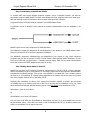
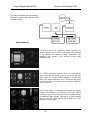
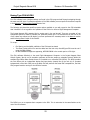
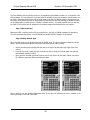
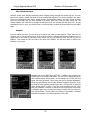
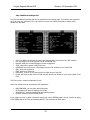
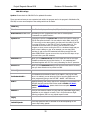
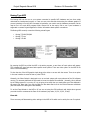
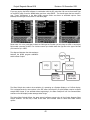
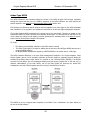
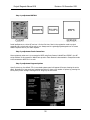
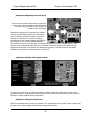
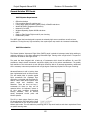
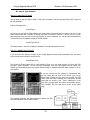
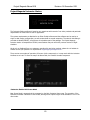
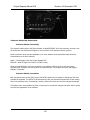
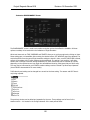
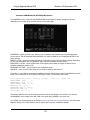
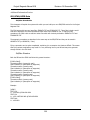
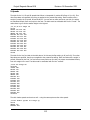
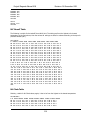
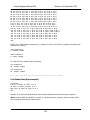
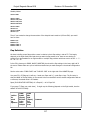
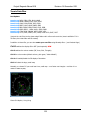
WideFS is split into two main components as illustrated above.
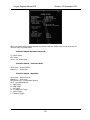
The Wideserver component (Wideserver.dll and Wideserver.ini) are placed in your MSFS Modules folder.
That is all you need to do for the Sever component installation.
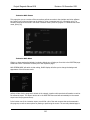
The Wideclient component (Wideclient.exe and Wideclient.ini) are placed on your client computers
(computer that you wish to connect to MSFS). You can create a folder perhaps called “WideClient” or copy
them into the PM main program folders – it actually does not matter. Each time you want communication
across the network with MSFS, Wideclient.exe must be running.
Step 3 Setting Server Name or Static IP
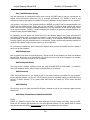
WideFS can use either the IPX network protocol for communication or TCP/IP. TCP/IP is now the standard
and we recommend its use on most systems. For IPX usage, please refer to Peter Dowson’s documentation
included with the WideFS package. There is also a new protocol in use called UDP. This is a faster protocol
but there is no error checking. It is purely system dependent as to whether this can be used. As a general
rule, most computer systems will run well using TCP/IP.
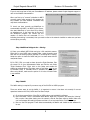
Generally, after installation (as above) of the various files included in WideFS, as a basic rule you should
not actually have to do anything more but we also like to at least edit the wideserver.ini file, use a text
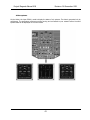
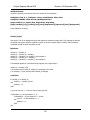
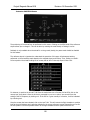
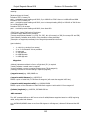
editor like Windows Notepad. Add the following entries in the first Section of the Wideserver.ini file:
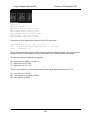
ServerName= (your Server’s Name)
Or
ServerIPAddr= (your Server’s IP address)
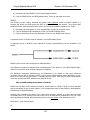
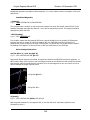
You only need to set either the ServerIPAddr or ServerName (not both). It is recommended that you use
the ServerName option. Then add to the same ini file ProtocolPreferred=TCP (or whatever protocol you
prefer) we recommend TCP at least to start with.
8