1
64
Music and audio
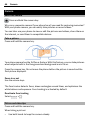
You can listen to FM radio stations using your phone. Just plug in a headset, and select
a station.
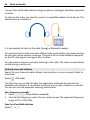
To listen to the radio, you need to connect a compatible headset to the device. The
headset acts as an antenna.
It is not possible to listen to the radio through a Bluetooth headset.
You can listen to the radio even when offline mode is activated in your phone and you
do not have cellular network coverage. The quality of the radio broadcast depends
on the FM radio signal coverage at your location.
You can make or answer a call while listening to the radio. The radio is automatically
muted during an active call.
Find and save radio stations
Search for your favourite radio stations, and save them, so you can easily listen to
them later.
Select
> FM radio.
The first time you use the FM radio, the application automatically searches for
available radio stations. If no stations are found, you can set a frequency manually.
You can also use the automatic scanning feature later.
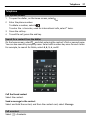
Set a frequency manually
>
> Tune stations manually.
1 Select
2 To enter the frequency, select the up or down arrows.The supported frequency
range is 87.5–108.0 MHz.
Scan for all available stations
> .
Select