1
USER GUIDE
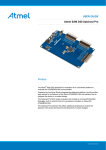
Atmel SAM4N Xplained Pro
Preface
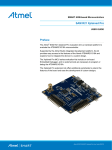
The Atmel® SAM4N Xplained Pro evaluation kit is a hardware platform to
evaluate the ATSAM4N16C microcontroller.
Supported by the Atmel Studio integrated development platform, the kit provides
easy access to the features of the Atmel ATSAM4N16C and explains how to
integrate the device in a custom design.
The Xplained Pro MCU series evaluation kits include an on-board Embedded
Debugger, and no external tools are necessary to program or debug the
ATSAM4N16C.
The Xplained Pro extension kits offers additional peripherals to extend the
features of the board and ease the development of custom designs.
42104A-MCU-06/2013
Table of Contents
Preface .......................................................................................... 1
1. Introduction .............................................................................. 3
1.1.
1.2.
Features .............................................................................. 3
Kit overview ......................................................................... 3
2. Getting started ......................................................................... 5
2.1.
2.2.
2.3.
Quick-start ........................................................................... 5
Connecting the kit ................................................................. 5
Design documentation and related links ..................................... 5
3. Xplained Pro ............................................................................ 6
3.1.
3.2.
3.3.
3.4.
Embedded Debugger .............................................................
Hardware identification system .................................................
Power supply .......................................................................
3.3.1.
Measuring SAM4N power consumption .........................
Standard headers and connectors ............................................
3.4.1.
Xplained Pro extension header ....................................
3.4.2.
Xplained Pro power header .........................................
6
6
7
7
7
7
8
4. Hardware user guide .............................................................. 9
4.1.
4.2.
4.3.
Connectors .......................................................................... 9
4.1.1.
I/O extension headers ................................................ 9
4.1.2.
Other headers ........................................................ 10
Peripherals ......................................................................... 11
4.2.1.
Crystals ................................................................. 11
4.2.2.
Mechanical buttons .................................................. 12
4.2.3.
LED ...................................................................... 12
4.2.4.
Analog reference ..................................................... 12
Embedded Debugger implementation ...................................... 12
4.3.1.
Serial Wire Debug ................................................... 12
4.3.2.
Virtual COM port ..................................................... 12
4.3.3.
Atmel Data Gateway Interface ................................... 13
5. Hardware revision history and known issues ........................ 14
5.1.
5.2.
Identifying product ID and revision .......................................... 14
Revision 2 .......................................................................... 14
6. Document revision history ..................................................... 15
7. Evaluation board/kit important notice .................................... 16
Atmel SAM4N Xplained Pro [USER GUIDE]
42104A-MCU-06/2013
2
1.
Introduction
1.1
Features
●
Atmel ATSAM4N16C microcontroller
●
Embedded debugger (EDBG)
●
●
1.2
●
USB interface
●
Programming and debugging (target) through Serial Wire Debug (SWD)
●
Virtual COM-port interface to target via UART
●
Atmel Data Gateway Interface (DGI) to target via synchronous USART or TWI
●
Four GPIOs connected to target for code instrumentation
Digital I/O
●
Two mechanical buttons (user and reset button)
●
One user LED
●
Three extension headers
●
Three spare signal headers
Two possible power sources
●
External power
●
Embedded debugger USB
●
12MHz crystal
●
32kHz crystal
Kit overview
The Atmel SAM4N Xplained Pro evaluation kit is a hardware platform to evaluate the Atmel ATSAM4N16C.
The kit offers a set of features that enables the ATSAM4N16C user to get started using the ATSAM4N16C
peripherals right away and to get an understanding of how to integrate the device in their own design.
Atmel SAM4N Xplained Pro [USER GUIDE]
42104A-MCU-06/2013
3
Figure 1-1. SAM4N Xplained Pro evaluation kit overview
Atmel SAM4N Xplained Pro [USER GUIDE]
42104A-MCU-06/2013
4
2.
Getting started
2.1
Quick-start
3 Steps to start exploring the Atmel Xplained Pro Platform
2.2
1
●
Download and install Atmel Studio .
●
Launch Atmel Studio.
●
Connect an USB cable to the DEBUG USB port.
Connecting the kit
When connecting Atmel SAM4N Xplained Pro to your computer for the first time, the operating system will do a
driver software installation. The driver file supports both 32-bit and 64-bit versions of Microsoft® Windows® XP
and Windows 7.
Once connected the green power LED will be lit and Atmel Studio will autodetect which Xplained Pro
evaluation- and extension kit(s) that's connected. You'll be presented with relevant information like datasheets
and kit documentation. You also have the option to launch Atmel Software Framework (ASF) example
applications. The target device is programmed and debugged by the on-board Embedded Debugger and no
2
external programmer or debugger tool is needed. Please refer to the Atmel Studio user guide for information
regarding how to compile and program the kit.
2.3
Design documentation and related links
The following list contains links to the most relevant documents and software for SAM4N Xplained Pro.
3
1.
Xplained Pro products - Atmel Xplained Pro is a series of small-sized and easy-to-use evaluation kits
for 8- and 32-bit Atmel microcontrollers. It consists of a series of low cost MCU boards for evaluation and
demonstration of features and capabilities of different MCU families.
2.
SAM4N Xplained Pro User Guide - PDF version of this User Guide.
3.
SAM4N Xplained Pro Design Documentation - Package containing schematics, BOM, assembly
drawings, 3D plots, layer plots etc.
4.
Atmel Studio - Free Atmel IDE for development of C/C++ and assembler code for Atmel
microcontrollers.
5.
IAR Embedded Workbench® for ARM®. This is a commercial C/C++ compiler that is available for
ARM. There is a 30 day evaluation version as well as a code size limited kick-start version available from
their website. The code size limit is 16K for devices with M0, M0+ and M1 cores and 32K for devices with
other cores.
6.
Atmel sample store - Atmel sample store where you can order samples of devices.
4
5
6
7
8
1
http://www.atmel.com/atmelstudio
http://www.atmel.com/atmelstudio
http://www.atmel.com/XplainedPro
4
http://www.atmel.com/Images/Atmel-42104-SAM4N-Xplained-Pro_User-Guide.pdf
5
http://www.atmel.com/Images/Atmel-42104-SAM4N-Xplained-Pro_User-Guide.zip
6
http://www.atmel.com/atmelstudio
7
http://www.iar.com/en/Products/IAR-Embedded-Workbench/ARM/
8
http://www.atmel.com/system/samplesstore
2
3
Atmel SAM4N Xplained Pro [USER GUIDE]
42104A-MCU-06/2013
5
3.
Xplained Pro
Xplained Pro is an evaluation platform that provides the full Atmel microcontroller experience. The platform
consists of a series of Microcontroller (MCU) boards and extension boards that are integrated with Atmel
Studio, have Atmel Software Framework (ASF) drivers and demo code, support data streaming and more.
Xplained Pro MCU boards support a wide range of Xplained Pro extension boards that are connected through
a set of standardized headers and connectors. Each extension board has an identification (ID) chip to uniquely
identify which boards are mounted on a Xplained Pro MCU board. This information is used to present relevant
user guides, application notes, datasheets and example code through Atmel Studio. Available Xplained Pro
1
MCU and extension boards can be purchased in the Atmel Web Store .
3.1
Embedded Debugger
The SAM4N Xplained Pro contains the Atmel® Embedded Debugger (EDBG) for on-board debugging. The
EDBG is a composite USB device of 3 interfaces; a debugger, Virtual COM Port and Data Gateway Interface
(DGI).
In conjunction with Atmel Studio, the EDBG debugger interface can program and debug the ATSAM4N16C. On
the SAM4N Xplained Pro, the SWD interface is connected between the EDBG and the ATSAM4N16C.
The Virtual COM Port is connected to a UART port on the ATSAM4N16C (see section “Embedded Debugger
implementation” on page 12 for pinout), and provides an easy way to communicate with the target
application through a simple terminal software. It offers variable baud rate, parity and stop bit settings. Note
that the settings on the target device UART must match the settings given in the terminal software.
The DGI consists of several physical data interfaces for communication with the host computer. Please,
see section “Embedded Debugger implementation” on page 12 for available interfaces and pinout.
Communication over the interfaces are bidirectional. It can be used to send events and values from the
ATSAM4N16C, or as a generic printf-style data channel. Traffic over the interfaces can be timestamped on the
EDBG for more accurate tracing of events. Note that timestamping imposes an overhead that reduces maximal
throughput. The DGI uses a proprietary protocol, and is thus only compatible with Atmel Studio.
The EDBG controls two LEDs on SAM4N Xplained Pro, a power LED and a status LED. Table 3-1, “EDBG LED
control” shows how the LEDs are controlled in different operation modes.
Table 3-1. EDBG LED control
Operation mode
Power LED
Status LED
Normal operation
Power LED is lit when power is
applied to the board.
Activity indicator, LED flashes
every time something happens on
the EDBG.
Bootloader mode (idle)
The power LED and the status LED blinks simultaneously.
Bootloader mode (firmware
upgrade)
The power LED and the status LED blinks in an alternating pattern.
2
For further documentation on the EDBG, see the EDBG User Guide .
3.2
Hardware identification system
All Xplained Pro compatible extension boards have an Atmel ATSHA204 crypto authentication chip mounted.
This chip contains information that identifies the extension with its name and some extra data. When an
Xplained Pro extension board is connected to an Xplained Pro MCU board the information is read and sent
to Atmel Studio. The Atmel Kits extension, installed with Atmel Studio, will give relevant information, code
examples and links to relevant documents. Table 3-2, “Xplained Pro ID chip content” shows the data fields
stored in the ID chip with example content.
Table 3-2. Xplained Pro ID chip content
1
2
Data Field
Data Type
Example Content
Manufacturer
ASCII string
Atmel’\0’
Product Name
ASCII string
Segment LCD1 Xplained Pro’\0’
Product Revision
ASCII string
02’\0’
Product Serial Number
ASCII string
1774020200000010’\0’
http://store.atmel.com/CBC.aspx?q=c:100113
http://www.atmel.com/Images/Atmel-42096-Microcontrollers-Embedded-Debugger_User-Guide.pdf
Atmel SAM4N Xplained Pro [USER GUIDE]
42104A-MCU-06/2013
6
3.3
Data Field
Data Type
Example Content
Minimum Voltage [mV]
uint16_t
3000
Maximum Voltage [mV]
uint16_t
3600
Maximum Current [mA]
uint16_t
30
Power supply
The SAM4N Xplained Pro kit can be powered either by USB or by an external power source through the 4-pin
power header, marked PWR. This connector is described in “Xplained Pro power header” on page 8. The
available power sources and specifications are listed in Table 3-3, “Power sources for SAM4N Xplained Pro”.
Table 3-3. Power sources for SAM4N Xplained Pro
Power input
Voltage requirements
Current requirements
Connector marking
External power
4.3V to 5.5V
Recommended
minimum is 500mA
to be able to provide
enough current
for extentions and
the board itself.
Recommended
maximum is 2A due
to the input protection
maximum current
specification.
PWR
Embedded debugger
USB
4.4V to 5.25V
(according to USB spec)
500 mA (according to
USB spec)
DEBUG USB
The kit will automatically detect which power sources are available and choose which one to use according to
the following priority:
3.3.1
1.
External power
2.
Embedded debugger USB
Measuring SAM4N power consumption
As part of an evaluation of the SAM4N it can be of interest to measure its power consumption. Because the
device has a separate power plane (VCC_MCU_P3V3) on this board it is possible to measure the current
consumption by measuring the current that is flowing into this plane. The VCC_MCU_P3V3 plane is connected
via a jumper to the main power plane (VCC_TARGET_P3V3) and by replacing the jumper with an ampere
meter it is possible to determine the current consumption. To locate the current measurement header, please
refer to Figure 1-1, “SAM4N Xplained Pro evaluation kit overview”.
Warning
Do not power the board without having the jumper or an ampere meter mounted. This can cause
the SAM4N to be powered through its I/O pins and cause undefined operation of the device.
3.4
Standard headers and connectors
3.4.1
Xplained Pro extension header
All Xplained Pro kits have one or more dual row, 20 pin, 100mil extension headers. Xplained Pro MCU boards
have male headers while Xplained Pro extensions have their female counterparts. Note that all pins are
not always connected. However, all the connected pins follow the defined pin-out described in Table 3-4,
“Xplained Pro extension header”. The extension headers can be used to connect a wide variety of Xplained Pro
extensions to Xplained Pro MCU boards and to access the pins of the target MCU on Xplained Pro MCU board
directly.
Table 3-4. Xplained Pro extension header
Pin number
Name
Description
1
ID
Communication line to the ID chip on extension board.
Atmel SAM4N Xplained Pro [USER GUIDE]
42104A-MCU-06/2013
7
3.4.2
Pin number
Name
Description
2
GND
Ground
3
ADC(+)
Analog to digital converter , alternatively positive part of
differential ADC
4
ADC(-)
Analog to digital converter , alternatively negative part of
differential ADC
5
GPIO1
General purpose IO
6
GPIO2
General purpose IO
7
PWM(+)
Pulse width modulation , alternatively positive part of
differential PWM
8
PWM(-)
Pulse width modulation , alternatively positive part of
differential PWM
9
IRQ/GPIO
Interrupt request line and/or general purpose IO.
10
SPI_SS_B/GPIO
Slave select for SPI and/or general purpose IO.
11
TWI_SDA
Data line for two wire interface. Always implemented, bus
type.
12
TWI_SCL
Clock line for two wire interface. Always implemented, bus
type.
13
USART_RX
Receiver line of Universal Synchronous and Asynchronous
serial Receiver and Transmitter
14
USART_TX
Transmitter line of Universal Synchronous and
Asynchronous serial Receiver and Transmitter
15
SPI_SS_A
Slave select for SPI. Should be unique if possible.
16
SPI_MOSI
Master out slave in line of Serial peripheral interface. Always
implemented, bus type
17
SPI_MISO
Master in slave out line of Serial peripheral interface. Always
implemented, bus type
18
SPI_SCK
Clock for Serial peripheral interface. Always implemented,
bus type
19
GND
Ground
20
VCC
Power for extension board
Xplained Pro power header
The power header can be used to connect external power to the SAM4N Xplained Pro kit. The kit will
automatically detect and switch to the external power if supplied. The power header can also be used as supply
for external peripherals or extension boards. Care must be taken not to exceed the total current limitation of the
on-board regulator for the 3.3V regulated output. To locate the current measurement header, please refer to
Figure 1-1, “SAM4N Xplained Pro evaluation kit overview”
Table 3-5. Power header PWR
Note
Pin number PWR header
Pin name
Description
1
VEXT_P5V0
External 5V input
2
GND
Ground
3
VCC_P5V0
Unregulated 5V (output, derived
from one of the input sources)
4
VCC_P3V3
Regulated 3.3V (output, used as
main power for the kit)
If the board is powered from a battery source it is recommended to use the PWR header. If there
is a power source connected to EDBG USB, the EDBG is activated and it will consume more
power.
Atmel SAM4N Xplained Pro [USER GUIDE]
42104A-MCU-06/2013
8
4.
Hardware user guide
4.1
Connectors
This chapter describes the implementation of the relevant connectors and headers on SAM4N Xplained Pro
and their connection to the ATSAM4N16C. The tables of connections in this chapter also describes which
signals are shared between the headers and on-board functionality.
4.1.1
I/O extension headers
The SAM4N Xplained Pro headers EXT1, EXT2 and EXT3 offers access to the I/O of the microcontroller in
order to expand the board e.g. by connecting extensions to the board. These headers all comply with the
standard extension header specified in Xplained Pro Standard Extension Header. All headers have a pitch of
2.54 mm.
Table 4-1. Extension header EXT1
Pin on EXT1
SAM4N pin
Function
Shared functionality
1
-
-
Communication line to ID chip on
extension board.
2
-
-
GND
3
PA17
AD0
4
PA18
AD1
5
PA24
GPIO
6
PA25
GPIO
SPARE HEADER2
7
PC23
TIOA3
SPARE HEADER2
8
PC24
TIOB3
SPARE HEADER2
9
PA0
WKUP0
10
PA23
GPIO
11
PA3
TWD0
EXT3
12
PA4
TWCK0
EXT3, SPARE HEADER1
13
PA21
RXD1
14
PA22
TXD1
15
PA11
NPCS0
16
PA13
SPI_MOSI
EXT2, EXT3
17
PA12
SPI_MISO
EXT2, EXT3
18
PA14
SPI_SCK
EXT2, EXT3
19
-
-
GND
20
-
-
VCC
Table 4-2. Extension header EXT2
Pin on EXT2
SAM4N pin
Function
Shared functionality
1
-
-
Communication line to ID chip on
extension board.
2
-
-
GND
3
PA19
AD2
4
PA20
AD3
5
PC0
GPIO
6
PC1
GPIO
7
PC26
TIOA4
8
PC27
TIOB4
9
PA1
WKUP1
Atmel SAM4N Xplained Pro [USER GUIDE]
42104A-MCU-06/2013
9
Pin on EXT2
SAM4N pin
Function
Shared functionality
10
PC8
GPIO
11
PB0
TWD2
EDBG
12
PB1
TWCK2
EDBG
13
PA5
RXD0
14
PA6
TXD0
15
PC4
NPCS1
16
PA13
SPI_MOSI
EXT1, EXT3
17
PA12
SPI_MISO
EXT1, EXT3
18
PA14
SPI_SCK
EXT1, EXT3
19
-
-
GND
20
-
-
VCC
Table 4-3. Extension header EXT3
4.1.2
Pin on EXT3
SAM4N pin
Function
Shared functionality
1
-
-
Communication line to ID chip on
extension board.
2
-
-
GND
3
PC29
AD13
4
PC30
AD14
5
PC2
GPIO
6
PC3
GPIO
7
PA26
TIOA2
8
PA27
TIOB2
9
PB2
WKUP12
10
PB3
GPIO
11
PA3
TWD0
EXT1
12
PA4
TWCK0
EXT1, SPARE HEADER1
13
PB10
URXD3
14
PB11
UTXD3
15
PC7
NPCS2
16
PA13
SPI_MOSI
EXT1, EXT2
17
PA12
SPI_MISO
EXT1, EXT2
18
PA14
SPI_SCK
EXT1, EXT2
19
-
-
GND
20
-
-
VCC
Other headers
In addition to the “I/O extension headers” on page 9, SAM4N Xplained Pro has two additional headers
with spare signals that offers access to the I/O of the microcontroller which are otherwise not easily available
elsewhere or might be favourable to have collected toghether. All headers have a pitch of 2.54mm.
Table 4-4. SPARE SIGNALS header 1
Pin on header
SAM4N pin
Function
Shared functionality
1
PA4
TWCK0
EXT1, EXT3
2
PA28
TCLK1
3
PA29
TCLK2
Atmel SAM4N Xplained Pro [USER GUIDE]
42104A-MCU-06/2013
10
Pin on header
SAM4N pin
Function
Shared functionality
4
PC25
TCLK3
5
PC28
TCLK4
6
PC31
TCLK5
7
PC16
PCK0
8
PC17
PCK1
9
PA31
PCK2
10
PB4
PWM2
11
-
-
VCC
12
-
-
GND
Shared functionality
Table 4-5. SPARE SIGNALS header 2
Pin on header
SAM4N pin
Function
1
PA15
UTXD2
2
PA16
URXD2
3
PC5
GPIO
4
PC6
GPIO
5
PC11
GPIO
6
PC22
GPIO
7
PC23
TIOA3
EXT1
8
PC24
TIOB3
EXT1
9
PA25
GPIO
EXT1
10
PC12
AD12
11
-
-
VCC
12
-
-
GND
Shared functionality
Table 4-6. SPARE SIGNALS header 3
Pin on header
SAM4N pin
Function
1
PC13
AD10
2
PC15
AD11
3
PA2
DATRG
4
PB13
DAC0
5
-
-
VCC
6
-
-
GND
4.2
Peripherals
4.2.1
Crystals
The SAM4N Xplained Pro kit contains two crystals that can be used as clock sources for the SAM4N device.
Each crystal has a cut-strap next to it that can be used to measure the oscillator safety factor. This is done by
cutting the strap and adding a resistor across the strap. More information about oscillator allowance and safety
1
factor can be found in appnote AVR4100 . Calculations for the selected crystal can be found in the schematics
2
documentation of the board.
Table 4-7. External 32.768kHz crystals
1
2
Pin on SAM4N
Function
PA7
XIN32
http://www.atmel.com/images/doc8333.pdf
http://www.atmel.com/Images/Atmel-42104-SAM4N-Xplained-Pro_User-Guide.zip
Atmel SAM4N Xplained Pro [USER GUIDE]
42104A-MCU-06/2013
11
Pin on SAM4N
Function
PA8
XOUT32
Table 4-8. External 12MHz crystals
4.2.2
Pin on SAM4N
Function
PB9
XIN
PB8
XOUT
Mechanical buttons
SAM4N Xplained Pro contains two mechanical buttons. One button is the RESET button connected to the
SAM4N reset line and the other is a generic user configurable button. When a button is pressed it will drive the
I/O line to GND.
Table 4-9. Mechanical buttons
4.2.3
Pin on SAM4N
Silkscreen text
NRST
RESET
PA30
SW0
LED
There is one yellow LED available on the SAM4N Xplained Pro board that can be turned on and off. The LED
can be activated by driving the connected I/O line to GND.
Table 4-10. LED connections
4.2.4
Pin on SAM4N
LED
PB14
Yellow LED0
Analog reference
The ADVREF is available on a 2-pin header to measure the analog reference voltage of the SAM4N device.
Note
4.3
The ADREF pin can only be used for measuring and must not be used as an input for an external
voltage reference.
Embedded Debugger implementation
SAM4N Xplained Pro contains an Embedded Debugger (EDBG) that can be used to program and debug the
ATSAM4N16C using Serial Wire Debug (SWD). The Embedded Debugger also include a Virtual Com port
interface over UART, an Atmel Data Gateway Interface over SPI and TWI and it monitors four of the SAM4N
GPIOs. Atmel Studio can be used as a front end for the Embedded Debugger.
4.3.1
Serial Wire Debug
The Serial Wire Debug (SWD) use two pins to communicate with the target. For further information on how to
use the programming and debugging capabilities of the EDBG, see “Embedded Debugger” on page 6.
Table 4-11. SWD connections
4.3.2
Pin on SAM4N
Function
PB7
SWD clock
PB6
SWD data
PB5
SWD trace output
PB12
Erase
Virtual COM port
The Embedded Debugger act as a Virtual Com Port gateway by using one of the ATSAM4N16C UARTs. For
further information on how to use the Virtual COM port see “Embedded Debugger” on page 6.
Atmel SAM4N Xplained Pro [USER GUIDE]
42104A-MCU-06/2013
12
Table 4-12. Virtual COM port connections
4.3.3
Pin on SAM4N
Function
PA10
UART TXD (SAM4N TX line)
PA9
UART RXD (SAM4N RX line)
Atmel Data Gateway Interface
The Embedded Debugger features an Atmel Data Gateway Interface (DGI) by using either a USART or TWI
port. The DGI can be used to send a variety of data from the SAM4N to the host PC. For further information on
how to use the DGI interface see “Embedded Debugger” on page 6.
Table 4-13. DGI interface connections when using USART
Pin on SAM4N
Function
PC10
USART TXD (SAM4N TX line)
PC9
USART RXD (SAM4N RX line)
PC14
USART CLK
Table 4-14. DGI interface connections when using TWI
Pin on SAM4N
Function
PB0
SDA (Data line)
PB1
SCL (Clock line)
Four GPIO lines are connected to the Embedded Debugger. The EDBG can monitor these lines and time
stamp pin value changes. This makes it possible to accurately time stamp events in the SAM4N application
code. For further information on how to configure and use the GPIO monitoring features see “Embedded
Debugger” on page 6.
Table 4-15. GPIO lines connected to the EDBG
Pin on SAM4N
Function
PC21
GPIO0
PC20
GPIO1
PC19
GPIO2
PC18
GPIO3
Atmel SAM4N Xplained Pro [USER GUIDE]
42104A-MCU-06/2013
13
5.
Hardware revision history and known issues
5.1
Identifying product ID and revision
The revision and product identifier of Xplained Pro boards can be found in two ways, through Atmel Studio or
by looking at the sticker on the bottom side of the PCB.
By connecting a Xplained Pro MCU board to a computer with Atmel Studio running, an information window will
pop up. The first 6 digits of the serial number, which is listed under kit details, contain the product identifier and
revision. Information about connected Xplained Pro extension boards will also appear in the Atmel Kits window.
The same information can be found on the sticker on the bottom side of the PCB. Most kits will print the
identifier and revision in plain text as A09-nnnn\rr where nnnn is the identifier and rr is the revision. Boards with
limited space have a sticker with only a QR-code which contains a serial number string.
The serial number string has the following format:
"nnnnrrssssssssss"
n = product identifier
r = revision
s = serial number
The kit identifier for SAM4N Xplained Pro is 1967.
5.2
Revision 2
Revision 2 of SAM4N Xplained Pro is the initial released version.
Known issues:
●
In backup mode, the ERASE pin will only work with a power toggle of the SAM4N. This however can't be
done by the embedded debugger because there is no switch to control the power to the target. So in cases
where e.g. an application is in backup mode and the user needs access in order to program/debug it is
necessary to do a manual erase procedure.
Workaround:
●
Please connect ERASE test point on the bottom side of the board to VCC (3.3V) e.g. pin 4 on the
PWR header. Remove power from the board and reconnect again. The device should be erased by
this procedure and it is possible to program/debug via the embedded debugger.
Atmel SAM4N Xplained Pro [USER GUIDE]
42104A-MCU-06/2013
14
6.
Document revision history
Doc. Rev.
Date
Comment
A
07/2013
First release
Atmel SAM4N Xplained Pro [USER GUIDE]
42104A-MCU-06/2013
15
7.
Evaluation board/kit important notice
This evaluation board/kit is intended for use for FURTHER ENGINEERING, DEVELOPMENT,
DEMONSTRATION, OR EVALUATION PURPOSES ONLY. It is not a finished product and may not (yet)
comply with some or any technical or legal requirements that are applicable to finished products, including,
without limitation, directives regarding electromagnetic compatibility, recycling (WEEE), FCC, CE or UL
(except as may be otherwise noted on the board/kit). Atmel supplied this board/kit "AS IS," without any
warranties, with all faults, at the buyer's and further users' sole risk. The user assumes all responsibility
and liability for proper and safe handling of the goods. Further, the user indemnifies Atmel from all claims
arising from the handling or use of the goods. Due to the open construction of the product, it is the user's
responsibility to take any and all appropriate precautions with regard to electrostatic discharge and any other
technical or legal concerns.
EXCEPT TO THE EXTENT OF THE INDEMNITY SET FORTH ABOVE, NEITHER USER NOR
ATMEL SHALL BE LIABLE TO EACH OTHER FOR ANY INDIRECT, SPECIAL, INCIDENTAL, OR
CONSEQUENTIAL DAMAGES.
No license is granted under any patent right or other intellectual property right of Atmel covering or relating
to any machine, process, or combination in which such Atmel products or services might be or are used.
Atmel SAM4N Xplained Pro [USER GUIDE]
42104A-MCU-06/2013
16
Atmel Corporation
1600 Technology Drive, San Jose, CA 95110 USA
T: (+1)(408) 441.0311
F: (+1)(408) 436.4200
|
www.atmel.com
© 2013 Atmel Corporation. All rights reserved. / Rev.: 42104A-MCU-06/2013
Atmel®, Atmel logo and combinations thereof, Enabling Unlimited Possibilities®, AVR®, and others are registered trademarks or trademarks of Atmel
Corporation or its subsidiaries. Windows® is a registered trademark of Microsoft Corporation in U.S. and or other countries. ARM® is a registered
trademark of ARM Ltd. Other terms and product names may be trademarks of others.
Disclaimer: The information in this document is provided in connection with Atmel products. No license, express or implied, by estoppel or otherwise, to any intellectual property right is granted
by this document or in connection with the sale of Atmel products. EXCEPT AS SET FORTH IN THE ATMEL TERMS AND CONDITIONS OF SALES LOCATED ON THE ATMEL WEBSITE,
ATMEL ASSUMES NO LIABILITY WHATSOEVER AND DISCLAIMS ANY EXPRESS, IMPLIED OR STATUTORY WARRANTY RELATING TO ITS PRODUCTS INCLUDING, BUT NOT
LIMITED TO, THE IMPLIED WARRANTY OF MERCHANTABILITY, FITNESS FOR A PARTICULAR PURPOSE, OR NON-INFRINGEMENT. IN NO EVENT SHALL ATMEL BE LIABLE FOR
ANY DIRECT, INDIRECT, CONSEQUENTIAL, PUNITIVE, SPECIAL OR INCIDENTAL DAMAGES (INCLUDING, WITHOUT LIMITATION, DAMAGES FOR LOSS AND PROFITS, BUSINESS
INTERRUPTION, OR LOSS OF INFORMATION) ARISING OUT OF THE USE OR INABILITY TO USE THIS DOCUMENT, EVEN IF ATMEL HAS BEEN ADVISED OF THE POSSIBILITY OF
SUCH DAMAGES. Atmel makes no representations or warranties with respect to the accuracy or completeness of the contents of this document and reserves the right to make changes to
specifications and products descriptions at any time without notice. Atmel does not make any commitment to update the information contained herein. Unless specifically provided otherwise,
Atmel products are not suitable for, and shall not be used in, automotive applications. Atmel products are not intended, authorized, or warranted for use as components in applications intended
to support or sustain life.