1
Lifeline 4000+ user guide
11/5/05
4:42 pm
Page 8
Answering a call
When the phone rings you can answer it in any of the four following ways:
1. Pick up the handset of the
telephone attached to Lifeline.
2. Press the Speaker user key on the
top of your Lifeline. This is the user
key with Speaker written beside it
on the card insert or display.
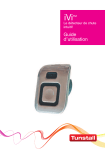
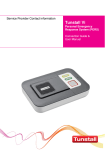
3. Press the button on your radio
trigger or Fall Detector+. This method
of answering a call can be turned
off by an installer or your control
centre, and so you need to check
that it has been set to work on your
Lifeline. If you answer a call using
your radio trigger you will only be
able to carry on a hands-free
conversation if you are close enough to
hear and speak to your Lifeline. You
can end the call by pressing the button
on your radio trigger again.
4. Press the Cancel key on your
Lifeline. Press the Cancel key again
to end the call.
7