1
Fastrack GO User Guide
Verify the Fastrack GO Network Registration
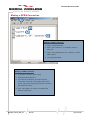
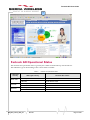
1 Verify the State of Registration 1. Enter “AT+CREG?” to ascertain the registration status 2. Enter “AT+CSQ” to verify the received signal strength. 10 to 32 is optimum. Below 10 may not be acceptable for a PDP data call depending on the network 2 Returned Value (*)
Network registration
+CREG: <mode>,<stat>
+CREG: 0,0
No (not registered)
+CREG: 0,1
Yes (registered, home network)
+CREG: 0,5
Yes (registered, roaming)
If the Fastrack GO is not registered, perform the following procedure: 1.
Check your SIM card installation and make sure the account is valid for voice and data. 2.
Check your antenna connections and your serial connections. 3.
Check your Network Band with “AT+WMBS?”, the default setting is at GSM900/DCS1800. Returned Value (*)
+WMBS: <Band>,<ResetFlag>
Network registration
+WMBS: 5,0
Dual Band mode 900E (extended)/1800 MHz
+WMBS: 4,0
Dual Band mode 850/1900 MHz
(*) For further information on the other return values and their meaning, refer to “AT Commands Interface Guide”;.
WM_M&T_Fastrk_UGD_001
Rev 002
Page 21 of 40