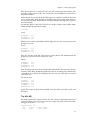
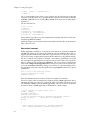
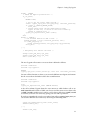
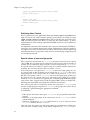
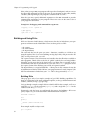
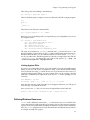
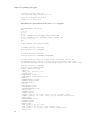
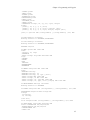
1
Cygwin User’s Guide Cygwin User’s Guide Copyright (c) 1998, 1999, 2000, 2001, 2002, 2003 Red Hat, Inc. Table of Contents 1. Cygwin Overview.............................................................................................................1 What is it? ......................................................................................................................1 Quick Start Guide for those more experienced with Windows.............................1 Quick Start Guide for those more experienced with UNIX ...................................1 Are the Cygwin tools free software? .........................................................................2 A brief history of the Cygwin project........................................................................2 Highlights of Cygwin Functionality..........................................................................3 Introduction.........................................................................................................3 Supporting both Windows NT and 9x ............................................................3 Permissions and Security ..................................................................................4 File Access............................................................................................................4 Text Mode vs. Binary Mode ..............................................................................5 ANSI C Library ...................................................................................................5 Process Creation..................................................................................................5 Signals ..................................................................................................................6 Sockets..................................................................................................................6 Select .....................................................................................................................7 2. Setting Up Cygwin ...........................................................................................................9 Internet Setup................................................................................................................9 Download Source ...............................................................................................9 Selecting an Install Directory ............................................................................9 Local Package Directory ..................................................................................10 Connection Method..........................................................................................10 Choosing Mirrors..............................................................................................10 Choosing Packages ...........................................................................................10 Download and Installation Progress .............................................................11 Icons....................................................................................................................11 Post-Install Scripts ............................................................................................11 Environment Variables ..............................................................................................11 Changing Cygwin’s Maximum Memory................................................................12 NT security and usage of ntsec...............................................................................13 NT security ........................................................................................................13 Process privileges .............................................................................................15 File permissions ................................................................................................15 NT SIDs in Cygwin ..........................................................................................17 The mapping leak .............................................................................................18 The ACL API .....................................................................................................19 New setuid concept..........................................................................................20 Switching User Context ...................................................................................22 Special values of user and group ids .............................................................22 Customizing bash.......................................................................................................23 3. Using Cygwin ..................................................................................................................25 Mapping path names.................................................................................................25 Introduction.......................................................................................................25 The Cygwin Mount Table ................................................................................25 Additional Path-related Information.............................................................26 Text and Binary modes ..............................................................................................26 The Issue ............................................................................................................26 The default Cygwin behavior .........................................................................27 Example..............................................................................................................27 Binary or text? ...................................................................................................28 Programming ....................................................................................................28 File permissions..........................................................................................................29 Special filenames ........................................................................................................29 DOS devices.......................................................................................................29 POSIX devices ...................................................................................................29 The .exe extension.............................................................................................31 iii The /proc filesystem ........................................................................................31 The @pathnames ...............................................................................................31 The CYGWIN environment variable.......................................................................32 Cygserver ....................................................................................................................33 What is Cygserver?...........................................................................................33 Cygserver command line options ..................................................................34 How to start Cygserver....................................................................................35 How to use the Cygserver services ................................................................36 The Cygserver configuration file....................................................................36 Cygwin Utilities..........................................................................................................37 cygcheck.............................................................................................................37 cygpath...............................................................................................................38 dumper...............................................................................................................39 getfacl .................................................................................................................40 kill .......................................................................................................................40 mkgroup.............................................................................................................42 mkpasswd..........................................................................................................42 mount .................................................................................................................44 passwd................................................................................................................46 ps .........................................................................................................................47 regtool.................................................................................................................48 setfacl ..................................................................................................................49 ssp .......................................................................................................................51 strace...................................................................................................................53 umount ...............................................................................................................54 Using Cygwin effectively with Windows...............................................................54 Pathnames..........................................................................................................55 Console Programs.............................................................................................55 Cygwin and Windows Networking...............................................................55 The cygutils package........................................................................................56 Creating shortcuts with cygutils ....................................................................56 Printing with cygutils ......................................................................................56 4. Programming with Cygwin ..........................................................................................59 Using GCC with Cygwin ..........................................................................................59 Console Mode Applications............................................................................59 GUI Mode Applications...................................................................................59 Debugging Cygwin Programs..................................................................................61 Building and Using DLLs .........................................................................................62 Building DLLs ...................................................................................................62 Linking Against DLLs......................................................................................63 Defining Windows Resources...................................................................................63 iv Chapter 1. Cygwin Overview What is it? Cygwin is a Linux-like environment for Windows. It consists of a DLL (cygwin1.dll), which acts as an emulation layer providing substantial POSIX1 (Portable Operating System Interface) system call functionality, and a collection of tools, which provide a Linux look and feel. The Cygwin DLL works with all x86 versions of Windows since Windows 95. The API follows the Single Unix Specification2 as much as possible, and then Linux practice. Two other major differences between Cygwin and Linux are the C library (newlib instead of glibc) and default /bin/sh, which is ash on Cygwin but bash on most Linux distributions. With Cygwin installed, users have access to many standard UNIX utilities. They can be used from one of the provided shells such as bash or from the Windows Command Prompt. Additionally, programmers may write Win32 console or GUI applications that make use of the standard Microsoft Win32 API and/or the Cygwin API. As a result, it is possible to easily port many significant UNIX programs without the need for extensive changes to the source code. This includes configuring and building most of the available GNU software (including the development tools included with the Cygwin distribution). Quick Start Guide for those more experienced with Windows If you are new to the world of UNIX, you may find it difficult to understand at first. This guide is not meant to be comprehensive, so we recommend that you use the many available Internet resources to become acquainted with UNIX basics (search for "UNIX basics" or "UNIX tutorial"). To install a basic Cygwin environment, run the setup.exe program and click Next at each page. The default settings are correct for most users. If you want to know more about what each option means, see the Section called Internet Setup in Chapter 2. Use setup.exe any time you want to update or install a Cygwin package. If you are installing Cygwin for a specific purpose, use it to install the tools that you need. For example, if you want to compile C++ programs, you need the gcc-g++ package and probably a text editor like nano. When running setup.exe, clicking on categories and packages in the package installation screen will provide you with the ability to control what is installed or updated. Another option is to install everything by clicking on the Default field next to the All category. However, be advised that this will download and install several hundreds of megabytes of software to your computer. The best plan is probably to click on individual categories and install either entire categories or packages from the categories themselves. After installation, you can find Cygwin-specific documentation in the /usr/share/doc/Cygwin/ directory. Developers coming from a Windows background will find a set of tools capable of writing console or GUI executables that rely on the Microsoft Win32 API. The dlltool utility may be used to write Windows Dynamically Linked Libraries (DLLs). The resource compiler windres is also provided. All tools may be used from the Microsoft command prompt, with full support for normal Windows pathnames. Quick Start Guide for those more experienced with UNIX If you are an experienced UNIX user who misses a powerful command-line environment, you will enjoy Cygwin. Note that there are some workarounds that cause Cygwin to behave differently than most UNIX-like operating systems; these are de- 1 Chapter 1. Cygwin Overview scribed in more detail in the Section called Using Cygwin effectively with Windows in Chapter 3. Any time you want to update or install a Cygwin package, use the graphical setup.exe program. By default, setup.exe only installs a minimal set of packages, so look around and choose your favorite utilities on the package selection screen. You may also search for specfic tools on the Cygwin website’s Setup Package Search3 For more information about what each option in setup.exe means, see the Section called Internet Setup in Chapter 2. Another option is to install everything by clicking on the Default field next to the All category. However, be advised that this will download and install several hundreds of megabytes of software to your computer. The best plan is probably to click on individual categories and install either entire categories or packages from the categories themselves. After installation, you can find Cygwin-specific documentation in the /usr/share/doc/Cygwin/ directory. Developers coming from a UNIX background will find a set of utilities they are already comfortable using, including a working UNIX shell. The compiler tools are the standard GNU compilers most people will have previously used under UNIX, only ported to the Windows host. Programmers wishing to port UNIX software to Windows NT or 9x will find that the Cygwin library provides an easy way to port many UNIX packages, with only minimal source code changes. Are the Cygwin tools free software? Yes. Parts are GNU4 software (gcc, gas, ld, etc.), parts are covered by the standard X11 license5, some of it is public domain, some of it was written by Red Hat and placed under the GNU General Public License6 (GPL). None of it is shareware. You don’t have to pay anyone to use it but you should be sure to read the copyright section of the FAQ for more information on how the GNU GPL may affect your use of these tools. If you intend to port a proprietary application using the Cygwin library, you may want the Cygwin proprietary-use license. For more information about the proprietary-use license, please go to http://www.redhat.com/software/tools/cygwin/ 7. Customers of the native Win32 GNUPro should feel free to submit bug reports and ask questions through the normal channels. All other questions should be sent to the project mailing list <[email protected]>. A brief history of the Cygwin project Note: A more complete historical look Cygwin is Geoffrey J. Noer’s 1998 paper, "Cygwin32: A Free Win32 Porting Layer for UNIX(r) Applications" which can be found at the 2nd USENIX Windows NT Symposium Online Proceedings8. Cygwin began development in 1995 at Cygnus Solutions (now part of Red Hat Software). The first thing done was to enhance the development tools (gcc, gdb, gas, etc.) so that they could generate and interpret Win32 native object files. The next task was to port the tools to Win NT/9x. We could have done this by rewriting large portions of the source to work within the context of the Win32 API. But this would have meant spending a huge amount of time on each and every tool. Instead, we took a substantially different approach by writing a shared library (the Cygwin DLL) that adds the necessary UNIX-like functionality missing from the Win32 API (fork, spawn, signals, select, sockets, etc.). We call this new interface the Cygwin API. Once written, it was possible to build working Win32 tools using UNIX-hosted crosscompilers, linking against this library. 2 Chapter 1. Cygwin Overview From this point, we pursued the goal of producing native tools capable of rebuilding themselves under Windows 9x and NT (this is often called self-hosting). Since neither OS ships with standard UNIX user tools (fileutils, textutils, bash, etc...), we had to get the GNU equivalents working with the Cygwin API. Most of these tools were previously only built natively so we had to modify their configure scripts to be compatible with cross-compilation. Other than the configuration changes, very few source-level changes had to be made. Running bash with the development tools and user tools in place, Windows 9x and NT look like a flavor of UNIX from the perspective of the GNU configure mechanism. Self hosting was achieved as of the beta 17.1 release in October 1996. The entire Cygwin toolset was available as a monolithic install. In April 2000, the project announced a New Cygwin Net Release9 which provided the native Win32 program setup.exe to install and upgrade each package separately. Since then, the Cygwin DLL and setup.exe have seen continuous development. Highlights of Cygwin Functionality Introduction When a binary linked against the library is executed, the Cygwin DLL is loaded into the application’s text segment. Because we are trying to emulate a UNIX kernel which needs access to all processes running under it, the first Cygwin DLL to run creates shared memory areas that other processes using separate instances of the DLL can access. This is used to keep track of open file descriptors and assist fork and exec, among other purposes. In addition to the shared memory regions, every process also has a per_process structure that contains information such as process id, user id, signal masks, and other similar process-specific information. The DLL is implemented using the Win32 API, which allows it to run on all Win32 hosts. Because processes run under the standard Win32 subsystem, they can access both the UNIX compatibility calls provided by Cygwin as well as any of the Win32 API calls. This gives the programmer complete flexibility in designing the structure of their program in terms of the APIs used. For example, they could write a Win32specific GUI using Win32 API calls on top of a UNIX back-end that uses Cygwin. Early on in the development process, we made the important design decision that it would not be necessary to strictly adhere to existing UNIX standards like POSIX.1 if it was not possible or if it would significantly diminish the usability of the tools on the Win32 platform. In many cases, an environment variable can be set to override the default behavior and force standards compliance. Supporting both Windows NT and 9x While Windows 95 and Windows 98 are similar enough to each other that we can safely ignore the distinction when implementing Cygwin, Windows NT is an extremely different operating system. For this reason, whenever the DLL is loaded, the library checks which operating system is active so that it can act accordingly. In some cases, the Win32 API is only different for historical reasons. In this situation, the same basic functionality is available under Windows 9x and NT but the method used to gain this functionality differs. A trivial example: in our implementation of uname, the library examines the sysinfo.dwProcessorType structure member to figure out the processor type under Windows 9x. This field is not supported in NT, which has its own operating system-specific structure member called sysinfo.wProcessorLevel. Other differences between NT and 9x are much more fundamental in nature. The best example is that only NT provides a security model. 3 Chapter 1. Cygwin Overview Permissions and Security Windows NT includes a sophisticated security model based on Access Control Lists (ACLs). Cygwin maps Win32 file ownership and permissions to the more standard, older UNIX model by default. Cygwin version 1.1 introduces support for ACLs according to the system calls used on newer versions of Solaris. This ability is used when the ‘ntsec’ feature is switched on which is described in another chapter. The chmod call maps UNIX-style permissions back to the Win32 equivalents. Because many programs expect to be able to find the /etc/passwd and /etc/group files, we provide utilities that can be used to construct them from the user and group information provided by the operating system. Under Windows NT, the administrator is permitted to chown files. There is no mechanism to support the setuid concept or API call since Cygwin version 1.1.2. With version 1.1.3 Cygwin introduces a mechanism for setting real and effective UIDs under Windows NT/W2K. This is described in the ntsec section. Under Windows 9x, the situation is considerably different. Since a security model is not provided, Cygwin fakes file ownership by making all files look like they are owned by a default user and group id. As under NT, file permissions can still be determined by examining their read/write/execute status. Rather than return an unimplemented error, under Windows 9x, the chown call succeeds immediately without actually performing any action whatsoever. This is appropriate since essentially all users jointly own the files when no concept of file ownership exists. It is important that we discuss the implications of our "kernel" using shared memory areas to store information about Cygwin processes. Because these areas are not yet protected in any way, in principle a malicious user could modify them to cause unexpected behavior in Cygwin processes. While this is not a new problem under Windows 9x (because of the lack of operating system security), it does constitute a security hole under Windows NT. This is because one user could affect the Cygwin programs run by another user by changing the shared memory information in ways that they could not in a more typical WinNT program. For this reason, it is not appropriate to use Cygwin in high-security applications. In practice, this will not be a major problem for most uses of the library. File Access Cygwin supports both Win32- and POSIX-style paths, using either forward or back slashes as the directory delimiter. Paths coming into the DLL are translated from Win32 to POSIX as needed. As a result, the library believes that the file system is a POSIX-compliant one, translating paths back to Win32 paths whenever it calls a Win32 API function. UNC pathnames (starting with two slashes) are supported. The layout of this POSIX view of the Windows file system space is stored in the Windows registry. While the slash (’/’) directory points to the system partition by default, this is easy to change with the Cygwin mount utility. In addition to selecting the slash partition, it allows mounting arbitrary Win32 paths into the POSIX file system space. Many people use the utility to mount each drive letter under the slash partition (e.g. C:\ to /c, D:\ to /d, etc...). The library exports several Cygwin-specific functions that can be used by external programs to convert a path or path list from Win32 to POSIX or vice versa. Shell scripts and Makefiles cannot call these functions directly. Instead, they can do the same path translations by executing the cygpath utility program that we provide with Cygwin. Win32 file systems are case preserving but case insensitive. Cygwin does not currently support case distinction because, in practice, few UNIX programs actually rely on it. While we could mangle file names to support case distinction, this would add unnecessary overhead to the library and make it more difficult for non-Cygwin applications to access those files. 4 Chapter 1. Cygwin Overview Symbolic links are emulated by files containing a magic cookie followed by the path to which the link points. They are marked with the System attribute so that only files with that attribute have to be read to determine whether or not the file is a symbolic link. Hard links are fully supported under Windows NT on NTFS file systems. On a FAT file system, the call falls back to simply copying the file, a strategy that works in many cases. The inode number for a file is calculated by hashing its full Win32 path. The inode number generated by the stat call always matches the one returned in d_ino of the dirent structure. It is worth noting that the number produced by this method is not guaranteed to be unique. However, we have not found this to be a significant problem because of the low probability of generating a duplicate inode number. Chroot is supported since release 1.1.3. Note that chroot isn’t supported native by Windows. This implies some restrictions. First of all, the chroot call isn’t a privileged call. Each user may call it. Second, the chroot environment isn’t safe against native windows processes. If you want to support a chroot environment as, for example, by allowing an anonymous ftp with restricted access, you’ll have to care that only native Cygwin applications are accessible inside of the chroot environment. Since that applications are only using the Cygwin POSIX API to access the file system their access can be restricted as it is intended. This includes not only POSIX paths but Win32 paths (containing drive letter and/or backslashes) and CIFS paths (//server/share or \\server\share) as well. Text Mode vs. Binary Mode Interoperability with other Win32 programs such as text editors was critical to the success of the port of the development tools. Most Red Hat customers upgrading from the older DOS-hosted toolchains expected the new Win32-hosted ones to continue to work with their old development sources. Unfortunately, UNIX and Win32 use different end-of-line terminators in text files. Consequently, carriage-return newlines have to be translated on the fly by Cygwin into a single newline when reading in text mode. This solution addresses the compatibility requirement at the expense of violating the POSIX standard that states that text and binary mode will be identical. Consequently, processes that attempt to lseek through text files can no longer rely on the number of bytes read as an accurate indicator of position in the file. For this reason, the CYGWIN environment variable can be set to override this behavior. ANSI C Library We chose to include Red Hat’s own existing ANSI C library "newlib" as part of the library, rather than write all of the lib C and math calls from scratch. Newlib is a BSD-derived ANSI C library, previously only used by cross-compilers for embedded systems development. The reuse of existing free implementations of such things as the glob, regexp, and getopt libraries saved us considerable effort. In addition, Cygwin uses Doug Lea’s free malloc implementation that successfully balances speed and compactness. The library accesses the malloc calls via an exported function pointer. This makes it possible for a Cygwin process to provide its own malloc if it so desires. Process Creation The fork call in Cygwin is particularly interesting because it does not map well on top of the Win32 API. This makes it very difficult to implement correctly. Currently, 5 Chapter 1. Cygwin Overview the Cygwin fork is a non-copy-on-write implementation similar to what was present in early flavors of UNIX. The first thing that happens when a parent process forks a child process is that the parent initializes a space in the Cygwin process table for the child. It then creates a suspended child process using the Win32 CreateProcess call. Next, the parent process calls setjmp to save its own context and sets a pointer to this in a Cygwin shared memory area (shared among all Cygwin tasks). It then fills in the child’s .data and .bss sections by copying from its own address space into the suspended child’s address space. After the child’s address space is initialized, the child is run while the parent waits on a mutex. The child discovers it has been forked and longjumps using the saved jump buffer. The child then sets the mutex the parent is waiting on and blocks on another mutex. This is the signal for the parent to copy its stack and heap into the child, after which it releases the mutex the child is waiting on and returns from the fork call. Finally, the child wakes from blocking on the last mutex, recreates any memory-mapped areas passed to it via the shared area, and returns from fork itself. While we have some ideas as to how to speed up our fork implementation by reducing the number of context switches between the parent and child process, fork will almost certainly always be inefficient under Win32. Fortunately, in most circumstances the spawn family of calls provided by Cygwin can be substituted for a fork/exec pair with only a little effort. These calls map cleanly on top of the Win32 API. As a result, they are much more efficient. Changing the compiler’s driver program to call spawn instead of fork was a trivial change and increased compilation speeds by twenty to thirty percent in our tests. However, spawn and exec present their own set of difficulties. Because there is no way to do an actual exec under Win32, Cygwin has to invent its own Process IDs (PIDs). As a result, when a process performs multiple exec calls, there will be multiple Windows PIDs associated with a single Cygwin PID. In some cases, stubs of each of these Win32 processes may linger, waiting for their exec’d Cygwin process to exit. Signals When a Cygwin process starts, the library starts a secondary thread for use in signal handling. This thread waits for Windows events used to pass signals to the process. When a process notices it has a signal, it scans its signal bitmask and handles the signal in the appropriate fashion. Several complications in the implementation arise from the fact that the signal handler operates in the same address space as the executing program. The immediate consequence is that Cygwin system functions are interruptible unless special care is taken to avoid this. We go to some lengths to prevent the sig_send function that sends signals from being interrupted. In the case of a process sending a signal to another process, we place a mutex around sig_send such that sig_send will not be interrupted until it has completely finished sending the signal. In the case of a process sending itself a signal, we use a separate semaphore/event pair instead of the mutex. sig_send starts by resetting the event and incrementing the semaphore that flags the signal handler to process the signal. After the signal is processed, the signal handler signals the event that it is done. This process keeps intraprocess signals synchronous, as required by POSIX. Most standard UNIX signals are provided. Job control works as expected in shells that support it. Sockets Socket-related calls in Cygwin simply call the functions by the same name in Winsock, Microsoft’s implementation of Berkeley sockets. Only a few changes were needed to match the expected UNIX semantics - one of the most troublesome 6 Chapter 1. Cygwin Overview differences was that Winsock must be initialized before the first socket function is called. As a result, Cygwin has to perform this initialization when appropriate. In order to support sockets across fork calls, child processes initialize Winsock if any inherited file descriptor is a socket. Unfortunately, implicitly loading DLLs at process startup is usually a slow affair. Because many processes do not use sockets, Cygwin explicitly loads the Winsock DLL the first time it calls the Winsock initialization routine. This single change sped up GNU configure times by thirty percent. Select The UNIX select function is another call that does not map cleanly on top of the Win32 API. Much to our dismay, we discovered that the Win32 select in Winsock only worked on socket handles. Our implementation allows select to function normally when given different types of file descriptors (sockets, pipes, handles, and a custom /dev/windows Windows messages pseudo-device). Upon entry into the select function, the first operation is to sort the file descriptors into the different types. There are then two cases to consider. The simple case is when at least one file descriptor is a type that is always known to be ready (such as a disk file). In that case, select returns immediately as soon as it has polled each of the other types to see if they are ready. The more complex case involves waiting for socket or pipe file descriptors to be ready. This is accomplished by the main thread suspending itself, after starting one thread for each type of file descriptor present. Each thread polls the file descriptors of its respective type with the appropriate Win32 API call. As soon as a thread identifies a ready descriptor, that thread signals the main thread to wake up. This case is now the same as the first one since we know at least one descriptor is ready. So select returns, after polling all of the file descriptors one last time. Notes 1. http://www.pasc.org/#POSIX 2. http://www.opengroup.org/onlinepubs/009695399/nfindex.html 3. http://cygwin.com/packages/ 4. http://www.gnu.org/ 5. http://www.x.org/Downloads_terms.html 6. http://www.gnu.org/licenses/gpl.html 7. http://www.redhat.com/software/tools/cygwin/ 8. http://www.usenix.org/publications/library/proceedings/usenixnt98/technical.html 9. http://www.cygwin.com/ml/cygwin/2000-04/msg00269.html 7 Chapter 1. Cygwin Overview 8 Chapter 2. Setting Up Cygwin Internet Setup To install the Cygwin net release, go to http://cygwin.com/ and click on "Install Cygwin Now!"2. This will download a GUI installer called setup.exe which can be run to download a complete cygwin installation via the internet. Follow the instructions on each screen to install Cygwin. The setup.exe installer is designed to be easy for new users to understand while remaining flexible for the experienced. The volunteer development team is constantly working on setup.exe; before requesting a new feature, check the wishlist in the CVS README 3. It may already be present in the CVS version! Since the default value for each option is the logical choice for most installations, you can get a working minimal Cygwin environment installed by simply clicking the Next button at each page. The only exception to this is choosing a Cygwin mirror, which you can choose by experimenting with those listed at http://cygwin.com/mirrors.html 4. For more details about each of page of the setup.exe installation, read on below. Please note that this guide assumes that you have a basic understanding of Unix (or a Unix-like OS). If you are new to Unix, you will also want to make use of other resources5. Download Source Cygwin uses packages to manage installing various software. When the default Install from Internet option is chosen, setup.exe creates a local directory to store the packages before actually installing the contents. Download from Internet performs only the first part (storing the packages locally), while Install from Local Directory performs only the second (installing the contents of the packages). The Download from Internet option is mainly for creating a base Cygwin package tree on one computer for installation on several machines with Install from Local Directory; copy the entire local package tree to another machine with the directory tree intact. For example, you might create a C:\cache\ directory and place setup.exe in it. Run setup.exe to Install from Internet or Download from Internet, then copy the whole C:\cache\ to each machine and instead choose Install from Local Directory. Unfortunately setup.exe does not yet support unattended installs. Though this provides some basic mirroring functionality, if you are managing a wide Cygwin installation, to keep up to date we recommend using a mirroring tool such as wget. A helpful user on the Cygwin mailing list created a simple demonstration script to accomplish this; search the list for mkcygwget for ideas. Selecting an Install Directory The Root Directory for Cygwin (default C:\cygwin) will become / within your Cygwin installation. You must have write access to the parent directory, and any ACLs on the parent directory will determine access to installed files. The Install For options of All Users or Just Me should always be left on the default All Users, unless you do not have write access to HKEY_LOCAL_MACHINE in the registry or the All Users Start Menu. This is true even if you are the only user planning to use Cygwin on the machine. Selecting Just Me will cause problems for programs such as crond and sshd. If you do not have the necessary permissions, but still want to use these programs, consult the Cygwin mailing list archives about others’ experiences. 9 Chapter 2. Setting Up Cygwin The Default Text File Type should be left on Unix (that is, \n) unless you have a very good reason to switch it to DOS (that is, \r\n). Local Package Directory The Local Package Directory is the cache where setup.exe stores the packages before they are installed. The cache must not be the same folder as the Cygwin root. Within the cache, a separate directory is created for each Cygwin mirror, which allows setup.exe to use multiple mirrors and custom packages. After installing Cygwin, the cache is no longer necessary, but you may want to retain the packages as backups, for installing Cygwin to another system, or in case you need to reinstall a package. Connection Method The Direct Connection method of downloading will directly download the packages, while the IE5 method will leverage your IE5 cache for performance. If your organisation uses a proxy server or auto-configuration scripts, the IE5 method also uses these settings. If you have a proxy server, you can manually type it into the Use Proxy section. Unfortunately, setup.exe does not currently support password authorization for proxy servers. Choosing Mirrors Since there is no way of knowing from where you will be downloading Cygwin, you need to choose at least one mirror site. Cygwin mirrors are geographically distributed around the world; check the list at http://cygwin.com/mirrors.html to find one near you. You can select multiple mirrors by holding down CTRL and clicking on each one. If you have the URL of an unlisted mirror (for example, if your organization has an internal Cygwin mirror) you can add it. Choosing Packages For each selected mirror site, setup.exe downloads a small text file called setup.bz2 that contains a list of packages available from that site along with some basic information about each package which setup.exe parses and uses to create the chooser window. For details about the format of this file, see the setup.exe homepage7. The chooser is the most complex part of setup.exe. Packages are grouped into categories, and one package may belong to multiple categories (assigned by the volunteer package maintainer). Each package can be found under any of those categories in the heirarchial chooser view. By default setup.exe will install only the packages in the Base category and their dependencies, resulting in a minimal Cygwin installation. However, this will not include many commonly used tools such as gcc (which you will find in the Devel category). Since setup.exe automatically selects dependencies, be careful not to unselect any required packages. In particular, everything in the Base category is required. You can change setup.exe’s view style, which is helpful if you know the name of a package you want to install but not which category it is in. Click on the View button and it will rotate between Category (the default), Full (all packages), and Partial (only packages to be upgraded). If you are familiar with Unix, you will probably want to at least glance through the Full listing for your favorite tools. Once you have an existing Cygwin installation, the setup.exe chooser is also used to manage your Cygwin installation. Information on installed packages is kept in the /etc/setup/ directory of your Cygwin installation; if setup.exe cannot find this 10 Chapter 2. Setting Up Cygwin directory it will act just like you had no Cygwin installation. If setup.exe finds a newer version of an installed package available, it will automatically mark it to be upgraded. To Uninstall, Reinstall, or get the Source for an existing package, click on Keep to toggle it. Also, to avoid the need to reboot after upgrading, make sure to close all Cygwin windows and stop all Cygwin processes before setup.exe begins to install the upgraded package. The final feature of the setup.exe chooser is for Previous and Experimental packages. By default the chooser shows only the current version of each package, though mirrors have at least one previous version and occasionally there is a testing or beta version of a package available. To see these package, click on the Prev or Exp radio button. Be warned, however, that the next time you run setup.exe it will try to replace old or experimental versions with the current stable version. Download and Installation Progress First, setup.exe will download all selected packages to the local directory chosen earlier. Before installing, setup.exe performs a checksum on each package. If the local directory is a slow medium (such as a network drive) this can take a long time. During the download and installation, setup.exe show progress bars for the current task and total remaining disk space. Icons You may choose to install shortcuts on the Desktop and/or Start Menu to start a bash shell. If you prefer to use a different shell or the native Windows version of rxvt, you can use these shortcuts as a guide to creating your own. Post-Install Scripts Last of all, setup.exe will run any post-install scripts to finish correctly setting up installed packages. Since each script is run separately, several windows may pop up. If you are interested in what is being done, see the Cygwin Package Contributor’s Guide at http://cygwin.com/setup.html When the last post-install script is completed, setup.exe will display a box announcing the completion. A few packages, such as the OpenSSH server, require some manual site-specific configuration. Relevant documentation can be found in the /usr/doc/Cygwin/ or /usr/share/doc/Cygwin/ directory. Environment Variables Before starting bash, you may set some environment variables. A .bat file is provided where the most important ones are set before bash in launched. This is the safest way to launch bash initially. The .bat file is installed in the root directory that you specified during setup and pointed to in the Start Menu under the "Cygwin" option. You can edit it this file your liking. The CYGWIN variable is used to configure many global settings for the Cygwin runtime system. Initially you can leave CYGWIN unset or set it to tty (e.g. to support job control with ^Z etc...) using a syntax like this in the DOS shell, before launching bash. C:\> set CYGWIN=tty notitle glob The PATH environment variable is used by Cygwin applications as a list of directories to search for executable files to run. This environment variable is converted 11 Chapter 2. Setting Up Cygwin from Windows format (e.g. C:\WinNT\system32;C:\WinNT) to UNIX format (e.g., /WinNT/system32:/WinNT) when a Cygwin process first starts. Set it so that it contains at least the x:\cygwin\bin directory where "x:\cygwin is the "root" of your cygwin installation if you wish to use cygwin tools outside of bash. The HOME environment variable is used by many programs to determine the location of your home directory and we recommend that it be defined. This environment variable is also converted from Windows format when a Cygwin process first starts. Set it to point to your home directory before launching bash. The TERM environment variable specifies your terminal type. It is automatically set to cygwin if you have not set it to something else. The LD_LIBRARY_PATH environment variable is used by the Cygwin function dlopen () as a list of directories to search for .dll files to load. This environment variable is converted from Windows format to UNIX format when a Cygwin process first starts. Most Cygwin applications do not make use of the dlopen () call and do not need this variable. Changing Cygwin’s Maximum Memory By default no Cygwin program can allocate more than 384 MB of memory (program+data). You should not need to change this default in most circumstances. However, if you need to use more real or virtual memory in your machine you may add an entry in the either the HKEY_LOCAL_MACHINE (to change the limit for all users) or HKEY_CURRENT_USER (for just the current user) section of the registry. Add the DWORD value heap_chunk_in_mb and set it to the desired memory limit in decimal MB. It is preferred to do this in Cygwin using the regtool program included in the Cygwin package. (For more information about regtool or the other Cygwin utilities, see the Section called Cygwin Utilities in Chapter 3 or use each the --help option of each util.) You should always be careful when using regtool since damaging your system registry can result in an unusable system. This example sets memory limit to 1024 MB: regtool -i set /HKLM/Software/Cygnus\ Solutions/Cygwin/heap_chunk_in_mb 1024 regtool -v list /HKLM/Software/Cygnus\ Solutions/Cygwin Exit all running Cygwin processes and restart them. Memory can be allocated up to the size of the system swap space minus any the size of any running processes. The system swap should be at least as large as the physically installed RAM and can be modified under the System category of the Control Panel. Here is a small program written by DJ Delorie that tests the memory allocation limit on your system: main() { unsigned int bit=0x40000000, sum=0; char *x; while (bit > 4096) { x = malloc(bit); if (x) sum += bit; bit >>= 1; } printf("%08x bytes (%.1fMb)\n", sum, sum/1024.0/1024.0); return 0; } 12 Chapter 2. Setting Up Cygwin You can compile this program using: gcc max_memory.c -o max_memory.exe Run the program and it will output the maximum amount of allocatable memory. NT security and usage of ntsec The setting of UNIX like object permissions is controlled by the CYGWIN environment variable setting (no)ntsec which is set to ntsec by default. The design goal of ntsec is to get a more UNIX-like permission structure based upon the security features of Windows NT. To describe the changes, I will first give a short overview in the Section called NT security. Process privileges discusses the changes in ntsec related to privileges on processes. File permissions shows the basics of UNIX-like setting of file permissions. NT SIDs in Cygwin talks about using SIDs in /etc/passwd and /etc/group. The mapping leak illustrates the permission mapping leak of Windows NT. The ACL API describes in short the ACL API since release 1.1. New setuid concept describes the new support of a setuid concept introduced with release 1.1.3. Switching User Context gives the basics of using the SYSTEM user to switch user context. Special values of user and group ids explains the way Cygwin shows users and groups that are not in /etc/passwd or /etc/group. NT security The NT security allows a process to allow or deny access of different kind to ‘objects’. ‘Objects’ are files, processes, threads, semaphores, etc. The main data structure of NT security is the ‘security descriptor’ (SD) structure. It explains the permissions, that are granted (or denied) to an object and contains information, that is related to so called ‘security identifiers’ (SID). A SID is a unique identifier for users, groups and domains. SIDs are comparable to UNIX UIDs and GIDs, but are more complicated because they are unique across networks. Example: SID of a system ‘foo’: S-1-5-21-165875785-1005667432-441284377 SID of a user ‘johndoe’ of the system ‘foo’: S-1-5-21-165875785-1005667432-441284377-1023 The above example shows the convention for printing SIDs. The leading ‘S’ should show that it is a SID. The next number is a version number which is always 1. The next number is the so called ‘top-level authority’ that identifies the source that issued the SID. While each system in a NT network has it’s own SID, the situation is modified in NT domains: The SID of the domain controller is the base SID for each domain user. If an NT user has one account as domain user and another account on his local machine, these accounts are under any circumstances DIFFERENT, regardless of the usage of the same user name and password! 13 Chapter 2. Setting Up Cygwin SID of a domain ‘bar’: S-1-5-21-186985262-1144665072-740312968 SID of a user ‘johndoe’ in the domain ‘bar’: S-1-5-21-186985262-1144665072-740312968-1207 The last part of the SID, the so called ‘relative identifier’ (RID), is by default used as UID and/or GID under Cygwin. As the name and the above example implies, this id is unique only relative to one system or domain. Note, that it’s possible that a user has the same RID on two different systems. The resulting SIDs are nevertheless different, so the SIDs are representing different users in an NT network. There is a big difference between UNIX IDs and NT SIDs: the existence of the so called ‘well known groups’. For example UNIX has no GID for the group of ‘all users’. NT has an SID for them, called ‘Everyone’ in the English versions. The SIDs of well-known groups are not unique across an NT network but their meanings are unmistakable. Examples of well-known groups: everyone creator/owner batch process (via ‘at’) authenticated users system S-1-1-0 S-1-3-0 S-1-5-3 S-1-5-11 S-1-5-18 The last important group of SIDs are the ‘predefined groups’. This groups are used mainly on systems outside of domains to simplify the administration of user permissions. The corresponding SIDs are not unique across the network so they are interpreted only locally: administrators users guests ... S-1-5-32-544 S-1-5-32-545 S-1-5-32-546 Now, how are permissions given to objects? A process may assign an SD to the object. The SD of an object consists of three parts: • • • the SID of the owner the SID of the group a list of SIDs with their permissions, called ‘access control list’ (ACL) UNIX is able to create three different permissions, the permissions for the owner, for the group and for the world. In contrast the ACL has a potentially infinite number of members. Every member is a so called ‘access control element’ (ACE). An ACE contains three parts: • • • the type of the ACE permissions, described with a DWORD the SID, for which the above mentioned permissions are set The two important types of ACEs are the ‘access allowed ACE’ and the ‘access denied ACE’. The ntsec functionality only used ‘access allowed ACEs’ up to Cygwin version 1.1.0. Later versions also use ‘access denied ACEs’ to reflect the UNIX permissions as well as possible. The possible permissions on objects are more detailed than in UNIX. For example, the permission to delete an object is different from the write permission. With the aforementioned method NT is able to grant or revoke permissions to objects in a far more specific way. But what about cygwin? In a POSIX environment it would 14 Chapter 2. Setting Up Cygwin be fine to have the security behavior of a POSIX system. The NT security model is MOSTLY able to reproduce the POSIX model. The ntsec method tries to do this in cygwin. You ask "Mostly? Why mostly???" Because there’s a leak in the NT model. I will describe that in detail in chapter 5. Creating explicit object security is not that easy so you will often see only two simple variations in use: • • default permissions, computed by the operating system each permission to everyone For parameters to functions that create or open securable objects another data structure is used, the ‘security attributes’ (SA). This structure contains an SD and a flag that specifies whether the returned handle to the object is inherited to child processes or not. This property is not important for ntsec so in this document the difference between SDs and SAs is ignored. Process privileges Any process started under control of Cygwin has a semaphore attached to it, that is used for signaling purposes. The creation of this semaphore can be found in sigproc.cc, function ‘getsem’. The first parameter to the function call ‘CreateSemaphore’ is an SA. Without ntsec this SA assigns default security to the semaphore. There is a simple disadvantage: Only the owner of the process may send signals to it. Or, in other words, if the owner of the process is not a member of the administrators’ group, no administrator may kill the process! This is especially annoying, if processes are started via service manager. Ntsec now assigns an SA to the process control semaphore, that has each permission set for the user of the process, for the administrators’ group and for ‘system’, which is a synonym for the operating system itself. The creation of this SA is done by the function ‘sec_user’, that can be found in ‘shared.cc’. Each member of the administrators’ group is now allowed to send signals to any process created in Cygwin, regardless of the process owner. Moreover, each process now has the appropriate security settings, when it is started via ‘CreateProcess’. You will find this in function ‘spawn_guts’ in module ‘spawn.cc’. The security settings for starting a process in another user context have to add the SID of the new user, too. In the case of the ‘CreateProcessAsUser’ call, sec_user creates an SA with an additional entry for the sid of the new user. File permissions If ntsec is turned on, file permissions are set as in UNIX. An SD is assigned to the file containing the owner and group and ACEs for the owner, the group and ‘Everyone’. The complete settings of UNIX like permissions can be found in the file ‘security.cc’. The two functions ‘get_nt_attribute’ and ‘set_nt_attribute’ are the main code. The reading and writing of the SDs is done by the functions ‘read_sd’ and ‘write_sd’. ‘write_sd’ uses the function ‘BackupRead’ instead of the simpler function ‘SetFileSecurity’ because the latter is unable to set owners different from the caller. If you are creating a file ‘foo’ outside of Cygwin, you will see something like the following on ls -ln: If your login is member of the administrators’ group: rwxrwxrwx 1 544 513 ... foo if not: 15 Chapter 2. Setting Up Cygwin rwxrwxrwx 1 1000 513 ... foo Note the user and group IDs. 544 is the UID of the administrators’ group. This is a ‘feature’ :-P of WinNT. If you are a member of the administrators’ group, every file that you create is owned by the administrators’ group, instead of by you. The second example shows the UID of the first user, that has been created with NT’s the user administration tool. The users and groups are sequentially numbered, starting with 1000. Users and groups are using the same numbering scheme, so a user and a group don’t share the same ID. In both examples the GID 513 is of special interest. This GID is a well known group with different naming in local systems and domains. Outside of domains the group is named ’None’ (‘Kein’ in German, ‘Aucun’ in French, etc.), in domains it is named ’Domain Users’. Unfortunately, the group ‘None’ is never shown in the user admin tool outside of domains! This is very confusing but this seems to have no negative consequences. To work correctly, ntsec depends on the files /etc/passwd and /etc/group. In Cygwin release 1.0 the names and the IDs must correspond to the appropriate NT IDs! The IDs used in Cygwin are the RID of the NT SID, as mentioned earlier. A SID of e.g. the user ‘corinna’ on my NT workstation: S-1-5-21-165875785-1005667432-441284377-1000 Note the last number: It’s the RID 1000, Cygwin’s UID. Unfortunately, workstations and servers outside of domains are not able to set primary groups! In these cases, where there is no correlation of users to primary groups, NT returns 513 (None) as primary group, regardless of the membership to existing local groups. When using mkpasswd -l -g on such systems, you have to change the primary group by hand if ‘None’ as primary group is not what you want (and I’m sure, it’s not what you want!) Look at the following examples, which were parts of my files before storing SIDs in /etc/passwd and /etc/group had been introduced (See next chapter for details). With the exception of my personal user entry, all entries are well known entries. Example 2-1. /etc/passwd everyone:*:0:0::: system:*:18:18::: administrator::500:544::/home/root:/bin/bash guest:*:501:546::: administrators:*:544:544::/home/root: corinna::1000:547:Corinna Vinschen:/home/corinna:/bin/tcsh Example 2-2. /etc/group everyone::0: system::18: none::513: administrators::544: users::545: guests::546: powerusers::547: As you can see, I changed my primary group membership from 513 (None) to 547 (powerusers). So all files I created inside of Cygwin were now owned by the powerusers group instead of None. This is the way I liked it. Groups may be mentioned in the passwd file, too. This has two advantages: 16 Chapter 2. Setting Up Cygwin • • Because NT assigns them to files as owners, a ls -l is often more readable. Moreover it’s possible to assigned them to files as owners with Cygwin’s chown. The group ‘system’ is the aforementioned synonym for the operating system itself and is normally the owner of processes that are started through service manager. The same is true for files that are created by processes, which are started through service manager. NT SIDs in Cygwin In Cygwin release 1.1 a new technique of using the /etc/passwd and /etc/group was introduced. Both files may now contain SIDs of users and groups. They are saved in the last field of pw_gecos in /etc/passwd and in the gr_passwd field in /etc/group. This has the following advantages: • • ntsec works better in domain environments. Accounts (users and groups) may get another name in Cygwin than their NT account name. The name in /etc/passwd or /etc/group is transparently used by Cygwin applications (e.g. chown, chmod, ls): root::500:513::/home/root:/bin/sh instead of adminstrator::500:513::/home/root:/bin/sh Caution: If you like to use the account as login account via telnet etc. you have to remain the name unchanged or you have to use the special version of login which is part of the standard Cygwin distribution since 1.1. • Cygwin UIDs and GIDs are now not necessarily the RID part of the NT SID: root::0:513:S-1-5-21-54355234-56236534-345635656-500:/home/root:/bin/sh instead of root::500:513::/home/root:/bin/sh • As in U*X systems UIDs and GIDs numbering scheme now don’t influence each other. So it’s possible to have same Id’s for a user and a group: Example 2-3. /etc/passwd: root::0:0:S-1-5-21-54355234-56236534-345635656-500:/home/root:/bin/sh Example 2-4. /etc/group: root:S-1-5-32-544:0: The tools mkpasswd and mkgroup create the needed entries by default. If you don’t want that you can use the options -s or --no-sids. I suggest not to do this since ntsec works better when having the SIDs available. Please note that the pw_gecos field in /etc/passwd is defined as a comma separated list. The SID has to be the last field! As aforementioned you are able to use Cygwin account names different from the NT account names. If you want to login through ‘telnet’ or something else you have to use the special login. You may then add another field to pw_gecos which contains the NT user name including it’s domain. So you are able to login as each domain 17 Chapter 2. Setting Up Cygwin user. The syntax is easy: Just add an entry of the form U-ntdomain\ntusername to the pw_gecos field. Note that the SID must still remain the last field in pw_gecos! the_king::1:1:Elvis Presley,U-STILLHERE\elvis,S-1-5-21-1234-5678-9012-1000:/bin/sh For a local user just drop the domain: the_king::1:1:Elvis Presley,U-elvis,S-1-5-21-1234-5678-9012-1000:/bin/sh In either case the password of the user is taken from the NT user database, NOT from the passwd file! As in the previous chapter I give my personal /etc/passwd and /etc/group as examples. Please note that I’ve changed these files heavily! There’s no need to change them that way, it’s just for testing purposes and... for fun. Example 2-5. /etc/passwd root:*:0:0:Administrators group,S-1-5-32-544:: SYSTEM:*:18:18:,S-1-5-18:/home/system:/bin/bash admin:*:500:513:,S-1-5-21-1844237615-436374069-1060284298-500:/home/Administrator:/bin/ corinna:*:100:0:Corinna Vinschen,S-1-5-21-1844237615-436374069-1060284298-1003:/home/co Guest:*:501:546:,S-1-5-21-1844237615-436374069-1060284298-501:/home/Guest:/bin/bash Example 2-6. /etc/group root:S-1-5-32-544:0: local:S-1-2-0:2: network:S-1-5-2:3: interactive:S-1-5-4:4: authenticatedusers:S-1-5-11:5: SYSTEM:S-1-5-18:18: local_svc:S-1-5-19:19: netwrk_svc:S-1-5-20:20: none:S-1-5-21-1844237615-436374069-1060284298-513:513: bckup_op:S-1-5-32-551:551: guests:S-1-5-32-546:546: pwrusers:S-1-5-32-547:547: replicator:S-1-5-32-552:552: users:S-1-5-32-545:545: If you want to do similar changes to your files, please do that only if you’re feeling comfortably with the concepts. Otherwise don’t be surprised if some stuff doesn’t work anymore. If you screwed up things, revert to files created by mkpasswd and mkgroup. Especially don’t change the UID or the name of user SYSTEM. Even if that works mostly, some Cygwin applications running as local service under that account could suddenly start behaving strangely. The mapping leak Now its time to point out the leak in the NT permissions. The official documentation explains in short the following: • • • 18 access allow ACEs are accumulated regarding to the group membership of the caller. The order of ACEs is important. The system reads them in sequence until either any needed right is denied or all needed rights are granted. Later ACEs are then not taken into account. All access denied ACEs _should_ precede any access allowed ACE. Chapter 2. Setting Up Cygwin Note that the last rule is a preference, not a law. NT will correctly deal with the ACL regardless of the sequence order. The second rule is not modified to get the ACEs in the preferred order. Unfortunately the security tab of the NT4 explorer is completely unable to deal with access denied ACEs while the explorer of W2K rearranges the order of the ACEs before you can read them. Thank God, the sort order remains unchanged if one presses the Cancel button. You still ask "Where is the leak?" NT ACLs are unable to reflect each possible combination of POSIX permissions. Example: rw-r-xrw- 1st try: UserAllow: 110 GroupAllow: 101 OthersAllow: 110 Hmm, because of the accumulation of allow rights the user may execute because the group may execute. 2st try: UserDeny: 001 GroupAllow: 101 OthersAllow: 110 Now the user may read and write but not execute. Better? No! Unfortunately the group may write now because others may write. 3rd try: UserDeny: GroupDeny: GroupAllow: OthersAllow: 001 010 001 110 Now the group may not write as intended but unfortunately the user may not write anymore, either. How should this problem be solved? According to the official rules a UserAllow has to follow the GroupDeny but it’s easy to see that this can never be solved that way. The only chance: UserDeny: UserAllow: GroupDeny: GroupAllow: OthersAllow: 001 010 010 001 110 Again: This works for both, NT4 and W2K. Only the GUIs aren’t able to deal with that order. The ACL API For dealing with ACLs Cygwin now has the ACL API as it’s implemented in newer versions of Solaris. The new data structure for a single ACL entry (ACE in NT terminology) is defined in sys/acl.h as: typedef struct acl { int a_type; /* entry type */ uid_t a_id; /* UID | GID */ 19 Chapter 2. Setting Up Cygwin mode_t a_perm; } aclent_t; /* permissions */ The a_perm member of the aclent_t type contains only the bits for read, write and execute as in the file mode. If e.g. read permission is granted, all read bits (S_IRUSR, S_IRGRP, S_IROTH) are set. CLASS_OBJ or MASK ACL entries are not fully implemented yet. The new API calls are acl(2), facl(2) aclcheck(3), aclsort(3), acltomode(3), aclfrommode(3), acltopbits(3), aclfrompbits(3), acltotext(3), aclfromtext(3) Like in Solaris, Cygwin has two new commands for working with ACLs on the command line: getfacl and setfacl. Online man pages for the aforementioned commands and API calls can be found on http://docs.sun.com New setuid concept UNIX applications which have to switch the user context are using the setuid and seteuid calls which are not part of the Windows API. Nevertheless these calls are supported under Windows NT/W2K since Cygwin release 1.1.3. Because of the nature of NT security an application which needs the ability has to be patched, though. NT uses so-called ‘access tokens’ to identify a user and it’s permissions. To switch the user context the application has to request such an ‘access token’. This is typically done by calling the NT API function LogonUser. The access token is returned and either used in ImpersonateLoggedOnUser to change user context of the current process or in CreateProcessAsUser to change user context of a spawned child process. An important restriction is that the application using LogonUser must have special permissions: "Act as part of the operating system" "Replace process level token" "Increase quotas" Note that administrators do not have all these user rights set by default. Two new Cygwin calls are introduced to support porting setuid applications with a minimum of effort. You only give Cygwin the right access token and then you can call seteuid or setuid as usual in POSIX applications. The call to sexec is not needed anymore. Porting a setuid application is illustrated by a short example: /* First include all needed cygwin stuff. */ #ifdef __CYGWIN__ #include <windows.h> #include <sys/cygwin.h> /* Use the following define to determine the Windows version */ #define is_winnt (GetVersion() < 0x80000000) #endif [...] struct passwd *user_pwd_entry = getpwnam (username); char *cleartext_password = getpass ("Password:"); [...] 20 Chapter 2. Setting Up Cygwin #ifdef __CYGWIN__ /* Patch the typical password test. */ if (is_winnt) { HANDLE token; /* Try to get the access token from NT. */ token = cygwin_logon_user (user_pwd_entry, cleartext_password); if (token == INVALID_HANDLE_VALUE) error_exit; /* Inform Cygwin about the new impersonation token. Cygwin is able now, to switch to that user context by setuid or seteuid calls. */ cygwin_set_impersonation_token (token); } else #endif /* CYGWIN */ /* Use standard method for W9X as well. */ hashed_password = crypt (cleartext_password, salt); if (!user_pwd_entry || strcmp (hashed_password, user_pwd_entry->pw_password)) error_exit; [...] /* Everything else remains the same! */ setegid (user_pwd_entry->pw_gid); seteuid (user_pwd_entry->pw_uid); execl ("/bin/sh", ...); The new Cygwin call to retrieve an access token is defined as follows: #include <windows.h> #include <sys/cygwin.h> HANDLE cygwin_logon_user (struct passwd *pw, const char *cleartext_password) You can call that function as often as you want for different user logons and remember the access tokens for further calls to the second function. #include <windows.h> #include <sys/cygwin.h> void cygwin_set_impersonation_token (HANDLE hToken); is the call to inform Cygwin about the user context to which further calls to setuid/seteuid should switch to. While you always need the correct access token to do a setuid/seteuid to another user’s context, you are always able to use setuid/seteuid to return to your own user context by giving your own uid as parameter. If you have remembered several access tokens from calls to cygwin_logon_user you can switch to different user contexts by observing the following order: cygwin_set_impersonation_token (user1_token); seteuid (user1_uid); [...] seteuid (own_uid); 21 Chapter 2. Setting Up Cygwin cygwin_set_impersonation_token (user2_token); seteuid (user2_uid); [...] seteuid (own_uid); cygwin_set_impersonation_token (user1_token); seteuid (user1_uid); etc. Switching User Context Since Cygwin release 1.3.3, applications having the Create a process level token user right can switch user context without giving a password by just calling the usual setuid, seteuid, setgid and setegid functions. This is typically only given to the SYSTEM user. However, this now allows to switch the user context using e. g. rhosts authentication or (when running sshd under SYSTEM account as service) public key authentication. An important restriction of this method is that a process started under SYSTEM account can’t access network shares which require authentication. This also applies to the subprocesses which switched the user context without a password. People using network home drives are typically not able to access it when trying to login using ssh or rsh without password. Special values of user and group ids If the current user is not present in /etc/passwd, that user’s user id is set to a special value of 400. The user name for the current user will always be shown correctly. If another user (or a Windows group, treated as a user) is not present in /etc/passwd, the user id of that user will have a special value of -1 (which would be shown by ls as 65535). The user name shown in this case will be ’????????’. If the current user is not present in /etc/passwd, that user’s login group id is set to a special value of 401. If another user is not present in /etc/passwd, that user’s login group id is set to a special value of -1. If the user is present in /etc/passwd, but that user’s group is not in /etc/group and is not the login group of that user, the group id is set to a special value of -1. The name of this group (id -1) will be shown as ’????????’. In releases of Cygwin before 1.3.20, the group id 401 had a group name ’None’. Since Cygwin release 1.3.20, the group id 401 is shown as ’mkpasswd’, indicating the command that should be run to alleviate the situation. Also, since Cygwin release 1.3.20, if the current user is present in /etc/passwd, but that user’s login group is not present in /etc/group, the group name will be shown as ’mkgroup’, again indicating the appropriate command. To summarize: • • • If the current user doesn’t show up in /etc/passwd, it’s group will be named ’mkpasswd’. Otherwise, if the login group of the current user isn’t in /etc/group, it will be named ’mkgroup’. Otherwise a group not in /etc/group will be shown as ’????????’ and a user not in /etc/passwd will be shown as "????????". Note that, since the special user and group names are just indicators, nothing prevents you from actually having a user named ‘mkpasswd’ in /etc/passwd (or a 22 Chapter 2. Setting Up Cygwin group named ‘mkgroup’ in /etc/group). If you do that, however, be aware of the possible confusion. Customizing bash To set bash up so that cut and paste work properly, click on the "Properties" button of the window, then on the "Misc" tab. Make sure that "Quick Edit" is checked and "Fast Pasting" isn’t. These settings will be remembered next time you run bash from that shortcut. Similarly you can set the working directory inside the "Program" tab. The entry "%HOME%" is valid. Your home directory should contain three initialization files that control the behavior of bash. They are .profile, .bashrc and .inputrc. These initialization files will only be read if HOME is defined before starting bash. .profile (other names are also valid, see the bash man page) contains bash com- mands. It is executed when bash is started as login shell, e.g. from the command bash --login. This is a useful place to define and export environment variables and bash functions that will be used by bash and the programs invoked by bash. It is a good place to redefine PATH if needed. We recommend adding a ":." to the end of PATH to also search the current working directory (contrary to DOS, the local directory is not searched by default). Also to avoid delays you should either unset MAILCHECK or define MAILPATH to point to your existing mail inbox. .bashrc is similar to .profile but is executed each time an interactive bash shell is launched. It serves to define elements that are not inherited through the environment, such as aliases. If you do not use login shells, you may want to put the contents of .profile as discussed above in this file instead. shopt -s nocaseglob will allow bash to glob filenames in a case-insensitive manner. Note that .bashrc is not called automatically for login shells. You can source it from .profile. .inputrc controls how programs using the readline library (including bash) behave. It is loaded automatically. For full details see the Function and Variable Index section of the GNU readline manual. Consider the following settings: # Ignore case while completing set completion-ignore-case on # Make Bash 8bit clean set meta-flag on set convert-meta off set output-meta on The first command makes filename completion case insensitive, which can be convenient in a Windows environment. The next three commands allow bash to display 8-bit characters, useful for languages with accented characters. Note that tools that do not use readline for display, such as less and ls, require additional settings, which could be put in your .bashrc: alias less=’/bin/less -r’ alias ls=’/bin/ls -F --color=tty --show-control-chars’ Notes 1. http://cygwin.com/ 2. http://cygwin.com/setup.exe 23 Chapter 2. Setting Up Cygwin 3. http://sources.redhat.com/cgi-bin/cvsweb.cgi/setup/README?cvsroot=cygwinapps&rev=2 4. http://cygwin.com/mirrors.html 5. http://www.google.com/search?q=new+to+unix 6. http://cygwin.com/mirrors.html 7. http://sources.redhat.com/cygwin-apps/setup.html 8. http://cygwin.com/setup.html 9. http://docs.sun.com 24 Chapter 3. Using Cygwin This chapter explains some key differences between the Cygwin environment and traditional UNIX systems. It assumes a working knowledge of standard UNIX commands. Mapping path names Introduction Cygwin supports both Win32- and POSIX-style paths, where directory delimiters may be either forward or back slashes. UNC pathnames (starting with two slashes and a network name) are also supported. POSIX operating systems (such as Linux) do not have the concept of drive letters. Instead, all absolute paths begin with a slash (instead of a drive letter such as "c:") and all file systems appear as subdirectories (for example, you might buy a new disk and make it be the /disk2 directory). Because many programs written to run on UNIX systems assume the existance of a single unified POSIX file system structure, Cygwin maintains a special internal POSIX view of the Win32 file system that allows these programs to successfully run under Windows. Cygwin uses this mapping to translate between Win32 and POSIX paths as necessary. The Cygwin Mount Table The mount utility program is used to to map Win32 drives and network shares into Cygwin’s internal POSIX directory tree. This is a similar concept to the typical UNIX mount program. For those people coming from a Windows background, the mount utility is very similar to the old DOS join, in that it makes your drive letters appear as subdirectories somewhere else. The mapping is stored in the current user’s Cygwin mount table in the Windows registry so that the information will be retrieved next time the user logs in. Because it is sometimes desirable to have system-wide as well as user-specific mounts, there is also a system-wide mount table that all Cygwin users inherit. The system-wide table may only be modified by a user with the appropriate priviledges (Administrator priviledges in Windows NT). The current user’s table is located under "HKEY_CURRENT_USER/Software/Cygnus Solutions/Cygwin/mounts v<version>" where <version> is the latest registry version associated with the Cygwin library (this version is not the same as the release number). The system-wide table is located under the same subkeys under HKEY_LOCAL_SYSTEM. Since Windows uses drive letters instead of a single filesystem root, the POSIX root / must be set to a directory in the Windows file system using the mount command. Without a / mount, Cygwin processes cannot distinguish between the Windows CurrentDrive and SystemDrive. Whenever Cygwin generates a POSIX path from a Win32 one, it uses the longest matching prefix in the mount table. Thus, if C: is mounted as /c and also as /, then Cygwin would translate C:/foo/bar to /c/foo/bar. Invoking mount without any arguments displays Cygwin’s current set of mount points. In the following example, the C drive is the POSIX root and D drive is mapped to /d. Note that in this case, the root mount is a system-wide mount point that is visible to all users running Cygwin programs, whereas the /d mount is only visible to the current user. 25 Chapter 3. Using Cygwin Example 3-1. Displaying the current set of mount points c:\> mount f:\cygwin\bin on /usr/bin type system (binmode) f:\cygwin\lib on /usr/lib type system (binmode) f:\cygwin on / type system (binmode) e:\src on /usr/src type system (binmode) c: on /cygdrive/c type user (binmode,noumount) e: on /cygdrive/e type user (binmode,noumount) You can also use the mount command to add new mount points, and the umount to delete them. See the Section called mount and the Section called umount for more information on how to use these utilities to set up your Cygwin POSIX file system. Whenever Cygwin cannot use any of the existing mounts to convert from a particular Win32 path to a POSIX one, Cygwin will automatically default to an imaginary mount point under the default POSIX path /cygdrive. For example, if Cygwin accesses Z:\foo and the Z drive is not currently in the mount table, then Z:\ would be automatically converted to /cygdrive/Z. The default prefix of /cygdrive may be changed (see the the Section called mount for more information). It is possible to assign some special attributes to each mount point. Automatically mounted partitions are displayed as "auto" mounts. Mounts can also be marked as either "textmode" or "binmode" -- whether text files are read in the same manner as binary files by default or not (see the Section called Text and Binary modes for more information on text and binary modes. Additional Path-related Information The cygpath program provides the ability to translate between Win32 and POSIX pathnames in shell scripts. See the Section called cygpath for the details. The HOME, PATH, and LD_LIBRARY_PATH environment variables are automatically converted from Win32 format to POSIX format (e.g. from c:\cygwin\bin to /bin, if there was a mount from that Win32 path to that POSIX path) when a Cygwin process first starts. Symbolic links can also be used to map Win32 pathnames to POSIX. For example, the command ln -s //pollux/home/joe/data /data would have about the same effect as creating a mount point from //pollux/home/joe/data to /data using mount, except that symbolic links cannot set the default file access mode. Other differences are that the mapping is distributed throughout the file system and proceeds by iteratively walking the directory tree instead of matching the longest prefix in a kernel table. Note that symbolic links will only work on network drives that are properly configured to support the "system" file attribute. Many do not do so by default (the Unix Samba server does not by default, for example). Text and Binary modes The Issue On a UNIX system, when an application reads from a file it gets exactly what’s in the file on disk and the converse is true for writing. The situation is different in the DOS/Windows world where a file can be opened in one of two modes, binary or text. In the binary mode the system behaves exactly as in UNIX. However on writing in text mode, a NL (\n, ^J) is transformed into the sequence CR (\r, ^M) NL. This can wreak havoc with the seek/fseek calls since the number of bytes actually in the file may differ from that seen by the application. 26 Chapter 3. Using Cygwin The mode can be specified explicitly as explained in the Programming section below. In an ideal DOS/Windows world, all programs using lines as records (such as bash, make, sed ...) would open files (and change the mode of their standard input and output) as text. All other programs (such as cat, cmp, tr ...) would use binary mode. In practice with Cygwin, programs that deal explicitly with object files specify binary mode (this is the case of od, which is helpful to diagnose CR problems). Most other programs (such as cat, cmp, tr) use the default mode. The default Cygwin behavior The Cygwin system gives us some flexibility in deciding how files are to be opened when the mode is not specified explicitly. The rules are evolving, this section gives the design goals. a. If the file appears to reside on a file system that is mounted (i.e. if its pathname starts with a directory displayed by mount), then the default is specified by the mount flag. If the file is a symbolic link, the mode of the target file system applies. b. If the file appears to reside on a file system that is not mounted (as can happen when the path contains a drive letter), the default is binary. c. Pipes and non-file devices are opened in binary mode, except if the CYGWIN environment variable contains nobinmode. Warning! In b20.1 of 12/98, a file will be opened in binary mode if any of the following conditions hold: 1. binary mode is specified in the open call 2. CYGWIN contains binmode 3. the file resides in a binary mounted partition 4. the file is not a disk file d. When a Cygwin program is launched by a shell, its standard input, output and error are in binary mode if the CYGWIN variable contains tty, else in text mode, except if they are piped or redirected. When redirecting, the Cygwin shells uses rules (a-c). For these shells the relevant value of CYGWIN is that at the time the shell was launched and not that at the time the program is executed. Non-Cygwin shells always pipe and redirect with binary mode. With non-Cygwin shells the commands cat filename | program and program < filename are not equivalent when filename is on a text-mounted partition. Example To illustrate the various rules, we provide scripts to delete CRs from files by using the tr program, which can only write to standard output. The script #!/bin/sh 27 Chapter 3. Using Cygwin # Remove \r from the file given as argument tr -d ’\r’ < "$1" > "$1".nocr will not work on a text mounted systems because the \r will be reintroduced on writing. However scripts such as #!/bin/sh # Remove \r from the file given as argument tr -d ’\r’ | gzip | gunzip > "$1".nocr and the .bat file REM Remove \r from the file given as argument @echo off tr -d \r < %1 > %1.nocr work fine. In the first case (assuming the pipes are binary) we rely on gunzip to set its output to binary mode, possibly overriding the mode used by the shell. In the second case we rely on the DOS shell to redirect in binary mode. Binary or text? UNIX programs that have been written for maximum portability will know the difference between text and binary files and act appropriately under Cygwin. For those programs, the text mode default is a good choice. Programs included in official Cygwin distributions should work well in the default mode. Text mode makes it much easier to mix files between Cygwin and Windows programs, since Windows programs will usually use the CRLF format. Unfortunately you may still have some problems with text mode. First, some of the utilities included with Cygwin do not yet specify binary mode when they should. Second, you will introduce CRs in text files you write, which can cause problems when moving them back to a UNIX system. If you are mounting a remote file system from a UNIX machine, or moving files back and forth to a UNIX machine, you may want to access the files in binary mode. The text files found there will normally be in UNIX NL format, and you would want any files put there by Cygwin programs to be stored in a format understood by UNIX. Be sure to remove CRs from all Makefiles and shell scripts and make sure that you only edit the files with DOS/Windows editors that can cope with and preserve NL terminated lines. Note that you can decide this on a disk by disk basis (for example, mounting local disks in text mode and network disks in binary mode). You can also partition a disk, for example by mounting c: in text mode, and c:\home in binary mode. Programming In the open() function call, binary mode can be specified with the flag O_BINARY and text mode with O_TEXT. These symbols are defined in fcntl.h. In the fopen() function call, binary mode can be specified by adding a b to the mode string. There is no direct way to specify text mode. The mode of a file can be changed by the call setmode(fd,mode) where fd is a file descriptor (an integer) and mode is O_BINARY or O_TEXT. The function returns O_BINARY or O_TEXT depending on the mode before the call, and EOF on error. 28 Chapter 3. Using Cygwin File permissions On Windows 9x systems, files are always readable, and Cygwin uses the native readonly mode to determine if they are writable. Files are considered to be executable if the filename ends with .bat, .com or .exe, or if its content starts with #!. Consequently chmod can only affect the "w" mode, it silently ignores actions involving the other modes. This means that ls -l needs to open and read files. It can thus be relatively slow. Under NT, file permissions default to the same behavior as Windows 9x but there is optional functionality in Cygwin that can make file systems behave more like on UNIX systems. This is turned on by adding the "ntea" option to the CYGWIN environment variable. When the "ntea" feature is activated, Cygwin will start with basic permissions as determined above, but can store POSIX file permissions in NT Extended Attributes. This feature works quite well on NTFS partitions because the attributes can be stored sensibly inside the normal NTFS filesystem structure. However, on a FAT partition, NT stores extended attributes in a flat file at the root of the partition called EA DATA. SF. This file can grow to extremely large sizes if you have a large number of files on the partition in question, slowing the system to a crawl. In addition, the EA DATA. SF file can only be deleted outside of Windows because of its "in use" status. For these reasons, the use of NT Extended Attributes is off by default in Cygwin. Finally, note that specifying "ntea" in CYGWIN has no effect under Windows 9x. Under NT, the test "[ -w filename]" is only true if filename is writable across the board, e.g. chmod +w filename. Special filenames DOS devices Windows filenames invalid under Windows are also invalid under Cygwin. This means that base filenames such as AUX, COM1, LPT1 or PRN (to name a few) cannot be used in a regular Cygwin Windows or POSIX path, even with an extension (prn.txt). However the special names can be used as filename extensions (file.aux). You can use the special names as you would under DOS, for example you can print on your default printer with the command cat filename > PRN (make sure to end with a Form Feed). POSIX devices There is no need to create a POSIX /dev directory as Cygwin automatically simulates it internally. These devices cannot be seen with the command ls /dev/ although commands such as ls /dev/tty work fine. If you want to be able to see all devices in /dev/, you can use Igor Pechtchanski’s create_devices.sh1 script. Cygwin supports the following devices commonly found on POSIX systems: /dev/dsp, /dev/null, /dev/zero, /dev/console, /dev/tty, /dev/ttym, /dev/ttyX, /dev/ttySX, /dev/pipe, /dev/port, /dev/ptmx, /dev/mem, /dev/random, and /dev/urandom. Some other POSIX devices, such as /dev/kmem, are planned for development. Cygwin also has several Windows-specific devices: /dev/comX (the serial ports, starting with COM1 which is the same as ttyS0), /dev/conin (Windows CONIN$), /dev/conout (Windows CONOUT$), /dev/clipboard (the Windows clipboard, currently text only), and /dev/windows (the Windows message queue). Windows NT/W2K/XP additionally support raw devices like floppies, disks, partitions and tapes. These are accessed from Cygwin applications using POSIX device names which are supported in two different ways. 29 Chapter 3. Using Cygwin Up to Cygwin 1.3.3 the only way to access those devices was to mount the Win32 device names to a POSIX device name but this usage is discouraged since Cygwin 1.3.4 and only kept for backward compatibility. Beginning with Cygwin 1.3.4, raw devices are accessible by Cygwin processes using fixed POSIX device names. These fixed POSIX device names are generated using a direct conversion from the POSIX namespace to the internal NT namespace. E.g. the first harddisk is the NT internal device \device\harddisk0\partition0 or the first partition on the third harddisk is \device\harddisk2\partition1. The first floppy in the system is \device\floppy0, the first CD-ROM is \device\cdrom0 and the first tape drive is \device\tape0. The new fixed POSIX names are mapped to NT internal devices as follows: /dev/st0 \device\tape0, rewind /dev/nst0 \device\tape0, no-rewind /dev/st1 \device\tape1 ... /dev/fd0 \device\floppy0 /dev/fd1 \device\floppy1 ... /dev/scd0 \device\cdrom0 /dev/scd1 \device\cdrom1 ... /dev/sr0 \device\cdrom0 /dev/sr1 \device\cdrom1 ... /dev/sda \device\harddisk0\partition0 (whole disk) /dev/sda1 \device\harddisk0\partition1 (first partition) ... /dev/sda15 \device\harddisk0\partition15 (fifteenth partition) /dev/sdb \device\harddisk1\partition0 /dev/sdb1 \device\harddisk1\partition1 [up to] /dev/sdl \device\harddisk11\partition0 /dev/sdl1 \device\harddisk11\partition1 ... /dev/sdl15 \device\harddisk11\partition15 if you don’t like these device names, feel free to create symbolic links as they are created on Linux systems for convenience: ln -s /dev/scd0 /dev/cdrom ln -s /dev/nst0 /dev/tape ... Warning Note that you can’t use the mount table to map from fixed device name to your own device name or to map from internal NT device name to your own device name. Also using symbolic links to map from the internal NT device name to your own device name will not do what you want. The following three examples will not work as expected: mount -f -b /dev/nst0 /dev/tape # DOES NOT WORK mount -f -b /device/tape0 /dev/tape # DOES NOT WORK ln -s /device/tape0 /dev/tape # DOES NOT WORK 30 Chapter 3. Using Cygwin The .exe extension Executable program filenames end with .exe but the .exe need not be included in the command, so that traditional UNIX names can be used. However, for programs that end in .bat and .com, you cannot omit the extension. As a side effect, the ls filename gives information about filename.exe if filename.exe exists and filename does not. In the same situation the function call stat("filename",..) gives information about filename.exe. The two files can be distinguished by examining their inodes, as demonstrated below. C:\> ls * a a.exe b.exe C:\> ls -i a a.exe 445885548 a 435996602 a.exe C:\> ls -i b b.exe 432961010 b 432961010 b.exe If a shell script myprog and a program myprog.exe coexist in a directory, the program has precedence and is selected for execution of myprog. The gcc compiler produces an executable named filename.exe when asked to produce filename. This allows many makefiles written for UNIX systems to work well under Cygwin. Unfortunately, the install and strip commands do distinguish between filename and filename.exe. They fail when working on a non-existing filename even if filename.exe exists, thus breaking some makefiles. This problem can be solved by writing install and strip shell scripts to provide the extension ".exe" when needed. The /proc filesystem Cygwin, like Linux and other similar operating systems, supports the /proc virtual filesystem. The files in this directory are representations of various aspects of your system, for example the command cat /proc/cpuinfo displays information such as what model and speed processor you have. One unique aspect of the Cygwin /proc filesystem is /proc/registry, which displays the Windows registry with each KEY as a directory and each VALUE as a file. As anytime you deal with the Windows registry, use caution since changes may result in an unstable or broken system. The Cygwin /proc is not as complete as the one in Linux, but it provides significant capabilities. The procps package contains several utilities that use it. The @pathnames To circumvent the limitations on shell line length in the native Windows command shells, Cygwin programs expand their arguments starting with "@" in a special way. If a file pathname exists, the argument @pathname expands recursively to the content of pathname. Double quotes can be used inside the file to delimit strings containing blank space. Embedded double quotes must be repeated. In the following example compare the behaviors of the bash built-in echo and of the program /bin/echo. Example 3-2. Using @pathname bash$ echo ’This bash$ echo @mylist is "a long" line’ > mylist @mylist c:\> c:\cygwin\bin\echo @mylist This is a long line 31 Chapter 3. Using Cygwin The CYGWIN environment variable The CYGWIN environment variable is used to configure many global settings for the Cygwin runtime system. It contains the options listed below, separated by blank characters. Many options can be turned off by prefixing with no . 32 • (no)binmode - if set, non-disk (e.g. pipe and COM ports) file opens default to binary mode (no CRLF translation) instead of text mode. Defaults to set (binary mode). By default, devices are opened in binary mode, so this option has little effect on normal cygwin operations. It does affect two things, however. For non-NTFS filesystems, this option will control the line endings for standard output/input/error for redirection from the Windows command shell. It will also affect the default translation mode of a pipe, although most shells set the pipe to binary by default. • check_case:level - Controls the behavior of Cygwin when a user tries to open or create a file using a case different from the case of the path as saved on the disk. level is one of relaxed, adjust and strict. • relaxed which is the default behaviour simply ignores case. That’s the default for native Windows applications as well. • adjust behaves mostly invisible. The POSIX input path is internally adjusted in case, so that the resulting DOS path uses the correct case throughout. You can see the result when changing the directory using a wrong case and calling /bin/pwd afterwards. • strict results in a error message if the case isn’t correct. Trying to open a file Foo while a file fOo exists results in a "no such file or directory" error. Trying to create a file BAR while a file Bar exists results in a "Filename exists with different case" error. • codepage:[ansi|oem] - Windows console applications can use different character sets (codepages) for drawing characters. The first setting, called "ansi", is the default. This character set contains various forms of latin characters used in European languages. The name originates from the ANSI Latin1 (ISO 8859-1) standard, used in Windows 1.0, though the character sets have since diverged from any standard. The second setting selects an older, DOS-based character set, containing various line drawing and special characters. It is called "oem" since it was originally encoded in the firmware of IBM PCs by original equipment manufacturers (OEMs). If you find that some characters (especially non-US or ’graphical’ ones) do not display correctly in Cygwin, you can use this option to select an appropriate codepage. • (no)envcache - If set, environment variable conversions (between Win32 and POSIX) are cached. Note that this is may cause problems if the mount table changes, as the cache is not invalidated and may contain values that depend on the previous mount table contents. Defaults to set. • (no)export - if set, the final values of these settings are re-exported to the environment as CYGWIN again. Defaults to off. • error_start:Win32filepath - if set, runs Win32filepath when cygwin encounters a fatal error, which is useful for debugging. Win32filepath is usually set to the path to gdb or dumper, for example C:\cygwin\bin\gdb.exe. There is no default set. • forkchunk:32768 - causes fork() to copy memory some number of bytes at a time, in the above example 32768 bytes (32Kb) at a time. The default is to copy as many bytes as possible, which is preferable in most cases but may slow some older systems down. • (no)glob[:ignorecase] - if set, command line arguments containing UNIX-style file wildcard characters (brackets, question mark, asterisk, escaped with \) are ex- Chapter 3. Using Cygwin panded into lists of files that match those wildcards. This is applicable only to programs running from a DOS command line prompt. Default is set. This option also accepts an optional [no]ignorecase modifer. If supplied, wildcard matching is case insensitive. The default is noignorecase • (no)ntea - if set, use the full NT Extended Attributes to store UNIX-like inode information. This option only operates under Windows NT. Defaults to not set. Warning! This may create additional large files on non-NTFS partitions. • (no)ntsec - if set, use the NT security model to set UNIX-like permissions on files and processes. The file permissions can only be set on NTFS partitions. FAT doesn’t support the NT file security. Defaults to set. For more information, read the documentation in the Section called NT security and usage of ntsec in Chapter 2. • (no)smbntsec - if set, use ntsec on remote drives as well (default is "nosmbntesc"). When setting "smbntsec" there’s a chance that you get problems with Samba shares so you should use this option with care. One reason for a non working ntsec on remote drives could be insufficient permissions of the users. The requires user rights are somewhat dangerous (SeRestorePrivilege), so it’s not always an option to grant that rights to users. However, this shouldn’t be a problem in NT domain environments. • (no)reset_com - if set, serial ports are reset to 9600-8-N-1 with no flow control when used. This is done at open time and when handles are inherited. Defaults to set. • (no)server - if set, allows client applications to use the Cygserver facilities. This option must be enabled explicitely on the client side, otherwise your applications won’t be able to use the XSI IPC function calls (msgget, semget, shmget, and friends) successfully. These function calls will return with ENOSYS, "Bad system call". • (no)strip_title - if set, strips the directory part off the window title, if any. Default is not set. • (no)title - if set, the title bar reflects the name of the program currently running. Default is not set. Note that under Win9x the title bar is always enabled and it is stripped by default, but this is because of the way Win9x works. In order not to strip, specify title or title nostrip_title. • (no)tty - if set, Cygwin enables extra support (i.e., termios) for UNIX-like ttys. It is not compatible with some Windows programs. Defaults to not set, in which case the tty is opened in text mode. Note that this has been changed such that ^D works as expected instead of ^Z, and is settable via stty. This option must be specified before starting a Cygwin shell and it cannot be changed in the shell. • (no)winsymlinks - if set, Cygwin creates symlinks as Windows shortcuts with a special header and the R/O attribute set. If not set, Cygwin creates symlinks as plain files with a magic number, a path and the system attribute set. Defaults to set. Cygserver What is Cygserver? Cygserver is a program which is designed to run as a background service. It provides 33 Chapter 3. Using Cygwin Cygwin applications with services which require security arbitration or which need to persist while no other cygwin application is running. The implemented services so far are: • Control slave tty/pty handle dispersal from tty owner to other processes without compromising the owner processes’ security. • XSI IPC Message Queues. • XSI IPC Semaphores. • XSI IPC Shared Memory. Cygserver command line options Options to Cygserver take the normal UNIX-style ‘-X’ or ‘--longoption’ form. Nearly all options have a counterpart in the configuration file (see below) so setting them on the command line isn’t really necessary. Command line options override settings from the Cygserver configuration file. The one-character options are prepended by a single dash, the long variants are prepended with two dashes. Arguments to options are marked in angle brackets below. These are not part of the actual syntax but are used only to denote the arguments. Note that all arguments are required. Cygserver has no options with optional arguments. The recognized options are: -f, --config-file <file> Use <file> as configuration file instead of the default configuration line. The default configuration file is /etc/cygserver.conf, typically. The --help and --version options will print the default configuration pathname. This option has no counterpart in the configuration file, for obvious reasons. • -c, --cleanup-threads <num> Number of threads started to perform cleanup tasks. Default is 2. Configuration file option: kern.srv.cleanup_threads • -r, --request-threads <num> Number of threads started to serve application requests. Default is 10. The -c and -r options can be used to play with Cygserver’s performance under heavy load conditions or on slow machines. Configuration file option: kern.srv.request_threads • -d, --debug Log debug messages to stderr. These will clutter your stderr output with a lot of information, typically only useful to developers. • -e, --stderr Force logging to stderr. This is the default if stderr is connected to a tty. Otherwise, the default is logging to the system log. By using the -e, -E, -y, -Y options (or the appropriate settings in the configuration file), you can explicitely set the logging output as you like, even to both, stderr and syslog. Configuration file option: kern.log.stderr • -E, --no-stderr Don’t log to stderr. Configuration file option: kern.log.stderr 34 Chapter 3. Using Cygwin • -y, --syslog Force logging to the system log. This is the default, if stderr is not connected to a tty, e. g. redirected to a file. Note, that on 9x/Me systems the syslog is faked by a file C:\CYGWIN_SYSLOG.TXT. Configuration file option: kern.log.syslog • -Y, --no-syslog Don’t log to syslog. Configuration file option: kern.log.syslog • -l, --log-level <level> Set the verbosity level of the logging output. Valid values are between 1 and 7. The default level is 6, which is relatively chatty. If you set it to 1, you will get only messages which are printed under severe conditions, which will result in stopping Cygserver itself. Configuration file option: kern.log.level • -m, --no-sharedmem Don’t start XSI IPC Shared Memory support. If you don’t need XSI IPC Shared Memory support, you can switch it off here. Configuration file option: kern.srv.sharedmem • -q, --no-msgqueues Don’t start XSI kern.srv.msgqueues IPC Message Queues. Configuration file option: • -s, --no-semaphores Don’t start XSI IPC Semaphores. Configuration file option: kern.srv.semaphores • -S, --shutdown Shutdown a running daemon and exit. Other methods are sending a SIGHUP to the Cygserver PID or, if running as service under NT, calling ‘net stop cygserver’ or ‘cygrunsrv -E cygserver’. • -h, --help Output usage information and exit. • -v, --version Output version information and exit. How to start Cygserver Before you run Cygserver for the first time, you should run the /usr/bin/cygserverconfig script once. It creates the default configuration file and, upon request, installs Cygserver as service when running under NT. The script only performs a default install, with no further options given to Cygserver when running as service. Due to the wide configurability by changing the configuration file, that’s typically not necessary. On Windows 9x/Me, just start Cygserver in any console window. It’s advisable to redirect stderr to a file of choice (e. g. /var/log/cygserver.log) and to use the -e and -Y options or the set the appropriate settings in the configuration file (see below). 35 Chapter 3. Using Cygwin On Windows NT/2000/XP or 2003, you should always run Cygserver as a service under LocalSystem account. This is the way it is installed for you by the /usr/bin/cygserver-config script. How to use the Cygserver services The Cygserver services are used by Cygwin applications only if you set the environment variable CYGWIN to contain the string "server". You must do this before starting the application. Typically, you don’t need any other option, so it’s ok to set CYGWIN just to "server". It is not necessary to set the CYGWIN environment variable prior to starting the Cygserver process itself, but it won’t hurt to do so. The easiest way is to set the environment variable CYGWIN to the values you want in the Windows system environment and to reboot the machine. This is advisable, since it allows you to set the variable once and then forget about it. It also ensures that services as well as desktop applications have the same setting. If you don’t want that for whatever reason, you can set the variable in the /cygwin.bat file which is used in the net distribution, to start a Cygwin bash from the desktop. In that file, you can set the CYGWIN variable using Windows command line interpreter syntax, e. g.: set CYGWIN=server If you don’t set CYGWIN in the system environment, but you’re running other Cygwin services, these services need to get that CYGWIN value by setting the environment using the appropriate cygrunsrv option ’-e’ when installing the service. Example installing a service ’foo’: cygrunsrv -I foo -p /usr/sbin/foo -e "CYGWIN=server" The Cygserver configuration file Cygserver has many options, which allow to customize the server to your needs. Customization is accomplished by editing the configuration file, which is by default /etc/cygserver.conf. This file is read only once on startup of Cygserver. There’s no option to re-read the file on runtime by, say, sending a signal to Cygserver. The configuration file determines how Cygserver operates. There are options which set the number of threads running in parallel, options for setting how and what to log and options to set various maximum values for the IPC services. The default configuration file delivered with Cygserver is installed to /etc/defaults/etc. The /usr/bin/cygserver-config script copies it to /etc, giving you the option to overwrite an already existing file or to leave it alone. Therefore, the /etc file is safe to be changed by you, since it will not be overwritten by a later update installation. The default configuration file contains many comments which describe everything needed to understand the settings. A comment at the start of the file describes the syntax rules for the file. The default options are shown in the file but are commented out. 36 Chapter 3. Using Cygwin It is generally a good idea to uncomment only options which you intend to change from the default values. Since reading the options file on Cygserver startup doesn’t take much time, it’s also considered good practice to keep all other comments in the file. This keeps you from searching for clues in other sources. Cygwin Utilities Cygwin comes with a number of command-line utilities that are used to manage the UNIX emulation portion of the Cygwin environment. While many of these reflect their UNIX counterparts, each was written specifically for Cygwin. You may use the long or short option names interchangeably; for example, --help and -h function identically. All of the Cygwin command-line utilities support the --help and --version options. cygcheck Usage: cygcheck [OPTIONS] [PROGRAM...] Check system information or PROGRAM library dependencies -c, -d, -s, -v, -r, -k, -f, -l, -h, -V, --check-setup --dump-only --sysinfo --verbose --registry --keycheck --find-package --list-package --help --version check packages installed via setup.exe no integrity checking of package contents (requires -c) system information (not with -k) verbose output (indented) (for -[cfls] or programs) registry search (requires -s) perform a keyboard check session (not with -[scfl]) find installed packages containing files (not with -[cl]) list the contents of installed packages (not with -[cf]) give help about the info (not with -[cfl]) output version information and exit The cygcheck program is a diagnostic utility for dealing with Cygwin programs. If you are familiar with dpkg or rpm, cygcheck is similar in many ways. (The major difference is that setup.exe handles installing and uninstalling packages; see the Section called Internet Setup in Chapter 2 for more information.) The -c option checks the version and status of installed Cygwin packages. If you specify one or more package names, cygcheck will limit its output to those packages, or with no arguments it lists all packages. A package will be marked Incomplete if files originally installed are no longer present. The best thing to do in that situation is reinstall the package with setup.exe. To see which files are missing, use the -v option. If you do not need to know the status of each package and want cygcheck to run faster, add the -d option and cygcheck will only output the name and version for each package. If you list one or more programs on the command line, cygcheck will diagnose the runtime environment of that program or programs, providing the names of DLL files on which the program depends. If you specify the -s option, cygcheck will give general system information. If you list one or more programs on the command line and specify -s, cygcheck will report on both. The -f option helps you to track down which package a file came from, and -l lists all files in a package. For example, to find out about /usr/bin/less and its package: Example 3-3. Example cygcheck usage $ cygcheck.exe -f /usr/bin/less less-381-1 $ cygcheck.exe -l less 37 Chapter 3. Using Cygwin /usr/bin/less.exe /usr/bin/lessecho.exe /usr/bin/lesskey.exe /usr/man/man1/less.1 /usr/man/man1/lesskey.1 The -h option prints additional helpful messages in the report, at the beginning of each section. It also adds table column headings. While this is useful information, it also adds some to the size of the report, so if you want a compact report or if you know what everything is already, just leave this out. The -v option causes the output to be more verbose. What this means is that additional information will be reported which is usually not interesting, such as the internal version numbers of DLLs, additional information about recursive DLL usage, and if a file in one directory in the PATH also occurs in other directories on the PATH. The -r option causes cygcheck to search your registry for information that is relevent to Cygwin programs. These registry entries are the ones that have "Cygwin" in the name. If you are paranoid about privacy, you may remove information from this report, but please keep in mind that doing so makes it harder to diagnose your problems. The cygcheck program should be used to send information about your system for troubleshooting when requested. When asked to run this command save the output so that you can email it, for example: C:\cygwin> cygcheck -s -v -r -h > cygcheck_output.txt cygpath Usage: cygpath (-d|-m|-u|-w|-t TYPE) [-c HANDLE] [-f FILE] [options] NAME cygpath [-ADHPSW] Convert Unix and Windows format paths, or output system path information Output type options: -d, --dos print DOS (short) form of NAME (C:\PROGRA~1\) -m, --mixed like --windows, but with regular slashes (C:/WINNT) -M, --mode report on mode of file (currently binmode or textmode) -u, --unix (default) print Unix form of NAME (/cygdrive/c/winnt) -w, --windows print Windows form of NAME (C:\WINNT) -t, --type TYPE print TYPE form: ’dos’, ’mixed’, ’unix’, or ’windows’ Path conversion options: -a, --absolute output absolute path -l, --long-name print Windows long form of NAME (with -w, -m only) -p, --path NAME is a PATH list (i.e., ’/bin:/usr/bin’) -s, --short-name print DOS (short) form of NAME (with -w, -m only) System information: -A, --allusers use ‘All Users’ instead of current user for -D, -P -D, --desktop output ‘Desktop’ directory and exit -H, --homeroot output ‘Profiles’ directory (home root) and exit -P, --smprograms output Start Menu ‘Programs’ directory and exit -S, --sysdir output system directory and exit -W, --windir output ‘Windows’ directory and exit The cygpath program is a utility that converts Windows native filenames to Cygwin POSIX-style pathnames and vice versa. It can be used when a Cygwin program needs to pass a file name to a native Windows program, or expects to get a file name from a native Windows program. Alternatively, cygpath can output information about the location of important system directories in either format. 38 Chapter 3. Using Cygwin The -u and -w options indicate whether you want a conversion to UNIX (POSIX) format (-u) or to Windows format (-w). Use the -d to get DOS-style (8.3) file and path names. The -m option will output Windows-style format but with forward slashes instead of backslashes. This option is especially useful in shell scripts, which use backslashes as an escape character. In combination with the -w option, you can use the -l and -s options to use normal (long) or DOS-style (short) form. The -d option is identical to -w and -s together. Caveat: The -l option does not work if the check_case parameter of CYGWIN is set to strict, since Cygwin is not able to match any Windows short path in this mode. The -p option means that you want to convert a path-style string rather than a single filename. For example, the PATH environment variable is semicolon-delimited in Windows, but colon-delimited in UNIX. By giving -p you are instructing cygpath to convert between these formats. The -i option supresses the print out of the usage message if no filename argument was given. It can be used in make file rules converting variables that may be omitted to a proper format. Note that cygpath output may contain spaces (C:\Program Files) so should be enclosed in quotes. Example 3-4. Example cygpath usage #!/bin/sh if [ "${1}" = "" ]; then XPATH="."; else XPATH="$(cygpath -w "${1}")"; fi explorer $XPATH & The capital options -D, -H, -P, -S, and -W output directories used by Windows that are not the same on all systems, for example -S might output C:\WINNT\SYSTEM32 or C:\WINDOWS\SYSTEM. The -H shows the Windows profiles directory that can be used as root of home. The -A option forces use of the "All Users" directories instead of the current user for the -D and -P options. On Win9x systems with only a single user, -A has no effect; -D and -AD would have the same output. By default the output is in UNIX (POSIX) format; use the -w or -d options to get other formats. dumper Usage: dumper [OPTION] FILENAME WIN32PID Dump core from WIN32PID to FILENAME.core -d, -h, -q, -v, --verbose --help --quiet --version be verbose while dumping output help information and exit be quiet while dumping (default) output version information and exit The dumper utility can be used to create a core dump of running Windows process. This core dump can be later loaded to gdb and analyzed. One common way to use dumper is to plug it into cygwin’s Just-In-Time debugging facility by adding error_start=x:\path\to\dumper.exe to the CYGWIN environment variable. Please note that x:\path\to\dumper.exe is Windows-style and not cygwin path. If error_start is set this way, then dumper will be started whenever some program encounters a fatal error. 39 Chapter 3. Using Cygwin dumper can be also be started from the command line to create a core dump of any running process. Unfortunately, because of a Windows API limitation, when a core dump is created and dumper exits, the target process is terminated too. To save space in the core dump, dumper doesn’t write those portions of target process’ memory space that are loaded from executable and dll files and are unchangeable, such as program code and debug info. Instead, dumper saves paths to files which contain that data. When a core dump is loaded into gdb, it uses these paths to load appropriate files. That means that if you create a core dump on one machine and try to debug it on another, you’ll need to place identical copies of the executable and dlls in the same directories as on the machine where the core dump was created. getfacl Usage: getfacl [-adn] FILE [FILE2...] Display file and directory access control lists (ACLs). -a, --all -d, --dir -h, --help -n, --noname -v, --version display the filename, the owner, the group, and the ACL of the file display the filename, the owner, the group, and the default ACL of the directory, if it exists output usage information and exit display user and group IDs instead of names output version information and exit When multiple files are specified on the command line, a blank line separates the ACLs for each file. For each argument that is a regular file, special file or directory, getfacl displays the owner, the group, and the ACL. For directories getfacl displays additionally the default ACL. With no options specified, getfacl displays the filename, the owner, the group, and both the ACL and the default ACL, if it exists. For more information on Cygwin and Windows ACLs, see see the Section called NT security and usage of ntsec in Chapter 2 in the Cygwin User’s Guide. The format for ACL output is as follows: # file: filename # owner: name or uid # group: name or uid user::perm user:name or uid:perm group::perm group:name or gid:perm mask:perm other:perm default:user::perm default:user:name or uid:perm default:group::perm default:group:name or gid:perm default:mask:perm default:other:perm kill Usage: kill [-f] [-signal] [-s signal] pid1 [pid2 ...] kill -l [signal] Send signals to processes -f, --force -l, --list 40 force, using win32 interface if necessary print a list of signal names Chapter 3. Using Cygwin -s, --signal -h, --help -v, --version send signal (use kill --list for a list) output usage information and exit output version information and exit The kill program allows you to send arbitrary signals to other Cygwin programs. The usual purpose is to end a running program from some other window when ^C won’t work, but you can also send program-specified signals such as SIGUSR1 to trigger actions within the program, like enabling debugging or re-opening log files. Each program defines the signals they understand. You may need to specify the full path to use kill from within some shells, including bash, the default Cygwin shell. This is because bash defines a kill builtin function; see the bash man page under BUILTIN COMMANDS for more information. To make sure you are using the Cygwin version, try $ /bin/kill --version which should give the Cygwin kill version number and copyright information. Unless you specific the -f option, the "pid" values used by kill are the Cygwin pids, not the Windows pids. To get a list of running programs and their Cygwin pids, use the Cygwin ps program. ps -W will display all windows pids. The kill -l option prints the name of the given signal, or a list of all signal names if no signal is given. To send a specific signal, use the -signN option, either with a signal number or a signal name (minus the "SIG" part), like these examples: Example 3-5. Using the kill command $ $ $ $ kill kill kill kill 123 -1 123 -HUP 123 -f 123 Here is a list of available signals, their numbers, and some commentary on them, from the file <sys/signal.h>, which should be considered the official source of this information. SIGHUP SIGINT SIGQUIT SIGILL SIGTRAP SIGABRT SIGEMT SIGFPE SIGKILL SIGBUS SIGSEGV SIGSYS SIGPIPE SIGALRM SIGTERM SIGURG SIGSTOP SIGTSTP SIGCONT SIGCHLD SIGTTIN SIGTTOU SIGPOLL SIGXCPU SIGXFSZ 1 2 3 4 5 6 7 8 9 10 11 12 13 14 15 16 17 18 19 20 21 22 23 24 25 hangup interrupt quit illegal instruction (not reset when caught) trace trap (not reset when caught) used by abort EMT instruction floating point exception kill (cannot be caught or ignored) bus error segmentation violation bad argument to system call write on a pipe with no one to read it alarm clock software termination signal from kill urgent condition on IO channel sendable stop signal not from tty stop signal from tty continue a stopped process to parent on child stop or exit to readers pgrp upon background tty read like TTIN for output if (tp->t_local<OSTOP) System V name for SIGIO exceeded CPU time limit exceeded file size limit 41 Chapter 3. Using Cygwin SIGVTALRM SIGPROF SIGWINCH SIGLOST SIGUSR1 SIGUSR2 26 27 28 29 30 31 virtual time alarm profiling time alarm window changed resource lost (eg, record-lock lost) user defined signal 1 user defined signal 2 mkgroup Usage: mkgroup [OPTION]... [domain]... Prints /etc/group file to stdout Options: -l,--local -c,--current -d,--domain -u,--users -g,--group groupname -h,--help print local group information print current group, if a domain account print global group information (from current domain if no domains specified). change the default offset (10000) added to gids in domain accounts. don’t print SIDs in pwd field (this affects ntsec) print user list in gr_mem field only return information for the specified group\n"); print this message -v,--version print version information and exit -o,--id-offset offset -s,--no-sids One of ‘-l’ or ‘-d’ must be given on NT/W2K. The mkgroup program can be used to help configure your Windows system to be more UNIX-like by creating an initial /etc/group. Its use is essential on the NT series (Windows NT, 2000, and XP) to include Windows security information. It can also be used on the Win9x series (Windows 95, 98, and Me) to create a file with the correct format. To initially set up your machine if you are a local user, you’d do something like this: Example 3-6. Setting up the groups file for local accounts $ mkdir /etc $ mkgroup -l > /etc/group Note that this information is static. If you change the group information in your system, you’ll need to regenerate the group file for it to have the new information. The -d and -l options allow you to specify where the information comes from, the local machine or the domain (default or given), or both. With the -d option the program contacts the Domain Controller, which my be unreachable or have restricted access. An entry for the current domain user can then be created by using the option -c together with -l, but -c has no effect when used with -d. The -o option allows for special cases (such as multiple domains) where the GIDs might match otherwise. The -s option omits the NT Security Identifier (SID). For more information on SIDs, see the Section called NT security and usage of ntsec in Chapter 2 in the Cygwin User’s Guide. The -u option causes mkgroup to enumerate the users for each group, placing the group members in the gr_mem (last) field. Note that this can greatly increase the time for mkgroup to run in a large domain. Having gr_mem fields is helpful when a domain user logs in remotely while the local machine is disconnected from the Domain Controller. The -g option only prints the information for one group. 42 Chapter 3. Using Cygwin mkpasswd Usage: mkpasswd [OPTION]... [domain]... Prints /etc/passwd file to stdout Options: -l,--local -c,--current -d,--domain -o,--id-offset offset -g,--local-groups -m,--no-mount -s,--no-sids -p,--path-to-home path -u,--username username -h,--help -v,--version print local user accounts print current account, if a domain account print domain accounts (from current domain if no domains specified) change the default offset (10000) added to uids in domain accounts. print local group information too if no domains specified don’t use mount points for home dir don’t print SIDs in GCOS field (this affects ntsec) use specified path and not user account home dir or /home only return information for the specified user displays this message version information and exit One of ‘-l’, ‘-d’ or ‘-g’ must be given on NT/W2K. The mkpasswd program can be used to help configure your Windows system to be more UNIX-like by creating an initial /etc/passwd from your system information. Its use is essential on the NT series (Windows NT, 2000, and XP) to include Windows security information, but the actual passwords are determined by Windows, not by the content of /etc/passwd. On the Win9x series (Windows 95, 98, and Me) the password field must be replaced by the output of crypt your_password if remote access is desired. To initially set up your machine if you are a local user, you’d do something like this: Example 3-7. Setting up the passwd file for local accounts $ mkdir /etc $ mkpasswd -l > /etc/passwd Note that this information is static. If you change the user information in your system, you’ll need to regenerate the passwd file for it to have the new information. The -d and -l options allow you to specify where the information comes from, the local machine or the domain (default or given), or both. With the -d option the program contacts the Domain Controller, which my be unreachable or have restricted access. An entry for the current domain user can then be created by using the option -c together with -l, but -c has no effect when used with -d. The -o option allows for special cases (such as multiple domains) where the UIDs might match otherwise. The -g option creates a local user that corresponds to each local group. This is because NT assigns groups file ownership. The -m option bypasses the current mount table so that, for example, two users who have a Windows home directory of H: could mount them differently. The -s option omits the NT Security Identifier (SID). For more information on SIDs, see the Section called NT security and usage of ntsec in Chapter 2 in the Cygwin User’s Guide. The -p option causes mkpasswd to use the specified prefix instead of the account home dir or /home/ . For example, this command: Example 3-8. Using an alternate home root $ mkpasswd -l -p "$(cygpath -H)" > /etc/passwd would put local users’ home directories in the Windows ’Profiles’ directory. On Win9x machines the -u option creates an entry for the specified user. On the NT 43 Chapter 3. Using Cygwin series it restricts the output to that user, greatly reducing the amount of time it takes in a large domain. mount Usage: mount [OPTION] [<win32path> <posixpath>] Display information about mounted filesystems, or mount a filesystem -b, --binary (default) -c, --change-cygdrive-prefix -f, --force -h, --help -m, --mount-commands -o, -p, -s, -t, -u, -v, -x, -E, --options X[,X...] --show-cygdrive-prefix --system (default) --text --user --version --executable --no-executable -X, --cygwin-executable text files are equivalent to binary files (newline = \n) change the cygdrive path prefix to <posixpath> force mount, don’t warn about missing mount point directories output usage information and exit write mount commands to replace user and system mount points and cygdrive prefixes specify mount options show user and/or system cygdrive path prefix add system-wide mount point text files get \r\n line endings add user-only mount point output version information and exit treat all files under mount point as executables treat all files under mount point as non-executables treat all files under mount point as cygwin executables The mount program is used to map your drives and shares onto Cygwin’s simulated POSIX directory tree, much like as is done by mount commands on typical UNIX systems. Please see the Section called The Cygwin Mount Table for more information on the concepts behind the Cygwin POSIX file system and strategies for using mounts. To remove mounts, use umount Using mount If you just type mount with no parameters, it will display the current mount table for you. Example 3-9. Displaying the current set of mount points c:\cygwin\> mount c:\cygwin\bin on /usr/bin type system (binmode) c:\cygwin\lib on /usr/lib type system (binmode) c:\cygwin on / type system (binmode) c: on /c type user (binmode,noumount) d: on /d type user (binmode,noumount) In this example, c:\cygwin is the POSIX root and D drive is mapped to /d. Note that in this case, the root mount is a system-wide mount point that is visible to all users running Cygwin programs, whereas the /d mount is only visible to the current user. The mount utility is also the mechanism for adding new mounts to the mount table. The following example demonstrates how to mount the directory \\pollux\home\joe\data to /data. 44 Chapter 3. Using Cygwin Example 3-10. Adding mount points c:\cygwin\> ls /data ls: /data: No such file or directory c:\cygwin\> mount \\pollux\home\joe\data /data mount: warning - /data does not exist! c:\cygwin\> mount \\pollux\home\joe\data on /data type sytem (binmode) c:\cygwin\bin on /usr/bin type system (binmode) c:\cygwin\lib on /usr/lib type system (binmode) c:\cygwin on / type system (binmode) c: on /c type user (binmode,noumount) d: on /d type user (binmode,noumount) Note that mount was invoked from the Windows command shell in the previous example. In many Unix shells, including bash, it is legal and convenient to use the forward "/" in Win32 pathnames since the "\" is the shell’s escape character. The -s flag to mount is used to add a mount in the system-wide mount table used by all Cygwin users on the system, instead of the user-specific one. System-wide mounts are displayed by mount as being of the "system" type, as is the case for the / partition in the last example. Under Windows NT, only those users with Administrator priviledges are permitted to modify the system-wide mount table. Note that a given POSIX path may only exist once in the user table and once in the global, system-wide table. Attempts to replace the mount will fail with a busy error. The -f (force) flag causes the old mount to be silently replaced with the new one. It will also silence warnings about the non-existence of directories at the Win32 path location. The -b flag is used to instruct Cygwin to treat binary and text files in the same manner by default. Binary mode mounts are marked as "binmode" in the Flags column of mount output. By default, mounts are in text mode ("textmode" in the Flags column). Normally, files ending in certain extensions (.exe, .com, .bat, .cmd) are assumed to be executable. Files whose first two characters begin with ’#!’ are also considered to be executable. The -x flag is used to instruct Cygwin that the mounted file is "executable". If the -x flag is used with a directory then all files in the directory are executable. This option allows other files to be marked as executable and avoids the overhead of opening each file to check for a ’#!’. The -X option is very similar to -x, but also prevents Cygwin from setting up commands and environment variables for a normal Windows program, adding another small performance gain. The opposite of these flags is the -E flag, which means that no files should be marked as executable. The -m option causes the mount utility to output a series of commands that could recreate both user and system mount points. You can save this output as a backup when experimenting with the mount table. It also makes moving your settings to a different machine much easier. The -o option is the method via which various options about the mount point may be recorded. The following options are available (note that most of the options are duplicates of other mount flags): user system binary text exec notexec cygexec nosuid managed - mount lives user-specific mount mount lives in system table (default) files default to binary mode (default) files default to CRLF text mode line endings files below mount point are all executable files below mount point are not executable files below mount point are all cygwin executables no suid files are allowed (currently unimplemented) directory is managed by cygwin. Mixed case and special characters in filenames are allowed. 45 Chapter 3. Using Cygwin Cygdrive mount points Whenever Cygwin cannot use any of the existing mounts to convert from a particular Win32 path to a POSIX one, Cygwin will, instead, convert to a POSIX path using a default mount point: /cygdrive. For example, if Cygwin accesses z:\foo and the z drive is not currently in the mount table, then z:\ will be accessible as /cygdrive/z. The mount utility can be used to change this default automount prefix through the use of the "--change-cygdrive-prefix" option. In the following example, we will set the automount prefix to /: Example 3-11. Changing the default prefix c:\cygwin\> mount --change-cygdrive-prefix / Note that if you set a new prefix in this manner, you can specify the -s flag to make this the system-wide default prefix. By default, the cygdrive-prefix applies only to the system-wide setting. You can always see the user and system cygdrive prefixes with the -p option. Using the -b flag with --change-cygdrive-prefix makes all new automounted filesystems default to binary mode file accesses. Limitations Limitations: there is a hard-coded limit of 30 mount points. Also, although you can mount to pathnames that do not start with "/", there is no way to make use of such mount points. Normally the POSIX mount point in Cygwin is an existing empty directory, as in standard UNIX. If this is the case, or if there is a place-holder for the mount point (such as a file, a symbolic link pointing anywhere, or a non-empty directory), you will get the expected behavior. Files present in a mount point directory before the mount become invisible to Cygwin programs. It is sometimes desirable to mount to a non-existent directory, for example to avoid cluttering the root directory with names such as a, b, c pointing to disks. Although mount will give you a warning, most everything will work properly when you refer to the mount point explicitly. Some strange effects can occur however. For example if your current working directory is /dir, say, and /dir/mtpt is a mount point, then mtpt will not show up in an ls or echo * command and find . will not find mtpt. passwd Usage: passwd [OPTION] [USER] Change USER’s password or password attributes. User operations: -l, --lock -u, --unlock -c, --cannot-change -C, --can-change -e, --never-expires -E, --expires -p, --pwd-not-required -P, --pwd-required System operations: -i, --inactive NUM -n, --minage DAYS -x, --maxage DAYS 46 lock USER’s account. unlock USER’s account. USER can’t change password. USER can change password. USER’s password never expires. USER’s password expires according to system’s password aging rule. no password required for USER. password is required for USER. set NUM of days before inactive accounts are disabled (inactive accounts are those with expired passwords). set system minimum password age to DAYS days. set system maximum password age to DAYS days. Chapter 3. Using Cygwin -L, --length LEN Other options: -S, --status -h, --help -v, --version set system minimum password length to LEN. display password status for USER (locked, expired, etc.) plus global system password settings. output usage information and exit. output version information and exit. If no option is given, change USER’s password. If no user name is given, operate on current user. System operations must not be mixed with user operations. Don’t specify a USER when triggering a system operation. passwd changes passwords for user accounts. A normal user may only change the password for their own account, but administrators may change passwords on any account. passwd also changes account information, such as password expiry dates and intervals. For password changes, the user is first prompted for their old password, if one is present. This password is then encrypted and compared against the stored password. The user has only one chance to enter the correct password. The administrators are permitted to bypass this step so that forgotten passwords may be changed. The user is then prompted for a replacement password. passwd will prompt twice for this replacement and compare the second entry against the first. Both entries are required to match in order for the password to be changed. After the password has been entered, password aging information is checked to see if the user is permitted to change their password at this time. If not, passwd refuses to change the password and exits. To get current password status information, use the -S option. Administrators can use passwd to perform several account maintenance functions (users may perform some of these functions on their own accounts). Accounts may be locked with the -l flag and unlocked with the -u flag. Similarly, -c disables a user’s ability to change passwords, and -C allows a user to change passwords. For password expiry, the -e option disables expiration, while the -E option causes the password to expire according to the system’s normal aging rules. Use -p to disable the password requirement for a user, or -P to require a password. Administrators can also use passwd to change system-wide password expiry and length requirements with the -i, -n, -x, and -L options. The -i option is used to disable an account after the password has been expired for a number of days. After a user account has had an expired password for NUM days, the user may no longer sign on to the account. The -n option is used to set the minimum number of days before a password may be changed. The user will not be permitted to change the password until MINDAYS days have elapsed. The -x option is used to set the maximum number of days a password remains valid. After MAXDAYS days, the password is required to be changed. Allowed values for the above options are 0 to 999. The -L option sets the minimum length of allowed passwords for users who don’t belong to the administrators group to LEN characters. Allowed values for the minimum password length are 0 to 14. In any of the above cases, a value of 0 means ‘no restrictions’. Limitations: Users may not be able to change their password on some systems. ps Usage: ps [-aefls] [-u UID] Report process status -a, -e, -f, -h, --all --everyone --full --help show processes of all users show processes of all users show process uids, ppids output usage information and exit 47 Chapter 3. Using Cygwin -l, -s, -u, -v, -W, With --long --summary --user --version --windows no options, show process uids, ppids, pgids, winpids show process summary list processes owned by UID output version information and exit show windows as well as cygwin processes ps outputs the long format by default The ps program gives the status of all the Cygwin processes running on the system (ps = "process status"). Due to the limitations of simulating a POSIX environment under Windows, there is little information to give. The PID column is the process ID you need to give to the kill command. The PPID is the parent process ID, and PGID is the process group ID. The WINPID column is the process ID displayed by NT’s Task Manager program. The TTY column gives which pseudo-terminal a process is running on, or a ’?’ for services. The UID column shows which user owns each process. STIME is the time the process was started, and COMMAND gives the name of the program running. Listings may also have a status flag in column zero; S means stopped or suspended (in other words, in the background), I means waiting for input or interactive (foreground), and O means waiting to output. By default ps will only show processes owned by the current user. With either the -a or -e option, all user’s processes (and system processes) are listed. There are historical UNIX reasons for the synonomous options, which are functionally identical. The -f option outputs a "full" listing with usernames for UIDs. The -l option is the default display mode, showing a "long" listing with all the above columns. The other display option is -s, which outputs a shorter listing of just PID, TTY, STIME, and COMMAND. The -u option allows you to show only processes owned by a specific user. The -W option causes ps show non-Cygwin Windows processes as well as Cygwin processes. The WINPID is also the PID, and they can be killed with the Cygwin kill command’s -f option. regtool Usage: regtool.exe [OPTION] (add | check | get | list | remove | unset) KEY View or edit the Win32 registry Actions: add KEY\SUBKEY check KEY get KEY\VALUE list KEY remove KEY set KEY\VALUE [data ...] unset KEY\VALUE add new SUBKEY exit 0 if KEY exists, 1 if not prints VALUE to stdout list SUBKEYs and VALUEs remove KEY set VALUE removes VALUE from KEY Options for ’list’ Action: -k, --keys print only KEYs -l, --list print only VALUEs -p, --postfix like ls -p, appends ’\’ postfix to KEY names Options for ’set’ Action: -e, --expand-string set -i, --integer set -m, --multi-string set -s, --string set type type type type to to to to REG_EXPAND_SZ REG_DWORD REG_MULTI_SZ REG_SZ Options for ’set’ and ’unset’ Actions: -K<c>, --key-separator[=]<c> set key separator to <c> instead of ’\’ Other Options: -h, --help -q, --quiet 48 output usage information and exit no error output, just nonzero return if KEY/VALUE missing Chapter 3. Using Cygwin -v, --verbose -V, --version verbose output, including VALUE contents when applicable output version information and exit KEY is in the format [host]\prefix\KEY\KEY\VALUE, where host is optional remote host in either \\hostname or hostname: format and prefix is any of: root HKCR HKEY_CLASSES_ROOT (local only) config HKCC HKEY_CURRENT_CONFIG (local only) user HKCU HKEY_CURRENT_USER (local only) machine HKLM HKEY_LOCAL_MACHINE users HKU HKEY_USERS You can use forward slash (’/’) as a separator instead of backslash, in that case backslash is treated as escape character Example: regtool.exe get ’\user\software\Microsoft\Clock\iFormat’ The regtool program allows shell scripts to access and modify the Windows registry. Note that modifying the Windows registry is dangerous, and carelessness here can result in an unusable system. Be careful. The -v option means "verbose". For most commands, this causes additional or lengthier messages to be printed. Conversely, the -q option supresses error messages, so you can use the exit status of the program to detect if a key exists or not (for example). You must provide regtool with an action following options (if any). Currently, the action must be add, set, check, get, list, remove, set, or unset. The add action adds a new key. The check action checks to see if a key exists (the exit code of the program is zero if it does, nonzero if it does not). The get action gets the value of a value of a key, and prints it (and nothing else) to stdout. Note: if the value doesn’t exist, an error message is printed and the program returns a non-zero exit code. If you give -q, it doesn’t print the message but does return the non-zero exit code. The list action lists the subkeys and values belonging to the given key. With list, the -k option instructs regtool to print only KEYs, and the -l option to print only VALUEs. The -p option postfixes a ’/’ to each KEY, but leave VALUEs with no postfix. The remove action removes a key. Note that you may need to remove everything in the key before you may remove it, but don’t rely on this stopping you from accidentally removing too much. The set action sets a value within a key. -e means it’s an expanding string (REG_EXPAND_SZ) that contains embedded environment variables. -i means the value is an integer (REG_DWORD). -m means it’s a multi-string (REG_MULTI_SZ). -s means the value is a string (REG_SZ). If you don’t specify one of these, regtool tries to guess the type based on the value you give. If it looks like a number, it’s a DWORD. If it starts with a percent, it’s an expanding string. If you give multiple values, it’s a multi-string. Else, it’s a regular string. The unset action removes a value from a key. By default, the last "\" or "/" is assumed to be the separator between the key and the value. You can use the -K option to provide an alternate key/value separator character. setfacl Usage: setfacl [-r] (-f ACL_FILE | -s acl_entries) FILE... setfacl [-r] ([-d acl_entries] [-m acl_entries]) FILE... Modify file and directory access control lists (ACLs) -d, --delete -f, --file -m, --modify delete one or more specified ACL entries set ACL entries for FILE to ACL entries read from a ACL_FILE modify one or more specified ACL entries 49 Chapter 3. Using Cygwin -r, --replace replace mask entry with maximum permissions needed for the file group class -s, --substitute substitute specified ACL entries for the ACL of FILE -h, --help output usage information and exit -v, --version output version information and exit At least one of (-d, -f, -m, -s) must be specified For each file given as parameter, setfacl will either replace its complete ACL (-s, -f), or it will add, modify, or delete ACL entries. For more information on Cygwin and Windows ACLs, see see the Section called NT security and usage of ntsec in Chapter 2 in the Cygwin User’s Guide. Acl_entries are one or more comma-separated ACL entries from the following list: u[ser]::perm u[ser]:uid:perm g[roup]::perm g[roup]:gid:perm m[ask]::perm o[ther]::perm Default entries are like the above with the additional default identifier. For example: d[efault]:u[ser]:uid:perm perm is either a 3-char permissions string in the form "rwx" with the character ’-’ for no permission or it is the octal representation of the permissions, a value from 0 (equivalent to "---") to 7 ("rwx"). uid is a user name or a numerical uid. gid is a group name or a numerical gid. The following options are supported: -d Delete one or more specified entries from the file’s ACL. The owner, group and others entries must not be deleted. Acl_entries to be deleted should be specified without permissions, as in the following list: u[ser]:uid g[roup]:gid d[efault]:u[ser]:uid d[efault]:g[roup]:gid d[efault]:m[ask]: d[efault]:o[ther]: -f Take the Acl_entries from ACL_FILE one per line. Whitespace characters are ig- nored, and the character "#" may be used to start a comment. The special filename "-" indicates reading from stdin. Note that you can use this with getfacl and setfacl to copy ACLs from one file to another: $ getfacl source_file | setfacl -f - target_file Required entries are: one user entry for the owner of the file, one group entry for the group of the file, and one other entry. If additional user and group entries are given: a mask entry for the file group class of the file, and no duplicate user or group entries with the same uid/gid. If it is a directory: one default user entry for the owner of the file, one default group entry for the group of the file, one default mask entry for the file group class, and one default other entry. 50 Chapter 3. Using Cygwin -m Add or modify one or more specified ACL entries. Acl_entries is a comma-separated list of entries from the same list as above. -r Causes the permissions specified in the mask entry to be ignored and replaced by the maximum permissions needed for the file group class. -s Like -f, but substitute the file’s ACL with Acl_entries specified in a comma- separated list on the command line. While the -d and -m options may be used in the same command, the -f and -s options may be used only exclusively. Directories may contain default ACL entries. Files created in a directory that contains default ACL entries will have permissions according to the combination of the current umask, the explicit permissions requested and the default ACL entries Limitations: Under Cygwin, the default ACL entries are not taken into account currently. ssp Usage: ssp [options] low_pc high_pc command... Single-step profile COMMAND -c, --console-trace -d, --disable -e, --enable -h, --help -l, --dll -s, --sub-threads -t, --trace-eip -v, --verbose -V, --version trace every EIP value to the console. *Lots* slower. disable single-stepping by default; use OutputDebugString ("ssp on") to enable stepping enable single-stepping by default; use OutputDebugString ("ssp off") to disable stepping output usage information and exit enable dll profiling. A chart of relative DLL usage is produced after the run. trace sub-threads too. Dangerous if you have race conditions. trace every EIP value to a file TRACE.SSP. This gets big *fast*. output verbose messages about debug events. output version information and exit Example: ssp 0x401000 0x403000 hello.exe SSP - The Single Step Profiler Original Author: DJ Delorie The SSP is a program that uses the Win32 debug API to run a program one ASM instruction at a time. It records the location of each instruction used, how many times that instruction is used, and all function calls. The results are saved in a format that is usable by the profiling program gprof, although gprof will claim the values are seconds, they really are instruction counts. More on that later. Because the SSP was originally designed to profile the cygwin DLL, it does not automatically select a block of code to report statistics on. You must specify the range of memory addresses to keep track of manually, but it’s not hard to figure out what to specify. Use the "objdump" program to determine the bounds of the target’s ".text" section. Let’s say we’re profiling cygwin1.dll. Make sure you’ve built it with debug symbols (else gprof won’t run) and run objdump like this: $ objdump -h cygwin1.dll It will print a report like this: cygwin1.dll: file format pei-i386 Sections: 51 Chapter 3. Using Cygwin Idx Name 0 .text 1 .data Size 0007ea00 CONTENTS, 00008000 CONTENTS, VMA LMA File off Algn 61001000 61001000 00000400 2**2 ALLOC, LOAD, READONLY, CODE, DATA 61080000 61080000 0007ee00 2**2 ALLOC, LOAD, DATA . . . The only information we’re concerned with are the VMA of the .text section and the VMA of the section after it (sections are usually contiguous; you can also add the Size to the VMA to get the end address). In this case, the VMA is 0x61001000 and the ending address is either 0x61080000 (start of .data method) or 0x0x6107fa00 (VMA+Size method). There are two basic ways to use SSP - either profiling a whole program, or selectively profiling parts of the program. To profile a whole program, just run ssp without options. By default, it will step the whole program. Here’s a simple example, using the numbers above: $ ssp 0x61001000 0x61080000 hello.exe This will step the whole program. It will take at least 8 minutes on a PII/300 (yes, really). When it’s done, it will create a file called "gmon.out". You can turn this data file into a readable report with gprof: $ gprof -b cygwin1.dll The "-b" means ’skip the help pages’. You can omit this until you’re familiar with the report layout. The gprof documentation explains a lot about this report, but ssp changes a few things. For example, the first part of the report reports the amount of time spent in each function, like this: Each sample counts as 0.01 seconds. % cumulative self self time seconds seconds calls ms/call 10.02 231.22 72.43 46 1574.57 7.95 288.70 57.48 130 442.15 total ms/call 1574.57 442.15 name strcspn strncasematch The "seconds" columns are really CPU opcodes, 1/100 second per opcode. So, "231.22" above means 23,122 opcodes. The ms/call values are 10x too big; 1574.57 means 157.457 opcodes per call. Similar adjustments need to be made for the "self" and "children" columns in the second part of the report. OK, so now we’ve got a huge report that took a long time to generate, and we’ve identified a spot we want to work on optimizing. Let’s say it’s the time() function. We can use SSP to selectively profile this function by using OutputDebugString() to control SSP from within the program. Here’s a sample program: #include <windows.h> main() { time_t t; OutputDebugString("ssp on"); time(&t); OutputDebugString("ssp off"); } Then, add the -d option to ssp to default to *disabling* profiling. The program will run at full speed until the first OutputDebugString, then step until the second. You can then use gprof (as usual) to see the performance profile for just that portion of the program’s execution. 52 Chapter 3. Using Cygwin There are many options to ssp. Since step-profiling makes your program run about 1,000 times slower than normal, it’s best to understand all the options so that you can narrow down the parts of your program you need to single-step. -v - verbose. This prints messages about threads starting and stopping, OutputDe- bugString calls, DLLs loading, etc. -t and -c - tracing. With -t, *every* step’s address is written to the file "trace.ssp". This can be used to help debug functions, since it can trace multiple threads. Clever use of scripts can match addresses with disassembled opcodes if needed. Warning: creates *huge* files, very quickly. -c prints each address to the console, useful for debugging key chunks of assembler. Use addr2line -C -f -s -e foo.exe < trace.ssp > lines.ssp and then perl cvttrace to convert to symbolic traces. -s - subthreads. Usually, you only need to trace the main thread, but sometimes you need to trace all threads, so this enables that. It’s also needed when you want to profile a function that only a subthread calls. However, using OutputDebugString automatically enables profiling on the thread that called it, not the main thread. -l - dll profiling. Generates a pretty table of how much time was spent in each dll the program used. No sense optimizing a function in your program if most of the time is spent in the DLL. I usually use the -v, -s, and -l options: $ ssp -v -s -l -d 0x61001000 0x61080000 hello.exe strace Usage: strace.exe [OPTIONS] <command-line> Usage: strace.exe [OPTIONS] -p <pid> Trace system calls and signals -b, -d, -f, -h, -m, -n, --buffer-size=SIZE --no-delta --trace-children --help --mask=MASK --crack-error-numbers -o, -p, -S, -t, --output=FILENAME --pid=n --flush-period=PERIOD --timestamp -T, --toggle -v, --version -w, --new-window set size of output file buffer don’t display the delta-t microsecond timestamp trace child processes (toggle - default true) output usage information and exit set message filter mask output descriptive text instead of error numbers for Windows errors set output file to FILENAME attach to executing program with cygwin pid n flush buffered strace output every PERIOD secs use an absolute hh:mm:ss timestamp insted of the default microsecond timestamp. Implies -d toggle tracing in a process already being traced. Requires -p <pid> output version information and exit spawn program under test in a new window MASK can be any combination of the following mnemonics and/or hex values (0x is optional). Combine masks with ’+’ or ’,’ like so: --mask=wm+system,malloc+0x00800 Mnemonic Hex Corresponding Def Description ========================================================================= all 0x00001 (_STRACE_ALL) All strace messages. flush 0x00002 (_STRACE_FLUSH) Flush output buffer after each message. inherit 0x00004 (_STRACE_INHERIT) Children inherit mask from parent. uhoh 0x00008 (_STRACE_UHOH) Unusual or weird phenomenon. syscall 0x00010 (_STRACE_SYSCALL) System calls. startup 0x00020 (_STRACE_STARTUP) argc/envp printout at startup. debug 0x00040 (_STRACE_DEBUG) Info to help debugging. 53 Chapter 3. Using Cygwin paranoid termios select wm sigp minimal exitdump system nomutex malloc thread 0x00080 0x00100 0x00200 0x00400 0x00800 0x01000 0x04000 0x08000 0x10000 0x20000 0x40000 (_STRACE_PARANOID) (_STRACE_TERMIOS) (_STRACE_SELECT) (_STRACE_WM) (_STRACE_SIGP) (_STRACE_MINIMAL) (_STRACE_EXITDUMP) (_STRACE_SYSTEM) (_STRACE_NOMUTEX) (_STRACE_MALLOC) (_STRACE_THREAD) Paranoid info. Info for debugging termios stuff. Info on ugly select internals. Trace Windows msgs (enable _strace_wm). Trace signal and process handling. Very minimal strace output. Dump strace cache on exit. Serious error; goes to console and log. Don’t use mutex for synchronization. Trace malloc calls. Thread-locking calls. The strace program executes a program, and optionally the children of the program, reporting any Cygwin DLL output from the program(s) to stdout, or to a file with the -o option. With the -w option, you can start an strace session in a new window, for example: $ strace -o tracing_output -w sh -c ’while true; do echo "tracing..."; done’ & This is particularly useful for strace sessions that take a long time to complete. Note that strace is a standalone Windows program and so does not rely on the Cygwin DLL itself (you can verify this with cygcheck). As a result it does not understand POSIX pathnames or symlinks. This program is mainly useful for debugging the Cygwin DLL itself. umount Usage: umount.exe [OPTION] [<posixpath>] Unmount filesystems -A, -c, -h, -s, -S, -u, -U, -v, --remove-all-mounts --remove-cygdrive-prefix --help --system --remove-system-mounts --user --remove-user-mounts --version remove remove output remove remove remove remove output all mounts cygdrive prefix usage information and exit system mount (default) all system mounts user mount all user mounts version information and exit The umount program removes mounts from the mount table. If you specify a POSIX path that corresponds to a current mount point, umount will remove it from the system registry area. (Administrator priviledges are required). The -u flag may be used to specify removing the mount from the user-specific registry area instead. The umount utility may also be used to remove all mounts of a particular type. With the extended options it is possible to remove all mounts (-A), all cygdrive automatically-mounted mounts (-c), all mounts in the current user’s registry area (-U), or all mounts in the system-wide registry area (-S) (with Administrator privileges). See the Section called mount for more information on the mount table. Using Cygwin effectively with Windows Cygwin is not a full operating system, and so must rely on Windows for accomplishing some tasks. For example, Cygwin provides a POSIX view of the Windows filesystem, but does not provide filesystem drivers of its own. Therefore part of using Cygwin effectively is learning to use Windows effectively. Many Windows utilities provide a good way to interact with Cygwin’s predominately command-line 54 Chapter 3. Using Cygwin environment. For example, ipconfig.exe provides information about network configuration, and net.exe views and configures network file and printer resources. Most of these tools support the /? switch to display usage information. Unfortunately, no standard set of tools included with all versions of Windows exists. If you are unfamiliar with the tools available on your system, here is a general guide. Windows 95, 98, and ME have very limited command-line configuration tools. Windows NT 4.0 has much better coverage, which Windows 2000 and XP expanded. Microsoft also provides free downloads for Windows NT 4.0 (the Resource Kit Support Tools), Windows 2000 (the Resource Kit Tools), and XP (the Windows Support Tools). Additionally, many independent sites such as download.com2, simtel.net3, and sysinternals.com4 provide command-line utilities. A few Windows tools, such as find.exe and sort.exe, may conflict with the Cygwin versions; make sure that you use the full path (/usr/bin/find) or that your Cygwin bin directory comes first in your PATH. Pathnames Windows programs do not understand POSIX pathnames, so any arguments that reference the filesystem must be in Windows (or DOS) format or translated. Cygwin provides the cygpath utility for converting between Windows and POSIX paths. A complete description of its options and examples of its usage are in the Section called cygpath, including a shell script for starting Windows Explorer in any directory. The same format works for most Windows programs, for example notepad.exe "$(cygpath -aw "Desktop/Phone Numbers.txt")" A few programs require a Windows-style, semicolon-delimited path list, which cygpath can translate from a POSIX path with the -p option. For example, a Java compilation from bash might look like this: javac -cp "$(cygpath -pw "$CLASSPATH")" hello.java Since using quoting and subshells is somewhat awkward, it is often preferable to use cygpath in shell scripts. Console Programs Another issue is receiving output from or giving input to the console-based Windows programs. Unfortunately, interacting with Windows console applications is not a simple matter of using a translation utility. Windows console applications and designed to run under command.com or cmd.exe, and some do not deal gracefully with other situations. Cygwin can receive console input only if it is also running in a console (DOS box) since Windows does not provide any way to attach to the backend of the console device. Another traditional Unix input/output method, ptys (pseudo-terminals), are supported by Cygwin but not entirely by Windows. The basic problem is that a Cygwin pty is a pipe and some Windows applications do not like having their input or output redirected to pipes. To help deal with these issues, Cygwin supports customizable levels of Windows verses Unix compatibility behavior. To be most compatible with Windows programs, use a DOS prompt, running only the occasional Cygwin command or script. Next would be to run bash with the default DOS box. To make Cygwin more Unix compatible in this case, set CYGWIN=tty (see the Section called The CYGWIN environment variable). Alternatively, the optional rxvt package provides a native-Windows version of the popular X11 terminal emulator (it is not necessary to set CYGWIN=tty with rxvt). Using rxvt.exe provides the most Unix-like environment, but expect some compatibility problems with Windows programs. 55 Chapter 3. Using Cygwin Cygwin and Windows Networking Many popular Cygwin packages, such as ncftp, lynx, and wget, require a network connection. Since Cygwin relies on Windows for connectivity, if one of these tools is not working as expected you may need to troubleshoot using Windows tools. The first test is to see if you can reach the URL’s host with ping.exe, one of the few utilities included with every Windows version since Windows 95. If you chose to install the inetutils package, you may have both Windows and Cygwin versions of utilities such as ftp and telnet. If you are having problems using one of these programs, see if the alternate one works as expected. There are a variety of other programs available for specific situations. If your system does not have an always-on network connection, you may be interested in rasdial.exe (or alternatives for Windows 95, 98, and ME) for automating dialup connections. Users who frequently change their network configuration can script these changes with netsh.exe (Windows 2000 and XP). For proxy users, the open source NTLM Authorization Proxy Server5 or the no-charge Hummingbird SOCKS Proxy6 may allow you to use Cygwin network programs in your environment. The cygutils package The optional cygutils package contains miscellaneous tools that are small enough to not require their own package. It is not included in a default Cygwin install; select it from the Utils category in setup.exe. Several of the cygutils tools are useful for interacting with Windows. One of the hassles of Unix-Windows interoperability is the different line endings on text files. As mentioned in the Section called Text and Binary modes, Unix tools such as tr can convert between CRLF and LF endings, but cygutils provides several dedicated programs: conv, d2u, dos2unix, u2d, and unix2dos. Use the --help switch for usage information. Creating shortcuts with cygutils Another problem area is between Unix-style links, which link one file to another, and Microsoft .lnk files, which provide a shortcut to a file. They seem similar at first glance but, in reality, are fairly different. By default, Cygwin uses a mechanism that creates symbolic links that are compatible with standard Microsoft .lnk files. However, they do not include much of the information that is available in a standard Microsoft shortcut, such as the working directory, an icon, etc. The cygutils package includes a mkshortcut utility for creating standard Microsoft .lnk files. If Cygwin handled these native shortcuts like any other symlink, you could not archive Microsoft .lnk files into tar archives and keep all the information in them. After unpacking, these shortcuts would have lost all the extra information and would be no different than standard Cygwin symlinks. Therefore these two types of links are treated differently. Unfortunately, this means that the usual Unix way of creating and using symlinks does not work with Windows shortcuts. Printing with cygutils There are several options for printing from Cygwin, including the lpr found in cygutils (not to be confused with the native Windows lpr.exe). The easiest way to use cygutils’ lpr is to specify a default device name in the PRINTER environment variable. You may also specify a device on the command line with the -d or -P options, which will override the environment variable setting. A device name may be a UNC path (\\server_name\printer_name), a reserved DOS device name (prn, lpt1), or a local port name that is mapped 56 Chapter 3. Using Cygwin to a printer share. Note that forward slashes may be used in a UNC path (//server_name/printer_name), which is helpful when using lpr from a shell that uses the backslash as an escape character. lpr sends raw data to the printer; no formatting is done. Many, but not all, printers accept plain text as input. If your printer supports PostScript, packages such as a2ps and enscript can prepare text files for printing. The ghostscript package also provides some translation from PostScript to various native printer languages. Additionally, a native Windows application for printing PostScript, gsprint, is available from the Ghostscript website7. Notes 1. http://cygwin.com/ml/cygwin/2004-03/txt00028.txt 2. http://download.com.com 3. http://simtel.net 4. http://sysinternals.com 5. http://apserver.sourceforge.net 6. http://www.hummingbird.com/products/nc/socks/index.html 7. http://www.cs.wisc.edu/~ghost/ 57 Chapter 3. Using Cygwin 58 Chapter 4. Programming with Cygwin Using GCC with Cygwin Console Mode Applications Use gcc to compile, just like under UNIX. Refer to the GCC User’s Guide for information on standard usage and options. Here’s a simple example: Example 4-1. Building Hello World with GCC C:\> gcc hello.c -o hello.exe C:\> hello.exe Hello, World C:\> GUI Mode Applications Cygwin allows you to build programs with full access to the standard Windows 32bit API, including the GUI functions as defined in any Microsoft or off-the-shelf publication. However, the process of building those applications is slightly different, as you’ll be using the GNU tools instead of the Microsoft tools. For the most part, your sources won’t need to change at all. However, you should remove all __export attributes from functions and replace them like this: int foo (int) __attribute__ ((__dllexport__)); int foo (int i) The Makefile is similar to any other UNIX-like Makefile, and like any other Cygwin makefile. The only difference is that you use gcc -mwindows to link your program into a GUI application instead of a command-line application. Here’s an example: myapp.exe : myapp.o myapp.res gcc -mwindows myapp.o myapp.res -o $@ myapp.res : myapp.rc resource.h windres $< -O coff -o $@ Note the use of windres to compile the Windows resources into a COFF-format .res file. That will include all the bitmaps, icons, and other resources you need, into one handy object file. Normally, if you omitted the "-O coff" it would create a Windows .res format file, but we can only link COFF objects. So, we tell windres to produce a COFF object, but for compatibility with the many examples that assume your linker can handle Windows resource files directly, we maintain the .res naming convention. For more information on windres, consult the Binutils manual. The following is a simple GUI-mode "Hello, World!" program to help get you started: /*-------------------------------------------------*/ /* hellogui.c - gui hello world */ /* build: gcc -mwindows hellogui.c -o hellogui.exe */ /*-------------------------------------------------*/ #include <windows.h> 59 Chapter 4. Programming with Cygwin char glpszText[1024]; LRESULT CALLBACK WndProc(HWND, UINT, WPARAM, LPARAM); int APIENTRY WinMain(HINSTANCE hInstance, HINSTANCE hPrevInstance, LPSTR lpCmdLine, int nCmdShow) { sprintf(glpszText, "Hello World\nGetCommandLine(): [%s]\n" "WinMain lpCmdLine: [%s]\n", lpCmdLine, GetCommandLine() ); WNDCLASSEX wcex; wcex.cbSize = sizeof(wcex); wcex.style = CS_HREDRAW | CS_VREDRAW; wcex.lpfnWndProc = WndProc; wcex.cbClsExtra = 0; wcex.cbWndExtra = 0; wcex.hInstance = hInstance; wcex.hIcon = LoadIcon(NULL, IDI_APPLICATION); wcex.hCursor = LoadCursor(NULL, IDC_ARROW); wcex.hbrBackground = (HBRUSH)(COLOR_WINDOW+1); wcex.lpszMenuName = NULL; wcex.lpszClassName = "HELLO"; wcex.hIconSm = NULL; if (!RegisterClassEx(&wcex)) return FALSE; HWND hWnd; hWnd = CreateWindow("HELLO", "Hello", WS_OVERLAPPEDWINDOW, CW_USEDEFAULT, CW_USEDEFAULT, CW_USEDEFAULT, CW_USEDEFAULT, NULL, NULL, hInstance, NU if (!hWnd) return FALSE; ShowWindow(hWnd, nCmdShow); UpdateWindow(hWnd); MSG msg; while (GetMessage(&msg, NULL, 0, 0)) { TranslateMessage(&msg); DispatchMessage(&msg); } return msg.wParam; } LRESULT CALLBACK WndProc(HWND hWnd, UINT message, WPARAM wParam, LPARAM lParam) { PAINTSTRUCT ps; HDC hdc; switch (message) { case WM_PAINT: hdc = BeginPaint(hWnd, &ps); RECT rt; GetClientRect(hWnd, &rt); DrawText(hdc, glpszText, strlen(glpszText), &rt, DT_TOP | DT_LEFT); EndPaint(hWnd, &ps); 60 Chapter 4. Programming with Cygwin break; case WM_DESTROY: PostQuitMessage(0); break; default: return DefWindowProc(hWnd, message, wParam, lParam); } return 0; } Debugging Cygwin Programs When your program doesn’t work right, it usually has a "bug" in it, meaning there’s something wrong with the program itself that is causing unexpected results or crashes. Diagnosing these bugs and fixing them is made easy by special tools called debuggers. In the case of Cygwin, the debugger is GDB, which stands for "GNU DeBugger". This tool lets you run your program in a controlled environment where you can investigate the state of your program while it is running or after it crashes. Crashing programs sometimes create "core" files. In Cygwin these are regular text files that cannot be used directly by GDB. Before you can debug your program, you need to prepare your program for debugging. What you need to do is add -g to all the other flags you use when compiling your sources to objects. Example 4-2. Compiling with -g $ gcc -g -O2 -c myapp.c $ gcc -g myapp.c -o myapp What this does is add extra information to the objects (they get much bigger too) that tell the debugger about line numbers, variable names, and other useful things. These extra symbols and debugging information give your program enough information about the original sources so that the debugger can make debugging much easier for you. In Windows versions of GNUPro, GDB comes with a full-featured graphical interface. In Cygwin Net distributions, GDB is only available as a command-line tool. To invoke GDB, simply type gdb myapp.exe at the command prompt. It will display some text telling you about itself, then (gdb) will appear to prompt you to enter commands. Whenever you see this prompt, it means that gdb is waiting for you to type in a command, like run or help. Oh :-) type help to get help on the commands you can type in, or read the [GDB User’s Manual] for a complete description of GDB and how to use it. If your program crashes and you’re trying to figure out why it crashed, the best thing to do is type run and let your program run. After it crashes, you can type where to find out where it crashed, or info locals to see the values of all the local variables. There’s also a print that lets you look at individual variables or what pointers point to. If your program is doing something unexpected, you can use the break command to tell gdb to stop your program when it gets to a specific function or line number: Example 4-3. "break" in gdb (gdb) break my_function (gdb) break 47 61 Chapter 4. Programming with Cygwin Now, when you type run your program will stop at that "breakpoint" and you can use the other gdb commands to look at the state of your program at that point, modify variables, and step through your program’s statements one at a time. Note that you may specify additional arguments to the run command to provide command-line arguments to your program. These two cases are the same as far as your program is concerned: Example 4-4. Debugging with command line arguments $ myprog -t foo --queue 47 $ gdb myprog (gdb) run -t foo --queue 47 Building and Using DLLs DLLs are Dynamic Link Libraries, which means that they’re linked into your program at run time instead of build time. There are three parts to a DLL: • • • the exports the code and data the import library The code and data are the parts you write - functions, variables, etc. All these are merged together, like if you were building one big object files, and put into the dll. They are not put into your .exe at all. The exports contains a list of functions and variables that the dll makes available to other programs. Think of this as the list of "global" symbols, the rest being hidden. Normally, you’d create this list by hand with a text editor, but it’s possible to do it automatically from the list of functions in your code. The dlltool program creates the exports section of the dll from your text file of exported symbols. The import library is a regular UNIX-like .a library, but it only contains the tiny bit of information needed to tell the OS how your program interacts with ("imports") the dll. This information is linked into your .exe. This is also generated by dlltool. Building DLLs This page gives only a few simple examples of gcc’s DLL-building capabilities. To begin an exploration of the many additional options, see the gcc documentation and website, currently at http://gcc.gnu.org/ Let’s go through a simple example of how to build a dll. For this example, we’ll use a single file myprog.c for the program (myprog.exe) and a single file mydll.c for the contents of the dll (mydll.dll). Fortunately, with the latest gcc and binutils the process for building a dll is now pretty simple. Say you want to build this minimal function in mydll.c: #include <stdio.h> int hello() { printf ("Hello World!\n"); } First compile mydll.c to object code: gcc -c mydll.c 62 Chapter 4. Programming with Cygwin Then, tell gcc that it is building a shared library: gcc -shared -o mydll.dll mydll.o That’s it! To finish up the example, you can now link to the dll with a simple program: int main () { hello (); } Then link to your dll with a command like: gcc -o myprog myprog.ca -L./ -lmydll However, if you are building a dll as an export library, you will probably want to use the complete syntax: gcc -shared -o cyg${module}.dll \ -Wl,--out-implib=lib${module}.dll.a \ -Wl,--export-all-symbols \ -Wl,--enable-auto-import \ -Wl,--whole-archive ${old_libs} \ -Wl,--no-whole-archive ${dependency_libs} The name of your library is ${module}, prefixed with cyg for the DLL and lib for the import library. Cygwin DLLs use the cyg prefix to differentiate them from nativeWindows MinGW DLLs, see the MinGW website2 for more details. ${old_libs} are all your object files, bundled together in static libs or single object files and the ${dependency_libs} are import libs you need to link against, e.g ’-lpng -lz -L/usr/local/special -lmyspeciallib’. Linking Against DLLs If you have an existing DLL already, you need to build a Cygwin-compatible import library. If you have the source to compile the DLL, see the Section called Building DLLs for details on having gcc build one for you. If you do not have the source or a supplied working import library, you can get most of the way by creating a .def file with these commands (you might need to do this in bash for the quoting to work correctly): echo EXPORTS > foo.def nm foo.dll | grep ’ T _’ | sed ’s/.* T _//’ >> foo.def Note that this will only work if the DLL is not stripped. Otherwise you will get an error message: "No symbols in foo.dll". Once you have the .def file, you can create an import library from it like this: dlltool --def foo.def --dllname foo.dll --output-lib foo.a Defining Windows Resources windres reads a Windows resource file (*.rc) and converts it to a res or coff file. The syntax and semantics of the input file are the same as for any other resource compiler, so please refer to any publication describing the Windows resource format for details. Also, the windres program itself is fully documented in the Binutils manual. Here’s an example of using it in a project: 63 Chapter 4. Programming with Cygwin myapp.exe : myapp.o myapp.res gcc -mwindows myapp.o myapp.res -o $@ myapp.res : myapp.rc resource.h windres $< -O coff -o $@ What follows is a quick-reference to the syntax windres supports. id ACCELERATORS suboptions BEG "^C" 12 "Q" 12 65 12 65 12 , VIRTKEY ASCII NOINVERT SHIFT CONTROL ALT 65 12 , VIRTKEY, ASCII, NOINVERT, SHIFT, CONTROL, ALT (12 is an acc_id) END SHIFT, CONTROL, ALT require VIRTKEY id BITMAP memflags "filename" memflags defaults to MOVEABLE id CURSOR memflags "filename" memflags defaults to MOVEABLE,DISCARDABLE id DIALOG memflags exstyle x,y,width,height styles BEG controls END id DIALOGEX memflags exstyle x,y,width,height styles BEG controls END id DIALOGEX memflags exstyle x,y,width,height,helpid styles BEG controls END memflags defaults to MOVEABLE exstyle may be EXSTYLE=number styles: CAPTION "string" CLASS id STYLE FOO | NOT FOO | (12) EXSTYLE number FONT number, "name" FONT number, "name",weight,italic MENU id CHARACTERISTICS number LANGUAGE number,number VERSIONK number controls: AUTO3STATE params AUTOCHECKBOX params AUTORADIOBUTTON params BEDIT params CHECKBOX params COMBOBOX params CONTROL ["name",] id, class, style, x,y,w,h [,exstyle] [data] CONTROL ["name",] id, class, style, x,y,w,h, exstyle, helpid [data] CTEXT params DEFPUSHBUTTON params EDITTEXT params GROUPBOX params HEDIT params ICON ["name",] id, x,y [data] ICON ["name",] id, x,y,w,h, style, exstyle [data] ICON ["name",] id, x,y,w,h, style, exstyle, helpid [data] IEDIT params 64 Chapter 4. Programming with Cygwin LISTBOX params LTEXT params PUSHBOX params PUSHBUTTON params RADIOBUTTON params RTEXT params SCROLLBAR params STATE3 params USERBUTTON "string", id, x,y,w,h, style, exstyle params: ["name",] id, x, y, w, h, [data] ["name",] id, x, y, w, h, style [,exstyle] [data] ["name",] id, x, y, w, h, style, exstyle, helpid [data] [data] is optional BEG (string|number) [,(string|number)] (etc) END id FONT memflags "filename" memflags defaults to MOVEABLE|DISCARDABLE id ICON memflags "filename" memflags defaults to MOVEABLE|DISCARDABLE LANGUAGE num,num id MENU options BEG items END items: "string", id, flags SEPARATOR POPUP "string" flags BEG menuitems END flags: CHECKED GRAYED HELP INACTIVE MENUBARBREAK MENUBREAK id MENUEX suboptions BEG items END items: MENUITEM "string" MENUITEM "string", id MENUITEM "string", id, type [,state] POPUP "string" BEG items END POPUP "string", id BEG items END POPUP "string", id, type BEG items END POPUP "string", id, type, state [,helpid] BEG items END id MESSAGETABLE memflags "filename" memflags defaults to MOVEABLE id RCDATA suboptions BEG (string|number) [,(string|number)] (etc) END STRINGTABLE suboptions BEG strings END strings: id "string" id, "string" (User data) id id suboptions BEG (string|number) [,(string|number)] (etc) END id VERSIONINFO stuffs BEG verblocks END stuffs: FILEVERSION num,num,num,num PRODUCTVERSION num,num,num,num FILEFLAGSMASK num FILEOS num 65 Chapter 4. Programming with Cygwin FILETYPE num FILESUBTYPE num verblocks: BLOCK "StringFileInfo" BEG BLOCK BEG vervals END END BLOCK "VarFileInfo" BEG BLOCK BEG vertrans END END vervals: VALUE "foo","bar" vertrans: VALUE num,num suboptions: memflags CHARACTERISTICS num LANGUAGE num,num VERSIONK num memflags are MOVEABLE/FIXED PURE/IMPURE PRELOAD/LOADONCALL DISCARDABLE Notes 1. http://gcc.gnu.org/ 2. http://mingw.org 66