1
Operating Instructions Pilot Test
8. Care and maintenance of the instrument
Disconnect the mains cable before cleaning!
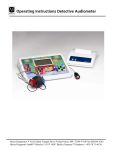
To clean the instrument, headphones and accessories use a soft cloth dampened
with a little warm soapy water; no alcohol-based
cleaner should be used.
The ear cushions of the headphones can be detached
for cleaning. To remove the ear cushion, pull it gently
from the earphone. To assemble the cleaned or
changed cushion, press it on the earphone and make
sure that it sits properly. The sound outlet hole must be
exactly in the middle of earphone.
During cleaning, make sure that no liquids run into the
switches, headphone capsules or loudspeaker
openings.
Figure 11
To maximize the service life of your audiometer and accessory equipment, we
suggest the following:
1. Turn off the instrument overnight.
2. Wipe the headset cords, ear cushions and casing occasionally with a cloth
dampened (not dripping wet) with warm water. Dry with a soft cloth.
3. Leave the accessories such as the headset, power supply, and monitor phone
permanently connected to the audiometer to minimize strain on the
connections. It is not necessary to disconnect accessories that are not in use
while performing other tests. Should it be necessary to disconnect cords,
always grasp the barrel of the plug — never pull the cords. Never drop or
snap the headphones together. Mechanical shock may change the earphone’s
electrical and operational characteristics and require recalibration of the Pilot.
4. Avoid sharply bending or twisting any of the cords. Although they are
designed to be highly flexible, rough treatment may cause damage. Broken or
defective cords can cause crackling noise and intermittent or weak operation
in the headset. Headset cords may be replaced without recalibrating the
audiometer.
GEBA_Pilot_e_12a.doc
23
851 854/4 01/12