1
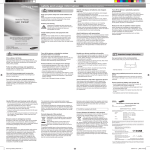
Phone layout
Make a call
1
4-way navigation key
In ldle mode, access user-defined
menus; In Menu mode, scroll
through menu options
2
Menu entry/Confirm key
In Idle mode, enter the Menu; In
Menu mode, select the highlighted
menu option or confirm an input
3
Dial key
Make or answer a call; In Idle
mode, retrieve recently dialled,
missed, or received numbers;
1
6
2
3
Power/Menu exit key
Turn the phone on and off (press
and hold); End a call; In Menu
mode, cancel input and return to
Idle mode
Your phone displays the following status indicators on the top of
the screen:
Icon
Call in progress
9
Call diverting active
Alphanumeric keys
Silent profile key
In ldle mode, activate or deactivate
the Silent profile (press and hold)
Voice mail service key
In Idle mode, access voice mails
(press and hold)
5
Pause key
Enter a dial pause (press and hold)
8
Softkeys
Perform actions indicated at the
bottom of the display
6
5
Description
Signal strength
8
4
7
4
7
Icon
Description
Battery power level
Alarm activated
1.In Idle mode, enter an area code and a phone
number.
2.Press [ ] to dial the number.
3.To end the call, press [ ].
he volume through mono earphones is very low or
T
virtually inaudible. Use stereo earphones only.
Answer a call
In Home Zone service area
1.When a call comes in, press [
2.To end the call, press [ ].
In City Zone service area
Adjust the volume
New text message (SMS)
New voice mail message
FM radio on
Normal profile activated
Silent profile activated
9
].
To adjust the volume of the ringtone
1.In Menu mode, select Settings → Profiles.
2. Scroll to the phone profile you are using.
3. Press <Options> → Edit.
4. Select Volume → Call alert.
5. Scroll left or right to adjust the volume level.
6. Press <Save>.
To adjust the volume of voice during a call
While a call is in progress, press the navigation key up
or down to adjust the earpiece volume.
Change your ringtone
1.In Menu mode, select Settings → Profiles.
2. Scroll to the phone profile you are using.
3. Press <Options> → Edit.
4. Select Call ringtone.
5. Select a ringtone category → a ringtone.
6. Press <Save>.
Call a recently dialled number
1.In Idle mode, press [ ].
2.Scroll left or right to select a call type.
3.Scroll up or down to select a number or name.
4.Press the Confirm key to view details of the call or
[ ] to dial the number.
Enter text
To change the text input mode
• Press and hold [ ] to switch to an input mode.
Depending on your region, you may be able to
access an input mode for your specific language or
number mode.
• Press [ ] to change case.
• Press and hold [ ] to switch to Symbol mode.
2. When the word displays correctly, press [ ] to insert
a space. If the correct word does not display, select
an alternate word from the list that appears.
ABC mode
Press the appropriate alphanumeric key until the
character you want appears on the display.
Number mode
Press the appropriate alphanumeric key to enter a
number.
Symbol mode
Press the appropriate alphanumeric key to select a
symbol.
To move the cursor, press the navigation key.
To delete characters one by one, press <Clear>.
To delete all of the characters, press and hold
<Clear>.
• To insert a space between characters, press [ ].
• To enter punctuation marks, press [1].
•
•
•
Add a new contact
1.Press the appropriate alphanumeric keys to enter an
entire word.
1.In Idle mode, enter a phone number and press
<Options>.
2.Select Create contact → select a number type
(if necessary).
3.Enter contact information.
4.Press <Options> → Save.
Listen to the FM radio
Fake calls
1.Plug the supplied headset into the phone.
2.In Idle mode, press <Menu> → FM radio.
3.Press the Confirm key to start the radio.
4.Press <Yes> to start automatic tuning.
The radio scans and saves available stations
automatically.
The Fake call features may be available on your phone
depending on the phone's software or your service
provider.
You can simulate fake incoming calls when you want to
get out of meetings or unwanted conversations.
T9 mode
The first time you access the FM radio, you will be
prompted to start automatic tuning.
5.Scroll up or down to a radio station.
6.To turn off the FM radio, press the Confirm key.
The volume through mono earphones is very low or
virtually inaudible. Use stereo earphones only.
1.In Idle mode, press and hold the navigation down
key.
2.To end the fake call, press the End key.
Send and view messages
To send a text message
1.In Menu mode, select Messages → Create new
message.
2.Enter the message text.
3.Press <Options> to select Send only or Save and
send.
4.Enter a destination number.
5.Press <Options> → Send to send the message.
To view text messages
1.In Menu mode, select Messages → Inbox.
2.Select a text message.
Activate the mobile tracker
This feature helps track your phone when it is stolen
or when someone tries to use your phone using other
SIM card, the phone will automatically send the preset
tracking message to family or friends. This feature may
be unavailable due to certain features supported by
your service provider.
1.In Menu mode, select Settings → Security →
Mobile tracker 2.0.
2.Enter a new 4- to 8-digit password and press <OK>.
3.Enter the new password again and press <OK>.
4.Select Settings.
5.Enter a new 8-digit password for the mobile tracker
and press <OK>.
6.Enter the new password again and press <OK>.
7.Scroll left or right to On.
8.Scroll down and press the Confirm key to open the
recipient list.
9.Press <Options> → Phonebook to open your
contact list.
10.Scroll to a contact and press the Confirm key to
return to the recipient list.
11. Press <Options> → Save to save the recipients.
12. Scroll down and enter the sender's name.
13.Press <Options> → Save → <Accept>.
The first time you access the mobile tracker, you will be
asked to accept the end user agreement to activate the
mobile tracker.