1
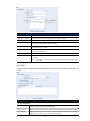
Function
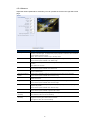
Description
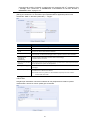
System
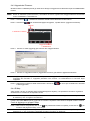
The text messaging service provider is Clickatell.
User name / Password
Enter the account user name and password you created in Clickatell.
API ID
Enter the API ID you applied from Clickatell.
Recipient
Click “Add” to enter the phone number, including the country code, to receive the text
message. Five sets of phone numbers are allowed.
Transfer Interval
Set the interval time in minutes between two-message sending.
The options are 0, 15, 30 & 60.
Reset Counter
Click to restart the text messaging, and the SMS will be sent after the specified time interval
since you click this button.
Message
Enter the text content (up to 70 characters) you want to send with the text message.
Test
To know whether your SMS setting is correct, click this button to immediately send a SMS to
your phone.
Note: This testing is not free and you will be charged for SMS sending base on your
local rate.
4.4.8 Filter
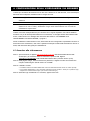
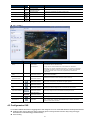
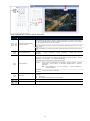
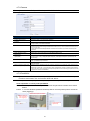
Choose to permit or block the IP address(es) which can access this camera, and click “Save” to
confirm.
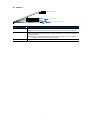
Function
Description
Filter Configuration
Error Count
Set the maximum count for login failure. When the maximum count is reached, the IP address
trying to access the network camera will be locked.
Error Lock Time
Set the lock time in minutes when the maximum count of error login for an IP address is reached.
Echo Request
Select “Non-Block” to allow other users to use the ping command to detect the IP address of your
network camera, or “Block” to deny the ping command request.
17