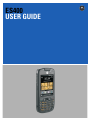
1
ES400
USER GUIDE
ES400
USER GUIDE
72E-136310-01
Rev. B
March 2011
ii
ES400 User Guide
© 2011 by Motorola Solutions, Inc. All rights reserved.
No part of this publication may be reproduced or used in any form, or by any electrical or mechanical means,
without permission in writing from Motorola. This includes electronic or mechanical means, such as
photocopying, recording, or information storage and retrieval systems. The material in this manual is subject to
change without notice.
The software is provided strictly on an “as is” basis. All software, including firmware, furnished to the user is on
a licensed basis. Motorola grants to the user a non-transferable and non-exclusive license to use each
software or firmware program delivered hereunder (licensed program). Except as noted below, such license
may not be assigned, sublicensed, or otherwise transferred by the user without prior written consent of
Motorola. No right to copy a licensed program in whole or in part is granted, except as permitted under
copyright law. The user shall not modify, merge, or incorporate any form or portion of a licensed program with
other program material, create a derivative work from a licensed program, or use a licensed program in a
network without written permission from Motorola. The user agrees to maintain Motorola’s copyright notice on
the licensed programs delivered hereunder, and to include the same on any authorized copies it makes, in
whole or in part. The user agrees not to decompile, disassemble, decode, or reverse engineer any licensed
program delivered to the user or any portion thereof.
Motorola reserves the right to make changes to any software or product to improve reliability, function, or
design.
Motorola does not assume any product liability arising out of, or in connection with, the application or use of
any product, circuit, or application described herein.
No license is granted, either expressly or by implication, estoppel, or otherwise under any Motorola, Inc.,
intellectual property rights. An implied license only exists for equipment, circuits, and subsystems contained in
Motorola products.
Motorola Solutions, Inc.
1301 E. Algonquin Rd.
Schaumburg, IL 60196-1078, U.S.A.
http://www.motorolasolutions.com
iii
Revision History
Changes to the original manual are listed below:
Change
Date
Description
-01 Rev. A
08/2010
Initial release.
-01 Rev. B
03/2011
Remove unsupported Voice Commander features. Add Speed Dialing setup
instructions.
iv
ES400 User Guide
TABLE OF CONTENTS
About This Guide
Introduction .....................................................................................................................................
Documentation Set ...................................................................................................................
Configurations.................................................................................................................................
Software Versions .....................................................................................................................
Chapter Descriptions ......................................................................................................................
Notational Conventions...................................................................................................................
Related Documents ........................................................................................................................
Service Information .........................................................................................................................
xv
xv
xv
xvi
xvi
xvii
xvii
xviii
Chapter 1: Getting Started
Unpacking ......................................................................................................................................
Setting Up the ES400 ....................................................................................................................
Remove the Battery Cover .......................................................................................................
Installing a microSD Card ........................................................................................................
Installing the SIM Card (GSM Only) .........................................................................................
Installing the Battery ................................................................................................................
Powering On the ES400 for the First Time ..............................................................................
Network Activation .............................................................................................................
Power Off the ES400 .........................................................................................................
Suspend .............................................................................................................................
Removing the microSD Card .........................................................................................................
Removing the SIM Card .................................................................................................................
Installing the Tether .......................................................................................................................
1-1
1-2
1-2
1-2
1-4
1-5
1-6
1-7
1-8
1-8
1-9
1-9
1-10
Chapter 2: Using the ES400
Introduction ....................................................................................................................................
Features .........................................................................................................................................
Keypads .........................................................................................................................................
Special Characters ...................................................................................................................
Keypad Remapping .................................................................................................................
Entering Data ...........................................................................................................................
Screen Navigation ..........................................................................................................................
2-1
2-1
2-2
2-2
2-2
2-2
2-3
vi
ES400 User Guide
Finger Scrolling ........................................................................................................................
Motorola Home Screen ..................................................................................................................
Status Bar ................................................................................................................................
Cards .......................................................................................................................................
Simple Home Card .............................................................................................................
Full Home Card ..................................................................................................................
Weather Card .....................................................................................................................
Time Tracker Card .............................................................................................................
Program Shortcuts ...................................................................................................................
My Apps Window .....................................................................................................................
Tile Bar .....................................................................................................................................
Device Management ................................................................................................................
Programs ...........................................................................................................................
Memory Manager ...............................................................................................................
Sound Profiles ....................................................................................................................
Power & Radio .........................................................................................................................
Alarms ................................................................................................................................
Fusion ................................................................................................................................
Status .................................................................................................................................
Settings ..............................................................................................................................
Adjusting Volume ...........................................................................................................................
Charging the ES400 ......................................................................................................................
Charging Temperature .............................................................................................................
Battery Status Indications ........................................................................................................
Printing ...........................................................................................................................................
Resetting the ES400 ......................................................................................................................
Locking the ES400 .........................................................................................................................
Password Unlocking ................................................................................................................
Finger Swipe Un-locking ..........................................................................................................
Notifications When ES400 is Locked .......................................................................................
Chapter 3: Making Calls
Introduction ....................................................................................................................................
Making a Call .................................................................................................................................
Using the Phone Keypad .........................................................................................................
Smart Dialing ...........................................................................................................................
Using Contacts .........................................................................................................................
Using Call Log ..........................................................................................................................
Using Speed Dialing ................................................................................................................
Tap Cancel or press to stop dialing or end the call.Answering a Call ...........................................
Incoming Call Features ............................................................................................................
Missed Call Notification .................................................................................................................
Emergency Calling .........................................................................................................................
Audio Modes ..................................................................................................................................
Using a Bluetooth Headset ......................................................................................................
Adjusting Audio Volume ...........................................................................................................
Muting a Call ..................................................................................................................................
Using Call Log ...............................................................................................................................
Managing Call Log ...................................................................................................................
Using the Call Log Menu ....................................................................................................
2-4
2-5
2-5
2-7
2-7
2-7
2-8
2-9
2-9
2-10
2-10
2-13
2-13
2-14
2-14
2-15
2-17
2-17
2-18
2-18
2-19
2-19
2-20
2-20
2-20
2-21
2-21
2-21
2-22
2-22
3-1
3-1
3-1
3-2
3-3
3-4
3-4
3-4
3-4
3-5
3-5
3-5
3-5
3-5
3-6
3-6
3-6
3-7
Table of Contents
Conference Calling ........................................................................................................................
Making a 3-Way Call ......................................................................................................................
Speed Dial Setup ...........................................................................................................................
Adding a Speed Dial Entry .......................................................................................................
Editing a Speed Dial Entry .......................................................................................................
Deleting a Speed Dial Entry .....................................................................................................
Voice Commander .........................................................................................................................
Call ...........................................................................................................................................
Find ..........................................................................................................................................
Redial .......................................................................................................................................
Callback ...................................................................................................................................
Start .........................................................................................................................................
Appointments ...........................................................................................................................
Read ........................................................................................................................................
What time is it ..........................................................................................................................
Call History ...............................................................................................................................
Voice Play Music ......................................................................................................................
What can I say .........................................................................................................................
Goodbye ..................................................................................................................................
Chapter 4: Phone Network Setup
Introduction ....................................................................................................................................
Automatic Network Setup ........................................................................................................
Manual Network Setup .............................................................................................................
CDMA Network Setup ........................................................................................................
GSM Network Setup ..........................................................................................................
Dual Network Usage ......................................................................................................................
Global Usage .................................................................................................................................
Configuring a GSM Data Connection .............................................................................................
Phone Settings ...............................................................................................................................
Sounds .....................................................................................................................................
Security ....................................................................................................................................
Enabling a PIN ...................................................................................................................
Changing a PIN ..................................................................................................................
Disabling a PIN ..................................................................................................................
GSM Services ..........................................................................................................................
Call Barring (Call Blocking) ................................................................................................
Caller ID .............................................................................................................................
Call Forwarding ..................................................................................................................
Call Waiting ........................................................................................................................
Voice Mail and Text Messages ..........................................................................................
Fixed Dialing ......................................................................................................................
Internet .....................................................................................................................................
Broadcast Channels ...........................................................................................................
TTY ....................................................................................................................................
HAC ....................................................................................................................................
3-7
3-10
3-10
3-10
3-10
3-11
3-11
3-12
3-12
3-13
3-13
3-13
3-13
3-14
3-14
3-14
3-14
3-15
3-15
4-1
4-1
4-1
4-1
4-2
4-3
4-3
4-4
4-4
4-4
4-5
4-5
4-5
4-5
4-6
4-6
4-6
4-6
4-6
4-7
4-7
4-7
4-7
4-7
4-8
Chapter 5: Using WLAN
Introduction .................................................................................................................................... 5-1
vii
viii
ES400 User Guide
Fusion Overview ............................................................................................................................
Wireless Zero Config Overview .....................................................................................................
Switching Between Fusion and WZC ............................................................................................
Supported Applications ..................................................................................................................
Fusion Setup ..................................................................................................................................
Wireless Zero Config Setup ...........................................................................................................
More Information on WZC ........................................................................................................
5-1
5-2
5-2
5-3
5-3
5-6
5-8
Chapter 6: Messaging
Introduction ....................................................................................................................................
Email ..............................................................................................................................................
Creating an Email Message .....................................................................................................
Viewing an Email Message ......................................................................................................
Replying to or Forwarding a Message .....................................................................................
SMS Messaging .............................................................................................................................
Sending a Text Message .........................................................................................................
Viewing Text Messages ...........................................................................................................
Replying to an SMS Message ..................................................................................................
MMS Messaging ............................................................................................................................
Creating and Sending MMS Messages ...................................................................................
Viewing an MMS Message ......................................................................................................
Replying to an MMS Message .................................................................................................
Blocking Incoming MMS Messages .........................................................................................
6-1
6-1
6-1
6-1
6-2
6-2
6-2
6-2
6-3
6-4
6-4
6-5
6-5
6-5
Chapter 7: Data Capture
Introduction .................................................................................................................................... 7-1
Digital Camera Scanning ............................................................................................................... 7-1
Data Wedge ................................................................................................................................... 7-2
Chapter 8: Using the Camera
Introduction ....................................................................................................................................
Taking Pictures ..............................................................................................................................
Camera Settings ............................................................................................................................
Camera Menu Options .............................................................................................................
Size/Quality Settings ..........................................................................................................
Panorama ..........................................................................................................................
Timer ..................................................................................................................................
Advanced ...........................................................................................................................
About ........................................................................................................................................
Recording Video ............................................................................................................................
Video Settings ................................................................................................................................
Video Menu Options ................................................................................................................
Quality ................................................................................................................................
Format ................................................................................................................................
Time/Date stamp ................................................................................................................
Storage ..............................................................................................................................
About ..................................................................................................................................
Viewing Pictures and Video ...........................................................................................................
8-1
8-1
8-3
8-3
8-3
8-4
8-4
8-4
8-5
8-5
8-5
8-6
8-6
8-6
8-6
8-6
8-6
8-7
Table of Contents
Albums .....................................................................................................................................
Select Mode .............................................................................................................................
Thumbnail Menu ................................................................................................................
Gallery Menu ............................................................................................................................
Image Viewer ...........................................................................................................................
Annotating Images .............................................................................................................
Audio Commenting .............................................................................................................
View or Edit Image Information ..........................................................................................
Image Menu .......................................................................................................................
Video Viewer ............................................................................................................................
View or Edit Video Information ...........................................................................................
Video Menu ........................................................................................................................
8-7
8-8
8-8
8-8
8-8
8-9
8-10
8-10
8-10
8-10
8-11
8-11
Chapter 9: Bluetooth
Introduction ....................................................................................................................................
Adaptive Frequency Hopping .........................................................................................................
Security ..........................................................................................................................................
Bluetooth Configuration .................................................................................................................
Bluetooth Power States .................................................................................................................
Suspend .............................................................................................................................
Resume ..............................................................................................................................
Turning Bluetooth On and Off ........................................................................................................
Enabling Bluetooth ...................................................................................................................
Disabling Bluetooth ..................................................................................................................
Discovering Bluetooth Device(s) ....................................................................................................
Available Services ..........................................................................................................................
Object Push Services via Beam ...............................................................................................
Internet Sharing .......................................................................................................................
Hands-free Services ................................................................................................................
Serial Port Services .................................................................................................................
ActiveSync Using Bluetooth .....................................................................................................
Phone Book Access Profile Services .......................................................................................
Dial-Up Networking Services ...................................................................................................
Connect to a HID Device .........................................................................................................
A2DP/AVRCP Services ...........................................................................................................
9-1
9-1
9-2
9-2
9-3
9-3
9-3
9-3
9-3
9-4
9-4
9-5
9-5
9-6
9-7
9-7
9-8
9-10
9-10
9-10
9-11
Chapter 10: Using GPS Navigation
Introduction ....................................................................................................................................
Software Installation .......................................................................................................................
ES400 GPS Setup .........................................................................................................................
Operation .......................................................................................................................................
GPS Maps on microSD Cards .................................................................................................
Answering a Phone Call While Using GPS ..............................................................................
Losing the GPS Signal While in a Vehicle ...............................................................................
Assisted GPS .................................................................................................................................
10-1
10-1
10-1
10-2
10-2
10-2
10-2
10-2
Chapter 11: Settings
Introduction .................................................................................................................................... 11-1
ix
x
ES400 User Guide
Settings Folder ...............................................................................................................................
Locking the ES400 .........................................................................................................................
Switching Between Microsoft Lock and Lock Plus ...................................................................
Lock Plus Setup .......................................................................................................................
Password Locking ..............................................................................................................
Finger Swipe Locking .........................................................................................................
Editing Fingerprint Swipes .................................................................................................
Edit Lock Screen Display ...................................................................................................
Audio Feedback .................................................................................................................
Microsoft Locking .....................................................................................................................
Password Locking Setup .........................................................................................................
Switching the Dialer .......................................................................................................................
Device Management Window ........................................................................................................
Sound Profiles ..........................................................................................................................
Power Profiles ..........................................................................................................................
Alarms ......................................................................................................................................
Backlight and Keylight Settings .....................................................................................................
Accelerometer ................................................................................................................................
Display Tab ..............................................................................................................................
About Tab ................................................................................................................................
Optical Nav Pad .............................................................................................................................
Key Remapping .............................................................................................................................
Remap a Key to a Program .....................................................................................................
Remap a Key to a Character ...................................................................................................
Remap a Key to a Function .....................................................................................................
Remap a Key to a Character Using the Soft Keypad ...............................................................
Remap Simultaneous Keys ......................................................................................................
Editing a Remap Key ...............................................................................................................
Master Reset .................................................................................................................................
Program Shortcuts Setup ..............................................................................................................
My Apps Window Setup .................................................................................................................
Card Setup .....................................................................................................................................
Re-Order Cards .......................................................................................................................
Configure Cards .......................................................................................................................
Weather Card Setup ................................................................................................................
Add a New Location ...........................................................................................................
Change Location ................................................................................................................
Delete a Location ...............................................................................................................
Time Tracker Setup .................................................................................................................
Email Setup ...................................................................................................................................
Setting Up an IMAP or POP Account .......................................................................................
Automatic Email Setup .......................................................................................................
Manual Email Setup ...........................................................................................................
Entering Email Settings Manually ......................................................................................
Editing an Email Account .........................................................................................................
Setting Email Signatures ..........................................................................................................
Using Microsoft ActiveSync With a Corporate Outlook Account ..............................................
MMS Messaging ............................................................................................................................
Voice Commander .........................................................................................................................
Contacts Settings .....................................................................................................................
Play ....................................................................................................................................
11-1
11-3
11-3
11-3
11-4
11-4
11-5
11-6
11-6
11-6
11-7
11-8
11-8
11-8
11-9
11-10
11-10
11-10
11-11
11-11
11-11
11-12
11-12
11-12
11-13
11-13
11-14
11-14
11-15
11-16
11-17
11-18
11-18
11-18
11-19
11-19
11-19
11-19
11-20
11-21
11-21
11-21
11-22
11-22
11-24
11-25
11-25
11-26
11-27
11-27
11-27
Table of Contents
xi
Application Settings .................................................................................................................
Play ....................................................................................................................................
Music Settings ..........................................................................................................................
Play ....................................................................................................................................
Digit Trainer Settings ...............................................................................................................
Digit Setting Settings ................................................................................................................
Advanced Settings ...................................................................................................................
11-27
11-28
11-28
11-28
11-28
11-28
11-28
Chapter 12: Accessories
Introduction ....................................................................................................................................
USB Rapid Charge Cable ..............................................................................................................
Single Slot USB Cradle ..................................................................................................................
Charging the ES400 Battery ....................................................................................................
Communication with Host Computer ........................................................................................
Vehicle Holder ................................................................................................................................
Windshield Installation .............................................................................................................
Install the ES400 ......................................................................................................................
Connect Power ........................................................................................................................
Remove the ES400 ..................................................................................................................
Host Adapter ..................................................................................................................................
Holster ............................................................................................................................................
ActiveSync .....................................................................................................................................
Installing ActiveSync ................................................................................................................
ES400 Setup ............................................................................................................................
Setting Up an ActiveSync Connection on the Host Computer .................................................
Synchronization with the ES400 ..............................................................................................
12-1
12-2
12-3
12-3
12-3
12-5
12-5
12-6
12-7
12-8
12-9
12-10
12-11
12-11
12-11
12-11
12-12
Chapter 13: Maintenance & Troubleshooting
Introduction ....................................................................................................................................
Maintaining the ES400 ...................................................................................................................
Battery Safety Guidelines ..............................................................................................................
Cleaning .........................................................................................................................................
Materials Required ...................................................................................................................
Cleaning the ES400 .................................................................................................................
Housing ..............................................................................................................................
Display ...............................................................................................................................
Camera Window .................................................................................................................
Interface Connector ............................................................................................................
Battery Contacts .................................................................................................................
Cleaning Cradle Connectors ....................................................................................................
Cleaning Frequency .................................................................................................................
Troubleshooting .............................................................................................................................
ES400 ......................................................................................................................................
Bluetooth Connection ...............................................................................................................
Single Slot USB Cradle ...........................................................................................................
Vehicle Holder ..........................................................................................................................
13-1
13-1
13-1
13-2
13-2
13-3
13-3
13-3
13-3
13-3
13-3
13-4
13-4
13-5
13-5
13-7
13-7
13-8
xii
ES400 User Guide
Appendix A: Technical Specifications
ES400 Technical Specifications ....................................................................................................
ES400 ......................................................................................................................................
Headset ....................................................................................................................................
ES400 Accessory Specifications ...................................................................................................
Single Slot USB Cradle ............................................................................................................
A-1
A-1
A-5
A-6
A-6
Appendix B: Keypads
Introduction .................................................................................................................................... B-1
Special Character Key ................................................................................................................... B-4
Appendix C: Windows Mobile Home Screen and Dialer
Introduction ....................................................................................................................................
Windows Mobile Home Screen ......................................................................................................
Classic Today Screen ........................................................................................................
Start Screen .............................................................................................................................
Windows Mobile Dialer ..................................................................................................................
Making a Call .................................................................................................................................
Using the Phone Keypad .........................................................................................................
Smart Dialing ...........................................................................................................................
Using Contacts .........................................................................................................................
Using Call History ....................................................................................................................
Making a Speed Dial Call .........................................................................................................
Answering a Call ............................................................................................................................
Incoming Call Features ............................................................................................................
Missed Call Notification .................................................................................................................
Emergency Calling .........................................................................................................................
Muting a Call ..................................................................................................................................
Using Speed Dial ...........................................................................................................................
Adding a Speed Dial Entry .......................................................................................................
Editing a Speed Dial Entry .......................................................................................................
Deleting a Speed Dial Entry .....................................................................................................
Using Call History ..........................................................................................................................
Managing Call History ..............................................................................................................
Changing the Call History View .........................................................................................
Resetting the Recent Calls Counter ...................................................................................
Deleting All Call History Items ............................................................................................
Viewing Call Status ............................................................................................................
Using the Call History Menu ..............................................................................................
Swapping Calls (GSM) ..................................................................................................................
Swapping Calls (CDMA) ................................................................................................................
Conference Calling (GSM) .............................................................................................................
Three-way Calling (CDMA) ............................................................................................................
C-1
C-1
C-3
C-4
C-4
C-4
C-4
C-5
C-6
C-6
C-7
C-7
C-8
C-8
C-8
C-9
C-9
C-9
C-10
C-10
C-11
C-11
C-11
C-11
C-12
C-12
C-13
C-13
C-14
C-15
C-16
Appendix D: Software Installation
Installation Using ActiveSync ................................................................................................... D-1
Installation Using Storage Card ............................................................................................... D-1
Installation Using AirBEAM ...................................................................................................... D-2
Table of Contents
MSP .........................................................................................................................................
Update Loader Image ..............................................................................................................
Download Update Loader Package ...................................................................................
ActiveSync .........................................................................................................................
microSD Card .....................................................................................................................
Glossary
Index
D-2
D-2
D-2
D-2
D-3
xiii
xiv
ES400 User Guide
ABOUT THIS GUIDE
Introduction
This guide provides information about using the ES400 Enterprise Digital Assistant (EDA) and accessories.
NOTE Screens and windows pictured in this guide are samples and can differ from actual screens.
Documentation Set
The documentation set for the ES400 provides information for specific user needs, and includes:
• ES400 Quick Start Guide - describes how to get the ES400 up and running.
• ES400 User Guide - describes how to use the ES400.
• Enterprise Mobility Developer Kit (EMDK) Help File - provides API information for writing applications.
Configurations
This guide covers the following configurations:
Configuration
ES400
Radios
WLAN: 802.11a/b/g
WPAN: Bluetooth
v2.0
WWAN: CDMA or
GSM/UMTS
GPS: Standalone
GPS or A-GPS
Display
3.0” VGA
Color
Memory
256 MB RAM/
1 GB Flash
Data Capture
Options
3.2 MegaPixel
color camera
Operating
System
Windows
Mobile® 6.5
Professional
Keypads
Alphanumeric
keypads
xvi
ES400 User Guide
Software Versions
This guide covers various software configurations and references are made to operating system or software
versions for:
• Adaptation Kit Update (AKU) version
• OEM version
• Fusion software
• Phone software.
AKU Version
To determine the Adaptation Kit Update (AKU) version tap Start > Settings > System > About > Version.
The second line lists the operating system version and the build number. The last part of the build number
represents the AKU number. For example, Build 23103.5.3.6 indicates that the device is running AKU version
5.3.6.
OEM Version
To determine the OEM software version tap Start > Settings > System > System Info > System.
Platform Version
To determine the virtual platform version tap Start > Settings > System > System Info > Package.
Fusion Software
To determine the Fusion software version tap Start > Wireless Companion > Wireless Status > Versions.
Phone Software
To determine the Phone software version press
>
> Phone information.
Chapter Descriptions
Topics covered in this guide are as follows:
• Chapter 1, Getting Started provides information on getting the ES400 up and running for the first time.
• Chapter 2, Using the ES400 provides information on using the ES400.
• Chapter 3, Making Calls provides basic instructions for using the ES400 phone.
• Chapter 4, Phone Network Setup provides information for setting up the ES400 on a network.
• Chapter 5, Using WLAN provides information for configuring the ES400 on a wireless network.
• Chapter 6, Messaging provides instructions for sending text and MMS messages.
• Chapter 7, Data Capture provides instructions for using the ES400 to capture data using the laser
scanner, imager and camera.
• Chapter 8, Using the Camera provides instructions on taking photos and videos.
• Chapter 9, Bluetooth explains Bluetooth functionality on the ES400.
About This Guide
xvii
• Chapter 10, Using GPS Navigation provides information about GPS navigation with the ES400.
• Chapter 11, Settings provides information for configuring the ES400.
• Chapter 12, Accessories describes the available accessories and how to use them with the ES400.
• Chapter 13, Maintenance & Troubleshooting includes instructions on cleaning and storing the ES400,
and provides troubleshooting solutions for potential problems during ES400 operation.
• Appendix A, Technical Specifications provides the technical specifications for the ES400.
• Appendix B, Keypads provides keypad layouts and operation.
• Appendix C, Windows Mobile Home Screen and Dialer provides information for using the Windows
Mobile Home screen and dialer.
• Appendix D, Software Installation provides information for installing applications and operating system
updates.
Notational Conventions
The following conventions are used in this document:
• “Enterprise Digital Assistant” refers to the Motorola ES400.
• Italics are used to highlight the following:
• Chapters and sections in this and related documents
• Icons on a screen.
• Bold text is used to highlight the following:
• Dialog box, window, and screen names
• Drop-down list and list box names
• Check box and radio button names
• Key names on a keypad
• Button names on a screen.
• Bullets (•) indicate:
• Action items
• Lists of alternatives
• Lists of required steps that are not necessarily sequential
• Sequential lists (e.g., those that describe step-by-step procedures) appear as numbered lists.
Related Documents
• ES400 Quick Start Guide, p/n 72-134310-xx.
• ES400 Regulatory Guide, p/n 72-134312-xx.
• Mobility Services Platform User Guide, p/n 72E-100158-xx.
• Wireless Fusion Enterprise Mobility Suite User Guide for Version 3.20, p/n 72E-135868-xx.
• AirBEAMSmart Windows CE Client Product Reference Guide, p/n 72-63060-xx.
xviii
ES400 User Guide
• MSP Software User Guide, p/n 72E-100158-xx.
• Enterprise Mobility Developer Kits (EMDKs), available at: http://supportcentral.motorola.com.
• Latest ActiveSync software, available at: http://www.microsoft.com.
For the latest version of this guide and all guides, go to: http://supportcentral.motorola.com.
Service Information
If you have a problem with your equipment, contact Motorola Enterprise Mobility support for your region.
Contact information is available at: http://www.motorola.com/enterprisemobility/contactsupport.
When contacting Enterprise Mobility support, please have the following information available:
• Serial number of the unit (found on manufacturing label)
• Model number or product name (found on manufacturing label)
• Software type and version number.
Manufacturing Label
Motorola responds to calls by email, telephone or fax within the time limits set forth in support agreements.
If your problem cannot be solved by Motorola Enterprise Mobility Support, you may need to return your
equipment for servicing and will be given specific directions. Motorola is not responsible for any damages
incurred during shipment if the approved shipping container is not used. Shipping the units improperly can
possibly void the warranty. Remove microSD card or SIM card prior to shipping.
If you purchased your Enterprise Mobility business product from a Motorola business partner, contact that
business partner for support.
CHAPTER 1 GETTING STARTED
Unpacking
Carefully remove all protective material from the ES400 and save the shipping container for later storage and
shipping.
Verify that the following were received:
• ES400 Enterprise Digital Assistant with battery cover and stylus
• Lithium-ion battery (1540 mAh or 3080 mAh)
• USB Rapid Charge Cable
• Power Supply
• Country-specific plugs
• Tether
• Regulatory Guide
• Quick Start Guide.
Inspect the equipment for damage. If any equipment is missing or damaged, contact the Motorola Enterprise
Mobility Support center immediately. See page xviii for contact information.
Prior to using the ES400 for the first time, remove the protective shipping film that covers the display and
camera window.
1-2
ES400 User Guide
Setting Up the ES400
To start using the ES400 for the first time:
• Remove the battery cover
• Install a microSD card (optional)
• Install a SIM card (GSM only)
• Install the battery.
• Powering on the ES400 for the First Time
• Charge the ES400.
Remove the Battery Cover
To remove the battery cover:
1.
Hold the ES400 firmly in two hands as shown.
2.
With thumbs, push the battery cover toward the bottom of ES400.
3.
Lift the battery cover off the ES400.
2
1
Figure 1-1 Battery Cover Removal
Installing a microSD Card
The microSD card slot, located under the battery, provides secondary non-volatile storage. Refer to the
documentation provided with the card for more information, and follow the manufacturer’s recommendations
for use.
CAUTION
Follow proper ESD precautions to avoid damaging the microSD card. Proper ESD precautions
include, but are not limited to, working on an ESD mat and ensuring that the operator is properly
grounded.
Getting Started
To install the microSD card:
1.
Slide the SIM card holder up to unlock.
2.
Lift the SIM card holder.
SIM Card Holder
Figure 1-2 Open SIM Holder
3.
Slide the microSD card holder to the right to unlock.
4.
Lift the microSD card holder.
microSD Card Holder
Figure 1-3 Open microSD Card Holder
5.
Insert the microSD card into the holder.
Figure 1-4 Insert microSD Card
6.
Close the microSD card holder.
1-3
1-4
ES400 User Guide
Figure 1-5 Close and Lock microSD Card Holder
7.
Slide the microSD card holder to the left to lock.
8.
If installing a SIM card, follow instructions in the next section.
9.
If not installing a SIM card, close the SIM holder and slide down to lock into place and then install the
battery.
Installing the SIM Card (GSM Only)
GSM phone service requires a Subscriber Identification Module (SIM) card. Obtain the card from the service
provider. The card can contain the following information:
• Mobile phone service provider account details.
• Information regarding service access and preferences.
• Contact information, which can be moved to Contacts on the ES400.
• Any additional subscribed services.
NOTE For more information about SIM cards, refer to the service provider's documentation.
To install the SIM card:
1.
Insert the SIM card into the SIM card holder with the contacts facing out and the card notch facing up.
Getting Started
1-5
Figure 1-6 Insert SIM Card
2.
Close the SIM card holder and slide down to lock into place. Ensure that the SIM card is fully inserted and
lying flat. Ensure that the end of the card is not laying on top of the SIM Card tab.
SIM Card Tab
Figure 1-7 Close and Lock SIM Card Holder
Installing the Battery
To install the battery:
1.
Locate the battery contacts.
2.
Insert the battery, bottom first, into the battery compartment.
3.
Press the battery down into the battery compartment.
4.
Slide the battery lock latch down to secure the battery in place.
1-6
ES400 User Guide
Battery Lock Latch
Figure 1-8 Inserting the Battery
5.
Align the battery cover with device.
Figure 1-9 Replacing the Battery Cover
6.
Slide the battery cover up to lock into place.
Powering On the ES400 for the First Time
Press the Power button to turn on the ES400. The splash screen displays as the ES400 boots then the
calibration window appears.
NOTE The Calibration screen can be accessed by tapping Start > Settings > System > Screen > Align Screen
button.
1.
Remove the stylus from the back of the ES400.
2.
Tap the screen to begin calibration.
3.
Carefully press and briefly hold the tip of stylus on the center of each target that appears on the screen.
Getting Started
1-7
4.
Repeat as the target moves around the screen.
5.
Follow the on-screen instructions to set the date and time, and then email and password. Once completed
ES400 displays the Home screen.
Network Activation
To activate on a GSM/UMTS network:
1.
If an active SIM card was installed in the ES400, the ES400 performs the activation process.
2.
The Phone Network - GSM/UMTS Setup dialog box displays.
3.
Tap Yes and then OK. For some carriers, the ES400 resets.
4.
If during start-up, no update connection settings message appears, tap Start > Settings > Connection >
Phone Network Setup and tap Update Connection Settings button.
5.
If the network is unsupported, a message appears with links for manually setting the data connection and
MMS settings.
To activate on a CDMA network:
1.
Create an account with the CDMA carrier. Provide the MEID number (located on the back of the ES400 or
tap Start > Settings > System Display Info) to the customer service representative.
2.
If a SIM card was not installed, a No SIM card found dialog box displays.
3.
Tap OK. The Phone Network - CDMA Activation dialog box displays.
4.
Tap Yes to activate on a CDMA network.
5.
On the CDMA Setup tab, tap the Preferred network option and select a network.
6.
Tap Yes.
7.
Tap the Start Activation button.
8.
Tap Yes to activate.
9.
Press Activate Now button.
For detailed information for configuring the phone and activating on a different network, see Chapter 4, Phone
Network Setup.
1-8
ES400 User Guide
Power Off the ES400
To power off the ES400, press and hold the Power button for at least five seconds.
Figure 1-10 Shutdown Window
Select Power Off to shutdown the ES400.
Suspend
ES400 goes into suspend mode when any of the following occur:
• User presses and releases the Power button
• User places the ES400 into the optional holster
• Power timeout
• Battery reaching a critical low value.
ES400 wakes from suspend when one of the following occurs:
• User presses the Power button
• ES400 receives an incoming call or data
• Bluetooth event occurs
• User inserts a USB device into the microUSB port
• User places the ES400 in the cradle
• User connects or removes a headset to or from the audio port.
• User removes the ES400 from the optional holster.
Getting Started
Removing the microSD Card
To remove an microSD card:
CAUTION
Save all data before removing the battery. Failure to do so may cause potential loss of data.
1.
Press the Power button to suspend the ES400.
2.
Slide the battery cover toward the bottom of the device.
3.
Remove the battery cover.
4.
Slide the battery lock latch up.
5.
Lift the battery out of the ES400.
6.
Slide the SIM card holder up to unlock.
7.
Lift the SIM card holder.
8.
Slide the microSD card holder to the right to unlock.
9.
Lift the microSD card holder.
10. Remove microSD card from holder.
11. Close the microSD card holder.
12. Slide the microSD card holder door to the left to lock.
13. Close the SIM card holder.
14. Slide the SIM card holder down to lock.
15. Replace the battery.
16. Slide the battery lock latch down to lock the battery in place.
17. Replace the battery cover.
Removing the SIM Card
To remove an SIM card:
CAUTION
Save all data before removing the battery. Failure to do so may cause potential loss of data.
1.
Press the Power button to suspend the ES400.
2.
Slide the battery cover toward the bottom of the device.
3.
Lift the battery cover.
4.
Slide the battery lock latch up.
5.
Lift the battery out of the ES400.
6.
Slide the SIM card holder up to unlock.
1-9
1 - 10 ES400 User Guide
7.
Lift the SIM card holder.
8.
Remove the SIM card from holder.
9.
Close the SIM card holder.
10. Slide the SIM card holder to the down to lock into place.
11. Slide the battery lock latch down to lock the battery in place.
12. Replace the battery cover.
Installing the Tether
The ES400 comes with an optional tether to secure the stylus to the ES400.
1.
Remove the stylus from the back of the device.
2.
Feed one loop of the tether through the stylus (1), and pass the other loop through the first (2).
3.
With the stylus secured to the tether, feed the free loop through the tether anchor and pass the stylus
through the loop (3) to secure it.
Figure 1-11 Install Tether onto Stylus and ES400
CHAPTER 2 USING THE ES400
Introduction
This chapter explains the indicators, buttons, status icons, and controls on the ES400, and provides basic
instructions for using the device.
Features
Battery
Cover
Charging/Communication
Contacts
Illumination
Light
Camera Lens
Finger Print Reader
LED
Indicator
Receiver
Ambient Light/Proximity
Sensor
Speaker
Touch Screen
Camera Button
Optical Nav Pad
Power Button
Secondary Microphone
(Speakerphone Mode)
Headset
Port
Keypad
microUSB
Port
Programmable
Button
Scan
Button
Figure 2-1 ES400 Features
Speaker
Primary Microphone
(Handset Mode)
Volume Buttons
LED Aimer
Stylus
2-2
ES400 User Guide
Keypads
The ES400 comes in three keypad configurations; QWERTY, QWERTZ and AZERTY. Refer to Appendix B,
Keypads for detailed information on the keypad configurations.
Figure 2-2 QWERTY Keypad
Special Characters
To add special characters, press and hold a key until the available special characters appear on the display.
Tap the special character. Table B-2 on page B-4 lists the available special characters.
Figure 2-3 Special Character Display
Also press
+
to display additional characters. Tap the special character to select.
Keypad Remapping
The user has the ability to remap the keypad keys to characters or applications. Refer to Chapter 11, Settings
for detailed information on remap keypad keys.
Entering Data
When entering data on the keypad, use either the single-hand method or the two-hand method as shown in
Figure 2-4.
Using the ES400
Single-hand Method
2-3
Two-hand Method
Figure 2-4 Entering Data on the Keypad
Screen Navigation
NOTE To change the default Optical Nav Pad settings and sensitivity tap Start > Settings > Personal > Nav
pad.
The optical nav pad on the keypad provides the ability to navigate on the screen using either 4-way navigation
or a mouse cursor.
To switch between the 4-way navigation and the mouse cursor, press
seconds.
appears briefly when the 4-way navigation is enabled and
enabled.
+
or hold the
for three
appears briefly when mouse cursor is
With 4-way navigation, the user moves their thumb across the optical nav pad and moves the highlight object
on the screen.
With the mouse cursor, the user moves the cursor around the screen like on a PC.
Press the optical nav pad to select items on the screen, similar to a mouse click.
2-4
ES400 User Guide
Optical Nav Pad
Figure 2-5 Using the Optical Nav Pad
Finger Scrolling
Finger scrolling can be used to scroll up and down web pages, documents, and lists such as the contacts list,
file list, message list, calendar appointments list, etc.
When finger scrolling, swipe or flick your finger on the screen.
To scroll down, swipe your finger upward on the screen. To scroll up, swipe your finger downward on the
screen.
Using the ES400
2-5
Motorola Home Screen
The customizable Motorola Home screen provides faster and easier access to features and applications, and
allows users to tailor the interface to improve their unique workflow and maximize on-the-job efficiency.
Status Bar
Cards
Program Shortcuts
Tile Bar
Tap to Open Start Window
Tap to Open Programs
Tap to Lock the Device
Tap to Open the Contacts
Figure 2-6 Motorola Home Screen
Status Bar
The Status Bar at the top of the screen displays the status icons listed in Table 2-1. Tap anywhere on the
Status Bar to open the Device Management window. Refer to Device Management on page 2-13 for more
information.
Notifications
Connectivity
Signal Strength
Audio
Battery
Clock
Figure 2-7 Status Bar Icons
To view notifications, tap the Status Bar and select
. See Status on page 2-18 for more information.
2-6
ES400 User Guide
Table 2-1 Status Bar Icons
Icon
Description
Icon
Description
Notifications
Reminder of an upcoming calendar event.
One or more instant messages were received.
One or more text messages were received.
One or more voice messages were received.
There are more notification icons than can be
displayed.
Bluetooth is on.
One or more Email messages were received.
Receiving MMS message.
Sending MMS message.
MMS message sent successfully.
MMS message received successfully.
TTY Headset enabled.
TTY HCO enabled.
TTY VCO enabled.
Microsoft customer feedback alert.
Connectivity
Connection is active.
Connection is not active.
Synchronization is occurring.
Wi-Fi available.
Wi-Fi in use.
HSDPA available. (GSM only)
3G available. (GSM only)
GPRS available. (GSM only)
EGPRS available. (GSM only)
1xRTT available. (CDMA only)
EVDO Rev. 0 available. (CDMA only)
EVDO Rev. A available. (CDMA only)
Dormant State - no data transmission during
a 1x or EVDO connection. (CDMA only)
Roaming.
Call missed.
Dialing while no SIM card is installed.
Voice call in progress.
Calls are forwarded.
Call on hold.
Speakerphone is on.
Wan on/good signal.
Phone is off.
No WAN service.
Searching for WAN service.
HSDPA in use. (GSM only)
HSDPA connecting. (GSM only)
3G in use. (GSM only)
3G connecting. (GSM only)
GPRS in use. (GSM only)
GPRS connecting. (GSM only)
WAN
Using the ES400
2-7
Table 2-1 Status Bar Icons (Continued)
Icon
Description
Icon
Description
EGPRS in use. (GSM only)
EGPRS connecting. (GSM only)
EVDO in use. (CDMA only)
EVDO connecting. (CDMA only)
SIM Card not installed. (GSM only)
Audio
All sounds are on.
All sounds are off.
Vibrate is on.
Battery
Battery is charging.
Battery has a full charge.
Battery has a high charge.
Battery has a medium charge.
Battery has a low charge.
Battery has a very low charge.
Cards
Cards provide quick access to completing common tasks. The number and type of cards available to an end
user are configurable by the system administrator or the end user. By default, the ES400 ships with four cards.
Swipe finger left or right on the screen to view adjacent cards.
Cards can be rearranged, deleted or added to the Home screen. See Chapter 11, Settings for more
information.
Simple Home Card
The Simple Home card displays the current date and time and notifications.
Tap to Open Date and Time
Tap to Configure
Active Card
Carrier Name
Owner’s Name
Owner’s Company Name
Figure 2-8 Simple Home Card
Full Home Card
The Full Home card displays the current date and time and notifications with expanded information.
2-8
ES400 User Guide
Tap to Open Date and Time
Carrier Name
Tap to Configure Cards
Tap to Configure
Active Card
Owner’s Name
Owner’s Company Name
Figure 2-9 Full Home Card
Table 2-2 lists the Home card shortcut icons.
Table 2-2 Home Card Icons
Icon
Description
Calendar: Indicates the next appointment in the calendar. Tap to open the
Calendar application.
Corp Email: Indicates the number of unread emails in Outlook email. Tap to
open the Outlook application.
Tasks: Indicates the number of unfinished tasks. Tap to open the Task
application.
Messages: Indicates the number of unread SMS and MMS messages. Tap to
open the Messaging application.
Voicemail: Indicates the number of voice messages in the voicemail box.
Missed Calls: Indicates the number of missed call.
Home Email: Indicates the number of unread emails in a personal email
account. Tap to open the Messaging application.
In Call Status: Indicates call status. Tap to open the Phone dialer.
Weather Card
The Weather card display the weather for a selected city.
Using the ES400
2-9
Figure 2-10 Weather Card
See to Weather Card Setup on page 11-19 for information on configuring the Weather card.
Time Tracker Card
The Time Tracker card provide a easy way for a worker to log hours spend at a job and output this information
in a easy to use format.
Figure 2-11 Time Tracker Card
See to Time Tracker Setup on page 11-20 for information on configuring the Weather card.
Program Shortcuts
The Program Shortcut buttons provides easy access for four often used applications. Just tap the icon to
launch the application. To configure the Program Shortcuts refer to Program Shortcuts Setup on page 11-16.
Program Shortcut Buttons
Figure 2-12 My Apps Window
2 - 10 ES400 User Guide
My Apps Window
The My Apps window provides access to all the applications on the ES400. The window is configurable so that
it can display favorite applications. To configure the My Apps window refer to My Apps Window Setup on page
11-17.
Figure 2-13 My Apps Window
My Apps screen is configurable. See My Apps Window Setup on page 11-17 for more information.
Tile Bar
The Tile Bar, located at the bottom of the screen, contains the Start tile
displays tiles that vary depending upon the open application.
to open the Start Menu. It also
Figure 2-14 Tile Bar Examples
Table 2-3 Programs Available on the Start Menu
Icon
Description
Icon
Description
ActiveSync - Synchronize information
between the ES400 and a host computer or
the Exchange Server.
AirBEAM Client - Allows legacy customers
to deploy AirBEAM Smart™ packages to
devices.
Alarms - Set the clock to the date and time
of your locale. Alarms can also be set at
specified days and times of a week.
Bing - Search the internet.
Calculator - Perform basic arithmetic and
calculations, such as addition, subtraction,
multiplication, and division.
Calendar - Keep track of appointments and
create meeting requests.
Contacts - Keep track of friends and
colleagues.
E-mail - Send an Email.
File Explorer - Organize and manage files
on the device.
Games - Play games.
Using the ES400 2 - 11
Table 2-3 Programs Available on the Start Menu
Icon
Description
Icon
Description
Getting Started - Launch the Getting
Started application.
Help - Access on-line Help topics.
Home: Display the Home screen.
Internet Explorer - Browse Web and WAP
sites as well as download new programs and
files from the Internet.
Internet Sharing - Connect a notebook
computer to the Internet using the ES400's
data connection.
Marketplace - Purchase applications from
the Marketplace.
Messenger - Use the mobile version of
Windows Live Messenger.
Microsoft My Phone - Synchronizes the
ES400’s contacts, calendar, tasks, text
messages, music, photos videos and
documents with a Microsoft My Phone
account.
MSN Money - Keep track of finances.
MSN Weather - Check the local weather.
MSP Agent - Enables management of the
ES400 from an MSP Server. Requires the
purchase of an appropriate MSP client
license per device to suit the level of
management functionality required.
Notes - Create handwritten or typed notes,
drawings, and voice recordings.
Office Mobile 2010 - Provides access to
Excel Mobile, PowerPoint Mobile, OneNote
Mobile, SharePoint WorkSpace Mobile and
Word Mobile applications.
Phone - Make calls.
Pictures & Videos - View and manage
pictures, animated GIFs, and video files.
Rapid Deployment Client - Allows the
ES400 user to stage a device for initial use
by initiating the deployment of settings,
firmware, and software. Requires the
purchase of an MSP client license per
device.
Remote Desktop Mobile - Log onto
Windows NT server type computers and use
all of the programs that are available on that
computer from the ES400.
Search Phone - Search contacts, data, and
other information on the ES400. Refer to the
Microsoft Applications for Windows Mobile 6
User Guide for more information.
Settings - Opens the Settings folder. See
Settings Folder on page 11-1 for more
information.
SMS Staging - Receives and processes SMS
Task Manager - Enables viewing of memory
and CPU allocations and stops running
processes.
Tasks - Keep track of tasks.
messages from an MSP Server and allows
the user to stage an ES400 based on them.
Requires the purchase of an MSP client
license per device.
2 - 12 ES400 User Guide
Table 2-3 Programs Available on the Start Menu
Icon
Description
Icon
Description
Text - Send an SMS or MMS message.
Toolbox - Contains the Adobe Reader and
Voice Commander applications.
Wireless Companion - Opens the Wireless
Companion folder.
Windows Live - Use the mobile version of
Windows Live™ to find information on the
web.
Windows Media - Play back audio and
video files.
Using the ES400 2 - 13
Device Management
The Device Management window provides quick access to information and settings for the ES400.
Tap anywhere on the Status Bar to open the Device Management window.
Figure 2-15 Device Management Window
The navigation bar consists of eight tabs:
• Programs
• Memory Manager
• Sound Profiles
• Power & Radio
• Alarms
• Fusion
• Status
• Settings
.
Tap an icon to open the associated tab. Scroll left or right to view more icons.
Programs
The Programs tab lists the programs that are currently running on the ES400 and allows for easy program
switching, and a quick way to end processes.
2 - 14 ES400 User Guide
Figure 2-16 Programs Tab
• To switch to a program, tap the name of the program.
• To end a running program, tap the X next to the program name.
• To close all running programs, tap Close All.
• To go to the Task Manager application, tap Task Manager.
Memory Manager
The Memory Manager tab displays an overview of memory utilization, and a quick way to free up space.
Figure 2-17 Memory Manager Tab
• Device Storage - Lists the total available Flash and the amount of Flash that is currently being used.
• SD Card - Lists the total available memory and the amount of memory that is currently being used.
• RAM - Lists the total available RAM and the amount of RAM that is currently being used.
Tap View Large Files to display files on the ES400 that are above a specific byte size.
Sound Profiles
The Sound Profiles tab provides direct access to sound-related profiles.
Using the ES400 2 - 15
Figure 2-18 Sound Profiles Tab
To select a profile, tap the profile name.
• Vibrate - Ring type, reminder and notifications are set to vibrate. Ring and system volumes are set to 0
(off).
• Silent - Ring type, reminder and notifications are set to None. Ring and system volumes are set to 0 (off).
• Schedule - Ring type, reminder and notifications are set to vibrate when Calendar meeting is in session.
• Normal - Ring type is set to Ring, Reminder is set to Vibrate & Sound, Notification is set to Play Sound.
Ring and system volumes are set to level 4.
• Loud - Ring type is set to Vibrate & Ring, Reminder is set to Vibrate & Sound, Notification is set to
Vibrate & Sound. Ring and system volumes are set to level 5.
• Ambient - Profile settings are set based on the surrounding environment’s sound level.
The Temporary profile is created when changes are made by the system, for example: the user adjust the
volume using the volume buttons.
Refer to Sound Profiles on page 11-8 for information on creating new sound profiles.
Power & Radio
The Power & Radio tab displays the current battery status and direct access to power profiles and
power/radio-related options.
Figure 2-19 Power & Radio Tab
2 - 16 ES400 User Guide
The Battery remaining graphic displays the amount of battery power remaining in the form of a bar graph and
also as a percentage.
The Profile row displays the current profile that is being used. To set a defined profile, tap Profile. A list of
profiles appear. Select a profile from the list. A radio button appears next to the selected profile. To view the
properties of a profile in the list, tap next to the profile.
Figure 2-20 Power Profiles Page
Tap Back to return to the Profiles tab.
The user can manually change the following settings (slide the display up to view more options).
• Phone radio - Turns the phone radio on or off.
• Wi-Fi - Turns the Wi-Fi radio on or off.
• Bluetooth - Turns the Bluetooth radio on or off.
• Device timeout - Sets the amount of time after inactivity that the ES400 goes into suspend mode.
• Backlight - Sets the amount of time after inactivity that the ES400 backlight turns off.
• Brightness - Sets the display brightness.
• ActiveSync Peak time - Sets the interval between which the ES400 checks for email and calendar
events during peak time.
• ActiveSync Off-peak time - Sets the interval between which the ES400 checks for email and calendar
events during off-peak time.
Refer to Power Profiles on page 11-9 for information on creating new profiles.
Using the ES400 2 - 17
Alarms
The Alarms tab controls the Windows Mobile enabled alarms.
Tap Status Bar >
.
Figure 2-21 Alarms Tab
To turn an alarm on or off tap the alarm name.
To change an alarm setting, tap Edit Alarm.
Refer to Alarms on page 11-10 for information on configuring the alarms.
Fusion
The Fusion tab provides access to the Fusion interface.
Figure 2-22 Fusion Tab
Refer to Chapter 5, Using WLAN for information on using and setting up a WLAN.
2 - 18 ES400 User Guide
Status
The Status tab displays all system notifications. The ES400 notifies the user of system information by
displaying icons on the Status bar, see Notification icon list in Table 2-1 on page 2-6. Tap the Status bar and
select
.
Figure 2-23 Status Tab
Tap a notification to read the associated information.
Settings
The Settings tab lists the settings applications on the ES400. Tap an item in the list to open the associated
setting application or folder. Slide the list up to view more settings icons.
Figure 2-24 Settings Tab
Refer to Table 11-1 on page 11-1 for a list of setting application icons and their descriptions.
Using the ES400 2 - 19
Adjusting Volume
To adjust the system volume:
1.
Press the volume buttons on the right side of the ES400 to increase and decrease the system volume. The
Volume dialog box appears.
2.
As you increase or decrease the volume, the slider moves accordingly. You can also move the slider to
adjust the volume.
3.
Select the Vibrate radio button to turn off the system audio and enable the ES400 to vibrate upon system
notifications.
4.
Select Off radio button to turn off all system audio notifications.
Charging the ES400
CAUTION
Ensure that you follow the guidelines for battery safety described in Battery Safety Guidelines on page
13-1.
Before using the ES400 for the first time, charge the battery using the provided USB Rapid Charge Cable
(25-128458-01R) or the optional One Slot USB Charge cradle. For cable and cradle setup and charging
procedures see Chapter 12, Accessories.
Place the ES400 into the cradle or connect the cable. The battery automatically begins charging. See Table
2-4 for charging indications. The 1540 mAh battery fully charges in less than three hours and the 3080 mAh
battery fully charges in less than six hours.
Figure 2-25 Charging ES400 with Power Supply
2 - 20 ES400 User Guide
LED Indicator
Figure 2-26 LED Indicator
Table 2-4 Charge Indication
LED Indication
Description
Off
Indicates that the:
• not connected to power
• battery is not charging.
Slow Blinking Green
(1 blink every 2 seconds)
Indicates that the battery is charging.
Solid Green
Indicates that the battery is fully charged.
Fast Blinking Red
(2 blinks/second)
Indicates a charging error, e.g.:
• temperature is too low or too high.
• charging has gone on too long without completion.
Charging Temperature
Charge batteries in temperatures from 0°C to 40°C (32°F to 104°F). Note that charging is intelligently
controlled by the ES400.
To accomplish this, for small periods of time, the ES400 alternately enables and disables battery charging to
keep the battery at acceptable temperatures. The ES400 indicates when charging is disabled due to abnormal
temperatures via its LED. See Table 2-4.
Battery Status Indications
Battery icons appear on the Status Bar indicating the battery power level. When the battery power falls below
a predetermined level the icon indicates the status and a battery dialog box appears indicating the status of the
battery.
The message displays until the user taps Dismiss. Alternately tap the Status Bar to display the Device
Management window. Tap
.
Printing
The ES400 supports printing to third-party printers. The Motorola Print Manager, available from the Support
Central web site http://supportcentral.motorola.com, provides support for printing to Bluetooth enabled printers.
The ES400 also supports printing using the USB Host Adapter and a USB cable. See Chapter 12, Accessories
for more information.
Using the ES400 2 - 21
Resetting the ES400
To perform a reboot, simultaneously press the Power button and the 1 and 9 keys.
Locking the ES400
The user can lock the ES400 to disable key presses and screen tap or by requiring a password or finger swipe
to keep your data secure. Refer to Locking the ES400 on page 11-3 for information on setting up device
locking.
NOTE The user can make emergency calls even when the ES400 is locked.
The lock screen displays whenever the ES400 is locked. When the ES400 is locked, you still receive
notifications of new messages, missed calls and upcoming appointments. You can also receive a call when the
ES400 is locked. The ES400 locks when a time out has occurred or you lock the ES400 manually.
To manually lock the ES400 tap the lock icon in the center of the Home screen Tile bar.
Password Unlocking
When the ES400 is not used for a period of time and the user tries to access the device, the Lock screen
appears.
Indicates PIN Password Enabled
Indicates Fingerprint Enrolled
Figure 2-27 Lock Window
1.
Select one of the item icon to open when the ES400 is unlocked.
2.
Touch gray bar and pull down to login.
2 - 22 ES400 User Guide
Figure 2-28 Enter Password Window
3.
In the text field enter your pin and then tap the unlock icon.
Finger Swipe Un-locking
When the ES400 is not used for a period of time and the user tries to access the device, the Lock screen
appears. Swipe your finger across the fingerprint reader in the direction used during enrollment. If the
fingerprint sensor does not read the fingerprint properly, enter a PIN to un-lock the ES400. See Locking the
ES400 on page 11-3 for information on setting up fingerprint reading.
Figure 2-29 Swipe Finger Across Fingerprint Reader
Notifications When ES400 is Locked
The Lock screen displays the following notifications:
Using the ES400 2 - 23
Voice messages
Missed calls
Unread Emails
Text messages
Figure 2-30 Lock Screen Notifications
2 - 24 ES400 User Guide
CHAPTER 3 MAKING CALLS
Introduction
NOTE If using the Windows Mobile Dialer, refer to Windows Mobile Dialer on page C-4 for information on using
the dialer.
Use the ES400 to make phone calls, keep track of calls, and send text messages. Your wireless service
provider may also provide other services such as voice mail, call forwarding, and caller ID.
Also use the phone to connect to an ISP or work network in order to browse the Web and read email over
High-Speed Packet Access (HSPA) or Evolution Data-Optimized (EvDO) using Cellular Line.
Making a Call
NOTE The user can make emergency calls even when the ES400 is locked or when it is not activated. See
Emergency Calling on page 3-5 for more information.
With the ES400, the user can make a call from the phone, contacts, and Call Log.
Using the Phone Keypad
To make a call:
1.
Press
.
3-2
ES400 User Guide
Call Line
GSM/UMTS
CDMA
Figure 3-1 Enterprise Dialer
NOTE If the user taps a wrong number, tap the Delete key to erase each subsequent digit. To erase the entire
number, tap and hold the Delete key.
2.
Enter the phone number on the dialer or keypad. The number appears in the Call Line.
3.
Tap the green Call Line or press
4.
Tap Cancel to cancel the call or tap Speaker to place the ES400 in speakerphone mode.
5.
When the call connects, the name or number appears in the Call Line. To place the call on hold tap the Call
Line. To return to the call tap the Call Line again.
6.
Tap
or press
.
to end the call.
Table 3-1 lists the Phone dialer icons that appear below the Status bar and above the Call Line. Icons vary
depending upon carrier and network.
Table 3-1 Phone Dialer Status Icons
Icon
Description
Icon
Description
Bluetooth headset connected.
Location disabled.
Call Forwarding enabled.
Phone unlocked.
Phone audio muted.
Smart Dialing
Smart Dialing makes it easy to dial a phone number. When the user starts entering numbers or characters,
Smart Dialing automatically searches and sorts the contact entries on the SIM card, in Contacts, and the phone
numbers in Call Log (including incoming, outgoing, and missed calls). You can then select the desired number
or contact from the filtered list to dial.
Press the keys on the ES400 keypad that correspond to the phone number or contact to call. The contact panel
lists contacts that match the sequence entered.
Making Calls
3-3
Smart Dialing starts looking for numbers or contacts that match the sequence entered.
To find a phone number:
• Enter the first one or two digits to find a phone number in Call History.
• Enter the first three digits or more to find a phone number from the saved Contacts and SIM card.
To find a contact name:
• Enter the first letter of a contact’s first name or last name. Smart Dialing searches for the letter starting
from the first character of a contact name as well as from any character that appears after a space,
dash, or underscore in a contact name.
• If the matching list is long, narrow down the search further by entering another letter.
Figure 3-2 Finding a Contact
To make a call or send a message using Smart Dialing:
1.
Begin entering the first few numbers or characters.
2.
In the Smart Dialing panel, touch the screen or use the Optical Nav Pad on the keypad to navigate to the
desired contact or phone number.
3.
When the correct contact is selected, press
4.
To send a message to the selected contact, tap
Send MMS to send an MMS message.
5.
To call a different phone number associated with the selected contact, tap the contact name and select the
phone number to call.
to make a voice call.
> Send Text Message to send a text message or
Using Contacts
Use Contacts to make a call without looking up or entering the phone number.
To make a call from Contacts:
1.
Press
.
2.
From the Phone shortcut, tap
3.
From the contact list, tap and hold the contact name.
.
>
3-4
ES400 User Guide
Tap Call Work, Call Home or Call Mobile.
4.
Using Call Log
To make a call using Call Log:
1.
Press
.
2.
From the Phone shortcut, tap
3.
Tap the contact or phone number.
4.
Tap SEND or press
5.
Tap Cancel or press
.
.
to stop dialing or end the call.
Using Speed Dialing
To make a call using Speed Dialing:
NOTE To set up speed dialing see Speed Dial Setup on page 3-10.
1.
Press
.
2.
On the dialpad, press and hold a number associated with the speed dial number set up in Contacts.
Tap Cancel or press
Answering a Call
to stop dialing or end the call.
When the ES400 receives an incoming call a dialog box appears. If the phone is set to ring, a ring tone sounds.
Answer or ignore the incoming call.
To answer an incoming call tap Answer or press
.
To ignore the incoming call, tap Ignore. This sends the caller to voice mail, depending on the service provider.
Otherwise, this presents a busy signal to the calling party.
Tap
or press
to end the call.
Incoming Call Features
• The user can use other programs on the ES400 during a call. To switch back to the phone, press
Press
to end the call.
• To hold the current call and answer a waiting call, tap Answer to place the current call on hold and
answer the incoming call.
• To put a call on hold to call another number, tap Hold.
• To move from one call to another, tap Swap.
.
Making Calls
3-5
Missed Call Notification
When the user does not answer an incoming call, the Home screen displays a Missed Call indication.
To view a missed call entry, tap the
on the Home screen.
Emergency Calling
The service provider programs one or more emergency phone numbers, such as 911 or 999, that the user can
call under any circumstances, even when the phone is locked, a SIM card is not inserted or the phone is not
activated. Your service provider can program additional emergency numbers into the SIM card. However, the
SIM card must be inserted in the ES400 in order to use the numbers stored on it. See the service provider for
additional information.
When the keypad is locked, press the orange fn key twice to set the keypad to numeric mode and then enter
the emergency number.
Audio Modes
The ES400 offers three audio modes for use during phone calls:
• Handset Mode: Switches audio to the receiver at the top front of the ES400, so the user can use the
ES400 as a handset. This is the default mode.
• Speaker Mode: Use the ES400 as if on speaker phone. Tap Speaker to activate this mode. Tap
Speaker again to switch back to handset mode.
• Headset Mode: Connect a Bluetooth headset or a wired headset to automatically switch audio to the
headset.
The ES400 defaults to handset mode. When a wired headset is plugged into the ES400 headset port or a
Bluetooth headset is configured for use with the ES400, the earpiece and speakerphone are muted and audio
is heard through the headset.
Using a Bluetooth Headset
You can use a Bluetooth headset for audio communication when using an audio-enabled application. See
Chapter 9, Bluetooth for information on connecting a Bluetooth headset to the ES400. Set the ES400’s volume
appropriately before putting the headset on. When a Bluetooth headset is connected the speakerphone is
muted.
Adjusting Audio Volume
Use the Volume buttons to adjust the volume of the ringer when not in a call and the audio volume when in a
call.
NOTE Adjust the conversation phone volume during a call. Adjusting the volume while not in a call affects the
ring and notification sound levels.
3-6
ES400 User Guide
Muting a Call
During a call, the caller can mute the microphone so they can hear the person on the line but he or she cannot
hear the caller. This is useful when there is conversation or background noise.
To mute or unmute a call tap Mute on the dialer to mute the audio. The Mute button becomes yellow.
Using Call Log
Use Call Log to call someone who was recently called, or recently called in. The Call Log provides the time of
all incoming, outgoing, and missed calls. Table 4-1 lists the call Log icons that appear in the Call Log window.
Press
and then tap
to open the Call Log window.
Figure 3-3 Call Log Window
Table 3-2 Call Log Icons
Icon
Description
This icon appears next to the contact information for all outgoing calls.
This icon appears next to the contact information for all incoming calls.
This icon appears next to the contact information for all unconnected outgoing
calls.
This icon appears next to the contact information for all missed incoming calls.
Managing Call Log
Change views, reset the call timer, and delete calls to manage the calls stored in Call Log.
Making Calls
3-7
Using the Call Log Menu
se the Call Log menu to make a call, send an SMS and remove item from the log.
1.
Press
and then tap
.
2.
Tap an item to call the number or tap
to open the Options window for that item.
Figure 3-4 Call Log Options
3.
Select an applicable option from the list.
4.
Depending on the option selected, the appropriate window displays. For example, select SMS to display
the Text Messages window.
5.
Tap
to close the Options window.
Conference Calling
NOTE For use on GSM/UMTS networks.
Conference Calling and the number of conference calls allowed may not be available on all services.
Please check with the service provider for Conference Calling availability.
To create a conference phone session with multiple people:
1.
Press
to display the dialer.
2.
Enter the first phone number and tap the Call Line area. When the call connects, the name or number
appears in the Call Line.
3.
Tap
4.
Tap
5.
Enter the second number and tap Send.
6.
When the call connects, the first call is placed on hold and the second call is active.
.
. The dialer re-appears.
3-8
ES400 User Guide
Figure 3-5 Two Calls
7.
Tap the Call Line 1 to make that call active. The second call go on hold.
8.
Tap
to create a conference call (three callers).
Figure 3-6 Two Merged Calls
9.
To add a third caller tap
conference is on hold.
Figure 3-7 Adding a Third Call
. The dialer appears. When the call connects the new call is active and the
Making Calls
10. To add the new caller to the conference tap
3-9
.
Figure 3-8 Three Merged Calls
11. Tap
to view all callers.
Figure 3-9 Un-Merge Calls
12. Tap
to remove a caller from the conference.
13. To end the conference call, tap
next to the Call Line.
Calls Complete dialog appears and then the dialer displays.
.
NOTE To speak privately with one party during a conference call, tap
caller. To include all parties again, tap
.
and then tap
next to the
3 - 10 ES400 User Guide
Making a 3-Way Call
NOTE For use on CDMA networks.
3-way Calling may not be available on all services. Please check with the service provider for availability.
With 3-Way Calling, you can talk to two people at the same time. When using this feature, the normal airtime
rates will be charged for each of the two calls.
1.
Enter a number and press
.
2.
Once you have established the connection, enter or select a number and tap Flash.
3.
When you’re connected to the second party, tap Flash to begin your 3-way call.
If one of the people you called hangs up during your call, you and the remaining caller stay connected. If you
initiated the call and are the first to hang up, all callers are disconnected.
Speed Dial Setup
Create speed dial numbers to dial frequently called numbers with a single tap. Before creating a speed dial
entry, ensure the phone number exists in Contacts.
Adding a Speed Dial Entry
To add a speed dial entry from the phone keypad:
1.
Ensure the contact and phone number are in Contacts.
2.
Press
3.
Tap the desired contact name in the list.
4.
Tap
5.
In the Location drop-down list, select an available location to assign as the new speed dial entry. The first
speed dial location is reserved for voice mail.
6.
Tap OK to add the contact to the speed dial list.
7.
Tap OK to exit the Edit Contacts window.
8.
Tap OK to exit the Contacts window.
>
.
> Add to Speed Dial.
Editing a Speed Dial Entry
To change a speed dial entry:
1.
Press
>
.
2.
Tap the desired contact name in the list.
3.
Tap
> Edit Speed Dial.
Making Calls 3 - 11
4.
In the Location drop-down list, select a different available location to assign as the new speed dial entry.
The first speed dial location is reserved for voice mail.
5.
Tap OK to change the speed dial list.
6.
Tap OK to exit the Edit Contacts window.
7.
Tap OK to exit the Contacts window.
Deleting a Speed Dial Entry
To delete a speed dial entry:
1.
Press
>
.
2.
Tap the desired contact name in the list.
3.
Tap
4.
Tap
5.
Tap Yes to confirm permanently deleting the speed dial entry.
> Edit Speed Dial.
.
NOTE Deleting names and phone numbers in Speed Dial does not delete the contact information in Contacts
(Start > Contacts).
6.
Tap OK to exit the Edit Contacts window.
7.
Tap OK to exit the Contacts window.
Voice Commander
Voice Commander is a speech dialog system that provides natural human interface for users to communicate
seamlessly with the ES400. Users can make phone calls, look up contact information, launch programs or
check calendars. Voice Commander contains the following features:
• Eyes-free and hands-free voice command and control.
• Speaker-independent speech recognition technology, no training is required.
• Ease of use conversational user interface.
• Personal Voice Tag and Digit Model Adaptation to enhance the usability.
To initiate Voice Commander tap Start > Toolbox > Voice Commander or press the call button on a
Bluetooth headset. The system says, “Say a Command.” The user says one of the following commands:
• Call
• Find
• Redial/Callback
• Play Music
• Play
• Next/Previous
3 - 12 ES400 User Guide
• Start
• Appointments
• Read/Call History
• What time is it?
• What can I say?
• Goodbye
Call
To call a person by name:
1.
Initiate Voice Commander. The ES400 responds with “Say command.”
2.
Say “Call Michael Archer.” System responds with “Call Michael Archer work, is it correct?”
3.
Say “Yes.” ES400 responds with “Dialing.”
To call a person at a location:
1.
Initiate Voice Commander. The ES400 responds with “Say command.”
2.
Say “Call Mary Smith at home.” The ES400 responds with “Call Mary Smith home, is it correct?”
3.
Say “Yes.” The ES400 responds with “Dialing.”
To call a person with more that one phone number:
1.
Initiate Voice Commander. The ES400 responds with “Say command.”
2.
Say “Call Alex Jordan.” The ES400 responds with “Call Alex Jordan, home, work, mobile or cancel?”
3.
Say “Home.” The ES400 responds with “Dialing.”
If two people have similar names:
1.
Initiate Voice Commander. The ES400 responds with “Say command.”
2.
Say “Call Halley Johnson.” The ES400 responds with “More than one Halley Johnson, please select.”
3.
Select the contact intended to call.
NOTE Voice Commander automatically maintains a maximum of 2000 contacts in the recognition database. To
change this setting, see Contacts Settings on page 11-27.
If the command can not be recognized, Voice Commander prompts “Please say again.” This situation
could happen under the noisy environment, or when user says command before Voice Commander
starts recording. After hearing the prompt “Say Command”, user should wait one to two seconds to speak
the command.
The recognizable contact length is 48 characters. Contacts exceeding 48 characters will be ignored.
Find
To look up contact information:
1.
Initiate Voice Commander. The ES400 responds with “Say command.”
Making Calls 3 - 13
2.
Say “Find Mary Smith.” System responds with “Mary Smith home 5555551212."
To look up a specific number:
1.
Initiate Voice Commander. The ES400 responds with “Say command.”
2.
Say “Find Michael Archer at work.” The ES400 responds with “Michael Archer, work, 5555551212."
If two contacts have similar names:
1.
Initiate Voice Commander. The ES400 responds with “Say command.”
2.
Say “Find John Smith at work.” The ES400 responds with “More than one John Smith, please select.”
Voice Commander displays a window with the two contacts. (System will show both Halley Johnson and
Haley Johnson for user to select.)
If a contact is not found:
1.
Initiate Voice Commander. The ES400 responds with “Say command.”
2.
Say “Find Michael Archer at home.”
3.
ES400 responds with “Michael Archer has no home number.”
Redial
To re-dial a previous number:
1.
Initiate Voice Commander. The ES400 responds with “Say command.”
2.
Say “Redial.” The ES400 responds with “Call Mary Smith at home, is it correct?”
3.
Say “Yes.” The ES400 responds with “Dialing.”
Callback
1.
Initiate Voice Commander. The ES400 responds with “Say command.”
2.
Say “Callback.” The ES400 responds with “Call Mary Smith at home, is it correct?”
3.
Say “Yes.” The ES400 responds with “Dialing.”
Start
To launch an application:
1.
Initiate Voice Commander. The ES400 responds with “Say command.”
2.
Say “Start calendar.” The ES400 responds with “Go to Calendar.” The Calendar application launches.
Appointments
To read today’s, tomorrow’s or this week’s appointments:
1.
Initiate Voice Commander. The ES400 responds with “Say command.”
2.
Say “Today's appointment.” The ES400 responds with “You have 3 appointments.”
3.
If you remapped the programmable button to Voice Commander, press the programmable button during
calendar reading. The ES400 responds with “Please say Previous, Next, Repeat, or Abort.”
3 - 14 ES400 User Guide
4.
Say “Next.” The ES400 reads the next appointment.
Read
To read a text message or an email message:
1.
Initiate Voice Commander. The ES400 responds with “Say command.”
2.
Say “Read SMS.” The ES400 responds with “You have 3 SMS.”
3.
If you remapped the programmable button to Voice Commander, press the programmable button during
SMS reading. The ES400 responds with “Please say Previous, Next, Repeat or Abort.”
4.
Say “Next.” The ES400 reads the next SMS message.
NOTE User can say Previous, Next, Repeat, or Abort to control SMS reading.
What time is it
To find out the time of day:
1.
Initiate Voice Commander. The ES400 responds with “Say command.”
2.
Say “What time is it?” The ES400 responds with “The time is 3 p.m.”
Call History
To view the call history window:
1.
Initiate Voice Commander. The ES400 responds with “Say command.”
2.
Say “Call History.”The ES400 responds with “Call history.”
3.
The Call history page displays.
Voice Play Music
To play a specific music file:
1.
Initiate Voice Commander. The ES400 responds with “Say command.”
2.
Say “Play The Moment.” The ES400 responds with “The Moment.”
3.
Windows Media starts to play “The Moment.”
To play all music files:
1.
Initiate Voice Commander. The ES400 responds with “Say command.”
2.
Say “Play music.” The ES400 responds with “Play music.”
3.
Windows Media starts to play all music files.
To play a different music file during playing of another:
1.
Initiate Voice Commander. The ES400 responds with “Say command.”
2.
Say “Next.” The ES400 responds with “Next.”
Making Calls 3 - 15
3.
Windows Media starts to play next music file.
To pause or resume a playing music file:
1.
Initiate Voice Commander. The ES400 responds with “Say command.”
2.
Say “Pause” or “Resume.” The ES4000 pauses or resumes the playing music.
NOTE User can say “Pause” or “Resume” to control music playing. The command “Resume” only works when
Windows Media is running. The commands “Previous” and “Next” only work when playing all music files.
Voice Commander only supports media files with .mp3 and .wma format. Voice Commander supports
the music files in Playlists or Media files synced by Active Sync, in My Documents and its subfolder or on
the microSD card and its subfolders.
What can I say
To view the help information:
1.
Initiate Voice Commander. The ES400 responds with “Say command.”
2.
Say “What can I say.” The help file displays.
Alternately tap Menu > Help to open the help file.
Goodbye
To exit the Voice Commander application, Say “Goodbye.” The ES400 responds with “Goodbye” and the
application terminates.
Voice Commander can be also terminated manually by tapping Menu > Exit. Note that goodbye will not be
accepted during voice digit dialing operation.
NOTE Voice Commander automatically terminates after 10 seconds of silence.
3 - 16 ES400 User Guide
CHAPTER 4 PHONE NETWORK SETUP
Introduction
If the cellular service is with AT&T, Telcel, Bell Mobility, Telstra, or any other operator that supplies a SIM card,
install the SIM card into the ES400. Refer to Installing the SIM Card (GSM Only) on page 1-4 for more
information. Note that first-time power-up may take up to five minutes, as the ES400 automatically configures
itself for the carrier.
If the cellular service is with a carrier that requires calling-in for activation, such as Verizon or Sprint, activate
using the Phone Network Setup application. It may take 10 to 15 minutes to complete the activation the first
time. Note that another phone needs to be available, for calling your wireless operator’s customer service
department. Also, the ES400 needs to be in-coverage, i.e. in the service area, of your wireless operator, for it’s
activation process to complete.
If the user has a Global Phone service with Verizon or Sprint, and has a SIM card as part of the service,
power-up the ES400 and complete activation, without inserting the SIM card. Insert the SIM card afterwards.
The Phone Network Setup application provides the ability to change networks when detected: by the ES400
or manually: when the user decides to change networks
Automatic Network Setup
See Network Activation on page 1-7 for information on activating the ES400 upon startup.
Manual Network Setup
NOTE When an AT&T SIM card is installed in the ES400, the user interface for the CDMA settings is hidden. To
restore access to these settings, please contact Motorola Enterprise Mobility Support.
CDMA Network Setup
NOTE Upon a Master Reset or a software upgrade, CDMA users must restore data services and MMS settings.
Tap Start > Setting > Connections > Phone Network Setup. On the Band tab, tap Network Type and
select either CDMA Only or CDMA First.
To manually configure the ES400 for a CDMA network:
1.
Tap Start > Setting > Connections > Phone Network Setup.
4-2
ES400 User Guide
2.
On the Band tab, select the Network Type:
• CDMA Only - Searches for only CDMA networks. GSM/UMTS networks are ignored.
• CDMA First - Searches first for CDMA networks and then for GSM/UMTS networks if CDMA networks
are not found.
3.
On the CDMA Setup tab, tap Preferred network and select your carrier.
4.
Tap Start Activation button.
5.
On the Phone Network - CDMA Activation dialog box, tap Yes.
6.
On an active phone line, call your carrier to active the ES400. Provide the MEID number on the screen to
the customer representative.
7.
When requested, tap Activate Now to activate the ES400.
GSM Network Setup
To manually configure the ES400 for a GSM/UMTS network:
1.
Install an active SIM card into the ES400. Refer to Setting Up the ES400 on page 1-2.
2.
Tap Start > Setting > Connections > Phone Network Setup.
3.
On the Band tab, select the Network Type:
• GSM/UMTS Only - Searches for only GSM/UMTS networks. CDMA networks are ignored.
• GSM/UMTS First - Searches first for GSM/UMTS networks and then for CDMA networks if GSM/UMTS
networks are not found.
4.
Select GSM/UMTS Preferred and select:
• Auto (GSM & UMTS) - Searches for either GSM or UMTS networks.
• GSM Only - Searches for only GSM networks.
• UMTS Only - Searches for only UMTS networks.
5.
Tap Band. Select:
• All - Configures the ES400 to use all bands.
• NA & CA - Configures the ES400 to use bands used in North America and Canada.
• EMEA/APAC/Brazil - Configures the ES400 to use bands used in the Europe, Middle East, Africa
(EMEA) region, Asia Pacific (APAC) region and Brazil region.
6.
On the GSM/UMTS tab, tap Preferred network and select your carrier.
7.
Tap the Update Connection Settings button.
NOTE SIM cards of supported carriers automatically configure the data connection and MMS settings upon
activation. Data connection and MMS settings for non-supported carriers must be manually configured.
See Configuring a GSM Data Connection on page 4-4 and MMS Messaging on page 11-26 for set up
information.
The Public Land Mobile Network (PLMN) tab displays only when Network Type is set to GSM/UMTS Only.
Tap Show List to display the PLMN list.
Phone Network Setup
4-3
Dual Network Usage
The ES400 can be set up to be used on both a CDMA and GSM/UMTS networks and the user can switch
between them.
NOTE Each active network account uses its own phone number.
When an AT&T SIM card is installed in the ES400, the user interface for the CDMA settings is hidden. To
restore access to these settings, please contact Motorola Enterprise Mobility Support.
1.
Obtain an active GSM/UMTS SIM card.
2.
Activate the ES400 on a CMDA network. See CDMA Network Setup on page 4-1.
3.
Install the SIM card. See Installing the SIM Card (GSM Only) on page 1-4.
To set the ES400 to use the CDMA network:
1.
Tap > Start > Setting > Connections > Phone network Setup.
2.
On the Band tab, tap Network type and select CDMA First or CMDA Only.
3.
Tap OK.
To set the ES400 to use the GSM/UMTS network:
1.
Tap > Start > Setting > Connections > Phone network Setup.
2.
On the Band tab, tap Network type and select GSM/UMTS First.
3.
On the GSM/UMTS tab, tap the Update Connection Settings button.
4.
Tap OK.
Global Usage
ES400 devices provisioned to a CDMA network can be used internationally with the use of a Global SIM card
provided by the CDMA carrier. After arriving, install the global SIM card into the ES400. See Installing the SIM
Card (GSM Only) on page 1-4.
To set the ES400 to use the global SIM card:
1.
Tap > Start > Setting > Connections > Phone network Setup.
2.
On the Band tab, tap Network type and select GSM/UMTS First.
3.
Tap GSM/UMTS Preferred and select Auto (GSM & UMTS), GSM Only or UMTS Only.
4.
Tap Band and select All, NA & CA, EMEA/APAC or Brazil.
5.
On the GSM/UMTS tab, tap the Update Connection Settings button.
NOTE If using an unsupported network, data connection and MMS settings must be manually configured. See
Configuring a GSM Data Connection on page 4-4 and MMS Messaging on page 11-26 for set up
information.
6.
Tap OK.
7.
Upon return, remove the global SIM card.
4-4
ES400 User Guide
8.
Tap > Start > Setting > Connections > Phone network Setup.
9.
On the Band tab, tap Network type and select CDMA First or CDMA Only.
10. Tap OK.
Configuring a GSM Data Connection
NOTE SIM cards of supported carriers automatically configure the data connection upon activation. Data
connections for non-supported carriers must be manually configured.
A data connection allows Internet access across a wireless network.
To set up a new data connection:
1.
Acquire an Access Point Name (APN) from the service provider.
2.
Tap Start > Settings > Connections > Connections > Tasks.
3.
Under My ISP select Add a new modem connection.
4.
Enter a connection name in the Enter a name for the connection text box.
5.
Select Cellular Line (GPRS) from the Select a modem: drop-down list.
6.
Tap Next.
7.
Enter the APN from the service provider in the Access point name text box.
8.
Tap Next.
9.
Enter a username in the User name text box, if required by the service provider.
10. Enter a password in the Password text box, if required by the service provider.
11. Enter a domain name in the Domain text box, if required by the service provider.
12. Tap Finish.
13. Tap OK to exit Connections.
Phone Settings
Use the Phone Settings window to customize settings, such as the ring type and ring tone for incoming calls,
security options, and other options depending on the type of service.
Sounds
Use the Sounds tab to customize ring type, ring tone, keypad tone.
Tap Start > Settings > Personal > Phone > Sounds.
1.
Select a ring type from the Ring type: drop-down list. The ring type changes the way the ES400 rings
when it receives an incoming call. Regardless of the ring type selected, a dialog box appears on the
ES400’s display for incoming calls.
Phone Network Setup
2.
4-5
Select a ring tone for incoming calls from the Ring tone: drop-down list. To hear a sample of the selected
ring tone, tap
. Tap
to end the ring tone.
NOTE To use custom .wav, .mid, or .wma files as ring tones, use ActiveSync on the host computer to copy the
file to the /Windows/Rings folder on the ES400. Then select the sound from the ring tone list.
3.
Select a keypad tone from the Keypad: drop-down list. This selection determines the tone that sounds
when entering a phone number on the keypad.
Select Short tones or Long tones to specify the duration of the sound when you press a number on the
keypad. Select Off to disable tones.
NOTE Turning off sounds saves power and prolongs battery life.
Security
Enabling a PIN
Tap Start > Settings > Personal > Phone > Security.
NOTE Place emergency calls at any time, without requiring a PIN or a SIM card.
To require a PIN when using the phone:
1.
Select the Require PIN when phone is used check box.
2.
Use the dialer keypad to enter a four to eight digit PIN.
3.
Tap Enter to enable the PIN and return to the Security tab.
Changing a PIN
CAUTION
If the user enters an incorrect PIN, the message “SIM PIN incorrect: Try again” appears. After three
consecutive incorrect attempts, the SIM card is blocked. The phone does not allow entering a PIN
again and the user must obtain a PIN Unblock Key from the service provider.
1.
Tap Change PIN.
2.
Use the dialer keypad to enter the current PIN.
3.
Tap Enter.
4.
Use the dialer keypad to enter a new four to eight digit PIN.
5.
Tap Enter.
6.
Reenter the new PIN for confirmation and tap Enter.
7.
Tap OK to confirm the change.
Disabling a PIN
1.
Deselect the Require PIN when phone is used check box.
2.
Use the dialer keypad to enter the current PIN.
3.
Tap Enter.
4-6
ES400 User Guide
4.
Tap OK to confirm the change and exit settings.
GSM Services
Use the GSM Services tab to configure settings for subscribed phone services. For example, block certain
types of incoming and/or outgoing calls (page 4-6), disclose the caller’s identity when making outgoing calls
(page 4-6), forward incoming calls to a different phone number (page 4-6), receive notification of incoming calls
when a phone session is in use (page 4-6), and set up voice mail and short message service (page 4-7).
1.
Tap Start > Settings > Personal > Phone> GSM Services.
2.
Select a service from the list and tap Get Settings .
3.
Change services settings as follows.
Call Barring (Call Blocking)
Use call barring to block certain types of incoming and/or outgoing calls. Select the type of incoming and/or
outgoing calls to block.
Caller ID
Enable caller ID to reveal the identity of the person making an outgoing call. Select the Everyone radio button
to always display the caller ID. Select the No one radio button to prevent the caller’s identity from appearing to
others.
Call Forwarding
NOTE Call Forwarding may not be available on all networks. Check with the service provider for availability.
Use call forwarding to forward incoming calls to a different phone number.
• To forward all calls to a different phone number:
• select the Forward all incoming phone calls check box.
• enter the phone number to receive forwarded calls in the To: text box.
• To forward incoming calls to a different phone number based on a specific situation, select one or more
of the check boxes under Forward phone calls only if:.
• No answer: enter the phone number to receive forwarded calls only when the phone cannot be
answered. Then select a time period from the Forward after: drop-down list. Options are 5, 10, 15,
20, 25, and 30 seconds.
• Unavailable: enter the phone number to receive forwarded calls only when the phone is turned off or
the user is unreachable.
• Busy: enter the phone number to receive forwarded calls only when the line is busy.
Call Waiting
NOTE Call Waiting may not be available on all networks. Check with your service provider for availability.
Call waiting notifies the user of an incoming call when the phone is in a phone session. Select the Notify me
radio button to enable call waiting. Select the Do not notify me radio button to disable call waiting.
Phone Network Setup
4-7
Voice Mail and Text Messages
To use voice mail and send short messages, enter the voice mail and/or text message phone number in the
appropriate text boxes.
Fixed Dialing
Use Fixed Dialing to restrict the phone to dial only the phone number(s) or area code(s) specified in a Fixed
Dialing list.
1.
Select Fixed Dialing and tap Get Settings.
2.
Select the Enable fixed dialing check box.
3.
To add a number to the list, tap Menu > Add.
4.
Enter the phone number or area code to restrict and tap Done.
5.
Repeat steps 3 and 4 to add more numbers, and tap Done twice when complete.
6.
Enter PIN2 and tap Done.
NOTE PIN2 is buffered in the ES400 indefinitely after entry and will not be requested again until a reboot of the
ES400 has been performed. Should PIN2 be required, then the user must perform a reboot of the ES400.
Internet
Use the Internet tab to configure Internet calling.
Select an option from the down-down list.
Tap OK.
Broadcast Channels
Enable broadcast messages from local cell sites. These messages include emergency directions and
information services.
TTY
Use an optional TTY device with the ES400 to send and receive calls. Plug the TTY device into the ES400’s
headset jack and set the ES400 to operate in 1 of 3 TTY modes.
NOTE Use a TSB-121 compliant cable (provided by the TTY manufacturer) to connect the TTY device to the ES400.
Set the ES400 volume to a middle level setting for proper operation. If you experience a high number of
incorrect characters, adjust the volume as needed to minimize the error rate.
For optimal performance, the ES400 should be at least 12 inches (30 centimeters) from the TTY device.
Placing the ES400 too close to the TTY device may cause high error rates.
When you set the ES400 to a TTY mode, it operates in that mode whenever the TTY device is connected.
• Headset - Transmit and receive TTY characters using a headset.
• VCO - Receive TTY characters but transmit by speaking into microphone.
• HCO - Transmit TTY characters but receive by listening to earpiece.
• Off - Disable TTY functionality.
4-8
ES400 User Guide
HAC
Turn Hearing Aide Compatibility (HAC) on and off.
CHAPTER 5 USING WLAN
Introduction
WLANs allow the ES400 to communicate wirelessly inside a building. Before using the ES400 on a WLAN, the
facility must be set up with the required hardware to run the WLAN (sometimes known as infrastructure). The
infrastructure and the ES400 must both be properly configured to enable this communication.
Refer to the documentation provided with the infrastructure (access points (APs), access ports, switches,
Radius servers, etc.) for instructions on how to set up the infrastructure.
Once you have set up the infrastructure to enforce your chosen WLAN security scheme, use the Fusion or
Wireless Zero Config (WZC) software to configure the ES400 to match.
Fusion Overview
The Fusion software contains applications with which to create wireless profiles. Each profile specifies the
security parameters to use for connecting to a particular WLAN as identified by its ESSID. The Fusion software
also allows the user to control which profile out of a set of profiles is used to connect. Other Fusion applications
allow the user to monitor the status of the current WLAN connection and to invoke diagnostic tools for
troubleshooting.
To access Fusion, tap the Status Bar >
.
5-2
ES400 User Guide
Figure 5-1 Status - Fusion Tab
Refer to the Wireless Fusion Enterprise Mobility Suite User Guide for Version 3.20 for detailed information on
using and configuring Fusion.
To access the on-device Fusion Help tap Status Bar >
> Help.
Wireless Zero Config Overview
WZC is a Microsoft wireless connection management utility that dynamically selects a wireless network to
connect to based on a user's preferences and various default settings.
Switching Between Fusion and WZC
To switch from Fusion to WZC:
1.
Tap the Status Bar >
> Options.
2.
Select WLAN Management from the drop-down list.
3.
Select Windows Manages WLAN radio button.
4.
Tap Save.
5.
Tap OK.
6.
Perform a reboot.
To switch from WZC to Fusion:
1.
Tap the Status Bar >
> Options.
2.
Select WLAN Management from the drop-down list.
3.
Select Fusion Manages WLAN radio button.
4.
Tap Save and then tap OK.
5.
Perform a reboot.
Using WLAN
5-3
Supported Applications
The Fusion menu items and their corresponding applications are summarized in Table 5-1.
Table 5-1 Supported Applications
Application
Fusion
Support
Description
WZC Support
Wireless Manager
Opens the Wireless Manager application.
Yes
Yes
Find WLANs
Invokes the Find WLANs application which
displays a list of the WLANs active in your
area.
Yes
No
Manage Profiles
Invokes the Manage Profiles application
(which includes the Profile Editor Wizard) to
manage and edit your list of WLAN profiles.
Yes
No
Wireless Zero Config
Invokes the Wireless Zero Config
application to configure the WLAN.
No
Yes
Manage Certs
Invokes the Certificate Manager application
which allows you to manage certificates used
for authentication.
Yes
Yes
Manage PACs
Invokes the PAC Manager application which
helps you manage the list of Protected Access
Credentials used with EAP-FAST
authentication.
Yes
No
Options
Invokes the Options application which allows
you to configure the Fusion option settings.
Yes
Yes
Wireless Status
Invokes the Wireless Status application
which allows you to view the status of the
current wireless connection.
Yes
Yes
Wireless Diagnostics
Invokes the Wireless Diagnostics
application which provides tools with which to
diagnose problems with the wireless
connection.
Yes
Yes
Log On/Off
Invokes the Network Login dialog which
allows you to log on to a particular profile or to
log off from the currently active profile.
Yes
No
Fusion Setup
For detailed setup WLAN using Fusion refer to the Wireless Fusion Enterprise Mobility Suite User Guide for
Version 3.20 for detailed information on using and configuring Fusion.
5-4
ES400 User Guide
To setup WLAN using Fusion:
NOTE Obtain the proper WLAN configuration information from your system administrator prior to performing the
Fusion setup procedures.
The following setup procedure example shows setup of a WLAN using WEP encryption.
1.
Tap the Status Bar >
> Manage Profiles. The Manage Profiles window appears.
2.
Tap and hold in the window and select Add from the pop-up menu. The Wireless LAN Profile Entry
window appears.
3.
In the Profile Name text box enter a name for the profile.
4.
In the ESSID text box enter the ESSID.
Figure 5-2 Profile ID Dialog Box
5.
Tap Next. The Operating Mode dialog box displays.
6.
In the Operating Mode drop-down list, select Infrastructure or Ad-hoc.
Figure 5-3 Operating Mode Dialog Box
7.
Tap Next. The Security Mode dialog box displays.
8.
In the Security Mode drop-down list, select Legacy (Pre-WPA).
Figure 5-4 Security/Authentication Dialog Box
9.
In the Authentication drop-down list, select None.
Using WLAN
5-5
10. Tap Next. The Encryption dialog box displays.
11. In the Encryption Type drop-down list, select WEP-40 (40/24).
Figure 5-5 Encryption Dialog Box
12. Select the Pass-phrase or Hexadecimal Keys radio button to indicate whether a pass-phrase or
hexadecimal keys will be entered on the next page.
13. Select the For added security - Mask characters entered check box to hide characters entered.
Deselect this to show characters entered.
14. Tap Next.
Figure 5-6 WEP-40 WEP Keys Dialog Box
15. In the Edit Key drop-down list, select the key to enter.
16. In the Key field, enter 10 hexadecimal characters.
17. In the Confirm field, re-enter the key. When the keys match, a message appears indicating that the keys
match.
18. Repeat for each WEP key.
19. In the Transmit Key drop-down list, select the key to transmit.
20. Tap Next. The IPv4 Address Entry dialog box displays.
Figure 5-7 IP Address Entry Dialog Box
21. Ensure that all three check boxes are selected.
5-6
ES400 User Guide
22. Tap Next. The Battery Usage dialog box appears.
23. In the Battery Usage Mode dialog box select a power consumption option.
Figure 5-8 Battery Usage Dialog Box
24. Tap Save.
Wireless Zero Config Setup
To setup WLAN using WZC:
NOTE Obtain the proper WLAN configuration information from your system administrator prior to performing the
WZC setup procedures.
The following setup procedure example shows setup of a WLAN using WEP encryption.
1.
Tap Status Bar >
> Wireless Zero Config.
Figure 5-9 Wireless Zero Config Window
2.
The ES400 searches for wireless networks in the area and displays them in the window.
3.
Tap a network name.
Using WLAN
Figure 5-10 Configure Wireless Network Window
4.
In the Connects to drop-own list, select either The Internet or Work.
5.
Check the This is a hidden network checkbox if the network is a hidden network.
6.
Tap Next.
Figure 5-11 Configure Network Authentication Window
7.
In the Authentication drop-down list, select the authentication type.
8.
In the Data Encryption drop-down list, select the data encryption type.
9.
If WEP encryption is selected, enter an encryption key in the Network key text box.
10. Tap Next.
5-7
5-8
ES400 User Guide
Figure 5-12 Configure Network Authentication Window
11. If required, select Use IEEE 802.1x network access control check box.
12. In the EAP type drop-down list box, select the EAP type.
13. Tap Finish.
More Information on WZC
For more information on Microsoft Wireless Zero Config, see the Microsoft Software Developer Network
(MSDN) at http://msdn.microsoft.com.
CHAPTER 6 MESSAGING
Introduction
This chapter describes how to use and setup Email, SMS Messaging and MMS Messaging.
Email
Use Messaging to send and receive Email.
Creating an Email Message
To create an email message:
1.
Press
.
2.
Select an email account.
3.
Tap
4.
To add recipients, enter their email addresses, separating them with a semicolon ( ; ). Tap To to add email
addresses stored in Contacts.
5.
Enter a subject and compose the message.
6.
To add an attachment to the message, tap
Note, or File.
7.
Tap
> New.
> Insert and tap the item you want to attach: Picture, Voice
.
Viewing an Email Message
To view an email message:
1.
On the Home screen, tap
for an Outlook email or
for a personal email account.
6-2
ES400 User Guide
2.
Tap an email to open it.
Replying to or Forwarding a Message
1.
On the Home screen, tap
for an Outlook email or
2.
Tap an email to open it.
3.
Tap
4.
Enter your reply message, and then tap
for a personal email account.
.
.
SMS Messaging
Text messages allow the user to send and receive short text messages (SMS) to and from other mobile
devices. The text can contain words, numbers, or an alphanumeric combination no longer than 160 characters.
Sending a Text Message
To send a text message:
1.
Press
> Text Messages.
2.
Tap
3.
Tap To to select a recipient from Contacts.
4.
Compose a message.
> New > SMS.
• The auto-correct feature automatically fixes common spelling errors as the user types so that
messages are more accurate.
• The character counter, in the Status Bar, indicates the size of the message being composed.
• Tap
> Message Options, then select the Request message delivery notification check box to
request notification when the text messages is received.
5.
Tap
to send the message.
If the ES400 phone feature is on, the text message is sent. If it’s off, a prompt displays to turn on the phone
feature. The message is saved in the Drafts folder and sent when the ES400 phone feature is turned on.
When outside of coverage area, the message is saved in the Drafts folder and sent when back in a
coverage area.
Viewing Text Messages
When an incoming text message arrives, the text notification icon appears in the Status Bar and the dialog box
displays.
Messaging
6-3
Text Message Notification Icon
Figure 6-1 New Text Message Notification
The Caller Identification feature matches incoming text message numbers with those stored in Contacts
indicating who is sending the message. Tap
to reply to the message. Tap
to call the sender, or save,
dismiss or delete the message.
To view a text message:
1.
Press
> Text Messages.
2.
In the message list, tap a text message. The window displays previous text conversations.
Replying to an SMS Message
To reply to a text message:
1.
Tap
.
2.
In the message list, tap a text message. The window displays previous text conversations.
3.
Enter text in the reply field.
4.
Tap
.
6-4
ES400 User Guide
MMS Messaging
MMS Messaging allows the user to send a pictures, videos, audio files and other file types to another phone.
Creating and Sending MMS Messages
To send an MMS message:
1.
Press
2.
Tap
> Text Messages.
> New > MMS.
Figure 6-2 MMS Window
3.
To add a contact, tap
tap Done.
. A window appears with a list of contacts. Select one or more contacts and then
4.
Tap
5.
Tap in the text window to enter a text message. A window appears allowing you to add a text message plus
emoticons, favorite web addresses, pre-defined text, contact information and calendar information. Tap
Done after adding information.
6.
Tap
to attach a picture or video stored on the ES400 to the message.
7.
Tap
to attach a sound file stored on the ES400 to the message.
8.
Tap
to take a picture and attach it to the message.
9.
Tap
to capture video and attach it to the message.
to add a subject for the message. Enter the subject text in the window and then tap Done.
10. Tap
to record a message and attach it to the message.
11. Tap
to add a file stored on the ES400 to the message.
12. After all of the items are attached to the message, tap Send.
Messaging
6-5
Viewing an MMS Message
To view an MMS message:
1.
Press
> Text Messages.
2.
Tap the MMS message.
3.
In the threaded message, tap the MMS icon to view the message.
4.
Tap Contents to view a list of files included in the message.
On the Message Contents screen:
1.
Tap Menu > Save to save a file.
2.
Tap Menu > Save into My Text to save the contents of a text file to the My Text list.
3.
Tap Menu > Assign to Contact to associate a photo to a contact.
4.
Tap Menu > Set as Ringtone to associate a audio file as a ringtone.
Replying to an MMS Message
To reply to an MMS message
1.
Press
> Text Messages.
2.
Tap the MMS message.
3.
In the threaded message, tap the MMS message to open and view an MMS message.
4.
After viewing the MMS message, tap Menu > Reply > via MMS to reply with an MMS message or tap
Menu > Reply > via SMS to reply with a text message.
Blocking Incoming MMS Messages
To block incoming MMS messages from a specific sender:
1. Open and view the MMS message.
2. Tap Menu > Show > Contact Details.
3. Tap Menu > Save to Blacklist.
4. Tap Done.
To unblock a sender:
1.
Tap My Apps > Text.
2.
Tap Menu > MMS Options > Blacklist.
3.
Tap and hold the phone number.
4.
Select Delete from the pop up menu.
5.
Tap OK.
6-6
ES400 User Guide
CHAPTER 7 DATA CAPTURE
Introduction
The ES400 offers data capture using the color digital camera.
Digital Camera Scanning
The camera uses digital camera technology to take a digital picture of a bar code, stores the resulting image in
its memory, and executes state-of-the-art software decoding algorithms to extract the data from the image.
To read a bar code, a scan-enabled application is required. The ES400 contains the DataWedge application
that allows the user to enable the camera, decode the bar code data and display the bar code content.
1.
Enable DataWedge. See Data Wedge on page 7-2.
2.
Launch an application that supports text inputs, such as Word Mobile 2010 or Excel Mobile 2010.
3.
Point the camera lens on the back of the ES400 at a bar code.
4.
Press and hold
. A preview window appears on the display window and a red aiming line emits from
the ES400. The LED lights red indicating that the data capture is in process.
5.
Move the ES400 until the red aiming line is across the bar code.
Figure 7-1 Sample Bar Code
6.
The LED lights green and a beep sounds, by default, to indicate the bar code was decoded successfully.
7.
The bar code content data displays in the text field.
7-2
ES400 User Guide
Data Wedge
DataWedge allows the user to input captured bar code data into a text field of an application.
NOTE When DataWedge is enabled, the Camera button on the right side of the ES400 enables data capture.
After using the data capture feature, disable DataWedge to return the Camera button to its default
function.
To enable DataWedge:
1.
Tap Start > Settings > System > DataWedge.
2.
Tap the Running option to start the DataWedge process. The DataWedge Status changes to Ready.
3.
Tap OK.
To disable DataWedge:
1.
Tap Start > Settings > System > DataWedge.
2.
Tap the Running option to end the DataWedge process. The DataWedge Status changes to Stopped.
3.
Tap OK.
CHAPTER 8 USING THE CAMERA
Introduction
Use the Camera application to take pictures and record videos. The pictures and videos are automatically
saved in the Gallery application, where the user can view and edit them. By default, captured pictures or
videos are saved as JPEG or 3GP file.
Taking Pictures
Press the Camera button located on the lower-right side of the ES400.
The Camera screen displays the view finder. Depending upon what mode was last used, either Camera mode
or Video mode is enabled. The icon in the top right corner indicates the mode. If video mode is enabled, tap
anywhere on the screen to display the Status bar and then tap Camera icon.
Figure 8-1 Camera View Finder
To take a picture:
1.
Point the ES400 at the subject.
2.
Press the Camera button on the side of the ES400 or the Optical Nav Pad. The ES400 takes the picture
and stores it in memory.
8-2
ES400 User Guide
To take a panorama picture:
NOTE Panorama picture quality is better outdoors.
1.
Tap Menu > Panorama and select either Horizontal or Vertical and then tap Close.
2.
Point the ES400 at the subject.
3.
Press the Camera button on the side of the ES400 or the Optical Nav Pad. The ES400 takes the picture
and displays two alignment targets on the screen.
Figure 8-2 Panorama Alignment Targets
4.
Slowly move the ES400 to the right until the two alignment targets overlap and turn green. When they turn
green, the ES400 takes another picture.
Figure 8-3 Successful Alignment
5.
Continue until five pictures are taken. The ES400 stitches the five pictures together and stores a panorama
picture in memory.
Tap the icon at the bottom of the screen to stop stitching before taking five pictures or if stitching quality not
favorable.
Using the Camera
8-3
Camera Settings
Tap anywhere on the screen to display the camera Status bar and Control bar. The Status bar at the top of the
screen provides camera setting information. The Control bar at the bottom of the screen provides function
buttons to control the camera.
Image Size
Image Quality
Focus Setting
Location Enabled
Time Stamp Enabled
Timer
Close the Camera Application
Opens the Photo Menu
Toggles the Close-up Light On and Off (Off shown)
Toggle between Photo or Video Mode (Photo Mode shown)
Opens the Gallery Application
Figure 8-4 Camera Settings View
Camera Menu Options
Use the Camera Menu to configure the camera settings.
Size/Quality Settings
Use the Size/Quality settings to set the size and quality of the image. Tap the Size/Quality option to open the
Size/Quality window.
Select one of the three yellow Size boxes to set the size of the image. The image can be set to three sizes:
• 1.3 Megapixels (1280 pixels x 1024 pixels)
• 2 Megapixels (1600 pixels x 1200 pixels)
• 3.2 Megapixels (2048 pixels x 1536 pixels).
Select one of the three yellow Quality boxes to set the quality of the image. The image can be set to three
quality settings; Low, Medium and High.
Increasing the size and quality of the picture increases the size of the file saved on the ES400. The size of the
file displays below the Quality boxes. Also listed is the number of pictures that can be stored on the ES400.
8-4
ES400 User Guide
Panorama
Use the Panorama option to enable the camera to take panorama pictures. The Panorama feature allows the
user to stitch multiple pictures together to form one wider picture. The stitching is done on the camera at the
time of capture.
Tap the Panorama option to open the Panorama options window. Select one of the following:
Off - Disable Panorama feature.
Horizontal - Create a panorama picture by moving the ES400 to the right.
Vertical - Create a panorama picture by moving the ES400 down.
When in Panorama mode, the center cross-hairs become wider in proportion with the wider image that will
result from the capture session.
Timer
Use the Timer option to control the delay between the shutter press and the image capture. Options are Off, 5
Sec., 10 Sec., 15Sec. and 20 Sec.
Advanced
Use the Advanced option to set additional camera options.
• Workflow - Use the Workflow option to customize the camera’s behavior when taking pictures.
• Continuous - The user does not view the picture just taken.
• Preview - After the user takes a picture, it is briefly displayed on the screen before returning to
camera mode. During the preview, tap the image to enter the image viewer mode.
• Edit - After the user takes a picture, the user is brought to the image viewer mode to edit the picture.
NOTE In both Preview mode and Edit mode the user can press the Camera button to return to Image Capture
mode.
• Comment prompt - Turns on reminders that comments have not been added to a particular picture or
group of pictures.
If After each photo is enabled, in the Quick Review and the Image Viewer an Edit icon displays in the
Status bar. Tap the Edit icon to open the Photo Info window.
If When exiting is enabled, a dialogue box appears prompting the user to add comments before exiting.
• GPS location - GPS coordinates can be used to tag pictures with coordinates for latitude and longitude.
The camera application uses both GPS and WAN triagulation to acquire these coordinates.
If this feature is enabled but the ES400 cannot acquire coordinates from either GPS or WAN triagulation
then the GPS no-signal icon
displays in the Status bar. Also, if the user has not enabled Comment
Prompts > After Each Photo then a location prompt displays in the Status bar during the quick review
stage informing the user that no coordinate data was attached saved.
The user can enable and disable the GPS coordinates feature by clicking on the GPS coordinates
element in the advanced menu.
• Storage - Allows the user to either save the pictures to the ES400’s built in memory or to a microSD
card. Tap the Storage option to select either Device or SD Card. Note that the same feature exists in the
Video Capture menu. These are intended to be independent settings. So, it is possible that a user could
have pictures saved to the ES400’s memory and videos stored on the microSD card.
Using the Camera
8-5
• Time/date stamp - Allows the user to permanently place the time and date stamp onto the lower right
corner of the picture. This is separate from the Time and Date as it appears in the metadata. Tap
time/date stamp to toggle this feature on and off.
About
Displays the software version and end user license agreement.
Recording Video
Depending upon what mode was last used, either Camera mode or Video mode is enabled. The icon in the top
right corner indicates the mode. If camera mode is enabled, tap anywhere on the screen to display the Status
bar and then tap Video icon.
To record a video:
1.
Point the ES400 at the subject.
2.
Press the Camera button on the side of the ES400 or the Optical Nav Pad. The ES400 begins recording. A
timer appears at the top of the screen indicating the running time of the video.
3.
Press the Camera button or the Optical Nav Pad to end the recording and store it in memory.
Video Settings
The Status bar at the top of the screen provides video setting information. The Control bar at the bottom of the
screen provides function buttons to control the video.
Image Size
Image Format
Time Stamp Enabled
Close the Camera Application
Opens the Video Menu
Toggles Flash On and Off (Flash off shown)
Select Photo or Video Mode (Video Mode shown)
Opens Gallery Application
Figure 8-5 Video Settings
8-6
ES400 User Guide
Video Menu Options
Use the Video Menu to configure the video settings.
Quality
Use the Quality option to set the resolution of the video capture:
• QCIF - Quarter Common Intermediate Format is a video format that has a data rate of 30 frames per
second with each of those frames containing 144 lines and 176 pixels per line.
• QVGA - Quarter-VGA (QVGA) has an image resolution of 320 x 240 pixels or 240 x 320. QVGA is the
common resolution for most phone video captures.
• VGA - Video Graphics Array (VGA) has an image resolution of either 640 x 480 (with 16 colors) or 320 x
200 (with 256 colors). The total palette of colors is 262,144.
Format
Use the Format option to set the format that the video is recorded in. Options: MP4 or 3GP.
Time/Date stamp
Use the Time/Date stamp option to add a time and date stamp to the video file.
Storage
Allows the user to either have the video saved to the ES400’s built in memory or to a microSD card. Important
to note is that the same feature exists in the Photo menu. These are intended to be independent settings. So,
it is possible that a user could have images saved to the ES400’s memory and videos stored on the microSD
card.
About
Displays the software version and end user license agreement.
Using the Camera
8-7
Viewing Pictures and Video
Use the Gallery to view pictures and videos stored on the ES400.
Press the Camera button on the side of the ES400. Tap the screen to display the Control bar and then tap the
Gallery icon.
Photos Sorted by Date
Closes the Gallery Application
Opens the Gallery Menu
Toggles Selection Mode
Opens the Camera view
Opens Albums View
Figure 8-6 Gallery Application
The default view for the gallery displays the thumbnails by date. To view more thumbnails, slide the display to
the left.
Albums
Tap the Albums icon to display the Albums view.
Figure 8-7 Album View
To create a new album, tap Create new Album.
8-8
ES400 User Guide
Enter a name for the new album and tap Save.
Tap the album name to view the pictures in the album.
Select Mode
Allows the user to select one or more thumbnails from within the Gallery. Once selected, the menu options
change to reflect actions that can be done to pictures or videos.
The following section details the menu options that become available once thumbnails have been selected.
To enter Selection Mode the user must tap the Selection icon from the Gallery Interface. Once pressed, the
user may then select thumbnails by clicking on them. Thumbnails that have been selected are denoted by a
color change.
Thumbnail Menu
After selecting one or more items, tap the Menu icon.
• View/Edit Info - Tap View/Edit Info to add location information and comments to the selected items. Tap
Save when done.
• Send - Tap Send to send the selected items using email or MMS messaging.
Select Via e-mail to send the selected items through email. An Email message is created. Enter the
email address of the recipient and then tap Send.
Select Via MMS to send the selected items through MMS messaging. An MMS messaging window
appears. See MMS Messaging on page 6-4 for information on creating an MMS message.
• Move to Album - Tap Move to album to move the selected items to another album. From the list, select
the album to move the items to. The items are automatically moved to the new album.
• Delete - Tap Delete to delete the selected item from the memory.
Gallery Menu
Use the Gallery Menu to configure the Gallery.
• Sort by - Allows the user to sort the thumbnails within each Album by either date (default), location, size,
photographer, image name, or album name (in Photo Reel only).
• Filter by - Allows user to filter media. Select All Media (default), Images Only or Video Only.
• About - Provides Gallery end-user license agreement.
Image Viewer
To view an image, tap the image thumbnail from the Gallery. The image opens in the Image Viewer.
Using the Camera
Add Annotation
Add Audio Comment
View Image Information
Close
Open Menu
Delete Image
Go to Camera Mode
View Gallery
Figure 8-8 Image Viewer
Tap the screen to display the Status bar at the top of the screen and the Control bar at the bottom of the
screen.
Annotating Images
The user can place marks permanently on the image.
1.
Tap the screen to display the Status bar.
2.
Tap the Annotation icon.
Figure 8-9 Add Annotations
3.
To add a mark tap Add and then tap on a specific location on the image. A mark with the number 1
appears. The user can add as many marks as they like.
4.
To remove a mark tap Remove and then tap one of the marks already on the image.
8-9
8 - 10 ES400 User Guide
5.
Tap Save to save the image with the marks or tap Cancel to discard the marks. Once the image is saved
the marks are imbedded into the image and are no longer editable.
Audio Commenting
The user can add an audio recording to the image.
1.
Tap the screen to display the Status bar.
2.
Tap the Audio Comment icon.
3.
Tap the record button. Speak into the microphone. Tape the End button when done.
4.
Tap the Play button to listen to the recorded audio. Tap the Delete icon to delete the audio recording.
5.
Tap Save to add the audio recording to the image or tap Cancel to discard the recording.
View or Edit Image Information
To view or edit the information about the image:
Tap the Info icon.
To edit the information, tap in a text box and enter data.
Tap Save to save the data or Cancel to close without saving the data.
Image Menu
The Image Menu provides setting for sending the image to other people, moving the image to another folder
and configuring the annotation settings.
• Send - Tap Send to send the image using email or MMS messaging.
Select Via e-mail to send the image through email. An email message is created. Enter the email
address of the recipient and then tap Send.
Select Via MMS to send the image through MMS messaging. An MMS messaging window appears. See
MMS Messaging on page 6-4 for information on creating an MMS message.
• Move to Album - Tap Move to album to move the image to another album. From the list, select the
album to move the image to. The image is automatically moved to the new album.
• Annotation Settings - to set backup options for annotated items.
• Backup Original - Turn this feature on to automatically make a backup copy of the original, unmarked
image.
• Add Suffix to - This Feature will allow the user to attach a suffix to the image filename of either the
unmarked original or to the new image with the annotation marks on it. ‘marked’ is the default.
• Suffix Field - Allows the user to customize the suffix that is added to either the marked or original
image.
Video Viewer
To view a video, tap the video thumbnail from the Gallery. The video opens in the Video Viewer.
Using the Camera 8 - 11
View Image Information
Close
Open Menu
Delete Image
Go to Camera Mode
View Gallery
Figure 8-10 Image Viewer
Tap the screen to display the Status bar at the top of the screen and the Control bar at the bottom of the
screen. The bars disappear after six seconds of inactivity.
View or Edit Video Information
To view or edit the information about the video:
1.
Tap the Info icon.
2.
To edit the information, tap in a text box and enter data.
3.
Tap Save to save the data or Cancel to close without saving the data.
Video Menu
The Image Menu provides setting for sending the image to other people, moving the image to another folder
and configuring the annotation settings.
• Send - Tap Send to send the image using email or MMS messaging.
Select Via e-mail to send the image through email. An Email message is created. Enter the email
address of the recipient and then tap Send.
Select Via MMS to send the image through MMS messaging. An MMS messaging window appears. See
MMS Messaging on page 6-4 for information on creating an MMS message.
• Move to Album - Tap Move to album to move the image to another album. From the list, select the
album to move the image to. The image is automatically moved to the new album.
8 - 12 ES400 User Guide
CHAPTER 9 BLUETOOTH
Introduction
Bluetooth-equipped devices can communicate without wires, using frequency-hopping spread spectrum
(FHSS) radio frequency (RF) to transmit and receive data in the 2.4 GHz Industry Scientific and Medical (ISM)
band (802.15.1). Bluetooth wireless technology is specifically designed for short-range (10 meters (30 feet))
communication and low power consumption.
ES400s with Bluetooth capabilities can exchange information (e.g., files, appointments, and tasks) with other
Bluetooth enabled devices such as printers, access points, and other Enterprise Smart Phones. To use the
ES400 as a modem, create a dial-up modem connection between a computer and ES400.
Adaptive Frequency Hopping
Adaptive Frequency Hopping (AFH) is a method of avoiding fixed frequency interferers, and can be used with
Bluetooth voice. All devices in the piconet (Bluetooth network) must be AFH-capable in order for AFH to work.
There is no AFH when connecting and discovering devices. Avoid making Bluetooth connections and
discoveries during critical 802.11b communications. AFH for Bluetooth consists of four main sections:
• Channel Classification - A method of detecting an interference on a channel-by-channel basis, or
pre-defined channel mask.
• Link Management - Coordinates and distributes the AFH information to the rest of the Bluetooth network.
• Hop Sequence Modification - Avoids interference by selectively reducing the number of hopping
channels.
• Channel Maintenance - A method for periodically re-evaluating the channels.
When AFH is enabled, the Bluetooth radio “hops around” (instead of through) the 802.11b high-rate channels.
AFH coexistence allows Motorola Enterprise Smart Phones to operate in any infrastructure.
The Bluetooth radio in this ES400 operates as a Class 2 device power class. The maximum output power is
2.5 mW and the expected range is 10 meters (32.8 feet). A definition of ranges based on power class is difficult
to obtain due to power and device differences, and whether one measures open space or closed office space.
NOTE It is not recommended to perform Bluetooth wireless technology inquiry when high rate 802.11b operation is
required.
9-2
ES400 User Guide
Security
The current Bluetooth specification defines security at the link level. Application-level security is not specified.
This allows application developers to define security mechanisms tailored to their specific need. Link-level
security occurs between devices, not users, while application-level security can be implemented on a per-user
basis. The Bluetooth specification defines security algorithms and procedures needed to authenticate devices,
and if needed, encrypt the data flowing on the link between the devices. Device authentication is a mandatory
feature of Bluetooth while link encryption is optional.
Pairing of Bluetooth devices is accomplished by creating an initialization key that is used to authenticate the
devices and create a link key for them. Entering a common PIN number in the devices being paired generates
the initialization key. The PIN number is never sent over the air. By default, the Bluetooth stack responds with
no key when a key is requested (it is up to user to respond to the key request event). Authentication of
Bluetooth devices is based-upon a challenge-response transaction. Bluetooth allows for a PIN number or
passkey that is used to create other 128-bit keys used for security and encryption. The encryption key is
derived from the link key used to authenticate the pairing devices. Also worthy of note is the limited range and
fast frequency hopping of the Bluetooth radios that makes long-distance eavesdropping difficult.
Recommendations are:
• Perform pairing in a secure environment
• Keep PIN codes private and don't store the PIN codes in the ES400
• Implement application-level security.
The Microsoft stack supports Smart-pairing. For detailed information, refer to the Microsoft MSDN.
Bluetooth Configuration
The following services are supported:
• OBEX Object Push Services
• Hands-Free Audio Gateway Services
• Serial Port Services
• Personal Area Networking Services
• PBAP Services
• Dial-Up Networking Services
• HID Client Services
• A2DP/AVRCP Services
• File Transfer profile
• General Audio/Video Distribution Profile
• SIM Access Profile
• Headset Profile
• Generic Object Exchange Profile
• Service Discovery Access profile
• Generic Access Profile.
Bluetooth
9-3
COM2 through COM4, COM7 and COM8 are available unless being used by another service.
Bluetooth Power States
Suspend
When there is an active Bluetooth connection, the Bluetooth radio goes into low power mode maintaining the
active connection.
NOTE If there is an active Bluetooth connection between the ES400 and another Bluetooth device and there is
no data activity, the ES400 will timeout. However, if the user presses the Power button on the ES400, the
ES400 will suspend (except when on a call) and upon receiving data from a remote Bluetooth device, the
ES400 will wake from suspend mode. For example, headset redial or Bluetooth scanner sending data to
the ES400.
Resume
When the ES400 resumes, Bluetooth turns on if it was on prior to suspend.
Turning Bluetooth On and Off
Turn off the Bluetooth radio to save power or if entering an area with radio restrictions (e.g., an airplane). When
the radio is off, other Bluetooth devices cannot see or connect to the ES400. Turn on the Bluetooth radio to
exchange information with other Bluetooth devices (within range). Communicate only with Bluetooth radios in
close proximity.
NOTE To achieve the best battery life turn off radios not in use.
Enabling Bluetooth
To enable Bluetooth:
1.
Tap Status Bar >
> Bluetooth > Mode.
Figure 9-1 Bluetooth Mode Tab
2.
Check the Turn On Bluetooth checkbox.
9-4
ES400 User Guide
3.
Tap OK.
Disabling Bluetooth
To disable Bluetooth:
1.
Tap Status Bar >
> Bluetooth > Mode.
2.
Un-check the Turn On Bluetooth checkbox.
3.
Tap OK.
Discovering Bluetooth Device(s)
The ES400 can receive information from discovered devices without bonding. However, once bonded, the
ES400 and a bonded device exchange information automatically when the Bluetooth radio is on.
To find Bluetooth devices in the area:
1.
Ensure that Bluetooth is enabled on both devices.
2.
Ensure that the Bluetooth device to discover is in discoverable and connectable modes.
3.
Ensure that the two devices are within 30 feet (10 meters) of one another.
4.
Tap Status Bar >
> Bluetooth > Devices.
Figure 9-2 Bluetooth - Devices Tab
5.
Tap Add new device. The ES400 begins searching for discoverable Bluetooth devices in the area.
6.
Select a device from the list.
7.
Tap Next. The Enter Passcode window appears.
8.
Enter the Passcode on the other device. The device is added to the Bluetooth list.
The user is prompted to enter a passcode. If the device has a specific passcode, enter it in the Passcode
field and tap Next. If the device does not have a specific passcode, enter a passcode in the Passcode field
and tap Next. The Bluetooth radio tries to connect with the device.
9.
If the user created a passcode, the user is prompted by the other device to enter the same passcode.
Enter the created passcode to establish a paired connection. (If the user entered a passcode from the
device, the user shouldn’t have to do anything on the other device.)
Bluetooth
9-5
10. When the connection is complete, a list of matching and supported services on the device appears.
11. Select the services you want to use and tap Finish. The services on the new devices have to be selected
or else the pairing won’t include those services, even though the devices are paired. If services are not
selected, the user is continually reprompted for the passcode from the device.
12. The device appears in the list on the main window.
After the passcodes have been accepted on both sides, a trusted (“paired”) connection is established.
Available Services
NOTE Some devices might not require a PIN. This depends upon the device’s authentication.
The ES400 with Microsoft Bluetooth stack offers the following services:
• OBEX Object Push Services via Beam
• Hands-Free Audio Gateway Services
• Serial Port Services
• Personal Area Networking Services
• PBAP Services
• Dial-up Networking
• HID Client
• A2DP/AVRCP.
See the following sections for information on these services.
Object Push Services via Beam
NOTE The user can only send files to a remote device using the Beam function.
Use the OBEX Push Service to send files and contacts to another Bluetooth device. To transfer files between
the ES400 and another Bluetooth enabled device:
1.
Ensure that Bluetooth is enabled and discoverable on both devices.
2.
Ensure that the two devices are within 30 feet (10 meters) of one another.
3.
Tap My Apps > File Explorer.
4.
Navigate to the file to transfer.
5.
Tap and hold on the filename until the pop-up menu appears.
9-6
ES400 User Guide
Figure 9-3 File Explorer Window
6.
Select Beam File. The ES400 searches for Bluetooth devices in the area.
7.
Tap Tap to send next to the Bluetooth device to send the file to. The ES400 communicates with the device
and sends the file. When completed, Tap to send changes to Done.
To transfer a contact between the ES400 and another Bluetooth enabled device:
1.
Ensure that Bluetooth is enabled and discoverable on both devices.
2.
Ensure that the two devices are within 30 feet (10 meters) of one another.
3.
Tap Contacts
4.
Navigate to the contact to transfer.
5.
Tap and hold on the contact until the pop-up menu appears.
6.
Select Send Contact > Beam. The ES400 searches for Bluetooth devices in the area.
7.
Tap Tap to send next to the Bluetooth device to send the file to. The ES400 communicates with the device
and send the contact. When completed, Tap to send changes to Done.
Internet Sharing
Internet Sharing allows the user to connect a computer or laptop to the ES400 and use the ES400 as a modem
to connect to an office network or ISP.
To use ES400 as a modem using Bluetooth:
1.
Ensure that the device is not connected to the computer or laptop.
2.
On the ES400, ensure that the Phone is on and a data connection is configured.
3.
Tap Start > Internet Sharing.
4.
In the PC Connection list, select Bluetooth PAN.
5.
In the Network Connection list, select the connection type.
Select the network connection that the device should use to connect to the Internet.
6.
Tap Connect.
7.
On the computer or laptop, setup a Bluetooth PAN with your device.
a.
Select Start > Control Panel > Network Connections.
Bluetooth
b.
Under Personal Area Network, select Bluetooth Network Connection.
c.
Right-click on Bluetooth Network Connection and select View Bluetooth network devices.
d.
In the Bluetooth Personal Area Network Devices window select your device.
e.
Click Connect. The computer connects to the device via Bluetooth.
9-7
NOTE If your computer is Bluetooth-enabled and you select Bluetooth as the PC connection, you must initiate
and complete the Bluetooth PAN partnership before Internet Sharing will work. For more information, refer
to Windows Help and Support.
8.
To verify, on the PC or laptop, launch Internet Explorer and open a web site.
9.
To end dial-up networking, on the ES400 tap Disconnect.
Hands-free Services
To connect to a Bluetooth headset:
NOTE Newer Bluetooth headsets are device dependant and remember the last device they connected to. If
problems occur while connecting to the headset, place the headset in discovery mode. Refer to the
headset user manual for more information.
Only WAN audio and Voice Commander audio is routed to the headset. System audio is still emitted
through the ES400 speaker.
You can accept calls and re-dial using the Hands-free profile.
Hands-free profile does not support 3-way calling.
1.
Ensure that Bluetooth is enabled and discoverable on both devices.
2.
Ensure that the two devices are within 30 feet (10 meters) of one another.
3.
Tap Start > Settings > Bluetooth > Devices.
4.
Tap Add new device. The ES400 searches for Bluetooth devices in the area.
5.
Select the headset name and tap Next. The Passcode window appears.
6.
Enter the headset’s passcode, if required.
7.
Tap Next. The ES400 connects to the headset. Refer to the headset user manual for instructions on
communicating with a Bluetooth device.
Serial Port Services
Use the wireless Bluetooth serial port connection similar to a physical serial cable connection. Configure the
application that will use the connection to the correct serial port.
To establish a serial port connection:
1.
Ensure that Bluetooth is enabled and discoverable on both devices.
2.
Ensure that the two devices are within 30 feet (10 meters) of one another.
3.
Tap Start > Settings > Bluetooth > Devices.
4.
Tap Add new device. The ES400 begins searching for discoverable Bluetooth devices in the area.
9-8
ES400 User Guide
5.
Select a device from the list.
6.
Tap Next. The Enter Passcode window appears.
7.
Enter the Passcode and the tap Next. The device is added to the Bluetooth list.
8.
In the device list, tap the serial device. The Partnership Settings window displays.
9.
Select the Serial Port checkbox.
10. Tap Save.
11. Tap COM Ports tab.
12. Tap New Outgoing Port. The add device window appears.
13. Select the serial device in the list and then tap Next.
14. Select a COM port from the drop-down list.
15. Tap Finish.
NOTE No connection is made at this point. An application must open the selected COM port to trigger Microsoft
Bluetooth stack to open the connection.
ActiveSync Using Bluetooth
Use the wireless Bluetooth serial port connection for ActiveSync similar to a physical USB cable connection.
Configure the application that will use the connection to the correct serial port.
To set up a Bluetooth ActiveSync connection:
NOTE For additional security, disable network bridging on the computer (specifically, bridging to a Remote NDIS
adapter) before connecting to the computer to pass though to the Internet or a network. For more
information on network bridging, see Windows Help on your computer.
The instructions below are for computers that support the Windows XP SP2 or later version operating
system.
1.
Ensure that Bluetooth is enabled and discoverable on both devices.
2.
Ensure that the two devices are within 30 feet (10 meters) of one another.
3.
On the computer, click Start > Settings > Control Panel.
4.
Double-click Bluetooth Devices.
5.
On the Options tab, select the Turn discovery on and Allow Bluetooth devices to connect to this
computer checkboxes.
Bluetooth
9-9
Figure 9-4 Computer Bluetooth Devices Window
6.
On the COM Ports tab, click Add.
7.
Select the Incoming (device initiates the connection) option, then click OK.
Note the number of the COM port that was added.
8.
Click OK.
9.
Click Start > All Programs > Microsoft ActiveSync.
10. Click File > Connection Settings.
Figure 9-5 ActiveSync Connection Settings
11. On the Allow connections to one of the following drop-down list, select the COM port with the number
you noted earlier.
12. On the ES400, tap Start > ActiveSync.
13. Tap Menu > Connect via Bluetooth.
Synchronization is automatically initiated.
9 - 10 ES400 User Guide
If an Authentication is required, the Enter Passcode screen appears, type an alphanumeric passkey (PIN
code), then tap Next; enter the same passkey on the other device.
The passkey is recommended for enhanced security. The passkey must be between 1 to 16 alphanumeric
characters.
If a passkey is not required, tap Next.
14. To disconnect the ActiveSync connection, tap My Apps > ActiveSync.
15. Tap Disconnect.
Phone Book Access Profile Services
Phone Book Access profile (PBAP) is used to synchronize contacts between a remote device and the ES400.
To establish an PBAP synchronization:
1.
Ensure that Bluetooth is enabled and discoverable on both devices.
2.
Ensure that the two devices are within 30 feet (10 meters) of one another.
3.
Tap Start > Settings > Bluetooth > Devices.
4.
Tap Add New Device.The ES400 searches for a Bluetooth device, such as a car kit.
5.
Select a device from the list.
6.
Tap Next. The Enter Passcode window appears.
7.
Enter the Passcode and the tap Next. The device is added to the Bluetooth list.
8.
A dialog box appears requesting to transfer contacts to the car kit.
9.
Select Yes or No.
10. If Yes is selected, contacts from the ES400 are transferred to the car kit.
Dial-Up Networking Services
Dial-up networking allows the user to connect a PC or laptop to the ES400 and use the ES400 as a modem to
connect to an office network or ISP.
Before setting up dial-up networking, obtain dial-up information and other necessary settings (username,
password and domain name, if required) for the office network or ISP. To create a new Bluetooth connection:
1.
Ensure the ES400 is discoverable and connectable.
2.
On the PC or laptop, set up Bluetooth according to the manufacturer’s instructions.
3.
On the PC or laptop Bluetooth software, search for the ES400 and select the Dial-up Networking service.
4.
Using dial-up software on the PC or laptop, connect to the ES400.
5.
The ES400 phone function dials the ISP number and connects to the ISP.
6.
To verify, on the PC or laptop, launch Internet Explorer and open a web site.
Connect to a HID Device
The ES400 can connect to an Human Interface Device (HID) device such as a Bluetooth keyboard or mouse:
Bluetooth 9 - 11
1.
Ensure that Bluetooth is enabled on both devices.
2.
Ensure that the Bluetooth device to discover is in discoverable and connectable modes.
3.
Ensure that the two devices are within 10 meters (32.8 feet) of one another.
4.
Tap Start > Settings > Bluetooth > Devices.
5.
Tap Add new device. The ES400 begins searching for discoverable Bluetooth devices in the area.
6.
Select a HID device from the list.
7.
Tap Next. The Enter Passcode window appears. Refer to the device’s User Manuals for more information.
8.
Tap Connect. The ES400 connects to the HID device.
A2DP/AVRCP Services
A2DP/AVRCP is used to connect to a high-quality stereo headset:
1.
Ensure that Bluetooth is enabled on both devices.
2.
Ensure that the Bluetooth device to discover is in discoverable and connectable modes.
3.
Ensure that the two devices are within 10 meters (32.8 feet) of one another.
4.
Tap Start > Settings > Bluetooth > Devices.
5.
Tap Add new device. The ES400 begins searching for discoverable Bluetooth devices in the area.
6.
Select a stereo headset from the list.
7.
Tap Next. The Enter Passcode window appears. Refer to the device’s User Manuals for more information.
8.
Tap Connect. The ES400 connects to the stereo headset.
For stereo headsets that can use hands-free services, connect to the hands-free service after connecting to
the A2DP service:
1.
Tap Start > Settings > Bluetooth > Devices.
2.
Tap Add new device. The ES400 begins searching for discoverable Bluetooth devices in the area.
3.
Select a stereo headset from the list.
4.
Tap Next. The Enter Passcode window appears. Refer to the device’s User Manuals for more information.
NOTE If Smart-pairing is configured and the device is requesting one of the pre-defined PINs, the Enter
Passcode window does not appear.
5.
Tap Connect. The ES400 connects to the stereo headset.
9 - 12 ES400 User Guide
CHAPTER 10 USING GPS NAVIGATION
Introduction
The ES400 includes Global Positioning System (GPS) technology. GPS technology is based on a worldwide
system of GPS satellites orbiting the earth that continuously transmit digital radio signals. These radio signals
contain data on the satellites’ locations and their exact clock time and are used to determine your location on
the earth.
WARNING!
When using the ES400 in a vehicle, it is the user’s responsibility to place, secure and use in a
manner that will not cause accidents, personal injury or property damage or obstruct their
view. It is the responsibility of the driver to operate the vehicle in a safe manner, maintain
observation of all driving conditions at all times, and not become distracted by the device to
the exclusion of safe driving practices. It is unsafe to operate the controls of the device while
driving.
Software Installation
Third-party GPS navigation software is required. Evaluation software is available from various suppliers. For
example; VisualGPS, visit: http://www.visualgps.net/VisualGPSce/
If interested in purchasing GPS navigation software check with the GPS software vendor (before purchasing,
downloading, or installing any software) to determine that the application is compatible with the ES400. Refer
to the application’s user guide for application installation and setup information.
ES400 GPS Setup
The GPS-enabled ES400 automatically manages access to the GPS receiver to allow multiple programs to
simultaneously access GPS data.
By default, the ES400 has the following settings:
1. Tap Start > Settings > System > External GPS icon.
2. In the Programs tab, the GPS program port is set to COM6.
10 - 2 ES400 User Guide
3. In the Hardware tab, the GPS hardware port is set to None.
Operation
Acquiring satellite signals may take several seconds to a few minutes. It is best to be outside and have a clear,
unobstructed view of the sky. Without a clear view, acquisition takes much longer and could result in the ES400
being unable to compute the initial position quickly. When operating the device indoors access to the GPS
signals may be limited or unavailable.
NOTE When using a GPS navigation application, ensure that the ES400 does not go into suspend mode. If the
ES400 suspends then the power to the GPS radio is removed. Upon resume the GPS receiver must reacquire
a valid GPS signal, resulting in a a delay of positional information.
GPS Maps on microSD Cards
GPS navigation software vendors may sell maps on microSD cards. If using a microSD card with the GPS
navigation software install the microSD memory card using procedure in Installing a microSD Card on page
1-2.
Answering a Phone Call While Using GPS
If you receive a phone call while using your GPS navigation software:
1.
Answer the phone call by pressing the Answer button.
2.
Once you end the phone call, press the End Call button to resume the audio on the GPS software.
NOTE Anytime you are using GPS on the ES400 and you receive a phone call, the audio on the GPS navigation
software is muted until you finish the call.
Losing the GPS Signal While in a Vehicle
GPS performance on the ES400 may be affected if the vehicle has thermal glass windows and windshields,
which can block the ES400 from receiving a GPS signal from satellites. To improve GPS signal strength, place
the ES400 where there is a clear view of the sky. A direct line of sight is required between the ES400 and the
GPS satellites to access information from the satellites.
Assisted GPS
GPS can be used in stand-alone or Assisted GPS (A-GPS) modes. A Stand-alone GPS receiver downloads
data from GPS satellites. In certain environments, it can take several minutes to get a fix. By using GPS
Location servers, A-GPS dramatically reduces the TTFF (Time To First Fix) and improves the sensitivity of
GPS receivers by providing them with data that they would ordinarily have to download from the GPS
satellites. With the A-GPS data, GPS receivers can operate faster and more reliably.
The GPS Assist application provides the ability to modify the settings associated with obtaining GPS data.
Tap Start > Settings > Connections > GPS Assist.
Using GPS Navigation 10 - 3
Figure 10-1 GPS Assistance Window
To set the source of the data tap Source and select one of the options: WAN (default), WLAN, Active Sync,
Any, None.
To set the frequency of updating the data tap Update Frequency and select one of the options: On Demand
(default), 1 Day, 2 Days, 4 Days, 7 Days.
To manually update the data tap the Update Now button.
10 - 4 ES400 User Guide
CHAPTER 11 SETTINGS
Introduction
This chapter provides information for customizing the ES400.
Settings Folder
Table 11-1 lists applications pre-installed on the ES400. Tap Status Bar >
the Settings tab.
or tap Start > Settings to open
Table 11-1 Setting Applications
Icon
Description
Icon
Description
Bluetooth - Turn on Bluetooth, set the
ES400 to visible mode and scan for
other Bluetooth devices in the area.
Lock - Set a password for the ES400.
Clock & Alarms - Set the device clock
to the date and time of your locale.
Alarms can also be set at specified days
and times of a week.
Power - Check battery power and set
the time-out for turning off the display to
conserve battery power.
Home - Customize the appearance of
the Home screen and the information to
display on it.
Sounds & Notifications - Enable
sounds for events, notifications, and
more, and set the type of notification for
different events.
Connections Folder - Contains
connection setting applications.
System Folder - Contains system
setting applications.
Personal Folder - Contains personal
setting applications.
Microsoft My Phone - Synchronizes the
phone’s contacts, calendar, tasks, text
messages, music, photos, videos and
other documents with your My Phone
account at www.microsoft.com.
11 - 2 ES400 User Guide
Table 11-1 Setting Applications (Continued)
Icon
Description
Icon
Description
Lock Switch - Switch between use of
Microsoft locking feature or the Motorola
locking feature. Refer to Locking the
ES400 on page 11-3.
Connections Folder
Beam - Set the ES400 to receive
incoming beams.
Domain Enroll - Make your device an
AD domain member for device
management and security.
Connections - Set up one or more types
of modem connections for your device,
such as phone dial-up, cellular,
Bluetooth, and more, so that the ES400
can connect to the Internet or a private
local network.
Phone Network Setup - Configure the
ES400 network.
GPS Assist - Modify the settings
associated with using other data sources to
aid in finding a location.
USB Connect - Configure USB
communication port. Refer to
ActiveSync on page 12-11.
Wi-Fi - Setup wireless network
connection and customize settings.
Wireless Manager - Enables or disables
the ES400’s wireless radios and
customizes Wi-Fi, Bluetooth and Phone
settings.
Personal Folder
Buttons - Assign a program to a button.
Holster - Configure ES400 behavior
when placed in the holster.
KeyRemap - Remap keypad keys to
characters or applications.
Nav pad - Set the function of the optical
Nav Pad.
Phone - Configure the phone.
Owner Information - Enter personal
information on the ES400.
Voice Commander Settings Configure the Voice Commander
application.
Dialer Switcher - Switches between the
Microsoft dialer and the Enterprise
Dialer.
System Folder
About - View basic information such as
the Windows Mobile® version and type
of processor used on the ES400.
Accelerometer - Configure how the
ES400 behaves. Refer to Accelerometer
on page 11-10.
Backlight & Keylight - Set backlight
and keylight settings. Refer to Backlight
and Keylight Settings on page 11-10.
Certificates - See information about
certificates installed on the ES400.
Settings 11 - 3
Table 11-1 Setting Applications (Continued)
Icon
Description
Icon
Description
Customer Feedback - Submit feedback
on the Windows Mobile 6 software.
Encryption - Allow files on a storage
card to be encrypted. Encrypted files are
readable only on your device.
Device Information - Displays the
ES400’s software and hardware
information.
Error Reporting - Enable or disable the
Microsoft’s error reporting function.
External GPS - Set the appropriate GPS
communication ports, if required. Refer
to ES400 GPS Setup on page 10-1.
Memory - Check the device memory
allocation status and memory card
information and stop currently running
programs.
Master Reset - Resets the ES400 to
default settings. Refer to Master Reset
on page 11-15.
Regional Settings - Set the regional
configuration to use, including the format
for displaying numbers, currency, date,
and time on the ES400.
Managed Programs - Displays the
programs that were installed on the
ES400 using Mobile Device Manager.
Remove Programs - Remove programs
that you installed on the ES400.
Screen - Change the screen orientation,
re-calibrate the screen, and change the
screen text size.
System Info - Obtain system
information.
Task Manager - Stop running programs.
DataWedge - Enable data capture using
the camera.
Locking the ES400
There are two types of locking features available; the standard Microsoft Lock and Lock Plus.
NOTE The user can make emergency calls even when the ES400 is locked.
Switching Between Microsoft Lock and Lock Plus
To select either the Microsoft Lock or Lock Plus:
1.
Tap Start > Setting > Lock Switch.
2.
Select either Lock Plus for fingerprint and pin security or Microsoft Lock for pin security.
3.
Tap Save and then tap OK.
Lock Plus Setup
Use Lock Plus to set up a password or enroll fingerprints to un-lock the ES400.
Tap Start > Settings > Lock.
11 - 4 ES400 User Guide
Figure 11-1 Lock Plus Settings Window
Tap Auto lock to select an inactivity timeout period before the ES400 locks, and tap OK. (If Disabled is
selected, the ES400 will not auto-lock.)
Password Locking
NOTE If the device is configured to connect to a network, use a strong (difficult to figure out) password
to help protect network security. Password cracking tools continue to improve and the
computers used to crack passwords are more powerful than ever.
1.
Tap Password type to toggle between simple and strong password type.
2.
For a simple password:
a.
enter a four-digit password in the Password field.
b.
Re-enter the password in the Confirm: field.
For a stronger password:
c.
Enter a seven character password in the Password: field. A strong password must contain at least
seven characters and contain at least three of the following: uppercase and lowercase letters,
numerals, and punctuation.
d.
Re-enter the password in the Confirm: field.
3.
To set a hint to remember the password, tap the Hint button and then enter a hint for a password reminder.
4.
Tap Save and then tap Yes.
Finger Swipe Locking
To enable device un-locking using a fingerprint swipe:
1.
Tap Add fingerprint.
Settings 11 - 5
Figure 11-2 Add Fingerprint Window
2.
Pull the tip of a finger across the fingerprint reader in a downward motion (toward the camera lens) or an
upward motion (toward the Power button) starting at the bottom of the fingerprint.
or
Push the tip of a finger across the fingerprint reader in an upward motion (toward the Power button) or a
downward motion (toward the camera lens) starting at the top of the fingerprint.
3.
When the fingerprint is read successfully, a green fingerprint appears in the first box. If the fingerprint is
read unsucessfully, a red fingerprint appears in the box.
4.
Repeat swiping the finger two more times.
5.
Upon successful reading, a template is created. Swipe the finger one more time to verify the template.
6.
Once the fingerprint is enrolled, tap Save and then OK.
Editing Fingerprint Swipes
To change or edit the enrolled fingerprint:
1.
Tap Edit fingerprint.
2.
Select the fingerprint to edit.
3.
In the text box, change the name associated with this fingerprint.
4.
Tap Change fingerprint to edit the fingerprint data.
5.
Swipe a new fingerprint.
6.
Tap Program launched to select a program to automatically launch when a particular fingerprint is swiped.
11 - 6 ES400 User Guide
Figure 11-3 Edit a Fingerprint
7.
To remove a fingerprint tap Remove fingerprint.
8.
Tap Yes and OK to confirm the changes.
Edit Lock Screen Display
To change the information that appears on the Lock screen:
1.
Tap Lock screen options.
Figure 11-4 Lock Screen Options Window
2.
Select items to display on the Lock screen.
3.
Tap OK when done.
Audio Feedback
To enable an audio sound upon a successful finger swipe:
Tap Audio feedback to toggle audio on and off.
Microsoft Locking
Locking the ES400 turns off keyboard and touch screen functionality. This is helpful when the ES400 is turned
on and you want to prevent accidental key presses.
To lock the ES400, tap Start >
. The lock screen appears.
Settings 11 - 7
Figure 11-5 Lock Screen
Drag
to either the right or left side of the screen.
If a password is set up, enter the password and then tap
to unlock and display the Contacts window, tap
to unlock and display the Home screen, tap
to unlock and display the Messaging window.
Password Locking Setup
Use the Password window to set a password to disable unauthorized access to the ES400.
NOTE If the device is configured to connect to a network, use a strong (difficult to figure out) password
to help protect network security. Password cracking tools continue to improve and the
computers used to crack passwords are more powerful than ever.
1.
Tap Start > Settings > Lock > Password.
2.
Select Prompt if device unused for check box to enable password protection.
3.
From the drop-down list, select a time value for the protection to take affect after non-use.
4.
From the Password type: drop-down list, select either Simple PIN or Strong alphanumeric.
5.
For a simple password, enter a four-digit password in the Password field.
For a stronger password:
6.
a.
Enter a seven character password in the Password: field. A strong password must contain at least
seven characters and contain at least three of the following: uppercase and lowercase letters,
numerals, and punctuation.
b.
Re-enter the password in the Confirm: field.
Tap OK.
11 - 8 ES400 User Guide
Switching the Dialer
The ES400 provide an Enterprise Dialer user interface and the standard Microsoft interface.
To switch between the Enterprise Dialer and the Microsoft Dialer:
1.
Tap Start > Settings > Personal > Dialer Switcher.
2.
Select either Enterprise Dialer or Microsoft Dialer.
3.
Tap Save.
4.
Tap OK. The ES400 reboots.
Device Management Window
The Device Management window provides quick and easy access to common settings and related options.
The Device Management window is accessed by tapping anywhere on the Status Bar.
Sound Profiles
To create a new sound profile or to edit a custom profile:
1.
Tap Status Bar >
2.
Tap
.
next to a custom profile or tap Create New to create a new profile.
Figure 11-6 Sound Window
3.
Edit or enter a new name for the profile in the text box.
4.
Select each feature listed and select an available option.
• Ring type - Set the type of ring that occurs when an incoming call is received.
• Reminder - Set the type of ring that occurs when a ES400 generates a reminder.
• Notification - Set the type of ring that occurs when a notification is received.
• Ring volume - Set the volume of the ring.
• System volume - Set the volume of the system audio.
• Ringtone - Set the ringtone for an incoming call.
Settings 11 - 9
5.
Tap Save to save the changes to the profile.
To delete a custom sound profile:
1.
Tap
next to the custom profile.
2.
Tap Delete Profile and then tap OK.
Power Profiles
To create a new or edit a custom power profile:
1.
Tap Status Bar >
.
2.
Tap
next to the current profile.
3.
Tap
next to the a profile to edit or tap Create New to create a new profile.
Figure 11-7 Edit Profile Window
4.
Edit or enter a new name for the profile in the text box.
5.
For each radio, tap the name to toggle the value to On or Off.
• Phone radio
• Wi-Fi
• Bluetooth.
6.
Scroll down to view more options.
7.
Tap the option to select each feature listed and select an available option.
• Device timeout - Sets the amount of time after inactivity that the ES400 goes into suspend mode.
• Backlight - Sets the amount of time after inactivity that the ES400 goes into suspend mode.
• Brightness - Sets the screen brightness to automatic or manual. If selecting manual, set the brightness
level using the slider.
• ActiveSync (Peak Time) - Sets the interval between which the ES400 checks for email and calendar
events during peak times.
8.
ActiveSync Off (Off-peak Time) - Sets the interval between which the ES400 checks for email and
calendar events during off-peak times.Tap Save.
11 - 10 ES400 User Guide
Alarms
To use the ES400 as a clock:
1.
Tap the Status Bar >
> Edit Alarm.
2.
Tap one of the three alarm rows.
3.
Use the time field up and down arrows to set the time.
4.
Highlight the Description field, then enter a name for the alarm.
5.
Tap the letter(s) representing the day(s) of the week to enable the alarm.
6.
From the drop-down list, select the sound that plays when the alarm starts. Tap Play to listen to the alarm
sounds and tap Stop to cancel playback.
7.
From the drop-down list, select the repeat sound notification type.
8.
Tap OK.
9.
Set up to two more alarms.
10. Select the checkbox to enable the alarm sound even when the ES400 is set to silent or vibrate.
11. Tap OK.
Backlight and Keylight Settings
The display brightness settings provides the ability to automatically detect the brightness in a specific
environment.
1.
Tap Start > Settings > System > Backlight & Keylight.
2.
Use the Battery Power tab to set the backlight and keylight settings when the ES400 is on battery power.
3.
Use the External Power tab to set the backlight and keylight settings when the ES400 is on external
power.
• Backlight - Set the backlight functionality. Select On Any Input to turn on the backlight upon an action
or touch of the screen. Select Always On to keep the backlight on all the time.
• Backlight Timeout - Sets the time of inactivity before the screen backlight turns off.
• Backlight Brightness - Select between automatic and manual control. Select Auto to automatically
control the backlight. Select Manual set the backlight brightness. Select one of five levels of brightness.
• Keylight - Select On Any Input to turn on the keylight upon an action or touch of the keypad. Select
Always On to keep the keylight on all the time. Select Follow Display to set the Keylight to follow the
same settings as the backlight.
• Keylight timeout - Sets the time of inactivity before the keylight turns off.
Accelerometer
The user has the ability to set behaviors when the ES400 is in motion, has a certain orientation of if the device
is face down.
Settings 11 - 11
Display Tab
Use the Display tab to set the ES400 behaviors and to set the ES400 to automatic operations.
Tap Start > Settings > System > Accelerometer.
• Suspend when face down - Places the ES400 in suspend mode when it is placed face down.
• Screen rotation - Enable or disable screen rotation. The screen can be rotated between portrait and
landscape modes automatically, depending on the physical orientation of the ES400. For example, if the
ES400 is rotated 90° counterclockwise, the display rotates counterclockwise 90°.
About Tab
Use the About tab to view accelerometer information.
Optical Nav Pad
The ES400 uses two types of cursors for navigating on the screen:
• 4-way
• Cursor.
To change the functionality of the Optical Nav Pad, tap Start > Settings > Personal > Nav Pad.
Select the Navigation mode of the Optical Nav Pad. Either 4-Way or Cursor.
The Sensitivity control appears when the 4-Way is selected. Select the Sensitivity bar and select the
sensitivity level.
The Speed control appears when Cursor is selected. Select the Speed bar and select the mouse speed level.
Select Cursor timeout to control the time that the cursor displays after inactivity.
11 - 12 ES400 User Guide
Key Remapping
The KeyRemap application provides the ability to remap hardware keys to characters and applications. To
open the KeyRemap application tap Start > Settings > Personal > KeyRemap.
Figure 11-8 Key Remap Window
Remap a Key to a Program
To remap a key to a program:
1.
Press the key on the keypad to remap.
2.
Tap Remap to.
Figure 11-9 Remap To Window
3.
Tap Program.
4.
From the program list, select a program.
5.
Tap Save and then tap OK.
Remap a Key to a Character
To remap a key to a character:
1.
Press the key on the keypad to remap.
Settings 11 - 13
2.
Tap Remap to.
3.
Tap Hard keypad.
4.
On the keypad, select a key to remap to.
5.
Tap Use key in.
6.
Select All Programs or a specific program that the key remap will function in.
7.
Tap Save and then tap OK.
Remap a Key to a Function
To remap a key to a function:
1.
Press the key on the keypad to remap.
2.
Tap Remap to.
3.
Tap Function.
4.
From the Function list, select a function. Scroll down to see all options.
5.
Tap OK.
6.
Tap Use key in.
7.
Select All Programs or a specific program that the key remap will function in.
8.
Tap Save and then tap OK.
Remap a Key to a Character Using the Soft Keypad
To remap a key to a soft keypad character:
1.
Press the key on the keypad to remap.
2.
Tap Remap to.
3.
Tap Soft keypad. The soft keypad appears.
Figure 11-10 Select Character in the Soft Keypad
4.
Select a character from the soft keypad.
5.
Close the soft keypad.
11 - 14 ES400 User Guide
6.
Tap Use key in.
7.
Select All Programs or a specific program that the key remap will function in.
8.
Tap Save and then tap OK.
Remap Simultaneous Keys
To remap simultaneous key presses:
1.
Press the first key and then the second key. For example, Press the fn key and then the P key. The @
symbol appears.
2.
Tap Remap to.
3.
Select the remap to feature.
Editing a Remap Key
To edit an existing remapped key:
1.
Tap Library.
Figure 11-11 Library Window
2.
Select the remapped key to edit.
3.
To change the key remapping to another key, follow the instructions detailed above. To reset the remapped
key to the default value, tap Reset Key.
4.
Tap Yes to reset to the default state or Cancel to keep the current remap state and then tap OK.
To reset all remapped keys to the default state:
1.
Tap Library.
2.
Tap Reset All.
3.
Tap Yes to reset to the default state or Cancel to keep the current remap state and then tap OK.
Settings 11 - 15
Master Reset
Use the Master Reset application to restore the ES400 to the default settings and remove personal
information. Data on the SIM card and microSD card is not deleted.
To reset the ES400:
1.
Tap Start > Settings > System > Master Reset.
Figure 11-12 Master Reset Window
2.
Tap Reset.
3.
Enter 1111 in the text box.
4.
Tap Reset tile to delete all user data and restore default settings or tap Cancel tile to exit without deleting
the data.
11 - 16 ES400 User Guide
Program Shortcuts Setup
To change program shortcuts:
1.
Tap My Apps > Edit > Dock.
Figure 11-13 Add Shortcut Icon
2.
Tap a shortcut button to remove the assigned shortcut.
3.
Tap a new program icon and then tap Save.
Settings 11 - 17
My Apps Window Setup
To create a customized application list:
1.
Tap My Apps > Edit > View > Create New.
2.
In the text box, enter a name for the list.
3.
Scroll through the list and tap an icon to add to the new list. Each icon highlights indicating it is selected.
As icons are added to the list, the icon counter increments.
Figure 11-14 Add Programs
4.
Tap Save.
To make the new list the default, tap the name of the list.
To edit a customized application list:
1.
Tap My Apps > Edit > View.
2.
Tap
3.
Tap an icon to add or delete from the list.
4.
Tap Save and then tap OK.
next to the list to edit.
11 - 18 ES400 User Guide
Card Setup
The cards on the Motorola Home screen can be configured and re-ordered.
On any card, tap
to flip the card over.
Figure 11-15 Back of Card
Re-Order Cards
Each icon on the card back represents a card. To re-order the cards, press and hold an icon and then drag it to
a new location. Tap
to return to the front of the card.
Configure Cards
Cards can be removed so that they do not appear on the Home screen.
On any card, tap
Tap
to flip the card over.
to configure the cards.
Figure 11-16 Card Configuration Window
The window lists the available cards. A
that the card is disabled.
1.
next to the name indicates that the card is enabled. A
Tap the name of the card to enable or disable the card.
indicates
Settings 11 - 19
2.
Tap
to view a description of the card.
3.
Tap OK to return to the Home screen.
Weather Card Setup
The Weather card displays the current weather for your location plus the next three days provided by
Accuweather.com. Tap
to manually update the data.
Tap to Configure
Weather Card
Current Weather
Condition
Temperature
Next Three Days
Tap to get forecast from
website
Tap to view radar from
website
Tap to manually update
Figure 11-17 Weather Card
Add a New Location
To add a new location:
1.
Tap the Setting icon.
2.
In the text field, enter a city or zip code.
3.
Tap the Magnifying Glass icon.
4.
Select the new location from the list.
5.
Tap Back to return to the Weather card front.
Change Location
To change the location:
1.
Tap the Settings icon.
2.
Select a location from the list.
Delete a Location
To delete a location:
1.
Tap the Settings icon.
2.
Scroll to the desired location.
3.
Tap the X. The location is removed from the list.
4.
Tap Back to return to the Weather card front.
11 - 20 ES400 User Guide
Time Tracker Setup
The Time Tracker card is an application that keep track of time spent on projects. Project data is stored in the
/Windows directory in file TimeTracker_data_file.csv.
Figure 11-18 Time Tracker Main Screen
1.
To create a new project, tap the Settings icons.
Figure 11-19 New Project
2.
In the text box, enter the project name.
3.
Tap + to add the project to the list.
4.
Tap Save.
5.
In the main screen, tap the project name to open the project screen.
Settings 11 - 21
Resets the project timer
Return to the main screen
Displays the project
name and date
Displays the last session total or running time since
the project was started
Displays the total time
for the entire project
Displays the total time for the current day
Starts and ends the timer
Create a notification that sounds from the start of the
project
Figure 11-20 Project Screen
6.
Tap the Start button to start the project timer.
7.
Select a reminder time that will indicate the interval from the start of the project session.
8.
Tap Back to return to the main screen.
Email Setup
The ES400’s Messaging application lets users access and manage multiple email accounts simultaneously in
one convenient location. To send and receive email messages through an ISP (Internet Service Provider)
account, or to use the ES400 to access corporate email through a VPN (Virtual Private Network), first set up an
IMAP or POP account.
• IMAP (Internet Message Access Protocol) - This mail retrieval protocol is frequently used in large
networks and commercial and institutional settings. IMAP4 is the current standard.
• POP (Post Office Protocol) - This protocol is supported by most ISPs and is currently more common
among consumer applications. POP3 is the current standard.
NOTE If you have multiple email accounts, configure each account with its own settings.
Setting Up an IMAP or POP Account
When setting up an IMAP or POP account, the ES400 may be able to retrieve account settings automatically,
or you may need to enter certain settings manually.
Automatic Email Setup
1.
Press
.
2.
Tap Setup E-mail.
3.
In the E-mail address text box, enter an email address.
4.
In the Password text box, enter an associated password.
11 - 22 ES400 User Guide
5.
The Save password checkbox is checked by default to allow the ES400 to always remember the email
account password. To prevent other users from viewing the email account, tap the Save password
checkbox to remove the checkmark and deactivate the feature.
6.
Tap Next.
NOTE For some common email types, the ES400 automatically detects and configures the email settings without
performing this step.
7.
Tap the Try to get e-mail settings automatically from the Internet checkbox to place a checkmark in the
checkbox.
Tap Next to attempt to retrieve these settings automatically. This process may take several minutes. The
ES400 attempts to determine the necessary communication settings for both incoming and outgoing email
messages.
8.
If the ES400 was able to automatically retrieve the necessary settings, tap Next.
If the ES400 was unable to obtain the settings automatically, tap Next and proceed to step 8 in Entering
Email Settings Manually on page 11-22.
9.
In the Your name: field, enter the name that displays in the From field on outgoing messages.
10. In the Account display name: field enter a name for the new email account.
This name appears within the list of available email accounts on the E-mail page.
11. Tap Next.
12. Tap the Automatic Send/Receive: field and select the time interval you would like for the ES400 to send
and check for new email messages.
13. Tap the Review all download settings link for additional download settings and options. See Editing an
Email Account on page 11-24 for more details.
14. Tap Finish.
Manual Email Setup
If the Automatic configuration was unsuccessful, or if accessing an account using a VPN server connection,
contact your ISP (Internet Service Provider) or network administrator for the following information and enter it
manually:
• Account type (IMAP4 or POP3)
• Incoming and outgoing mail server names
• Username and password
• Domain name
• Special security settings (if used).
For more information about configuring email accounts, go to:
www.microsoft.com/windowsmobile/help/smartphone/default.mspx or www.windowsmobile.com/getstarted
Entering Email Settings Manually
1.
Press
.
2.
Tap Setup E-mail.
Settings 11 - 23
3.
In the E-mail address: field, enter the email address for the account.
4.
In the Password: fields and the password for the account.
5.
The Save password checkbox is checked by default to allow the ES400 to always remember the email
account password. To prevent other users from viewing your email, tap the Save password checkbox to
remove the checkmark and deactivate the feature.
6.
Tap Next.
7.
Tap the Try to get e-mail settings automatically from the Internet box to remove the checkmark from the
box and tap Next.
8.
In the Your e-mail provider: drop-down list, select Internet e-mail and tap Next.
9.
In the Your name: field enter the name that will display in the From field on outgoing messages.
10. In the Account display name: field enter a name for this new email account.
This name appears within the list of available email accounts on the E-mail page.
11. Tap Next.
12. In the Incoming mail server: field enter the incoming mail server address.
13. In the Account Type: drop-down list, select either POP3 or IMAP4.
14. Tap Next.
15. In the User name: field enter the username for the account.
16. In the Password: field enter the password for the account.
17. Tap Next.
18. In the Outgoing (SMTP) mail server: field enter the outgoing mail server address.
19. Check the appropriate fields and then tap OK.
• Outgoing server requires authentication is used if a password is required for outgoing mail in addition
to incoming mail. (Please contact your System Administrator for detailed server requirements.)
Use the same user name and password for sending e-mail to use the same user name and password
for outgoing mail as well as for incoming mail (can only be selected if the Outgoing server requires
authentication checkbox is checked).
20. Tap the Advanced Server Settings link.
• These allows configuration of server-specific messaging settings such as SSL requirements for both
incoming and outgoing email, as well as network firewall profiles.
• Select the desired options.
• Tap Done once completed making updates to these settings.
21. Tap Next.
22. In the Automatic Send/Receive: drop-down list select the time interval for the ES400 to send and check
for new email.
23. Tap the Review all download settings link for additional download settings and options.
24. Tap Finish.
11 - 24 ES400 User Guide
Editing an Email Account
To edit general email settings:
1.
Press
.
2.
Highlight an account and tap Menu > Options.
3.
Tap the desired email account from the on screen list.
4.
Tap Edit Account Setup.
5.
Confirm the email address and make any changes if necessary. Tap Next.
6.
Confirm the Your name and Account display name information and make any changes if necessary. Tap
Next.
7.
Confirm the Incoming mail server and Account type information and make any changes if necessary.
Tap Next.
8.
Confirm the User name and Password information and make any changes if necessary (including
checking or unchecking the Save password checkbox). Tap Next.
9.
Confirm the Outgoing (SMTP) mail server information and make any changes if necessary.
10. Tap the Advanced Server Settings link and select any setting on this page to check or uncheck the
option.
• Require SSL for Incoming e-mail check box to enable SSL encryption of incoming email (if supported
by the mail server).
• Require SSL for Outgoing e-mail checkbox to enable SSL encryption of outgoing email (if supported
by the mail server).
• Network connection drop-down list to select a firewall connection setting. Select either The Internet
(open: no firewall), Work (behind a firewall) or a data connection.
11. Tap Done and then tap Next.
12. In the Automatic Send/Receive drop-down list, select the time interval the ES400 sends and checks for
new email.
13. In the Download messages drop-down list, select the age range of messages to download from the
server to the ES400. (The longer the time period, the more messages are downloaded.)
14. Tap the Advanced Settings link and select any setting on this page to check or uncheck the option.
• Select the Send/receive when I click Send checkbox to automatically check for and download new
messages whenever the user sends a message.
• Select the Use automatic send/receive schedule when roaming checkbox to continue to check the
email at predetermined intervals even if in a roaming area.
• In the When deleting messages drop-down list select whether to automatically delete or retain
messages on the email server when deleting messages from the ES400.
15. Tap Done.
16. Tap Next.
17. Tap an on screen field and change any settings you wish. Tap an option to select it.
Settings 11 - 25
• In the Message format drop-down list, select to view your email messages as either HTML or plain text
documents.
• In the Message download limit drop-down list, select the size limit of files attached to email messages.
18. Tap Finish.
Setting Email Signatures
Signatures are the string of text automatically added to the end of an outgoing emails or messages.
1.
Press
.
2.
Tap Menu > Options.
3.
Highlight an account and tap Signatures.
4.
In the Select an account drop-down list, select a pre-existing account.
5.
Tap the Use signature with this account checkbox to enable a signature to be automatically added to
new outgoing messages.
6.
Tap the Use when replying and forwarding checkbox to enable a signature to be automatically added to
any messaging being replied to or being forwarded from the account.
7.
Tap in the text field and enter a signature message.
8.
Tap OK to save the new signature.
Using Microsoft ActiveSync With a Corporate Outlook Account
Microsoft ActiveSync can be used to sync corporate email with the ES400. If your company uses Microsoft
Exchange Server 2003 and 2007 as the corporate email system, you can use Exchange ActiveSync to
wirelessly synchronize your email and organizer information directly with your company’s Exchange server.
The setup process is done wirelessly by using the ActiveSync™ application already located on the ES400. To
synchronize wirelessly using the Microsoft Exchange Server, you must first:
• Activate data services with carrier.
• Use an existing Exchange (Outlook™) email account.
• Collect the following information:
• Exchange Server address and domain name.
• User name and password.
1.
Tap Start > ActiveSync.
2.
Tap Menu > Add Server Source.
3.
In the E-mail address field enter the work email address.
4.
If the network requires SSL encryption, select the Attempt to detect Exchange Server Settings
automatically checkbox and tap Next.
If the checkbox is deselected, enter the Exchange Mail Server address later in the setup process.
5.
In the User name field, enter the username.
6.
In the Password field, enter the associated password.
11 - 26 ES400 User Guide
7.
In the Domain filed, enter the server domain name.
8.
Leave the Save password checkbox selected to avoid having to enter the password whenever logging on
to the account, and tap Next.
The ES400 begins to try detecting the Exchange Server information automatically.
Tap Skip to manually enter the information.
9.
In the Server address field, enter the appropriate information.
• If the Exchange Server requires SSL encryption, tap the This server requires an encrypted (SSL)
connection checkbox and then tap Next.
10. Tap the boxes for the types of information to synchronize with the Exchange Server.
11. To adjust the settings, tap an entry from the list (such as Calendar or E-mail) and tap the Settings button.
• Calendar sync allows synchronizing calendar events with the Exchange Server up to a determined time
frame. Choose from: All, 2 Weeks, 1 Month, 3 Months, or 6 Months.
• E-mail sync lets you choose your email sync settings:
• Download the past: determines how far back in email history to maintain a sync record between the
ES400 and the Exchange Server.
• Message Format: determines what display format to use when viewing an email (HTML or Plain
Text).
• Download size limit: determines the size limits of incoming email messages.
• Include file attachments: choose whether or not to include attachments and set size limits (in KB) for
any attachment.
• Advanced... configures security options, manages certificates, and assigns a return email address
(found in the From: field).
12. Tap Finish.
MMS Messaging
If a SIM card from a non-supported carrier is installed, the MMS options must be configured manually. To
configure the ES400 for MMS messaging:
1.
Obtain all necessary information from the carrier.
2.
Press
3.
Tap
4.
Select Servers tab.
.
> MMS Options.
Settings 11 - 27
Figure 11-21 MMS Options Server Tab
Enter the data in the fields and tap Done.
5.
Voice Commander
Use the Voice Commander Settings to configure the Voice Commander application. There are five major
functions:
• Contacts
• Applications
• Music
• Digit Trainer
• Advanced Settings.
To configure Voice Commander setting tap Start > Settings > Personal > Voice Commander Settings.
Contacts Settings
The Contacts tab lists all the names in the ES400 Contacts and SIM card (if installed). When a new contact is
created, Voice Commander automatically updates the recognition database.
A check in a box indicates that the contact can be recognized normally. An unchecked box indicates that the
contact is not in the recognition range. A grayed box indicates that the name contains some unrecognizable
characters, such as symbols or marks.
The default recognition database is limited to 2,000 contacts. The user can check the leading checkboxes of
the contacts exceeding 2,000 items to enable additional entries.
Play
Tap
to hear the pronunciation of a contact.
Application Settings
The Application tab lists all the applications installed in the Start menu. When a new application installed,
Voice Commander automatically updates the recognition database.
11 - 28 ES400 User Guide
A check in a box indicates that the application can be recognized normally. An unchecked box indicates that
the application is not in the recognition range. A grayed box indicates that the application name contains some
unrecognizable characters, such as symbols or marks.
Play
Tap
to hear the pronunciation of an application.
Music Settings
The Music tab lists all the music files found on the ES400. When a media file is downloaded, Voice
Commander automatically updates the recognition database.
A check in a box indicates that the music file can be recognized normally. An unchecked box indicates that the
music file is not in the recognition range. A grayed box indicates that the music file name contains some
unrecognizable characters, such as symbols or marks.
Play
Tap
to hear the pronunciation of an application.
Digit Trainer Settings
The Digit Training tab functionality is disabled.
Digit Setting Settings
Use the Digit Setting tab to set valid phone number lengths to improve digit recognition accuracy. The user
can change the default settings based on the local telecom requirement. The user can also select No
constraint checkbox to disable this limitation, though with the trade off of increased errors caused by
surrounding noises.
NOTE The maximum phone number length is 18 digits.
Advanced Settings
Use the Advanced Settings tab to set the voice recognition sensitivity. Select:
• Sensitive: makes the recognizer easier to return a recognition result, whenever there is an utterance
detected. This setting is used in environment with stationary noises, such as in a car, a bus or a factory.
• Normal: this setting is used in most environments.
• Accurate: when selected, the recognizer becomes very strict in responding to user's voice commands.
This is to reduce misunderstanding calls or actions that could be triggered by unrelated voices issued by
surrounding people.
CHAPTER 12 ACCESSORIES
Introduction
Table 12-1 lists the accessories available for the ES400.
Table 12-1 ES400 Accessories
Accessory
Part Number
Description
Cradles
Single Slot USB Cradle
CRD400-1000R
Charges the ES400 battery. Synchronizes the ES400 with
a host computer through a USB connection.
Vehicle Holder
VCH400-1000R
Installs in a vehicle and charges the ES400 battery.
USB Rapid Charge Cable
25-128458-01R
Charges the ES400 in a vehicle holder.
Commercial Auto Charge
Cable
VCA400-01R
Charges the ES400 in a vehicle holder.
Consumer Grade Auto
Charge Cable
CAC400-1000R
Charges the ES400 in a vehicle holder.
Power Supply
PWRS-124306-01R
Provides power to the ES400 or Single Slot USB Cradle
using the USB Rapid Charge Cable.
1540 mAh Battery
BTRY-ES40EAB00
Replacement battery.
3080 mAh Battery
BTRY-ES40EAB02
Replacement battery.
1540 mAh Battery Kit
KT-125233-01R
Replacement battery cover and stylus.
3080 mAh Battery Kit
KT-125234-01R
Replacement battery cover and stylus.
1540 mAh Battery Kit
BTRY-KT-1X-ES40R
Replacement battery, battery cover and stylus.
3080 mAh Battery Kit
BTRY-KT-2X-ES40R
Replacement battery, battery cover and stylus.
Cables
Miscellaneous
12 - 2 ES400 User Guide
Table 12-1 ES400 Accessories (Continued)
Accessory
Part Number
Description
1X Stylus Kit
KT-125237-03R
Replacement Stylus (3-pack)
2X Stylus Kit
KT-125240-03R
Replacement Stylus (3-pack)
Tether Kit
KT-133855-01R
Replacement tethers (5-pack)
Soft Holster
SG-ES4021210-01R
Soft belt mount holder.
Screen Protector Kit
KT-125249-03R
Package of three screen protectors.
Host Adapter
25-133854-01R
Provides host connections.
USB Rapid Charge Cable
Use the USB Rapid Charge cable to connect the ES400 to the power supply for charging or to a host computer
for communication.
Figure 12-1 USB Rapid Charge Cable
Accessories 12 - 3
Single Slot USB Cradle
Use the Single Slot USB Cradle to charge the ES400 and to synchronize information between the ES400 and
a host computer.
NOTE The Host Adapter can only be connected to the ES400 and not the Single Slot USB cradle.
Charging the ES400 Battery
To charge the ES400 battery:
1.
Connect the microUSB connector of the USB Rapid Charge Cable to the USB port on the back of the
cradle.
2.
Connect the USB-A connector of the USB Rapid Charge Cable to the USB port on the power supply.
3.
Plug the power supply into an AC outlet.
Power Supply
USB Rapid Charge Cable
Figure 12-2 Single Slot USB Cradle Setup
4.
Place the ES400 into the cradle.
The ES400’s LED indicates the status of the battery charging in the ES400. See Table 2-4 on page 2-20 for
charging status indications. The 1540 mAh battery fully charges in less than three hours and the 3080 mAh
battery fully charges in less than six hours.
Communication with Host Computer
To communicate with a host computer:
1.
Ensure ActiveSync is installed and configured on the host computer. See ActiveSync on page 12-11 for
more information.
2.
Connect the microUSB connector of the USB Rapid Charge Cable to the USB port on the back of the
cradle.
3.
Connect the USB-A connector of the USB Rapid Charge Cable to the USB port on the host computer.
12 - 4 ES400 User Guide
USB Rapid Charge Cable
Figure 12-3 Communication Setup
4.
Place the ES400 into the cradle.
5.
The USB Connect dialog box appears.
6.
Tap ActiveSync RNDIS or ActiveSync Serial.
7.
Tap Connect.
Accessories 12 - 5
Vehicle Holder
WARNING!
Some countries prohibit the mounting of any electronic device in any location on the vehicle
dashboard. Be sure to check with local laws acceptable mounting areas before installing the
auto mounting kit.
Install the vehicle mount on the surface of the vehicle that is reasonably flat and free of dirt and oil. Clean the
mounting surface with a glass cleaner and a clean cotton cloth. Install the vehicle mount on the windshield or
other flat car surface using the supplied mounting disc.
Windshield Installation
1.
Fix the suction cup mount to the selected area with the suction lever facing up.
Figure 12-4 Install on Windshield
2.
Flip the lever down to create a vacuum between the suction cup and the mounting surface.
12 - 6 ES400 User Guide
Figure 12-5 Move lever Toward Windshield
3.
Make sure that the suction bond is strong enough before proceeding to the next step.
Install the ES400
To install the ES4000 into the Vehicle Holder:
1.
Place the ES400 bottom first into the holder.
2.
Push the ES400 back until it snaps into place.
Figure 12-6 Insert ES400 into Vehicle Holder
3.
Position the ES400 for best viewing.
4.
Tighten the nuts to lock the holder in place.
Accessories 12 - 7
Figure 12-7 Tighten Nut
Connect Power
To connect power to the Vehicle Holder:
1.
If required, connect the micro-USB connector of the auto charger to the input power connector in the
vehicle holder.
Figure 12-8 Commercial Grade Auto-Charger
Figure 12-9 Consumer Grade Auto Charger
12 - 8 ES400 User Guide
Figure 12-10 Connect Auto-Charge Cable to Vehicle Holder
2.
Connect the other end to the cigarette lighter socket.
The LED indicator flashes green indicating the ES400 is charging.
Remove the ES400
To remove the ES400 from the Vehicle Holder lift the ES400 up and then remove from the bottom of the holder.
Figure 12-11 Remove ES400 from Vehicle Holder
Accessories 12 - 9
Host Adapter
Use the host adapter to connect accessory devices, such as printer or USB flash drives) to the ES400.
Figure 12-12 Host Adapter Connection
NOTE The Host Adapter can only be connected to the ES400 and not the Single Slot USB cradle.
CAUTION
Do not connect a USB device that draws more than 100 mA. If a device is connected that draws more
than 100 mA, the ES400 displays a Warning dialog box. Remove the device from the Host Adapter.
1.
Lift the rubber door.
2.
Connect the Host Adapter to the microUSB port on the side of the ES400.
3.
Connect the a device’s connector to the Host Adapter.
NOTE When connecting a USB Flash drive to the Host Adapter, the USB Flash Drive appears in File Explore as
Hard Drive under My Device folder.
12 - 10 ES400 User Guide
Holster
The holster clips onto a belt and stores the ES400 when not in use or when using a Bluetooth headset.
Figure 12-13 Soft Holster
Place the ES400 with the display toward the body into the holster. The ES400 automatically goes into suspend
mode (depending upon the holster application setting).
Use the Holster window to control the behavior of the ES400 when it is placed in a holster.
1.
Tap Start > Settings > Personal > Holster.
2.
Tap Profile set to to select a profile for when the ES400 is placed in the holster. See Power & Radio on
page 2-15 for a description of each profile.
3.
Tap Display wake up on removal to set the ES4000 to wake when it is removed from the holster.
4.
Tap OK when done.
Accessories 12 - 11
ActiveSync
To communicate with various host devices, install Microsoft ActiveSync (version 4.5 or higher) on the host
computer. Use ActiveSync to synchronize information on the ES400 with information on the host computer.
Changes made on the ES400 or host computer appear in both places after synchronization.
NOTE When the ES400 is connected to a host computer and an ActiveSync connection is made, the WLAN
radio is disabled. This is a Microsoft security feature to prevent connection to two networks at the same
time.
ActiveSync software:
• Allows working with mobile computer-compatible host applications on the host computer. ActiveSync
replicates data from the mobile computer so the host application can view, enter, and modify data on the
mobile computer.
• Synchronizes files between the mobile computer and host computer, converting the files to the correct
format.
• Backs up the data stored on the mobile computer. Synchronization is a one-step procedure that ensures
the data is always safe and up-to-date.
• Copies (rather than synchronizes) files between the mobile computer and host computer.
• Controls when synchronization occurs by selecting a synchronization mode, e.g., set to synchronize
continually while the mobile computer is connected to the host computer, or set to only synchronize on
command.
• Selects the types of information to synchronize and control how much data is synchronized.
Installing ActiveSync
To install ActiveSync on the host computer, download version 4.5 or higher from the Microsoft web site at
http://www.microsoft.com. Refer to the installation procedures included with the ActiveSync software.
ES400 Setup
NOTE Microsoft recommends installing ActiveSync on the host computer before connecting the ES400.
The ES400 can be set up to communicate with a USB connection. The ES400 communication settings must be
set to match the communication settings used with ActiveSync.
1.
On the ES400 tap My Apps > ActiveSync.
2.
Tap Menu > Connections.
3.
Select the connection type from the drop-down list.
4.
Tap OK to exit the Connections window and tap OK to exit the ActiveSync window.
5.
Proceed with installing ActiveSync on the host computer and setting up a partnership.
Setting Up an ActiveSync Connection on the Host Computer
To start ActiveSync:
12 - 12 ES400 User Guide
1.
Select Start > Programs > Microsoft ActiveSync on the host computer.
NOTE Assign each ES400 a unique device name. Do not try to synchronize more than one ES400 to the same
name.
2.
In the ActiveSync window, select File > Connection Settings. The Connection Settings window appears.
3.
Select Allow USB connections check box.
4.
Select the Show status icon in Taskbar check box.
5.
Select OK to save any changes made.
Synchronization with the ES400
NOTE When the ES400 is connected to a host computer and an ActiveSync connection is made, the WLAN
radio (if applicable) is disabled. This is a Microsoft security feature to prevent connection to two networks
at the same time.
To synchronize with the ES400:
1.
If the Get Connected window does not appear on the host computer, select Start > ActiveSync and then
click Next.
2.
Select the check box to synchronize with a server running Microsoft Exchange if applicable and then click
Next.
3.
Select the appropriate settings and click Next and then click Finish.
During the first synchronization, information stored on the ES400 is copied to the host computer. When the
copy is complete and all data is synchronized, the ES400 can be disconnect from the host computer.
NOTE The first ActiveSync operation must be performed with a local, direct connection. Windows Mobile retains
partnerships information after a cold boot.
For more information about using ActiveSync, start ActiveSync on the host computer, then see ActiveSync
Help.
CHAPTER 13 MAINTENANCE &
TROUBLESHOOTING
Introduction
This chapter includes instructions on cleaning and storing the ES400, and provides troubleshooting solutions
for potential problems during ES400 operation.
Maintaining the ES400
For trouble-free service, observe the following tips when using the ES400:
• Do not scratch the screen of the ES400. When working with the ES400, use the supplied stylus or
plastic-tipped pens intended for use with a touch-sensitive screen. Never use an actual pen or pencil or
other sharp object on the surface of the ES400 screen.
• The touch-sensitive screen of the ES400 is polycarbonate. Do not to drop the ES400 or subject it to
strong impact.
• Protect the ES400 from temperature extremes. Do not leave it on the dashboard of a car on a hot day,
and keep it away from heat sources.
• Do not store the ES400 in any location that is dusty, damp or wet.
• Use a soft lens cloth to clean the ES400. If the surface of the ES400 screen becomes soiled, clean it with
a soft cloth moistened with a diluted window-cleaning solution.
• Periodically replace the rechargeable battery to ensure maximum battery life and product performance.
Battery life depends on individual usage patterns.
Battery Safety Guidelines
• The area in which the units are charged should be clear of debris and combustible materials or
chemicals. Particular care should be taken where the device is charged in a non commercial
environment.
• Follow battery usage, storage, and charging guidelines found in the user's guide.
• Improper battery use may result in a fire, explosion, or other hazard.
13 - 2 ES400 User Guide
• To charge the mobile device battery, the battery and charger temperatures must be between +32 ºF and
+104 ºF (0 ºC and +40 ºC)
• Do not use incompatible batteries and chargers. Use of an incompatible battery or charger may present a
risk of fire, explosion, leakage, or other hazard. If you have any questions about the compatibility of a
battery or a charger, contact Motorola Enterprise Mobility support.
• For devices that utilize a USB port as a charging source, the device shall only be connected to products
that bear the USB-IF logo or have completed the USB-IF compliance program.
• To enable authentication of an approved battery, as required by IEEE1725 clause 10.2.1, all batteries will
carry a Motorola hologram. Do not fit any battery without checking it has the Motorola authentication
hologram.
• Do not disassemble or open, crush, bend or deform, puncture, or shred.
• Severe impact from dropping any battery-operated device on a hard surface could cause the battery to
overheat.
• Do not short circuit a battery or allow metallic or conductive objects to contact the battery terminals.
• Do not modify or remanufacture, attempt to insert foreign objects into the battery, immerse or expose to
water or other liquids, or expose to fire, explosion, or other hazard.
• Do not leave or store the equipment in or near areas that might get very hot, such as in a parked vehicle
or near a radiator or other heat source. Do not place battery into a microwave oven or dryer.
• Battery usage by children should be supervised.
• Please follow local regulations to properly dispose of used re-chargeable batteries.
• Do not dispose of batteries in fire.
• In the event of a battery leak, do not allow the liquid to come in contact with the skin or eyes. If contact
has been made, wash the affected area with large amounts of water and seek medical advice.
• If you suspect damage to your equipment or battery, contact Motorola Enterprise Mobility support to
arrange for inspection.
Cleaning
CAUTION
Always wear eye protection.
Read warning label on compressed air and alcohol product before using.
If you have to use any other solution for medical reasons please contact Motorola for more
information.
WARNING!
Avoid exposing this product to contact with hot oil or other flammable liquids. If such
exposure occurs, unplug the device and clean the product immediately in accordance with
these guidelines.
Materials Required
• Alcohol wipes
• Lens tissue
• Cotton tipped applicators
Maintenance & Troubleshooting 13 - 3
• Isopropyl alcohol
• Can of compressed air with a tube.
Cleaning the ES400
Housing
Using the alcohol wipes, wipe the housing including keys and in-between keys.
Display
The display can be wiped down with the alcohol wipes, but care should be taken not to allow any pooling of
liquid around the edges of the display. Immediately dry the display with a soft, non-abrasive cloth to prevent
streaking.
Camera Window
Wipe the camera window periodically with a lens tissue or other material suitable for cleaning optical material
such as eyeglasses.
Interface Connector
1.
Remove the battery from ES400.
2.
Dip the cotton portion of the cotton tipped applicator in isopropyl alcohol.
3.
Rub the cotton portion of the cotton tipped applicator back-and-forth across the interface connector on the
back of the ES400. Do not leave any cotton residue on the connector.
4.
Repeat at least three times.
5.
Use the cotton tipped applicator dipped in alcohol to remove any grease and dirt near the connector area.
6.
Use a dry cotton tipped applicator and repeat steps 3 through 5.
7.
Spray compressed air on the connector area by pointing the tube/nozzle about ½ inch away from the
surface. CAUTION: Do not point nozzle at yourself and others, ensure the nozzle or tube is away from your
face.
8.
Inspect the area for any grease or dirt, repeat if required.
9.
Replace the battery.
Battery Contacts
1.
Remove the battery from ES400.
2.
Dip the cotton portion of the cotton tipped applicator in isopropyl alcohol.
3.
Rub the cotton portion of the cotton tipped applicator back-and-forth across the battery contacts on the
bottom of the battery. Do not leave any cotton residue on the contacts.
4.
Repeat at least three times.
5.
Use the cotton tipped applicator dipped in alcohol to remove any grease and dirt near the contact area.
6.
Use a dry cotton tipped applicator and repeat steps 3 through 5.
13 - 4 ES400 User Guide
7.
Spray compressed air on the contact area by pointing the tube/nozzle about ½ inch away from the surface.
CAUTION: Do not point nozzle at yourself and others, ensure the nozzle or tube is away from your face.
8.
Inspect the area for any grease or dirt, repeat if required.
9.
Replace the battery in the ES400.
Cleaning Cradle Connectors
To clean the connectors on a cradle:
1.
Disconnect the USB Rapid Charging cable from the cradle.
2.
Dip the cotton portion of the cotton tipped applicator in isopropyl alcohol.
3.
Rub the cotton portion of the cotton tipped applicator along the pins of the connector(s). Slowly move the
applicator back-and-forth from one side of the connector to the other. Do not let any cotton residue on the
connector.
4.
All sides of the connector should also be rubbed with the cotton tipped applicator.
5.
Spray compressed air in the connector area by pointing the tube/nozzle about ½ inch away from the
surface. CAUTION: do not point nozzle at yourself and others, ensure the nozzle or tube is pointed away
from your face.
6.
Ensure that there is no lint left by the cotton tipped applicator, remove lint if found.
7.
If grease and other dirt can be found on other areas of the cradle, use lint free cloth and alcohol to remove.
8.
Allow at least 10 to 30 minutes (depending on ambient temperature and humidity) for the alcohol to air dry
before applying power to cradle.
If the temperature is low and humidity is high, longer drying time is required. Warm temperature and dry
humidity requires less drying time.
Cleaning Frequency
The cleaning frequency is up to the customer’s discretion due to the varied environments in which the mobile
devices are used. They may be cleaned as frequently as required. However when used in dirty environments,
it may be advisable to periodically clean the scanner exit window to ensure optimum scanning performance.
Maintenance & Troubleshooting 13 - 5
Troubleshooting
ES400
Table 13-1 Troubleshooting the ES400
Problem
ES400 does not turn
on.
Cause
Solution
Battery not
charged.
Charge or replace the battery in the ES400.
Battery not
installed properly.
Install the battery properly. See Installing the Battery on page
1-5.
System crash.
Perform a reboot. See Resetting the ES400 on page 2-21.
Battery failed.
Replace battery. If the ES400 still does not operate, perform a
reboot. See Resetting the ES400 on page 2-21.
No power to cradle
or cable.
Ensure that power is applied to the cradle or cable. The Battery
Status LED flashes green to indicate that the ES400 is charging.
ES400 removed
from cradle while
battery was
charging.
Place the ES400 into the cradle. The 1540 mAh battery fully
charges in less than three hours and the 3080 mAh battery
charges in less than six hours.
Extreme battery
temperature.
Battery does not charge if ambient temperature is below 0°C
(32°F) or above 40°C (104°F).
ES400 not
functioning.
Perform a reboot. See Resetting the ES400 on page 2-21.
Cannot see
characters on
display.
ES400 not
powered on.
Press the Power button.
During data
communication, no
data transmitted, or
transmitted data was
incomplete.
ES400 removed
from cradle or
disconnected from
host computer
during
communication.
Replace the ES400 into the cradle, or reattach the USB Rapid
Charging cable and re-transmit.
Communication
software was
incorrectly
installed or
configured.
Perform setup. See to ActiveSync on page 12-11 for details.
No sound.
Volume setting is
low or turned off.
Adjust the volume. See Adjusting Volume on page 2-19.
ES400 shuts off.
ES400 is inactive.
The ES400 turns off after a period of inactivity. See Power &
Radio on page 2-15 for more information.
Battery is
depleted.
Recharge or replace the battery.
Battery did not
charge.
13 - 6 ES400 User Guide
Table 13-1 Troubleshooting the ES400 (Continued)
Problem
Cause
Solution
Tapping the window
buttons or icons does
not activate the
corresponding
feature.
Screen is not
calibrated
correctly.
Re-calibrate the screen. Tap Start > Settings > System >
Screen > Align Screen button.
The ES400 is not
responding.
Reboot the ES400. See Resetting the ES400 on page 2-21.
A message appears
stating that the
ES400 memory is
full.
Too many files
stored on the
ES400.
Delete unused memos and records. If necessary, save these
records on the host computer (or use an microSD card for
additional memory).
Too many
applications
installed on the
ES400.
Remove user-installed applications on the ES400 to recover
memory. Tap Start > Settings > System > Remove Programs.
Select the unused program and tap Remove.
Camera application
does not launch.
DataWedge
application
running.
Stop DataWedge application. Tap Start > Settings > System >
DataWedge. Tap Running to stop DataWedge and then tap
OK.
The ES400 does not
decode while reading
a bar code.
Scanning
application is not
loaded.
Load a scanning application on the ES400. See your system
administrator.
Unreadable bar
code.
Ensure the symbol is not defaced.
Distance between
exit window and
bar code is
incorrect.
Place the ES400 within proper scanning range.
ES400 is not
programmed for
the bar code.
Program the ES400 to accept the type of bar code being
scanned. Refer to the EMDK.
ES400 is not
programmed to
generate a beep.
If the ES400 does not beep on a good decode, set the
application to generate a beep on good decode.
SIM card might not
be installed
properly.
Re-install SIM card and ensure that it is seated properly. See
Installing the SIM Card (GSM Only) on page 1-4.
Phone service is not
available with SIM
card installed.
Maintenance & Troubleshooting 13 - 7
Bluetooth Connection
Table 13-2 Troubleshooting Bluetooth Connection
Problem
ES400 cannot find
any Bluetooth
devices nearby.
When trying to
connect a Bluetooth
phone and ES400,
the phone thinks a
previously paired
ES400 is used.
Cause
Solution
Too far from other
Bluetooth devices.
Move closer to the other Bluetooth device(s), within a range of
10 meters (32.8 feet).
The Bluetooth
device(s) nearby
are not turned on.
Turn on the Bluetooth device(s).
The Bluetooth
device(s) are not in
discoverable
mode.
Set the Bluetooth device(s) to discoverable mode. If needed,
refer to the device’s user documentation for help.
The phone
remembers the
name and address
of the ES400 it last
paired with via the
Bluetooth radio.
Manually delete the pairing device and name from the phone.
Refer to the phone’s user documentation for instructions.
Single Slot USB Cradle
Table 13-3 Troubleshooting the Single Slot USB Cradle
Symptom
ES400 battery is not
charging.
Possible Cause
Action
ES400 was
removed from
cradle or cradle
was unplugged
from power too
soon.
Ensure cradle is receiving power. Ensure ES400 is seated
correctly. The 1540 mAh battery fully charges in less than three
hours and the 3080 mAh battery fully charges in less than six
hours.
Battery is faulty.
Verify that other batteries charge properly. If so, replace the
faulty battery.
No power to
cradle.
Ensure that power is applied to the cradle. The ES400 LED
flashes green to indicate that the ES400 is charging.
The ES400 is not
fully seated in the
cradle.
Remove and re-seat the ES400 onto the cradle properly.
Extreme battery
temperature.
Battery does not charge if ambient temperature is below 0°C
(32°F) or above 40°C (104°F).
Single Slot USB
Cradle is not
functioning
properly.
Replace the Single Slot USB Cradle.
13 - 8 ES400 User Guide
Table 13-3 Troubleshooting the Single Slot USB Cradle (Continued)
Symptom
Possible Cause
Action
During data
communication, no
data transmits, or
transmitted data was
incomplete.
ES400 removed
from cradle during
communications.
Replace ES400 in cradle and retransmit.
Communication
software is not
installed or
configured
properly.
Perform setup as described in ActiveSync on page 12-11.
Incorrect USB
cable is used.
Use the USB Rapid Charge cable provided with the ES400.
Vehicle Holder
Table 13-4 Troubleshooting the Vehicle Holder
Symptom
Possible Cause
Action
ES400 LED is not
blinking green or
solid green.
Cradle is not
receiving power.
Ensure the power input cable is securely connected to the
cradle’s power port.
ES400 battery is not
recharging.
ES400 was
removed from the
cradle too soon.
Replace the ES400 in the cradle. The 1540 mAh battery fully
charges in less than three hours and the 3080 mAh battery
charges in less than six hours.
Battery is faulty.
Replace the battery.
No power to
charger.
Ensure that power is applied to the charger. The ES400 LED
flashes green to indicate that the battery is charging.
ES400 is not
placed correctly in
the cradle.
Remove the ES400 from the cradle, and re-insert correctly. If
the battery still does not charge, contact customer support.
The ES400 LED blinks green when the ES400 is correctly
inserted and charging.
Ambient
temperature of the
cradle is too warm.
Move to an area where the ambient temperature is between 0oC
and 40oC (.32oF and 104oF)
Vehicle Holder is
not functioning
properly.
Replace the Vehicle Holder.
APPENDIX A TECHNICAL
SPECIFICATIONS
ES400 Technical Specifications
The following tables summarize the Enterprise Smart Phone’s intended operating environment and technical
hardware specifications.
ES400
Table A-1 ES400 Technical Specifications
Item
Description
Physical Characteristics
Dimensions
With 1540 mAh battery:
Height: 129 mm (5.08 in.)
Width: 60.4 mm (2.38 in.)
Depth: 16.5 mm (0.67 in.)
With 3080 mAh battery:
Height: 129 mm (5.08 in.)
Width: 60.4 mm (2.38 in.)
Depth: 21.5 mm (0.85 in.)
Weight
With 1540 mAh battery:
156 g (5.5 oz.)
With 3080 mAh battery:
188.5 g (6.5 oz.)
Display
PenTile® 3 in. diagonal color display, touch, VGA 640 x 480 portrait, Super
Bright 750+ NITS (luminous)
Touch Panel
Polycarbonate analog resistive touch with haptic ‘touch vibration response’
Backlight
LED backlight
Battery
Rechargeable Lithium Ion 3.7V, 1540 mAh or 3080 mAh Smart battery
A-2
ES400 User Guide
Table A-1 ES400 Technical Specifications (Continued)
Item
Description
Expansion Slot
microSD card slot. Supports up to 32 GB cards.
Network Connections
High-speed USB client and host
Notification
Programmable LED, audio notifications and vibrator alerts.
Keypad Options
Alphanumeric; QWERTY, QWERTZ and AZERTY
Audio
VoWWAN; VoWLAN; PTT and TEAM Express ready; rugged audio
connector; high-quality speakerphone; support for wired and wireless
(Bluetooth) headsets; support for PTT headsets, handset and speaker
phone modes
Performance Characteristics
CPU
600 MHz, ARM 11 processor, MSM 7627
Operating System
Microsoft® Windows Mobile™ 6.5.3 Professional
Memory
256 MB RAM/1 GB Flash
Interface
Motorola Enterprise UI; customizable home screen, enhanced dialer and
enterprise camera solution
Output Power
USB: 5 VDC @ 100 mA max.
User Environment
Operating Temperature
-0°C to 40°C (-32°F to 104°F)
Storage Temperature
-40°C to 70°C (-40°F to 158°F)
Charging Temperature
0° C to 40° C (32°F to 104°F)
Humidity
5 - 95% non-condensing
Drop Specification
Military Standard (MIL-STD) 810G 4 ft./1.22 m drop specification; 3 ft./0.91
m drop to vinyl covered concrete across the operating temperature range
(36 drops at 32° F/0° C, room temperature and 104° F/40° C)
Tumble
150 1.65 ft./0.5 m tumbles (equivalent to 300 consecutive drops) at room
temperature; meets and exceeds applicable IEC tumble specifications
Electrostatic Discharge (ESD)
+/-15kVdc air discharge, +/-8kVdc direct discharge, +/-8kVdc indirect
discharge
Sealing
Meets MIL-STD 810G rain standards; meets and exceeds IP42 sealing
Vibration
MIL-STD 810G Method 514.5, figure 514.5C-1; one hour per axis
Thermal Shock
-20° C to 70° C (-20° F to 158° F) rapid transition
Altitude
-1,200 ft. to 15,000 ft. operational 15,000 ft. shipping
Keyboard/Side Buttons
1 million presses
Wireless WAN Data and Voice Communications
Radio
Dual 3.5G: GSM HSDPA/HSUPA and CDMAEVDO Rev A broadband for
voice and data.
Technical Specifications
A-3
Table A-1 ES400 Technical Specifications (Continued)
Item
Description
Frequency Band
UMTS/HSDPA and HSUPA: 850, 1900 and 2100 MHz
GSM/EDGE: 850, 900, 1800 and 1900 MHz
CDMA/EVDO Rev A: 850 and 1900 MHz
Antenna
Internal antennas: primary and diversity
Integrated GPS
GPS
Integrated standalone or Assisted-GPS (A-GPS)
Wireless LAN Data and Voice Communications
Radio
Tri-mode IEEE® 802.11a/b/g
Data Rates Supported
1, 2, 5.5, 6, 9, 11, 12, 18, 24, 36, 48, and 54 Mbps
Operating Channels
Chan 36-165 (5180 – 5825 MHz)
Chan 1-13 (2412-2472 MHz)
Chan 14 (2484 MHz) Japan only
Actual operating channels/frequencies depend on regulatory rules and
certification agency
Security
WPA2 (Personal or Enterprise); 802.1x; EAP-TLS; TTLS (CHAP, MS-CHAP,
MS-CHAPv2, PAP or MD5); PEAP (TLS, MSCHAPv2, EAP-GTC); LEAP,
EAP-FAST (TLS, MS-CHAPv2, EAP-GTC)
Antenna
Internal antenna
Voice Communications
Voice-over-IP ready (with P2P, PBX, PTT clients), Wi-Fi™-certified, IEEE
802.11 a/b/g direct sequence wireless LAN, Wi-Fi Multimedia (WMM),
Motorola Voice Quality manager (VQM)
Wireless PAN Data and Voice Communications
Bluetooth
Class II, v2.0 with Enhanced Data Rate (EDR); integrated antenna
Regulatory
Electrical Safety
IEC/UL/CSA/EN 60950-1
Environmental
RoHS/WEEE compliant
WLAN and Bluetooth (PAN)
USA: FCC Part 15.247, 15.407
Canada: RSS-210
EU: EN 300 328, EN 301 893
Japan: ARIB STD-T33, T66, T70, T71
Australia: AS/NZS 4268s
A-4
ES400 User Guide
Table A-1 ES400 Technical Specifications (Continued)
Item
Description
Wireless Wide Area Network
GSM-HSDPA
Global: 3GPP TS 51.010, 3GPP TS 34.121, 3GPP TS 34.123, GCF and
PTCRB approved module
USA: FCC Part 22, Part 24
Canada: RSS-132, RSS-133
EU: EN 301 511, EN 301 908
Australia: AS/ACIF S 024.1 & 3
CDMA-EvDO Rev A
USA: FCC Part 22, Part 24
Canada: RSS-132, RSS-133
HAC compliant
RF Exposure
USA: FCC Part 2, FCC OET Bulletin 65 Supplement C
Canada: RSS-102
EU: EN 50360, EN62311
Japan: ARIB STD T56
Australia: Radio communications Standard 2003
EMI/RFI
USA: FCC Part 15, Class B
Canada: ICES 003 Class B
EU: EN55022 Class B, EN55024, EN 301 489-1, EN 301 489-3, EN 301
489-7, EN 301 489-17, EN 301 489-24, EN 60601-1-2, EN 50121-3-2, EN
50121-4
Australia: AS/NZS CISPR-22
Data Capture Options
Data Types
1D and 2D bar codes; photographs; video; signatures; documents
Color Camera
Resolution
3.2 Mega pixel with illumination light and auto focus.
Illumination
User controllable light source for efficient data capture illumination
Lens
Autofocus
Bar Code Scanning
Integrated 1D and 2D decoding; user controllable red line LED aimer
Motorola Interactive Sensor Technology
Motion-sensor
3-axis accelerometer that enables motion-sensing applications for dynamic
screen orientation and power management
Technical Specifications
Table A-2 Data Capture Options
Item
Camera Decode
Capability
Description
1-D Bar Codes
Code 39UPCA
UPCE
WEAN13EAN8
Code 128
UCC/EAN 128ISBT128
Code 93
Code 11Web Code
MSI
Interleaved 2 of 5Discrete 2 of 5Codabar
UPCE1Coupon COde
Trioptic 39
Chinese 2 of 5Korean 3 of 5
GS1 DataBar
GS1 DataBar TruncatedGS1 DataBar LimitedGS1 DataBar Stacked
GS1 DataBar ExpandedGS1 DataBar Expanded Stacked
GS1 DataBar Stacked Omni
2-D Bar Codes
PDF-417Micro PDF
Composite ABComposite C
QR CodeMicro QR
Linked AztecUS Planet
UK 4-stateAustralian 4-state
Dutch PostalUK Intellimail
Image
Marco Micro PDF
Data MAtrix
Aztec
US Postnet
Japanese 4-state
Signature
Headset
ES400 accepts 2.5 mm wired headset jacks with the following jack arrangement.
GND SPEAKER MIC
Mono Headset
Stereo Headset
GND
LEFT
RIGHT MIC
SPEAKER SPEAKER
Figure A-1 Headset Jack
A-5
A-6
ES400 User Guide
ES400 Accessory Specifications
Single Slot USB Cradle
Table A-3 Single Slot USB Cradle Technical Specifications
Feature
Description
Dimensions
Height: 56 mm (2.2 in.)
Width: 81.6 mm (3.21 in.)
Depth: 93 mm (3.66 in.
Weight
228 g (8.04 oz.)
Input Power
5 VDC, 1.2 A
Interface
USB
Operating Temperature
0°C to 50°C (32°F to 122°F)
Storage Temperature
-40°C to 70°C (-40°F to 158°F)
Charging Temperature
0°C to 40°C (32°F to 104°F)
Humidity
5% to 95% non-condensing
Drop
76.2 cm (30.0 in.) drops to vinyl tiled concrete at room temperature
Electrostatic Discharge (ESD)
+/- 15 kV air
+/- 8 kV contact
APPENDIX B KEYPADS
Introduction
The ES400 offers three types of alphanumberic keypad configurations:
•
QWERTY
•
AZERTY
•
QWERTZ.
The keypad produces the 26-character alphabet (A-Z, both lowercase and uppercase), numbers (0-9), and
assorted characters. The keypad is color-coded to indicate which modifier key to press to produce a particular
character or action. The keypad default is lowercase alpha characters. See Table B-1 for key and button
descriptions and Table B-2 on page B-4 for the keypad’s special characters.
Figure B-1 QWERTY Keypad
B-2
ES400 User Guide
Figure B-2 AZERTY Keypad
Figure B-3 QWERTZ Keypad
Table B-1
Keypad Descriptions
Key
fn Key
Action
Accesses the secondary layer of characters and actions (shown on the keypad in
orange).
Press the Orange key once to activate this mode temporarily, followed by another key.
This illuminates the LED and displays the following icon at the bottom of the screen,
until a second key is pressed:
Press the Orange key twice to lock this mode. This illuminates the LED and displays
the following icon at the bottom of the screen:
Press the Orange key a third time to unlock.
Talk
Talk (Green Phone): press to display the phone keypad window or to dial a phone
number (from the phone keypad window).
End
End (Red Phone): press when the phone keypad window displays to stop dialing or
end a call.
Keypads
Table B-1
B-3
Keypad Descriptions (Continued)
Key
Action
Scan
Activates the bar code reader in a scan enabled application.
Optical Nav Pad
Use to navigate across the screen and press to select items.
Email
Use to open the Messaging application.
When used with the fn key toggles the cursor function.
Start
Use to instantly display the Start menu from any application without tapping the
screen.
OK
Use this key to close open applications.
Shift
Changes the state of the alpha characters from lowercase to uppercase.
Press the Shift key to activate this mode temporarily, followed by another key. This
displays the following icon at the bottom of the screen, until a second key is pressed:
Press the Shift key twice to lock this mode. This displays the following icon at the
bottom of the screen:
Press the Shift key a third time to unlock.
Backspace
Deletes a previous character.
Enter
Executes a selected item or function.
SPACE
Produces a space character.
TAB
Move from one field to another.
B-4
ES400 User Guide
Special Character Key
To add special characters using the ES400, press and hold the key until the special characters appear on the
screen. Select the desired character. Table B-2 lists the special characters available.
Table B-2 Special Characters
Key
Special Characters
Key
Special Characters
a
aäąáåâàæăã
A
AÁÂÄÀÅÃĂĄÆ
c
çčć
C
ÇČĆ
d
ďđ
D
ĎĐ
e
éèêëěę
E
ÉÈÊËĚĘ
g
ğ
G
Ğ
i
íïîijìı
I
ÍÏÎIJÌı
l
łĺľ
L
ŁĹĽ
n
ñňń
N
ÑŇŃ
o
óòøôõöőœ
O
ÓÒØÔÕÖŐŒ
r
řŕ
R
ŘŔ
s
šśşß
S
ŠŚŞß
t
ťţ
T
ŤŢ
u
úûüùůũű
U
ÚÛÜÙŮŨŰ
w
ŵ
W
Ŵ
y
ýÿ
Y
ÝŸ
z
źżž
Z
ŹŻŽ
APPENDIX C WINDOWS MOBILE HOME
SCREEN AND DIALER
Introduction
The appendix describes the functionality of the optional Windows Mobile Home screen and Dialer.
Windows Mobile Home Screen
The Windows Mobile Home screen is scrollable and contains a list of application plug-ins and an Information
Status bar. The Information Status bar highlights the application plug-in that is under it and provides additional
information.
Status Bar
Today Screen
Tile Bar
Open the Start Menu
Tiles
Figure C-1 Windows Mobile Home Screen
To enable the Windows Mobile Home screen:
1.
Tap
> Setting > Home.
2.
On the horizontal scroll, select Items.
3.
In the item list select the Windows Default checkbox. Deselect all other checkboxes.
C-2
ES400 User Guide
4.
Tap OK. The Windows Mobile Home screen appears.
Touch and hold the screen with your finger and move the Home screen up and down. As the application names
move under the Information Status bar, information relevant to that application appear in the bar.
Figure C-2 Moving Today Screen
You can also touch and hold the Information Status bar and move it up and down over an application name.
Remove your finger and the Information Status bar and application name center in the screen.
Figure C-3 Moving Information Status Bar
Windows Mobile Home Screen and Dialer
C-3
Application Icon
Application Information
Figure C-4 Information Bar Example
To customize the Home screen, tap Start > Settings > Today. On the horizontal scroll, use Appearance to
customize the background and the Items to change the display format.
Classic Today Screen
The user can change the Today screen to the classic layout that is used in Windows Mobile 6.1.
Status Bar
Today Screen
Task Tray
Tile Bar
Figure C-5 Classic Today Screen
To change to the classic view tap Start > Settings > Home > Items.
Figure C-6 Home Screen Settings
C-4
ES400 User Guide
Deselect the Windows Default checkbox and select any of the other checkboxes except for Motorola Home.
Tap OK.
The task bar at the bottom of the screen can contain the task tray icons listed in Table C-1.
Table C-1 Task Tray Icons
Icon
Name
Description
Fusion
Indicates WLAN signal strength when Fusion is enabled.
WZC
Indicates WLAN signal strength when WZC is enabled.
ActiveSync
Active serial connection between the ES400 and the host computer.
Start Screen
To open the Start screen, tap
at the bottom left corner of the screen, or press the
on the keypad.
Swipe upward to view more program and folder icons.
You can move often-used program and folder icons anywhere on the Start screen for easy access. Press and
hold the icon that you want to move. Drag the icon to a new location and release.
Windows Mobile Dialer
Use the ES400 to make phone calls, set up speed dials, keep track of calls, and send text messages. Your
wireless service provider may also provide other services such as voice mail, call forwarding, and caller ID.
Also use the integrated phone to connect to an ISP or work network in order to browse the Web and read
e-mail. Connect to the Internet or work network over High-Speed Downlink Packet Access (HSDPA) or
Evolution Data-Optimized (EvDO) using Cellular Line.
To enable the Windows Mobile Dialer:
1.
Tap Start > Personal > Dialer Switcher.
2.
Tap Microsoft Dialer option.
3.
Tap Save.
Making a Call
NOTE You can make emergency calls even when the ES400 is locked or when a SIM card is not installed. See
Emergency Calling on page C-8 for more information.
With the ES400, you can make a call from the phone, contacts, speed dial and call history.
Using the Phone Keypad
To make a call using the phone keypad:
Windows Mobile Home Screen and Dialer
1.
Press
2.
Enter the phone number on the dialer or keypad. The number appears in the call line.
3.
Press
.
4.
Press
to stop dialing or end the call.
C-5
.
NOTE If the user taps a wrong number, tap Delete key to erase each subsequent digit of a number. To erase the
entire number, tap and hold the Delete key.
Smart Dialing
Smart Dialing makes it easy to dial a phone number. When the user starts entering numbers or characters,
Smart Dialing automatically searches and sorts the contact entries on the SIM card, in Contacts, and the phone
numbers in Call History (including incoming, outgoing, and missed calls). The user can then select the desired
number or contact from the filtered list to dial.
Open the Phone screen, then tap the keys on the Phone keypad that correspond to the phone number or
contact to call. The contact panel lists contacts that match the sequence that you entered.
Smart Dialing starts looking for numbers or contacts that match the sequence entered.
To find a phone number:
•
Enter the first one or two digits to find a phone number in Call History.
•
Enter the first three digits or more to find a phone number from the saved Contacts and SIM card.
To find a contact name:
• Enter the first letter of a contact’s first name or last name. Smart Dialing searches for the letter starting
from the first character of a contact name as well as from the character that appears after a space,
dash, or underscore in a contact name. For example, if you tap number “2” which is associated with
[a, b, c] on the Phone keypad, contact names such as the following will be considered matches:
“Smith, Bernard”, “Adams, John”, “Carlson, Eileen”, “Dillon, Albert”, “Childs, Larry”, “Cooper, Robert”
and “Parks, Celine”.
• If the matching list is long narrow down the search further by entering another letter. Using the same
example above, tap “3” which is associated with (d, e, f), the matching list is narrowed down to the
following names: “Smith, Bernard”, “Adams, John”, and “Parks, Celine”.
Figure C-7 Finding a Contact
C-6
ES400 User Guide
To make a call or send a text message using Smart Dialing:
1.
Begin entering the first few numbers or characters.
2.
In the Smart Dialing panel, use the up and down arrows on the keypad to navigate to the desired contact or
phone number.
3.
When the correct contact is selected, press
4.
To send a text message to the selected contact, tap
5.
To call a different phone number associated with the selected contact, tap the contact name and select the
phone number to call.
to make a voice call.
> Send Text Message.
Using Contacts
Use Contacts to make a call without looking up or entering the phone number.
To make a call from Contacts:
1.
Tap Contacts.
2.
From the contact list, tap and hold the contact name.
Figure C-8 Contacts Menu
3.
Tap Call Work, Call Home or Call Mobile.
NOTE To make a call from an open contact, tap the number to call. See On-Device Help for more information about
Contacts.
Using Call History
To make a call using Call History:
1.
Press
.
2.
From the Phone keypad, tap Call History.
Windows Mobile Home Screen and Dialer
C-7
Phone icon
Figure C-9 Call History Window
3.
Tap the phone icon next to the number to begin dialing and return to the phone keypad.
4.
Press
on the ES400 keypad to stop dialing or end the call.
Making a Speed Dial Call
Use Speed Dial to call someone saved in the speed dial directory.
To make a speed dial call:
1.
Press
.
2.
From the keypad, tap and hold the speed dial location number assigned to a contact. (To dial a one-digit
speed dial location number, tap and hold the speed dial number. To dial a two-digit speed dial location
number, tap the first digit and then tap and hold the second digit.)
or
From the keypad, tap Speed Dial and tap the speed dial location number of the desired contact in the list.
Speed Dial
Location Number
Figure C-10 Speed Dial Contact List
3.
To stop dialing or end the call, press
.
Answering a Call
A dialog box appears on the ES400 when it receives an incoming call. If the phone is set to ring, a ring tone
sounds. Answer or ignore the incoming call.
To answer an incoming call tap Answer on the dialog box or press
.
C-8
ES400 User Guide
Figure C-11 Incoming Call
To ignore the incoming call tap
or press
. This sends the caller to voice mail, depending on the
service provider. Otherwise, this presents a busy signal to the calling party.
To end the call press
.
Incoming Call Features
•
You can use other programs on the ES400 during a call. To switch back to the Phone, press
Start > Phone. Press
or tap
to end the call.
•
If a caller isn't in your contact list, create a contact during the call or from Call History by tapping Menu >
Save to Contacts.
•
To terminate a call when a second call comes in and answer the waiting call, tap End on the Phone
keypad to disconnect the active call, then tap Answer or press the Send key to answer the waiting call.
•
To hold the current call and answer a waiting call, tap Answer or press
to place the current call on
hold and answer the incoming call.
•
To put a call on hold to call another number or answer an incoming call, tap Hold. To move from one call
to another, tap Swap.
Missed Call Notification
When you do not answer an incoming call, the Home screen displays a Missed Call indication.
To display a missed call entry tap the Missed Call box on the Home screen.
Emergency Calling
Your service provider programs one or more emergency phone numbers, such as 911 or 999, that you can call
under any circumstances, even when your phone is locked or the SIM card is not inserted. Your service
provider can program additional emergency numbers into your SIM card. However, your SIM card must be
inserted in your phone in order to use the numbers stored on it. See your service provider for additional
information.
Windows Mobile Home Screen and Dialer
C-9
When the alpha primary keypad is locked, press the Orange key twice to set the keypad to numeric mode and
then enter the emergency number.
NOTE Emergency numbers vary by country. Your phone’s pre-programmed emergency number(s) may not work
in all locations, and sometimes an emergency call cannot be placed due to network, environmental, or
interference issues.
Muting a Call
During a call, you can mute the microphone so you can hear the person on the line but he or she cannot hear
conversation from the microphone. This is useful when there is conversation or background noise on your end.
To mute or unmute a call, tap Mute on the dialer to mute the audio. The Mute button become Unmute.
Using Speed Dial
Create speed dial numbers to dial frequently called numbers with a single tap. Before creating a speed dial
entry, ensure the phone number exists in Contacts.
Adding a Speed Dial Entry
To add a speed dial entry from the phone keypad:
1.
Ensure the contact and phone number are in the Contacts list.
2.
Press
3.
Tap Speed Dial button > Menu > New.
4.
Tap the desired contact name and number in the list.
.
Figure C-12 Speed Dial Contact Location
5.
In the Location field, tap the up/down arrows to select an available location to assign as the new speed
dial entry. The first speed dial location is reserved for voice mail.
6.
Tap OK to add the contact to the speed dial list.
7.
Tap OK to exit the Speed Dial Contact List.
C - 10 ES400 User Guide
To add a speed dial entry from the Contacts window:
1.
Tap Start > Contacts.
2.
Tap a contact name.
3.
Tap Menu > Add to Speed Dial.
4.
Tap the up/down arrows to select an available location to assign as the new speed dial entry. The first
speed dial location is reserved for voice mail.
5.
Tap OK.
Editing a Speed Dial Entry
1.
Press
.
2.
Tap Speed Dial button.
Figure C-13 Speed Dial Contact List
3.
Tap and hold the contact name and then tap Edit.
4.
Change the name, phone number, or location information.
5.
Tap OK.
NOTE Editing names and phone numbers in Speed Dial does not alter contact information in Contacts (Start
> Contacts).
Deleting a Speed Dial Entry
1.
Press
.
2.
Tap Speed Dial button.
3.
Tap and hold the contact name.
4.
Tap Delete.
5.
Tap Yes to confirm permanently deleting the speed dial entry.
NOTE Deleting names and phone numbers in Speed Dial does not delete the contact information in Contacts
(Start > Contacts).
Windows Mobile Home Screen and Dialer C - 11
Using Call History
Use Call History to call someone who was recently called, or recently called in. Call History provides the time
and duration of all incoming, outgoing, and missed calls. It also provides a summary of total calls and easy
access to notes taken during a call. Table 4-1 lists the call history icons that appear in the Call History window.
Table C-2 Call History Icons
Icon
Description
This icon appears next to the contact information for all outgoing calls.
This icon appears next to the contact information for all incoming calls.
This icon appears next to the contact information for all missed calls.
Managing Call History
Change views, reset the call timer, and delete calls to manage the calls stored in Call History.
Changing the Call History View
1.
Press
to display the Phone dialer.
2.
From the Phone dialer, tap Call History.
3.
Tap
4.
Select a view type from the menu to display only missed calls, outgoing calls, incoming calls, or calls listed
alphabetically by caller name.
5.
Tap OK to exit the Call History window.
> Filter to show the menu.
Resetting the Recent Calls Counter
1.
Press
to display the Phone dialer.
2.
From the Phone dialer, tap Call History.
3.
Tap
4.
Select Call Timers... .
.
C - 12 ES400 User Guide
Figure C-14 Call History - Call Timers
5.
Tap Reset. (The All Calls: counter cannot be reset.)
6.
Tap OK to exit the Call Timers window.
Deleting All Call History Items
1.
Press
to display the Phone dialer.
2.
From the Phone dialer, tap Call History.
3.
Tap
4.
Select Delete all calls.
5.
Tap Yes.
6.
Tap OK to exit the Call History window.
.
Viewing Call Status
1.
Press
to display the Phone dialer.
2.
From the Phone dialer, tap Call History.
3.
Tap an entry. The Call Status window appears.
Figure C-15 Call History - Detail
Windows Mobile Home Screen and Dialer C - 13
NOTE When more than one call is on the phone line, only the duration of the first call is recorded.
4.
Tap OK and then OK to exit.
Using the Call History Menu
Use the Call History menu to dial voice mail, access the Activation Wizard, save to contacts, view a note,
delete a listing, send an SMS, and make a call.
1.
Press
to display the Phone dialer.
2.
From the Phone dialer, tap Call History.
3.
Tap and hold an item in the list.
Figure C-16 Call History - Menu
4.
Select an applicable item from the menu, as needed.
5.
Depending on the item selected, the appropriate window displays. For example, select Send Text
message to display the Text Messages window.
6.
Tap OK to exit the Call History window.
Swapping Calls (GSM)
To move between two phone calls:
1.
Press
to display the Phone dialer.
2.
Enter the first phone number and press Talk. When the call connects, Hold appears on the dialer.
3.
Tap Hold on to place the first number on hold.
4.
Enter the second number and tap Talk.
C - 14 ES400 User Guide
Figure C-17 Call Conferencing - Conferencing
5.
Tap Swap to move from one call to the other.
6.
Tap End or press
to end each call.
Swapping Calls (CDMA)
To swap between two incoming phone calls:
1.
Tap Answer to connect to the first call.
Figure C-18 Answer a Call
2.
When a second call arrives, tap Answer. The first call is placed on hold.
3.
Tap Flash to swap from one call to the other.
Windows Mobile Home Screen and Dialer C - 15
Figure C-19 Call Swapping
4.
Tap End or press the red phone key on the keypad to end active call. The remaining call re-connects, tap
Answer to connect to the call.
5.
Tap End or press
on the keypad to end the last call.
Conference Calling (GSM)
NOTE Conference Calling and the number of conference calls allowed may not be available on all services.
Please check with your service provider for Conference Calling availability.
To create a conference phone session with multiple people:
1.
Press
to display the Phone dialer.
2.
Enter the first phone number and press Talk. When the call connects, Hold appears on the dialer.
3.
Tap Hold to place the first call on hold.
4.
Enter the second phone number and tap Talk.
5.
After the call is answered, tap
6.
Tap Hold to place the conference on hold.
7.
Enter another phone number and tap Talk.
8.
After the call is answered, tap
9.
Repeat steps 6 through 8 for up to six phone numbers.
10. Tap End or press
> Conference to place the calls in conference mode.
> Conference to place all the calls in conference mode.
on the keypad to end the conference call.
NOTE To speak privately with one party during a conference call, tap
tap
> Conference.
> Private. To include all parties again,
C - 16 ES400 User Guide
Three-way Calling (CDMA)
NOTE Three-way Calling may not be available on all services. Please check with your service provider for
availability.
To create a three-way phone session with two people and you as the initiator:
1.
Press
to display the Phone dialer.
2.
Enter the first phone number and tap Flash.
3.
To call a second person, tap Keypad. Enter the second number and tap Flash.
4.
When the second person answers the call, tap Talk to create a three-way calling session.
5.
Tap Flash to drop the last call.
6.
Press
to drop the first call.
APPENDIX D SOFTWARE INSTALLATION
The user can install applications and operating system updates on the ES400 using the following:
•
Microsoft ActiveSync 4.5 or higher
•
Storage Card
•
MSP
•
AirBEAM
•
Image Loader (for updating the operating system).
Refer to the Microsoft Windows Mobile 6 Help file for information on CAB files.
Installation Using ActiveSync
To install an application using ActiveSync:
1.
Connect the ES400 to a host computer using ActiveSync. See ActiveSync on page 12-11 for more
information.
2.
Locate the package file on the host computer.
3.
In ActiveSync on the host computer, open Explorer for the ES400.
4.
Copy the CAB file from the host computer to the \temp directory on the ES400.
5.
On the ES400, navigate to the \temp directory.
6.
Tap on the application CAB file to install the application on the ES400.
Installation Using Storage Card
To install an application using a microSD card:
1.
Copy the package CAB file to a microSD storage card using an appropriate storage card reader.
2.
Install the storage card into the ES400. See Installing a microSD Card on page 1-2 for more information.
3.
On the ES400, open File Explorer.
4.
Open the Storage Card directory.
D-2
ES400 User Guide
5.
Tap the package CAB file to install the application on the ES400.
Installation Using AirBEAM
The AirBEAM Smart Client provides backward-compatible legacy AirBEAM functionality and
backward-compatible legacy MSP 2.x Level 2 Agent functionality.
Refer to the AirBEAM Smart Windows CE Client Product Reference Guide, p/n 72-63060-xx, for instructions
for AirBEAM Smart client.
MSP
The MSP 3 Client Software is a set of software components that come pre-installed on the ES400. The MSP 3
Client software consists of the following components:
The Rapid Deployment Client provides support for MSP 3 Staging functionality, provides support for the MSP
3 Legacy Staging process, and provides support for backward-compatible legacy MSP 2.x Legacy Staging
functionality.
The MSP Agent provides MSP 3 Provisioning functionality and Control functionality when used with MSP 3.2
Control Edition.
Refer to the Mobility Services Platform 3.2 User’s Guide, p/n 72E-100158-xx, for instructions for using the
Rapid Deployment and MSP Agent clients.
Update Loader Image
Windows Mobile contains an Image Update feature that updates all operating system components. All updates
are distributed as update packages. Update packages can contain either partial or complete updates for the
operating system. Motorola distributes the update packages on the Support Central Web Site,
http://supportcentral.motorola.com.
To update an operating system component, copy the update package to the ES400 using one of a variety of
transports, including ActiveSync, an microSD card, AirBEAM or MSP.
Download Update Loader Package
1.
Go to the Motorola Support Central web site, http://supportcentral.motorola.com.
2.
Download the appropriate update loader package to a host computer.
3.
Locate the update loader package file on the host computer and un-compress the file into a separate
directory.
ActiveSync
To install an update loader package using ActiveSync:
1.
Connect the ES400 to a host computer using ActiveSync. See ActiveSync on page 12-11 for more
information.
2.
In ActiveSync on the host computer, open Explorer for the ES400.
3.
Copy all the update loader package files from the host computer to the \temp directory on the ES400.
4.
On the ES400, navigate to the \temp directory.
Software Installation
D-3
5.
Tap on the update loader file, STARTUPDLDR.EXE. The Update Loader application installs the update
loader package on the ES400.
6.
After completion, the ES400 resets and the calibration screen appears.
microSD Card
To install an update loader package using a microSD card:
1.
Copy all the update loader package files to the root directory of a microSD card.
2.
Install the microSD card into the ES400. See Installing a microSD Card on page 1-2 for installation
instructions.
3.
Connect the ES400 to AC power. See Chapter 12, Accessories.
4.
Press the 1, 9 and Power keys simultaneously.
5.
Immediately, as soon as the device starts to boot press and hold the camera button.
6.
The Update Loader application looks for the update loader file in the root directory of the microSD card.
When it finds the file, it loads the update loader package onto the ES400.
7.
After completion, the ES400 resets and the calibration screen appears.
D-4
ES400 User Guide
GLOSSARY
A
API. An interface by means of which one software component communicates with or controls another. Usually used to
refer to services provided by one software component to another, usually via software interrupts or function calls
Application Programming Interface. See API.
B
Bar Code. A pattern of variable-width bars and spaces which represents numeric or alphanumeric data in
machine-readable form. The general format of a bar code symbol consists of a leading margin, start character, data
or message character, check character (if any), stop character, and trailing margin. Within this framework, each
recognizable symbology uses its own unique format. See Symbology.
Bit. Binary digit. One bit is the basic unit of binary information. Generally, eight consecutive bits compose one byte of
data. The pattern of 0 and 1 values within the byte determines its meaning.
Bits per Second (bps). Bits transmitted or received.
boot or boot-up. The process an ES400 goes through when it starts. During boot-up, the ES400 can run self-diagnostic
tests and configure hardware and software.
bps. See Bits Per Second.
Byte. On an addressable boundary, eight adjacent binary digits (0 and 1) combined in a pattern to represent a specific
character or numeric value. Bits are numbered from the right, 0 through 7, with bit 0 the low-order bit. One byte in
memory is used to store one ASCII character.
Glossary - 2
ES400 User Guide
C
COM port. Communication port; ports are identified by number, e.g., COM1, COM2.
Cradle. A cradle is used for charging the terminal battery and for communicating with a host computer, and provides a
storage place for the terminal when not in use.
D
Decode. To recognize a bar code symbology (e.g., UPC/EAN) and then analyze the content of the specific bar code
scanned.
E
ESD. Electro-Static Discharge
F
File Transfer Protocol (FTP). A TCP/IP application protocol governing file transfer via network or telephone lines. See
TCP/IP.
H
Hz. Hertz; A unit of frequency equal to one cycle per second.
Host Computer. A computer that serves other terminals in a network, providing such services as computation,
database access, supervisory programs and network control.
I
Internet Protocol Address. See IP.
IP. Internet Protocol. The IP part of the TCP/IP communications protocol. IP implements the network layer (layer 3) of
the protocol, which contains a network address and is used to route a message to a different network or subnetwork.
IP accepts “packets” from the layer 4 transport protocol (TCP or UDP), adds its own header to it and delivers a
“datagram” to the layer 2 data link protocol. It may also break the packet into fragments to support the maximum
transmission unit (MTU) of the network.
IP Address. (Internet Protocol address) The address of a computer attached to an IP network. Every client and server
station must have a unique IP address. A 32-bit address used by a computer on a IP network. Client workstations
Glossary - 3
have either a permanent address or one that is dynamically assigned to them each session. IP addresses are written
as four sets of numbers separated by periods; for example, 204.171.64.2.
L
LED Indicator. A semiconductor diode (LED - Light Emitting Diode) used as an indicator, often in digital displays. The
semiconductor uses applied voltage to produce light of a certain frequency determined by the semiconductor's
particular chemical composition.
Light Emitting Diode. See LED.
Liquid Crystal Display (LCD). A display that uses liquid crystal sealed between two glass plates. The crystals are
excited by precise electrical charges, causing them to reflect light outside according to their bias. They use little
electricity and react relatively quickly. They require external light to reflect their information to the user.
M
MDN. Mobile Directory Number. The directory listing telephone number that is dialed (generally using POTS) to reach
a mobile unit. The MDN is usually associated with a MIN in a cellular telephone -- in the US and Canada, the MDN
and MIN are the same value for voice cellular users. International roaming considerations often result in the MDN
being different from the MIN.
P
PAN . Personal area network. Using Bluetooth wireless technology, PANs enable devices to communicate wirelessly.
Generally, a wireless PAN consists of a dynamic group of less than 255 devices that communicate within about a
33-foot range. Only devices within this limited area typically participate in the network.
PING. (Packet Internet Groper) An Internet utility used to determine whether a particular IP address is online. It is used
to test and debug a network by sending out a packet and waiting for a response.
Q
QWERTY. A standard keyboard commonly used on North American and some European PC keyboards. “QWERTY”
refers to the arrangement of keys on the left side of the third row of keys.
R
RAM. Random Access Memory. Data in RAM can be accessed in random order, and quickly written and read.
Glossary - 4
ES400 User Guide
Resolution. The narrowest element dimension which is distinguished by a particular reading device or printed with a
particular device or method.
RF. Radio Frequency.
Router. A device that connects networks and supports the required protocols for packet filtering. Routers are typically
used to extend the range of cabling and to organize the topology of a network into subnets. See Subnet.
RS-232. An Electronic Industries Association (EIA) standard that defines the connector, connector pins, and signals
used to transfer data serially from one device to another.
S
SDK. Software Development Kit
Shared Key. Shared Key authentication is an algorithm where both the AP and the MU share an authentication key.
SMDK. Symbol Mobility Developer’s Kit.
Subnet. A subset of nodes on a network that are serviced by the same router. See Router.
Subnet Mask. A 32-bit number used to separate the network and host sections of an IP address. A custom subnet mask
subdivides an IP network into smaller subsections. The mask is a binary pattern that is matched up with the IP
address to turn part of the host ID address field into a field for subnets. Default is often 255.255.255.0.
Symbology. The structural rules and conventions for representing data within a particular bar code type (e.g. UPC/EAN,
Code 39, PDF417, etc.).
T
TCP/IP. (Transmission Control Protocol/Internet Protocol) A communications protocol used to internetwork dissimilar
systems. This standard is the protocol of the Internet and has become the global standard for communications. TCP
provides transport functions, which ensures that the total amount of bytes sent is received correctly at the other end.
UDP is an alternate transport that does not guarantee delivery. It is widely used for real-time voice and video
transmissions where erroneous packets are not retransmitted. IP provides the routing mechanism. TCP/IP is a
routable protocol, which means that all messages contain not only the address of the destination station, but the
address of a destination network. This allows TCP/IP messages to be sent to multiple networks within an
organization or around the world, hence its use in the worldwide Internet. Every client and server in a TCP/IP
network requires an IP address, which is either permanently assigned or dynamically assigned at startup.
Telnet. A terminal emulation protocol commonly used on the Internet and TCP/IP-based networks. It allows a user at a
terminal or computer to log onto a remote device and run a program.
INDEX
Numerics
3-Way Calling . . . . . . . . . . . . . . . . . . . . . . . . . . . . . 3-10
A
accelerometer . . . . . . . . . . . . . . . . . . . . . . . . 11-2, 11-10
accessories
cables . . . . . . . . . . . . . . . . . . . . . . . . . . . . . . . . 12-2
microSD card . . . . . . . . . . . . . . . . . . . . . . . . . . . 1-2
SIM card . . . . . . . . . . . . . . . . . . . . . . . . . . . . . . . 1-4
single slot USB cradle . . . . . . . . . . . . . . . 12-1, 12-3
specifications . . . . . . . . . . . . . . . . . . . . . . . . . . . A-6
ActiveSync . . . . . . . . . . . . . . . . . . . . . . . . . . 2-10, 12-11
deploying CAB files . . . . . . . . . . . . . . . . . . . . . . D-1
icon . . . . . . . . . . . . . . . . . . . . . . . . . . . . . . . . . . . C-4
installing . . . . . . . . . . . . . . . . . . . . . . . . . . . . . 12-11
setting up a connection . . . . . . . . . . . . . . . . . . 12-11
adaptive frequency hopping . . . . . . . . . . . . . . . . . . . 9-1
adjusting volume . . . . . . . . . . . . . . . . . . . . . . . . . . . 2-19
Adobe Reader . . . . . . . . . . . . . . . . . . . . . . . . . . . . . 2-12
AFH . . . . . . . . . . . . . . . . . . . . . . . . . . . . . . . . . . . . . . 9-1
AirBEAM . . . . . . . . . . . . . . . . . . . . . . . . . . . . . . . . . 2-10
deploying CAB files . . . . . . . . . . . . . . . . . . . . . . D-2
alarms . . . . . . . . . . . . . . . . . . . . . . . . . . . . . . 2-17, 11-10
alpha primary keypad
key descriptions . . . . . . . . . . . . . . . . . . . . . . . . . B-2
answering a call . . . . . . . . . . . . . . . . . . . . . . . . .3-4, C-7
APN . . . . . . . . . . . . . . . . . . . . . . . . . . . . . . . . . . . . . . 4-4
auto charge cable . . . . . . . . . . . . . . . . . . . . . . . . . 12-10
automatic network setup . . . . . . . . . . . . . . . . . . . . . . 4-1
AZERTY keypad . . . . . . . . . . . . . . . . . . . . . . . . . . . . B-2
B
backlight . . . . . . . . . . . . . . . . . . . . . . . . . . . . 11-2, 11-10
battery
charging . . . . . . . . . . . . . . . . . . . . . . . 1-2, 2-19, 12-3
installing . . . . . . . . . . . . . . . . . . . . . . . . . . . 1-2, 1-5
battery charging . . . . . . . . . . . . . . . . . . . . . . . . . . . . 2-19
using single slot USB cradle . . . . . . . . . . . . . . . 12-3
battery cover . . . . . . . . . . . . . . . . . . . . . . . . . . . . . . . 1-2
battery icon . . . . . . . . . . . . . . . . . . . . . . . . . . . 2-7, 2-20
Bing . . . . . . . . . . . . . . . . . . . . . . . . . . . . . . . . . . . . . 2-10
Bluetooth . . . . . . . . . . . . . . . . . . . . . . . . . . . . . . . . . . 9-1
adaptive frequency hopping . . . . . . . . . . . . . . . . 9-1
security . . . . . . . . . . . . . . . . . . . . . . . . . . . . . . . . 9-2
turning off . . . . . . . . . . . . . . . . . . . . . . . . . . . . . . 9-4
turning on . . . . . . . . . . . . . . . . . . . . . . . . . . . . . . 9-3
bluetooth
discovering devices . . . . . . . . . . . . . . . . . . . . . . . 9-4
turning on and off . . . . . . . . . . . . . . . . . . . . . . . . 9-3
bullets . . . . . . . . . . . . . . . . . . . . . . . . . . . . . . . . . . . . . xvii
C
CAB files
deployment via ActiveSync . . . . . . . . . . . . . . . . . D-1
deployment via AirBEAM . . . . . . . . . . . . . . . . . . . D-2
deployment via image update . . . . . . . . . . . . . . . D-2
deployment via storage card . . . . . . . . . . . . . . . . D-1
calculator . . . . . . . . . . . . . . . . . . . . . . . . . . . . . . . . . 2-10
calendar . . . . . . . . . . . . . . . . . . . . . . . . . . . . . . . . . . 2-10
call blocking See call barring . . . . . . . . . . . . . . . . . . . 4-6
call forwarding . . . . . . . . . . . . . . . . . . . . . . . . . . . . . . 4-6
call history . . . . . . . . . . . . . . . . . . . . . . . . . . . . 3-6, C-11
call waiting . . . . . . . . . . . . . . . . . . . . . . . . . . . . . . . . . 4-6
caller id . . . . . . . . . . . . . . . . . . . . . . . . . . . . . . . . . . . . 4-6
camera settings . . . . . . . . . . . . . . . . . . . . . . . . . . . . . 8-3
cards . . . . . . . . . . . . . . . . . . . . . . . . . . . . . . . . . . . . . 2-7
setup . . . . . . . . . . . . . . . . . . . . . . . . . . . . . . . . 11-18
CDMA network setup . . . . . . . . . . . . . . . . . . . . . . . . . 4-1
changing a PIN for phone use . . . . . . . . . . . . . . . . . . 4-5
charging
Index - 2
ES400 User Guide
using single slot USB cradle . . . . . . . . . . . . . . . 12-3
charging error . . . . . . . . . . . . . . . . . . . . . . . . . . . . . 2-20
charging temperature . . . . . . . . . . . . . . . . . . . . . . . 2-20
cleaning . . . . . . . . . . . . . . . . . . . . . . . . . . . . . . . . . . 13-1
command bar
icons . . . . . . . . . . . . . . . . . . . . . . . . . . . . . . . . . . C-4
conference call . . . . . . . . . . . . . . . 3-7, 3-10, C-15, C-16
configuration . . . . . . . . . . . . . . . . . . . . . . . . . . . . . . . . xv
Contacts . . . . . . . . . . . . . . . . . . . . . . . . . . . . . . . . . 2-10
contacts . . . . . . . . . . . . . . . . . . . . . . . . . . . . . . . . . . 2-10
contacts application . . . . . . . . . . . . . . . . . . . . . . 3-3, C-6
conventions
notational . . . . . . . . . . . . . . . . . . . . . . . . . . . . . . xvii
cradles
single slot USB . . . . . . . . . . . . . . . . . . . . . . . . . 12-3
creating an email message . . . . . . . . . . . . . . . . . . . . 6-1
GPS assist . . . . . . . . . . . . . . . . . . . . . . . . . . . . . . . . 11-2
GSM
access point name . . . . . . . . . . . . . . . . . . . . . . . . 4-4
configure GPRS data connection . . . . . . . . . . . . . 4-4
settings
phone . . . . . . . . . . . . . . . . . . . . . . . . . . . . . . 4-4
PIN . . . . . . . . . . . . . . . . . . . . . . . . . . . . . . . . 4-5
security . . . . . . . . . . . . . . . . . . . . . . . . . . . . . 4-5
services . . . . . . . . . . . . . . . . . . . . . . . . . 4-6, 4-7
GSM network setup . . . . . . . . . . . . . . . . . . . . . . . . . . 4-2
D
I
data capture . . . . . . . . . . . . . . . . . . . . . . . . . . . . . . . . . xv
scanning . . . . . . . . . . . . . . . . . . . . . . . . . . . . . . . 7-1
data connection . . . . . . . . . . . . . . . . . . . . . . . . . . . . . 4-4
DataWedge . . . . . . . . . . . . . . . . . . . . . . . . . . . . . . . . 7-2
datawedge . . . . . . . . . . . . . . . . . . . . . . . . . . . . . . . . 11-3
device management . . . . . . . . . . . . . . . . . . . . . . . . 2-13
dialer
switching . . . . . . . . . . . . . . . . . . . . . . . . . . . . . . 11-8
disabling PIN for phone use . . . . . . . . . . . . . . . . . . . 4-5
display . . . . . . . . . . . . . . . . . . . . . . . . . . . . . . . . . . . . . xv
dual network usage . . . . . . . . . . . . . . . . . . . . . . . . . . 4-3
icons
ActiveSync . . . . . . . . . . . . . . . . . . . . . . . . . . . . . C-4
battery . . . . . . . . . . . . . . . . . . . . . . . . . . . . 2-7, 2-20
speaker . . . . . . . . . . . . . . . . . . . . . . . . . . . . . . . 2-19
status . . . . . . . . . . . . . . . . . . . . . . . . . . . . . . . . . . 2-6
task tray . . . . . . . . . . . . . . . . . . . . . . . . . . . . . . . C-4
image update
deploying CAB files . . . . . . . . . . . . . . . . . . . . . . D-2
information, service . . . . . . . . . . . . . . . . . . . . . . . . . xviii
installing battery . . . . . . . . . . . . . . . . . . . . . . . . . . . . . 1-5
installing microSD card . . . . . . . . . . . . . . . . . . . . . . . . 1-2
installing the battery . . . . . . . . . . . . . . . . . . . . . . . . . . 1-5
internet
wireless connection . . . . . . . . . . . . . . . . . . . . . . . 4-4
Internet Explorer Mobile . . . . . . . . . . . . . . . . . . . . . . 2-11
internet sharing . . . . . . . . . . . . . . . . . . . . . . . . . . . . . 2-11
IrDA . . . . . . . . . . . . . . . . . . . . . . . . . . . . . . . . . . . . . 11-2
E
edit finger print swipes . . . . . . . . . . . . . . . . . . . . . . . 11-5
E-mail . . . . . . . . . . . . . . . . . . . . . . . . . . . . . . . . . . . 2-10
email setup . . . . . . . . . . . . . . . . . . . . . . . . . . . . . . 11-21
emergency calls . . . . . . . . . . . . . . . . . . . . . . . . . 3-5, C-8
enabling PIN for phone use . . . . . . . . . . . . . . . . . . . . 4-5
ESD . . . . . . . . . . . . . . . . . . . . . . . . . . . . . . . . . . . . . . 1-2
Evolution Data-Optimized . . . . . . . . . . . . . . . . . 3-1, C-4
H
headset . . . . . . . . . . . . . . . . . . . . . . . . . . . . . . . . . . . . 3-5
hexadecimal keys . . . . . . . . . . . . . . . . . . . . . . . . . . . . 5-5
High-Speed Downlink Packet Access . . . . . . . . 3-1, C-4
K
file explorer . . . . . . . . . . . . . . . . . . . . . . . . . . . . . . . 2-10
finger swipe un-locking . . . . . . . . . . . . . . . . . . . . . . 2-22
Full Home card . . . . . . . . . . . . . . . . . . . . . . . . . . . . . 2-7
Fusion . . . . . . . . . . . . . . . . . . . . . . . . . . . . . . . . . . . 2-17
key descriptions
alpha primary keypad . . . . . . . . . . . . . . . . . . . . . .B-2
key remapping . . . . . . . . . . . . . . . . . . . . . . . . . . . . 11-12
keylight . . . . . . . . . . . . . . . . . . . . . . . . . . . . . 11-2, 11-10
keypad remapping . . . . . . . . . . . . . . . . . . . . . . . . . . . 2-2
keypads . . . . . . . . . . . . . . . . . . . . . . . . . . . . . . . . . . . .xv
key descriptions . . . . . . . . . . . . . . . . . . . . . . . . . .B-2
special character key . . . . . . . . . . . . . . . . . . 2-2, B-4
G
L
GPRS
data connection . . . . . . . . . . . . . . . . . . . . . . . . . . 4-4
registry file . . . . . . . . . . . . . . . . . . . . . . . . . . . . . . 4-4
WAN configuration . . . . . . . . . . . . . . . . . . . . . . . 4-4
LEDs
scan and decode . . . . . . . . . . . . . . . . . . . . . . . . . 7-1
lithium-ion battery . . . . . . . . . . . . . . . . . . . . . . . . . . . . 1-1
lock plus . . . . . . . . . . . . . . . . . . . . . . . . . . . . . . . . . . 11-3
F
Index - 3
finger swipe locking . . . . . . . . . . . . . . . . . . . . . 11-4
password locking . . . . . . . . . . . . . . . . . . . . . . . 11-4
lock switch . . . . . . . . . . . . . . . . . . . . . . . . . . . . . . . . 11-2
locking the ES400 keypad . . . . . . . . . . . . . . . 2-21, 11-3
M
maintenance . . . . . . . . . . . . . . . . . . . . . . . . . . . . . . 13-1
manual network setup . . . . . . . . . . . . . . . . . . . . . . . . 4-1
masked characters . . . . . . . . . . . . . . . . . . . . . . . . . . 5-5
master reset . . . . . . . . . . . . . . . . . . . . . . . . . 11-3, 11-15
Media Player . . . . . . . . . . . . . . . . . . . . . . . . . . . . . . 2-12
memory . . . . . . . . . . . . . . . . . . . . . . . . . . . . . . . . . . . . xv
memory manager . . . . . . . . . . . . . . . . . . . . . . . . . . 2-14
messaging . . . . . . . . . . . . . . . . . . . . . . . . . . . . . . . . 2-11
microSD card . . . . . . . . . . . . . . . . . . . . . . . . . . . 1-2, 1-9
installation . . . . . . . . . . . . . . . . . . . . . . . . . . . . . . 1-2
installing . . . . . . . . . . . . . . . . . . . . . . . . . . . . . . . 1-2
removal . . . . . . . . . . . . . . . . . . . . . . . . . . . . . . . . 1-9
Microsoft locking . . . . . . . . . . . . . . . . . . . . . . . . . . . 11-6
MMS messaging . . . . . . . . . . . . . . . . . . . . . . . 6-4, 11-26
setup . . . . . . . . . . . . . . . . . . . . . . . . . . . . . . . . 11-26
Motorola Home screen . . . . . . . . . . . . . . . . . . . . . . . 2-5
MSN Money . . . . . . . . . . . . . . . . . . . . . . . . . . . . . . 2-11
MSN Weather . . . . . . . . . . . . . . . . . . . . . . . . . . . . . 2-11
MSP Agent . . . . . . . . . . . . . . . . . . . . . . . . . . . . . . . 2-11
muting a call . . . . . . . . . . . . . . . . . . . . . . . . . . . .3-6, C-9
My Apps . . . . . . . . . . . . . . . . . . . . . . . . . . . . . . . . . 2-10
N
nav pad . . . . . . . . . . . . . . . . . . . . . . . . . . . . . . . . . . 11-2
navigation bar
icons . . . . . . . . . . . . . . . . . . . . . . . . . . . . . . . . . . 2-6
network
configuring GSM WAN . . . . . . . . . . . . . . . . . . . . 4-4
network activation . . . . . . . . . . . . . . . . . . . . . . . . . . . 1-7
CDMA . . . . . . . . . . . . . . . . . . . . . . . . . . . . . . . . . 1-7
GSM/UMTS . . . . . . . . . . . . . . . . . . . . . . . . . . . . 1-7
notational conventions . . . . . . . . . . . . . . . . . . . . . . . xvii
notes . . . . . . . . . . . . . . . . . . . . . . . . . . . . . . . . . . . . 2-11
O
operating environment . . . . . . . . . . . . . . . . . . . . . . . A-1
operating system . . . . . . . . . . . . . . . . . . . . . . . . . . . . . xv
optical nav pad . . . . . . . . . . . . . . . . . . . . . . . . . . . . . 2-3
settings . . . . . . . . . . . . . . . . . . . . . . . . . . . . . . 11-11
hint . . . . . . . . . . . . . . . . . . . . . . . . . . . . . . . . . . . 11-4
Phone . . . . . . . . . . . . . . . . . . . . . . . . . . . . . . . . . . . . 2-11
phone
answering a call . . . . . . . . . . . . . . . . . . . . . . 3-4, C-7
call history . . . . . . . . . . . . . . . . . . . . . . . . . 3-6, C-11
call swapping . . . . . . . . . . . . . . . . . . . . . . C-13, C-14
conference call . . . . . . . . . . . .3-7, 3-10, C-15, C-16
contacts . . . . . . . . . . . . . . . . . . . . . . . . . . . . 3-3, C-6
muting a call . . . . . . . . . . . . . . . . . . . . . . . . 3-6, C-9
speed dial
adding entry . . . . . . . . . . . . . . . . . . . . 3-10, C-9
calling . . . . . . . . . . . . . . . . . . . . . . . . . . . . . . C-7
deleting entry . . . . . . . . . . . . . . . . . . 3-11, C-10
editing entry . . . . . . . . . . . . . . . . . . . 3-10, C-10
text messaging . . . . . . . . . . . . . . . . . . . . . . . . . . 6-2
three-way call . . . . . . . . . . . . . . . . 3-10, C-15, C-16
three-way calling . . . . . . . . . . . . . . . . . . . . . . . . . 3-7
using keypad . . . . . . . . . . . . . . . . . . . . . . . . 3-1, C-4
phone network setup . . . . . . . . . . . . . . . . . . . . . . . . 11-2
phone security . . . . . . . . . . . . . . . . . . . . . . . . . . . . . . 4-5
phone settings . . . . . . . . . . . . . . . . . . . . . . . . . . . . . . 4-4
pictures . . . . . . . . . . . . . . . . . . . . . . . . . . . . . . . . . . 2-11
PIN, changing for phone . . . . . . . . . . . . . . . . . . . . . . 4-5
PIN, disabling for phone use . . . . . . . . . . . . . . . . . . . 4-5
PIN, enabling for phone use . . . . . . . . . . . . . . . . . . . 4-5
power & radio . . . . . . . . . . . . . . . . . . . . . . . . . . . . . . 2-15
power off the ES400 . . . . . . . . . . . . . . . . . . . . . . . . . 1-8
power profiles
creating . . . . . . . . . . . . . . . . . . . . . . . . . . . . . . . 11-9
printing . . . . . . . . . . . . . . . . . . . . . . . . . . . . . . . . . . . 2-20
program shortcut . . . . . . . . . . . . . . . . . . . . . . . . . . . . 2-9
programs . . . . . . . . . . . . . . . . . . . . . . . . . . . . . . . . . 2-13
Q
QWERTY keypad . . . . . . . . . . . . . . . . . . . . . . . . . . . . B-1
QWERTZ keypad . . . . . . . . . . . . . . . . . . . . . . . . . . . . B-2
R
radios . . . . . . . . . . . . . . . . . . . . . . . . . . . . . . . . . . . . . . xv
rapid deployment . . . . . . . . . . . . . . . . . . . . . . . . . . . 2-11
recording videos . . . . . . . . . . . . . . . . . . . . . . . . . . . . . 8-5
Remote Desktop Mobile . . . . . . . . . . . . . . . . . . . . . . 2-11
removing the battery cover . . . . . . . . . . . . . . . . . . . . 1-2
reset . . . . . . . . . . . . . . . . . . . . . . . . . . . . . . . . . . . . . 2-21
resume . . . . . . . . . . . . . . . . . . . . . . . . . . . . . . . . . . . . 9-3
S
P
pass-phrase . . . . . . . . . . . . . . . . . . . . . . . . . . . . . . . 5-5
password unlocking . . . . . . . . . . . . . . . . . . . . . . . . 2-21
passwords . . . . . . . . . . . . . . . . . . . . . . . . . . . . 11-4, 11-7
scanning with digital camera . . . . . . . . . . . . . . . . . . . 7-1
screen navigation . . . . . . . . . . . . . . . . . . . . . . . . . . . . 2-3
security
Bluetooth . . . . . . . . . . . . . . . . . . . . . . . . . . . . . . . 9-2
Index - 4
ES400 User Guide
sending a text message . . . . . . . . . . . . . . . . . . . . . . . 6-2
service information . . . . . . . . . . . . . . . . . . . . . . . . . . xviii
services, GSM
call barring . . . . . . . . . . . . . . . . . . . . . . . . . . . . . 4-6
call forwarding . . . . . . . . . . . . . . . . . . . . . . . . . . . 4-6
call waiting . . . . . . . . . . . . . . . . . . . . . . . . . . . . . 4-6
caller id . . . . . . . . . . . . . . . . . . . . . . . . . . . . . . . . 4-6
text messages . . . . . . . . . . . . . . . . . . . . . . . . . . . 4-7
voice mail . . . . . . . . . . . . . . . . . . . . . . . . . . . . . . 4-7
Settings . . . . . . . . . . . . . . . . . . . . . . . . . . . . . . . . . . 2-11
settings . . . . . . . . . . . . . . . . . . . . . . . . . . . . . .2-18, 11-1
about . . . . . . . . . . . . . . . . . . . . . . . . . . . . . . . . . 11-2
accelerometer . . . . . . . . . . . . . . . . . . . . . . . . . . 11-2
backlight . . . . . . . . . . . . . . . . . . . . . . . . . . . . . . 11-2
beam . . . . . . . . . . . . . . . . . . . . . . . . . . . . . . . . . 11-2
buttons . . . . . . . . . . . . . . . . . . . . . . . . . . . . . . . 11-2
certificates . . . . . . . . . . . . . . . . . . . . . . . . . . . . . 11-2
connections . . . . . . . . . . . . . . . . . . . . . . . . . . . . 11-2
customer feedback . . . . . . . . . . . . . . . . . . . . . . 11-3
dial switcher . . . . . . . . . . . . . . . . . . . . . . . . . . . 11-2
encryption . . . . . . . . . . . . . . . . . . . . . . . . . . . . . 11-3
error reporting . . . . . . . . . . . . . . . . . . . . . . . . . . 11-3
external GPS . . . . . . . . . . . . . . . . . . . . . . . . . . . 11-3
GPS assist . . . . . . . . . . . . . . . . . . . . . . . . . . . . 11-2
GSM . . . . . . . . . . . . . . . . . . . . . . . . . . . . . . . . . . 4-4
holster . . . . . . . . . . . . . . . . . . . . . . . . . . . . . . . . 11-2
keylight . . . . . . . . . . . . . . . . . . . . . . . . . . . . . . . 11-2
lock . . . . . . . . . . . . . . . . . . . . . . . . . . . . . . . . . . 11-1
lock switch . . . . . . . . . . . . . . . . . . . . . . . . . . . . . 11-2
memory . . . . . . . . . . . . . . . . . . . . . . . . . . . . . . . 11-3
nav pad . . . . . . . . . . . . . . . . . . . . . . . . . . . . . . . 11-2
owner information . . . . . . . . . . . . . . . . . . . . . . . 11-2
phone . . . . . . . . . . . . . . . . . . . . . . . . . . . . . . . . 11-2
phone network setup . . . . . . . . . . . . . . . . . . . . . 11-2
power . . . . . . . . . . . . . . . . . . . . . . . . . . . . . . . . 11-1
regional settings . . . . . . . . . . . . . . . . . . . . . . . . 11-3
remove programs . . . . . . . . . . . . . . . . . . . . . . . 11-3
screen . . . . . . . . . . . . . . . . . . . . . . . . . . . . . . . . 11-3
voice commander . . . . . . . . . . . . . . . . . . . . . . . 11-2
Wi-Fi . . . . . . . . . . . . . . . . . . . . . . . . . . . . . . . . . 11-2
wireless manager . . . . . . . . . . . . . . . . . . . . . . . 11-2
settings alarms . . . . . . . . . . . . . . . . . . . . . . . . . . . 11-10
SIM card . . . . . . . . . . . . . . . . . . . . . . . . . . . . . . . . . . 1-9
accessories . . . . . . . . . . . . . . . . . . . . . . . . . . . . . 1-4
installation . . . . . . . . . . . . . . . . . . . . . . . . . . . . . . 1-4
removal . . . . . . . . . . . . . . . . . . . . . . . . . . . . . . . . 1-9
Simple Home card . . . . . . . . . . . . . . . . . . . . . . . . . . . 2-7
single slot USB cradle . . . . . . . . . . . . . . . . . . .12-1, 12-3
charging . . . . . . . . . . . . . . . . . . . . . . . . . . . . . . 12-3
SMS Staging . . . . . . . . . . . . . . . . . . . . . . . . . . . . . . 2-11
sound profiles . . . . . . . . . . . . . . . . . . . . . . . . . . . . . 2-14
creating . . . . . . . . . . . . . . . . . . . . . . . . . . . . . . . 11-8
speaker icon . . . . . . . . . . . . . . . . . . . . . . . . . . . . . . 2-19
special character key . . . . . . . . . . . . . . . . . . . . . 2-2, B-4
special characters . . . . . . . . . . . . . . . . . . . . . . . . . . . 2-2
speed dial . . . . . . . . . . . . . . . . . . . . . . . . . 3-10, C-7, C-9
starting the ES400 . . . . . . . . . . . . . . . . . . . . . . . . . . . 1-6
status . . . . . . . . . . . . . . . . . . . . . . . . . . . . . . . . . . . . 2-18
status bar . . . . . . . . . . . . . . . . . . . . . . . . . . . . . . . . . . 2-5
status icon . . . . . . . . . . . . . . . . . . . . . . . . . . . . . . . . . 2-6
battery . . . . . . . . . . . . . . . . . . . . . . . . . . . . 2-7, 2-20
speaker . . . . . . . . . . . . . . . . . . . . . . . . . . . . . . . 2-19
storage card
deploying CAB files . . . . . . . . . . . . . . . . . . . . . . D-1
strap . . . . . . . . . . . . . . . . . . . . . . . . . . . . . . . . . . . . . . 1-1
stylus . . . . . . . . . . . . . . . . . . . . . . . . . . . . . . . . . . . . . 1-1
subscriber identification module . . . . . . . . . . . . . . . . . 1-4
suspend . . . . . . . . . . . . . . . . . . . . . . . . . . . . . . . . . . . 9-3
suspend the ES400 . . . . . . . . . . . . . . . . . . . . . . . . . . 1-8
switching the dialer . . . . . . . . . . . . . . . . . . . . . . . . . . 11-8
synchronize with PC
using Bluetooth . . . . . . . . . . . . . . . . . . . . . . . . . . 9-8
T
taking panorama pictures . . . . . . . . . . . . . . . . . . . . . . 8-2
taking pictures . . . . . . . . . . . . . . . . . . . . . . . . . . . . . . 8-1
Task Manager . . . . . . . . . . . . . . . . . . . . . . . . . . . . . 2-11
task tray icons . . . . . . . . . . . . . . . . . . . . . . . . . . . . . C-4
tasks . . . . . . . . . . . . . . . . . . . . . . . . . . . . . . . . . . . . . 2-11
technical specifications . . . . . . . . . . . . . . . . . . . . . . . .A-1
accessories . . . . . . . . . . . . . . . . . . . . . . . . . . . . .A-6
temperature . . . . . . . . . . . . . . . . . . . . . . . . . . . . . . . .A-2
charging . . . . . . . . . . . . . . . . . . . . . . . . . . . . . . . 2-20
Text . . . . . . . . . . . . . . . . . . . . . . . . . . . . . . . . . . . . . 2-12
text messages . . . . . . . . . . . . . . . . . . . . . . . . . . . . . . 4-7
three-way call . . . . . . . . . . . . . . . . . . . . 3-10, C-15, C-16
Three-Way Calling . . . . . . . . . . . . . . . . . . . . . . . . . . 3-10
three-way calling . . . . . . . . . . . . . . . . . . . . . . . . . . . . 3-7
tile bar . . . . . . . . . . . . . . . . . . . . . . . . . . . . . . . . . . . . 2-10
Time Tracker card . . . . . . . . . . . . . . . . . . . . . . . . . . . 2-9
troubleshooting . . . . . . . . . . . . . . . . . . . . . . . . . . . . . 13-5
U
unpacking . . . . . . . . . . . . . . . . . . . . . . . . . . . . . . . . . . 1-1
using wired headset . . . . . . . . . . . . . . . . . . . . . . . . . . 3-5
V
video settings . . . . . . . . . . . . . . . . . . . . . . . . . . . . . . . 8-5
videos . . . . . . . . . . . . . . . . . . . . . . . . . . . . . . . . . . . . 2-11
viewing a text message . . . . . . . . . . . . . . . . . . . . . . . 6-2
viewing an email message . . . . . . . . . . . . . . . . . . . . . 6-1
viewing pictures and video . . . . . . . . . . . . . . . . . . . . . 8-7
Voice Commander . . . . . . . . . . . . . . . . . . . . . . . . . . 2-12
voice commander . . . . . . . . . . . . . . . . . . . . . . . . . . . 3-11
settings . . . . . . . . . . . . . . . . . . . . . . . . . . . . . . . 11-27
Index - 5
voice mail . . . . . . . . . . . . . . . . . . . . . . . . . . . . . . . . . 4-7
W
Weather card . . . . . . . . . . . . . . . . . . . . . . . . . . . . . . 2-8
Wi-Fi . . . . . . . . . . . . . . . . . . . . . . . . . . . . . . . . . . . . 11-2
Windows Live . . . . . . . . . . . . . . . . . . . . . . . . . . . . . 2-12
Windows Live Messenger . . . . . . . . . . . . . . . . . . . . 2-11
wired headset . . . . . . . . . . . . . . . . . . . . . . . . . . . . . . 3-5
wireless
internet . . . . . . . . . . . . . . . . . . . . . . . . . . . . . . . . 4-4
Wireless Companion . . . . . . . . . . . . . . . . . . . . . . . . 2-12
wireless manager . . . . . . . . . . . . . . . . . . . . . . . . . . 11-2
WLAN 802.11a/b/g . . . . . . . . . . . . . . . . . . . . . . . . . . . xv
WPAN Bluetooth . . . . . . . . . . . . . . . . . . . . . . . . . . . . . xv
WWAN
configuring GSM . . . . . . . . . . . . . . . . . . . . . . . . . 4-4
Index - 6
ES400 User Guide
Motorola Solutions, Inc.
1301 E. Algonquin Rd.
Schaumburg, IL 60196-1078, U.S.A.
http://www.motorolasolutions.com
MOTOROLA, MOTO, MOTOROLA SOLUTIONS and the Stylized M Logo are trademarks or registered
trademarks of Motorola Trademark Holdings, LLC and are used under license. All other trademarks are
the property of their respective owners.
© 2011 Motorola Solutions, Inc. All Rights Reserved.
72E-136310-01 Revision B - March 2011







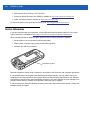
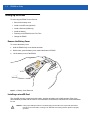

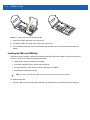
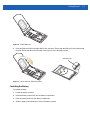
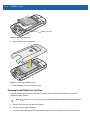


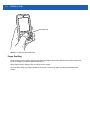
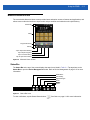


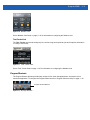
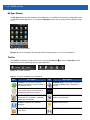
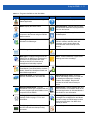
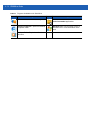

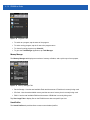
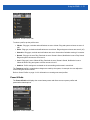
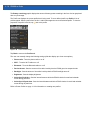
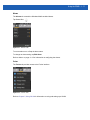
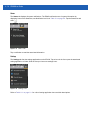
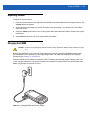
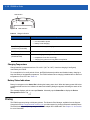



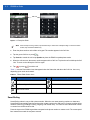


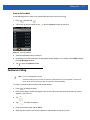

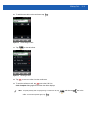

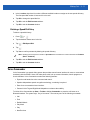
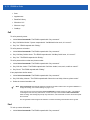


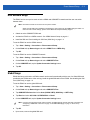


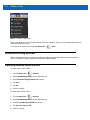
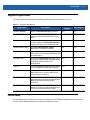

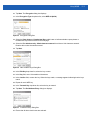

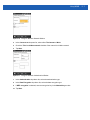

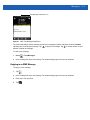

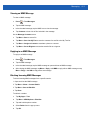

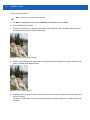
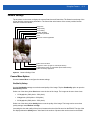
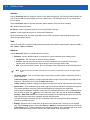









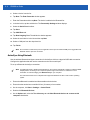
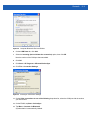


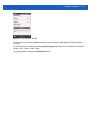

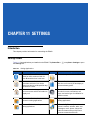
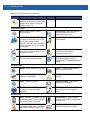


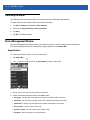


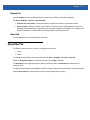
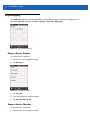

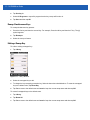
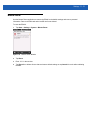

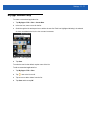
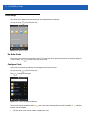
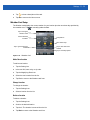
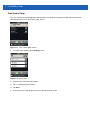
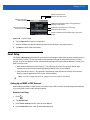

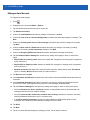
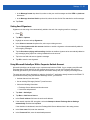
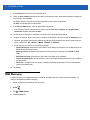


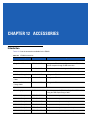
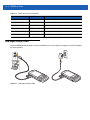

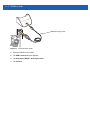
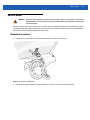
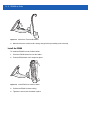
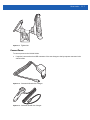

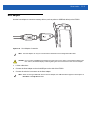
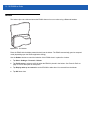
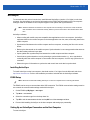


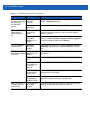
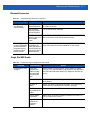
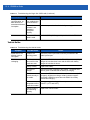
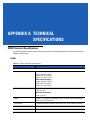
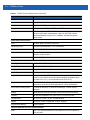
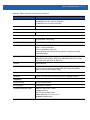
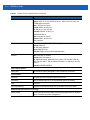
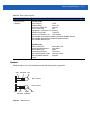
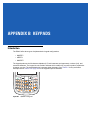


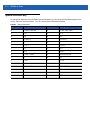
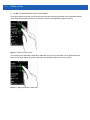
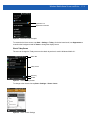

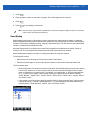

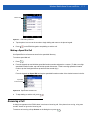

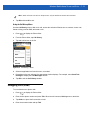
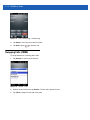











![ES400 User Guide [Polish] (P/N 72E-136310](http://vs1.manualzilla.com/store/data/006874997_1-3b92fe2897ead48327dbddbbb3492fd4-150x150.png)
![ES400 User Guide [Polish] (P/N 72E-136310](http://vs1.manualzilla.com/store/data/006874962_1-c4d97a1f31b1a0824b4bf66769534ff9-150x150.png)


![ES400 Quick Start Guide [Italian] (P/N 72](http://vs1.manualzilla.com/store/data/006153062_1-f1c3fa47eaa62f0aea4aea1c1d4e5acf-150x150.png)