1
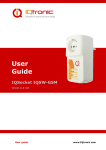
User
Guide
IQSocket IQSW-GSMRFL
Version v1.0 rev0 Firmware v1.1
User guide
www.IQtronic.com
1
2
3
4
5
6
7
8
Introduction .................................................................... 4
1.1
Product features ........................................................................... 5
2.1
2.2
2.3
Inserting SIM Card ........................................................................ 7
Wiring the IQSW-GSMRFL .............................................................. 8
Powering IQSW-GSMRFL On ........................................................... 9
Installation ..................................................................... 7
Managing IQSD-GSM ....................................................... 9
3.1 Managing by SMS ......................................................................... 9
3.2 Managing by phone call ................................................................11
3.3 Manual Control ............................................................................12
3.4 Timing setup ...............................................................................12
3.5 Date/Time setup ..........................................................................12
3.6 Security features .........................................................................13
3.7 Response messages settings .........................................................15
3.8 Scheduler feature ........................................................................16
3.9 Alarms........................................................................................17
3.9.1
Power lost alarm ..................................................................17
3.9.2
Alarms invoked by wireless sensors ........................................19
3.9.3
Input alarm .........................................................................20
3.9.4
Temperature alarm ...............................................................20
3.10 Using microphone ......................................................................21
3.11 Various other settings ................................................................22
3.12 Error messages .........................................................................23
Using external wireless accessories .............................. 24
4.1 Registering wireless accessories ....................................................24
4.1.1
Registering external wireless switched socket ..........................24
4.1.2
Registering external wireless temperature sensor .....................25
4.1.3
Unregistering external wireless accessories .............................26
4.2 Using wireless accessories ............................................................26
4.3 Using the wireless dongle..............................................................28
4.3.1
Upgrading firmware using dongle ...........................................32
Indicators ..................................................................... 34
Factory default settings ................................................ 35
6.1
6.2
Reset to factory default procedure .................................................35
Factory default settings ................................................................35
7.1
Operation, maintenance and safety recommendations ......................37
Technical specification .................................................. 36
Ordering and accessories .............................................. 38
User guide
www.IQtronic.com
©2011 IQtronic, Ltd
Important information
Every effort has been taken to ensure the accuracy of this document, however
we do not accept responsibility for damage, injury, loss or expense resulting
from errors and omissions, and we reserve the right of amendment without
further notice.
WARNING: This product is not designed for use in, and should not be used for,
medical applications.
The product doesn‟t guarantee safe power source disconnection, only functional
switching of power is performed.
The product contains no serviceable parts, or internal adjustments. No attempt
must be made to repair this product. Faulty units must be returned to supplier
for repair. Improper use, disassembling or product modification causes
warranty loss.
Page 3 of 38
©2011 IQtronic, Ltd
1 Introduction
IQsocket IQSW-GSMRFL is a member of family of intelligent power sockets
brought to you by IQtronic, Ltd.
IQsocket IQSW-GSMRFL allows you to control of any appliance connected to the
device‟s socket remotely over GSM network. You can use for this purpose any
mobile phone or even fixed-line telephone, simply by calling to, or by sending
SMS to the number of SIM card inserted of your IQsocket IQSW-GSMRFL.
Output power socket: Connect your
electric appliance here. This socket is
intelligent, can be controlled
remotely.
Power plug: Input of AC power for
product and also for connected
appliance. Fits into electric
socket/outlet.
Microphone: For listening of sound
from surrounding environment.
SIM socket: Socket for SIM card.
Push-push type.
Push button: For turning on/ off
output power socket manually or
resetting configuration to factory
default values.
Besides controlling of the power, IQsocket IQSW-GSMRFL is equipped with a
variety of useful functions, including:
Remote monitoring of environment using wirelessly connected auxiliary
external sensors from IQsensor family
Remote control of other appliances using wirelessly connected auxiliary
external power socket switches IQSW-RFL
Time scheduler
Temperature and Power Lost alarms with SMS alerts
Page 4 of 38
©2011 IQtronic, Ltd
Family of supported wireless accessories will include:
IQsensor SM-TMP-RF Wireless temperature sensor with magnetic door
contact
IQkeyfob IQWK-RF Wireless control keyfob
1)
IQdongle IQWD-RF Wireless USB dongle, allowing to control of
wireless sockets and upgrade firmware from a PC
IQsocket IQSW-RFL Wireless switched socket, aka “passive” (nonGSM) socket
*
Availability planned in 2h/2012.
1.1
Product features
In general, IQsocket IQSW-GSMRFL has following features:
Controlling (turn on, turn off; turn on/off for a specified time; restart
by cutting power for short time) of any appliance connected to the
switched socket by SMS, by call or manually by pressing pushbutton
on IQSW-GSMRFL body
Sending alarm alert or informational SMS messages to user
Providing status of switched socket by SMS upon SMS request
Sending current values of user-configured IQSW-GSMRFL parameters
upon SMS request
Configuring IQSW-GSMRFL parameters simply by sending SMS
commands
Listening of sound from surrounding environment using integrated
microphone by call (tapping)
IQsensor accessories will extend features to:
Controlling remote IQSW-RFL Wireless switched socket(s) by SMS
Providing status of remote IQSW-RFL Wireless switched socket(s) by
SMS upon SMS request
Providing temperature reading of remote SM-TMP-RF wireless
temperature sensor(s) by SMS
Sending SMS alarm alerts based on temperature values of remote SMTMP-RF, status of wireless magnetic door contacts.
Page 5 of 38
©2011 IQtronic, Ltd
The IQdongle IQWD-RF Wireless USB dongle allows to manage all wirelessenabled accessories conveniently from your PC, moreover it allows upgrading
firmware of your IQSW-GSMRFL.
The IQkeyfob IQWK-RF Wireless control keyfob allows to manually controlling
switched sockets on both IQSW-GSMRFL and also on remote IQSW-RFL wireless
switched socket(s) simply by pressing buttons on the wireless keyfob.
Page 6 of 38
©2011 IQtronic, Ltd
2 Installation
Before starting installation, please read this manual and take into account
Important information section at beginning of this manual.
2.1
Inserting SIM Card
Prepare a standard size SIM card from your favorite GSM operator and insert it
into SIM bay of your IQSW-GSMRFL:
Insert SIM card into the SIM bay and
push it gently inside until you hear/feel
a click, so it becomes locked inside
bay.
To remove SIM from your IQSWGSMRFL, gently push the SIM inside
the bay until you feel and hear a click
again; card will become unlocked and
now pull it out of the bay.
WARNING!
PIN authorization should be turned off before the SIM card is
used in IQSW-GSMRFL
Authorization can be turned off by inserting the SIM card into a GSM phone and
disabling SIM PIN usage using appropriate command usually located in
„Settings‟ phone menu. Now you can remove the SIM card from phone and
insert it into your IQSW-GSMRFL.
Note…
It is highly recommended to delete all received SMS messages,
stored on the SIM card before using it in IQSW-GSMRFL.
Page 7 of 38
©2011 IQtronic, Ltd
2.2
Wiring the IQSW-GSMRFL
Wiring is intuitive, simply connect your appliance into the device‟s socket and
plug the IQSW-GSMRFL into a free power socket.
Controlled power socket: Connect
your electric appliance here.
Power plug: Plug the IQSW-GSMRFL
into an electrical socket.
Note…
Both the socket and the plug of the IQSW-GSMRFL follow the
same international standard and nominal voltage rating. Ensure
you ordered proper international version of the IQSW-GSMRFL
suitable for your country
WARNING!
Please respect maximum rating 16A for switched socket. Do not
overload your IQSW-GSM, as this may damage or shorten life
span of the internal switching relay, which is not covered by
warranty. It is recommended to use external contactor in case
of higher current is required and/or capacitive/inductive load
with high startup current needs to be switched.
Page 8 of 38
©2011 IQtronic, Ltd
2.3
Powering IQSW-GSMRFL On
Once you plug your IQsocket IQSW-GSMRFL into a live electric socket, it
become powered on and starts operation.
You can verify it by observing status of the LEDs:
Once AC power is connected, all three LED indicators will blink shortly
and internal self-test is performed in about 10seconds. Then, if
everything is ok, the Power LED will turn to solid Red.
In case of active PIN authorization on the SIM card, GSM LED starts
blinking fast (approx. three times per second).
LINK/ACT (Green) starts to blink slowly (approx. every three seconds),
once device has been successfully logged into a GSM network. If the
LINK/ACT blinks about every second, searching of GSM network is in
progress.
The Output LED (Yellow) indicates state of output socket. Shining LED
means socket is active – appliance plugged into the output socket is
operating and vice versa. Blinking LED (approx. every two seconds)
indicates startup delay in progress - the output socket has been set to
on state but will be physically turned on after passing 30 seconds delay
since device startup.
Please see chapter 4 for more information on LED indicators.
Your IQSW-GSMRFL is now ready for use.
3 Managing IQSD-GSM
This chapter guides you through management commands and features of
IQSW-GSMRFL.
3.1
Managing by SMS
Commands are send in form of SMS messages to call number of SIM card
inserted into your device. Messages have following syntax:
pinCOMMAND
(e.g. 3366STATUS)
o With pre-configured security password by command SMSPIN=3366
COMMAND
(e.g. STATUS)
o with un-configured security password/SMSPIN
Page 9 of 38
©2011 IQtronic, Ltd
There are two kinds of commands:
Control commands (labeled as Ctrl in tables)
o Used to control of the IQSW-GSMRFL and can be used at any time.
Security settings, such as SMSPIN, permitted callers list, DO apply.
Configuration commands (labeled as Cfg in tables)
o Allows to configure the IQSW-GSMRFL parameters and functions. Security
settings, such as SMSPIN, permitted callers list, DO NOT apply – instead,
as a security measure, configuration commands are accepted only in
configuration mode.
o Configuration mode can be activated by using CONFIG command. Notice
CONFIG is a Ctrl-class command hence protected by your security
settings. Configuration mode is automatically deactivated after 10
minutes since last configuration command has been received.
o When a configuration command has been issued while configuration mode
is not active/already expired, error message “Timed Out!” will be replied
to the sender. See also chapters 3.7 and 0 for more information about
error messages.
Each command is normally confirmed by a response SMS sent back to the
command sender number. In case of an error is detected in a command,
IQSW-GSMRFL will respond with error message to the sender. Sending
response and error SMS messages can be disabled. See also chapters 3.7 and
0 for more information about error messages.
Case of commands is ignored; STATUS or sTaTUS is the same command.
All incoming SMS messages longer than 30 characters or messages containing
space and dot characters are being deleted without any error response.
SMS Command
TURNOFF
TURNON
TURNOFF=123
TURNON=123
RESTART
STATUS
Description
Turn the output socket off.
Turn the output socket on.
Turn the output socket off for 123
minutes. Maximum acceptable value
is 180 minutes.
Turn the output socket on for 123
minutes. Maximum acceptable value
is 180 minutes.
Change (negate) state of the output
socket for time preconfigured by
command RESTARTTIME.
Get status of IQsocket IQSWGSMRFL: Output socket, current
date/time, GSM signal level and last
power lost event.
SMS Response
TurnedOff
TurnedOn
TurnedOff 123 min
Type
Ctrl
Ctrl
Ctrl
TurnedOn 123 min
Ctrl
Restarted
Ctrl
Output:OFF,
Time:yy/mm/dd,
hh:mm:ss,
Signal:76%, Last PWR
Lost: yy/mm/dd,
hh:mm:ss
Ctrl
Page 10 of 38
©2011 IQtronic, Ltd
RINGON
A call-back to the sender‟s number
will be made. Useful to keep-alive of
credit in prepaid SIM cards.
Ctrl
If a power failure occurs during TURNON=123/ TURNOFF=123 commands,
time of power failure is not included in the countdown, so e.g. you need to run
an appliance for a hour issuing TURNON=60 command, but AC power is lost
after 30minutes and restored back say after 2hours, appliance will be running
for half an hour after power is restored back.
Note…
Please note output socket is physically turned to the on state
only after passing 30 seconds startup delay since device has
been powered on. This is indicated by slow blinking (approx
every two seconds) of the output LED indicator (yellow).
3.2
Managing by phone call
The output socket of IQSW-GSMRFL can be also controlled by dialing/ringing up
the number of its SIM card. Call is for most commands rejected by IQSWGSMRFL so its use is free of charge, with exception for listening sounds using
embedded Microphone.
Behavior of IQSW-GSMRFL to incoming calls must be configured in advance
using RING command per following table.
SMS Command
RING=NOACTION
RING=RESTART
RING=SWITCH
RING=MIC
RING?
Description
No action is performed, call is
rejected.
Change (negate) state of output
socket for time preconfigured by
command RESTARTTIME, call is
rejected.
Change (negate) state of output
socket, call is rejected.
Listening of sound in surrounding
environment via integrated
microphone for one minute, call is
answered.
Get current configuration of RING
action, active setting is in ()
parentheses.
SMS Response
RING=NOACTION – OK
Type
Cfg
RING=RESTART – OK
Cfg
RING=SWITCH – OK
Cfg
RING=MIC – OK
Cfg
RING=(NOACTION),
RESTART, SWITCH, MIC
Cfg
Page 11 of 38
©2011 IQtronic, Ltd
3.3
Manual Control
IQSW-GSMRFL can be also controlled manually using push button located near
to the SIM bay, see drawing in section 1. Operate button using a suitable
narrow tool, e.g. a pen.
Control of the output socket: Short pressing
of the push button will change (negate)
state of the output socket.
Reset to default settings, by pressing for
more than 5 seconds, please see chapter
6.1 for more information
Note…
Manual control by pressing of the push button become active
after 30 seconds since IQsocket IQSW-GSMRFL is powered on.
SIM card must be inserted in the SIM bay.
3.4
Timing setup
Following table summarizes settings of time interval of RESTART command.
SMS Command
RESTARTTIME=XX
RESTARTTIME?
3.5
Description
Configures time of RESTART
command. Range is 1 to 180
seconds.
Get current configuration of
RESTARTTIME parameter.
SMS Response
RESTARTTIME=XX – OK
Type
Cfg
RESTARTTIME=10 seconds
Cfg
Date/Time setup
There are three ways of date/time setup:
Automatic setup of time from the GSM network, when particular
operator and SIM card support such feature.
Manual setup based on time stamp of incoming SMS message
Manual setup using DATE= command. Enter target time in following
format: DATE=yy/mm/dd,hh:mm:ss+zz
where zz is Time zone, with either + or - sign.
Page 12 of 38
©2011 IQtronic, Ltd
SMS Command
DATE
Description
Date/time is set from timestamp of
incoming SMS message.
DATE=yy/mm/dd,h Set Date/time manually.
h:mm:ss+zz
DATE?
Get current settings of Date/time.
3.6
SMS Response
DATE
yy/mm/dd,hh:mm:ss+zz
– OK
DATE=yy/mm/dd,hh:mm:
ss+zz – OK
DATE
yy/mm/dd,hh:mm:ss+zz
– OK
Type
Cfg
Cfg
Cfg
Security features
IQsocket IQSW-GSMRFL is equipped with advanced authorization features to
avoid controlling by unauthorized users. The security features include:
Allowing control only from authorized phone numbers
Authentication of each SMS command by PIN code (SMSPIN)
Both features can be used simultaneously.
In case of using authorized numbers list, device will ignore all SMS messages
and calls received from numbers not included in the permitted phone numbers
list. If this security feature is not enabled, device can be controlled by anyone
who knows number associated with inserted SIM card (and SMS pin in case PIN
code protection is also active).
IQsocket IQSW-GSMRFL allows defining up to 30 permitted phone numbers,
each containing up to 15 numerals.
In case of using SMSPIN, right before each SMS command is placed PIN code
without any space or special character, as shown here:
pinCOMMAND
(e.g. 3366STATUS)
Command will be accepted only when entered PIN code matches with the code
predefined by SMSPIN command.
Note…
Pin code (SMSPIN) is having no relation with SIM card PIN code.
It is just a password called SMSPIN and used by IQsocket IQSWGSMRFL for SMS message authentication, having the same
structure as standard PIN = 4 numbers.
Security settings can be configured and viewed simply by following commands.
Page 13 of 38
©2011 IQtronic, Ltd
SMS Command
SECNUMBER=NO
SECNUMBER=YES
SECNUMBER?
SECNUMBER+
421233355777
SECNUMBER421233355777
SECNUMBER-ALL
SECNUMBER=LIST
SMSPIN=1234
SMSPIN=NOPIN
SMSPIN?
Description
Security using permitted phone
numbers list is turned off/inactive.
Security using permitted phone
numbers list is turned on/active.
Get current configuration of
SECNUMBER parameter.
Add new number to security list.
Delete specific number from
permitted phone numbers list.
Delete all numbers from permitted
phone numbers list.
Get dump of permitted phone
numbers list.
Configuration of SMS
password/SMSPIN.
Using of password/SMSPIN is
deactivated.
Get configuration of SMSPIN
parameter.
SMS Response
SECNUMBER=NO - OK
Type
Cfg
SECNUMBER=YES - OK
Cfg
SECNUMBER=(NO),YES
Cfg
SECNUMBER+421233355
777 - OK
SECNUMBER421233355777 - OK
SECNUMBER-ALL - OK
Cfg
LIST
421903123456,42190311
1222,421235678235
Or LIST - NO NUMBER!
Cfg
SMSPIN=1234 – OK
Cfg
SMSPIN=NOPIN – OK
Cfg
SMSPIN=(NOPIN), 1234
Cfg
Cfg
Cfg
Permitted phone numbers list accept up to 30 numbers, must contain only
numbers in international format, without spaces or other characters, max. 15
numerals long:
Example: SECNUMBER+421265440655 means add number +421-2-65440655
Example: SECNUMBER-421265440655 means delete number +421-265440655. 421 is country code in this example and 2 is area code.
Page 14 of 38
©2011 IQtronic, Ltd
3.7
Response messages settings
When you communicate with your IQsocket IQSW-GSMRFL, it is important to
make you sure if command was understood and executed successfully. For this
purpose we implemented response messages, confirming each command or
informing you when an error is detected. In case of SMS commands, you will be
notified by back SMS response message. If you manage your IQsocket IQSWGSMRFL by phone call, your command will be confirmed by back phone call to
your phone number. Note it is not supposed you will answer such back call, you
can simply reject it.
Commands for response messages settings are summarized in following table:
SMS Command
SMSCONFIRM=YES
Description
SMS confirmation is enabled/active
for all SMS commands.
SMSCONFIRM=NO
SMS confirmation is
disabled/inactive for all SMS
commands.
SMSCONFIRM?
Get configuration of SMSCONFIRM
parameter, active setting is in ()
parentheses.
SMSCONFIRMUNAUTH SMS confirmation for SMS control
=YES
commands is active also for
unauthorized numbers.
SMSCONFIRMUNAUTH SMS confirmation for SMS control
=NO
commands is not active for
unauthorized numbers.
RINGCONFIRM=YES
Phone call confirmation is turned
on for all commands. Hang off
after 10 seconds.
RINGCONFIRM=NO
Phone call confirmation is turned
off for all commands.
RINGCONFIRM?
Get configuration of RINGCONFIRM
parameter, active setting is in ()
parentheses.
ERRORREPLY=YES
Sending error SMS messages is
enabled/active.
ERRORREPLY=NO
Sending error SMS messages is
disabled/inactive.
ERRORREPLY?
Get configuration of ERRORREPLY
parameter, active setting is in ()
parentheses.
SMS Response
SMSCONFIRM=YES - OK
Type
Cfg
SMSCONFIRM=NO - OK
Cfg
SMSCONFIRM=NO,(YES)
Cfg
SMSCONFIRMUNAUTH=YES OK
Cfg
SMSCONFIRMUNAUTH=NO OK
Cfg
RINGCONFIRM=YES – OK
Cfg
RINGCONFIRM=NO – OK
Cfg
RINGCONFIRM=(OFF),ON
Cfg
ERRORREPLY=YES- OK
Cfg
ERRORREPLY=NO- OK
Cfg
ERRORREPLY=NO,(YES)
Cfg
Note…
When RINGCONFIRM=YES command is used, confirmation back
calls are only realized for SIM cards with active CLIP service.
Page 15 of 38
©2011 IQtronic, Ltd
3.8
Scheduler feature
Your IQsocket IQSW-GSMRFL is equipped with a scheduler, allowing to control
output socket and to get status message, based on time and day of week. Up
to 20 scheduled tasks are supported.
Following table summarizes usage of SCHEDULER command.
SMS Command
Description
SCHEDULER+hh:mm Insert scheduler record to execute
,DOW,ACTION
particular ACTION at time hh:mm
every day of week DOW.
SCHEDULER-hh:mm Remove scheduler record for
particular time hh:mm.
SCHEDULER?
Get list of all scheduler records.
SMS Response
SCHEDULER+hh:mm,
DOW,ACTION - OK
Type
Ctrl
SCHEDULER-hh:mm - OK
Ctrl
hh:mm,DOW,ACTION
Ctrl
Where:
hh:mm denotes hour and minute of time in 24h format.
DOW denotes day of week.
Days of week numbers are recognized as follows:
1- Monday, 2-Tuesday, 3-Wednesday, 4 Thursday, 5-Friday, 6-Saturday, 7- Sunday
If “*” symbol is inserted, action will be executed daily. If number of day within
week is inserted, action will be executed only in the particular day of week.
Possible actions are:
ON for turning the output socket on (same as TURNON command)
OFF for turning the output socket off (same as TURNOFF command)
RES for restarting the output socket (same as RESTART command)
INF, to send STATUS message by SMS to number preconfigured by
the PWRALARMNUMBER command (e.g.
PWRALARMNUMBER+421903123456, see chapter 0.0.03.9.2)
Example of SCHEDULER? command output (four actions were recorded):
o 11:00,*,ON
Turn the output socket on every day at 11:00
o 14:30,*,OFF
Turn turning the output socket off every day at 14:30
o 01:30,1,RES
Restart the output socket every Monday at 01:30
o 19:00,5,INF
Send Status SMS every Friday at 19:00
Page 16 of 38
©2011 IQtronic, Ltd
Note…
In order to use INF action – sending status message, it is
necessary to configure target numbers first using
ALARMNUMBER command, see chapter 3.9.2 for more
information.
Note…
Actions of SCHEDULER command are executed only on particular
time, it is still possible to control of outputs by SMS or manually
in other time intervals.
3.9
Alarms
The IQsocket IQSW-GSMRFL supports following independent alarm sources,
sorted by priority:
Power lost alarm (highest priority)
Wireless sensors alarm
Temperature alarm
INF action of the SCHEDULER command (lowest priority)
An alarm can generate alert by sending SMS to or by calling of (only in case of
input alarm) up to six predefined phone numbers.
Note…
In order to use SMS alarm alerts, it is necessary to configure
target numbers by ALARMNUMBER and PWRALARMNUMBER
command, see chapter 3.9.2 for more information.
3.9.1
Power lost alarm
The IQsocket IQSW-GSMRFL is equipped with Power lost alarm feature, which
can send an SMS alert to preconfigured number in case of mains power is lost
and restored back.
Page 17 of 38
©2011 IQtronic, Ltd
Following table summarizes commands relevant to this feature:
SMS Command
PWRALARM=NOALARM
PWRALARM=LASTNUMBER
PWRALARM=USERDEFINED
PWRALARM?
SMS Command
PWRRESTOREALARM=NO
PWRRESTOREALARM=YES
PWRRESTOREALARM?
Description
Power alarm on power lost
event is not active.
On power lost event,
sends SMS alert to the
number detected from the
last incoming SMS.
On power lost event,
sends SMS alert to the
number preconfigured by
PWRALARMNUMBER.
Get configuration of
PWRALARM, active setting
is in () parentheses.
SMS Response
PWRALARM =NOALARM OK
PWRALARM =
LASTNUMBER - OK
Type
Cfg
PWRALARM =
USERDEFINED - OK
Cfg
Description
Power alarm on power
restored event is not
active.
Power alarm on power
restore is active.
Get configuration of
PWRRESTOREALARM,
active setting is in ()
parentheses.
SMS Response
Type
PWRRESTOREALARM =NO Cfg
- OK
Cfg
PWRALARM =(NOALARM), Cfg
LASTNUMBER,
USERDEFINED
PWRRESTOREALARM =
YES - OK
PWRRESTOREALARM
=(NO),YES
Cfg
Cfg
Defining phone number where to send alarm alerts
Command PWRALARMNUMBER allows to specify the phone number, where will
be sent alerts in case of a Power lost alarm occurs.
Following table summarizes its usage:
SMS Command
PWRALARMNUMBER
+420123456789
PWRALARMNUMBER?
Description
Define number for sending
Power lost alarm SMS
alerts.
Get current value of
PWRALARMNUMBER.
SMS Response
PWRALARMNUMBER
+420123456789- OK
Type
Cfg
PWRALARMNUMBER
=420123456789
Cfg
SMS alarm alerts
IQsocket IQSW-GSMRFL allows you to customize format of SMS alerts that are
sent when power lost alarms occur.
Alerts are having following content:
Page 18 of 38
©2011 IQtronic, Ltd
GSM Socket: PWR failed!
GSM Socket: PWR restored!
Where text “GSM Socket” can be customized by user via DEVICENAME
command:
SMS Command
DEVICENAME=my cottage
DEVICENAME?
Description
Set device name to value
”my cottage”. Custom
name can be up to 15
characters long.
Get current settings of
device name
SMS Response
Type
DEVICENAME=my cottage Cfg
-OK
DEVICENAME=my cottage Cfg
Power lost event log
Up to 5 (five) last Power lost alarm events are stored in internal event log.
Oldest record is then rewritten by the actual one. Events are recorded
automatically when date/time is successfully obtained from the GSM network;
other settings don‟t have influence to events recording process.
SMS Command
SHOWPWRLOG
3.9.2
Description
Get all stored power lost
events.
SMS Response
No record
Type
Ctrl
Alarms invoked by wireless sensors
Your IQsocket IQSW-GSMRFL can generate alarm alerts based on state of
external wireless (RF) sensors, which must be registered (paired) before use,
see chapter 5 for detailed description of wireless sensors usage.
Defining phone numbers for SMS and ringing up alerts
Phone numbers must be entered in international format, see following table.
SMS Command
ALARMNUMBER+
420123456789
ALARMNUMBER420123456789
ALARMNUMBER-ALL
Description
Add a new number into list for alarm
alerts using SMS message and call
back.
Remove a number from list for
alarm alerts using SMS message
and call back.
Remove all numbers from list for
alarm alerts using SMS message
SMS Response
ALARMNUMBER+4201234
56789 - OK
Type
Cfg
ALARMNUMBER420123456789 - OK
Cfg
ALARMNUMBER-ALL- OK
Cfg
Page 19 of 38
©2011 IQtronic, Ltd
ALARMNUMBER=LIST
and call back.
Get list of phone numbers for alarm
alerts using SMS message and call
back.
LIST 420123456789
Cfg
When generating alerts, numbers in list are processed per their order – the
first number first, the last number as last. It is possible to define up to 6
numbers. These numbers are also used to send status SMS of Scheduler INF
action.
3.9.3
Input alarm
Alarm invoked by Inputs is having highest processing priority. See chapter
Error! Reference source not found. for information on wiring and
recognizing of input states.
Selecting type of input alarm alert
SMS Command
ALARM=RING
ALARM=SMS
ALARM?
Description
Type of alarm alert is ringing
up defined telephone
number(s)
Type of alarm alert is sending
SMS to defined telephone
number(s)
Get configuration of ALARM,
active setting is in ()
parentheses.
SMS Response
ALARM=RING- OK
Type
Cfg
ALARM=SMS- OK
Cfg
ALARM =(SMS), RING
Cfg
Note…
Alert by ringing up/calling target telephone numbers is
supported only for alarms invoked by inputs.
3.9.4
Temperature alarm
The IQSW-GSMRFL allows watching user-defined temperature interval using
external wireless (RF) temperature sensors. It is possible to define when will
be alarm generated: when temperature is reaching minimum, maximum or
both defined minimum and maximum levels; temperature thresholds are
defined during registering/pairing of particular temperature sensor (see
Chapter 4)
Page 20 of 38
©2011 IQtronic, Ltd
SMS Command
TEMPALARM=NO
TEMPALARM=MIN
TEMPALARM=MAX
TEMPALARM=MIX
TEMPALARM?
Description
Temperature alarm is disabled
Temperature alarm is active
for lower limit – sends SMS
alert when TEMPON is reached
Temperature alarm is active
for upper limit - sends SMS
alert when TEMPOFF is
reached
Temperature alarm is active
for both lower and upper limit
Get configuration of
TEMPALARM, active setting is
in () parentheses.
SMS Response
TEMPALARM=NO- OK
TEMPALARM=MIN- OK
Type
Ctrl
Ctrl
TEMPALARM=MAX- OK
Ctrl
TEMPALARM=MIX- OK
Ctrl
TEMPALARM=(NO), MIN,
MAX, MIX
Ctrl
Note…
Text of SMS alert of temperature alarm is in format
Alarm! Sensor_alias xx C.
In order to avoid sending alerts too often, there is a hysteresis –
alert will be re-sent only when temperature reaches/swings
through both temperature thresholds – temperature must reach
lower threshold, then, if it reaches upper threshold, next SMS
alert will be sent.
3.10 Using microphone
Your IQSW-GSMRFL is equipped with a highly sensitive microphone, which can
be used to monitor sound through any phone. Sensitivity is typically sufficient
to recognize voices within even larger room where is IQSW-GSMRFL
installed; it depends on device orientation and placement and also on
background noise.
Microphone is activated by calling the number of your IQSW-GSMRFL, while
RING=MIC setting is preconfigured (see chapter 3.1)
WARNING!
Please respect privacy and local law regarding to tapping,
especially when monitored subjects are not informed about it.
Page 21 of 38
©2011 IQtronic, Ltd
It is your sole responsibility how you will use it.
3.11 Various other settings
SMS Command
CONFIG
OUTPUT=REMEMBER
OUTPUT=OFF
OUTPUT=ON
OUTPUT?
HELP
LANG=EN
LANG?
VERSION
IMEI
Description
Activate configuration mode.
Automatically deactivated
10minutes after last configuration
command that have been received.
When powered on/power restored,
output socket state will be returned
to the same state as it was at time
of disconnecting power /power lost.
When powered on/power restored,
output socket state will be set to
OFF, regardless of state that was at
time of disconnecting power /power
lost.
When powered on/power restored,
output socket state will be set to
ON, regardless of state that was at
time of disconnecting power /power
lost.
Get configuration of OUTPUT
parameter, active setting is in ()
parentheses.
Get list of all commands as help
Switch language version
Get current language version, active
setting is in () parentheses.
Get firmware version
Get IMEI of device, it is required to
know last 8 numbers in order to
configure device via wireless USB
dongle.
SMS Response
CONFIG, OK
Type
Ctrl
OUTPUT=REMEMBER- OK
Cfg
OUTPUT=OFF- OK
Cfg
OUTPUT=ON- OK
Cfg
OUTPUT
=(REMEMBER),OFF,ON
Cfg
LANG=EN- OK
LANG=(EN), CZ
Ctrl
Cfg
Cfg
Ver. 1.0.0 (c)2011
IMEI:012345678901234
Ctrl
Ctrl
Page 22 of 38
©2011 IQtronic, Ltd
3.12 Error messages
Error messages are being sent only when sending response messages is
permitted (see also ERRORREPLY command).
SMS response
Error!
Not allowed!
Timeout!
Full memory!
No record
Description
Incorrect control or configuration command; or wrong SMSPIN.
In case of permitted phone numbers list is active but used number is not
included in it.
10 minutes interval of configuration mode has expired. In order to
continue using configuration commands, please enter CONFIG command
again.
Memory for storing permitted phone numbers is full.
When trying to delete non-existing records, e.g. scheduled tasks, power
lost event log.
Page 23 of 38
©2011 IQtronic, Ltd
4 Using external wireless accessories
Your IQsocket IQSW-GSMRFL can communicate with external accessories such
as sensors or switched sockets, using 868MHz frequency band. Communication
is highly secure; using proprietary two way floating code with acknowledges
mechanism, developed by IQtronic Ltd.
4.1
Registering wireless accessories
In order to use wireless accessories with your IQSW-GSMRFL , you must
register (pair) them first.
Registration procedure of wireless accessories is simple, it not necessary to
remove cover nor setting up jumpers.
Each wireless accessory device is labeled with unique 8-number identifier,
which is used only during registration (pairing) process – an alias is given to
each device and after registration, for your convenience only alias name is
used for identification.
Part of security mechanism is also PIN code (4 numbers), which must be set to
the same value in all devices - the IQSW-GSMRFL and all connected wireless
accessories.
WARNING!
In order to communicate with wireless accessories, PIN code
must be the same on all devices, including the IQSW-GSMRFL.
Default PIN is 1234, you change it on IQSW-GSMRFL via
SMSPIN command, and last configured value is used for RF
communication even it is not used for SMS command (SMSPIN
set to NOPIN). PIN on wireless accessories can be changed
using the wireless dongle, see chapter XX for more information.
4.1.1
Registering external wireless switched socket
Please locate socket identifier, which on back side label, as is shown at
following example (identifier 01110001):
Page 24 of 38
©2011 IQtronic, Ltd
Wireless socket is then registered (paired) with your IQSW-GSMRFL using
following command:
SMS Command
DEVICE+01110001,server
1
DEVICE=LIST
4.1.2
Description
Register socket ID 01110001
with alias “server1”
Get list of all currently
registered wireless devices
SMS Response
DEVICE+01110001,server1
- OK
LIST 01110001,server1
Type
Cfg
Cfg
Registering external wireless temperature sensor
Please locate sensor identifier, which on back side label, as is shown at
following example (identifier 03112233):
So let‟s register it using Device command, with alias temp1 and with monitored
temperature range 10 to 20°C.
Page 25 of 38
©2011 IQtronic, Ltd
SMS Command
Description
DEVICE+03112233,temp1 Register sensor ID 03112233
,+10,+20
with alias “temp1” and
min/max temperature
thresholds 10°C / 20°C
DEVICE=LIST
Get list of all currently
registered wireless devices
SMS Response
DEVICE+03112233,temp1,
+10,+20 - OK
Type
Cfg
LIST
03112233,temp1,+10,+20
Cfg
So when Tempalarm is turned on, SMS alert with text “Alarm! Temp1 20C” will
be sent when temperature is over specified margins.
If you want to use the sensor only as magnetic door contact, simply use the
same syntax without defining temperature thresholds:
SMS Command
Description
DEVICE+03112233,temp1 Register sensor ID 03112233
with alias “temp1”
DEVICE=LIST
Get list of all currently
registered wireless devices
4.1.3
SMS Response
Type
DEVICE+03112233,temp1 - Cfg
OK
LIST 03112233,temp1
Cfg
Unregistering external wireless accessories
It is possible to unregister particular device by specifying it‟s alias or ID
number, or unregister all devices:
SMS Command
DEVICE-03112233
DEVICE-temp1
DEVICE-ALL
4.2
Description
Unregister sensor having ID
03112233
Unregister sensor having alias
temp1
Unregister all currently
registered wireless devices
SMS Response
DEVICE-03112233 - OK
Type
Cfg
DEVICE- temp1 – OK
Cfg
DEVICE-ALL - OK
Cfg
Using wireless accessories
Your wireless accessories become available right upon their registration.
SMS status message (STATUS command) shows status of registered
accessories per their aliases, means display ON/OFF status for sockets, last
measured temperature and/or battery status in case of wireless temperature
sensor; N/A is indicated if it is not accessible (e.g. big obstacle/interference
blocking signal or turned off).
Page 26 of 38
©2011 IQtronic, Ltd
Example of status message with three registered wireless accessories: one
wireless socket “server1” and two temperature sensors, while sensor “test2” is
out of reach/turned off:
Output:OFF, Time:yy/mm/dd, hh:mm:ss, Signal:76%, Last PWR Lost:
yy/mm/dd, hh:mm:ss, server1:ON, temp1 23C, test2 N/A.
To control a wireless socket, use commands RESTART, TURNON, TURNOFF on
a particular socket alias, e.g.:
RESTARTserver1, TURNOFFserver1, TURNONserver1
When particular wireless socket is not available, command will return N/A
instead of normal confirmation message.
Page 27 of 38
©2011 IQtronic, Ltd
4.3
Using the wireless dongle
The IQdongle IQWD-RF Wireless USB dongle allows to manage all wirelessenabled accessories conveniently from your PC wirelessly, moreover it allows
upgrading firmware of your IQSW-GSMRFL.
Simply plug the dongle into a free USB port of your PC and run
IQUnilocator.exe utility:
When the dongle is properly recognized, the USB symbol will be solid blue.
At first, click to RF devices list to register your IQSW-GSMRFL into the utility:
Page 28 of 38
©2011 IQtronic, Ltd
Click to Add button and enter last 8 numbers of IMEI, default value of PIN
(SMSPIN) is 1234, Comment field server as an alias for easier use.
Then confirm it clicking to OK button.
Now you can see it in the RF devices list:
Page 29 of 38
©2011 IQtronic, Ltd
If you not want to enter more RF devices, click to OK button and click to Scan
button to attempt to locate the device wirelessly. After a while (depends on
number of registered devices in the list), found devices will be displayed:
Then select particular target device and click to Control/Configure button,
which opens new window where you can enter the same commands like those
sent by SMS:
Page 30 of 38
©2011 IQtronic, Ltd
Enter your phone number into the Telephone number field, to this number are
applied security settings and/or make calls to, in case of e.g. ring alarm alerts.
Enter the same commands, like you will send by SMS, into the Configuration or
control string: field. Sent commands and received answers are shown in main
window, newest on top.
Note…
Since wireless interface is shared with other devices and
messages are fragmented, it is possible to get messages:
RF busy – interface is occupied right now, try again later
Sent OK but without confirmation – request message has been
sent but it has not been waited till it is confirmed. This happens
for commands like restart of an accessory device and similar
commands processed without waiting for confirmation.
Example of some commands:
Page 31 of 38
©2011 IQtronic, Ltd
4.3.1
Upgrading firmware using dongle
The IQdongle IQWD-RF Wireless USB dongle allows , besides to manage all
wireless-enabled accessories conveniently from your PC wirelessly, also
upgrading firmware of your IQSW-GSMRFL.
Upgrade is done wirelessly. Typically, upgrade process takes about 5minutes.
First, select target device in main window and click to Upload firmware button.
Then browse and select file containing new firmware and confirm it by clicking
to OK:
Page 32 of 38
©2011 IQtronic, Ltd
You can now see progress of upgrade in the status row at the bottom:
Once upload of file into the device is finished, a SUCCESS message is shown
and upgrade firmware is performed, which is indicated by fast blinking of
POWER LED indicator.
WARNING!
Do not turn off/remove power from the device when firmware
upgrade is in progress.
Page 33 of 38
©2011 IQtronic, Ltd
5 Indicators
The IQsocket IQSW-GSMRFL is equipped with three LED indicators:
POWER
LIGHTS RED
BLINKS RED 2 x PER SECOND
Input power is OK;
SIM is not correctly inserted or missing or is bad
LINK/ACT
BLINKS GREEN, EACH 3 SECONDS
BLINKING GREEN EACH SECOND
LIGHTS GREEN 2 x PER SECOND
Logged to GSM network
Not logged to GSM network yet, searching
SIM card have active PIN protection, use a GSM
phone to disable it.
OUTPUT
NOT ACTIVE
LIGHTS YELLOW
BLINKS YELLOW EACH SECOND
BLINKS YELLOW EACH 2 SECONDS
Output socket is OFF
Output socket is ON
Hardware error/failure
The output socket has been set to on state but will be
physically turned on after passing 30 seconds since
device has been powered on.
Page 34 of 38
©2011 IQtronic, Ltd
6 Factory default settings
Each device come from factory preconfigured with factory default values.
Device can be anytime returned back to these default values by using reset to
factory defaults procedure.
6.1
Reset to factory default procedure
Reset is done by pushing the push button located near to the SIM card bay. See
also chapter 3.3.
In order to restore factory default configuration, push the button for at least 5
seconds and then release. All LED indicators should start blinking for next 10
seconds. Please press the button again within these 10 seconds to confirm
reset to factory default procedure. After this step is your device in original
factory configuration.
WARNING!
Please BE CAREFULL! This step will erase all settings of your
IQsocket IQSW-GSMRFL except language settings.
6.2
Factory default settings
Parameter
RING
RESTARTTIME
RINGONTIME
SMSPIN
SECNUMBER
SMSCONFIRM
SMSCONFIRMUNAUTH
RINGCONFIRM
ERRORREPLY
OUTPUT
PWRALARM
PWRRESTOREALARM
DEVICENAME
IMEI
ALARM
LANG
TEMPALARM
Default setting
NOACTION
10
30
NOPIN (1234)
NO
YES
YES
NO
YES
REMEMBER
NOALARM
NO
IQSocket
012345678901234
NOALARM
EN
NO
Page 35 of 38
©2011 IQtronic, Ltd
7 Technical specification
Model
IQsocket IQSW-GSMRFL-E, CEE 7/5 French type socket
IQsocket IQSW-GSMRFL-F, CEE 7/4 "Schuko” earthed
IQsocket IQSW-GSMRFL-N, NEMA 5-15 USA socket
IQsocket IQSW-GSMRFL-B British BS 1363
Mains power
100-230VAC / 50-60Hz,
own consumption avg. 20mA@230V
Output socket load
16A, relay rated to 30A
Management
Via SMS messages
RF interface
Security
PIN code protected commands
Permitted phone numbers list
GSM
EGSM900, GSM850 Class4 (2W)
DCS1800, PCS1900 Class1 (1W)
SIM card Plug-in 3V
RF Interface
868MHz, 0dBm, range typ. 100m in free space, integrated antenna
RF protocol
Two way proprietary floating code with ACK
Antenna
Integrated antenna (standard models)
External 2dBi via SMA-F connector (“+” models)
Indicators
POWER: red LED
GSM: green LED
RELAY: yellow LED
Features
Dimensions
Appliance control over SMS, by call or manually
Remote restart of appliances
Scheduler
Power lost alarm w/ SMS alert
Monitoring of sound using integrated microphone
Wireless interface
(LxWxH) 140 x 65 x 55mm(92mm w/ plug)
Weight
0.2kg netto
Operating temperature
0 to +50 ˚C
Humidity
Max. 80%, non-condensing
Operating temperature
0 to +50 ˚C
Environment protection IP40, for normal environment
Installation category
Class II, overvoltage max. 2500V
Compliance
CE, FCC
Page 36 of 38
©2011 IQtronic, Ltd
7.1
Operation, maintenance and safety recommendations
Do not modify product in any way and do not operate product modified
any way. Warranty is void when product was disassembled or modified
in any way.
Product is not fused; ensure it is installed in fused electric installation
only.
Product can be operated only indoor office/house environment. Do not
expose it to humid, wet nor chemically aggressive environment.
Product is not designed for industrial operation with aggressive
environment.
Before use, please check, if mobile phones can be used in the area. In
not, please don‟t put product into operation, it can have negative
influence to other electronic systems.
Don‟t expose product to vibrations, shaking or fall downs to avoid
product damage.
When use sound monitoring for taping purposes, ensure you have prior
permission to do it from affected people.
Maximum load current of the socket is 16A. If you need to switch
higher current load, use an external contactor rated for target load.
Switching higher than nominal rating currents and/or loads with severe
inductive/capacitive character with high startup currents can cause
permanent damage of switching elements, which is not covered by
warranty.
Before using a SIM card, ensure all received SMS messages stored on
the card are deleted.
Product is not a toy for children, SIM card represents a small part that
can be easily ingested.
WARNING: This product is not designed for use in, and should not be
used for, medical applications.
Page 37 of 38
©2011 IQtronic, Ltd
8 Ordering and accessories
IQsocket product family uses following ordering code system:
IQSx-y-z
Example: IQSW-GSMRFL-F
Product family: W=WALL | R=RACK | D=DIN | B=Board
Product model: GSM | GSML | GSMRF | IP | RS232 | HDO | IPGSM
Electric standard of plug/socket: F=Schuko | E=French, B=British, N=USA
Ordering code
Code
IQSW-GSMRFL-X
IQSW-GSMRFL-X+
package)
Description
standard version, pls specify socket type in place of X
version with external antenna (included in
Photo of a IQSW-GSMRFL with external antenna:
Page 38 of 38