1
KASPERSKY LAB
Kaspersky® Internet Security 7.0
User Guide
KASPERSKY INTERNET SECURITY 7.0
User Guide
© Kaspersky Lab
http://www.kaspersky.com
Revision date: May 2007
Table of Contents
CHAPTER 1. THREATS TO COMPUTER SECURITY............................................... 11
1.1. Sources of Threats .............................................................................................. 11
1.2. How threats spread ............................................................................................. 12
1.3. Types of Threats.................................................................................................. 14
1.4. Signs of Infection ................................................................................................. 17
1.5. What to do if you suspect infection ..................................................................... 18
1.6. Preventing Infection............................................................................................. 19
CHAPTER 2. KASPERSKY INTERNET SECURITY 7.0 ............................................ 21
2.1. What’s new in Kaspersky Internet Security 7.0.................................................. 21
2.2. The elements of Kaspersky Internet Security Defense..................................... 24
2.2.1. Real-Time Protection Components.............................................................. 24
2.2.2. Virus scan tasks............................................................................................ 27
2.2.3. Update........................................................................................................... 27
2.2.4. Program tools................................................................................................ 28
2.3. Hardware and software system requirements ................................................... 29
2.4. Software packages.............................................................................................. 29
2.5. Support for registered users................................................................................ 30
CHAPTER 3. INSTALLING KASPERSKY INTERNET SECURITY 7.0 ..................... 31
3.1. Installation procedure using the Installation Wizard........................................... 31
3.2. Setup Wizard ....................................................................................................... 35
3.2.1. Using objects saved with Version 5.0 .......................................................... 35
3.2.2. Activating the program.................................................................................. 36
3.2.2.1. Selecting a program activation method................................................. 36
3.2.2.2. Entering the activation code .................................................................. 37
3.2.2.3. User Registration ................................................................................... 37
3.2.2.4. Obtaining a Key File............................................................................... 37
3.2.2.5. Selecting a Key File ............................................................................... 38
3.2.2.6. Completing program activation.............................................................. 38
3.2.3. Selecting a security mode ............................................................................ 38
3.2.4. Configuring update settings.......................................................................... 39
4
Kaspersky Internet Security 7.0
3.2.5. Configuring a virus scan schedule ............................................................... 40
3.2.6. Restricting program access.......................................................................... 40
3.2.7. Application Integrity Control.......................................................................... 41
3.2.8. Configuring Firewall settings ........................................................................ 41
3.2.8.1. Determining a security zone’s status .................................................... 41
3.2.8.2. Creating a list of network applications................................................... 43
3.2.9. Finishing the Setup Wizard .......................................................................... 43
3.3. Installing the program from the command prompt ............................................. 44
CHAPTER 4. PROGRAM INTERFACE ....................................................................... 45
4.1. System tray icon .................................................................................................. 45
4.2. The context menu................................................................................................ 46
4.3. Main program window......................................................................................... 48
4.4. Program settings window.................................................................................... 51
CHAPTER 5. GETTING STARTED.............................................................................. 53
5.1. What is the computer’s protection status?.......................................................... 53
5.2. Verifying the Status of Each Individual Protection Component ......................... 55
5.3. How to scan your computer for viruses .............................................................. 56
5.4. How to scan critical areas of the computer......................................................... 57
5.5. How to scan a file, folder or disk for viruses ....................................................... 57
5.6. How to train Anti-Spam ....................................................................................... 58
5.7. How to update the program ................................................................................ 59
5.8. What to do if protection is not running ................................................................ 60
CHAPTER 6. PROTECTION MANAGEMENT SYSTEM............................................ 61
6.1. Stopping and resuming real-time protection on your computer......................... 61
6.1.1. Pausing protection........................................................................................ 62
6.1.2. Stopping protection....................................................................................... 63
6.1.3. Pausing / Stopping Individual Protection Components ............................... 64
6.1.4. Restoring protection on your computer........................................................ 65
6.2. Advanced Disinfection Technology .................................................................... 65
6.3. Running Application on a Portable Computer .................................................... 66
6.4. Runtime Computer Performance........................................................................ 66
6.5. Troubleshooting Kaspersky Internet Security Compatibility with Other
Applications........................................................................................................ 66
6.6. Running Virus Scans and Updates as Another User......................................... 67
6.7. Configuring Scheduled Tasks and Notifications................................................. 68
Table of Contents
5
6.8. Types of Malware to Monitor............................................................................... 70
6.9. Creating a trusted zone....................................................................................... 71
6.9.1. Exclusion rules.............................................................................................. 72
6.9.2. Trusted applications...................................................................................... 77
CHAPTER 7. FILE ANTI-VIRUS ................................................................................... 81
7.1. Selecting a file security level ............................................................................... 82
7.2. Configuring File Anti-Virus................................................................................... 83
7.2.1. Defining the file types to be scanned ........................................................... 84
7.2.2. Defining protection scope............................................................................. 86
7.2.3. Configuring advanced settings..................................................................... 88
7.2.4. Using Heuristic Analysis ............................................................................... 90
7.2.5. Restoring default File Anti-Virus settings ..................................................... 92
7.2.6. Selecting actions for objects......................................................................... 93
7.3. Postponed disinfection ........................................................................................ 94
CHAPTER 8. MAIL ANTI-VIRUS .................................................................................. 96
8.1. Selecting an email security level......................................................................... 97
8.2. Configuring Mail Anti-Virus.................................................................................. 99
8.2.1. Selecting a protected email group................................................................ 99
8.2.2. Configuring email processing in Microsoft Office Outlook......................... 101
8.2.3. Configuring email scans in The Bat! .......................................................... 102
8.2.4. Using Heuristic Analysis ............................................................................. 104
8.2.5. Restoring default Mail Anti-Virus settings .................................................. 105
8.2.6. Selecting actions for dangerous email objects .......................................... 105
CHAPTER 9. WEB ANTI-VIRUS ................................................................................ 108
9.1. Selecting Web Security Level ........................................................................... 109
9.2. Configuring Web Anti-Virus............................................................................... 111
9.2.1. Setting a scan method................................................................................ 111
9.2.2. Creating a trusted address list.................................................................... 113
9.2.3. Using Heuristic Analysis ............................................................................. 114
9.2.4. Restoring default Web Anti-Virus settings ................................................. 115
9.2.5. Selecting responses to dangerous objects................................................ 115
CHAPTER 10. PROACTIVE DEFENSE .................................................................... 117
10.1. Activity Monitoring Rules................................................................................. 120
10.2. Application Integrity Control ............................................................................ 124
6
Kaspersky Internet Security 7.0
10.2.1. Configuring Application Integrity Control rules......................................... 125
10.2.2. Creating a list of common components ................................................... 127
10.3. Registry Guard ................................................................................................ 128
10.3.1. Selecting registry keys for creating a rule ................................................ 130
10.3.2. Creating a Registry Guard rule ................................................................ 131
CHAPTER 11. PROTECTION AGAINST INTERNET FRAUD................................. 133
11.1. Creating an Anti-Dialer trusted number list..................................................... 134
11.2. Protection of confidential data......................................................................... 136
CHAPTER 12. PROTECTION AGAINST NETWORK ATTACKS ............................ 138
12.1. Configuring Firewall......................................................................................... 140
12.1.1. Configuring Filters..................................................................................... 141
12.1.1.1. Selecting Security Level .................................................................... 142
12.1.1.2. Application rules................................................................................. 143
12.1.1.3. Packet filtering rules........................................................................... 147
12.1.1.4. Fine-tuning rules for applications and packet filtering....................... 148
12.1.1.5. Ranking rule priority........................................................................... 152
12.1.1.6. Rules for security zones .................................................................... 152
12.1.1.7. Firewall Mode..................................................................................... 155
12.1.2. Intrusion Detection System ...................................................................... 156
12.1.3. Anti-Publicity ............................................................................................. 157
12.1.4. Anti-Banner ............................................................................................... 159
12.1.4.1. Configuring the standard banner ad blocking list ............................. 160
12.1.4.2. Banner ad white list............................................................................ 161
12.1.4.3. Banner ad black list............................................................................ 162
12.2. List of network attacks detected...................................................................... 162
12.3. Blocking and allowing network activity............................................................ 165
CHAPTER 13. SPAM PROTECTION......................................................................... 168
13.1. Selecting an Anti-Spam sensitivity level ......................................................... 170
13.2. Training Anti-Spam.......................................................................................... 171
13.2.1. Training Wizard......................................................................................... 172
13.2.2. Training with outgoing emails................................................................... 172
13.2.3. Training using your email client................................................................ 173
13.2.4. Training using Anti-Spam reports ............................................................ 174
13.3. Configuring Anti-Spam .................................................................................... 175
Table of Contents
7
13.3.1. Configuring scan settings ......................................................................... 175
13.3.2. Selecting spam filtration technologies...................................................... 176
13.3.3. Defining spam and potential spam factors .............................................. 177
13.3.4. Creating white and black lists manually................................................... 178
13.3.4.1. White lists for addresses and strings................................................. 179
13.3.4.2. Black lists for addresses and strings................................................. 181
13.3.5. Additional spam filtration features ............................................................ 183
13.3.6. Mail Dispatcher ......................................................................................... 184
13.3.7. Actions for spam....................................................................................... 185
13.3.8. Configuring spam processing in Microsoft Office Outlook ...................... 186
13.3.9. Configuring spam processing in Microsoft Outlook Express (Windows
Mail)............................................................................................................. 189
13.3.10. Configuring spam processing in The Bat!.............................................. 190
CHAPTER 14. PARENTAL CONTROL...................................................................... 192
14.1. Switching users ............................................................................................... 193
14.2. Parental Control Settings ................................................................................ 193
14.2.1. Working with profiles................................................................................. 194
14.2.2. Selecting Security Level ........................................................................... 196
14.2.3. Filter settings............................................................................................. 198
14.2.4. Recovering Default Profile Settings ......................................................... 200
14.2.5. Configuring Response to Attempts to Access Disallowed Web Sites.... 200
14.2.6. Access Time Limit .................................................................................... 200
CHAPTER 15. SCANNING COMPUTERS FOR VIRUSES ..................................... 202
15.1. Managing virus scan tasks.............................................................................. 203
15.2. Creating a list of objects to scan ..................................................................... 203
15.3. Creating virus scan tasks ................................................................................ 205
15.4. Configuring virus scan tasks ........................................................................... 206
15.4.1. Selecting a security level .......................................................................... 207
15.4.2. Specifying the types of objects to scan.................................................... 208
15.4.3. Additional virus scan settings ................................................................... 210
15.4.4. Scanning for rootkits................................................................................. 212
15.4.5. Using heuristic methods ........................................................................... 213
15.4.6. Restoring default scan settings ................................................................ 214
15.4.7. Selecting actions for objects..................................................................... 214
15.4.8. Setting up global scan settings for all tasks............................................. 216
8
Kaspersky Internet Security 7.0
CHAPTER 16. TESTING KASPERSKY INTERNET SECURITY FEATURES........ 217
16.1. The EICAR test virus and its variations .......................................................... 217
16.2. Testing File Anti-Virus ..................................................................................... 219
16.3. Testing Virus scan tasks ................................................................................. 220
CHAPTER 17. PROGRAM UPDATES....................................................................... 222
17.1. Starting the Updater ........................................................................................ 223
17.2. Rolling back to the previous update................................................................ 224
17.3. Configuring update settings ............................................................................ 224
17.3.1. Selecting an update source...................................................................... 225
17.3.2. Selecting an update method and what to update.................................... 227
17.3.3. Update distribution.................................................................................... 229
17.3.4. Actions after updating the program.......................................................... 230
CHAPTER 18. MANAGING KEYS ............................................................................. 232
CHAPTER 19. ADVANCED OPTIONS ...................................................................... 234
19.1. Quarantine for potentially infected objects...................................................... 235
19.1.1. Actions with quarantined objects.............................................................. 236
19.1.2. Setting up Quarantine............................................................................... 237
19.2. Backup copies of dangerous objects.............................................................. 238
19.2.1. Actions with backup copies ...................................................................... 238
19.2.2. Configuring Backup settings .................................................................... 240
19.3. Reports ............................................................................................................ 240
19.3.1. Configuring report settings ....................................................................... 243
19.3.2. The Detected tab ...................................................................................... 244
19.3.3. The Events tab.......................................................................................... 245
19.3.4. The Statistics tab ...................................................................................... 246
19.3.5. The Settings tab........................................................................................ 247
19.3.6. The Registry tab ....................................................................................... 248
19.3.7. The Privacy Control tab............................................................................ 248
19.3.8. The Phishing tab....................................................................................... 249
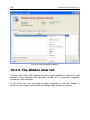
19.3.9. The Hidden dials tab................................................................................. 250
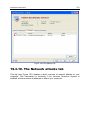
19.3.10. The Network attacks tab......................................................................... 251
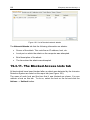
19.3.11. The Blocked Access Lists tab ................................................................ 252
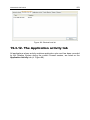
19.3.12. The Application activity tab..................................................................... 253
19.3.13. The Packet filtering tab........................................................................... 254
Table of Contents
9
19.3.14. Popups Tab ............................................................................................ 255
19.3.15. Banners Tab ........................................................................................... 256
19.3.16. The Established connections tab........................................................... 257
19.3.17. The Open ports tab................................................................................. 258
19.3.18. The Traffic tab......................................................................................... 259
19.4. Rescue Disk .................................................................................................... 259
19.4.1. Creating a rescue disk.............................................................................. 260
19.4.2. Using the rescue disk ............................................................................... 261
19.5. Creating a monitored port list .......................................................................... 262
19.6. Scanning Secure Connections ....................................................................... 264
19.7. Configuring Proxy-Server................................................................................ 266
19.8. Configuring the Kaspersky Internet Security interface................................... 268
19.9. Using advanced options.................................................................................. 270
19.9.1. Kaspersky Internet Security event notifications....................................... 271
19.9.1.1. Types of events and notification delivery methods........................... 271
19.9.1.2. Configuring email notification ............................................................ 273
19.9.1.3. Configuring event log settings ........................................................... 274
19.9.2. Self-Defense and access restriction ........................................................ 275
19.9.3. Importing and exporting Kaspersky Internet Security settings................ 276
19.9.4. Restoring default settings......................................................................... 277
19.10. Technical Support ......................................................................................... 278
19.11. Closing Application........................................................................................ 280
CHAPTER 20. WORKING WITH THE PROGRAM FROM THE COMMAND LINE 281
20.1. Activating the application................................................................................. 282
20.2. Managing program components and tasks.................................................... 283
20.3. Anti-virus scans ............................................................................................... 286
20.4. Program updates............................................................................................. 290
20.5. Rollback settings ............................................................................................. 291
20.6. Exporting protection settings........................................................................... 292
20.7. Importing settings ............................................................................................ 293
20.8. Starting the program........................................................................................ 293
20.9. Stopping the program...................................................................................... 293
20.10. Creating a trace file ....................................................................................... 293
20.11. Viewing Help.................................................................................................. 294
20.12. Return codes from the command line interface ........................................... 295
10
Kaspersky Internet Security 7.0
CHAPTER 21. MODIFYING, REPAIRING, AND REMOVING THE PROGRAM .... 296
21.1. Modifying, repairing, and removing the program using Install Wizard........... 296
21.2. Uninstalling the program from the command line .......................................... 298
CHAPTER 22. FREQUENTLY ASKED QUESTIONS............................................... 299
APPENDIX A. REFERENCE INFORMATION........................................................... 301
A.1. List of files scanned by extension..................................................................... 301
A.2. Valid file exclusion masks................................................................................. 303
A.3. Valid exclusion masks by Virus Encyclopedia classification ........................... 304
APPENDIX B. KASPERSKY LAB............................................................................... 305
B.1. Other Kaspersky Lab Products ........................................................................ 306
B.2. Contact Us......................................................................................................... 315
APPENDIX C. LICENSE AGREEMENT .................................................................... 316
CHAPTER 1. THREATS TO
COMPUTER SECURITY
As information technology has rapidly developed and penetrated many aspects
of human existence, so the number and range of crimes aimed at breaching
information security has grown.
Cyber criminals have shown great interest in the activities of both state structures
and commercial enterprises. They attempt to steal or disclose confidential
information, which damages business reputations, disrupts business continuity,
and may impair an organization's information resources. These acts can do
extensive damage to assets, both tangible and intangible.
It is not only big companies who are at risk, individual users can also be
attacked. Criminals can gain access to personal data (for instance, bank account
and credit card numbers and passwords), or cause a computer to malfunction.
Some types of attacks can give hackers complete access to a computer, which
can then be used as part of a “zombie network” of infected computers to attack
servers, send out spam, harvest confidential information, and spread new viruses
and Trojans.
In today’s world, it is widely acknowledged that information is a valuable asset
which should be protected. At the same time, information must be accessible to
those who legitimately require it (for instance, employees, clients and partners of
a business). Hence the need to create a comprehensive information security
system, which must take account of all possible sources of threats, whether
human, man-made, or natural disasters, and use a complete array of defensive
measures, at the physical, administrative and software levels.
1.1. Sources of Threats
A person, a group of people, or phenomena unrelated to human activity can
threaten information security. Following from this, all threat sources can be put
into one of three groups:
•
The human factor. This group of threats concerns the actions of people
with authorized or unauthorized access to information. Threats in this
group can be divided into:
•
External, including cyber criminals, hackers, internet scams,
unprincipled partners, and criminal organizations.
12
Kaspersky Internet Security 7.0
•
Internal, including the actions of company staff and users of home
PCs. Actions taken by this group could be deliberate or accidental.
•
The technological factor. This threat group is connected with technical
problems – use of obsolete or poor-quality software and hardware to
process information. This can lead to equipment failure and often to data
loss.
•
The natural-disaster factor. This threat group includes the whole range
of events caused by nature and independent of human activity.
All three threat sources must be accounted for when developing a data security
protection system. This User Guide focuses on the area that is directly tied to
Kaspersky Lab’s expertise – external threats involving human activity.
1.2. How threats spread
As modern computer technology and communications tools develop, hackers
have more opportunities for spreading threats. Let’s take a closer look at them:
The Internet
The Internet is unique, since it is no one’s property and has no
geographical borders. In many ways, this has promoted the development
of web resources and the exchange of information. Today, anyone can
access data on the Internet or create their own webpage.
However, these very features of the worldwide web give hackers the
ability to commit crimes on the Internet, and makes the hackers difficult to
detect and punish.
Hackers place viruses and other malicious programs on Internet sites and
disguise them as useful freeware. In addition, scripts which are run
automatically when certain web pages are loaded, may perform hostile
actions on your computer by modifying the system registry, retrieving your
personal data without your consent, and installing malicious software.
By using network technologies, hackers can attack remote PCs and
company servers. Such attacks may result in a resource being disabled or
used as part of a zombie network, and in full access being gained to a
resource and any information residing on it.
Lastly, since it became possible to use credit cards and e-money through
the Internet in online stores, auctions, and bank homepages, online
scams have become increasingly common.
Threats to Computer Security
13
Intranet
Your intranet is your internal network, specially designed for handling
information within a company or a home network. An intranet is a unified
space for storing, exchanging, and accessing information for all the
computers on the network. Therefore, if any one network host is infected,
other hosts run a significant risk of infection. To avoid such situations,
both the network perimeter and each individual computer must be
protected.
Email
Since the overwhelming majority of computers have email client programs
installed, and since malicious programs exploit the contents of electronic
address books, conditions are usually right for spreading malicious
programs. The user of an infected host unwittingly sends infected
messages out to other recipients who in turn send out new infected
messages, etc. For example, it is common for infected file documents to
go undetected when distributed with business information via a
company’s internal email system. When this occurs, more than a handful
of people are infected. It might be hundreds or thousands of company
workers, together with potentially tens of thousands of subscribers.
Beyond the threat of malicious programs lies the problem of electronic
junk email, or spam. Although not a direct threat to a computer, spam
increases the load on email servers, eats up bandwidth, clogs up the
user’s mailbox, and wastes working hours, thereby incurring financial
harm.
Also, hackers have begun using mass mailing programs and social
engineering methods to convince users to open emails, or click on a link
to certain websites. It follows that spam filtration capabilities are valuable
for several purposes: to stop junk email; to counteract new types of online
scans, such as phishing; to stop the spread of malicious programs.
Removable storage media
Removable media (floppies, CD/DVD-ROMs, and USB flash drives) are
widely used for storing and transmitting information.
Opening a file that contains malicious code and is stored on a removable
storage device can damage data stored on the local computer and spread
the virus to the computer’s other drives or other computers on the
network.
14
Kaspersky Internet Security 7.0
1.3. Types of Threats
There are a vast number of threats to computer security today. This section will
review the threats that are blocked by Kaspersky Internet Security.
Worms
This category of malicious programs spreads itself largely by exploiting
vulnerabilities in computer operating systems. The class was named for
the way that worms crawl from computer to computer, using networks and
email. This feature allows worms to spread themselves very rapidly.
Worms penetrate a computer, search for the network addresses of other
computers, and send a burst of self-made copies to these addresses. In
addition, worms often utilize data from email client address books. Some
of these malicious programs occasionally create working files on system
disks, but they can run without any system resources except RAM.
Viruses
Viruses are programs which infect other files, adding their own code to
them to gain control of the infected files when they are opened. This
simple definition explains the fundamental action performed by a virus –
infection.
Trojans
Trojans are programs which carry out unauthorized actions on computers,
such as deleting information on drives, making the system hang, stealing
confidential information, and so on. This class of malicious program is not
a virus in the traditional sense of the word, because it does not infect
other computers or data. Trojans cannot break into computers on their
own and are spread by hackers, who disguise them as regular software.
The damage that they inflict can greatly exceed that done by traditional
virus attacks.
Recently, worms have been the commonest type of malicious program damaging
computer data, followed by viruses and Trojans. Some malicious programs
combine features of two or even three of these classes.
Adware
Adware comprises programs which are included in software, unknown to
the user, which is designed to display advertisements. Adware is usually
built into software that is distributed free. The advertisement is situated in
the program interface. These programs also frequently collect personal
data on the user and send it back to their developer, change browser
settings (start page and search pages, security levels, etc.) and create
Threats to Computer Security
15
traffic that the user cannot control. This can lead to a security breach and
to direct financial losses.
Spyware
This software collects information about a particular user or organization
without their knowledge. Spyware often escapes detection entirely. In
general, the goal of spyware is to:
•
trace user actions on a computer;
•
gather information on the contents of your hard drive; in such cases,
this usually involves scanning several directories and the system
registry to compile a list of software installed on the computer;
•
gather information on the quality of the connection, bandwidth,
modem speed, etc.
Riskware
Potentially dangerous applications include software that has no malicious
features but could form part of the development environment for malicious
programs or could be used by hackers as auxiliary components for
malicious programs. This program category includes programs with
backdoors and vulnerabilities, as well as some remote administration
utilities, keyboard layout togglers, IRC clients, FTP servers, and allpurpose utilities for stopping processes or hiding their operation.
Another type of malicious program that is similar to adware, spyware, and
riskware are programs that plug into your web browser and redirect traffic. The
web browser will open different web sites than those intended.
Jokes
Software that does not cause a host any direct harm but displays
messages that such harm has already been caused or will result under
certain conditions. These programs often warn the user of non-existent
dangers, such as messages that warn of formatting the hard drive
(although no formatting actually takes place) or detecting viruses in
uninfected files.
Rootkits
These are utilities which are used to conceal malicious activity. They
mask malicious programs to keep anti-virus programs from detecting
them. Rootkits modify basic functions of the computer’s operating system
to hide both their own existence and actions that the hacker undertakes
on the infected computer.
16
Kaspersky Internet Security 7.0
Other dangerous programs
These are programs created to, for instance, set up denial of service
(DoS) attacks on remote servers, hack into other computers, and
programs that are part of the development environment for malicious
programs. These programs include hack tools, virus builders, vulnerability
scanners, password-cracking programs, and other types of programs for
cracking network resources or penetrating a system.
Hacker attacks
Hacker attacks can be initiated either by hackers or by malicious
programs. They are aimed at stealing information from a remote
computer, causing the system to malfunction, or gaining full control of the
system's resources. You can find a detailed description of the types of
attacks blocked by Kaspersky Internet Security in section 12.1.3, 157.
Some types of online scams
Phishing is an online scam that uses mass emailings to steal confidential
information from the user, generally of a financial nature. Phishing emails
are designed to maximally resemble informative emails from banks and
well-known companies. These emails contain links to fake websites
created by hackers to mimic the site of the legitimate organization. On this
site, the user is asked to enter, for example, his credit card number and
other confidential information.
Dialers to pay-per-use websites – type of online scam using
unauthorized use of pay-per-use Internet services, which are commonly
pornographic web sites. The dialers installed by hackers initiate modem
connections from your computer to the number for the pay service. These
phone numbers often have very high rates and the user is forced to pay
enormous telephone bills.
Intrusive advertising
This includes popup windows and banner ads that open when using your
web browser. The information in these windows is generally not of benefit
to the user. Popup windows and banner ads distract the user from the
task and take up bandwidth.
Spam
Spam is anonymous junk email, and includes several different types of
content: adverts; political messages; requests for assistance; emails that
ask one to invest large amounts of money or to get involved in pyramid
schemes; emails aimed at stealing passwords and credit card numbers,
and emails that ask to be sent to friends (chain letters).
Spam significantly increases the load on mail servers and the risk of
loosing important data.
Threats to Computer Security
17
Kaspersky Internet Security uses two methods for detecting and blocking these
threat types:
•
Reactive: it is a method designed to search for malicious objects using
continuously updating application databases. This method requires at
least one instance of infection to add the threat signature to the
databases and to distribute a database update.
•
Proactive – in contrast to reactive protection, this method is based not on
analyzing the object’s code but on analyzing its behavior in the system.
This method is aimed at detecting new threats that are still not defined in
the signatures.
By employing both methods, Kaspersky Internet Security provides
comprehensive protection for your computer from both known and new threats.
Warning:
From this point forward, we will use the term "virus" to refer to malicious and
dangerous programs. The type of malicious programs will only be emphasized
where necessary.
1.4. Signs of Infection
There are a number of signs that a computer is infected. The following events
are good indicators that a computer is infected with a virus:
•
Unexpected messages or images appear on your screen or you hear
unusual sounds;
•
The CD/DVD-ROM tray opens and closes unexpectedly;
•
The computer arbitrarily launches a program without your assistance;
•
Warnings pop up on the screen about a program attempting to access the
Internet, even though you initiated no such action;
There are also several typical traits of a virus infection through email:
•
Friends or acquaintances tell you about messages from you that you
never sent;
•
Your inbox houses a large number of messages without return addresses
or headers.
It must be noted that these signs can arise from causes other than viruses. For
example, in the case of email, infected messages can be sent with your return
address but not from your computer.
18
Kaspersky Internet Security 7.0
There are also indirect indications that your computer is infected:
•
Your computer freezes or crashes frequently;
•
Your computer loads programs slowly;
•
You cannot boot up the operating system;
•
Files and folders disappear or their contents are distorted;
•
The hard drive is frequently accessed (the light blinks);
•
The web browser (e.g., Microsoft Internet Explorer) freezes or behaves
unexpectedly (for example, you cannot close the program window).
In 90% of cases, these indirect systems are caused by malfunctions in hardware
or software. Despite the low likelihood that these symptoms are indicative of
infection, a full scan of your computer is recommended (see 5.3 on pg. 56) if they
should manifest themselves.
1.5. What to do if you suspect
infection
If you notice that your computer is behaving suspiciously…
1.
Don’t panic! This is the golden rule: it could save you from losing
important data.
2.
Disconnect your computer from the Internet or local network, if it is on
one.
3.
If the computer will not boot from the hard drive (the computer displays
an error message when you turn it on), try booting in safe mode or with
the emergency Microsoft Windows boot disk that you created when you
installed the operating system.
4.
Before doing anything else, back up your work on removable storage
media (floppy, CD/DVD, flash drive, etc.).
5.
Install Kaspersky Internet Security, if you have not done so already.
6.
Update databases and application modules (see Section 5.7 at p. 76). If
possible, download the updates off the Internet from a different
uninfected computer, for instance at a friend’s, an Internet café, or work.
It is better to use a different computer since, when you connect an
infected computer to the Internet, there is a chance that the virus will
send important information to hackers or spread the virus to the
addresses in your address book. That is why if you suspect that your
computer has a virus, you should immediately disconnect from the
Threats to Computer Security
19
Internet. You can also get threat signature updates on floppy disk from
Kaspersky Lab or its distributors and update your signatures using the
disk.
7.
Select the security level recommended by the experts at Kaspersky
Lab.
8.
Start a full computer scan (see 5.3 on pg. 56).
1.6. Preventing Infection
Not even the most reliable and deliberate measures can provide 100% protection
against computer viruses and Trojans, but following such a set of rules
significantly lowers the likelihood of virus attacks and the level of potential
damage.
One of the basic methods of battling viruses is, as in medicine, well-timed
prevention. Computer prophylactics involve a rather small number of rules that, if
complied with, can significantly lower the likelihood of being infected with a virus
and losing data.
Below is a listing of basic safety rules which, if followed, will help mitigate the risk
of virus attacks.
Rule No. 1: Use anti-virus software and Internet security programs. To do so:
•
Install Kaspersky Internet Security as soon as possible.
•
Regularly (see 5.7 on pg. 59) update the program’s threat signatures. In
the event of virus outbreaks updates may occur several times a day with
application databases on Kaspersky Lab update servers updating
immediately.
•
Select the security settings recommended by Kaspersky Lab for your
computer. You will be protected constantly from the moment the
computer is turned on, and it will be harder for viruses to infect your
computer.
•
Select the settings for a complete scan recommended by Kaspersky Lab,
and schedule scans for at least once per week. If you have not installed
Firewall, we recommend that you do so to protect your computer when
using the Internet.
20
Kaspersky Internet Security 7.0
Rule No. 2: Use caution when copying new data to your computer:
•
Scan all removable storage drives, for example floppies, CD/DVDs, and
flash drives, for viruses before using them (see 5.5 on pg. 57).
•
Treat emails with caution. Do not open any files attached to emails unless
you are certain that you were intended to receive them, even if they were
sent by people you know.
•
Be careful with information obtained through the Internet. If any web site
suggests that you install a new program, be certain that it has a security
certificate.
•
If you are copying an executable file from the Internet or local network, be
sure to scan it with Kaspersky Internet Security.
•
Use discretion when visiting web sites. Many sites are infected with
dangerous script viruses or Internet worms.
Rule No. 3: Pay close attention to information from Kaspersky Lab.
In most cases, Kaspersky Lab announces a new outbreak long before it
reaches its peak. The corresponding likelihood of infection is still low, and
you will be able to protect yourself from new infection by downloading
updated application databases.
Rule No. 4: Do not trust virus hoaxes, such as prank programs and emails about
infection threats.
Rule No. 5: Use the Microsoft Windows Update tool and regularly install
Microsoft Windows operating system updates.
Rule No. 6: Buy legitimate copies of software from official distributors.
Rule No. 7: Limit the number of people who are allowed to use your computer.
Rule No. 8: Lower the risk of unpleasant consequences of a potential infection:
•
Back up data regularly. If you lose your data, the system can fairly quickly
be restored if you have backup copies. Store distribution floppies, CDs,
flash drives, and other storage media with software and valuable
information in a safe place.
•
Create a Rescue Disk (see 19.4 on pg. 259) that you can use to boot up
the computer, using a clean operating system.
Rule No. 9: Review list of software installed on your computer on a regular basis.
This can be accomplished using the Install/Remove Programs service
under Control Panel or simply by viewing the contents of the Program
Files folder. You can discover software here that was installed on your
computer without your knowledge, for example, while you were using the
Internet or installing a different program. Programs like these are almost
always riskware.
CHAPTER 2. KASPERSKY
INTERNET SECURITY 7.0
Kaspersky Internet Security 7.0 heralds a new generation of data security
products.
What really sets Kaspersky Internet Security 7.0 apart from other software, even
from other Kaspersky Lab products, is its multi-faceted approach to data security.
2.1. What’s new in Kaspersky
Internet Security 7.0
Kaspersky Internet Security 7.0 (henceforth referred to as “Kaspersky Internet
Security”, or “the program”) has a new approach to data security. The program’s
main feature is that it combines and noticeably improves the existing features of
all the company’s products in one security solution. The program provides
protection against viruses, spam attacks, and hacker attacks. New modules offer
protection from unknown threats and some types of internet fraud, as well as
capability to monitor user access to the Internet.
You will no longer need to install several products on your computer for overall
security. It is enough simply to install Kaspersky Internet Security 7.0.
Comprehensive protection guards all incoming and outgoing data channels. A
flexible configuration of all application components allows for maximum
customization of Kaspersky Internet Security to the needs of each user.
Configuration of the entire program can be done from one location.
Let’s take a look at the new features in Kaspersky Internet Security.
New Protection Features
•
Kaspersky Internet Security protects you both from known malicious
programs, and from programs that have not yet been discovered.
Proactive Defense (see Chapter 10 on pg. 117) is the program’s key
advantage. It analyzes the behavior of applications installed on your
computer, monitoring changes to the system registry, and fighting hidden
threats. The component uses a heuristic analyzer to detect and record
various types of malicious activity, with which actions taken by malicious
programs can be rolled back and the system can be restored to its state
prior to the malicious activity.
22
Kaspersky Internet Security 7.0
•
The program protects users from rootkits and autodialers, blocks banner
ads, pop-up windows, and malicious scripts loaded from websites, detects
phishing sites, and protecting users from unauthorized transmission of
confidential data (passwords for Internet connections, e-mail, or ftp
servers).
•
File Anti-Virus technology has been improved to lower the load on the
central processor and disk subsystems and increase the speed of file
scans using iChecker and iSwift. By operating this way, the program rules
out scanning files twice.
•
The scan process now runs as a background task, enabling the user to
continue using the computer. If there is a competition for system
resources, the virus scan will pause until the user’s operation is
completed and then resumes at the point where it left off.
•
Individual tasks are provided for scanning Critical Areas of the computer
and startup objects that could cause serious problems if infected and for
detecting rootkits used to hide malware on your system. You can
configure these tasks to run automatically every time the system is
started.
•
E-mail protection from malicious programs and spam has been
significantly improved. The program scans these protocols for emails
containing viruses and spam:
•
IMAP, SMTP, POP3, regardless of which email client you use
•
NNTP (virus scan only), regardless of the email client
•
Regardless of the protocol (including MAPI and HTTP), using plugins for Microsoft Office Outlook and The Bat!
•
Special plug-ins are available for the most common mail clients, such as
Microsoft Office Outlook, Microsoft Outlook Express (Windows Mail), and
The Bat!. These place email protection against both viruses and spam
directly in the mail client.
•
Anti-Spam is trained as you work with the mail in your inbox, taking into
account all the details of how you deal with mail and providing maximum
flexibility in configuring spam detection. Training is built around the iBayes
algorithm. In addition, you can create black and white lists of addressees
and key phrases that would mark an e-mail as spam.
Anti-Spam uses a phishing database, which can filter out emails designed
to obtain confidential financial information.
•
The program filters inbound and outbound traffic, traces and blocks
threats from common network attacks, and lets you use the Internet in
Stealth Mode.
Kaspersky Internet Security 7.0
23
•
When using a combination of networks, you can also define which
networks to trust completely and which to monitor with extreme caution.
•
The user notification function (see 19.9.1 on pg. 271) has been expanded
for certain events that arise during program operation. You can select the
method of notification yourselves for each of these event types: e-mails,
sound notifications, pop-up messages.
•
The program now has the ability to scan traffic sent over SSL protocol.
•
New features included application self-defense technology, protection
from unauthorized remote access of Kaspersky Internet Security services,
and password protection for program settings. These features help keep
malicious programs, hackers, and unauthorized users from disabling
protection.
•
The option of creating a rescue disk has been added. Using this disk, you
can restart your operating system after a virus attack and scan it for
malicious objects.
•
A new Kaspersky Internet Security component, Parental Control, enables
users to monitor computer access to the Internet. This feature allows or
blocks user access to certain internet resources. In addition, this
components provides a capability to limit time online.
•
A News Agent has been added. It is a module designed for real-time
delivery of news content from Kaspersky Lab.
New Program Interface Features
•
The new Kaspersky Internet Security interface makes the program’s
functions clear and easy to use. You can also change the program’s
appearance by using your own graphics and color schemes.
•
The program regularly provides you with tips as you use it: Kaspersky
Internet Security displays informative messages on the level of protection
and includes a thorough Help section. A security wizard built into the
application provides a complete snapshot of a host's protection status and
allows to proceed directly to issue resolution.
New Program Update Features
•
This version of the application debuts our improved update procedure:
Kaspersky Internet Security automatically checks the update source for
update packages. When the program detects fresh updates, it downloads
them and installs them on the computer.
•
The program downloads updates incrementally, ignoring files that have
already been downloaded. This lowers the download traffic for updates by
up to 10 times.
24
Kaspersky Internet Security 7.0
•
Updates are downloaded from the most efficient source.
•
You can choose not to use a proxy server, by downloading program
updates from a local source. This noticeably reduces the traffic on the
proxy server.
•
A rollback capability has been implemented to recover to a previous
application database version in the event of file corruption or copy errors.
•
A feature has been added for distributing updates to a local folder to give
other network computers access to them to save bandwidth.
2.2. The elements of Kaspersky
Internet Security Defense
Kaspersky Internet Security protection is designed with the sources of threats in
mind. In other words, a separate program component deals with each threat,
monitoring it and taking the necessary action to prevent malicious effects of that
threat on the user's data. This setup makes the system flexible, with easy
configuration options for all of the components that fit the needs of a specific user
or business as a whole.
Kaspersky Internet Security includes:
•
Real-time protection components (see 2.2.1 on p. 24) providing real-time
protection of all data transfer and input paths through your computer.
•
Virus Scan Tasks (see 2.2.2 on p. 27) used to scan individual files,
folders, drives, or areas for viruses or to perform a full computer scan.
•
Updates (cf. Section 2.2.3, p. 27) to assure currency of internal
application modules and databases used to scan for malware, hack
attacks, and spam.
2.2.1. Real-Time Protection Components
These protection components defend your computer in real time:
File Anti-Virus
A file system can contain viruses and other dangerous programs.
Malicious programs can remain inactive in computer file system for years
after one day being copied from a floppy disk or from the Internet, without
showing themselves at all. But you need only act upon the infected file,
and the virus is instantly activated.
Kaspersky Internet Security 7.0
25
File Anti-virus is the component that monitors your computer’s file system.
It scans all files that are opened, run, and saved on your computer and
any attached drives. The program intercepts every attempt to access a
file and scans the file for known viruses, only making the file available to
be used further if it is not infected or is successfully disinfected by File
Anti-Virus. If a file cannot be disinfected for any reason, it will be deleted,
with a copy of the file either saved in Backup (see 19.2 on pg. 238), or
moved to Quarantine (cf. Section 19.1, p. 235).
Mail Anti-Virus
Email is widely used by hackers to spread malicious programs, and is one
of the most common methods of spreading worms. This makes it
extremely important to monitor all email.
The Mail Anti-Virus component scans all incoming and outgoing email on
your computer. It analyzes emails for malicious programs, only granting
the addressee access to the email if it is free of dangerous objects.
Web Anti-Virus
Opening various web sites you put your computer at risk for infection with
viruses which will be installed using scripts contained in such web pages
as well as for downloading dangerous objects.
Web Anti-Virus is specially designed to combat these risks, by
intercepting and blocking scripts on web sites if they pose a threat, and by
thoroughly monitoring all HTTP traffic.
Proactive Defense
The number of malicious programs grows daily. Such programs become
more complex combining several types of threats and modifying delivery
routes. They become ever more difficult to detect.
To detect a new malicious program before it has time to do any damage,
Kaspersky Lab has developed a special component, Proactive Defense. It
is designed to monitor and analyze the behavior of all installed programs
on your computer. Kaspersky Internet Security decides, based on the
program’s actions: is it potentially dangerous? Proactive Defense protects
your computer both from known viruses and from new ones that have yet
to be discovered.
Privacy Control
Various online scams have become common recently (phishing,
autodialers, confidential data theft, such as logins and passwords). These
actions can do serious financial damage.
Privacy Control traces these online scams on your computer and blocks
them. For example, this component will block programs attempting to
26
Kaspersky Internet Security 7.0
perform unauthorized autodialing, analyze web pages for phishing scams,
intercept unauthorized access and personal user data downloads.
Firewall
Hackers will use any potential hole to invade your computer, whether it be
an open port, data transmissions between computers, etc.
The Firewall component protects your computer while you are using the
Internet and other networks. It monitors inbound and outbound
connections, and scans ports and data packets.
In addition, Firewall blocks unwanted advertisements (banner ads and
popup windows), which cuts down the amount of downloaded Internet
traffic and saves the user time.
Anti-Spam
Although not a direct threat to your computer, spam increases the load on
email servers, fills up your email inbox, and wastes your time, thereby
representing a business cost.
The Anti-Spam component plugs into your computer’s email client
program, and scans all incoming email for spam subject matter. The
component marks all spam emails with a special header. Anti-Spam can
be configured to process spam as you like (auto delete, move to a special
folder, etc.).
Parental Control
One of the features of the Internet is the lack of censorship, and
consequently many websites contain illegal or unwanted information, or
information aimed at an adult audience. More websites containing racism,
pornography, violence, use of weapons, and illicit drug use appear every
day. Furthermore, these sites often contain a large number of malicious
programs that run on your computer when you view them.
Restricting user access to the these websites, especially for minors, is a
key task for new information security software.
Parental Control is a component designed to control user access to
certain sites on the Internet. This might mean sites with objectionable
content or any other sites that the user chooses in the Kaspersky Internet
Security settings. Control is exercised not only over the content of
requested resources but also over time spent online. Access to the
Internet may be granted at certain times and a limit may be placed on the
total time spent online in a 24-hour period.
Kaspersky Internet Security 7.0
27
2.2.2. Virus scan tasks
In addition to constantly monitoring all potential pathways for malicious
programs, it is extremely important to periodically scan your computer for
viruses. This is required to stop the spread of malicious programs not detected
by real-time protection components because of the low level of protection
selected or for other reasons.
The following tasks are provided by Kaspersky Internet Security to perform virus
scans:
Critical Areas
Scans all critical areas of the computer for viruses. These include: system
memory, system startup objects, master boot records, Microsoft Windows
system folders. The objective is quickly to detect active viruses on the
system without starting a full computer scan.
My Computer
Scans for viruses on your computer with a through inspection of all disk
drives, memory, and files.
Startup Objects
Scans for viruses in all programs that are loaded automatically on startup,
plus RAM and boot sectors on hard drives.
Rootkit Scan
Scans the computer for rootkits that hide malicious programs in the
operating system. These utilities injected into system, hiding their
presence and the presence of processes, folders, and registry keys of any
malicious programs described in the configuration of the rootkit.
There is also the option to create other virus-scan tasks and create a schedule
for them. For example, you can create a scan task for email databases once per
week, or a virus scan task for the My Documents folder.
2.2.3. Update
In order to always be on guard for any hacker attack and be ready to delete a
virus or some other dangerous program, Kaspersky Internet Security needs realtime support. Update is designed to do exactly that. It is responsible for updating
databases and application modules utilized by Kaspersky Internet Security.
The update distribution feature enables you to save databases and program
modules retrieved from Kaspersky Lab servers to a local folder and then grant
access to them to other computers on the network to reduce Internet traffic.
28
Kaspersky Internet Security 7.0
2.2.4. Program tools
Kaspersky Internet Security includes a number of support tools, which are
designed to provide real-time software support, expanding the capabilities of the
program and assisting you as you go.
Reports and Data Files
At runtime, the application generates a report on each real-time protection
component, virus scan task, and application update. It contains
information on results and operations performed. Details on any
Kaspersky Internet Security component are available through the Reports
feature. In the event of problems, such reports may be forwarded to
Kaspersky Lab for our specialists to take a closer look at the situation and
provide assistance as soon as possible.
All suspicious objects are placed by Kaspersky Internet Security in a
special area known as Quarantine where they are stored in an encrypted
format to protect the computer from infection. These objects may be
scanned for viruses, restored to the original location, or deleted. Objects
may be placed in quarantine manually. All objects found by the scan to be
uninfected are automatically restored to their original location.
Backup Storage holds copies of objects disinfected or deleted by the
application. These copies are created in case there is a need to restore
objects or reconstruct the course of their infection. Backups are also
stored in an encrypted format to protect the computer from infection. A
backed-up object may be restored to the original location or deleted.
Activation
When purchasing Kaspersky Internet Security, you enter into a licensing
agreement with Kaspersky Lab which governs the use of the application
as well as your access to application database updates and Technical
Support over a specified period of time. The term of use and other
information necessary for full functionality of the program are provided in
a key file.
Using the Activation feature, you can find detailed information on the key
you are using or purchase a new key.
Support
All registered Kaspersky Internet Security users can take advantage of
our technical support service. To learn where exactly you can get
technical support, use the Support feature.
Kaspersky Internet Security 7.0
29
By following these links you can access the Kaspersky Lab user forum or
send feedback or an error report to Technical Support by completing a
special online form.
You will also be able to access online Technical Support, Personal
Cabinet services, and our employees will certainly always be ready to
assist you with Kaspersky Internet Security by phone.
2.3. Hardware and software system
requirements
For Kaspersky Internet Security 7.0 to run properly, your computer must meet
these minimum requirements:
General Requirements:
•
50 MB of free hard drive space
•
CD-ROM drive (for installing Kaspersky Internet Security 7.0 from an
installation CD)
•
Microsoft Internet Explorer 5.5 or higher (for updating databases and
application modules through the Internet)
•
Microsoft Windows Installer 2.0
Microsoft Windows 2000 Professional (Service Pack 2 or higher), Microsoft
Windows XP Home Edition, Microsoft Windows XP Professional (Service Pack 2
or higher), Microsoft Windows XP Professional x64 Edition:
•
Intel Pentium 300 MHz processor or faster (or compatible)
•
128 MB of RAM
Microsoft Windows Vista, Microsoft Windows Vista x64:
•
Intel Pentium 800 MHz 32-bit (x86)/ 64-bit (x64) or faster (or compatible)
•
512 MB of RAM
2.4. Software packages
You can purchase the boxed version of Kaspersky Internet Security from our
resellers, or download it from Internet shops, including the eStore section of
www.kaspersky.com.
If you buy the boxed version of the program, the package will include:
30
Kaspersky Internet Security 7.0
•
A sealed envelope with an installation CD containing the program files
•
A User Guide
•
The program activation code, attached to the installation CD envelope
•
The end-user license agreement (EULA)
Before breaking the seal on the installation disk envelope, carefully read
through the EULA.
If you buy Kaspersky Internet Security from an online store, you copy the product
from the Kaspersky Lab website (Downloads → Product Downloads). You can
download the User Guide from the Downloads → Documentation section.
You will be sent an activation code by email after your payment has been
received.
The End-User License Agreement is a legal agreement between you and
Kaspersky Lab that specifies the terms on which you may use the software you
have purchased.
Read the EULA through carefully.
If you do not agree with the terms of the EULA, you can return your boxed
product to the reseller from whom you purchased it and be reimbursed for the
amount you paid for the program. If you do so, the sealed envelope for the
installation disk must still be sealed.
By opening the sealed installation disk, you accept all the terms of the EULA.
2.5. Support for registered users
Kaspersky Lab provides its registered users with an array of services to make
Kaspersky Internet Security more effective.
When the program has been activated, you become a registered user and will
have the following services available until the key expires:
•
New versions of the program free of charge
•
Consultation on questions regarding installation, configuration, and
operation of the program, by phone and email
•
Notifications on new Kaspersky Lab product releases and new viruses
(this services is for users that subscribe to Kaspersky Lab news mailings)
Kaspersky Lab does not provide technical support for operating system use and
operation, or for any products other than its own.
CHAPTER 3. INSTALLING
KASPERSKY INTERNET
SECURITY 7.0
The application may be installed using an installation wizard (see Section 3.1, p.
31) or the command line (see Section 3.3, p. 44).
When using the wizard, a quick install option may be selected. This install option
does not require user interaction: the application will be installed using the
default settings recommended by Kaspersky Lab specialists. However, the
application will need to be activated at the end of the install.
Custom installation offers the option of selecting the components to be installed,
the install location and of activating the application and performing its
configuration using a special wizard.
3.1. Installation procedure using the
Installation Wizard
Before beginning Kaspersky Internet Security installation, we recommend closing
all other applications.
To install Kaspersky Internet Security on your computer, open the Microsoft
Windows Installer file on the installation CD.
Note:
Installing the program with an installer package downloaded from the Internet is
identical to installing it from an installation CD.
An installation wizard will open for the program. Each window contains a set of
buttons for navigating through the installation process. Here is a brief explanation
of their functions:
•
Next – accepts an action and moves forward to the next step of
installation.
•
Back – goes back to the previous step of installation.
•
Cancel – cancels product installation.
32
Kaspersky Internet Security 7.0
•
Finish – completes the program installation procedure.
Let’s take a closer look at the steps of the installation procedure.
Step 1. Checking for the necessary system conditions to
install Kaspersky Internet Security
Before the program is installed on your computer, the installer checks your
computer for the operating system and service packs necessary to install
Kaspersky Internet Security. It also checks your computer for other necessary
programs and verifies that your user rights allow you to install software.
If any of these requirements is not met, the program will display a message
informing you of the fault. You are advised to install any necessary service packs
through Windows Update, and any other necessary programs, before installing
Kaspersky Internet Security.
Step 2. Installation Welcome window
If your system fully meets all requirements, an installation window will appear
when you open the installer file with information on beginning the installation of
Kaspersky Internet Security.
To continue installation, click the Next button. To cancel the installation, click
Cancel.
Step 3. Viewing the End-User License Agreement
The next window contains the End-User License Agreement entered into
between you and Kaspersky Lab. Carefully read through it, and if you agree to all
I accept the terms of the License
the terms of the agreement, select
Agreement and click the Next button. Installation will continue. To cancel the
installation, click Cancel.
Step 4. Selecting Installation Type
In this step, you are prompted to select installation type:
Quick Install. If this option is selected, Kaspersky Internet Security will be
installed using default settings only, as recommended by Kaspersky
Lab specialists. At the end of the install, an activation wizard will be
started (see Section 3.2.2, p. 36).
Custom Install. Under this option you will be prompted to select the
application components to be installed, the installation folder, and to
activate as well as configure the installation using a special wizard (see
Section 3.2, p. 35).
Under the former option, the install will be performed non-interactively, i. e.
subsequent steps described in this section will be skipped. In the latter case, you
will be required to enter or confirm certain data.
Installing Kaspersky Internet Security 7.0
Step 5.
33
Selecting an installation folder
The next stage of Kaspersky Internet Security installation determines where the
program will be installed on your computer. The default path is:
<Drive>\Program Files\Kaspersky Lab\Kaspersky Internet Security 7.0\.
You can specify a different folder by clicking the Browse button and selecting it
in the folder selection window, or by entering the path to the folder in the field
available.
Remember that if you enter the full installation folder name manually, it must not
exceed 200 characters or contain special characters.
To continue installation, click the Next button.
Step 6. Selecting program components to install
You will only see this step if you select the Custom setup type.
If you selected Custom installation, you can select the components of Kaspersky
Internet Security that you want to install. By default, all real-time protection and
virus scan are selected.
To select the components you want to install, right-click the icon alongside a
component name and select Will be installed on local hard drive from the
context menu. You will find more information on what protection a selected
component provides, and how much disk space it requires for installation, in the
lower part of the program installation window.
If you do not want to install a component, select Entire feature will be
unavailable from the context menu. Remember that by choosing not to install a
component you deprive yourself of protection against a wide range of dangerous
programs.
After you have selected the components you want to install, click Next. To return
the list to the default programs to be installed, click Reset.
Step 7.
Disabling the Microsoft Windows firewall
You will only take this step if you are installing the Firewall component of
Kaspersky Internet Security on a computer with the built-in Microsoft Windows
firewall enabled.
In this step, Kaspersky Internet Security asks you if you want to disable the
Microsoft Windows Firewall, since the Firewall component of Kaspersky Internet
Security provides full firewall protection.
If you want to use Firewall as primary network protection, click Next. The
Microsoft Windows Firewall will be disabled automatically.
34
Kaspersky Internet Security 7.0
If you want to use the Microsoft Windows Firewall, select
Keep Microsoft
Windows Firewall enabled. Under this option, the Kaspersky Internet Security
firewall will be installed, but disabled to avoid program conflicts.
Step 8. Searching for other anti-virus programs
In this stage, the installer searches for other anti-virus products installed on your
computer, including Kaspersky Lab products, which could raise compatibility
issues with Kaspersky Internet Security.
The installer will display on screen a list of any such programs it detects. The
program will ask you if you want to uninstall them before continuing installation.
You can select manual or automatic uninstall under the list of anti-virus
applications detected.
If the list of anti-virus programs contains Kaspersky Anti-Virus® Personal or
Kaspersky Anti-Virus® Personal Pro, we recommend saving the key file that they
use before deleting them, as you can use it as your key for Kaspersky Internet
Security 7.0. We also recommend saving Quarantine and Backup objects.
These objects will automatically be moved to the Kaspersky Internet Security
Quarantine and Backup and you can continue working with them.
To continue installation, click the Next button.
Step 9. Finishing Program Installation
In this stage, the program will ask you to finish installing the program on your
computer. You can specify whether you would like to import protection settings,
application databases, including Anti-Spam databases, if saved on your
computer when the previous version of Kaspersky Internet Security was
removed.
Let’s take a closer look at how to use the options described above.
If a previous version (build) of Kaspersky Internet Security was installed on your
computer and application databases have been saved, they may be imported
into the version being installed. Check
Application databases. Databases
bundled with the application will not be copied to your computer.
To use protection settings that you configured and saved from a previous
version, check
Protection settings.
It is also recommended that Anti-Spam databases be used as well if such were
saved when a previous version was uninstalled. This way, you will not have to
retrain Anti-Spam. To take advantage of the databases already created, check
Anti-Spam Databases.
Enable Self-Defense before
We do not recommend deselecting the
installation when initially installing Kaspersky Internet Security. By enabling the
protection modules, you can correctly roll back installation if errors occur while
Installing Kaspersky Internet Security 7.0
35
installing the program. If you are reinstalling the program, we recommend that
you deselect this checkbox.
If the application is installed remotely via Windows Remote Desktop, we
recommend unchecking the flag
Enable Self-Defense before installation.
Otherwise the installation procedure might not complete or complete correctly.
To continue installation, click the Next button.
Step 10. Completing the installation procedure
The Complete Installation window contains information on finishing the
Kaspersky Internet Security installation process.
If installation is completed successfully, a message on the screen will advise you
to restart your computer. After restarting your system, the Kaspersky Internet
Security Setup Wizard will automatically launch.
If there is no need for restarting your system to complete the installation, click
Next to go on to the Setup Wizard.
3.2. Setup Wizard
The Kaspersky Internet Security 7.0 Setup Wizard starts after the program has
finished installation. It is designed to help you configure the initial program
settings to conform to the features and uses of your computer.
The Setup Wizard interface is designed like a standard Microsoft Windows
Wizard and consists of a series of steps that you can move between using the
Back and Next buttons, or complete using the Finish button. The Cancel button
will stop the Wizard at any point.
You can skip this initial settings stage when installing the program by closing the
Wizard window. In the future, you can run it again from the program interface if
you restore the default settings for Kaspersky Internet Security (see 19.9.3 on
pg. 276).
3.2.1. Using objects saved with Version 5.0
This wizard window appears when you install the application on top of Kaspersky
Anti-Virus 5.0. You will be asked to select what data used by version 5.0 you
want to import to version 7.0. This might include quarantined or backup files or
protection settings.
To use this data in Version 7.0, check the necessary boxes.
36
Kaspersky Internet Security 7.0
3.2.2. Activating the program
Before activating the program, make sure that the computer's system date
settings match the actual date and time.
The activation procedure consists in installing a key used by Kaspersky Internet
Security to verify the license to use the application and its expiration date.
The key contains system information necessary for all the program’s features to
operate, and other information:
•
Support information (who provides program support and where you can
obtain it)
•
Key name, number, and expiration date
Warning!
You must have an Internet connection to activate the program. If you are not
connected to the Internet during installation, you can activate the program
(see Chapter 18, p. 232) later from the program interface.
3.2.2.1. Selecting a program activation method
There are several options for activating the program, depending on whether you
have a key for Kaspersky Internet Security or need to obtain one from the
Kaspersky Lab server:
Activate using the activation code. Select this activation option if you have
purchased the full version of the program and were provided with an
activation code. Using this activation code you will obtain a key file providing
access to the application’s full functionality throughout the effective term of
the license agreement.
Activate trial version. Select this activation option if you want to install a trial
version of the program before making the decision to purchase the
commercial version. You will be provided with a free key with a limited trial
period as defined in the appropriate license agreement.
Apply existing key. Activate the application using the key file for Kaspersky
Internet Security 7.0.
Activate later. If you choose this option, you will skip the activation stage.
Kaspersky Internet Security 7.0 will be installed on your computer and you
will have access to all program features except updates (you can only
update the application once after installation).
Installing Kaspersky Internet Security 7.0
37
3.2.2.2. Entering the activation code
To activate the program, you must enter the activation code. When the
application is purchased through the Internet, the activation code is sent to you
via e-mail. In case of purchasing the application on a physical medium, the
activation code is printed on the installation disk.
The activation code is a sequence of numbers, divided by hyphens into four
groups of five symbols without spaces. For example, 11111-11111-11111-11111.
Please note that the activation code must be entered in Latin characters.
Enter you client number and password at the bottom of the window if you have
gone through the Kaspersky Lab client registration procedure and have this
information. Leave the fields blank if you have not registered yet. This way the
activation wizard will request your contact information and perform registration in
the next step. At the end of registration you will be assigned a client number and
a password which are required to obtain technical support. When using the
activation wizard to register, the client number may be viewed in the Support
section of the application main window (cf. Section 19.10, p. 278).
3.2.2.3. User Registration
This step of the activation wizard requires you to provide your contact
information: email address, city and country of residence. This information is
required for Kaspersky Lab Technical Support to identify you as a registered
user.
After the information is entered, it will be sent by the activation wizard to an
activation server, and you will be assigned a client ID and a password for the
Personal Cabinet on the Technical Support web site. Information on client ID is
available under Support (cf. Section 19.10, p. 278) in the application main
window.
3.2.2.4. Obtaining a Key File
The Setup Wizard connects to Kaspersky Lab servers and sends them your
registration data (the activation code and personal information) for inspection.
If the activation code passes inspection, the Wizard receives a key file. If you
install the demo version of the program, the Setup Wizard will receive a trial key
file without an activation code.
The file obtained will be installed into the application automatically, and an
“activation complete” window will be displayed for you with detailed information
on the key being used.
38
Kaspersky Internet Security 7.0
If the activation code does not pass inspection, an information message will be
displayed on the screen. If this occurs, contact the software vendors from whom
you purchased the program for more information.
3.2.2.5. Selecting a Key File
If you have a key file for Kaspersky Internet Security 7.0, the Wizard will ask if
you want to install it. If you do, use the Browse button and select the file path for
the file with the .key extension in the file selection window.
Following successful key installation, current key information will be displayed at
the bottom of the window: owner name, key code, key type (commercial, for beta
testing, trial, etc.), and expiration date.
3.2.2.6. Completing program activation
The Setup Wizard will inform you that the program has been successfully
activated. It will also display information on the license key installed: owner
name, key code, key type (commercial, for beta testing, trial, etc.), and expiration
date.
3.2.3. Selecting a security mode
In this window, the Settings Wizard asks you to select the security mode that the
program will operated with:
Basic. This is the default setting and is designed for users, who do not have
extensive experience with computers or anti-virus software. It implies that
application components are set to their recommended security level and that
the user is informed only of dangerous events (such as, detection of a
malicious object, dangerous activity).
Interactive. This mode provides more customized defense of your computer’s
data than Basic mode. It can trace attempts to alter system settings,
suspicious activity in the system, and unauthorized activity on the network.
All of the activities listed above could be signs of malicious programs or
standard activity for some of the programs you use on your computer. You
will have to decide for each separate case whether those activities should be
allowed or blocked.
If you choose this mode, specify when it should be used:
Enable Firewall Training Mode – ask for user decisions when programs
installed on your computer attempt to connect to a certain network resource.
You can either allow or block that connection and configure an Firewall rule
for that program. If you disable Training Mode, Firewall runs with minimal
Installing Kaspersky Internet Security 7.0
39
protection settings, meaning that it grants all applications access to network
resources.
Enable system registry monitoring – ask for user decision if attempts to
alter system registry keys are detected.
If the application is installed on a computer running Microsoft Windows
XP Professional x64 Edition, Microsoft Windows Vista or Microsoft
Windows Vista x64, the interactive mode settings listed below will not
be available.
Enable Application Integrity Control – prompt user to confirm actions taken
when modules are loaded into applications being monitored.
Enable extended proactive defense – enable analysis of all suspicious
activity in the system, including opening browser with command line
settings, loading into program processes, and window hooks (these
settings are disabled by default).
3.2.4. Configuring update settings
Your computer’s security depends directly on updating databases and program
modules on a regular basis. In this window, the Setup Wizard asks you to select
a mode for program updates, and to configure a schedule.
Automatically. Kaspersky Internet Security checks the update source for
update packages at specified intervals. Scans can be set to be more
frequent during virus outbreaks and less so when they are over. When the
program detects fresh updates, it downloads them and installs them on the
computer. This is the default setting.
Every 1 day(s). Updates will run automatically according to the schedule
created. You can configure the schedule by clicking Change.
Manually. If you choose this option, you will run program updates yourself.
Note that databases and program modules included with the software may be
outdated by the time you install the program. That is why we recommend
downloading the latest program updates. To do so, click Update now. Then
Kaspersky Internet Security will download the necessary updates from the
update servers and will install them on your computer.
To configure updates (select update source, run updates under a specified login,
or activate update download to a local source), click the Settings button.
40
Kaspersky Internet Security 7.0
3.2.5. Configuring a virus scan schedule
Scanning selected areas of your computer for malicious objects is one of the key
steps in protecting your computer.
When you install Kaspersky Internet Security, three default virus scan tasks are
created. In this window, the Setup Wizard asks you to choose a scan task
setting:
Scan startup objects
Kaspersky Internet Security scans startup objects automatically when it is
started by default. You can edit the schedule settings in another window
by clicking Change.
Scan critical areas
To automatically scan critical areas of your computer (system memory,
Startup objects, boot sectors, Microsoft Windows system folders) for
viruses, check the appropriate box. You can configure the schedule by
clicking Change.
The default setting for this automatic scan is disabled.
Full computer scan
For a full virus scan of your computer to run automatically, check the
appropriate box. You can configure the schedule by clicking Change.
The default setting, for scheduled running of this task, is disabled.
However, we recommend running a full virus scan of your computer
immediately after installing the program.
3.2.6. Restricting program access
Since several people with different levels of computer literacy might use a
personal computer, and since malicious programs can disable protection, you
have the option of password-protecting access to Kaspersky Internet Security.
Using a password can protect the program from unauthorized attempts to disable
protecting or change settings.
Enable password protection and
To enable password protection, check
complete the New password and Confirm fields.
Select the area below that you want password protection to apply to:
All operations (except notifications of dangerous events). Request
password if the user attempts any action with the program, except for
responses to notifications on detection of dangerous objects.
Installing Kaspersky Internet Security 7.0
41
Selected operations:
Modifying program settings: request password when a user attempts
to save changes to program settings.
Exiting the program – request password if a user attempts to exit the
program.
Stopping/Pausing Protection Components and Virus Scan Tasks:
request password when a user attempts to pause or completely shut
down a real-time protection component or a virus scan task.
3.2.7. Application Integrity Control
In this stage, the Kaspersky Internet Security wizard will analyze the applications
installed on your computer (dynamic library files, digital manufacture signatures),
count application checksum files, and create a list of programs that can be
trusted from a virus security perspective. For example, this list will automatically
include all applications digitally signed by Microsoft.
In the future, Kaspersky Internet Security will use information obtained while
analyzing application structure to prevent malicious code from being imbedded in
application modules.
Analyzing the applications installed on your computer may take some time.
3.2.8. Configuring Firewall settings
Firewall is the Kaspersky Internet Security component that guards your computer
on local networks and the Internet. At this stage, the Setup Wizard asks you to
create a list of rules that will guide Firewall when analyzing your computer’s
network activity.
3.2.8.1. Determining a security zone’s status
In this stage, the Setup Wizard analyzes your computer’s network environment.
Based on its analysis, the entire network space is broken down into zones:
Internet – the World Wide Web. In this zone, Kaspersky Internet Security
operates as a personal firewall. In doing so, default rules for packet
filtering and applications regulate all network activity to ensure
maximum security. You cannot change protection settings when
working in this zone, other than enabling Stealth Mode on your
computer for added safety.
Security zones – certain zones that often correspond with subnets that
include your computer (this could be local subnets at home or at work).
42
Kaspersky Internet Security 7.0
These zones are by default average risk-level zones. You can change
the status of these zones based on how much you trust a certain
subnet, and you can configure rules for packet filtering and applications.
All the zones detected will be displayed in a list. Each of them is shown with a
description, their address and subnet mask, and the degree to which any
network activity will be allowed or blocked by Firewall.
•
Internet. This is the default status assigned to the Internet, since when
you are connected to it, your computer is subjected to all potential threat
types. This status is also recommended for networks that are not
protected by any anti-virus programs, firewalls, filters, etc. When you
select this status, the program ensures maximum security while you are
using this zone, specifically:
•
blocking any network NetBios activity within the subnet
•
blocking rules for applications and packet filtering that allow NetBios
activity within this subnet
Even if you have created a shared folder, the information in it will not be
available to users from subnetworks with this status. Additionally, if this
status is selected for a certain subnetwork, you will not be able to access
files and printers of this subnetwork.
•
Local Network. The program assigns this status to the majority of
security zones detected when it analyzes the computer’s network
environment, except the Internet. It is recommended to apply this status
to zones with an average risk factor (for example, corporate LANs). If you
select this status, the program allows:
•
any network NetBios activity within the subnet
•
rules for applications and packet filtering that allow NetBios activity
within this subnet
Select this status if you want to grant access to certain folders or printers
on your computer, but want to block all other outside activity.
•
Trusted. This status is given to networks that you feel are absolutely
safe, so that your computer is not subject to attacks and attempts to gain
access to your data while connected to it. When you are using this type of
network, all network activity is allowed. Even if you have selected
Maximum Protection and have created block rules, they will not function
for remote computers from a trusted network.
You can use Stealth Mode for added security when using networks labeled
Internet. This feature only allows network activity initiated from your computer,
meaning that your computer becomes invisible to its surroundings. This mode
does not affect your computer’s performance on the Internet.
Installing Kaspersky Internet Security 7.0
43
We do not recommend using Stealth Mode if you use your computer as a server
(for example, a mail or HTTP server), as the computers that attempt to connect
to the server will not see it as connected.
To change the status of a zone or to enable/disable Stealth Mode, select the
zone from the list, and use the appropriate links in the Rule description box
below the list. You can perform similar tasks and edit addresses and subnet
masks in the Zone Settings window, which you can open by clicking Edit.
You can add a new zone to the list while viewing it. To do so, click Refresh.
Firewall will search for available zones, and if it detects any, the program will ask
you to select a status for them. In addition, you can add new zones to the list
manually (if you connect your laptop to a new network, for example). To do so,
use the Add button and fill in the necessary information in the Zone Settings
window.
To delete a network from the list, click the Delete button.
3.2.8.2. Creating a list of network applications
The Setup Wizard analyzes the software installed on your computer and creates
a list of applications that use network connections.
Firewall creates a rule to control network activity for each such application. The
rules are applied using templates for common network applications, created at
Kaspersky Lab and included with the software.
You can view the list of network applications and their rules in the Firewall
settings window, which you can open by clicking Applications.
For added security, we recommend disabling DNS caching when using Internet
resources. DNS caching drastically cuts down on the time your computer is
connected to this valuable Internet resource; however, it is also a dangerous
vulnerability, and by exploiting it, hackers can create data leaks that cannot be
traced using the firewall. Therefore, to increase the degree of security for your
computer, you are advised to disable DNS caching.
3.2.9. Finishing the Setup Wizard
The last window of the Wizard will ask if you want to restart your computer to
complete the program installation. You must restart for Kaspersky Internet
Security drivers to register.
You can wait to restart, but if you do, some of the program's protection
components will not work.
44
Kaspersky Internet Security 7.0
3.3. Installing the program from the
command prompt
To install Kaspersky Internet Security, enter this at the command prompt:
msiexec /i <package_name>
The Installation Wizard will start (see 3.1 on pg. 31). Once the program is
installed, you must restart the computer.
You can also use one of the following methods when installing the application.
To install the application in the background without restarting the computer (the
computer should be restarted manually after installation), enter:
msiexec /i <package_name> /qn
To install the application in the background and then restart the computer, enter:
msiexec /i <package_name> ALLOWREBOOT=1 /qn
CHAPTER 4. PROGRAM
INTERFACE
Kaspersky Internet Security has a straightforward, user-friendly interface. This
chapter will discuss its basic features:
•
System tray icon (see 4.1 on pg. 45)
•
Context menu (see 4.2 on pg. 46)
•
Main window (see 4.3 on pg. 48)
•
Program settings window (see 4.4 on pg. 51)
In addition to the main program interface, there are plug-ins for the following
applications:
•
Microsoft Office Outlook – virus scans (see 8.2.2 on pg. 101) and spam
scans (see 13.3.8 on pg. 186)
•
Microsoft Outlook Express (Windows Mail) (see 13.3.9 on pg. 189)
•
The Bat! – virus scans (see 8.2.3 on pg. 102) and spam scans
(see 13.3.10 on pg. 190)
•
Microsoft Internet Explorer (cf. Section 12.1.3, p. 179)
•
Microsoft Windows Explorer (see 15.2 on pg. 203)
The plug-ins extend the functionality of these programs by making Kaspersky
Internet Security management and settings possible from their interfaces.
4.1. System tray icon
As soon as you install Kaspersky Internet Security, its icon will appear in the
system tray.
The icon is an indicator for Kaspersky Internet Security functions. It reflects the
protection status and shows a number of basic functions performed by the
program.
If the icon is active
(color), this means that your computer is being protected. If
the icon is inactive
(black and white), this means that protection is either fully
stopped or that some protection components (see 2.2.1 on pg. 24) are paused.
46
Kaspersky Internet Security 7.0
The Kaspersky Internet Security icon changes in relation to the operation being
performed:
Emails are being scanned.
Scripts are being scanned.
A file that you or some program is opening, saving, or running is being
scanned.
Kaspersky Internet Security databases and program modules are being
updated.
An error has occurred in some Kaspersky Internet Security component.
The icon also provides access to the basics of the program interface: the context
menu (see 4.2 on pg. 46) and the main window (see 4.3 on pg. 48).
To open the context menu, right-click on the program icon.
To open the Kaspersky Internet Security main window at the Protection section
(this is the default first screen when you open the program), double-click the
program icon. If you single-click the icon, the main window will open at the
section that was active when you last closed it.
If news from Kaspersky Lab is available, the following icon will appear in the
taskbar. Double click the icon to view the news in the resulting window.
4.2. The context menu
You can perform basic protection tasks from the context menu (see Figure 1).
The Kaspersky Internet Security menu contains the following items:
Scan My Computer – launches a complete scan of your computer for
dangerous objects. The files on all drives, including removable storage
media, will be scanned.
Virus Scan: select objects and start virus scan. The default list contains a
number of files, such as the My Documents folder, the Startup folder,
email databases, all the drives on your computer, etc. You can add to
the list, select files to be scanned, and start virus scans.
Update: start Kaspersky Internet Security, module, and database updates
and install updates on your computer.
Network Monitor – view the list of network connections established, open
ports, and traffic.
47
Program interface
Block network traffic – temporarily block all the computer's network
connections. When you select this item from the menu, the Firewall
security level (see 12.1.1.1 on pg. 142) will change to Block all. If you
want to allow the computer to interact with the network repeatedly,
select this item from the context menu.
Activate – activate the program. You must activate your version of
Kaspersky Internet Security to obtain registered user status which
provides access to the full functionality of the application and Technical
Support. This menu item is only available if the program is not activated.
Settings – view and configure settings for Kaspersky Internet Security.
Open Kaspersky Internet Security – open the main program window
(see 4.3 on pg. 48).
Pause Protection / Resume Protection – temporarily disable or enable
real-time protection components (see 2.2.1 on pg. 24). This menu item
does not affect program updates or virus scan tasks.
About the program - calls up a window with info about Kaspersky Internet
Security.
Exit – close Kaspersky Internet Security (when this option is selected, the
application will be unloaded from the computer’s RAM).
Figure 1. The context menu
If a virus search task is running, the context menu will display its name with a
percentage progress meter. By selecting the task, you can open the report
window to view current performance results.
48
Kaspersky Internet Security 7.0
4.3. Main program window
The Kaspersky Internet Security main window (see Figure 2) can be logically
divided into three parts:
•
upper part of window indicates your computer‘s current protection status.
There are three possible protection states (see Section 5.1, p. 53) each
with its own color code much like a traffic light. Green indicates that your
computer is properly protected while yellow and red are indications of
various problems in Kaspersky Internet Security configuration or
operation.
To obtain detailed troubleshooting information and speedy problem
resolution, use the Security Wizard which opens when the security threat
notification link is clicked.
Figure 2. Kaspersky Internet Security main window
49
Program interface
•
Navigation Pane (left part of window): provides fast and easy access to
any component, virus scan task execution, updates, application support
functionality;
•
the right part of the window, the information panel, contains information
on the protection component selected in the left part of the window and
displays settings for each of them, giving you tools to carry out virus
scans, work with quarantined files and backup copies, manage license
keys, and so on.
After selecting a section or component in the left part of the window, you will find
information in the right-hand part that matches your selection.
We will now examine the elements in the main window’s navigation panel in
greater detail.
Main Window Section
Purpose
The primary purpose of the Protection
section is to provide access to your
computer’s basic real-time protection
components.
To view the status of a protection
component or its modules, to configure its
settings or open a relevant report, select
this component from the list under
Protection.
This section also contains links that provide
access to the most common tasks: virus
scan and application database updates.
You can view information on the status of
these tasks, configure them, or run them.
50
Kaspersky Internet Security 7.0
The Scan section provides access to virus
scan tasks for objects. It shows tasks
created by Kaspersky Lab experts, (virus
scan of critical areas, startup objects, full
computer scan, rootkit scan), as well as
user tasks.
When a task is selected from the right
pane, relevant task information is provided,
task settings may be configured, a list of
objects to be scanned is generated, or the
task is run.
To scan a single object (file, folder, or
drive), select Scan, use the right pane to
add the object to the list to be scanned,
and run the task.
In addition, this section may be used to
create a recovery disk (see Section 19.4, p.
259).
The Update section contains information
on
application
updates:
database
publication date and virus signature record
count.
Appropriate links may be used to start an
update, view a detailed report, configure
updates, roll an update back to a previous
version.
Reports and data files may be used to
view a detailed report on any application
component, a virus scan or update task
(see Section 19.3, p. 240), and work with
objects placed in quarantine (see Section
19.1, p. 235) or backup storage (see
Section 19.2, p. 238).
51
Program interface
The Activation section is used to handle
keys required for the applications to be fully
functional (see Section 19.5, p. 262).
If a key is not installed, it is recommended
that it be purchased without delay and that
the application be activated (see Section
3.2.2, p. 36).
If a key is installed, this section shows
information on the type of key used and its
expiration date. Once a current key
expires, it may be renewed at the
Kaspersky Lab website.
The Support section provides information
on Technical Support available to
Kaspersky Internet Security registered
users.
Each element of the navigation panel is accompanied by a special context menu.
The menu contains points for the protection components that help the user
quickly configure them, manage them, and view reports. There is an additional
menu item for virus scan tasks that allows you to create your own task, by
modifying a copy of an existing task.
You can change the appearance of the program by creating and using your own
graphics and color schemes.
The lower left-hand side of the window houses two buttons: Help, which provides
access to the Kaspersky Internet Security help system, and Settings, which
opens the application settings window.
4.4. Program settings window
You can open the Kaspersky Internet Security settings window from the main
window (see 4.3 on pg. 48) or the application context menu (see Section 4.2, p.
46). Click on Settings in the lower section of the main window or select the
appropriate option in the application context menu.
The settings window (see Figure 3) is similar in layout to the main window:
•
the left part of the window gives you quick and easy access to the settings
for each application component, update, virus search task, and
application setting;
52
Kaspersky Internet Security 7.0
•
the right part of the window contains a detailed list of settings for the item
selected in the left part of the window.
When you select any section, component, or task in the left part of the settings
window, the right part will display its basic settings. To configure advanced
settings, you can open second and third level settings windows. You can find a
detailed description of program settings in the sections of the user guide.
Figure 3. Kaspersky Internet Security settings window
CHAPTER 5. GETTING STARTED
One of Kaspersky Lab’s main goals in creating Kaspersky Internet Security was
to provide optimum configuration for each of the program’s options. This makes it
possible for a user with any level of computer literacy to quickly protect their
computer straight after installation.
However, configuration details for your computer, or the jobs you use it for, can
have their own specific requirements. That is why we recommend performing a
preliminary configuration to achieve the most flexible, personalized protection of
your computer.
To make getting started easier, we have combined all the preliminary
configuration stages in one Setup Wizard (see 3.2 on pg. 35) that starts as soon
as the program is installed. By following the Wizard’s instructions, you can
activate the program, configure settings for updates and virus scans, passwordprotect access to the program, and configure Firewall to match your network’s
properties.
After installing and starting the program, we recommend that you take the
following steps:
•
Check the current protection status (see 5.1 on pg. 53) to make sure that
Kaspersky Internet Security is running at the appropriate level.
•
Train Anti-Spam (see 5.6 on pg. 58) using your emails.
•
Update the program (see 5.7 on pg. 59) if the Settings Wizard did not do
so automatically after installing the program.
•
Scan the computer (see 5.3 on pg. 56) for viruses.
5.1. What is the computer’s
protection status?
Protection status is displayed at the top of the application main window and is
color coded like a traffic light. Depending on the situation, the color motif of the
top section of the window will change, and in the event of security threats the
color will be supplemented by information messages implemented as links to the
Security Wizard.
54
Kaspersky Internet Security 7.0
The following color codes are used to show protection status:
•
Application Main Window is green. This status is an indication that your
computer is properly protected.
Which means that the databases have been updated in a timely manner,
all protection components are activated, the application is running with the
settings recommended by Kaspersky Lab specialists, no malicious
objects were discovered by a full computer scan, or such malicious
objects were disabled.
•
Application Main Window is yellow. Your computer's protection level is
lower than previously. This protection status is indicative of certain
problems with the application or application settings.
There are, for example, certain small deviations from the recommended
mode of operation, application databases have not been updated in
several days, Anti-Spam has not been trained.
•
Application Main Window is red. This status points to problems that could
lead to your computer being infected and to data loss. For example, one
or more protection components have failed, the product has not been
updated in a long time or malicious objects have been discovered and
urgently need to be disabled, the product has not been activated.
If there are problems in the protection system, we recommend fixing them
immediately. Use the Security Wizard which will be accessed by clicking the
notification of security threats. The security wizard will help you look through all
the current threats in order and will take you to the appropriate place to remove
them. The criticality of the threat is depicted by the color of the indicator:
- the indicator is directing your attention to non-critical threats that may,
however, lower the overall protection level on your computer. Please pay
heed to the recommendations from Kaspersky Lab specialists.
- the indicator is showing that there are serious threats to your computer's
security. Please carefully follow the recommendations below. They are all
aimed at better protecting your computer. The recommended actions are
given as links.
To browse the list of existing threats, click the Next button. A detailed description
is given of each threat and the following courses of action are available:
•
Eliminate threat immediately. By using the corresponding links, you can
directly eliminate the threat. For in-depth information on events related to
this threat, you can view the report file. The recommended action is
immediately eliminating the threat.
Getting started
•
55
Postpone threat elimination. If for any reason you cannot immediately
eliminate the threat, you can postpone that action and come back to it
later. To do so, use the Postpone link.
Note that this option is not available for serious threats. Such threats
include, for example, malicious objects that cannot be disinfected,
crashes in components, or corrupted program database files.
If you still have threats left after you have finished the Security Wizard, a
reminder will appear in the upper part of the main window telling you that you
need to eliminate them. If you open the Security Wizard again, the postponed
threats will not be on the list of active threats. However, you can still come back
to view and eliminate postponed threats by clicking the View threats with
postponed decisions link in the final window of the wizard.
5.2. Verifying the Status of Each
Individual Protection
Component
To view the current status of any individual real-time protection component, open
the application main window and select the desired component under
Protection. Summary information on the selected component will be shown on
the right.
Component status is the most important indicator:
•
<component name>: running – protection provided by the component in
question is at the desired level.
•
<component name> : Pause – component is disabled for a period of time.
Component will restart automatically after the specified period of time or
after the application is restarted. Component may be activated manually.
Click Resume operation.
•
<component name> : stopped – the component has been stopped by the
user. Protection can be re-enabled by clicking Enable.
•
<component name> : not running – protection provided by the component
in question is not available for some reason.
•
<component name> : disabled (error) – component exited following and
error.
If a component encounters an error, try restarting it. If restart should result in an
error, review the component report which might contain the reason for the failure.
If you are unable to troubleshoot the issue on your own, save the component
56
Kaspersky Internet Security 7.0
report to a file using Action → Save As and contact Kaspersky Lab Technical
Support.
Component status may be followed by information on settings being used by the
component (such as, security level, action to be applied to dangerous objects). If
a component consists of more than one module, module status is displayed:
enabled or disabled. To edit current component settings, click Configure.
In addition, certain component runtime statistics are displayed. To view a
detailed report click on Open report.
If for some reason a component is paused or stopped at a given moment in time,
its results at the time of deactivation may be viewed by clicking Open last start
report.
5.3. How to scan your computer for
viruses
After installation, the application will without fail inform you with a special notice
in the lower left-hand part of the application window that the computer has not
yet been scanned and will recommend that you scan it for viruses immediately.
Kaspersky Internet Security includes a task for a computer virus scan located in
the Scan section of the program’s main window.
Selecting the My Computer task will display task settings: current security level,
action to take with respect to malicious objects. A report of the latest scan is also
available.
To scan your computer for malicious programs,
1.
Select the My Computer task under Scan in the application main
window.
2.
Click the Start Scan link.
As a result, the program will start scanning your computer, and the details will be
shown in a special window. When you click the Close button, the window with
information about installation progress will be hidden; this will not stop the scan.
Getting started
57
5.4. How to scan critical areas of
the computer
There are areas on your computer that are critical from a security perspective.
These are the targets of malicious programs aimed at damaging your operating
system, processor, memory, etc.
It is extremely important to protect these critical areas so that your computer
keeps running. There is a special virus scan task for these areas, which is
located in the program’s main window in the Scan section.
Selecting the Critical Areas will display task settings: current security level, the
action to be applied to malicious objects. Here you can also select which critical
areas you want to scan, and immediately scan those areas.
To scan critical areas of your computer for malicious programs,
1.
Select the Critical Areas task under Scan in the application main
window.
2.
Click the Start Scan link.
When you do this, a scan of the selected areas will begin, and the details will be
shown in a special window. When you click the Close button, the window with
information about installation progress will be hidden. This will not stop the scan.
5.5. How to scan a file, folder or disk
for viruses
There are situations when it is necessary to scan individual objects for viruses
but not the entire computer. For example, one of the hard drives, on which your
programs and games, e-mail databases brought home from work, and archived
files that came with e-mail are located, etc. You can select an object for scan
with the standard tools of the Microsoft Windows operating system (for example,
in the Explorer program window or on your Desktop, etc.).
To scan an object,
Place the cursor over the name of the selected object, open the
Microsoft Windows context menu by right-clicking, and select Scan for
viruses (see Figure 4).
58
Kaspersky Internet Security 7.0
Figure 4. Scanning an object selected using
a standard Microsoft Windows context-sensitive menu
A scan of the selected object will then begin, and the details will be shown in a
special window. When you click the Close button, the window with information
about installation progress will be hidden. This will not stop the scan.
5.6. How to train Anti-Spam
One step in getting started is training Anti-Spam to work with your emails and
filter out junk. Spam is junk email, although it is difficult to say what constitutes
spam for a given user. While there are email categories which can be applied to
spam with a high degree of accuracy and generality (for example, mass
emailings, advertisements), such emails could belong in the inbox of some users.
Therefore, we ask that you determine for yourself what email is spam and what
isn’t. Kaspersky Internet Security will ask you after installation if you want to train
Anti-Spam to differentiate between spam and accepted email. You can do this
with special buttons that plug into your email client (Microsoft Office Outlook,
Microsoft Outlook Express (Windows Mail), The Bat!) or using the special training
wizard.
Warning!
This version of Kaspersky Internet Security does not provide Anti-Spam plug-ins
for the 64-bit mail clients Microsoft Office Outlook, Microsoft Outlook Express
and The Bat!
Getting started
59
To train Anti-Spam using the plug-in’s buttons in the email client,
1.
Open your computer's default email client (e.g. Microsoft Office
Outlook). You will see two buttons on the toolbar: Spam and Not Spam.
2.
Select an accepted email or group of emails that contains accepted
email and click Not Spam. From this point onward, emails from the
addresses in the emails from the senders you selected will never be
processed as spam.
3.
Select an email, a group of emails, or a folder of emails that you
consider spam, and click Spam. Anti-Spam will analyze the contents of
these emails, and in the future it will consider all emails with similar
contents to be spam.
To train Anti-Spam using the Training Wizard,
select the Anti-Spam component under Protection in the left pane of
the application main window and click on Start Training Wizard (see
Section 13.2.1, p. 172)
When an email arrives in your inbox, Anti-Spam will scan it for spam content and
add a special [Spam] tag to the subject line of spam. You can configure a special
rule in your email client for these emails, such as a rule that deletes them or
moves them to a special folder.
5.7. How to update the program
Kaspersky Lab updates databases and modules for Kaspersky Internet Security
using dedicated update servers.
Kaspersky Lab’s update servers are the Kaspersky Lab Internet sites where the
program updates are stored.
Warning!
You will need a connection to the Internet to update Kaspersky Internet
Security.
By default, Kaspersky Internet Security automatically checks for updates on the
Kaspersky Lab servers. If the server has the latest updates, Kaspersky Internet
Security will download and install them in the silent mode.
To update Kaspersky Internet Security manually,
1.
Select the Update section in the application main window.
2.
Click on Update databases.
60
Kaspersky Internet Security 7.0
As a result, Kaspersky Internet Security will begin the update process, and
display the details of the process in a special window.
5.8. What to do if protection is not
running
If problems or errors arise in the performance of any protection component, be
sure to check its status. If the component status is not running or running
(subsystem malfunction), try restarting the program.
If the problem is not solved after restarting the program, we recommend
correcting potential errors using the application restore feature
(Start→Programs→ Kaspersky Internet Security 7.0 →Modify, restore, or
remove).
If the application restore procedure does not help, contact Kaspersky Lab
Technical Support. You may need to save a report on component operation to
file and send it to Technical Support for further study.
To save component report to file:
1.
Select component under Protection in the application main window and
click on Open Report (component currently running) or Open Last
Start Report (component disabled).
2.
In the report window, click Actions → Save as and in the window that
opens, specify the name of the file in which the report will be saved.
CHAPTER 6. PROTECTION
MANAGEMENT SYSTEM
This section provides information on configuring common application settings
used by all real-time protection components and tasks as well as information on
creating protection scopes and lists of threats to be handled by the application
and a list of trusted objects to be overlooked by protection:
•
management of real-time protection (see Section 6.1, p. 61);
•
utilization of Advanced Disinfection Technology (see Section 6.4, p. 66);
•
running tasks on a portable computer (see Section 6.3, p. 66);
•
cooperation of Kaspersky Internet Security with other applications (see
Section 6.4, p. 66);
•
compatibility of Kaspersky Internet Security with self-defense features of
other application (see Section 6.5, p. 66);
•
list of threats (see Section 6.8, p. 70) protection from which will be
provided by the application;
•
list of trusted objects (see Section 6.9, p. 71) which will be overlooked by
protection.
6.1. Stopping and resuming real-time
protection on your computer
By default, Kaspersky Internet Security boots at startup and protects your
computer the entire time you are using it. The words Kaspersky Internet Security
7.0 in the upper right-hand corner of the screen let you know this. All real-time
protection components (see 2.2 on pg. 24) are running.
You can fully or partially disable the protection provided by Kaspersky Internet
Security.
Warning!
Kaspersky Lab strongly recommend that you not disable real-time protection,
since this could lead to an infection on your computer and consequent data
loss.
62
Kaspersky Internet Security 7.0
Note that in this case protection is discussed in the context of the protection
components. Disabling or pausing protection components does not affect the
performance of virus scan tasks or program updates.
6.1.1. Pausing protection
Pausing real-time protection means temporarily disabling all the protection
components that monitor the files on your computer, incoming and outgoing
email, executable scripts, application behavior, Firewall, Anti-Spam, and Parental
Control.
To pause a computer real-time protection:
1.
Select Pause protection in the program’s context menu (see 4.2 on
pg. 46).
2.
In the Pause protection window that opens (see Figure 5), select how
soon you want protection to resume:
•
In <time interval> – protection will be enabled this amount of time
later. To select a time value, use the drop-down menu.
•
At next program restart – protection will resume if you open the
program from the Start Menu or after you restart your computer
(provided the program is set to start automatically on startup (cf.
Section 19.11, p. 280).
•
By user request only – protection will stop until you start it
yourself. To enable protection, select Resume protection from the
program’s context menu.
63
Protection management system
Figure 5. Pause protection window
If you pause protection, all real-time protection components will be paused. This
is indicated by:
•
Inactive (gray) names of the disabled components in the Protection
section of the main window.
•
Inactive (gray) system tray icon.
6.1.2. Stopping protection
Stopping protection means fully disabling your real-time protection components.
Virus scans and updates continue to work in this mode.
If protection is stopped, it can be only be resumed by the user: protection
components will not automatically resume after system or program restarts.
Remember that if Kaspersky Internet Security is somehow in conflict with other
programs installed on your computer, you can pause individual components or
create an exclusion list (see Section 6.9, p. 84).
To stop all real-time protection:
1.
Open the application settings window and select Protection.
2.
Uncheck
Enable protection.
64
Kaspersky Internet Security 7.0
Once protetion is disabled, all protection components will stop. This is indicated
by:
•
Inactive (gray) names of the disabled components in the Protection
section of the main window.
•
Inactive (gray) system tray icon.
6.1.3. Pausing / Stopping Individual
Protection Components
There are several ways to stop a protection component. Before doing so, you are
strongly advised to establish why you need to stop it. It is likely that the problem
can be solved in another way, for example, by changing the security level. If, for
example, you are working with a database that you are sure does not contain
viruses, simply add its files as an exclusion (see 6.9 on pg. 71).
To pause an individual protection component:
Open the application main window, select component under Protection
and click Pause.
Component status will change to paused. The component will be paused
until the application is restarted or until the component is reactivated by
clicking Resume operation.
When you pause the component, statistics for the current Kaspersky
Internet Security session are saved and will continue to be recorded after
the component is updated.
To stop an individual protection component:
Open the application main window, select component under Protection
and click Stop.
Component status will then change to disabled while component name
under Protection will become inactive (grayed out). Protection offered by
the component in question will be disabled until re-enabled by clicking
Enable.
Any protection component may also be shut down from the application
settings window. Open the settings window, select component under
Enable <component name>.
protection, and uncheck
When a protection component is disabled, all the statistics from previous
work are cleared and when the component is started they are recorded
over.
Protection management system
65
Individual protection components are also disabled if your computer’s
real-time protection is stopped (see Section 6.1.2, p. 63).
6.1.4. Restoring protection on your
computer
If at some point you paused or stopped real-time protection on your computer,
you can resume it using one of the following methods:
•
From the context menu.
To do so, select Resume protection.
•
From the program’s main window.
Select the Protection section in the left-hand side of the main window
and click Enable Protection.
The protection status immediately changes to running. The program’s system
tray icon becomes active (color).
6.2. Advanced Disinfection
Technology
Advanced malware can infiltrate the lowest levels of the operating system which
makes them practically impossible to remove. When an active threat is
discovered on the system, Kaspersky Internet Security 7.0 suggests a special
extended disinfection procedure which will disable and remove the threat from
the computer.
Once the procedure is complete, the computer will have to be restarted. It is
recommended that a full virus scan be initiated after the computer is restarted.
To engage the Advanced Disinfection procedure, open the application settings
window, select Protection, and check
Enable Advanced Disinfection
Technology (cf. Figure 6).
Figure 6. Configuring common settings
66
Kaspersky Internet Security 7.0
6.3. Running Application on a
Portable Computer
Virus scan tasks may be postponed to save battery on a portable computer.
Since scanning a computer for viruses and updating the program frequently
requires significant resources and time, we recommend that such tasks be
scheduled. This will allow you to save battery life. You will be able to update the
application (see Section 5.7, p. 59) or run a virus scan (see Section 5.3, p. 56)
manually, as needed. To save battery life, open the application settings window,
select Protection, and check
Disable scheduled scans while running on
battery power under Additional (cf. Figure 6).
6.4. Runtime Computer Performance
To limit CPU and storage subsystem loads, virus scan tasks may be postponed.
Scanning for viruses increases CPU and storage subsystem loads thereby
slowing other programs down. If this should happen, the application will suspend
virus scanning by default and make resources available for user applications.
However, there are a number of programs which start execution as CPU
resources become available and run in the background. To make virus scans
independent of such programs, open the application settings window, select
Protection, and check
Concede resources to other applications under
Additional (cf. Figure 6).
It should be noted that this setting may be configured for each individual virus
scan task. The individual task setting will have higher priority.
6.5. Troubleshooting Kaspersky
Internet Security Compatibility
with Other Applications
Running Kaspersky Internet Security may sometimes create conflicts with other
installed applications. This is related to these applications being equipped with a
built-in self-defense mechanism which is triggered by Kaspersky Internet
Security attempting to integrate with them. These applications include the
Authentica plugin for Adobe Reader, which verifies access to pdf documents,
Oxygen Phone Manager II for cell phone management as well as certain tamperproof games.
Protection management system
67
To resolve this issue, open the application settings window, select Protection,
and check
Compatibility Mode for Programs Using Self-Protection
Methods under Compatibility (cf. Figure 7). The operating system must be
rebooted for these changes to take effect.
It must be noted, however, that with the option checked the Privacy Control AntiDialer module will not work. When Anti-Dialer is activated, compatibility mode will
be deactivated automatically. Following activation, Anti-Dialer will not run until
the application is rebooted.
Figure 7. Configuring Compatibility Settings
6.6. Running Virus Scans and
Updates as Another User
Kaspersky Internet Security 7.0 has a feature that can start scan tasks under
another user profile (impersonation). This feature is by default disabled, and
tasks are run as the current user.
The feature is useful if for example, you need access rights to a certain object
during a scan. By using this feature, you can configure tasks to run under a user
that has the necessary privileges.
Program updates may be made from a source to which you do not have access
(for example, the network update folder) or authorized user rights for a proxy
server. You can use this feature to run the Updater with another profile that has
those rights.
To configure a scan task to run as a different user:
1.
Open application settings window and select the task under Scan.
2.
Click on Customize under Security Level and open the Additional
tab in the resulting dialog.
To configure an update task to run as another user
1.
Open application settings window and select Update.
2.
Click on Configure under Update Settings and open the Additional
tab in the resulting dialog (cf. Figure 8).
68
Kaspersky Internet Security 7.0
To enable this feature, check
Run this task as. Enter the data for the login
that you want to start the task as below: user name and password.
Please note that unless the Run As capability is used, scheduled updates will run
as the current user. In the event that no one is logged into the system and the
Run As feature is not configured, a scheduled update will run as SYSTEM.
Figure 8. Configuring an update task from another profile
6.7. Configuring Scheduled Tasks
and Notifications
Scheduling configuration is the same for virus scan tasks, application updates,
and Kaspersky Internet Security runtime messages.
By default, the virus scan tasks created at application install are disabled. The
only exception is a scan of startup objects which is run every time Kaspersky
Internet Security is started. Updates are configured to occur automatically by
default as updates become available on Kaspersky Lab update servers.
In the event that you are not satisfied with these settings, you may reconfigure
the scheduling.
Protection management system
69
Figure 9. Creating Task Execution Schedule
The primary value to define is the frequency of an event (task execution or
notification). Select the desired option under Frequency (cf. Figure 9). Then,
update settings for the selected option must be specified under Update
Settings. The following selection is available:
At a specified time. Run task or send notification on the specified date and
at the specified time.
At application startup. Run task or send notification every time Kaspersky
Internet Security is started. A time delay to run the task after the application
is started may also be specified .
After each update. Task is run after each application database update (this
option only applies to virus scan tasks).
Minutely. Time interval between task runs or notifications is several minutes.
Set time interval in minutes under schedule settings. It should not exceed 59
minutes.
Hours. Interval between task runs and notifications is several hours. If this
option is selected, specify the time interval under schedule settings: Every N
hours and set N. For hourly runs, for example, specify Every 1 hours.
Days. Tasks will be started or notifications sent every few days. Specify the
interval length in the schedule settings:
1. Select Every N days and specify N, if you wish to keep an interval of a
certain number of days.
2. Select Every weekday, if you wish to run tasks daily Monday through
Friday.
70
Kaspersky Internet Security 7.0
3. Select Every weekend to run tasks on Saturdays and Sundays only.
Use the Time field to specify what time of day the scan task will be run.
Weeks. Tasks will be run or notifications sent on certain days of the week. If
this frequency is selected, check the days of the week the tasks will be run
under schedule settings. Use the Time field to set the time.
Monthly. Tasks will be started or notifications sent once a month at a
specified time.
If a task cannot run for some reason (an email program is not installed, for
example, or the computer was shut down at the time), the task can be configured
Run Task if
to run automatically as soon as it becomes possible. Check
Skipped in the schedule window.
6.8. Types of Malware to Monitor
Kaspersky Internet Security protects you from various types of malicious
programs. Regardless of your settings, the program always scans and
neutralizes viruses, Trojans, and hack tools. These programs can do significant
damage to your computer. To make your computer more secure, you can
expand the list of threats that the program will detect by making it monitor
additional types of dangerous programs.
To choose what malicious programs Kaspersky Internet Security will protect you
from, select the application settings window and select Threats and exclusions
(cf. Figure 10).
The Malware categories box contains threat types:
Viruses, worms, Trojans, hack tools. This group combines the most
common and dangerous categories of malicious programs. This is the
minimum admissible security level. Per recommendations of Kaspersky Lab
experts, Kaspersky Internet Security always monitors this category of
malicious programs.
Spyware, adware, dialers. This group includes potentially dangerous
software that may inconvenience the user or incur serious damage.
Potentially dangerous software (riskware). This group includes programs
that are not malicious or dangerous. However, under certain circumstances
they could be used to cause harm to your computer.
The groups listed above comprise the full range of threats which the program
detects when scanning objects.
If all groups are selected, Kaspersky Internet Security provides the fullest
possible anti-virus protection for your computer. If the second and third groups
are disabled, the program will only protect you from the commonest malicious
programs. This does not include potentially dangerous programs and others that
Protection management system
71
could be installed on your computer and could damage your files, steal your
money, or take up your time.
Kaspersky Lab does not recommend disabling monitoring for the second group.
If a situation arises when Kaspersky Internet Security classifies a program that
you do not consider dangerous as a potentially dangerous program, we
recommend creating an exclusion for it (see 6.9 on pg. 71).
To select the types of malware to monitor,
open the application settings window and select Threats and
exclusions. Configuration is performed under Malware Categories (see
Figure 10).
Figure 10. Selecting Threats to Monitor
6.9. Creating a trusted zone
A trusted zone is a list of objects created by the user, that Kaspersky Internet
Security does not monitor. In other words, it is a set of programs excluded from
protection.
The user creates a trusted zone based on the properties of the files he uses and
the programs installed on his computer. You might need to create such an
exclusion list if, for example, Kaspersky Internet Security blocks access to an
object or program and you are sure that the file or program is absolutely safe.
You can exclude files of certain formats from the scan, use a file mask, or
exclude a certain area (for example, a folder or a program), program processes,
or objects according to Virus Encyclopedia threat type classification (the status
that the program assigns to objects during a scan).
Warning!
Excluded objects are not subject to scans when the disk or folder where they are
located are scanned. However, if you select that object in particular, the
exclusion rule will not apply.
72
Kaspersky Internet Security 7.0
To create an exclusion list
1.
Open the application settings window and select the Threats and
exclusions section (cf. Figure 10).
2.
Click the Trusted Zone button under Exclusions.
3.
Configure exclusion rules for objects and create a list of trusted
applications in the window that opens (see Figure 11).
Figure 11. Creating a trusted zone
6.9.1. Exclusion rules
Exclusion rules are sets of conditions that Kaspersky Internet Security uses to
determine not to scan an object.
You can exclude files of certain formats from the scan, use a file mask, or
exclude a certain area, such as a folder or a program, program processes, or
objects according to their Virus Encyclopedia threat type classification.
The Threat type is the status that Kaspersky Internet Security assigns to an
object during the scan. A verdict is based on the classification of malicious and
potentially dangerous programs found in the Kaspersky Lab Virus Encyclopedia.
Protection management system
73
Potentially dangerous software does not have a malicious function but can be
used as an auxiliary component for a malicious code, since it contains holes and
errors. This category includes, for example, remote administration programs, IRC
clients, FTP servers, all-purpose utilities for stopping or hiding processes,
keyloggers, password macros, autodialers, etc. These programs are not
classified as viruses. They can be divided into several types, e.g. Adware, Jokes,
Riskware, etc. (for more information on potentially dangerous programs detected
by Kaspersky Internet Security, see the Virus Encyclopedia at
www.viruslist.com). After the scan, these programs may be blocked. Since
several of them are very common, you have the option of excluding them from
the scan. To do so, you must add threat name or mask to the trusted zone using
the Virus Encyclopedia classification.
For example, imagine you use a Remote Administrator program frequently in
your work. This is a remote access system with which you can work from a
remote computer. Kaspersky Internet Security views this sort of application
activity as potentially dangerous and may block it. To keep the application from
being blocked, you must create an exclusion rule that specifies not-avirus:RemoteAdmin.Win32.RAdmin.22 as a threat type.
When you add an exclusion, a rule is created that several program components
(File Anti-Virus, Mail Anti-Virus, Proactive Defense, Privacy Control module for
the Protection of Confidential Data) and virus scan tasks can later use. You can
create exclusion rules in a special window that you can open from the program
settings window, from the notice about detecting the object, and from the report
window.
To add exclusions on the Exclusion Masks tab:
1.
Click on the Add button in the Exclusion Masks window (see Figure
13).
2.
In the window that opens (see Figure 12), click the exclusion type in the
Properties section:
Object – exclusion of a certain object, directory, or files that match a
certain mask from scan.
Threat type – excluding an object from the scan based on its status
from the Virus Encyclopedia classification.
74
Kaspersky Internet Security 7.0
Figure 12. Creating an exclusion rule
If you check both boxes at once, a rule will be created for that object with
a certain status according to Virus Encyclopedia threat type classification.
In such case, the following rules apply:
3.
•
If you specify a certain file as the Object and a certain status in the
Threat type section, the file specified will only be excluded if it is
classified as the threat selected during the scan.
•
If you select an area or folder as the Object and the status (or
verdict mask) as the Threat type, then objects with that status will
only be excluded when that area or folder is scanned.
Assign values to the selected exclusion types. To do so, left-click in the
Rule description section on the specify link located next to the
exclusion type:
•
For the Object type, enter its name in the window that opens (this
can be a file, a particular folder, or a file mask (see A.2 on pg. 304).
Check
Include subfolders for the object (file, file mask, folder)
to be recursively excluded from the scan. For example, if you assign
C:\Program Files\winword.exe as an exclusion and checked the
subfolder option, the file winword.exe will be excluded from the
scan if found in any C:\Program Files subfolders.
•
Enter the full name of the threat that you want to exclude from
scans as given in the Virus Encyclopedia or use a mask (see A.3 on
pg. 304) for the Threat type.
For some threat type, you can assign advanced conditions for
applying rules in the Advanced settings field (see A.3 on
Protection management system
75
pg. 304). In most cases, this field is filled in automatically when
you add an exclusion rule from a Proactive Defense notification.
You can add advanced settings for the following verdicts,
among others:
4.
o
Invader (injects into program processes). For this verdict,
you can give a name, mask, or complete path to the object
being injected into (for example, a .dll file) as an additional
exclusion condition.
o
Launching Internet Browser. For this verdict, you can list
browser open settings as additional exclusion settings.
For example, you blocked browsers from opening with
certain settings in the Proactive Defense application
activity analysis. However, you want to allow the browser
to open for the domain www.kasperky.com with a link from
Microsoft Office Outlook as an exclusion rule. To do so,
select Microsoft Office Outlook as Object and Launching
Internet Browser as the Threat Type, and enter an
allowed domain mask in the Advanced settings field.
Define which Kaspersky Internet Security components will use this rule.
If any is selected as the value, this rule will apply to all components. If
you want to restrict the rule to one or several components, click on any,
which will change to selected. In the window that opens, check the
boxes for the components that you want this exclusion rule to apply to.
To create an exclusion rule from a program notice stating that it has detected a
dangerous object:
1.
Use the Add to trusted zone link in the notification window (see Figure
13).
2.
In the window that opens, be sure that all the exclusion rule settings
match your needs. The program will fill in the object name and threat
type automatically, based on information from the notification. To create
the rule, click OK.
To create an exclusion rule from the report window:
1.
Select the object in the report that you want to add to the exclusions.
2.
Open the context menu and select Add to trusted zone (see Figure
14).
3.
The exclusion settings window will then open. Be sure that all the
exclusion rule settings match your needs. The program will fill in the
object name and threat type automatically based on the information
from the report. To create the rule, click OK.
76
Kaspersky Internet Security 7.0
Figure 13. Dangerous object detection notification
Protection management system
77
Figure 14. Creating an exclusion rule from a report
6.9.2. Trusted applications
Kaspersky Internet Security provides the capability to create a list of trusted
applications whose activity, suspicious or otherwise, or file, network, and system
registry access, is not monitored.
For example, you feel that objects and processes used by Microsoft Windows
Notepad are safe and do not need to be scanned. To exclude objects used by
this process from scanning, add Notebook to the trusted applications list.
However, the executable file and the trusted application process will be scanned
for viruses as before. To fully exclude the application from scanning, you must
use exclusion rules (see 6.9.1 on pg. 72).
In addition, some actions classified as dangerous are perfectly normal features
for a number of programs. For example, keyboard layout toggling programs
regularly intercept text entered on your keyboard. To accommodate such
programs and stop monitoring their activity, you are advised to add them to the
trusted application list.
Excluding trusted applications can also solve potential compatibility conflicts
between Kaspersky Internet Security and other applications (for example,
78
Kaspersky Internet Security 7.0
network traffic from another computer that has already been scanned by the antivirus application) and can boost computer productivity, which is especially
important when using server applications.
By default, Kaspersky Internet Security scans objects opened, run, or saved by
any program process and monitors the activity of all programs and the network
traffic they create.
You can create a list of trusted applications on the special Trusted Applications
tab (see Figure 15). The default list created at install time contains trusted
applications whose activity is not scanned as recommended by Kaspersky Lab. If
you do not trust an application on the list, deselect the corresponding checkbox.
You can edit the list using the Add, Edit, and Delete buttons on the right.
Figure 15. Trusted application list
To add a program to the trusted application list:
1. Click the Add button on the right-hand side of the Trusted
Applications tab.
2. In the Trusted Applications window (see fig. Figure 16) that opens,
select the application using the Browse button. A context menu will
open, and by clicking Browse you can go to the file selection window
and select the path to the executable file, or by clicking Applications
you can go to a list of applications currently running and select them
as necessary.
Protection management system
79
When you select a program, Kaspersky Internet Security records the
internal attributes of the executable file and uses them to identify the
trusted program during scans.
The file path is inserted automatically when you select its name.
Figure 16. Adding an application to the trusted list
3. Specify which actions performed by this process will not be monitored:
Do not scan opened files – excludes from the scan all files that
the trusted application process.
Do not control restrict application activity – excludes from
Proactive Defense monitoring any activity, suspicious or
otherwise, that the trusted application performs.
Do not control restrict registry access – excludes from scanning
any accesses of the system registry initiated by the trusted
application.
Do not scan network traffic – excludes from scans for viruses
and spam any network traffic initiated by the trusted application.
You can exclude all the application’s network traffic or encrypted
traffic (SSL) from the scan. To do so, click the all link. It will
change to encrypted. In addition you can restrict the exclusion by
assigning a remote host/port. To create a restriction, click any,
which will change to selected, and enter a value for the remote
port/host.
80
Kaspersky Internet Security 7.0
Note that if
Do not scan network traffic is checked, traffic for
that application will only be scanned for viruses and spam.
However, this does not affect whether Firewall scans traffic.
Firewall settings govern analysis of network activity for that
application.
CHAPTER 7. FILE ANTI-VIRUS
The Kaspersky Internet Security component that protect your computer files
against infection is called File Anti-Virus. It loads when you start your operating
system, runs in your computer’s RAM, and scans all files opened, saved, or
executed.
The component’s activity is indicated by the Kaspersky Internet Security system
tray icon, which looks like this
whenever a file is being scanned.
By default, File Anti-Virus only scans new or modified files, i. e. files that have
been added or modified since last access. Files are scanned with the following
algorithm:
1.
The component intercepts attempts by users or programs to access any
file.
2.
File Anti-Virus scans the iChecker™ and iSwift™ databases for
information on the file intercepted. A decision is made whether to scan
the file based on the information retrieved.
The scanning process includes the following steps:
1.
The file is analyzed for viruses. Malicious objects are detected by
comparison with the application databases, which contain descriptions
of all malicious programs, threats, and network attacks known to date,
with methods for neutralizing them.
2.
After the analysis, there are three available courses of action:
a.
If malicious code is detected in the file, File Anti-Virus blocks
the file, places a copy of it in Backup, and attempts to disinfect
the file. If the file is successfully disinfected, it becomes
available again. If not, the file is deleted.
b.
If code is detected in a file that appears to be malicious but
there is no guarantee, the file is subject to disinfection and is
sent to Quarantine.
c.
If no malicious code is discovered in the file, it is immediately
restored.
82
Kaspersky Internet Security 7.0
7.1. Selecting a file security level
File Anti-Virus protects files that you are using at one of the following levels (see
Figure 17):
•
Maximum Protection – the level with the most comprehensive
monitoring of files opened, saved, or run.
•
Recommended – Kaspersky Lab recommends this settings level. It will
scan the following object categories:
•
•
Programs and files by contents
•
New objects and objects modified since the last scan
•
Embedded OLE objects
High Speed – level with settings that let you comfortably use applications
that require significant system resources, since the scope of files scanned
is reduced.
Figure 17. File Anti-Virus security level
The default setting for File Anti-Virus is Recommended.
You can raise or lower the protection level for files you use by either selecting the
level you want, or changing the settings for the current level.
To change the security level:
Adjust the sliders. By adjusting the security level, you define the ratio of
scan speed to the total number of files scanned: the fewer files are
scanned for viruses, the higher the scan speed.
If none of the set file security levels meet your needs, you can customize and the
protection settings. To do so, select the level that is closest to what you need as
a starting point and edit its settings. This will change the name of the security
level to Custom. Let us look at an example when preconfigured security level
settings may need to be modified.
File Anti-Virus
83
Example:
The work you do on your computer uses a large number of file types, and
some the files may be fairly large. You would not want to run the risk of
skipping any files in the scan because of the size or extension, even if this
would somewhat affect the productivity of your computer.
Tip for selecting a level:
Based on the source data, one can conclude that you have a fairly high
risk of being infected by a malicious program. The size and type of the
files being handled is quite varied and skipping them in the scan would
put your data at risk. You want to scan the files you use by contents, not
by extension.
You are advised to start with the Recommended security level and make
the following changes: remove the restriction on scanned file sizes and
optimize File Anti-Virus operation by only scanning new and modified
files. Then the scan will not take up as many system resources so you
can comfortably use other applications.
To modify the settings for a security level:
1. Open the application settings window and select File Anti-Virus under
Protection.
2. Click on Customize under Security Level (see Figure 17).
3. Edit file protection parameters in the resulting window and click OK.
7.2. Configuring File Anti-Virus
Your settings determine how File Anti-Virus will defend your computer. The
settings can be broken down into the following groups:
•
Settings that define what file types (see 7.2.1 on pg. 84) are to be
scanned for viruses
•
Settings that define the scope of protection (see 7.2.2 on pg. 86)
•
Settings that define how the program responds to dangerous objects
(see 7.2.6 on pg. 93)
•
Settings defining the use of heuristic methods (cf. Section 7.2.4, p. 90)
•
Additional File Anti-Virus settings (see 7.2.3 on pg. 88)
The following sections will examine these groups in detail.
84
Kaspersky Internet Security 7.0
7.2.1. Defining the file types to be scanned
When you select file types to be scanned, you establish what file formats, sizes,
and what drives will be scanned for viruses when opened, executed, or saved.
To make configuration easier, all files are divided into two groups: simple and
compound. Simple files, for example, .txt files, do not contain any objects.
Compound objects can include several objects, each of which may in turn
contain other objects. There are many examples: archives, files containing
macros, spreadsheets, emails with attachments, etc.
The file types scanned are defined in the File types section (see Figure 18).
Select one of the three options:
Scan all files. With this option selected, all file system objects that are
opened, run, or saved will be scanned without exceptions.
Scan programs and documents (by content). If you select this group of
files, File Anti-Virus will only scan potentially infected files – files that a virus
could imbed itself in.
Note:
There are a number of file formats that have a fairly low risk of having
malicious code injected into them and subsequently being activated. An
example would be .txt files.
And vice versa, there are file formats that contain or can contain
executable code. Examples would be the formats .exe, .dll, or .doc. The
risk of injection and activation of malicious code in such files is fairly
high.
Before searching for viruses in a file, its internal header is analyzed for the
file format (txt, doc, exe, etc.). If the analysis shows that the file format
cannot be infected, it is not scanned for viruses and is immediately returned
to the user. If the file format can be infected, the file is scanned for viruses.
Scan programs and documents (by extension). If you select this option,
File Anti-Virus will only scan potentially infected files, but the file format will
be determined by the filename’s extension. Using the extension link, you can
review a list of file extensions (see A.1 on pg. 301) that are scanned with this
option.
85
File Anti-Virus
Figure 18. Selecting the file types scanned for viruses
Tip:
Do not forget that someone could send a virus to your computer with an
extension (e.g. .txt) that is actually an executable file renamed as a .txt file. If
you select Scan programs and documents (by extension), the scan would
skip such a file. If Scan programs and documents (by content) is selected,
the extension is ignored, and analysis of the file headers will uncover that the
file is an .exe file. File Anti-Virus would thoroughly scan the file for viruses.
In the Productivity section, you can specify that only new files and those that
have been modified since the previous scan should be scanned for viruses. This
mode noticeably reduces scan time and increases the program’s performance
Scan new and changed files only. This
speed. To select this mode, check
mode applies to both simple and compound files.
In the Compound Files section, specify which compound files to scan for
viruses:
Scan archives – scans .zip, .cab, .rar, and .arj archives.
86
Kaspersky Internet Security 7.0
Scan installation packages – scans self-extracting archives for viruses.
Scan embedded OLE objects – scans objects imbedded in files (for
example, Microsoft Office Excel spreadsheets or macros imbedded in a
Microsoft Office Word file, email attachments, etc.).
You can select and scan all files, or only new files, for each type of compound
file. To do so, left-click the link next to the name of the object to toggle its value.
If the Productivity section has been set up only to scan new and modified files,
you will not be able to select the type of compound files to be scanned.
To specify compound files that should not be scanned for viruses, use the
following settings:
Extract archives in background if larger than... MB. If the size of a
compound object exceeds this restriction, the program will scan it as a single
object (by analyzing the header) and will return it to the user. The objects
that it contains will be scanned later. If this option is not checked, access to
files larger than the size indicated will be blocked until they have been
scanned.
Do not process archives larger than... MB. With this option checked, files
larger than the size specified will be skipped by the scan.
7.2.2. Defining protection scope
By default, File Anti-Virus scans all files when they are used, regardless of where
they are stored, whether it be a hard drive, CD/DVD-ROM, or flash drive.
You can limit the scope of protection. To do so:
1. Open the application settings window and select File Anti-Virus under
Protection.
2. Click the Customize button in the Security Level area (see Figure 17).
3. Select Protection Scope tab in the resulting dialog (see Figure 21).
The tab displays a list of objects that File Anti-Virus will scan. Protection is
enabled by default for all objects on hard drives, removable media, and network
drives connected to your computer. You can add to and edit the list using the
Add, Edit, and Delete buttons.
If you want to protect fewer objects, you can do so using the following methods:
1. Specify only folders, drives, and files that need to be protected.
2. Create a list of objects that do not need to be protected.
3. Combine methods one and two – create a protection scope that excludes
a number of objects.
87
File Anti-Virus
Figure 19. Creating a protected zone
You can use masks when you add objects for scanning. Note that you can only
enter masks will absolute paths to objects:
•
C:\dir\*.* or C:\dir\* or C:\dir\ – all files in folder C:\dir\
•
C:\dir\*.exe – all files with the extension .exe in the folder C:\dir\
•
C:\dir\*.ex? – all files with the extension .ex? in the folder C:\dir\, where ?
can represent any one character
•
C:\dir\test – only the file C:\dir\test
In order for the scan to be carried out recursively, check
Include subfolders.
Warning!
Remember that File Anti-Virus will scan only the files that are included in the
protection scope created. Files not included in that scope will be available for use
without being scanned. This increases the risk of infection on your computer.
88
Kaspersky Internet Security 7.0
7.2.3. Configuring advanced settings
As additional File Anti-Virus settings, you can specify the file system scanning
mode and configure the conditions for temporarily pausing the component.
To configure additional File Anti-Virus settings:
1. Open the application settings window and select File Anti-Virus under
Protection.
2. Click the Customize button in the Security Level area (cf. Figure 17).
3. Select Additional tab in the resulting dialog (see Figure 21).
Figure 20. Configuring additional File Anti-Virus settings
The file scanning mode determines the File Anti-Virus processing conditions.
You have following options:
•
Smart mode. This mode is aimed at speeding up file processing and
return them to the user. When it is selected, a decision to scan is made
based on analyzing the operations performed with the file.
89
File Anti-Virus
For example, when using a Microsoft Office file, Kaspersky Internet
Security scans the file when it is first opened and last closed. All
operations in between that overwrite the file are not scanned.
Smart mode is the default.
•
On access and modification – File Anti-Virus scans files as they are
opened or edited.
•
On access – only scans files when an attempt is made to open them.
•
On execution – only scans files when an attempt is made to run them.
You might need to pause File Anti-Virus when performing tasks that require
significant operating system resources. To lower the load and ensure that the
user regains access to files quickly, we recommend configuring the component
to disable at a certain time or while certain programs are used.
To pause the component for a certain length of time, check
On schedule and
in the window that opens (see Figure 5) click Schedule to assign a time frame
for disabling and resuming the component. To do so, enter a value in the format
HH:MM in the corresponding fields.
Figure 21. Pausing the component
To disable the component when working with programs that require significant
On applications startup and edit the list of programs in the
resources, check
window that opens (see Figure 22) by clicking List.
To add an application to the list, use the Add button. A context menu will open,
and by clicking Browse you can go to the standard file selection window and
specify the executable file the application to add. Or, go to the list of applications
currently running from the Applications item and select the one you want.
To delete an application, select it from a list and click Delete.
You can temporarily disable the pause on File Anti-Virus when using a specific
application. To do so, uncheck the name of the application. You do not have to
delete it from the list.
90
Kaspersky Internet Security 7.0
Figure 22. Creating an application list
7.2.4. Using Heuristic Analysis
Heuristic methods are utilized by several real-time protection components, such
as File, Mail, Web Anti-Virus, as well as virus scan tasks.
Of course, scanning using the signature method with a database created
previously containing a description of known threats and methods for treating
them will give you a definite answer regarding whether a scanned object is
malicious and what dangerous program class it is classified as. The heuristic
method, unlike the signature method, is aimed at detecting typical behavior of
operations rather than malicious code signatures that allow the program to make
a conclusion on a file with a certain likelihood. The advantage of the heuristic
method is that it does not require prepopulated databases to function. Because
of this, new threats are detected before virus analysts have encountered them.
•
In the event of a potential threat, the heuristic analyzer emulates object
execution in the Kaspersky Internet Security secure virtual environment. If
suspicious activity is discovered as the object executes, the object will be
deemed malicious and will not be allowed to run on the host or a
message will be displayed requesting further instructions from the user:
•
Quarantine the new threat to be scanned and processed later using
updated databases
•
Delete the object
•
Skip (if you are positive that the object cannot be malicious).
File Anti-Virus
91
To use the heuristic method, select
Use heuristic analyzer. You can
additionally select the level of detail of the scan. To do so, move the slider to one
of these positions: shallow, medium, or detail. Scan resolution provides a way
to balance the thoroughness and, with it, the quality of the scan for new threats
against operating system load and scan duration. The higher you set the
heuristics level, the more system resources the scan will require, and the longer
it will take.
Warning:
New threats detected using heuristic analysis are quickly analyzed by Kaspersky
Lab, and methods for disinfecting them are added to the hourly database
updates.
Therefore, if application databases are regularly updated and computer
protection levels are optimized, there is no need to engage heuristic analysis
continuously.
The Heuristic Analyzer tab (see Figure 23) may be used to disable / enable File
Anti-Virus heuristic analysis for unknown threats. This requires that the following
steps be performed:
1. Open the application settings window and select File Anti-Virus under
Protection.
2. Click the Customize button in the Security Level area (cf. Figure 17).
3. Select the Heuristic Analyzer tab in the resulting dialog.
92
Kaspersky Internet Security 7.0
Figure 23. Using Heuristic Analysis
7.2.5. Restoring default File Anti-Virus
settings
When configuring File Anti-Virus, you can always return to the default
performance settings. Kaspersky Lab considers them to be optimal and has
combined them in the Recommended security level.
To restore the default File Anti-Virus settings:
1. Open the application settings window and select File Anti-Virus under
Protection.
2. Click the Default button in the Security Level area (see Figure 17).
If you modified the list of objects included in the protected zone when configuring
File Anti-Virus settings, the program will ask you if you want to save that list for
future use when you restore the initial settings. To save the list of objects, check
Protected scope in the Restore Settings window that opens.
93
File Anti-Virus
7.2.6. Selecting actions for objects
If File Anti-Virus discovers or suspects an infection in a file while scanning it for
viruses, the program’s next steps depend on the object’s status and the action
selected.
File Anti-Virus can label an object with one of the following statuses:
•
Malicious program status (for example, virus, Trojan).
•
Potentially infected, when the scan cannot determine whether the object
is infected. This means that the program detected a sequence of code in
the file from an unknown virus or modified code from a known virus.
By default, all infected files are subject to disinfection, and if they are potentially
infected, they are sent to Quarantine.
To edit an action for an object:
open the application settings window and select File Anti-Virus under
Protection. All potential actions are displayed in the appropriate sections
(see Figure 24).
Figure 24. Possible File Anti-Virus actions with dangerous objects
If the action selected was
When it detects a dangerous object
Prompt for action
File Anti-Virus issues a warning message
containing information about what malicious
program has infected or potentially infected the
file, and gives you a choice of actions. The choice
can vary depending on the status of the object.
Block access
File Anti-Virus blocks access to the object.
Information about this is recorded in the report
(see 19.3 on pg. 240). Later you can attempt to
disinfect this object.
94
Kaspersky Internet Security 7.0
If the action selected was
Block access
Disinfect
Block access
Disinfect
Delete if
disinfection fails
Block access
Delete
When it detects a dangerous object
File Anti-Virus will block access to the object and
will attempt to disinfect it. If it is successfully
disinfected, it is restored for regular use. If
disinfection fails, the file will be assigned the
status of potentially infected, and it will be moved
to Quarantine (see 19.1 on pg. 235). Information
about this is recorded in the report. Later you can
attempt to disinfect this object.
File Anti-Virus will block access to the object and
will attempt to disinfect it. If it is successfully
disinfected, it is restored for regular use. If the
object cannot be disinfected, it is deleted. A copy
of the object will be stored in Backup (see 19.2 on
pg. 238).
File Anti-Virus will block access to the object and
will delete it.
When disinfecting or deleting an object, Kaspersky Internet Security creates a
backup copy before it attempts to treat the object or delete it, in case the object
needs to be restored or an opportunity arises to treat it.
7.3. Postponed disinfection
If you select
Block access as the action for malicious programs, the objects
will not be treated and access to them will be blocked.
If the actions selected were
Block access
Disinfect
all untreated objects will also be blocked.
In order to regain access to blocked objects, they must be disinfected. To do so:
1.
Select File Anti-Virus under Protection in the application main window
and click on Open Report.
2.
Select the objects that interest you on the Detected tab and click the
Actions → Neutralize all button.
File Anti-Virus
95
Successfully disinfected files will be returned to the user. Any that cannot be
treated, you can delete or skip it. In the latter case, access to the file will be
restored. However, this significantly increases the risk of infection on your
computer. It is strongly recommended not to skip malicious objects.
CHAPTER 8. MAIL ANTI-VIRUS
Mail Anti-Virus is Kaspersky Internet Security’s component to prevent incoming
and outgoing email from transferring dangerous objects. It starts running when
the operating system boots up, stays active in your system memory, and scans
all email on protocols POP3, SMTP, IMAP, MAPI1 and NNTP, as well as secure
connections (SSL) using POP3 and IMAP.
The component’s activity is indicated by the Kaspersky Internet Security system
whenever an email is being scanned.
tray icon, which looks like this
The default setup for Mail Anti-Virus is as follows:
1
1.
Mail Anti-Virus intercepts each email received or sent by the user.
2.
The email is broken down into its parts: email headers, its body, and
attachments.
3.
The body and attachments of the email (including OLE attachments) are
scanned for dangerous objects. Malicious objects are detected using
the databases included in the program, and with the heuristic algorithm.
The databases contain descriptions of all the malicious programs known
to date and methods for neutralizing them. The heuristic algorithm can
detect new viruses that have not yet been entered in the databases.
4.
After the virus scan, you have the following available courses of action:
•
If the body or attachments of the email contain malicious code, Mail
Anti-Virus will block the email, place a copy of the infected object in
Backup, and try to disinfect the object. If the email is successfully
disinfected, it becomes available to the user again. If not, the
infected object in the email is deleted. After the virus scan, special
text is inserted in the subject line of the email stating that the email
has been processed by Kaspersky Internet Security.
•
If code is detected in the body or an attachment that appears to be,
but is not definitely malicious, the suspicious part of the email is sent
to Quarantine.
•
If no malicious code is discovered in the email, it is immediately
made available again to the user.
Emails sent with MAPI are scanned using a special plug-in for Microsoft Office
Outlook and The Bat!
Mail Anti-Virus
97
A special plug-in (see 8.2.2 on pg. 101) is provided for Microsoft Office Outlook
that can configure email scans more exactly.
If you use The Bat!, Kaspersky Internet Security can be used in conjunction with
other anti-virus applications. The rules for processing email traffic (see 8.2.3 on
pg. 102) are configured directly in The Bat! and supersede the Kaspersky
Internet Security email protection settings.
Caution!
This version of Kaspersky Internet Security does not contain Mail Anti-Virus
extensions for 64-bit versions of email clients.
When working with other email programs, including Microsoft Outlook Express
(Windows Mail), Mozilla Thunderbird, Eudora, Incredimail, Mail Anti-Virus scans
email on SMTP, POP3, IMAP, MAPI, and NNTP protocols.
Note that emails transmitted on IMAP are not scanned in Thunderbird if you use
filters that move them out of your Inbox.
8.1. Selecting an email security level
Kaspersky Internet Security protects your email at one of these levels (see
fig. 30):
Maximum Protection – the level with the most comprehensive monitoring
of incoming and outgoing emails. The program scans email
attachments, including archives, in detail, regardless of how long the
scan takes.
Recommended – Kaspersky Lab experts recommend this level. It scans the
same objects as at Maximum Protection, with the exception of
attachments or emails that will take more than three minutes to scan.
High Speed – the security level with settings that let you comfortably use
resource-intensive applications, since the scope of email scanning is
limited. Thus, only your incoming email is scanned on this level, and in
doing so archives and objects (emails) attached are not scanned if they
take more than three minutes to scan. This level is recommended if you
have additional email protection software installed on your computer.
98
Kaspersky Internet Security 7.0
Figure 25. Selecting an email security level
By default, the email security level is set to Recommended.
You can raise or lower the email security level by selecting the level you want, or
editing the settings for the current level.
To change the security level:
Adjust the sliders. By altering the security level, you define the ratio of
scan speed to the total number of objects scanned: the fewer email
objects are scanned for dangerous objects, the higher the scan speed.
If none of the preinstalled levels fully meet your requirements, their settings may
be customized. It is recommended that you select a level closest to your
requirements as basis and edit its parameters. This will change the name of the
security level to Custom. Let us look at an example when preconfigured security
level settings may need to be modified.
Example:
Your computer is outside the local area network and uses a dial-up
Internet connection. You use Microsoft Outlook Express as an email client
for receiving and sending email, and you use a free email service. For a
number of reasons, your email contains archived attachments. How do
you maximally protect your computer from infection through email?
Tip for selecting a level:
By analyzing your situation, one can conclude that you are at a high risk
of infection through email in the scenario outlined, because there is no
centralized email protection and through using a dial-up connection.
You are advised to use Maximum Protection as your starting point, with
the following changes: reduce the scan time for attachments to, for
example, 1-2 minutes. The majority of archived attachments will be
scanned for viruses and the processing speed will not be seriously
slowed.
99
Mail Anti-Virus
To modify the current security level:
1.
Open the application settings window and select Mail Anti-Virus under
Protection.
2.
Click on Customize under Security Level (see Figure 25).
3.
Edit mail protection parameters in the resulting window and click OK.
8.2. Configuring Mail Anti-Virus
A series of settings govern how your email is scanned. The settings can be
broken down into the following groups:
•
Settings that define the protected group (see 8.2.1 on pg. 99) of emails
•
Settings defining the use of heuristic methods(cf. Section 8.2.4, p. 121)
•
Email scan settings for Microsoft Office Outlook (see 8.2.2 on pg. 101)
and The Bat! (see 8.2.3 on pg. 102)
•
settings that define actions for dangerous email objects (see 8.2.5 on
pg. 105)
The following sections examine these settings in detail.
8.2.1. Selecting a protected email group
Mail Anti-Virus allows you to select exactly what group of emails to scan for
dangerous objects.
By default, the component protects email at the Recommended security level,
which means scanning both incoming and outgoing email. When you first begin
working with the program, you are advised to scan outgoing email, since it is
possible that there are worms on your computer that use email as a channel for
distributing themselves. This will help avoid the possibility of unmonitored mass
mailings of infected emails from your computer.
If you are certain that the emails that you are sending do not contain dangerous
objects, you can disable the outgoing email scan. To do so:
1.
Open the application settings window and select Mail Anti-Virus under
Protection.
2.
Click the Customize button in the Security Level area (cf. Figure 25).
3.
In the window that opens (see Figure 26), select
email in the Scope section.
Only incoming
100
Kaspersky Internet Security 7.0
In addition to selecting an email group, you can specify whether archived
attachments should be scanned, and also set the maximum amount of time for
scanning a single email object. These settings are configured in the Restrictions
section.
If your computer is not protected by any local network software, and accesses
the Internet without using a proxy server or firewall, you are advised not to
disable the archived attachment scan and not to set a time limit on scanning.
If you are working in a protected environment, you can change the time
restrictions on scanning to increase the email scan speed.
Figure 26. Mail Anti-Virus settings
You can configure the filtration conditions for objects connected to an email in
the Attachment Filter section:
Disable filtering – do not use additional filtration for attachments.
Rename selected attachment types – filter out a certain attachment
format and replace the last character of the file name with an
underscore. You can select the file type by clicking the File types
button.
Delete selected attachment types – filter out and delete a certain
attachment format. You can select the file type by clicking the File
types button.
Mail Anti-Virus
101
You can find more information about filtered attachment types in section
A.1 on pg. 301.
By using the filter, you increase your computer’s security, since malicious
programs spread through email most frequently as attachments. By renaming or
deleting certain attachment types, you protect your computer against
automatically opening attachments when a message is received.
8.2.2. Configuring email processing in
Microsoft Office Outlook
If you use Microsoft Office Outlook as your email client, you can set up custom
configurations for virus scans.
A special plug-in is installed in Microsoft Office Outlook when you install
Kaspersky Internet Security. It can quickly access Mail Anti-Virus settings, and
also set the maximum time that individual emails will be scanned for dangerous
objects.
Warning!
This version of Kaspersky Internet Security does not provide Mail Anti-Virus plugins for 64-bit Microsoft Office Outlook.
The plug-in comes in the form of a special Mail Anti-Virus tab located under
Service → Options (see Figure 27).
Select an email scan mode:
Scan upon receiving – analyzes each email when it enters your Inbox.
Scan when read – scans each email when you open it to read it.
Scan upon sending – scans each email for viruses when you send it.
Warning!
If you use Microsoft Office Outlook to connect to your email service on IMAP, you
are advised not to use Scan upon receiving mode. Enabling this mode will lead
to emails being copied to the local computer when delivered to the server, and
consequently the main advantage of IMAP is lost – creating less traffic and
dealing with unwanted email on the server without copying them to the user’s
computer.
The action that will be taken on dangerous email objects is set in the Mail AntiVirus settings, which can be configured by following the click here link in the
Status section.
102
Kaspersky Internet Security 7.0
Figure 27. Configuring Mail Anti-Virus settings in Microsoft Office Outlook
8.2.3. Configuring email scans in The Bat!
Actions taken on infected email objects in The Bat! are defined with the
program's own tools.
103
Mail Anti-Virus
Warning!
The Mail Anti-Virus settings that determine whether incoming and outgoing
email is scanned, as well as actions on dangerous email objects and
exclusions, are ignored. The only settings that The Bat! takes into account
relate to scanning archived attachments and time limits on scanning emails
(see 8.2.1 on pg. 99).
This version of Kaspersky Internet Security does not provide Mail Anti-Virus
plug-ins for 64-bit The Bat!
To set up email protection rules in The Bat!:
1.
Select Preferences from the email client’s Options menu.
2.
Select Protection from the settings tree.
The protection settings displayed (see Figure 28) extend to all anti-virus modules
installed on the computer that support The Bat!
Figure 28. Configuring email scans in The Bat!
You must decide:
•
What group of emails will be scanned for viruses (incoming, outgoing)
•
At what point in time email objects will be scanned for viruses (when
opening an email or before saving one to disk)
104
Kaspersky Internet Security 7.0
•
The actions taken by the email client when dangerous objects are
detected in emails. For example, you could select:
Try to cure infected parts – tries to treat the infected email object, and
if the object cannot be disinfected, it stays in the email. Kaspersky
Internet Security will always inform you if an email is infected. But
even if you select Delete in the Mail Anti-Virus notice window, the
object will remain in the email, since the action selected in The Bat!
takes precedent over the actions of Mail Anti-Virus.
Remove infected parts – delete the dangerous object in the email,
regardless of whether it is infected or suspected of being infected.
By default, The Bat! places all infected email objects in the Quarantine
folder without treating them.
Warning!
The Bat! does not mark emails containing dangerous objects with special
headers.
8.2.4. Using Heuristic Analysis
Heuristic methods are utilized by several real-time protection components and
virus scan tasks (cf. Section 7.2.4 at p. 90 for more detail).
Heuristic methods of detecting new threats may be enabled / disabled for the
Mail Anti-Virus component using the Heuristic Analyzer tab. This requires that
the following steps be performed:
1. Open the application settings window and select Mail Anti-Virus under
Protection.
2. Click the Customize button in the Security Level area (cf. Figure 25).
3. Select Heuristic Analyzer tab in the resulting dialog (see Figure 29).
To use heuristic methods, check
Use Heuristic Analyzer. Additionally, scan
resolution may be set by moving the slider to one of the following settings:
shallow, medium, or detail.
105
Mail Anti-Virus
Figure 29. Using Heuristic Analysis
8.2.5. Restoring default Mail Anti-Virus
settings
When configuring Mail Anti-Virus, you can always return to the default
performance settings, which Kaspersky Lab considers to be optimal and has
combined in the Recommended security level.
To restore the default Mail Anti-Virus settings:
1.
Open the application settings window and select Mail Anti-Virus
under Protection.
2.
Click the Default button under Security Level (cf. Figure 25).
8.2.6. Selecting actions for dangerous
email objects
If a scan shows that an email or any of its parts (body, attachment) is infected or
suspicious, the steps taken by Mail Anti-Virus depend on the object status and
the action selected.
106
Kaspersky Internet Security 7.0
One of the following statuses can be assigned to the email object after the scan:
•
Malicious program status (for example, virus, Trojan – for more details,
see 1.1 on pg. 11).
•
Potentially infected, when the scan cannot determine whether the object
is infected. This means that the program detected a sequence of code in
the file from an unknown virus or modified code from a known virus.
By default, when Mail Anti-Virus detects a dangerous or potentially infected
object, it displays a warning on the screen and prompts the user to select an
action for the object.
To edit an action for an object:
open the application settings window and select Mail Anti-Virus under
Protection. All possible actions for dangerous objects are listed in the
Action box (see Figure 30).
Figure 30. Selecting actions for dangerous email objects
Let’s look at the possible options for processing dangerous email objects in more
detail.
If the action selected was
Prompt for action
Block access
When a dangerous object is detected
Mail Anti-Virus will issue a warning
message containing information about what
malicious program has infected (potentially
infected) the file and gives you the choice
of one of the following actions.
Mail Anti-Virus will block access to the
object. Information about this is recorded in
the report (see 19.3 on pg. 240). Later you
can attempt to disinfect this object.
Mail Anti-Virus
Block access
Disinfect
Block access
Disinfect
Delete if disinfection
fails2
107
E-Mail Anti-Virus will block access to the
object and will attempt to disinfect it. If it is
successfully disinfected, it is restored for
regular use. If the object could not be
treated, it is moved to Quarantine (see 19.1
on pg. 232). Information about this is
recorded in the report. Later you can
attempt to disinfect this object.
E-Mail Anti-Virus will block access to the
object and will attempt to disinfect it. If it is
successfully disinfected, it is restored for
regular use. If the object cannot be
disinfected, it is deleted. A copy of the
object will be stored in Backup.
Objects with the status of potentially
infected will be moved to Quarantine.
Block access
Delete
When E-Mail Anti-Virus detects an infected
or potentially infected object, it deletes it
without informing the user.
When disinfecting or deleting an object, Kaspersky Internet Security creates a
backup copy (see 19.2 on pg. 238) before it attempts to treat the object or delete
it, in case the object needs to be restored or an opportunity arises to treat it.
2
If you are using The Bat! as your mail client, dangerous email objects will either be
disinfected or deleted when Mail Anti-Virus takes this action (depending on the action
selected in The Bat!).
CHAPTER 9. WEB ANTI-VIRUS
Whenever you use the Internet, information stored on your computer is open to
the risk of infection by dangerous programs, which can penetrate your computer
when you read an article on the Internet.
Web Anti-Virus is Kaspersky Internet Security’s component for guarding your
computer during Internet use. It protects information that enters your computer
via the HTTP protocol, and also prevents dangerous scripts from being loaded
on your computer.
Warning!
Web Anti-Virus only monitors HTTP traffic that passes through the ports listed on
the monitored port list (see 19.5 on pg. 262). The ports most commonly used for
transmitting email and HTTP traffic are listed in the program package. If you use
ports that are not on this list, add them to it to protect traffic passing through
them.
If you are working on an unprotected network, you are advised to use Web AntiVirus to protect yourself while using the Internet. Even if your computer is
running on a network protected by a firewall or HTTP traffic filters, Web AntiVirus provides additional protection while you browse the Web.
The component’s activity is indicated by the Kaspersky Internet Security system
whenever scripts are being scanned.
tray icon, which looks like this
Let’s look at the component’s operation in more detail.
Web Anti-Virus consists of two modules, that handle:
•
Traffic scan – scans objects that enter the user’s computer via HTTP.
•
Script scan – scans all scripts processed in Microsoft Internet Explorer, as
well as any WSH scripts (JavaScript, Visual Basic Script, etc.) that are
loaded while the user is on the computer.
A special plug-in for Microsoft Internet Explorer is installed as part of
button in the browser’s
Kaspersky Internet Security installation. The
Standard Buttons toolbar indicates that it is installed. Clicking on the icon
opens an information panel with Web Anti-Virus statistics on the number
of scripts scanned and blocked.
Web Anti-Virus guards HTTP traffic as follows:
1.
Each web page or file that can be accessed by the user or by a certain
application via HTTP is intercepted and analyzed by Web Anti-Virus for
109
Web Anti-Virus
malicious code. Malicious objects are detected using both the
databases included in Kaspersky Internet Security, and the heuristic
algorithm. The databases contain descriptions of all malicious programs
known to date, and methods for neutralizing them. The heuristic
algorithm can detect new viruses that have not yet been entered in the
databases.
2.
After the analysis, you have the following available courses of action:
•
If a web page or an object accessed by a user contains malicious
code, access to such an object is blocked. A notification is displayed
that the object or page being requested is infected.
•
If a file or a web page contains no malicious code, it becomes
immediately available to the user.
Scripts are scanned according to the following algorithm:
1.
Web Anti-Virus intercepts each script run on a web page and scans
them for malicious code.
2.
If a script contains malicious code, Web Anti-Virus blocks it and informs
the user with a special popup notice.
3.
If no malicious code is discovered in the script, it is run.
9.1. Selecting Web Security Level
Kaspersky Internet Security protects you while you use the Internet at one of the
following levels (see Figure 31):
Maximum Protection – the level with the most comprehensive monitoring
of scripts and objects incoming via HTTP. The program performs a
thorough scan of all objects using the full set of application databases.
This security level is recommended for aggressive environments, when
no other HTTP protection tools are being used.
Recommended – settings of this level are recommended by Kaspersky Lab
experts. This level scans the same objects as at Maximum Protection,
but limits the caching time for file fragments, thus accelerating the scan
and returning objects to the user sooner.
High Speed – the security level with settings that let you comfortably use
resource-intensive applications, since the scope of objects scanned is
reduced by using a limited set of application databases. It is
recommended to select this protection level if you have additional web
protection software installed on your computer.
110
Kaspersky Internet Security 7.0
Figure 31. Selecting a web security level
By default, the protection level is set to Recommended.
You can raise or lower the security level by selecting the level you want or editing
the settings for the current level.
To edit the security level:
Adjust the sliders. By altering the security level, you define the ratio of
scan speed to the total number of objects scanned: the fewer objects
are scanned for malicious code, the higher the scan speed.
If none of the preinstalled levels fully meet your requirements, their settings may
be customized. It is recommended that you select a level closest to your
requirements as basis and edit its parameters. This will change the name of the
security level to Custom. Let us look at an example when preconfigured security
level settings may need to be modified.
Example:
Your computer connects to the Internet via a modem. It is not on a
corporate LAN, and you have no anti-virus protection for incoming HTTP
traffic.
Due to the nature of your work, you regularly download large files from
the Internet. Scanning files like these takes up, as a rule, a fair amount of
time.
How do you optimally protect your computer from infection through HTTP
traffic or a script?
Tip for selecting a level:
Judging from this basic information, we can conclude that your computer
is running in a sensitive environment, and you are at high risk for infection
through HTTP traffic, because there is no centralized web protection and
due to the use of dial-up to connect to the Internet.
It is recommended that you use Maximum Protection as your starting
point, with the following changes: you are advised to limit the caching time
for file fragments during the scan.
Web Anti-Virus
111
To modify a preinstalled security level:
1.
Open the application settings window and select Web Anti-Virus under
Protection.
2.
Click on Customize under Security Level (cf. Figure 31).
3.
Edit browsing protection parameters in the resulting window and click
OK.
9.2. Configuring Web Anti-Virus
Web Anti-Virus scans all objects that are loaded on your computer via the HTTP
protocol, and monitors any WSH scripts (JavaScript or Visual Basic Scripts, etc.)
that are run.
You can configure Web Anti-Virus settings to increase component operation
speed, specifically:
•
Set the scanning algorithm by selecting a complete or limited set of
application databases (cf. Section 9.2.1, p. 111)
•
Create a list of trusted web addresses (cf. Section 9.2.2, p. 113)
•
Enable / disable heuristic analysis (cf. Section 9.2.3, p. 114)
It is also possible to select the actions that Web Anti-Virus will take in response
to discovering dangerous HTTP objects.
The following sections examine these settings in detail.
9.2.1. Setting a scan method
You can scan data from the Internet using one of the following algorithms:
•
Streaming scan – this method for detecting malicious code in network
traffic scans data on the fly: as a file is downloading from the Internet,
Web Anti-Virus scans the file’s portions as they are downloaded, which
delivers the scanned object to the user more quickly. At the same time, a
limited set of application databases is used to perform streaming scans
(only the most active threats), which significant lowers the security level
for using the Internet.
•
Buffering scan – this method scans objects only after they have been fully
downloaded to the buffer. After the scan is complete, the program either
passes the object to the user or blocks it.
112
Kaspersky Internet Security 7.0
When using this scan type, the full set of application databases is used,
which improves the level of malicious code detection. However, using this
algorithm increases object processing time, and hence makes web
browsing slower: it can also cause problems when copying and
processing large objects because the connection with the HTTP client can
time out.
One way to solve this problem is to limit the caching time for object
fragments downloaded from the Internet. When the time limit expires, the
user will receive the downloaded part of the file without it being scanned,
but once the object is fully copied, it will be scanned in its entirety. This
can deliver the object to the user sooner, and can solve the problem of
interrupting the connection without reducing security while using the
Internet.
To select the scanning algorithm that Web Anti-Virus will use:
1.
Open the application settings window and select Web Anti-Virus under
Protection.
2.
Click on the Customize button in the Web Anti-Virus configuration
window (cf. Figure 31).
3.
In the window that opens (see Figure 32), select the option you want in
the Scan method section.
By default, Web Anti-Virus performs a buffered scan on Internet data, and uses
the complete set of application databases. The default caching time for file
fragments is one second.
113
Web Anti-Virus
Figure 32. Configuring Web Anti-Virus
Warning!
If you encounter problems accessing resources like Internet radio, streaming
video, or Internet conferencing, use streaming scan.
9.2.2. Creating a trusted address list
You have the option of creating a list of trusted addresses whose contents you
fully trust. Web Anti-Virus will not analyze data from those addresses for
dangerous objects. This option can be used in cases where Web Anti-Virus
repeatedly blocks the download of a particular file.
To create a list of trusted addresses:
1.
Open the application settings window and select Web Anti-Virus under
Protection.
2.
Click on the Customize button under Security Level (cf. Figure 31).
3.
In the window that opens (see Figure 32), create a list of trusted servers
in the Trusted URLs section. To do so, use the buttons to the right of
the list.
114
Kaspersky Internet Security 7.0
When entering a trusted address, you can create masks with the following
wildcards:
* – any combination of characters.
Example: If you create the mask *abc*, no URL contain abc will be
scanned.
For
example:
www.virus.com/download_virus/page_09abcdef.html
? – any single character.
Example: If you create mask Patch_123?.com, URLs containing that series
of characters plus any single character following the 3 will not be scanned.
For example: Patch_1234.com However, patch_12345.com will be
scanned.
If an * or ? is part of an actual URL added to the list, when you enter them, you
must use a backslash to override the * or ? following it.
Example: You want to add this following URL to the trusted address list:
www.virus.com/download_virus/virus.dll?virus_name=
For Kaspersky Internet Security not to process ? as a wildcard, put a backslash
( \ ) in front of it. Then the URL that you are adding to the exclusion list will be as
follows: www.virus.com/download_virus/virus.dll\?virus_name=
9.2.3. Using Heuristic Analysis
Heuristic methods are utilized by several real-time protection components and
virus scan tasks (cf. Section 7.2.4 at p. 90 for more detail).
Heuristic methods of detecting new threats may be enabled / disabled for the
Web Anti-Virus component using the Heuristic Analyzer tab. This requires that
the following steps be performed:
1.
Open the application settings window and select Web Anti-Virus under
Protection.
2.
Click the Customize button in the Security Level area.
3.
Select Heuristic Analyzer tab in the resulting dialog (see Figure 33).
To use heuristic methods, check
Use Heuristic Analyzer. In addition, scan
resolution may be set by moving the slider to one of the following settings:
shallow, medium, or detail.
115
Web Anti-Virus
Figure 33. Using Heuristic Analysis
9.2.4. Restoring default Web Anti-Virus
settings
When configuring Web Anti-Virus, you can always return to the default
performance settings, which Kaspersky Lab considers to be optimal and has
combined as the Recommended security level.
To restore the default Web Anti-Virus settings:
1.
Open the application settings window and select Web Anti-Virus under
Protection.
2.
Click the Default button under Security Level (cf. Figure 31).
9.2.5. Selecting responses to dangerous
objects
If analyzing an HTTP object shows that it contains malicious code, the Web AntiVirus response depends on the actions you select.
116
Kaspersky Internet Security 7.0
To configure Web Anti-Virus reactions to detecting a dangerous object:
open the application settings window and select Web Anti-Virus under
Protection. The possible responses for dangerous objects are listed in
the Action section (see Figure 34).
By default, when a dangerous HTTP object is detected, Web Anti-Virus displays
a warning on the screen and offers a choice of several actions for the object.
Figure 34. Selecting actions for dangerous scripts
The possible options for processing dangerous HTTP objects are as follows.
If the action selected
was
If a dangerous object is detected in the HTTP
traffic
Prompt for action
Web Anti-Virus will issue a warning message
containing information about what malicious code
has potentially infected the object, and will give you
a choice of responses.
Block
Web Anti-Virus will block access to the object and
will display a message on screen about blocking it.
Similar information will be recorded in the report
(see 19.3 on pg. 240).
Allow
Web Anti-Virus will grant access to the object. This
information is logged in the report.
Web Anti-Virus always blocks dangerous scripts, and issues popup messages
that inform the user of the action taken. You cannot change the response to a
dangerous script, other than by disabling the script scanning module.
CHAPTER 10. PROACTIVE
DEFENSE
Warning!
There is no Application Integrity Control component in this version of the
application for computers running Microsoft Windows XP Professional x64
Edition, Microsoft Windows Vista or Microsoft Windows Vista x64.
Kaspersky Internet Security protects you both from known threats and from new
ones about which there is no information in the application databases. This is
ensured by a specially developed component – Proactive Defense.
The need for Proactive Defense has grown as malicious programs have begun to
spread faster than anti-virus updates can be released to neutralize them. The
reactive technique, on which anti-virus protection is based, requires that a new
threat infect at least one computer, and requires enough time to analyze the
malicious code, add it to the application database and update the database on
user computers. By that time, the new threat might have inflicted massive
damages.
The preventative technologies provided by Kaspersky Internet Security Proactive
Defense do not require as much time as the reactive technique, and neutralize
new threats before they harm your computer. How is this done? In contrast with
reactive technologies, which analyze code using an application database,
preventive technologies recognize a new threat on your computer by a sequence
of actions executed by a certain program. The application installation includes a
set of criteria that can help determine how dangerous the activity of one program
or another is. If the activity analysis shows that a certain program’s actions are
suspicious, Kaspersky Internet Security will take the action assigned by the rule
for activity of the specific type.
Dangerous activity is determined by the total set of program actions. For
example, when actions are detected such as a program copying itself to network
resources, the startup folder, or the system registry, and then sending copies of
itself, it is highly likely that this program is a worm. Dangerous behavior also
includes:
•
Changes to the file system
•
Modules being embedded in other processes
•
Masking processes in the system
•
Modification of certain Microsoft Window system registry keys
118
Kaspersky Internet Security 7.0
Proactive Defense tracks and blocks all dangerous operations by using the set of
rules together with a list of excluded applications.
In operation, Proactive Defense uses a set of rules included with the program, as
well as rules created by the user while using the program. A rule is a set of
criteria that determine a set of suspicious behaviors and Kaspersky Internet
Security's reaction to them.
Individual rules are provided for application activity and monitoring changes to
the system registry and programs run on the computer. You can edit the rules at
your own discretion by adding, deleting, or editing them. Rules can block actions
or grant permissions.
Let’s examine the Proactive Defense algorithms:
1.
Immediately after the computer is started, Proactive Defense analyzes
the following factors, using the set of rules and exclusions:
•
Actions of each application running on the computer. Proactive
Defense records a history of actions taken in order and compares
them with sequences characteristic of dangerous activity (a
database of dangerous activity types comes with Kaspersky Internet
Security and is updated with the application databases).
Proactive Defense
119
•
Integrity of the program modules of the programs installed on your
computer, which helps avoid application modules being substituted
for malicious code embedded in them.
•
Each attempt to edit the system registry by deleting or adding
system registry keys, entering strange values for keys in an
inadmissible format that prevents them from being viewed or edited,
etc.).
2.
The analysis is conducted using allow and block rules from Proactive
Defense.
3.
After the analysis, the following courses of action are available:
•
If the activity satisfies the conditions of the Proactive Defense allow
rule or does not match any of the block rules, it is not blocked.
•
If the activity is ruled as dangerous on the basis of the relevant
criteria, the next steps taken by the component match the
instructions specified in the rule: usually the activity is blocked. A
message will be displayed on the screen specifying the dangerous
program, its activity type, and a history of actions taken. You must
accept the decision, block, or allow this activity on your own. You
can create a rule for the activity and cancel the actions taken in the
system.
The categories of settings (see Figure 35) for the Proactive Defense component
are as follows:
•
Whether application activity is monitored on your computer
Enable
This Proactive Defense feature is enabled by checking the box
Application Activity Analyzer. By default the analyzer is enabled
providing a strict analysis of actions performed by any program running
on the host. You can configure the order in which applications are
processed for that activity. You can also create Proactive Defense
exclusions, which will stop the monitoring of selected applications.
•
Whether Application Integrity Control is enabled
This feature is responsible for the integrity of application modules
(dynamic link libraries, or DLLs) installed on your computer, and is
enabled by checking the box
Enable Application Integrity Control
box. Integrity is tracked by monitoring the checksum of the application
modules, and of the application itself. You can create rules (cf.
Section 10.2, p. 124) for monitoring the integrity of modules from any
application. To do so, add that application to the list of monitored
applications.
120
Kaspersky Internet Security 7.0
Figure 35. Proactive Defense settings
This Proactive Defense component is not available under Microsoft
Windows XP Professional x64 Edition, Microsoft Windows Vista or
Microsoft Windows Vista x64.
•
Whether system registry changes are monitored
Enable Registry Guard is checked, which means
By default,
Kaspersky Internet Security analyzes all attempts to make changes to the
Microsoft Windows system registry keys.
You can create your own rules (see 10.3.2 on pg. 131) for monitoring the
registry, depending on the registry key.
You can configure exclusions (see 6.9.1 on pg. 72) for Proactive Defense
modules and create a trusted application list (see 6.9.2 on pg. 77).
The following sections examine these aspects in more detail.
10.1. Activity Monitoring Rules
Note that configuring application control under Microsoft Windows XP
Professional x64 Edition, Microsoft Windows Vista or Microsoft Windows Vista
x64 differs from the configuration process on other operating systems.
Information about configuring activity control for these operating systems is
provided at the end of this section.
Proactive Defense
121
Kaspersky Internet Security monitors application activity on your computer. The
application includes a set of event descriptions that can be tracked as
dangerous. A monitoring rule is created for each such event. If the activity of any
application is classified as a dangerous event, Proactive Defense will strictly
adhere to the instructions stated in the rule for that event.
Enable Application Activity Analyzer checkbox if you want to
Select the
monitor the activity of applications.
Let's take a look a several types of events that occur in the system that the
application will track as suspicious:
•
Dangerous behavior. Kaspersky Internet Security analyzes the activity of
applications installed on your computer, and based on the list of rules
created by Kaspersky Lab, detects dangerous or suspicious actions by
the programs. Such actions include, for example, masked program
installation, or programs copying themselves.
•
Launching Internet browser with parameters. By analyzing this type of
activity, you can detect attempts to open a browser with settings. This
activity is characteristic of opening a web browser from an application with
certain command prompt settings: for example, when you click a link to a
certain URL in an advertisement e-mail.
•
Intrusion into process (invaders) – adding executable code or creating an
additional stream to the process of a certain program. This activity is
widely used by Trojans.
•
Rootkit detection. A rootkit is a set of programs used to mask malicious
programs and their processes in the system. Kaspersky Internet Security
analyzes the operating system for masked processes.
•
Window hooks. This activity is used in attempts to read passwords and
other confidential information displayed in operating system dialog boxes.
Kaspersky Internet Security traces this activity if attempts are made to
intercept data transferred between the operating system and the dialog
box.
•
Suspicious values in registry. The system registry is a database for
storing system and user settings that control the operation of Microsoft
Windows, as well as any utilities established on the computer. Malicious
programs, attempting to mask their presence in the system, copy
incorrect values in registry keys. Kaspersky Internet Security analyzes
system registry entries for suspicious values.
•
Suspicious system activity. The program analyzes actions executed by
the Microsoft Windows operating system and detects suspicious activity.
An example of suspicious activity would be an integrity breach, which
involves modifying one or several modules in a monitored application
since the time it was last run.
122
Kaspersky Internet Security 7.0
•
Keylogger detection. This activity is used in attempts by malicious
programs to read passwords and other confidential information which you
have entered using your keyboard.
•
Microsoft Windows Task Manager protection. Kaspersky Internet Security
protects Task Manager from malicious modules injecting themselves into
it when aimed at blocking Task Manager operation.
The list of dangerous activities can be extended automatically by the Kaspersky
Internet Security update process, but it cannot be edited by the user. You can:
•
Turn off monitoring for an activity by deselecting the
•
Edit the rule that Proactive Defense uses when it detects a dangerous
activity.
•
Create an exclusion list (see 6.9 on pg. 71) by listing applications that you
do not consider dangerous.
next to its name.
To configure activity monitoring,
1.
Open the application settings window and select Proactive Defense
under Protection.
2.
Click the Settings button in the Application Activity Analyzer section
(cf. Figure 40).
The types of activity that Proactive Defense monitors are listed in the Settings:
Application Activity Analyzer window (see Figure 36).
Figure 36. Configuring application activity control
Proactive Defense
123
To edit a dangerous activity monitoring rule, select it from the list and assign the
rule settings in the lower part of the tab:
•
Assign the Proactive Defense response to the dangerous activity.
You can assign any of the following actions as a response: allow, prompt
for action, and terminate process. Left-click on the link with the action until
it reaches the value that you need. In addition to stopping the process,
you can place the application that initiated the dangerous activity in
Quarantine. To do so, use the On / Off link across from the appropriate
setting. You can assign a time value for how frequently the scan will run
for detecting hidden processes in the system.
•
Choose if you want to generate a report on the operation carried out. To
do so, click on the Log link until it shows On or Off as required.
To turn off monitoring for a dangerous activity, uncheck the
next to the name
in the list. Proactive Defense will no longer analyze that type of activity.
Specifics of configuring application activity control in Kaspersky Internet
Security under Microsoft Windows XP Professional x64 Edition, Microsoft
Windows Vista, or Microsoft Windows Vista x64:
If you are running one of the operating systems listed above, only one type of
system event is controlled, dangerous behavior. Kaspersky Internet Security
analyses the activity of applications installed on the computer and detects
dangerous or suspicious activities basing on the list of rules, created by
Kaspersky Lab specialists.
If you want Kaspersky Internet Security to monitor the activity of system
Watch system user
processes in addition to user processes, select the
accounts checkbox (see Figure 37). This option is disabled by default.
User accounts control access to the system and identify the user and his/her
work environment, which prevents other users from corrupting the operating
system or data. System processes are processes launched by system user
accounts.
124
Kaspersky Internet Security 7.0
Figure 37. Configuring application activity control for Microsoft Windows XP Professional
x64 Edition, Microsoft Windows Vista,
Microsoft Windows Vista x64
10.2. Application Integrity Control
This Proactive Defense component does not work under Microsoft Windows XP
Professional x64 Edition, or Microsoft Windows Vista or Microsoft Windows Vista
x64.
There are a number of programs that are critical for the system that could be
used by malicious programs to distribute themselves, such as browsers, mail
clients, etc. As a rule, these are system applications and processes used for
accessing the Internet, working with email and other documents. It is for this
reason that these applications are considered critical in activity control.
Proactive Defense monitors critical applications and analyzes their activity,
integrity of the modules of those applications, and observes other processes
which they spawn. Kaspersky Internet Security comes with a list of critical
applications, each of which has its own monitoring rule to control application
activity. You can extend this list of critical applications, and delete or edit the
rules for the applications on the list provided.
Besides the list of critical applications, there is a set of trusted modules allowed
to be opened in all controlled applications. For example, modules that are
digitally signed by the Microsoft Corporation. It is highly unlikely that the activity
Proactive Defense
125
of applications that include such modules could be malicious, so it is not
necessary to monitor them closely. Kaspersky Lab specialists have created a list
of such modules to lighten the load on your computer when using Proactive
Defense.
Components with Microsoft-signed signatures are automatically designated as
trusted applications. If necessary, you can add or delete components from the
list.
The monitoring of processes and their integrity in the system is enabled by
Enable Application Integrity Control in the Proactive
checking the box
Defense settings window: by default, the box is unchecked. If you enable this
feature, each application or application module opened is checked against the
critical and trusted applications list. If the application is on the list of critical
applications, its activity is controlled by Proactive Defense in accordance with the
rule created for it.
To configure Application Integrity Control:
1.
Open the application settings window and select Proactive Defense
under Protection.
2.
Click the Settings button in the Application Integrity Control box (cf.
Figure 35).
Let’s examine working with critical and trusted processes in greater detail.
10.2.1. Configuring Application Integrity
Control rules
Critical applications are executable files of programs which are extremely
important to monitor, since malicious files uses such programs to distribute
themselves.
A list of them was created when the application was installed, and is shown on
the Critical applications tab (see Figure 38): each application has its own
monitoring rule. A monitoring rule is created for each such application to regulate
its behavior. You can edit existing rules and create your own.
Proactive Defense analyzes the following operations involving critical
applications: their launch, changing the makeup of application modules, and
starting an application as a child process. You can select the Proactive Defense
response to each of the operations listed (allow or block the operation), and also
specify whether to log component activity in the component report. The default
settings allow most critical operations are allowed to start, be edited, or be
started as child processes.
126
Kaspersky Internet Security 7.0
To add an application to the critical application list and create a rule for it:
1.
Click Add on the Critical applications tab. A context menu will open:
click Browse to open the standard file selection window, or click
Applications to see a list of currently active applications and select one
of them as necessary. The new application will be added to the top of
the list, and allow rules (i.e. all activities are allowed) will be created for
it by default. When that application is first started, the modules that it
accesses will be added to the list, and those modules will similarly be
given allow rules.
Figure 38. Configuring Application Integrity Control
2.
Select a rule on the list and assign rule settings in the lower portion of
the tab:
•
Define the Proactive Defense response to attempts to execute the
critical application, change its makeup, or start it as a child process.
You can use any of these actions as a response: allow, prompt
for action, or block. Left-click on the action link until it reaches
the value that you need.
•
Choose if you want to generate a report about the activity, by
clicking log / do not log.
Proactive Defense
To turn off the monitoring of an application’s activity, uncheck the
name.
127
next to its
Use the Details button to view a detailed list of modules for the application
selected. The Settings: Application Integrity modules window contains a list
of the modules that are used when a monitored application is started and make
up the application. You can edit the list using the Add and Delete buttons in the
right-hand portion of the window.
You can also allow any controlled application modules to load or block them. By
default, an allow rule is created for each module. To modify the action, select the
module from the list and click the Modify button. Select the needed action in the
window that opens.
Note that Kaspersky Internet Security trains the first time you run the controlled
application after installing it until you close that application. The training process
produces a list of modules used by the application. Integrity Control rules will be
applied the next time you run the application.
10.2.2. Creating a list of common
components
Kaspersky Internet Security includes a list of common components which are
allowed to be embedded into all controlled applications. You will find this list on
the Trusted modules tab (see Figure 39). It includes modules used by
Kaspersky Internet Security, Microsoft-signed components: components can be
added or removed by the user.
If you install programs on your computer, you can ensure that those with
modules signed by Microsoft are automatically added to the trusted modules list.
Automatically add components signed by Microsoft
To do this, check
Corporation to this list. Then if a controlled application attempts to load the
Microsoft-signed module, Proactive Defense will automatically allow the module
to load without checking, and add it to the list of shared components.
To add to the trusted module list, click Add and in the standard file selection
window, and select the module.
128
Kaspersky Internet Security 7.0
Figure 39. Configuring the trusted module list
10.3. Registry Guard
One of the goals of many malicious programs is to edit the Microsoft Windows
system registry on your computer. These can either be harmless jokes, or more
dangerous malware that presents a serious threat to your computer.
For example, malicious programs can copy their information to the registry key
that makes applications open automatically on startup. Malicious programs will
then automatically be started when the operating system boots up.
The special Proactive Defense module traces modifications of system registry
objects. You can turn this module on or off by checking the box
Enable
Registry Guard.
To configure system registry monitoring:
1.
Open the application settings window and select Proactive Defense
under Protection.
2.
Click the Settings button in the Registry Guard section (cf. Figure 35).
Kaspersky Lab has created a list of rules that control registry file operations, and
have included it in the program. Operations with registry files are categorized into
129
Proactive Defense
logical groups such as System Security, Internet Security, etc. Each such group
lists system registry files and rules for working with them. This list is updated
when the rest of the application is updated.
The Registry Guard settings window (see Figure 40) displays the complete list
of rules.
Each group of rules has an execution priority that you can raise or lower, using
the Move Up and Move Down buttons. The higher the group is on the list, the
higher the priority assigned to it. If the same registry file falls under several
groups, the first rule applied to that file will be the one from the group with the
higher priority.
You can stop using any group of rules in the following ways:
•
next to the group’s name. Then the group of rules will
Uncheck the box
remain on the list but will not be used.
•
Delete the group of rules from the list. We do not recommend deleting the
groups created by Kaspersky Lab, since they contain a list of system
registry files most often used by malicious programs.
Figure 40. Controlled registry key groups
You can create your own groups of monitored system registry files. To do so,
click Add in the file group window.
Take these steps in the window that opens:
1.
Enter the name of the new file group for monitoring system registry keys
in the Group name field.
130
Kaspersky Internet Security 7.0
2.
Select the Keys tab, and create a list of registry files that will be
included in the monitored group (see 10.3.1 on pg. 130) for which you
want to create rules. This could be one or several keys.
3.
Select the Rules tab, and create a rule for files (see 10.3.2 on pg. 131)
that will apply to the keys selected on the Keys tab. You can create
several rules and set the order in which they are applied.
10.3.1. Selecting registry keys for creating
a rule
The file group created should contain at least one system registry file. The Keys
tab provides a list of files for the rule.
To add a system registry file:
1.
Click on the Add button in the Edit group window (see Figure 41).
2.
In the window that opens, select the registry file, or folder of files, for
which you want to create the monitoring rule.
3.
Specify an object value or mask for the group of objects, to which you
want the rule to apply in the Value field.
4.
Including subkeys for the rule to apply to all files attached to
Check
the listed registry file.
You only need to use masks with an asterisk and a question mark at the same
time as the Include subkeys feature if the wildcards are used in the name of the
key.
If you select a folder of registry files using a mask and specify a specific value for
it, the rule will be applied to that value for any key in the group selected.
131
Proactive Defense
Figure 41. Adding controlled registry keys
10.3.2. Creating a Registry Guard rule
A Registry Guard rule specifies:
•
The program whose access to the system registry is being monitored
•
Proactive Defense’s response when a program attempts to execute an
operation with a system registry files
To create a rule for your selected system registry files:
1.
Click New on the Rules tab. The new rule will be added at the top of the
list (see Figure 42).
2.
Select a rule on the list and assign the rule settings in the lower portion
of the tab:
•
Specify the application.
The rule is created for any application by default. If you want the
rule to apply to a specific application, left-click on any and it will
change to this. Then click on the specify application name link.
A context menu will open: click Browse to see the standard file
132
Kaspersky Internet Security 7.0
selection window, or click Applications to see a list of open
applications, and select one of them as necessary.
•
Define the Proactive Defense response to the selected application
attempting to read, edit, or delete system registry files.
You can use any of these actions as a response: allow, prompt
for action, and block. Left-click on the link with the action until it
reaches the value that you need.
•
Choose if you want to generate a report on the operation carried
out, by clicking on the log / do not log link.
Figure 42. Creating an registry key monitoring rule
You can create several rules, and order their priority using the Move Up and
Move Down buttons. The higher the rule is on the list, the higher the priority
assigned to it will be.
You can also create an allow rule (i.e. all actions are allowed) for a system
registry object from a notification window stating that a program is trying to
execute an operation with an object. To do so, click Create allow rule in the
notification and specify the system registry object that the rule will apply to in the
window that opens.
CHAPTER 11. PROTECTION
AGAINST INTERNET FRAUD
The component of Kaspersky Internet Security which protects you against all
types of malware is called Privacy Control. Recently, malware has increasingly
included programs that aim to:
•
Steal your confidential information, including passwords, credit card
numbers, important documents, etc.
•
Track your actions on the computer and analyze the software installed on
it.
•
Gain unauthorized access to the Internet from your computer to various
websites.
Phishing and keyloggers focus on stealing your information; autodialers, joke
programs, and adware aim to waste your time and money. Protecting you from
these programs is what Privacy Control is designed to do.
Privacy Control includes the following modules:
•
The Anti-Phishing component protects you against phishing.
Phishing generally consists of emails from supposed financial institutions,
that contain links to their websites. The message text convinces the
reader to click a link and enter confidential information into a web page,
for example, a credit card number, or a login and password for an real
Internet banking site.
A common example of phishing is an email purporting to come from your
bank, with a link to the official site. By clicking the link, you go to an exact
copy of the bank's website and can even see the address in the browser’s
address bar, but are looking at page of a counterfeit site. From this point
forward all actions which you take on the site are tracked and can be
used to steal your money.
You might receive a link to a phishing site via email, or through an instant
messenger program. Anti-Phishing tracks attempts to open phishing sites
and blocks them.
The Kaspersky Internet Security databases include the addresses of all
phishing sites currently known. Kaspersky Lab specialists populate the list
with addresses obtained from the Anti-Phishing Working Group, an
international organization. Sites are added to the list by updating
application databases.
134
Kaspersky Internet Security 7.0
•
Anti-Dialer protects computers against attempts to make unauthorized
modem connections.
Dialers generally establish connections with specific websites, such as
sites with pornographic material. Then you are forced to pay for
expensive traffic that you never wanted or used. If you want to exclude a
number from the blocked list, you must place it on the trusted numbers list
(see 11.1 on pg. 134).
•
The Privacy Control module intercepts attempts at at unauthorized
transmission of confidential information from your computer (cf. Section
11.2, p. 136).
Confidential information includes, above all, data located in Windows
Protected Storage (local passwords, e-mail client passwords, AutoComplete information, etc.).
In addition, this Privacy Control module analyzes any attempt to transmit
information from your computer using a hidden process, such as a web
browser.
Figure 43. Privacy Control Settings
11.1. Creating an Anti-Dialer trusted
number list
The Anti-Dialer component monitors telephone numbers used to secretly connect
to the Internet. A connection is considered secret if it is configured not to inform
the user of the connection, or if it is a connection that you do not initialize.
Protection against Internet fraud
135
Whenever a secret connection is attempted, the program notifies you by issuing
a special message on the screen, which prompts the user to either allow or block
the phone call. If you did not initialize the connection, it is very probable that it
was configured by a malicious program.
If you want to allow to make connections to certain numbers without being asked
to confirm them every time, you must add them to the trusted number list. To do
so:
1.
Open the application settings window and select Privacy Control under
Protection.
2.
Enable Anti-Dialer and click the Trusted Numbers button
Check
under Anti-Dialer (cf. Figure 43).
3.
Click Add in the resulting dialog (cf. Figure 44). Specify number or
number mask to be allowed in the New Phone Number window.
Figure 44. Creating a trusted address list
Tip:
When entering a trusted number mask, you can use the characters * or ?.
For example, +???? 79787* will cover any numbers beginning with 79787 for
which the area code is four digits.
The new telephone number will be added at the top of the trusted number list. To
stop using the number exclusion that you have added, just uncheck the box
136
Kaspersky Internet Security 7.0
next to it on the list. If you want to remove an exclusion entirely, select it on the
list and click Delete.
11.2. Protection of confidential data
Privacy Control includes a Protection of confidential data module that keeps your
confidential information secure from unauthorized access and transmission.
Enable Protection of confidential data in the
To enable the modules, select
Privacy Control settings window (cf. Figure 43).
This module controls the following methods of accessing confidential data:
•
Attempt to send personal data.
To send data with this method, malicious code runs a hidden process on
your computer, generally a web browser, such as iexplorer.exe. Since the
firewall always allows the activity of these programs, the appearance of
such a process is nothing to signal of a potential threat. This process
serves as transport for sending any data from your computer via http. The
data are extracted from the corresponding file and are encrypted for
transmission.
•
Attempt to access personal data or passwords located in Protected
Storage.
This Microsoft Windows feature stores secret data, such as local
passwords, POP and SMTP e-mail passwords, Internet access
passwords, passwords for automatic login to secure areas of websites,
web data, passwords for Auto-Complete, etc.
This data is entered in the corresponding files of mail clients and
browsers. You generally have the option of saving the data in these input
field. You must select a checkbox to do so. In such a case, Windows
saves the data entered in Protected Storage.
It should be noted that even users who guard against data leaks from
Protected Storage and for that reason do not save passwords and data in
browsers usually save e-mail passwords, since entering them every time
you send or receive e-mail would take too much time. Taking into account
that ISPs often have the save Internet access and e-mail passwords,
retrieving it might provide access both to your inboxes and your Internet
connection.
Data from Protected Storage can be extracted using special spyware and
then be send to hackers. To prevent this, the Protection of confidential
data module notifies you of each attempt to read data from Protected
Storage by an application that is not digitally signed by Microsoft
Protection against Internet fraud
137
Corporation. Depending on whether you trusted the application attempting
to access data from Storage, you can allow or block execution of this
operation.
Figure 45. Settings: Protection of Confidential Data
To configure settings for Protection of confidential data, take the following steps:
1.
Open the application settings window and select Privacy Control under
Protection.
2.
Enable Protection of Confidential Data and click Settings
Check
under Protection of Confidential Data (cf. Figure 45).
In the Settings: Protection of Confidential Data window, select the
checkboxes across from the events that the module should monitor. To stop
next to its name in the list.
monitoring an event, deselect the checkbox
To edit a rule for monitoring access to confidential data, select it from the list and
assign the settings for the rule in the lower part of the window:
•
Define the reactions of the Privacy Control module for that event.
You can assign any of the following actions as a response: block, allow,
prompt for action, and terminate process. Left-click on the link with the
action until it reaches the value that you need. In addition to stopping the
process, you can quarantine the application attempting to access the
data. To do so, use the On / Off link across from the appropriate setting.
•
Choose if you want to generate a report on the operation carried out. To
do so, use the On / Off link.
CHAPTER 12. PROTECTION
AGAINST NETWORK
ATTACKS
Today computers have become quite vulnerable when connected to the Internet.
They are subjected both to virus infections and to other types of attacks that take
advantage of vulnerabilities in operating systems and software.
The Kaspersky Internet Security Firewall component ensures your security on
local networks and the Internet, by protecting your computer at the network and
application levels, and masking your computer on the net to prevent attacks.
Let’s take a closer look at how Firewall works.
You are protected at the network level through global packet filtration rules, in
which network activity is allowed or blocked, based on an analysis of settings
such as: packet direction, the data transfer protocol for the packet, and the
outbound packet port. Rules for data packets establish access to the network,
regardless of the applications installed on your computer that use the network.
Protection against network attacks
139
In addition to the packet filtration rules, the Intrusion Detection System (IDS)
provides additional security at the network level. The goal of the IDS is to
analyze inbound connections, detect port scans on your computer, and filter
network packets aimed at exploiting software vulnerabilities. When running, the
IDS blocks all inbound connections from an attacking computer for a certain
amount of time, and the user receives a message stating that his computer was
subjected to an attempted network attack.
The Intrusion Detection System uses a special network attack database in
analysis, which Kaspersky Lab adds to regularly, and is updated together with
the application databases.
Your computer is protected at the application level by making your computer’s
installed applications follow Firewall’s application rules for the use of network
resources. Similarly to the network security level, the application level security is
built on analyzing data packets for direction, transfer protocol, and what ports
they use. However, at the application level, both data packet traits and the
specific application that sends and receives the packet are taken into account.
Using application rules helps you to configure specific protection allowing, for
example, a certain connection type to be banned for some applications but not
for others.
There are two Firewall rule types, based on the two Firewall security levels:
•
Packet filtering rules (see 12.1.1.3, p. 147). Used to create general
restrictions on network activity, regardless of the applications installed.
Example: if you create a packet filtering rule that blocks inbound
connections on port 21, no applications that use that port (an ftp server,
for example) will be accessible from the outside.
•
Application rules (see 12.1.1.2, p. 143). Used to create restrictions on
network activity for specific applications. Example: If connections on port
80 are blocked for each application, you can create a rule that allows
connections on that port for Firefox only.
There are two types of application and packet filtering rules: allow and block.
The program installation includes rules which regulate network activity for the
commonest applications and using the commonest protocols and ports.
Kaspersky Internet Security also includes a set of allow rules for trusted
applications whose network activity is not suspect.
Kaspersky Internet Security breaks down the entire network space into security
zones to make settings and rules more user-friendly, which largely correspond to
the subnets that your computer belongs to. You can assign a status to each zone
(Internet, Local Area Network, Trusted), which determine the policy for applying
rules and monitoring network activity in that zone (see 12.1.1.5 on pg. 152).
A special feature of Firewall, Stealth Mode, prevents the computer from being
detected from the outside, so that hackers cannot detect the computer to attack
140
Kaspersky Internet Security 7.0
it. This mode does not affect your computer’s performance on the Internet: you
are advised not to use Stealth Mode if your computer is functioning as a server.
In addition, numerous programs have emerged that are designed to obtrusively
deliver advertising content in web browsers, popup windows, and banners in
various programs. These programs do not pose a direct threat. However, they
boost network traffic and consequently waste the user's time and cause financial
losses.
In addition, Firewall includes two modules: Anti-Publicity (cf. Section 12.1.3, p.
157) and Anti-Banner (cf. Section 12.1.4, p. 159) which filter traffic for persistent
advertisements. Recently, a multitude of programs emerged to display various
advertisements in browser windows, popup windows, and various banners.
These programs are not a direct threat; however, they increase network traffic,
cause users to waste time, and to suffer damages.
12.1. Configuring Firewall
While on a network, your computer is protected by the following Firewall
modules:
•
Filtering System (cf. Section 12.1.1, p. 141) which filters incoming and
outgoing traffic at the network (packet) and application (program) levels.
Traffic is filtered based on the configured security level and a continuously
updating database of allow and deny rules. To simplify rule configuration
and application, the entire global network is partitioned into security areas
depending on the associated risk.
•
Intrusion Detection System (cf. Section 12.1.2, p. 156) which protects
your computer from all currently known network exploits. The exploit
database is continuously updated by Kaspersky Lab specialists, and
updates are downloaded together with the application databases.
•
Anti-Publicity module (cf. Section 12.1.3, p. 157), which is a pop-up
blocker.
•
Anti-Banner module (cf. Section 12.1.4, p. 159), which is a banner
blocker.
All Firewall modules are enabled by default. Firewall or its individual modules
may be disabled and configured. To accomplish this:
open the application settings window and select Firewall under
Protection. To activate the Firewall component, check
Enable
Firewall. Individual modules may be enabled / disabled and fine-tuned
in the appropriate areas of the settings window (cf. Figure 46).
141
Protection against network attacks
Figure 46. Configuring Firewall
12.1.1. Configuring Filters
Filtration system is a Firewall module that protects your computer while on the
Internet. This module filters inbound and outbound traffic on the network/packet
and application levels. Traffic is filtered using an updateable database of "allow"
and "block" rules. To make configuring and applying rules easier, all network
space is divided into security zones depending on the degree of risk they pose.
The following settings may be configured for the filtering system:
•
Level of protection from network attacks (cf. Section 12.1.1.1, p. 142)
•
Application rules (cf. Section 12.1.1.2, p. 143)
•
Packet filtering rules (cf. Section 12.1.1.3, p. 147)
•
Rules for security zones (cf. Section 12.1.1.6, p. 152)
•
Firewall mode (cf. Section 12.1.1.7, p. 155)
142
Kaspersky Internet Security 7.0
12.1.1.1. Selecting Security Level
When you use the network, Kaspersky Internet Security protects your computer
at one of the following levels (see Figure 47):
Block all – blocks any network activity on your computer. If you select this
security level, you will not be able to use any network resources or
programs that require a network connection. We recommend that you
only select this level in the event of a network attack or when using a
dangerous network on an insecure connection.
Figure 47. Selecting an Firewall security level
High Security – a security level which allows only network activity for which
an allow rule exists. Firewall uses preconfigured and user-defined rules.
The set of rules included with Kaspersky Internet Security includes
allow rules for applications whose network activity is not suspicious, and
for data packets that are absolutely safe to send and receive. However,
if there is a block rule with a higher priority than the allow rule, the
program will block the network activity of that application.
Warning!
If you select this security level, any network activity not recorded in
an Firewall allow rule will be blocked. Therefore we recommend only
using this level if you are certain that all the programs you need are
allowed by the rules to make network connections, and that you do
not plan on installing new software.
Training mode – security level where Firewall rules are created. At this
level, whenever a program attempts to use a network resource, Firewall
checks to see if there is a rule for that connection. If there is a rule,
Firewall applies it. If there is no rule, a message will appear on the
screen, containing a description of the network connection (what
program initiated it, what port, the protocol, etc.). You must decide
whether to allow this connection or not. Using a special button in the
message window, you can create a rule for that connection, so that in
Protection against network attacks
143
the future Firewall will apply the new rule for that connection without
warning you on screen.
Low Security – blocks only banned network activity, using block rules that
either were installed by with the program or that you created. However,
if there is a allow rule for an application with a higher priority than the
block rule, the program will allow the network activity of that application.
Allow all – allows all network activity on your computer. You are advised to
set protection to this level in extremely rare cases, when no active
network attacks have been observed and you fully trust all network
activity.
You can raise or lower the network security level by selected the existing level
you want, or by changing the settings for the current level.
To modify the network security level:
1.
Open the application settings window and select Firewall under
Protection.
2.
Adjust the slider under Enable Filtration System in the right window
pane (cf. Figure 47).
To configure the network security level:
1.
Select the security level that best matches your preferences, as above.
2.
Click on Settings under Filtration System and edit the Filtration
System module settings in the Settings: Firewall dialog.
12.1.1.2. Application rules
Kaspersky Internet Security includes a set of rules for the commonest Microsoft
Windows applications. These are programs whose network activity has been
analyzed in detail by Kaspersky Lab, and is strictly defined as either dangerous
or trusted.
Depending on the security level (see 12.1.1.1 on pg. 142) selected for the
Firewall, and the type of network (see 12.1.1.5 on pg. 152) on which the
computer is running, the list of rules for programs can be used in various ways.
For example, with Maximum protection any application network activity that
does not match the allow rules is blocked.
To work with the application rule list:
1.
Open the application settings window and select Firewall under
Protection (cf Figure 47).
2.
Click on Settings under Enable Filtration System.
144
Kaspersky Internet Security 7.0
3.
Select the Rules for Application tab in the Settings: Firewall dialog
(see Figure 51).
The rules on this tab can be grouped in one of two ways:
•
Application rules. If
Group the rules by application is checked, then
each application for which rules have been created will be shown on a
single line in the list. The following information is given for every
application: name and icon of the application, command prompt, root
directory containing the application’s executable file is, and the number of
rules created for it.
Using the Edit button, you can go to the list of rules for the application
selected on the list and edit it: add a new rule, edit existing ones, and
change their relative priority.
Using the Add button, you can add a new application to the list and
create a rule for it.
The Export and Import buttons are designed to transfer the rules to other
computers, which helps to configure Firewall quickly.
Figure 48. List of rules for the applications installed on a computer
Protection against network attacks
•
145
General list of rules. If
Group the rules by application is unchecked,
then each line in the general list displays complete information for a rule:
the application name and the command for starting it, whether to allow or
block network activity, the data transfer protocol, the direction of data
(inbound or outbound), and other information.
Using the Add button, you can create a new rule, and you can alter an
existing rule by selecting it on the list and clicking the Edit button. You
can also edit the basic settings in the lower part of the tab.
You can change their relative priority with the Move up and Move down
buttons.
12.1.1.2.1. Creating rules manually
To create an application rule manually:
1.
Select the application. To do so, click the Add button on the Rules for
Applications tab. This will display a context menu which will take you
to a standard file selection dialog through its Browse option or to a list
of running applications through its Applications option allowing you to
make your selection. A list of rules for the application selected will open.
If rules for it already exist, they will all be listed in the upper part of the
window. If no rules exist, the rules window will be empty.
2.
Click Add in the rules window for the selected application.
You can use the New rule window that opens to fine-tune a rule (see 12.1.1.6 on
pg.152).
12.1.1.2.2. Creating rules from template
Anti-Virus includes ready-made rule templates that you can use when creating
your own rules.
The entire gamut of existent network application can be broken down into several
types: mail clients, web browsers, etc. Each type is characterized by a set of
specific activities, such as sending and receiving mail, or receiving and
displaying html pages. Each type uses a certain set of network protocols and
ports. This is why having rule templates helps to quickly and easily make initial
configurations for rules based on the type of application.
To create an application rule from a template:
1.
Group the rules by application on the Rules for
Check
applications tab, if not checked already, and click the Add button.
146
Kaspersky Internet Security 7.0
2.
This will display a context menu which will take you to a standard file
selection dialog through its Browse option or to a list of running
applications through its Applications option allowing you to make your
selection. This, in turn, will open a rules window for the selected
application. Rules for the application will be displayed in the top part of
the window. If there are no rules, the window will be empty.
3.
Click Template in the rules for applications window and select one of
the rule templates from the context menu (see Figure 51).
Allow all is a rule that allows all network activity for the application.
Block all is a rule that blocks all network activity for the application. All
attempts to initiate a network connection by the application in question
will be blocked without notifying the user.
Other templates listed on the context menu create rules typical for the
corresponding types of program. For example, the Mail Client template
creates a set of rules that allow standard network activity for email
clients, such as sending email.
Figure 49. Selecting a template for creating a new rule
Protection against network attacks
147
4.
Edit the rules created for the application, if necessary. You can modify
actions, network connection direction, remote address, ports (local and
remote), and the time range for the rule.
5.
If you want the rule to apply to a program opened with certain command
line settings, check
Command line and enter the string in the field to
the right.
The rule or set of rules created will be added to the end of the list with the lowest
ranking priority. You can raise the priority of the rule (see 12.1.1.5 on pg. 152).
You can create a rule from the network activity detection alert window (see 12.3
on pg. 165).
12.1.1.3. Packet filtering rules
Kaspersky Internet Security includes a set of rules that it uses to filter incoming
and outgoing data packets for your computer. You can initiate data packet
transfer or an installed program on your computer can. The program includes
filtering packet rules, devised by Kaspersky Lab, which determine whether data
packets are dangerous or not.
Depending on the security level selected for the Firewall and the type of network
the computer is running on, the list of rules can be used in various ways. Thus,
for example, on the Maximum security level, all network activity not covered by
allow rules is blocked.
Warning!
Note that rules for security zones have higher priority than blocking packet rules.
Thus, for example, if you select the status Local Area Network, packet
exchanges will be allowed, and so will access to shared folders regardless of
blocking packet rules.
To work with the list of packet filtering rules:
1.
Open the application settings window and select Firewall under
Protection.
2.
Click on Settings under Filtration System (cf. Figure 47).
3.
Select the Rules for Packet Filtering tab in the Settings: Firewall
window (cf. Figure 52).
The following information is given for every packet filtering rule: name of the rule,
the action (i.e. whether to allow or block the packet transfer), the data transfer
protocol, the direction of the packet, and the network connection settings used to
transfer the packet.
148
Kaspersky Internet Security 7.0
If the box beside the name of the rule is checked, the rule will be used.
You can work with the rule list using the buttons to the right of the list.
To create a new packet filtration rule:
Click the Add button on the Rules for packet filtering tab.
The New rule window that opens has a form that you can use to fine-tune a rule
(see section 12.1.1.4 on pg. 148).
Figure 50. List of packet filtering rules
12.1.1.4. Fine-tuning rules for applications and
packet filtering
The New rule window for advanced rule settings is practically identical for
applications and data packets (see Figure 51).
Protection against network attacks
149
Figure 51. Creating a new application rule
Step One:
•
Enter a name for the rule. The program uses a default name that you
should replace.
•
Select network connection settings for the rule: remote IP address,
remote port, local IP address, and the time that the rule was applied.
Check all the settings that you want to use in the rule.
•
Configure settings for user notifications. If you want a popup message
with a brief commentary to appear on the screen when a rule is used,
Notify User. If you want the program to record invocations of
check
the rule in the Firewall report, check
Log event. The box is not
checked by default when the rule is created. You are advised to use
additional settings when creating block rules.
Note that when you a create a blocking rule in Firewall training mode,
information about the rule being applied will automatically be entered in
the report. If you do not need to record this information, deselect the Log
event checkbox in the settings for that rule.
Step Two in creating a rule is assigning values for rule parameters and selecting
actions. These operations are carried out in the Rule Description section.
150
Kaspersky Internet Security 7.0
1.
The default action of every new rule is allow. To change it to a block
rule, left-click on the Allow link in the rule description section. It will
change to Block.
Kaspersky Internet Security will still scan network traffic for programs
and packets for which an allow rule as been created. This could result
in data being transmitted more slowly.
2.
If you did not select an application prior to creating the rule, you will
need to do so by clicking select application. Left-click on the link and, in
the standard file selection window that opens, select the executable file
of the application for which you are creating the rule.
3.
Determine the direction of the network connection for the rule. The
default value is a rule for a bi-directional (both inbound and outbound)
network connection. To change the direction, left-click on incoming and
outgoing and select the direction of the network connection in the
window that opens:
Inbound stream. The rule is applied to network connections opened
by a remote computer.
Inbound packet. The rule applies to data packets received by your
computer, except for TCP-packets.
Inbound and outbound streams. The rule is applied to inbound
and outbound traffic regardless of which computer, the local one or
the remote one, initiated the network connection.
Outbound stream. The rule is only applied to network connections
opened by your computer.
Outbound packet. The rule is applied for inbound data packets that
your computer sends, except for TCP-packets.
If it is important for you to specifically set the direction of packets in the
rule. Select whether they are inbound or outbound packets. If you want
to create a rule for streaming data, select stream: inbound, outbound, or
both.
The difference between stream direction and packet direction is that
when you create a rule for a stream, you define the direction of the
connection. The direction of packets when transferring data on this
connection is not taken into consideration.
For example, if you configure a rule for data exchange with an FTP
server that is running in passive mode, you must allow an outbound
stream. To exchange data with an FTP server in active mode, you must
allow both outbound and inbound streams.
Protection against network attacks
151
4.
If you selected a remote address as a network connection property, leftclick specify the address and enter the IP address, a range of addresses
or subnetwork address for the rule in the window that opens. You can
use one type of IP address or several types for one rule. Several
addresses of each type can be specified.
5.
Set the protocol that the network connection uses. TCP is the default
protocol for the connection. If you are creating a rule for applications,
you can select one of two protocols, TCP or UDP. To do so, left-click on
the link with the protocol name until it reaches the value that you need. If
you are creating a rule for packet filtering and want to change the default
protocol, click on its name and select the protocol you need in the
window that opens. If you select ICMP, you may need to further indicate
the type.
6.
If you selected network connection settings (address, port, time range),
you will have to assign them exact values as well.
Figure 52. Advanced new rule settings
152
Kaspersky Internet Security 7.0
After the rule is added to the list of rules for the application, you can further
configure the rule (see Figure 52). If you want it to apply to an application
Command line and
opened with certain command line parameters, check
enter the parameter string in the field to the right. This rule will not apply to
applications started with a different command line.
You can create a rule from the network activity detection alert window (see 12.3
on pg. 165).
12.1.1.5. Ranking rule priority
A priority rating is set for every packet or application rule created. When other
conditions are equal (for example, the network connection settings), the action
applied to the program activity will be the rule with the higher priority.
The priority of a rule is determined by its position on the list of rules. The first rule
on the list has the highest priority. Each rule created manually is added at the top
of the list. Rules created from a template or from a notification are added at the
bottom of the list.
To prioritize application rules, take the following steps:
1.
Select the application name on the Rules for applications tab and click
Add.
2.
Use the Move up and Move down buttons on the application rules tab
to move rules on the list, changing their priority ranking.
To prioritize packet filtering rules, take the following steps:
1.
Select the rule on the Rules for Packet Filtering tab.
2.
Use Move Up and Move Down buttons to move rules around in the list
changing their priority.
12.1.1.6. Rules for security zones
After you install Firewall on your computer, it analyzes your computer’s network
environment. Based on the analysis, it breaks down the entire network space into
zones:
Internet – the World Wide Web. In this zone, Kaspersky Internet Security
operates as a personal firewall, using default application and packet
filtering rules to regulate all network activity and ensure maximum
security. You cannot change protection settings when working in this
zone, other than to enable Stealth Mode on your computer for added
safety.
Protection against network attacks
153
Security zones – certain conventional zones that mostly correspond with
subnets that your computer is registered on (this could be local subnets
at home or at work). These zones are usually average risk-level zones.
You can change the status of these zones based on how much you
trust a certain subnet, and you can configure appropriate rules for
packet filtering and applications.
If Firewall Training Mode is enabled, a window will open every time your
computer connects to a new zone, displaying a basic description about it. You
must assign a status to the zone, and network activity will be allowed based on
that status. The possible values of the status are as follows:
•
Internet. This is the default status assigned to the Internet, since when
you are connected to it, your computer is subjected to all potential threat
types. This status is also recommended for networks that are not
protected by any anti-virus programs, firewalls, filters, etc. When you
select this status, the program ensures maximum security while you are
using this zone, specifically:
•
Blocking any network NetBios activity within the subnet
•
Blocking application and packet filtering rules that allow NetBios
activity within this subnet
Even if you have created a shared folder, the information in it will not be
available to users from subnetworks with this status. Additionally, if this
status is selected for a certain subnetwork, you will not be able to
access files and printers of this subnetwork.
•
Local Network. The program assigns this status to all zones detected
when it analyzes the computer’s network environment, except the
Internet. This status is recommended for zones with an average risk
factor (for example, corporate LANs). If you select this status, the
program allows:
•
Any network NetBios activity within the subnet
•
Application and packet filtering rules that allow NetBios activity
within this subnet
Select this status if you want to grant access to certain folders or
printers on your computer but block any other outside activity.
•
Trusted. This status is only recommended for zones that you feel are
absolutely safe, and where your computer will not be subject to attacks or
invasions. If you select this status, all network activity is allowed. Even if
Maximum Protection is selected and you have created block rules, they
will not function for remote computers from a trusted zone.
154
Kaspersky Internet Security 7.0
Note that any restrictions of access to files is only in effect without this
subnet.
You can use Stealth Mode for added security when using networks designated
Internet. This feature only allows network activity initiated from your computer,
so that your computer becomes invisible to its surroundings. This mode does not
affect your computer’s performance on the Internet.
We do not recommend using Stealth Mode if the computer is being used as a
server (for example, an email or HTTP server), as the computers that connect to
the server will not see it as connected.
The list of zones on which your computer is registered is displayed on the Zones
tab (see Figure 53). Each of them is assigned a status, a brief description of the
network, and whether Stealth Mode is used.
Figure 53. List of rules for zones
Protection against network attacks
155
To change a zone’s status, or to enable/disable Stealth Mode, select the zone
from the list, and use the appropriate links in the Rule Description box below
the list. You can perform similar tasks and edit addresses and subnet masks in
the Zone settings window, which you can open by clicking Edit.
You can add a new zone to the list while viewing it. To do so, click Refresh.
Firewall will search for potential zones to register, and if any are detected, the
program will ask you to select a status for them. In addition, you can add new
zones to the list manually (for example, if you connect your laptop to a new
network). To do so, use the Add button and fill in the necessary information in
the Zone Settings window.
To delete a network from the list, select it in the list and click on the Delete
button.
12.1.1.7. Firewall Mode
The Firewall mode (cf. Figure 54) controls Firewall compatibility with programs
that establish multiple network connections, and to network games.
Maximum compatibility – the Firewall ensures that Firewall will work optimally
with programs that establish multiple network connections, for example, filesharing network clients. However, this mode may lead to slow reaction time
in network games. If you encounter such problems, you are advised to use
High Speed.
Maximum speed – the Firewall ensures the best possible reaction time during
network games. However, file-sharing network clients and other network
applications may experience conflicts with this mode. To solve the problem,
disable Stealth Mode.
To select a Firewall mode:
1.
Open the application settings window and select Firewall under
Protection.
2.
Click on Settings under Enable Filtration System (cf. Figure 47).
3.
Select the Additional tab in the Settings: Firewall window and
configure Maximum Compatibility or Maximum Speed.
Changes to the Firewall settings will not take effect until after Firewall has been
restarted.
156
Kaspersky Internet Security 7.0
Figure 54. Selecting an Firewall mode
12.1.2. Intrusion Detection System
All currently known network attacks to which computers are susceptible are listed
in the Firewall databases which are a subset of the application databases. This
list of attacks lies at the core of the Firewall Intrusion Detection System module.
The list of exploits which this module is capable of detecting is updated during a
database update (cf. Chapter 16, p. 217).
The Intrusion Detection System tracks network activity typical of network attacks
and if it detects an attempt to attack your computer, it blocks all network activity
between the remote computer and your computer for one hour. A warning will
appear on the screen stating that a network attack attempt has taken place, with
specific information about the computer which attacked you.
You can configure the Intrusion Detection System. To do so:
1.
Open the application settings window and select Firewall under
Protection.
Protection against network attacks
2.
157
Check
Enable Intrusion Detection System and specify whether the
attacking computer is to be added to the blocked list and for how long.
By default, the attacking computer will be blocked for 60 minutes. This
time can be increased or decreased by modifying the value of the field
located next to the checkbox
Add attacking computer to blocked
list for … min. Uncheck this option if you do not want to block the
attacking computer’s network activity targeting your computer.
Figure 55. Configuring the block time for attacking computers
12.1.3. Anti-Publicity
Anti-Publicity blocks access to internet resources containing advertising
information such as popup windows.
Popup windows do not usually display useful information. These windows are
opened automatically when a web site is first loaded or when a hyperlink is
followed. They contain advertising and other information that you did nothing to
request. Anti-Publicity blocks these windows and displays a special balloon
message above the application icon in the system tray. This message may be
used directly to block or allow the popup.
Anti-Publicity is compatible with the Microsoft Internet Explorer popup blocker
bundled with Microsoft Windows XP Service Pack 2. The application installs a
browser plugin which controls the opening of popup windows in the browser
directly.
There are some web sites which use popup windows for faster and more
convenient navigation. If you access such sites frequently, and the information in
such popup windows is critical, we recommend that you add them to the trusted
site list. Popup windows at trusted sites will not be blocked.
When a popup is blocked during a Microsoft Internet Explorer session, the icon
is displayed in the browser status line. A popup may be unblocked or a site
added to the trusted list by clicking the icon.
By default, the Anti-Publicity module blocks the majority of automatic popup
windows. The exception is popup windows from websites on the trusted site list
in Microsoft Internet Explorer, and Intranet sites that you currently a part of.
158
Kaspersky Internet Security 7.0
If you are running Microsoft Windows XP with Service Pack 2, Internet Explorer
already has its own popup blocker, which you can configure, selecting which
particular windows you want to block and which you do not. Anti-Publicity is
compatible with this blocker, using the following principle: a blocking rule takes
precedence, that is, if either Internet Explorer or Privacy Control has a blocking
rule for a popup window, the window is blocked. For this reason, we recommend
configuring the browser and Popup Blocker together if you run Microsoft
Windows XP Service Pack 2.
If you want to view a popup window for any reason, you must add it to the trusted
address list. To do so:
1.
Open the application settings window and select Firewall under
Protection.
2.
Enable Popup Blocker under Popup Blocking and click on
Check
Trusted Sites (cf. Figure 46).
3.
Click on Add in the resulting Settings: Trusted URLs dialog and enter
trusted URL address mask (cf. Figure 56).
Tip:
When entering a trusted address mask, you can use the characters * or
?.
For example, the mask http://www.test* excludes popups from any site
that begins with that series of characters.
4.
Specify if addresses in the Internet Explorer trusted zone or addresses
on your local area network will be excluded from the scan. The program
considers them trusted by default and does not block pop-up windows
from these addresses.
The new exclusion will be added at the top of the trusted address list. To stop
using the exclusion that you have added, just uncheck the box
next to its
name. If you want to remove an exclusion entirely, select it on the list and click
Delete.
If you want to block popups from your intranet or websites included in the
Microsoft Internet Explorer list of trusted sites, uncheck the corresponding boxes
in the Trusted sites section.
When popup windows that are not on the trusted address list try to open, a
message appears over the program icon stating that it has blocked the window.
There are links in the message that allow you to cancel the block and add the
window’s address to the trusted address list.
159
Protection against network attacks
Figure 56. Creating an list of trusted addresses
You can also unblock windows through Internet Explorer if you have Microsoft
Windows XP Service Pack 2. To do so, use the context menu that you can open
over the program icon that flashes in the bottom corner of the browser when
popup windows are blocked.
12.1.4. Anti-Banner
Anti-Banner blocks advertising information located on special banners online or
built into interfaces of various programs installed on your computer.
Advertising information on banners is not useful. It is also distracting and serves
to increase network traffic. Anti-Banner blocks the most common types of
banners known at this time whose descriptions in the form of regular expressions
are delivered with Kaspersky Internet Security. Banner blocking may be disabled,
and custom lists of allowed and disallowed sites may be created.
To integrate Anti-Banner with the Opera browser, edit section [Image Link Popup
Menu] of standard_menu.ini to add the following line:
Item, «New banner» = Copy image address &
«<drive>\Program
Files\Kaspersky
Lab\Kaspersky
7.0\opera_banner_deny.vbs», «//nologo %C»
Execute
Internet
program,
Security
160
Kaspersky Internet Security 7.0
A list of regular expressions describing the most common advertising banners
has been created by Kaspersky Lab specialists based on a special study and is
bundled with the distribution. Advertising banners matching the expressions on
the list will be blocked by the application unless banner blocking is disabled.
In addition, white and black banner lists may be created to manage whether
banners will be displayed or blocked.
Please note that if a domain mask is included in the disallowed banner list or a
black list, access to the web site root is not blocked.
For example, if truehits.net is included in the list of disallowed banners, access to
http://truehits.net will be allowed while access to http://truehits.net/a.jpg will be
blocked.
12.1.4.1. Configuring the standard banner ad
blocking list
Kaspersky Internet Security includes a list of masks for the most common banner
ads on websites and program interfaces. This list is compiled by Kaspersky Lab
specialists and is updated along with the application databases.
You can select which standard banner ad masks you want to use when using
Anti-Banner. To do so:
1.
Open the application settings window and select Firewall under
Protection.
2.
Enable Anti-Banner under Publicity banners blocking and
Check
click Settings (cf. Figure 46).
3.
Open the General tab in the Settings: Banners Blocking dialog (cf.
Figure 57). Anti-Banner will block the banner ad masks on the list. You
can use wildcards anywhere in a banner address.
The list of standard blocked masks cannot be edited. If you do not want to block
a banner covered by a standard mask, uncheck the box
next to the mask.
To analyze banner ads that do not match the masks from the standard list, check
Use heuristic analysis methods. Then the application will analyze the
images loaded for signs typical of banner ads. Pursuant to this analysis, the
image might be identified as a banner and blocked.
You can also create your own lists of allowed and blocked banners. You can do
so on the White list and Black list tabs.
161
Protection against network attacks
Figure 57. Blocked banner list
12.1.4.2. Banner ad white list
You can create a banner ad white list to allow certain banners to be displayed.
This list contains masks for allowed banner ads.
To add to a new mask to the white list:
1.
Open the application settings window and select Firewall under
Protection.
2.
Enable Anti-Banner under Publicity banners blocking and
Check
click Settings (cf. Figure 46).
3.
Open the White List tab in the Settings: Banners Blocking dialog.
Add the allowed banner mask using a window accessible by clicking the Add
button. You can specify the whole URL for the banner or a mask for it. In the
latter case, when a banner attempts to load, the program will scan its address for
the mask.
When creating a mask, you can use the wildcards * or ? (where * represents a
sequence of characters and ? – any one character).
162
Kaspersky Internet Security 7.0
To stop using a mask that you created, you can either delete it from the list, or
uncheck the box
next to it. Then banners that fall under this mask will revert to
being blocked.
Using the Import and Export buttons, you can copy the list of allowed banners
from one computer to another.
12.1.4.3. Banner ad black list
In addition to the standard list of banners blocked (see 12.1.4.1 on pg. 160) by
Anti-Banner, you can create your own list. To do so:
1.
Open the application settings window and select Firewall under
Protection.
2.
Enable Anti-Banner under Publicity Banners Blocking and
Check
click Settings (cf. Figure 46).
3.
Open the Black List tab in the Settings: Banners Blocking dialog.
Using a window accessible by clicking the Add button, enter a mask for the
banner that you want Anti-Banner to block. You can specify the whole URL for
the banner or a mask for it. In the latter case, when a banner attempts to load,
the program will scan its address for the mask.
When creating a mask, you can use the wildcards * or ? (where * represents a
sequence of characters and ? – any one character).
To stop using a mask that you created, you can either delete it from the list, or
uncheck the box
next to it.
Using the Import and Export buttons, you can copy the list of blocked banners
from one computer to another.
12.2. List of network attacks
detected
There are currently a multitude of network attacks that utilize operating system
vulnerabilities and other software, system or otherwise, installed on your
computer. Malefactors are constantly perfecting attack methods, learning how to
steal confidential information, making your system malfunction, or take over your
computer to use it as part of a zombie network for carrying out new attacks.
Protection against network attacks
163
To ensure your computer’s security, you must know what kinds of network
attacks you might encounter. Known network attacks can be divided into three
major groups:
•
Port scan – this threat is not an attack in its own right, but usually
precedes one, since it is one of the common ways of obtaining
information about a remote computer. The UDP/TCP ports used by the
network tools on the computer in question are scanned to find out what
state they are in (closed or open).
Port scans can tell a hacker what types of attacks will work on the system,
and what types will not. In addition, the information obtained by the scan
will let the hacker determine what operating system the remote computer
uses. This in turn further restricts the number of potential attacks, and,
correspondingly, the time spent running them. It also aids a hacker in
attempting to use vulnerabilities particular to that operating system.
•
DoS (Denial of Service) attacks – these are attacks that render the
attacked system unstable or entirely inoperable. These attacks can
damage or corrupt the targeted information resources, and leave them
unusable.
There are two basic types of DoS attacks:
•
Sending the target computer specially created packets that the
computer does not expect, which cause the system either to restart
or to stop
•
Sending the target computer many packets within a timeframe that
the computer cannot process, which exhaust system resources
The following attacks are common examples of this type of attack:
•
Ping of death sends an ICMP packet greater than the maximum of
64 KB. This attack can crash some operating systems.
•
Land sends a request to an open port on your computer to establish
a connection with itself. This sends the computer into a cycle, which
intensifies the load on the processor and can end with some
operating systems crashing.
•
ICMP Flood sends a large number of ICMP packets to your
computer. The attack leads to the computer being forced to reply to
each inbound packet, which seriously weighs down the processor.
•
SYN Flood sends a large number of queries to your computer to
establish a fake connection. The system reserves certain resources
for each of those connections, which completely drains your system
resources, and the computer stops reacting to other connection
attempts.
164
Kaspersky Internet Security 7.0
•
Intrusion attacks, which aim to take over your computer. This is the most
dangerous type of attack, since if it is successful, the hacker has
complete control of your computer.
Hackers use this attack to obtain confidential information from a remote
computer (for example, credit card numbers or passwords), or to use its
resources later for malicious purposes (e.g. using the captured system in
zombie networks or as a platform for new attacks).
This group contains more different types of attacks than any other. They
can be divided into three subgroups based on operating system: Microsoft
Windows attacks, Unix attacks, and a group for network services running
either operating system.
The most common types of attacks that use operating system network
tools are:
•
Buffer overflow attacks – a type of software vulnerability that
surfaces due to insufficient control in handling massive amounts of
data. This is one of the oldest vulnerability types, and the easiest for
hackers to exploit.
•
Format string attacks – a type of software vulnerability that arises
from insufficient control of input values for I/O functions such as
printf(), fprintf(), scanf(), and others from the C standard library. If a
program has this vulnerability, a hacker, using queries created with
a special technique, can gain complete control of the system.
The Intrusion Detection System automatically analyzes and blocks
attempts to exploit vulnerabilities in the most common network tools (FTP,
POP3, IMAP) running on the user’s computer.
Microsoft Windows attacks are based on taking advantage of
vulnerabilities in software installed on the computer (for example,
programs such as Microsoft SQL Server, Microsoft Internet Explorer,
Messenger, and system components that can be accessed through the
network – DCom, SMB, Wins, LSASS, IIS5).
Firewall protects your computer from attacks that use the following known
software vulnerabilities (this list of vulnerabilities is cited with the Microsoft
Knowledge Base numbering system):
(MS03-026) DCOM RPC Vulnerability(Lovesan worm)
(MS03-043) Microsoft Messenger Service Buffer Overrun
(MS03-051) Microsoft Frontpage 2000 Server Extensions Buffer Overflow
(MS04-007) Microsoft Windows ASN.1 Vulnerability
(MS04-031) Microsoft NetDDE Service Unauthenticated Remote Buffer
Overflow
(MS04-032) Microsoft Windows XP Metafile (.emf) Heap Overflow
Protection against network attacks
165
(MS05-011) Microsoft Windows SMB Client Transaction Response
Handling
(MS05-017) Microsoft Windows Message Queuing Buffer Overflow
Vulnerability
(MS05-039) Microsoft Windows Plug-and-Play Service Remote Overflow
(MS04-045) Microsoft Windows Internet Naming Service (WINS) Remote
Heap Overflow
(MS05-051) Microsoft Windows Distributed Transaction Coordinator
Memory Modification
In addition, there are isolated incidents of intrusion attacks using various
malicious scripts, including scripts processed by Microsoft Internet
Explorer and Helkern-type worms. The essence of this attack type
consists of sending a special type of UDP packets to a remote computer
that can execute malicious code.
Remember that, while connected to the network, your computer is at constant
risk of being attacked by a hacker. To ensure your computer's security, be sure
to enable Firewall when using the Internet and regularly update application
databases (see 17.3.2 on pg. 227).
12.3. Blocking and allowing network
activity
If the security level for the Firewall is set to Training Mode, a special notice
appears on screen each time a network connection is attempted that has no rule.
For example, after opening Microsoft Office Outlook, it downloads your email
from a remote Exchange server. To display your Inbox, the program connects to
the email server. Firewall always tracks this kind of network activity. A message
will appear on the screen (see Figure 58) containing:
•
Description of activity – name of the application and a brief description of
the connection that it is initiating, generally including the connection type,
the local port from which it is being initiated, the remote port, and the
address being connected to. Left click anywhere in the area to obtain
detailed information on the connection, its initiating process, and the
application distributor.
•
Action – series of operations that Firewall will perform regarding the
network activity detected.
166
Kaspersky Internet Security 7.0
Figure 58. Network activity notification
Carefully review the information on network activity and only then select actions
for Firewall. We recommend that you use these tips when making a decision:
1.
Before doing anything else, decide whether to allow or block the
network activity. It is possible that in this situation a set of rules already
created for this application or packet will help you (assuming that such
have been created). To do so, use the Edit rules link. Then a window
will open with a complete list of rules created for the application or data
packet.
2.
Decide whether to perform this action once or automatically every time
this activity is detected.
To perform the action this time only:
uncheck
Create a rule and click the button with the name of the
action: Allow or Block.
To perform the action you select automatically every time this activity is initiated
on your computer:
1.
Verify that
Create a rule is checked.
Protection against network attacks
2.
3.
167
Select the type of activity that you want the action to apply to from the
dropdown list:
•
All activity – any network activity initiated by this application.
•
Custom – specific activity that you will have to define in a create
rule window (see 12.1.1.2.1, p. 145).
•
<Template> – name of the template that includes the set of rules
typical of the program’s network activity. This activity type appears
on the list if Kaspersky Internet Security includes an appropriate
template for the application that initiated the network activity
(see 12.1.1.2.2 on pg. 145). In such a case, you will not have to
customize what activity to allow or block. Use the template and a set
of rules for the application will be created automatically.
Click the button with the name of the action (Allow or Block).
Remember that the rule created will be used only when all of the connection
parameters match it. This rule will not apply to a connection established from a
different local port, for example.
To deactivate Firewall messages displayed for any application attempting to
establish a network connection, click Disable Training Mode. This will place
Firewall in the Allow All mode which allows all network connections except for
those explicitly disallowed by rules.
CHAPTER 13. SPAM
PROTECTION
The Kaspersky Internet Security 7.0 component which detects spam, processes
it according to a set of rules, and saves you time when using email, is called AntiSpam.
Anti-Spam uses the following method to determine whether an email is spam:
1.
The sender’s address is scanned for matches on black and white lists of
addresses.
•
If the sender’s address is on the white list, the email is marked as
accepted.
•
If the sender’s address is on the black list, the email is marked as
spam. Further processing depends on the action you select
(see 13.3.7 on pg. 185).
2.
If the sender’s address is not found on the white or black list, the email
is analyzed using PDB technology (see 13.3.2 on pg. 176).
3.
Anti-Spam examines the text of the email in detail and scans it for lines
from the black or white list.
•
If the text of the email contains lines from the white list of lines, the
email is marked as accepted.
•
If phrases from the phrase black list are encountered, the email is
marked as spam. Further processing depends on the action you
specify.
4.
If the email does not contain phrases from the black or white list, it is
analyzed for phishing. If the text of the email contains an address
contained in the anti-phishing database, the email is marked as spam.
Further processing depends on the action you specify.
5.
If the email does not contain phishing lines, it is scanned for spam using
special technologies:
6.
•
Image analysis using GSG technology
•
Message text analysis using the iBayesian algorithm for spam
recognition
Finally the email is scanned for advanced spam filtration factors
(see 13.3.5 on pg. 183) specified by the user when Anti-Spam was
SPAM Protection
169
installed. This could include scanning for correctness of HTML tags, font
size, or hidden characters.
You can enable or disable each of these stages of the analysis.
Anti-Spam exists as a plug-in for the following email clients:
•
Microsoft Office Outlook (see 13.3.8 on pg. 186)
•
Microsoft Outlook Express (Windows Mail) (see 13.3.9 on pg. 189)
•
The Bat! (see 13.3.10 on pg. 190)
This option is only supported for the 32-bit builds of Microsoft Office Outlook and
The Bat! for computers running Microsoft Windows XP Professional x64 Edition
and Microsoft Windows Vista x64.
The task panel for Microsoft Office Outlook and Microsoft Outlook Express
(Windows Mail) clients has two buttons, Spam and Not Spam, which can
configure Anti-Spam to detect spam right in your mailbox. In The Bat! there are
no such buttons: instead the program can be trained using the special items
Mark as spam and Mark as NOT spam on the Special menu. In addition,
special processing parameters (see 13.3.1 on pg. 175) for spam are added to all
the settings of the email client.
Anti-Spam uses special self-training iBayes algorithm, which allows the
component over time to more accurately distinguish between spam and accepted
email. The data source for the algorithm is email contents.
Situations arise when iBayes is unable to classify a certain email as either spam
or accepted email to a high degree of accuracy. These emails are marked as
potential spam.
In order to reduce the number of emails marked as potential spam, you are
advised to conduct additional Anti-Spam training (cf. Section 13.2, p. 195) on
such emails. To do so, you must specify which of those emails should be marked
as spam, and which as accepted.
Emails that are spam or potential spam are modified: the markings [!! SPAM] or
[?? Probable Spam], are added to the subject line.
The rules for processing spam or potential spam emails for Microsoft Office
Outlook, Microsoft Outlook Express (Windows Mail), or The Bat! are specified in
special plug-in components within the email client itself. For other email clients,
you can configure filtration rules that search for the modified subject line
containing [!! SPAM] or [?? Probable Spam] and move the email to a
designated folder. For more information about the filtration mechanism, please
consult the documentation for your email client.
170
Kaspersky Internet Security 7.0
13.1. Selecting an Anti-Spam
sensitivity level
Kaspersky Internet Security protects you from spam at one of the following levels
(see Figure 59):
Block all – strictest level of sensitivity, at which only messages containing
phrases from the phrase white list (see 13.3.4.1 on pg. 179) and senders
listed on the white list are accepted: everything else is marked as spam. At
this level, email is only analyzed against the white lists. All other features all
disabled.
Figure 59. Selecting the Anti-Spam security level
High – a strict level that when activated raises the likelihood that some emails
that are not spam will be marked as spam. At this level, email is analyzed
against the white and black list, and also using PDB and GSG technologies,
as well as iBayes (see 13.3.2 on pg. 176).
This level should be applied in cases when there is a high likelihood that the
recipient’s address is unknown to spammers. For example, when the
recipient is not signed to mass mailings, and does not have an email
address on free/non-corporate email servers.
Recommended – the standard universal settings level for classifying email.
At this level, it is possible that some spam will not be detected. This shows
that Anti-Spam is not trained well enough. You are advised to conduct
additional training for the module using the Training Wizard (see 13.2.1 on
pg. 172) or the Spam/NOT Spam buttons (or corresponding menu items in
The Bat!) for emails that were incorrectly marked.
Low – the most loyal settings level. It is recommended for users whose incoming
correspondence contains a significant number of words recognized by AntiSpam as spam, but is not spam. This may be because of the recipient’s
professional activity, which forces him to use professional terms in his
correspondence with colleagues that are widespread in spam. All spam
detection technologies are used to analyze emails at this level.
SPAM Protection
171
Allow all – lowest sensitivity level. Only email that contains phrases from the
phrase black list, or senders listed on the address black list, are marked as
spam. At this level, email is only processed using the black list, and all other
features all disabled.
By default, Anti-Spam is set to the Recommended sensitivity level. You can
boost or reduce the level or edit the settings for the current level.
To modify the level of sensitivity:
In the Sensitivity section, move the slider up or down to the required
setting. By adjusting the sensitivity level, you define the correlation
between spam, potential spam, and accepted email factors (see 13.3.3
on pg. 177).
To modify the settings for the current sensitivity level:
1.
Open the application settings window and select Anti-Spam under
Protection.
2.
Click on Customize under Sensitivity (cf. Figure 59).
3.
Edit spam protection parameters in the resulting window and click OK.
As a result, the sensitivity level will be user customized.
13.2. Training Anti-Spam
Anti-Spam comes with a pre-installed email database containing fifty spam
samples. You are advised to give the Anti-Spam module further training on your
own emails.
There are several approaches to training Anti-Spam:
•
Use the Training Wizard (see 13.2.1 on pg. 172)
•
Train Anti-Spam with outgoing emails (see 13.2.2 on pg. 172)
•
Train directly while working with email (see 13.2.3 on pg. 173), using
special buttons in the email client tools panel or menu items
•
Training in Anti-Spam reports (see 13.2.4 on pg. 174)
The best method is to use the Training Wizard from the very onset of using AntiSpam, as it can train Anti-Spam on a large number of emails.
Note that you cannot train Anti-Spam with more than 50 emails per folder. If
there are more emails in the folder, the program will use fifty for training.
172
Kaspersky Internet Security 7.0
Additional training, using special buttons in the email client interface, are
preferable when working directly with email.
13.2.1. Training Wizard
The Training Wizard trains Anti-Spam by indicating which mailbox folders contain
spam and which contain accepted email.
To open the Training Wizard:
Select the Anti-Spam component under Protection in the left pane of the
application main window and click on Start Training Wizard.
The application settings window may also be used to start Anti-Spam
training. Select the Anti-Spam component under Protection and click on
Training Wizard in the Training area.
Training Wizard includes step-by-step procedures for training Anti-Spam. Use
the Back and Next buttons to navigate between steps.
Step One of the Training Wizard involves selecting folders that contain accepted
email. At this stage, you must only select the folders whose contents you
fully trust.
Step Two of the Training Wizard consists of selecting folders that contain spam.
Skip this step if your mail client does not have spam folders.
In Step Three, Anti-Spam is automatically trained on the folders you selected.
The emails in those folders populate the Anti-Spam database. The senders
of accepted email are automatically added to the address white list.
In Step Four, the results of training must be saved using one of the following
methods: add the results of training to the Anti-Spam database or replace
the current database with the database created by training. Please bear in
mind that the program must be trained on at least 50 accepted emails and
50 junk emails for iBayes to work accurately.
To save time, the Training Wizard only trains on 50 emails in each selected
folder.
13.2.2. Training with outgoing emails
You can train Anti-Spam with outgoing emails from your email client. Then the
Anti-Spam address white list will be filled by analyzing outgoing messages. Only
the first fifty emails are used for training, at which point, training is complete.
173
SPAM Protection
To train Anti-Spam with outgoing emails:
1.
Open the application settings window and select Anti-Spam under
Protection.
2.
Check
section.
Train using outgoing email messages in the Training
Warning!
Anti-Spam will only train itself with outgoing emails sent via MAPI protocol if you
Scan when sending in the Microsoft Office Outlook Mail Anti-Virus
check
plug-in (see 13.3.8 on pg. 186).
13.2.3. Training using your email client
To training while using your mailbox, you use special buttons on your email
client's tools panel.
When you install Anti-Spam on your computer, it installs plug-ins for the following
email clients:
•
Microsoft Office Outlook
•
Microsoft Outlook Express (Windows Mail)
•
The Bat!
For example, the task panel of Microsoft Office Outlook has two buttons, Spam
and Not Spam, and a Kaspersky Anti-Spam tab of settings (see 13.3.8 on
pg. 186) in the Options dialog box (menu item Tools→ Options). Microsoft
Outlook Express (Windows Mail), in addition to the Spam and Not Spam
buttons, adds a Configure button to the task panel that opens a window with
actions (see 13.3.9 on pg. 189) when spam is detected. In The Bat! there are no
such buttons, although the program can be trained using the special items Mark
as spam and Mark as NOT spam on the Special menu.
If you decide that the currently open email is spam, click the Spam button. If the
email is not spam, click Not Spam. After this, Anti-Spam will be training itself
using the email. If you select several emails, all of them will be used for training.
Warning!
In cases when you need to immediately select several emails, or are certain that
a certain folder only contains emails of one group (spam or not spam), you can
take a multi-faceted approach to training using the Training Wizard (see 13.2.1
on pg. 172).
174
Kaspersky Internet Security 7.0
13.2.4. Training using Anti-Spam reports
You have the option of training Anti-Spam through its reports.
To view Anti-Spam reports:
1.
Select Anti-Spam in the Protection section of the main program
window.
2.
Click Open report.
The component’s reports can help you make a conclusion about the accuracy of
its configuration, and, if necessary, make certain corrections to Anti-Spam.
Figure 60. Training Anti-Spam from reports
To mark a certain email as spam or not spam:
1.
Select it from the report list on the Events tab, and use the Actions
button.
2.
Select one of the four options:
•
Mark as spam
•
Mark as accepted
SPAM Protection
•
Add to white list
•
Add to black list
175
Anti-Spam will continue further training based on this email.
13.3. Configuring Anti-Spam
Fine-tuning Anti-Spam is essential for the spam security feature. All settings for
component operation are located in the Kaspersky Internet Security settings
window and allow you to:
•
Determine the particulars of operation of Anti-Spam (see 13.3.1 on
pg. 175)
•
Choose which spam filtration technologies to use (see 13.3.2 on pg. 176)
•
Regulate the recognition accuracy of spam and potential spam
(see 13.3.3 on pg. 177)
•
Create white and black lists for senders and key phrases (see 13.3.4 on
pg. 178)
•
Configure additional spam filtration features (see 13.3.5 on pg. 183)
•
Maximally reduce the amount of spam in your Inbox through previewing
with the Email Dispatcher (see 13.3.6 on pg. 184)
The following sections will examine these settings in detail.
13.3.1. Configuring scan settings
You can configure the following scan settings:
•
Whether traffic from POP3/IMAP protocols are scanned. By default,
Kaspersky Internet Security scans email on all these protocols.
•
Whether plug-ins are activated for Microsoft Office Outlook and The Bat!
•
Whether email is viewed via POP3 in the Email Dispatcher (see 13.3.6 on
pg. 184) prior to downloading it from the email server to the user’s Inbox.
To configure these settings:
1.
Open the application settings window and select Anti-Spam under
Protection.
176
Kaspersky Internet Security 7.0
2.
Check or uncheck the boxes in the Connectivity section which
correspond to the three options discussed immediately above (see
Figure 61).
3.
Edit the network settings, if necessary.
Figure 61. Configuring scan settings
13.3.2. Selecting spam filtration
technologies
Emails are scanned for spam using state-of-the-art filtration technologies:
•
iBayes, based on the Bayes theorem, analyzes email text to detect
phrases that mark it as spam. The analysis uses the statistics obtained by
training Anti-Spam (see 13.2 on pg. 171).
•
GSG, which analyzes graphic elements in emails using special graphic
signatures to detect spam in graphics.
•
PDB, which analyzes email headers and classifies them as spam based
on a set of heuristic rules.
By default, all of these filtration technologies are enabled, checking email for
spam as completely as possible.
To disable any of these filtration technologies:
1.
Open the application settings window and select Anti-Spam under
Protection.
2.
Click on the Customize button in the Sensitivity section, and in the
window that opens select the Spam recognition tab (see Figure 62).
177
SPAM Protection
Figure 62. Configuring spam recognition
3.
Uncheck the boxes next to the filtration technologies that you do not
want to use for detecting spam.
13.3.3. Defining spam and potential spam
factors
Kaspersky Lab specialists have optimally configured Anti-Spam to recognize
spam and probable spam.
Spam detection operates on state-of-the-art filtration technologies (see 13.3.2 on
pg. 176), and on training Anti-Spam to recognize spam, potential spam, and
accepted email accurately using emails from your Inbox.
Anti-Spam is trained using the Training Wizard, and through email client
programs. During training, every individual element of accepted emails or spam
is assigned a factor. When an email enters your inbox, Anti-Spam scans the
178
Kaspersky Internet Security 7.0
email with iBayes for elements of spam and of accepted email. The factors for
each element are totaled and the email is given a spam factor and an accepted
email factor.
The probable spam factor defines the likelihood that the email will be classified
as probable spam. If you are using the Recommended level, any email has
between a 50% and 59% chance of being considered probable spam. Email that,
after being scanned, has a likelihood of less than 50% will be considered
accepted email.
The spam factor determines the likelihood that Anti-Spam will classify an email
as spam. Any email with chances beyond that indicated above will be perceived
as spam. The default spam factor is 59% for the Recommended level. This
means that any email with a likelihood of more than 59% will be marked as
spam.
In all, there are five sensitivity levels (see 13.1 on pg. 170), three of which (High,
Recommended, and Low) are based on various spam and probable spam
factor values.
You can edit the Anti-Spam algorithm on your own. To do so:
1.
Open the application settings window and select Anti-Spam under
Protection.
2.
Click on Customize under Sensitivity and open
Recognition tab in the resulting dialog (cf. Figure 62).
3.
Adjust spam and potential spam ratings in the relevant areas.
the
Spam
13.3.4. Creating white and black lists
manually
Users can create black and white lists manually, by using Anti-Spam with their
email. These lists store information on user addresses that are considered safe
or spam sources, and various key words and phrases that identify them as spam
or accepted email.
SPAM Protection
179
The chief application of the lists of key phrases, and in particular the white list, is
that you can coordinate with trusted addressees, (for example, with colleagues),
signatures containing a particular phrase. You could use, for example, a PGP
signature as an email signature. You can use wildcards in the signatures and in
the addresses: * and ?. A * represents any sequence of characters of any length.
A question mark represents any one character.
If there are asterisks and questions marks in the signature, to prevent errors with
Anti-Spam processes them, they should be preceded by a backslash. Then two
characters are used instead of one: \* and \?.
13.3.4.1. White lists for addresses and strings
The white list contains key phrases from emails that you marked as accepted,
and addresses of trusted senders who would not send spam. The white list is
filled manually, and the list of senders’ addresses is done automatically while
training the Anti-Spam component. You can edit this list.
To configure the white list:
1.
Open the settings window and select Anti-Spam under Protection.
2.
Click on Customize under Sensitivity and open the White List tab (cf.
Figure 63).
The tab is divided into two sections: the upper portion contains the addresses of
senders of good email, and the lower contains key phrases from such emails.
To enable phrase and address white lists during spam filtration, check the
corresponding boxes in the Allowed senders and Allowed phrases sections.
You can edit the lists using the buttons in each section.
180
Kaspersky Internet Security 7.0
Figure 63. Configuring address and phrase white lists
You can assign both addresses and address masks in the address list. When
entering an address, the use of capitals is ignored. Let’s look at some examples
of address masks:
•
[email protected] – emails from this address will always be classified as
accepted;
•
*@test.ru – email from any sender in the domain test.ru is accepted, for
example: [email protected], [email protected];
•
ivanov@* – a sender with this name, regardless of the email domain,
always sends only accepted email, for example: [email protected],
[email protected];
•
*@test* – email from any sender in a domain that begins with test is not
spam, for example: [email protected], [email protected];
•
ivan.*@test.??? – email from a sender whose name begins with ivan. and
whose domain name begins with test and ends in any three characters is
181
SPAM Protection
always
accepted,
[email protected].
for
example:
[email protected],
You can also use masks for phrases. When entering a phrase, the use of
capitals is ignored. Here are some examples of some of them:
•
Hi, Ivan! – an email that only contains this text is accepted. It is not
recommended to use such a phrase as a white list phrase;
•
Hi, Ivan!* – an email beginning with the phrase Hi, Ivan! is accepted;
•
Hi, *! * – emails beginning with the greeting Hi and an exclamation point
anywhere in the email will not to be treated as spam;
•
* Ivan? * – the email contains a greeting to a user with the name Ivan,
whose name is followed by any character, and is not spam;
•
* Ivan\? * – emails containing the phrase Ivan? are accepted.
To disable the use of a certain address or phrase as attributes of good email, it
can be deleted using the Delete button, or the box alongside the text can be
unchecked to disable them.
You have the option of importing CSV-formatted files for white list addresses.
13.3.4.2. Black lists for addresses and strings
The sender black list stores key phrases from emails that constitute spam, and
the addresses of their senders. The list is filled manually.
To fill the black list:
1.
Open the application settings window and select Anti-Spam under
Protection.
2.
Click on Customize under Sensitivity and open the Black List tab (cf.
Figure 64).
The tab is divided into two sections: the upper portion contains the addresses of
spam senders, and the lower contains key phrases from such emails.
To enable phrase and address black lists during spam filtration, check the
corresponding boxes in the Blocked senders and Blocked phrases sections.
182
Kaspersky Internet Security 7.0
Figure 64. Configuring address and phrase black lists
You can edit the lists using the buttons in each section.
You can assign both addresses and address masks as the address list. When
you enter an address, the use of capitals is ignored. Address masks can be used
exactly as for the white list in the previous section.
You can also use masks for phrases. When entering a phrase, the use of
capitals is ignored. Phrase masks can also be used, exactly as for the white list
in the previous section.
To disable the use of a certain address or phrase as attributes of spam, it can be
deleted using the Delete button, or the box alongside the text can be unchecked
to disable them.
183
SPAM Protection
13.3.5. Additional spam filtration features
In addition to the main features that are used to filter spam (creating white and
black lists, phishing analysis, filtration technologies), Kaspersky Internet Security
provides you with advanced features.
To configure advanced spam filtration features:
1.
Open the application settings window and select Anti-Spam under
Protection.
2.
Click on Customize under Sensitivity and open the Additional tab (cf.
Figure 65).
The tab lists a series of indicators that will classify email as being, more likely
than not, spam.
Figure 65. Advanced spam recognition settings
To use an additional filtration indicator, check the flag beside it. Each of the
factors also requires that you set a spam factor (in percentage points) that
184
Kaspersky Internet Security 7.0
defines the likelihood that an email will be classified as spam. The default value
for the spam factor is 80%. The email will be marked as spam if the sum of the
likelihoods for all additional factors exceeds 100%.
Spam could be empty e-mails (no subject or body), e-mails containing links to
images or with imbedded images, with text that matches the background color, or
text in a very small font size. Spam can also be e-mails with invisible characters
(the text matches the background color), e-mails containing hidden elements (the
elements are not displayed at all), or incorrect html tags, as well as e-mails
containing scripts (a series of instructions executed when the user opens the email).
If you enable filtration for “messages not addressed to me,” you must specify
your trusted addresses in the window that opens by clicking My addresses. The
recipient’s address will be checked during the scan. If it does not match any of
the addresses on your list, the message will be classified as spam.
An address list may be created and edited in the My Email Addresses window
by clicking Add, Edit, or Delete.
To exclude e-mails forwarded within the intranet (for example, corporate e-mail)
Do not check Microsoft Exchange Server
from the spam scan, check
native messages mail. Note that e-mails will be considered internal mail if all the
computers on the network use Microsoft Office Outlook as their mail client, and if
the user e-mail boxes are located on one Exchange server, or these servers
must be connected with X400 connectors. For Anti-Spam to analyze these emails, deselect the checkbox.
13.3.6. Mail Dispatcher
Warning!
Mail Dispatcher is only available if you receive email via POP3 protocol.
Mail Dispatcher is designed for viewing the list of email messages on the server
without downloading them to your computer. This enables you to refuse to
accept messages, saving time and money when working with email and reducing
the likelihood of downloading spam and viruses to your computer.
Open Mail Dispatcher when receiving email is
Mail Dispatcher opens if
checked in the Anti-Spam configuration dialog.
To delete emails from the server without downloading them onto your computer:
check the boxes on the left of the emails that you want to delete, and click
the Delete button. The emails checked with be deleted from the server.
The rest of your email will be downloaded to your computer after you
close the Mail Dispatcher window.
SPAM Protection
185
Sometimes it can be difficult to decide whether to accept a certain email, judging
only by the sender and the email's subject line. In such cases, Mail Dispatcher
gives you more information by downloading the email’s headers.
To view email headers:
select the email from the list of incoming email. The email’s headers will
be displayed in the lower part of the form.
Email headers are not of a significant size, generally a few dozen bytes, and
cannot contain malicious code.
Here is an example of when it might help to view an email’s headers: spammers
have installed a malicious program on a coworker’s computer that sends spam
with his name on it, to everyone on his email client’s contact list. The likelihood
that you are on your coworker's contact list is extremely high, and undoubtedly
your inbox will become full of spam from him. It is impossible to tell, judging by
the sender’s address alone, whether the email was sent by your coworker or a
spammer. The email headers will however reveal this information, allowing you
to check who sent the email, when, and what size it is, and to trace the email’s
path from the sender to your email server. All this information should be in the
email headers. You can then decide whether it is really necessary to download
that email from the server, or if it is better to delete it.
Note:
You can sort emails by any of the columns of the email list. To sort, click on the
column heading. The rows will be sorted in ascending order. To change the
sorting direction, click on the column heading again.
13.3.7. Actions for spam
If after scanning you find that an email is spam or potential spam, the next steps
that Anti-Spam takes depend on the object status and the action selected. By
default, emails that are spam or potential spam are modified: the markings [!!
SPAM] or [?? Probable Spam] are added to the subject line.
You can select additional actions for spam or potential spam. In Microsoft Office
Outlook, Microsoft Outlook Express (Windows Mail) and The Bat! special plugins are provided to do so. For other email clients, you can configure the filtration
rules.
186
Kaspersky Internet Security 7.0
13.3.8. Configuring spam processing in
Microsoft Office Outlook
This option is only supported for the 32-bit build of Microsoft Office Outlook for
computers running Microsoft Windows XP Professional x64 Edition and Microsoft
Windows Vista x64.
Email that is classified by Anti-Spam as spam or potential spam is by default
marked with special markings [!! SPAM] or [?? Probable Spam] in the Subject
line.
Additional actions for spam and potential spam in Microsoft Office Outlook can
be found on the special Kaspersky Anti-Spam tab on the Tools→ Options
menu (see Figure 66).
Figure 66. Configuring spam processing in Microsoft Office Outlook
SPAM Protection
187
It opens automatically when the email client is first opened after installing the
program and asks if you to configure spam processing.
You can assign the following processing rules for both spam and potential spam:
Move to folder – spam is moved to the specified folder.
Copy to folder – a copy is created of the email and it is moved to the
specified folder. The original email stays in your Inbox.
Delete – deletes spam from the user’s mailbox.
Skip – leaves the email in your Inbox.
To do so, select the appropriate value from the dropdown list in the Spam or
Probable Spam section.
You can also configure Microsoft Office Outlook and Anti-Spam to work together:
Scan upon receiving. All emails that enter the user’s inbox are initially
processed according to the Outlook rules. After processing is complete, the
Anti-Spam plug-in processes the remaining messages that do not fall under
any of the rules. In other words, emails are processed according to the
priority of the rules. Sometimes the priority sequence may be ignored, if, for
example, a large number of emails arrive in your Inbox at the same time. In
such a case, situations could arise when information about an email
processed by the Microsoft Office Outlook rule is logged in the Anti-Spam
report as spam. To avoid this, we recommend configuring the Anti-Spam
plug-in as the Microsoft Office Outlook rule.
Use Microsoft Office Outlook rule. With this option, incoming messages are
processed based on a hierarchy of the Microsoft Office Outlook rules
created. One of the rules must be a rule about Anti-Spam processing emails.
This is the best configuration. It will not cause conflicts between Microsoft
Office Outlook and the Anti-Spam plug-in. The only drawback to this
arrangement is that you must create and delete spam processing rules
through Microsoft Office Outlook manually.
To create a spam processing rule:
1.
Open Microsoft Office Outlook and go to Tools →Rules and Alerts in
the main menu. The command for opening the Wizard depends on your
version of Microsoft Office Outlook. This User Guide describes how to
create a rule using Microsoft Office Outlook 2003.
2.
In the Rules and Alerts windows that opens, click New Rule on the Email Rules tab to open the Rules Wizard. The Rules Wizard will guide
you through the following windows and steps:
Step One
188
Kaspersky Internet Security 7.0
You can choose to create a rule from scratch or from a template. Select
Start from a blank rule and select Check messages when they
arrive. Click the Next button.
Step Two
In the Rule Conditions window, click Next without checking any boxes.
Confirm in the dialog box that you want to apply this rule to all emails
received.
Step Three
In the window for selecting actions to apply to messages, check
perform a custom action from action list. In the lower portion of the
window click custom action. In the window that opens, select
Kaspersky Anti-Spam from the dropdown menu and click OK.
Step Four
In the window for selecting exceptions to the rule, click Next without
checking any boxes.
Step Five
In the window for finishing creating the rule, you can edit its name (the
Turn on this rule
default is Kaspersky Anti-Spam). Make sure that
is checked and click Finish.
3.
The default position for the new rule is first on the rule list in the E-mail
Rules window. If you like, move this rule to the end of the list so it is
applied to the email last.
All incoming emails are processed with these rules. The order in which the rules
are applied depends on their priority, with rules at the top of the list having higher
priority than those lower down. You can change the priority for applying rules to
emails.
If you do not want the Anti-Spam rule to further process emails after a rule is
applied, you must check
Stop processing more rules in the rule settings
(see Step Three in creating the rule).
If you are experienced in creating email processing rules in Microsoft Office
Outlook, you can create your own rule for Anti-Spam based on the setup that we
have suggested.
SPAM Protection
189
13.3.9. Configuring spam processing in
Microsoft Outlook Express
(Windows Mail)
Email that is classified by Anti-Spam as spam or potential spam is by default
marked with special markings [!! SPAM] or [?? Probable Spam] in the Subject
line.
Additional actions for spam and potential spam in Microsoft Outlook Express
(Windows Mail) can be found in the settings window that opens (see Figure 67)
when you click the Configuration button near the Spam and Not Spam buttons
on the tasks panel.
Figure 67. Configuring spam processing in Microsoft Outlook Express
It opens automatically when you first open the email client after installing the
program, and asks if you want to configure spam processing.
You can assign the following processing rules for both spam and potential spam:
190
Kaspersky Internet Security 7.0
Move to folder – spam is moved to the specified folder.
Copy to folder – a copy is created of the email and it is moved to the
specified folder. The original email stays in your Inbox.
Delete – deletes spam from the user’s mailbox.
Skip – leaves the email in your Inbox.
To assign these rules, select the appropriate value from the dropdown list in the
Spam or Probable Spam section.
13.3.10. Configuring spam processing in
The Bat!
This option is only supported for the 32-bit build of The Bat! for computers
running Microsoft Windows XP Professional x64 Edition and Microsoft Windows
Vista x64.
Actions for spam and probable spam in The Bat! are defined by the email client’s
own tools.
To set up spam processing rules in The Bat!:
1.
Select Preferences from the email client’s Options menu.
2.
Select Anti-Spam from the settings tree (see Figure 68).
The protection settings for spam presented extend to all anti-spam modules
installed on the computer that support work with The Bat!
You must set the rating level and specify how to respond to emails with a certain
rating (in the case of Anti-Spam, the likelihood that the email is spam):
•
Delete the emails with a rating higher than a given value.
•
Move emails with a given range of ratings to a special folder for spam.
•
Move spam marked with special headers to the spam folder.
•
Leave spam in your Inbox.
SPAM Protection
191
Figure 68. configuring spam recognition and processing in The Bat!
Warning!
After processing an email, Kaspersky Internet Security assigns a spam or
potential spam status to the email based on a factor (see 13.3.3 on pg. 177) with
a value that you can adjust. The Bat! has its own spam rating method, also
based on a spam factor. To ensure that there is no discrepancy between the
spam factor in Kaspersky Internet Security and in The Bat!, all the emails
scanned by Anti-Spam are assigned a rating in accordance with the email status
categories used by The Bat!: accepted email – 0%, probably spam – 50 %, spam
– 100 %.
This way, the spam rating in The Bat! corresponds not to the email factor
assigned in Anti-Spam but to the factor of the corresponding status.
For more details on the spam rating and processing rules, see documentation for
The Bat!
CHAPTER 14. PARENTAL
CONTROL
Parental Control is a Kaspersky Internet Security component that monitors user
access to the Internet. Its main objective is to restrict access, first and foremost,
to the following resources:
•
Websites for an adult audience or whose contents deal with pornography,
weapons, illicit drugs, violence, etc.
•
Websites that could lead to wasting time (chat rooms, games) or money
(e-stores, auctions).
It should be noted that such websites often contain a large number of malicious
programs, and downloading data from such sites as gaming sites can
substantially boost Internet traffic.
User access to websites is restricted by giving a user one of the three preinstalled profiles for accessing the Internet.
A profile consists of a set of rules that control any user attempt to access any
website. The decision to allow or block access to a certain website is made by
comparing its URL to white and black lists of web addresses and by classifying
the contents of the page in one or several blocked categories.
If a profile is not assigned, the most restrictive Child profile is assigned by
default. A single profile may be assigned more than one account. By logging into
the system using a user account, the user is granted access to web resources
exactly as permitted by the assigned profile’s settings.
Parent and Teenager may be password protected (cf. 14.2.1, p. 194). You can
only switch to a password-protected profile after entering this password.
Let's take a look at how Parental Control works:
1.
2.
The user logs into the system.
•
If the account under which the user logs into the system is not
assigned one of the available profiles, the most restrictive Child
profile is loaded by default;
•
if the user account is linked to a certain profile, that profile is loaded.
The user accesses a website while using the computer under the user
account controlled by the active profile.
193
A verification is performed for access time limitations (cf. Section 14.2.6,
p. 200). The URL of the requested page is scanned and matched against
the white list of allowed URLs and the black list of disallowed URLs (cf.
Section 14.2.3, p. 198), and page content is analyzed to determine
whether it falls under disallowed categories.
In the event that after the above actions are completed no time constraint
is discovered, the web address is explicitly specified in the white list and
is not listed in the black list, and in the event that the page is not in a
disallowed category, it is loaded into the browser window. If even one of
these conditions is not met, the website is blocked.
3.
The user is not given access to the requested website because of the
restrictions on the active profile. For example, the default profile or
another user's profile with substantial restrictions is currently active. If
the user has access to the password for a profile other than the active
one, he/she can switch to that profile (cf. Section 14.1, p. 193).
14.1. Switching users
The currently active profile may be changed. This may be required if the active
profile has restrictions in access to the Internet.
if you know the Parent or Teenager profile password (no password may be
specified for the Child profile), you can switch profiles in the application main
window. Select Parental Control under Protection and click on Switch Profiles.
Select the desired profile from a drop down list in the resulting window and enter
password.
14.2. Parental Control Settings
Warning:
When using Parental Control, we recommend enabling application password
protection (cf. Section 19.9.2, p. 275). This helps to avoid unauthorized changes
to profile settings by other users.
To configure the Parental Control settings, take the following actions:
•
Enable profiles and assign profiles to user accounts (cf. 14.2.1, p 194)
•
Password protect profile access (cf. 14.2.1, p 194)
•
Set the level of restrictiveness (cf. Section 14.2.2, p. 196) for each profile
and select filter settings for the selected level (cf. Section 14.2.3, p. 225).
194
Kaspersky Internet Security 7.0
•
Select actions to be applied in the event of an attempt to access
disallowed web sites (cf. Section 14.2.5, p. 200).
•
Set time limits for Internet access for each profile (cf. Section 14.2.6, p.
200).
Figure 69. Configuring Parental Control
14.2.1. Working with profiles
A Profile is a set of rules that control user access to certain websites. There are
three default preinstalled profiles:
•
Child (this profile is the default)
•
Adolescent
•
Parent
An optimized set of rules has been developed for each preinstalled profile, taking
into account age, experience, and other group characteristics. The Child profile
has the greatest restrictions, whereas the Parent profile has none. Preinstalled
profiles may not be deleted but Child and Teenager may be modified at user
discretion.
Following installation, Child is the default profile for all users that have not been
explicitly assigned a profile.
195
To use preconfigured Teenager and Parent profiles, check
Use Profile on
the Profile Settings tab (cf. Figure 70). As a result, the selected profiles will be
displayed in a drop-down list under Profiles in the Parental Control
configuration dialog (cf. Figure 69).
Under Password a password may be specified to restrict user access to web
resources with the profile in question. Subsequent switching to this profile (cf.
Section 14.1, p. 193) will not be possible without entering the password. If the
Password field has been left empty, every user will be able to switch to this
profile. Child is not password protected.
Under Users Microsoft Windows accounts may be assigned a Microsoft
Windows user account by clicking Add and selecting the desired account in a
standard Microsoft Windows dialog (cf. operating system help for more detail).
To remove an account from a profile, select the account from the list and click
Delete.
To edit profile settings:
1.
Open the application settings window and select Parental Control
under Protection (cf. Figure 69).
2.
Select a preinstalled profile you wish to modify from the drop-down list
under Profiles and click Settings.
196
Kaspersky Internet Security 7.0
Figure 70. Parental Control Profiles
14.2.2. Selecting Security Level
Parental Control provides access control to Internet resources at one of the
following levels (cf. Figure 71):
Maximum Protection: a level at which access to web sites in all categories
is restricted (cf. Section 14.2.3, p. 198).
Medium. This level's settings are recommended by Kaspersky Lab experts.
It allows access to web mail and chat rooms.
High Speed: a level whose settings allow access to all internet resources
except for those in the "hardest" categories, such as drugs, violence,
pornography, etc.
By default access control to internet resources is set to the Medium level. This
level of access control may be raised or lowered by selecting the appropriate
settings or reconfiguring the current security level.
197
Figure 71. Selecting Security Level
To modify security level:
move slider. By adjusting the security level, you define the number of
disallowed web site categories which will be considered for access to
internet resources.
If none of the restriction levels meet your requirements, they may be customized.
Select a level closest to your requirements as basis and edit its settings. This will
change the security level to Custom. Let us look at an example when
preconfigured restriction level settings may need to be modified.
Example:
You would like to prevent your child from visiting adult web sites or web
sites that will potentially cause loss of time or money. However, you must
send your child email messages with some useful information.
Tip on level selection:
Select the Child profile. The Medium level of restrictions may be used as
basis with the following modifications: impose a restriction on visits to chat
rooms and web mail and add the external mail service with your child's
mailbox to the white list. This will give your child access to this mail
service only.
To change current level of restrictions:
1.
Open the application settings window and select Parental Control
under Protection.
2.
Click the Customize button under Security Level (cf. Figure 71).
3.
Edit filter parameters in the resulting window and click OK.
This will create a fourth security level (Another) with customized security settings.
198
Kaspersky Internet Security 7.0
14.2.3. Filter settings
The restrictions placed on Parental Control profiles are based on filters. A Filter
is a collection of criteria used by Parental Control to make a decision on whether
to open a particular website.
Sites can be filtered in several ways:
•
Using a white list. In this case, a list of websites that are definitely allowed
is created.
•
Using a black list. This method uses a list of blocked websites.
•
Using blocked categories. In this case, the contents of websites are
analyzed using keywords that classify them in certain thematic categories.
If the number of words in an unwanted category exceeds the selected
threshold, access to that site will be blocked.
The keyword database is included with Kaspersky Internet Security and is
updated along with the program.
Note: The blocked categories listed is limited to the default list. You
cannot create your own blocked categories.
To edit filter settings for the selected security level:
1.
Open the application settings window and select Parental Control
under Protection.
2.
Click Customize under Security Level (cf. Figure 71).
3.
Edit filter parameters using appropriate tabs in the Profile Settings :
<Profile Name> (cf. Figure 72).
To configure the filter for a profile, enter allowed and/or blocked addresses in the
white or black lists respectively and/or specify the blocked categories for website
filtering.
To edit or delete addresses from the white or black lists, use the appropriate
buttons.
To create a list of allowed or blocked addresses, you must enter each address in
the corresponding field in the Adding URL Address Masks window.
199
Figure 72. Configuring Filter Settings
When entering a trusted/blocked address, you can create masks with the
following wildcards:
- any combination of characters.
Example: If you create the mask *abc*, no URL contain abc will be
scanned.
For
example:
www.virus.com/download_virus/page_09abcdef.html.
? - any one character.
Example: If you create mask Patch_123?.com, URLs containing that
series of characters plus any character following the 3 will not be
scanned. For example: Patch_1234.com. However, patch_12345.com
will be scanned.
If an * or ? is part of an actual URL added to the list, when you enter them, you
must use a backslash to override the * or ?, or \ following it.
Example: You want to add this following URL to the trusted address list:
www.virus.com/download_virus/virus.dll?virus_name=
200
Kaspersky Internet Security 7.0
For Kaspersky Internet Security not to process ? as a wildcard, put a backslash
in front of it. Then the URL that you are adding to the exclusion list will be as
follows: www.virus.com/download_virus/virus.dll?virus_name=
14.2.4. Recovering Default Profile Settings
In configuring Parental Control, there is always the option to fall back on the
recommended settings. These are considered optimized, are recommended by
Kaspersky Lab specialists, and are grouped into the Medium security level.
To restore default email protection settings,
1.
Open the application settings window and select Parental Control
under Protection.
2.
Click the Default button under Security Level (cf. Figure 71).
14.2.5. Configuring Response to Attempts
to Access Disallowed Web Sites
If a user attempts to access a disallowed web resource, the Parental Control
component will apply the action specified under Action (cf. Figure 70) in the
Parental Control section of the application settings window.
By default, the Parental Control component will block and log access attempt
information. Let us review control options relative to an attempt to access
disallowed web sites.
If you specified
If unauthorized access to a disallowed web resource is
detected the action is to
Log Event
Component will log attempts to access a disallowed web
resource.
Block Access
Component will block access to the disallowed site and log
the event.
14.2.6. Access Time Limit
Time limits for internet access may be configured under Time Limit (cf. Figure
70) in the Parental Control section of the application settings window. Click
Settings to configure a restriction.
201
Under
Maximum Time, you may specify the total amount of time (hours)
access to the Internet is granted in a 24-hour period.
To limit access to the Internet to the certain hours within day, check
Allow
network access at specified time and set time intervals when work on the
Internet is allowed. For this use the Add button and in the opened window
specify time limits. For editing the list of the resolved work intervals use
corresponding buttons.
If you specified both the time limits with one limit greater than the other, the
lesser value will be selected.
Example: for the Child profile you specified 3 hours under Maximum Time that
a user with this profile will have access to internet resources, and 2 pm to 3 pm
under Allowed time. As a result, access to the Internet will be allowed during the
latter time period only despite the permitted number of hours.
Figure 73. Access Time Limit
CHAPTER 15. SCANNING
COMPUTERS FOR VIRUSES
One of the important aspects of protecting your computer is scanning userdefined areas for viruses. Kaspersky Internet Security can scan individual items
– files, folders, disks, removable devices – or the entire computer. Scanning for
viruses stops malicious code which has gone undetected by real-time protection
components from spreading.
Kaspersky Internet Security includes the following default scan tasks:
Critical Areas
Scans all critical areas of the computer for viruses, including: system
memory, programs loaded on startup, boot sectors on the hard drive, and
the Windows and system32 system directories. The task aims to detect
active viruses quickly on the system without fully scanning the computer.
My Computer
Scans for viruses on your computer with a thorough inspection of all disk
drives, memory, and files.
Startup Objects
Scans for viruses all programs loaded when the operating system boots.
Rootkit Scans (Rootkits)
Scans the computer for rootkits that hide malicious programs in the
operating system. These utilities injected into system, hiding their
presence and the presence of processes, folders, and registry keys of any
malicious programs described in the configuration of the rootkit.
The default settings for these tasks are the recommended ones. You can edit
these settings (see 15.4 on pg. 206) or create a schedule (cf. Section 6.6, p. 67)
for running tasks.
You also have the option of creating your own tasks (see 15.3 on pg. 205) and
creating a schedule for them. For example, you can schedule a scan task for
email databases once per week, or a virus scan task for the My Documents
folder.
In addition, you can scan any object for viruses (for example, the hard drive
where programs and games are, e-mail databases that you've brought home
from work, an archive attached to an e-mail, etc.) without creating a special scan
task. You can select an object to scan from the Kaspersky Internet Security
203
interface, or with the standard tools of the Microsoft Windows operating system
(for example, in the Explorer program window or on your Desktop).
You can view a complete list of virus scan tasks for your computer by clicking on
Scan in the left-hand pane of the main application window.
You can create a rescue disk (cf. Section 19.4, p. 259) designed to help recover
the system following a virus attack resulting in operating system file damage and
boot failure. To accomplish this, click on Create Rescue Disk.
15.1. Managing virus scan tasks
You can run a virus scan task manually or automatically using a schedule
(see Section 6.7, p. 80).
To start a virus scan task manually:
Select the task under Scan in the application main window and click Start
Scan.
The tasks currently being performed are displayed in the context menu by
right-clicking on the system tray icon.
To pause a virus scan task:
Select the under Scan in the application main window and click Pause.
This will pause the scan until you start the task again manually or it starts
again automatically according to the schedule. For manually task start
click Resume.
To stop a task:
Select under Scan in the application main window and click Stop. This
will stop the scan until you start the task again manually or it starts again
automatically according to the schedule. The next time you run the task,
the program will ask if you would like to continue the task where it
stopped or begin it over.
15.2. Creating a list of objects to
scan
To view a list of objects to be scanned for a particular task, select the task name
(for example, My computer) in the Scan section of main program window. The
list of objects will be displayed in the right-hand part of the window (see Figure
74
204
Kaspersky Internet Security 7.0
Figure 74. List of objects to scan
Object scan lists are already made for default tasks created when you install the
program. When you create your own tasks or select an object for a virus scan
task, you can create a list of objects.
You can add to or edit an object scan list using the buttons to the right of the list.
To add a new scan object to the list, click the Add button, and in the window that
opens select the object to be scanned.
For the user's convenience, you can add categories to a scan area such as mail
databases, RAM, startup objects, operating system backup, and files in the
Kaspersky Internet Security Quarantine folder.
In addition, when you add a folder that contains embedded objects to a scan
area, you can edit the recursion. To accomplish this, select an object from the list
of objects to be scanned, open the context menu, and use the Include
Subfolders option.
To delete an object, select it from the list (object name will be highlighted in grey)
and click Delete. Scans of certain objects may be temporarily disabled for some
tasks without the objects’ themselves being deleted from the list. Simply uncheck
the object to be skipped.
To start a task, click Start Scan.
In addition, you can select an object to be scanned with the standard tools of the
Microsoft Windows operating system (for example, in the Explorer program
window or on your Desktop, etc.) (see Figure 75). To do so, select the object,
open the Microsoft Windows context menu by right-clicking, and select Scan for
viruses.
205
Figure 75. Scanning objects from the Microsoft Windows context menu
15.3. Creating virus scan tasks
To scan objects on your computer for viruses, you can use built-in scan tasks
included with the program and create your own tasks. New scan tasks are
created using existing tasks that a template.
To create a new virus scan task:
1.
Select a task whose settings are closest to your requirements under
Scan in the application main window.
2.
Open context menu and select Save As or click on New Scan Task.
3.
Enter the name for the new task in the window that opens and click OK.
A task with that name will then appear in the list of tasks in the Scan
section of the main program window.
Warning!
There is a limit to the number of tasks that the user can create. The maximum is
four tasks.
The new task is a copy of the one it was based on. You need to continue setting
it up by creating an scan object list (see 15.2 on pg. 203), setting up properties
that govern the task (see 15.4 on pg. 206), and, if necessary, configuring a
schedule (cf. 6.6, p. 67) for running the task automatically.
206
Kaspersky Internet Security 7.0
To rename an existing task:
select the task under Scan in the application main window and click
Rename.
Enter the new name for the task in the window that opens and click OK. The task
name will also be changed in the Scan section.
To delete an existing task:
select the task under Scan in the application main window and click
Delete.
You will be asked to confirm that that you want to delete the task. The task will
then be deleted from the list of tasks in the Scan section.
Warning!
You can only rename and delete tasks that you have created.
15.4. Configuring virus scan tasks
The methods are used to scan objects on your computer are determined by the
properties assigned for each task.
To configure task settings:
open application settings window, select task name under Scan, and use
the Settings link.
You can use the settings window for each task to:
•
Select the security level that the task will use (see 15.4.1 on pg. 207)
•
Edit advanced settings:
•
define what file types are to be scanned for viruses (see 15.4.2 on
pg. 208)
•
configure task start using a different user profile (cf. 6.6, p. 67)
•
configure advanced scan settings (see 15.4.3 on pg. 210)
•
enable rootkit scans (cf. Section 15.4.6, p. 214) and the heuristic
analyzer (cf. Section 15.4.7, p. 214);
•
restore default scan settings (see 15.4.6 on pg. 214)
•
select an action that the program will apply when it detects an infected or
potentially infected object (see 15.4.7 on pg. 214)
•
create a schedule (cf. 6.7, p. 68) to run tasks automatically.
207
In addition, you can configure global settings (see 15.4.8 on pg. 216) for running
all tasks.
The following sections examine the task settings listed above in detail.
15.4.1. Selecting a security level
Each virus scan task can be assigned a security level (see Figure 76):
Maximum Protection – the most complete scan of the entire computer or
individual disks, folders, or files. You are advised to use this level if you
suspect that a virus has infected your computer.
Recommended – Kaspersky Lab experts recommend this level. The same files
will be scanned as for the Maximum Protection setting, except for email
databases.
High Speed – level with settings that let you comfortably use resource-intensive
applications, since the scope of files scanned is reduced.
Figure 76. Selecting a virus scan security level
By default, the File Anti-Virus security level is set to Recommended.
You can raise or lower the scan security level by selecting the level you want or
changing the settings for the current level.
To edit the security level:
Adjust the sliders. By adjusting the security level, you define the ratio of
scan speed to the total number of files scanned: the fewer files are
scanned for viruses, the higher the scan speed.
If none of the file security levels listed meet your needs, you can customize the
protection settings. It is recommended that you select a level closest to your
requirements as basis and edit its parameters. This will change the name of the
security level to Custom.
To modify the settings for a security level:
1.
Open application settings window and select a scan task under Scan.
208
Kaspersky Internet Security 7.0
2.
Click on Customize under Security Level (cf. Figure 77).
3.
Edit file protection parameters in the resulting window and click OK.
15.4.2. Specifying the types of objects to
scan
By specifying the types of objects to scan, you establish which file formats, files
sizes, and drives will be scanned for viruses when this task runs.
The file types scanned are defined in the File types section (see Figure 77).
Select one of the three options:
Scan all files. With this option, all objects will be scanned without exception.
Scan programs and documents (by content). If you select this group of
programs, only potentially infected files will be scanned – files into which a
virus could imbed itself.
Note:
There are files in which viruses cannot insert themselves, since the
contents of such files does not contain anything for the virus to hook onto.
An example would be .txt files.
And vice versa, there are file formats that contain or can contain
executable code. Examples would be the formats .exe, .dll, or .doc. The
risk of insertion and activation of malicious code in such files is fairly high.
Before searching for viruses in an object, its internal header is analyzed
for the file format (txt, doc, exe, etc.).
Scan programs and documents (by extension). In this case, the program
will only scan potentially infected files, and in doing so, the file format will be
determined by the filename’s extension. Using the link, you can review a list
of file extensions that are scanned with this option (see A.1 on pg. 301).
Tip:
Do not forget that someone could send a virus to your computer with the
extension .txt that is actually an executable file renamed as a .txt file. If you
select the Scan Programs and documents (by extension) option, the scan
would skip such a file. If the Scan Programs and documents (by contents) is
selected, the program will analyze file headers, discover that the file is an .exe
file, and thoroughly scan it for viruses.
209
Figure 77. Configuring scan settings
In the Productivity section, you can specify that only new files and those that
have been modified since the previous scan or new files should be scanned for
viruses. This mode noticeably reduces scan time and increases the program’s
performance speed. To do so, you must check
Scan only new and changed
files. This mode extends to simple and compound files.
You can also set time and file size limits for scanning in the Productivity section.
Skip if scan takes longer than... secs. Check this option and enter the
maximum scan time for an object. If this time is exceeded, this object will be
removed from the scan queue.
Skip if object is larger than…MB. Check this option and enter the maximum
size for an object. If this size is exceeded, this object will be removed from
the scan queue.
In the Compound files section, specify which compound files will be analyzed
for viruses:
Scan All/New Only archives – scan .rar, .arj, .zip, .cab, .lha, .jar, and .ice
archives.
210
Kaspersky Internet Security 7.0
Warning!
Kaspersky Internet Security does not delete compressed file formats that it does
not support (for example, .ha, .uue, .tar) automatically, even if you select the
option of automatically curing or deleting if the objects cannot be cured.
To delete such compressed files, click the Delete archives link in the dangerous
object detection notification. This notification will be displayed on the screen after
the program begins processing objects detected during the scan. You can also
delete infected archives manually.
Scan All/New Only embedded OLE objects – scan objects imbedded in
files (for example, Excel spreadsheets or a macro imbedded in a Microsoft
Word file, email attachments, etc.).
You can select and scan all files or only new ones for each type of compound
file. To do so, use the link next to the name of the object. It changes its value
when you left-click on it. If the Productivity section has been set up only to scan
new and modified files, you will not be able to select the type of compound files
to be scanned.
Parse email formats – scan email files and email databases. If this checkbox
is selected, Kaspersky Internet Security will parse the mail file and analyze
every component of the e-mail (body, attachments) for viruses. If this
checkbox is deselected, the mail file will be scanned as a single object.
Please note, when scanning password-protected email databases:
•
Kaspersky Internet Security detects malicious code in Microsoft
Office Outlook 2000 databases but does not disinfect them;
•
Kaspersky Internet Security does not support scans for malicious
code in Microsoft Office Outlook 2003 protected databases.
Scan password-protected archives – scans password protected archives.
With this feature, a window will request a password before scanned archived
objects. If this box is not checked, password-protected archives will be
skipped.
15.4.3. Additional virus scan settings
In addition to configuring the basic virus scan settings, you can also use
additional settings (see Figure 78):
Enable iChecker technology – uses technology that can increase the scan
speed by excluding certain objects from the scan. An object is excluded from
the scan using a special algorithm that takes into account the release date of
211
the application databases, the date the object was last scanned, and
modifications to scan settings.
Figure 78. Advanced scan settings
For example, you have an archived file that the program scanned and
assigned the status of not infected. The next time, the program will skip this
archive, unless it has been modified or the scan settings have been
changed. If the structure of the archive has changed because a new object
has been added to it, if the scan settings have changed, or if the application
databases have been updated, the program will scan the archive again.
There are limitations to iChecker™: it does not work with large files and only
applies to objects with a structure that Kaspersky Internet Security
recognizes (for example, .exe, .dll, .lnk, .ttf, .inf, .sys, .com, .chm, .zip, .rar).
Enable iSwift technology. This technology is a development of iChecker
technology for computers using an NTFS file system. There are limitations to
iSwift: it is bound to a specific location for the file in the file system and can
only be applied to objects in an NTFS file system.
Show detected dangerous objects on the “Detected” report tab – display
a list of threats detected during the scan on the Detected tab of the report
(see 19.3.2 on pg. 244) window. Disabling this function may be appropriate
212
Kaspersky Internet Security 7.0
for special scans, for example of text collections, to increase the scan
speed.
Give other applications priority over resources – pause that virus scan
task if the processor is busy with other applications.
15.4.4. Scanning for rootkits
A rootkit is a collection of utilities used to conceal malicious programs within the
operating system. These utilities infiltrate the operating system, masking both
their own presence and the presence of processes, folders, and registry keys
belonging to any malware described in the rootkit’s configuration.
Rootkit scans may be performed by any virus scan task (provided this option is
enabled for the specific task); however, Kaspersky Lab experts have created and
optimized a separate scan task to look for this type of malware.
Enable rootkit detection under
To enable scanning for rootkits, check
Rootkit Scan. If scanning is enabled, an in-depth rootkit scan level may be
Enable extended rootkit scan. If you do so, the scan
requested by checking
will carefully search for these programs by analyzing a large number of various
objects. These checkboxes are deselected by default, since this mode requires
significant operating system resources.
To configure rootkit scans:
1.
Open application settings window and select a task under Scan.
2.
Click Customize under Security Level (cf. Figure 76) and select the
Heuristic Analyzer tab in the resulting window (cf. Figure 79).
213
Figure 79. Configuring rootkit scans and heuristic methods
15.4.5. Using heuristic methods
Heuristic methods are utilized by several real-time protection components and
virus scan tasks (cf. Section 7.2.4 at p. 90 for more detail).
The Heuristic Analyzer tab (see Figure 79) may be used to disable / enable
virus scan heuristic analysis for unknown threats. This requires that the following
steps be performed:
1.
Open the application settings window and select a task under Scan.
2.
Click on Customize under Security Level and open the Heuristic
Analyzer tab in the resulting dialog.
Use Heuristic Analyzer. An additional level
To use heuristic methods, check
of granularity may be set for the scan by moving the slider to one of the following
settings: shallow, medium, or detail.
214
Kaspersky Internet Security 7.0
15.4.6. Restoring default scan settings
When configuring scan task settings, you can always return to the recommended
settings. Kaspersky Lab considers them to be optimal and has combined them in
the Recommended security level.
To restore the default virus scan settings:
1.
Open the application settings window and select a task under Scan.
2.
Click the Default button under Security Level (cf. Figure 76).
15.4.7. Selecting actions for objects
If a file is found to be infected or suspicious during a scan, the program’s next
steps depend on the object status and the action selected.
One of the following statuses can be assigned to the object after the scan:
•
Malicious program status (for example, virus, Trojan).
•
Potentially infected, when the scan cannot determine whether the object
is infected. It is likely that the program detected a sequence of code in the
file from an unknown virus or modified code from a known virus.
By default, all infected files are disinfected, and if they are potentially infected,
they are sent to Quarantine.
To edit an action for an object:
open the application settings window and select a task under Scan. All
possible actions are shown in the relevant section (cf. Figure 80).
Figure 80. Selecting actions for dangerous objects
215
If the action selected was
When it detects a malicious
potentially infected object
or
Prompt for action when the
scan is complete
The program does not process the objects
until the end of the scan. When the scan is
complete, the statistics window will pop up
with a list of objects detected, and you will
be asked if you want to process the
objects.
Prompt for action during
scan
The program will issue a warning message
containing
information
about
what
malicious code has infected or potentially
infected the file, and gives you the choice
of one of the following actions.
Do not prompt for action
The program records information about
objects detected in the report without
processing them or notifying the user. You
are advised not to use this feature, since
infected and potentially infected objects
stay on your computer and it is practically
impossible to avoid infection.
Do not prompt for action
The program attempts to treat the object
detected without asking the user for
confirmation. If disinfection fails, the file will
be assigned the status of potentially
infected, and it will be moved to Quarantine
(see 19.1 on pg. 235). Information about
this is recorded in the report (see 19.3 on
pg. 240). Later you can attempt to disinfect
this object.
Disinfect
Do not prompt for action
Disinfect
Delete
fails
if
disinfection
Do not prompt for action
Disinfect
Delete
The program attempts to treat the object
detected without asking the user for
confirmation. If the object cannot be
disinfected, it is deleted.
The program automatically deletes the
object
216
Kaspersky Internet Security 7.0
When disinfecting or deleting an object, Kaspersky Internet Security creates a
backup copy of it, and sends it to Backup (see 19.2 on pg. 238) in case the
object needs to be restored or an opportunity arises later to treat it.
15.4.8. Setting up global scan settings for
all tasks
Each scan task is executed according to its own settings. By default, the tasks
created when you install the program on your computer use the settings
recommended by Kaspersky Lab.
You can configure global scan settings for all tasks. You will use a set of
properties used to scan an individual object for viruses as a starting point.
To assign global scan settings for all tasks:
1.
Open program settings window and select the Scan section.
2.
Configure the scan settings: Select the security level (see Section
15.4.1, p. 207), configure advanced level settings, and select an
action (see Section 15.4.4, p. 212) for objects.
3.
To apply these new settings to all tasks, click the Apply button in
the Other scan tasks section. Confirm the global settings that you
have selected in the popup dialogue box.
CHAPTER 16. TESTING
KASPERSKY INTERNET
SECURITY FEATURES
After installing and configuring Kaspersky Internet Security, we recommend that
you verify that settings and program operation are correct using a test virus and
variations of it.
16.1. The EICAR test virus and its
variations
The test virus was specially developed by
(The European Institute for
Computer Antivirus Research) for testing anti-virus functionality.
The test virus IS NOT A VIRUS and does not contain program code that could
damage your computer. However, most antivirus programs will identify it as a
virus.
Never use real viruses to test the functionality of an antivirus!
You can download the test virus from
http://www.eicar.org/anti_virus_test_file.htm.
the
official
EICAR
website:
The file that you downloaded from the EICAR website contains the body of a
standard test virus. Kaspersky Internet Security will detected, label it a virus, and
take the action set for that object type.
To test the reactions of Kaspersky Internet Security when different types of
objects are detected, you can modify the contents of the standard test virus by
adding one of the prefixes in the table shown here.
Prefix
Test virus status
Corresponding action when the
application
processes
the
object
No
prefix,
standard test
virus
The file contains a test
virus. You cannot disinfect
the object.
The application will identify the
object as malicious and not
subject to treatment and will
delete it.
218
Prefix
CORR–
SUSP–
WARN–
ERRO–
CURE–
Kaspersky Internet Security 7.0
Test virus status
Corresponding action when the
application
processes
the
object
Corrupted.
The application could access the
object but could not scan it, since
the object is corrupted (for
example, the file structure is
breached, or it is an invalid file
format).
The file contains a test
virus (modification). You
cannot disinfect the object.
This object is a modification of a
known virus or an unknown virus.
At the time of detection, the
application databases do not
contain a description of the
procedure for treating this object.
The application will place the
object in Quarantine to be
processed later with updated
databases.
Processing error.
An
error
occurred
while
processing
the
object:
the
application cannot access the
object being scanned, since the
integrity of the object has been
breached (for example, no end to
a multivolume archive) or there is
no connection to it (if the object is
being scanned on a network
drive).
The file contains a test
virus. It can be cured.
The object contains a virus that
can be cured. The application will
scan the object for viruses, after
which it will be fully cured.
The object is subject to
disinfection, and the text of
the body of the virus will
change to CURE.
DELE–
The file contains a test
virus. You cannot disinfect
the object.
This object contains a virus that
cannot be disinfected or is a
Trojan. The application deletes
these objects.
Testing Kaspersky Internet Security features
219
The first column of the table contains the prefixes that need to be added to the
beginning of the string for a standard test virus. The second column describes
the status and reaction of Kaspersky Internet Security to various types of test
virus. The third column contains information on objects with the same status that
the application has processed.
Values in the anti-virus scan settings determine the action taken on each of the
objects.
16.2. Testing File Anti-Virus
To test the functionality File Anti-Virus;
1.
Create a folder on a disk, copy to it the test virus downloaded from the
organization's official website (see 16.1 on pg. 217), and the
modifications of the test virus that you created.
2.
Allow all events to be logged so the report file retains data on corrupted
objects and objects not scanned because of errors. To do so, check
Log non-critical events under Reports and data files in the
application settings window (see Section 19.3.1, p. 243).
3.
Run the test virus or a modification of it.
File Anti-Virus will intercept your attempt to access the file, will scan it, and will
inform you that it has detected a dangerous object:
220
Kaspersky Internet Security 7.0
Figure 81. Dangerous object detected
When you select different options for dealing with detected objects, you can test
File Anti-Virus's reaction to detecting various object types.
You can view details on File Anti-Virus performance in the report on the
component.
16.3. Testing Virus scan tasks
To test Virus scan tasks:
1.
Create a folder on a disk, copy to it the test virus downloaded from the
organization's official website (see 16.1 on pg. 217), and the
modifications of the test virus that you created.
2.
Create a new virus scan task (see 15.3 on pg. 204) and select the folder
containing the set of test viruses as the objects to scan (see 16.1 on
pg. 217).
3.
Allow all events to be logged so the report file retains data on corrupted
objects and objects not scanned because of errors. To do so, check
Log non-critical events under Reports and data files in the
application settings window (cf. Section 19.3.1, p. 243).
Testing Kaspersky Internet Security features
4.
221
Run the virus scan task (see 15.1 on pg. 203).
When you run a scan, as suspicious or infected objects are detected,
notifications will be displayed on screen will information about the objects,
prompting the user for the next action to take:
Figure 82. Dangerous object detected
This way, by selecting different options for actions, you can test Kaspersky
Internet Security reactions to detecting various object types.
You can view details on virus scan task performance in the report on the
component.
CHAPTER 17. PROGRAM
UPDATES
Keeping your anti-virus software up-to-date is an investment in your computer’s
security. Because new viruses, Trojans, and malicious software emerge daily, it
is important to regularly update the application to keep your information
constantly protected.
Updating the application involves the following components being downloaded
and installed on your computer:
•
Anti-virus database, firewall database, and network drivers
Information on your computer is protected using a database containing
threat signatures and network attack profiles. The software components
that provide protection use the database of threat signatures to search for
and disinfect harmful objects on your computer. The databases are added
to every hour, with records of new threats and methods to combat them.
Therefore, it is recommended that they are updated on a regular basis.
In addition to the threat signatures and the network attack database,
network drivers that enable protection components to intercept network
traffic are updated.
Previous versions of Kaspersky Lab applications have supported
standard and extended databases sets. Each database dealt with
protecting your computer against different types of dangerous objects. In
Kaspersky Internet Security you don’t need to worry about selecting the
appropriate databases set. Now our products use databases that protect
both from malware and riskware, as well as hacker attacks.
•
Application modules
In addition to the application databases, you can upgrade the modules for
Kaspersky Internet Security. New application updates appear regularly.
The main update source for Kaspersky Internet Security is Kaspersky Lab’s
update servers. To download available updates from the update servers, your
computer must be connected to the Internet.
Your computer has to be connected to the Internet to be able to download
updates from update servers. In that event that connection to the Internet is
through a proxy server, you will need to configure connection settings (cf. 19.7,
p. 266).
Program updates
223
If you do not have access to Kaspersky Lab’s update servers (for example, your
computer is not connected to the Internet), you can call the Kaspersky Lab main
office at +7 (495) 797-87-00, +7 (495) 645-79-39 to request contact information
for Kaspersky Lab partners, who can provide you with zipped updates on floppy
disks or CDs.
Updates can be downloaded in one of the following modes:
•
Auto. Kaspersky Internet Security checks the update source for update
packages at specified intervals. Scans can be set to be more frequent
during virus outbreaks and less so when they are over. When the
program detects fresh updates, it downloads them and installs them on
the computer. This is the default setting.
•
By schedule. Updating is scheduled to start at a specified time.
•
Manual. With this option, you launch the Updater manually.
During updating, the application compares the databases and application
modules on your computer with the versions available on the update server. If
your computer has the latest version of the databases and application modules,
you will see a notification window confirming that your computer is up-do-date. If
the databases and modules on your computer differ from those on the update
server, only the missing part of the updates will be downloaded. The Updater
does not download databases and modules that you already have, which
significantly increases download speed and saves Internet traffic.
Before updating databases, Kaspersky Internet Security creates backup copies
of them, that can be used if a rollback (see 17.2 on pg. 224) is required. If, for
example, the update process corrupts the databases and leaves them unusable,
you can easily roll back to the previous version and try to update the databases
later.
You can distribute the updates retrieved to a local source while updating the
application (see 17.3.3 on pg. 229. This feature allows you to update databases
and modules used by 7.0 applications on networked computers to conserve
bandwidth.
17.1. Starting the Updater
You can begin the update process at any time. It will run from the update source
that you have selected (see 17.3.1 on pg. 225).
You can start the Updater from:
•
the context menu (see 4.2 on pg. 46).
•
from the program’s main window (see 4.3 on pg. 48)
224
Kaspersky Internet Security 7.0
To start the Updater from the shortcut menu:
1.
Right click the application icon in the system tray to open the shortcut
menu.
2.
Select Update.
To start the Updater from the main program window:
1.
Open application main window and select the Update component.
2.
Click Update databases link.
Update information will be displayed in the main window. To details on the
update process, click Details. This will display a detailed update task report. The
report window may be closed. To do so, click Close. The update will continue.
Note that updates are distributed to the local source during the update process,
provided that this service is enabled (see 17.3.3 on pg. 229).
17.2. Rolling back to the previous
update
Every time you begin updating, Kaspersky Internet Security first creates a
backup copy of the current databases and program modules and after this starts
downloading updates. This way you can return to using the previous version of
databases if an update fails.
The rollback option can be helpful if, for example, if some databases were
damaged during the update because of a connection error. You can roll back to
the previous databases and try to update it again later.
To rollback to the previous database of known threats:
1.
Open application main window and select the Update component.
2.
Click Rollback to the previous databases.
17.3. Configuring update settings
The Updater settings specify the following parameters:
•
The source from which the updates are downloaded and installed
(see 17.3.1 on pg. 225)
Program updates
225
•
The run mode for the updating procedure and the specific elements
updated (see 17.3.2 on pg. 227)
•
How frequently will the update run if scheduled (cf. Section 6.7, p. 68)
•
Which user will the update run as (cf. Section 6.6, p. 67)
•
Whether downloaded updates are to be copied to a local directory (cf.
Section 17.3.3, p. 229)
•
What actions are to be performed after updating is complete (see 17.3.3
on pg. 229)
The following sections examine these aspects in detail.
17.3.1. Selecting an update source
The update source is some resource, containing updates for the databases and
Kaspersky Internet Security application modules. Update sources can exist as
HTTP and FTP servers, local or network folders.
The main update source is Kaspersky Lab’s update servers. These are special
web sites containing available updates for the databases and application
modules for all Kaspersky Lab products.
If you cannot access Kaspersky Lab’s update servers (for example, you have no
Internet connection), you can call the Kaspersky Lab main office at +7 (495) 79787-00 to request contact information for Kaspersky Lab partners, who can
provide zipped updates on floppy disks or CDs.
Warning!
When requesting updates on removable media, please specify whether you want
to have the updates for application modules as well.
You can copy the updates from a disk and upload them to a FTP or HTTP site, or
save them in a local or network folder.
Select the update source on the Update Sources tab (see Figure 83).
By default, the updates are downloaded from Kaspersky Lab’s update servers.
The list of addresses which this item represents cannot be edited. When
updating, Kaspersky Internet Security calls this list, selects the address of the
first server, and tries to download files from this server. If updates cannot be
downloaded from the first server, the application tries to connect to each of the
servers in turn until it is successful. The address of the server from which
updates were successfully downloaded is automatically placed at the top of the
list, so that next time the application will try to connect to this server first.
226
Kaspersky Internet Security 7.0
Figure 83. Selecting an update source
To download updates from another FTP or HTTP site:
1.
Click Add.
2.
In the Select Update Source dialog box, select the target FTP or HTTP
site or specify the IP address, character name, or URL address of this
site in the Source field. When selecting an ftp site as an update source,
authentication
settings
must
be
entered
in
the
URL of the server in the format ftp://user:password@server.
Warning!
If a resource located outside the LAN is selected as an update source, you must
have an Internet connection to update.
To update from a local folder:
1.
Click Add.
2.
In the Select Update Source dialog box, select a folder or specify the
full path to this folder in the Source field.
Program updates
227
Kaspersky Internet Security adds new update sources at the top of the list, and
automatically enables the source, by checking the box beside the source name.
If several resources are selected as update sources, the application tries to
connect to them one after another, starting from the top of the list, and retrieves
the updates from the first available source. You can change the order of sources
in the list using the Move up and Move down buttons.
To edit the list, use the Add, Edit and Remove buttons. The only source you
cannot edit or delete is the one labeled Kaspersky Lab’s update servers.
If you use Kaspersky Lab’s update servers as the update source, you can select
the optimal server location for downloading updates. Kaspersky Lab has servers
in several countries. Choosing the Kaspersky Lab update server closest to you
will save you time and download updates faster.
Define region (do not use autodetect)
To choose the closest server, check
and select the country closest to your current location from the dropdown list. If
you check this box, updates will run taking the region selected in the list into
account. This checkbox is deselected by default and information about the
current region from the operating system registry is used.
17.3.2. Selecting an update method and
what to update
When configuring updating settings, it is important to define what will be updated
and what update method will be used.
Update objects (see Figure 84) are the components that will be updated:
•
Application databases
•
Network drivers that enable protection components to intercept network
traffic
•
Firewall database containing network attack descriptions
•
Program modules
Application databases, network drivers and Firewall database are always
updated, and the application modules are only updated if the settings are
configured for it.
228
Kaspersky Internet Security 7.0
Figure 84. Selecting update objects
If you want to download and install updates for program modules:
open application settings window, select Update, and check
Application Modules.
Update
If there are currently program module updates on the update source, a
special window, containing the description of all changes in the program
modules, will appear on your screen. Basing on this description, you can
decide whether the update should be installed.
Update method (see Figure 85) defines how the Updater is started. One of the
following modes may be selected under Run Mode:
Automatically. Kaspersky Internet Security checks the update source for
update packages at specified intervals (see 17.3.1 on pg. 224). When the
program detects fresh updates, it downloads them and installs them on the
computer. This mode is used by default.
If a network resource is specified as an update source, Kaspersky Internet
Security tries to launch updating after a certain amount of time has elapsed
as specified in the previous update package. If a local folder is selected as
an update source, the application tries to download the updates from the
local folder at a frequency specified in the update package that was
downloaded during the last updating. This option allows Kaspersky Lab to
regulate the updating frequency in case of virus outbreaks and other
potentially dangerous situations. Your application will receive the latest
updates for application databases and software modules in a timely manner,
thus excluding the possibility for malicious software to penetrate your
computer.
Figure 85. Selecting an update run mode
Program updates
229
By schedule. Updating is scheduled to start at a specified time. By default,
scheduled updates will occur daily. To edit the default schedule, click the
Change... button near the mode title and make the necessary changes in
the window that opens (for more details, cf. Section 6.7, p. 68).
Manually. With this option, you start the Updater manually. Kaspersky
Internet Security notifies you when it needs to be updated:
17.3.3. Update distribution
If your home computers are connected through a home network, you do not need
to download and installed updates on each of them separately, since this would
consume more network bandwidth. You can use the update distribution feature,
which helps reduce traffic by retrieving updates in the following manner:
1.
One of the computers on the network retrieves an application update
package from the Kaspersky Lab web servers or from another web
resources hosting a current set of updates. The updates retrieved are
placed in a public access folder.
2.
Other computers on the network access the public access folder to
retrieve application updates.
To enable update distribution, select the
Update distribution folder
checkbox on the Additional tab (see Figure 86), and in the field below, specify
the shared folder where updates retrieved will be placed. You can enter the path
manually or selected in the window that opens when you click Browse. If the
checkbox is selected, updates will automatically be copied to this folder when
they are retrieved.
Note that Kaspersky Internet Security 7.0 only retrieves update packages for v.
6.0 applications from the Kaspersky Lab update servers.
If you want other computers on the network to update from the folder that
contains updates copied from the Internet, you must take the following steps:
1.
Grant public access to this folder.
2.
Specify the shared folder as the update source on the network
computers in the Updater settings.
230
Kaspersky Internet Security 7.0
Figure 86. Copy updates tool settings
17.3.4. Actions after updating the program
Every databases update contains new records that protect your computer from
the latest threats.
Kaspersky Lab recommends that you scan quarantined objects and startup
objects each time after the database is updated.
Why these objects should be scanned?
The quarantine area contains objects that have been flagged by the program as
suspicious or possibly infected (see 19.1 on pg. 235). Using the latest version of
the databases, Kaspersky Internet Security may be able to identify the threat and
eliminate it.
By default, the application scans quarantined objects after each update. You are
also advised to periodically view the quarantined objects because their statuses
can change after several scans. Some objects can then be restored to their
previous locations, and you will be able to continue working with them.
Program updates
To disable scans of quarantined objects, uncheck
Actions after Update section.
231
Rescan Quarantine in the
Startup objects are critical for the safety of your computer. If one of them is
infected with a malicious application, this could cause an operating system
startup failure. Kaspersky Internet Security has a built-in scan task for startup
objects (see Chapter 14 on pg. 192). You are advised to set up a schedule for
this task so that it is launched automatically after each databases update (cf.
Section 6.7, p. 68).
CHAPTER 18. MANAGING KEYS
Kaspersky Internet Security needs a key file to operate. You are provided with a
key when you buy the program. It gives you the right to use the program from the
day you install the key.
Without a key, unless a trial version of the application has been activated,
Kaspersky Internet Security will run in one update mode. The program will not
download any new updates.
If a trial version of the program has been activated, after the trial period expires,
Kaspersky Internet Security will not run.
When a commercial key expires, the program will continue working, except that
you will not be able to update application databases. Your computer can
continue to be scanned using virus scan tasks and protected using protection
components but its databases will be current as of the key expiration date. We
cannot guarantee that you will be protected from viruses that surface after your
program key expires.
To avoid infecting your computer with new viruses, we recommend extending
your Kaspersky Internet Security key. The program will notify you two weeks
prior to the expiration of your key, and for the next two weeks it will display this
message every time you open it.
Information on the current key is shown under Activation (cf. Figure 87) in the
application main window. The Installed Keys section shows key ID, type
(commercial, trial, for beta testing), number of hosts on which this key may be
installed, key expiration date and number of days remaining to expiration. Click
View detailed info on keys to view additional information.
To view the provisions of the application license agreement, click on View End
User License Agreement. To remove a key from the list, click Delete key.
To purchase or renew a key:
1.
Purchase a new key by clicking on Purchase New Key (application has
not been activated) or Extend Key. The resulting web page will contain
all the information on purchasing a key through the Kaspersky Lab online
store or corporate partners.
If you purchase online, a key file or an activation code will be mailed to
you at the address specified in the order form once payment has been
made.
2.
Install the key by clicking Install Key under Activation in the Kaspersky
Internet Security main window or Activation on the application context
menu. This will start the activation wizard (cf. Section 3.2.2, p. 36).
233
Managing keys
Figure 87. Key Management
Kaspersky Lab regularly has special pricing offers on license extensions for
our products. Check for specials on the Kaspersky Lab website in the
Products Æ Sales and special offers area.
CHAPTER 19. ADVANCED
OPTIONS
Kaspersky Internet Security has other features that expand its functionality.
The program places some objects in special storage areas, in order to ensure
maximum protection of data with minimum losses.
•
Backup contains copies of objects that Kaspersky Internet Security has
changed or deleted (see 19.2 on pg. 238). If any object contained
information that was important to you and could not be fully recovered
during anti-virus processing, you can always restore the object from its
backup copy.
•
Quarantine contains potentially infected objects that could not be
processed using the current application databases (see 19.1 on
pg. 235).
It is recommended that you periodically examine the list of stored objects. Some
of them may already be outdated, and some may have been restored.
The advanced options include a number of diverse useful features. For example:
•
Technical Support provides comprehensive assistance with Kaspersky
Internet Security (cf. Section 19.10, p. 278). Kaspersky provides you
with several channels for support, including on-line support, user forum,
and Knowledge Base.
•
The Notifications feature sets up user notifications about key events for
Kaspersky Internet Security (see 19.9.1 on pg. 271). These could be
either events of an informative nature, or critical errors that must be
eliminated immediately.
•
Self-Defense protects the program's own files from being modified or
damaged by hackers, blocks remote administration from using the
program's features, and restricts other users on your computer from
performing certain actions in Kaspersky Internet Security (see 19.9.1.3
on pg. 274). For example, changing the level of protection can
significantly influence information security on your computer.
•
Application Configuration Management stores application runtime
parameters and facilitates replication of such parameters to other
computers (cf. Section 19.9.3, p. 276), as well as recovery of default
settings (cf. Section 19.9.4, p. 277).
ADVANCED OPTIONS
235
The program also provides detailed reports (see 19.3 on pg. 240) on the
operation of all protection components, virus scan tasks, and updates.
Monitored ports can regulate which Kaspersky Internet Security modules control
data transferred on select ports (see 19.5 on pg. 262). Configuration of proxy
server settings (see 19.7 on pg. 266) provides the application access to the
Internet which is critical for certain real-time protection components and updates.
The Rescue Disk can help restore your computer’s functionality after an infection
(see 19.4 on pg. 259). This is particularly helpful when you cannot boot your
computer’s operating system after malicious code has damaged system files.
You can also change the appearance of Kaspersky Internet Security and can
customize the program interface (see 19.7 on pg. 266).
The following sections discuss these features in more detail.
19.1. Quarantine for potentially
infected objects
Quarantine is a special storage area that holds potentially infected objects.
Potentially infected objects are objects that are suspected of being infected
with viruses or modifications of them.
Why potentially infected? This are several reasons why it is not always possible
to determine whether an object is infected:
•
The code of the object scanned resembles a known threat but is partially
modified.
Application databases contain threats that have already been studied by
Kaspersky Lab. If a malicious program is modified by a hacker but these
changes have not yet been entered into the databases, Kaspersky
Internet Security classifies the object infected with this changed malicious
program as being potentially infected, and indicates what threat this
infection resembles.
•
The code of the object detected is reminiscent in structure of a malicious
program, although nothing similar is recorded in the application
databases.
It is quite possible that this is a new type of threat, so Kaspersky Internet
Security classifies the object as a potentially infected object.
The heuristic code analyzer detects potential viruses. This mechanism is fairly
effective and very rarely produces false positives.
236
Kaspersky Internet Security 7.0
A potentially infected object can be detected and placed in quarantine by File
Anti-Virus, Mail Anti-Virus, Proactive Defense or in the course of a virus scan.
You can place an object in quarantine by clicking Quarantine in the notification
that pops up when a potentially infected object is detected.
When you place an object in Quarantine, it is moved, not copied. The object is
deleted from the disk or email and is saved in the Quarantine folder. Files in
Quarantine are saved in a special format and are not dangerous.
19.1.1. Actions with quarantined objects
The total number of objects in Quarantine is displayed in the Reports and data
files section of the main window. In the right-hand part of the screen there is a
special Quarantine section that displays:
•
the number of potentially infected objects detected during Kaspersky
Internet Security operation;
•
the current size of Quarantine.
Here you can delete all objects in the quarantine using the Clear link.
To access objects in Quarantine:
Click Quarantine.
You can take the following actions on the Quarantine tab (see Figure 88):
•
Move a file to Quarantine that you suspect is infected but the program did
not detect. To do so, click Add and select the file in the standard selection
window. It will be added to the list with the status added by user.
•
Scan and disinfect all potentially infected objects in Quarantine using the
current version of application databases by clicking, click Scan all.
After scanning and disinfecting any quarantined object, its status may
change to infected, potentially infected, false positive, OK, etc.
The infected status means that the object has been identified as infected
but it could not be treated. You are advised to delete such objects.
All objects marked false positive can be restored, since their former status
as potentially infected was not confirmed by the program once scanned
again.
•
Restore the files to a folder selected by the user or their original folder
prior to Quarantine (default). To restore an object, select it from the list
and click Restore. When restoring objects from archives, email
databases, and email format files placed in Quarantine, you must also
select the directory to restore them to.
237
ADVANCED OPTIONS
Figure 88. List of quarantined objects
Tip:
We recommend that you only restore objects with the status false
positive, OK, and disinfected, since restoring other objects could lead to
infecting your computer.
•
Delete any quarantined object or group of selected objects. Only delete
objects that cannot be disinfected. To delete the objects, select them in
the list and click Delete.
19.1.2. Setting up Quarantine
You can configure the settings for the layout and operation of Quarantine,
specifically:
•
Set up automatic scans for objects in Quarantine after each application
database update (for more details, see 17.3.3 on pg. 229).
Warning!
The program will not be able to scan quarantined objects immediately
after updating the databases if you are accessing the Quarantine area.
238
Kaspersky Internet Security 7.0
•
Set the maximum Quarantine storage time.
The default storage time 30 days, at the end of which objects are deleted.
You can change the Quarantine storage time or disable this restriction
altogether.
To do so:
1.
Open the application settings window and select Reports and data
files.
2.
In the Quarantine & Backup section (see Figure 89), enter the length
of time after which objects in Quarantine will be automatically deleted.
Alternately, uncheck the checkbox to disable automatic deletion.
Figure 89. Configuring the Quarantine storage period
19.2. Backup copies of dangerous
objects
Sometimes when objects are disinfected their integrity is lost. If a disinfected file
contains important information which is partially or fully corrupted, you can
attempt to restore the original object from a backup copy.
A backup copy is a copy of the original dangerous object that is created before
the object is disinfected or deleted. It is saved in Backup.
Backup is a special storage area that contains backup copies of dangerous
objects. Files in backup are saved in a special format and are not dangerous.
19.2.1. Actions with backup copies
The total number of backup copies of objects placed in the repository is
displayed in the Reports and data files section of the main window. In the righthand part of the screen there is a special Backup section that displays:
•
the number of backup copies of objects created by Kaspersky Internet
Security
•
the current size of Backup.
ADVANCED OPTIONS
239
Here you can delete all copies in backup using the Clear link.
To access dangerous object copies:
Click Backup.
A list of backup copies is displayed in the Backup tab (see Figure 90). The
following information is displayed for each copy: the original full path and
filename of the object, the status of the object assigned by the scan, and its size.
Figure 90. Backup copies of deleted or disinfected objects
You can restore selected copies using the Restore button. The object is restored
from Backup with the same name that it had prior to disinfection.
If there is an object in the original location with that name (this is possible if a
copy was made of the object being restored prior to disinfection), a warning will
be given. You can change the location of the restored object or rename it.
You are advised to scan backup objects for viruses immediately after restoring
them. It is possible that with updated application databases you will be able to
disinfect it without losing file integrity.
240
Kaspersky Internet Security 7.0
You are advised not to restore backup copies of objects unless absolutely
necessary. This could lead to an infection on your computer.
You are advised to periodically examine the Backup area, and empty it using the
Delete button. You can also set up the program so that it automatically deletes
the oldest copies from Backup (see 19.2.2 on pg. 240).
19.2.2. Configuring Backup settings
You can define the maximum time that backup copes remain in the Backup area.
The default Backup storage time is 30 days, at the end of which backup copies
are deleted. You can change the storage time or remove this restriction
altogether. To do so:
1.
Open the application settings window and select Reports and Data
Files.
2.
Set the duration for storing backup copies in the repository in the
Quarantine and Backup section (see Figure 89) on the right-hand part
of the screen. Alternately, uncheck the checkbox to disable automatic
deletion.
19.3. Reports
Kaspersky Internet Security component actions, virus task scans and updates
are all recorded in reports.
The total number of reports created by the program at a given point in time and
their total size in bites is displayed in Reports and data files section of the main
program window. This information is displayed in the Report files section.
To view reports:
Click Reports.
The Reports tab lists the latest reports on all components and virus scan and
update tasks run during the current session of Kaspersky Internet Security. The
status is listed beside each component or task, for example, running, paused, or
complete. If you want to view the full history of report creation for the current
Show report history.
session of the program, check
241
ADVANCED OPTIONS
Figure 91. Reports on component operation
To review all the events reported for a component or task:
Select the name of the component or task on the Reports tab and click
the Details button.
A window will then open that contains detailed information on the performance of
the selected component or task. The resulting performance statistics are
displayed in the upper part of the window, and detailed information is provided
on the tabs. Depending on the component or task, the tabs can vary:
•
The Detected tab contains a list of dangerous objects detected by a
component or a virus scan task performed.
•
The Events tab displays component or task events.
•
The Statistics tab contains detailed statistics for all scanned objects.
•
The Settings tab displays settings used by protection components, virus
scans, or application database updates.
•
The Registry tabs are only in the Proactive Defense report and contain
information about all attempts to modify the operating system registry.
242
Kaspersky Internet Security 7.0
•
The Phishing-sites, Dial attempts, Data transfer attempts, and Dial
Attempts tabs are only in the Privacy Control report. They contain
information on all the phishing attacks detected and all the popup
windows, banner ads, and autodial attempts blocked during that session
of the program.
•
The Network Attacks, Blocked access list, Application activity,
Packet Filtering, Popups and Banners tabs are only be found in the
Firewall report. They include information on all attempted network attacks
on your computer, hosts banned after attacks, descriptions of application
network activity that matches existing activity rules, and all data packets
that match Firewall packet filtering rules.
•
The Established Connections, Open Ports, and Traffic tabs also cover
network activity on your computer, displaying currently established
connections, open ports, and the amount of network traffic your computer
has sent and received.
You can export the entire report as a text file. This feature is useful when an error
has occurred which you cannot eliminate on your own, and you need assistance
from Technical Support. If this happens, the report must be sent as a .txt file to
Technical Support to enable our specialists can study the problem in detail and
solve it as soon as possible.
To export a report as a text file:
Click Actions→Save as and specify where you want to save the report
file.
After you are done working with the report, click Close.
There is an Actions button on all the tabs (except Settings and Statistics) which
you can use to define responses to objects on the list. When you click it, a
context-sensitive menu opens with a selection of these menu items (the menu
differs depending on the component – all the possible options are listed below):
Disinfect – attempts to disinfect a dangerous object. If the object is not
successfully disinfected, you can leave it on this list to scan later with
updated application databases or delete it. You can apply this action to
a single object on the list or to several selected objects.
Delete - delete dangerous object from computer.
Delete from list – remove the record on the object detected from the report.
Add to trusted zone – excludes the object from protection. A window will
open with an exclusion rule for the object.
Go to File – opens the folder where the object is located in Microsoft
Windows Explorer.
Neutralize All – neutralizes all objects on the list. Kaspersky Internet
Security will attempt to process the objects using application databases.
ADVANCED OPTIONS
243
Discard All – clears the report on detected objects. When you use this
function, all detected dangerous objects remain on your computer.
View on www.viruslist.com – goes to a description of the object in the Virus
Encyclopedia on the Kaspersky Lab website.
Search – enter search terms for objects on the list by name or status.
Save as - save report as a text file.
In addition, you can sort the information displayed in the window in ascending
and descending order for each of the columns, by clicking on the column head.
To process dangerous objects detected by Kaspersky Internet Security, press
the Neutralize button (for one object or a group of selected objects) or
Neutralize all (to process all the objects on the list). After each object is
processed, a message will appear on screen. Here you will have to decide what
to do with them next.
If you check
Apply to all in the notification window, the action selected will be
applied to all objects with the status selected from the list before beginning
processing.
19.3.1. Configuring report settings
To configure settings for creating and saving reports:
1.
Open the application settings window and select Reports and data
files.
2.
Edit the settings under Reports (see Figure 92) as follows:
•
Allow or disable logging informative events. These events are
generally not important for security. To log events, check
Log
non-critical events;
•
Choose only to report events that have occurred since the last time
the task was run. This saves disk space by reducing the report size.
Keep only recent events is checked, the report will begin
If
from scratch every time you restart the task. However, only noncritical information will be overwritten.
•
Set the storage time for reports. By default, the report storage time
is 30 days, at the end of which the reports are deleted. You can
change the maximum storage time or remove this restriction
altogether.
244
Kaspersky Internet Security 7.0
Figure 92. Configuring report settings
19.3.2. The Detected tab
This tab (see Figure 93) contains a list of dangerous objects detected by
Kaspersky Internet Security. The full filename and path is shown for each object,
with the status assigned to it by the program when it was scanned or processed.
If you want the list to contain both dangerous objects and successfully
neutralized objects, check
Show neutralized objects.
Figure 93. List of detected dangerous objects
Dangerous objects detected by Kaspersky Internet Security are processed using
the Neutralize button (for one object or a group of selected objects) or
Neutralize all (to process all the objects on the list). When each object is
processed, a notification will be displayed on the screen, where you must decide
what actions will be taken next.
ADVANCED OPTIONS
245
If you check
Apply to all in the notification window, the selected action will be
applied to all objects with the same status selected from the list before beginning
processing.
19.3.3. The Events tab
This tab (see Figure 94) provides you with a complete list of all the important
events in component operation, virus scans, and updates that were not
overridden by an activity control rule (see 10.1 on pg. 120).
These events can be:
Critical events are events of a critical importance that point to problems in
program operation or vulnerabilities on your computer. For example,
virus detected, error in operation.
Important events are events that must be investigated, since they reflect
important situations in the operation of the program. For example,
stopped.
Informative messages are reference-type messages which generally do
not contain important information. For example, OK, not processed.
Show all events is
These events are only reflected in the event log if
checked.
Figure 94. Events that take place in component operation
246
Kaspersky Internet Security 7.0
The format for displaying events in the event log may vary with the component or
task. The following information is given for update tasks:
•
Event name
•
Name of the object involved in the event
•
Time when the event occurred
•
Size of the file loaded
For virus scan tasks, the event log contains the name of the object scanned and
the status assigned to it by the scan/processing.
You can also train Anti-Spam while viewing the report using the special context
menu. To do so, select the name of the email and open the context menu by
right-clicking and select Mark as Spam, if the email is spam, or Mark as Not
Spam, if the selected email is accepted email. In addition, based on the
information obtained by analyzing the email, you can add to the Anti-Spam white
and black lists. To do so, use the corresponding items on the context menu.
19.3.4. The Statistics tab
This tab (see Figure 95) provides you with detailed statistics on components and
virus scan tasks. Here you can learn:
•
How many objects were scanned for dangerous traits in this session of a
component, or after a task is completed. The number of scanned
archives, compressed files, and password protected and corrupted
objects is displayed.
•
How many dangerous objects were detected, not disinfected, deleted, or
placed in Quarantine.
Figure 95. Component statistics
247
ADVANCED OPTIONS
19.3.5. The Settings tab
The Settings tab (see Figure 96) displays a complete overview of the settings for
components, virus scans and program updates. You can find out the current
security level for a component or virus scan, what actions are being taken with
dangerous objects, or what settings are being used for program updates. Use the
Change settings link to configure the component.
You can configure advanced settings for virus scans:
•
Establish the priority of scan tasks used if the processor is heavily loaded.
The
Concede resources to other applications box is checked by
default. With this feature, the program tracks the load on the processor
and disk subsystems for the activity of other applications. If the load on
the processor increases significantly and prevents the user's applications
from operating normally, the program reduces scanning activity. This
increases scan time and frees up resources for the user's applications.
Figure 96. Component settings
•
Set the computer’s mode of operation for after a virus scan is complete.
You can configure the computer to shut down, restart, or go into standby
or sleep mode. To select an option, left-click on the hyperlink until it
displays the option you need.
You may need this feature if, for example, you start a virus scan at the
end of the work day and do not want to wait for it to finish.
However, to use this feature, you must take the following additional steps:
before launching the scan, you must disable password requests for
objects being scanned, if enabled, and enable automatic processing of
dangerous objects, to disable the program’s interactive features.
248
Kaspersky Internet Security 7.0
19.3.6. The Registry tab
The program records operations with registry keys that have been attempted
since the program was started on the Registry tab (see Figure 97), unless
forbidden by a rule (see 10.3.2 on pg. 131).
Figure 97. Read and modify system registry events
The tab lists the full name of the key, its value, the data type, and information
about the operation that has taken place: what action was attempted, at what
time, and whether it was allowed.
19.3.7. The Privacy Control tab
This Privacy Control report tab displays all attempts to gain access to your
confidential data and attempts to transmit it. The report indicates what program
module attempted to transmit the data, which the event was logged, and the
action that the program took.
If you want to delete the information cited in the report, click Actions →Clear all.
249
ADVANCED OPTIONS
Figure 98. The Privacy Control tab
19.3.8. The Phishing tab
This report tab (see Figure 99) displays all phishing attempts carried out during
the current Kaspersky Internet Security session. The report lists a link to the
phishing site detected in the email (or other source), the date and time that the
attack was detected, and the attack status (whether it was blocked).
250
Kaspersky Internet Security 7.0
Figure 99. Blocked phishing attacks
19.3.9. The Hidden dials tab
This tab (see Figure 100) displays all secret dialer attempts to connect to paid
websites. Such attempts are generally carried out by malicious programs
installed on your computer.
In the report, you can view what program attempted to dial the number to
connect to the Internet, and whether the attempt was blocked or allowed.
251
ADVANCED OPTIONS
Figure 100. Dial attempt list
19.3.10. The Network attacks tab
This tab (see Figure 101) displays a brief overview of network attacks on your
computer. This information is recorded if the Intrusion Detection System is
enabled, which monitors all attempts to attack your computer.
252
Kaspersky Internet Security 7.0
Figure 101. List of blocked network attacks
The Network Attacks tab lists the following information on attacks:
•
Source of the attack. This could be an IP address, host, etc.
•
Local port on which the attack on the computer was attempted.
•
Brief description of the attack.
•
The time when the attack was attempted.
19.3.11. The Blocked Access Lists tab
All hosts which have been blocked after an attack was detected by the Intrusion
Detection System are listed on this report tab (see Figure 102).
The name of each host and the time that it was blocked are shown. You can
unblock a host on this tab. To do so, select the host on the list and click the
Actions → Unblock button.
253
ADVANCED OPTIONS
Figure 102. Blocked host list
19.3.12. The Application activity tab
All applications whose activity matches application rules and has been recorded
by the Filtration System during the current Firewall session, are listed on the
Application Activity tab (cf. Figure 99).
254
Kaspersky Internet Security 7.0
Figure 103. Monitored application activity
Activity is only recorded if
Log event is checked in the rule. It is deselected by
default in application rules included with Kaspersky Internet Security.
This tab displays the basic properties of each application (name, PID, rule name)
and a brief summary of its activity (protocol, packet direction, etc.). Information is
also listed about whether the application’s activity is blocked.
19.3.13. The Packet filtering tab
The Packet filtering tab contains information about sending and receiving
packets that match filtration rules and were logged during the current Firewall
session (see Figure 104).
255
ADVANCED OPTIONS
Figure 104. Monitored data packets
Activity is only recorded if
Log event is checked in the rule. It is unchecked by
default in the packet filtering rules included with Kaspersky Internet Security.
The outcome of filtration (whether the packet was blocked), direction of the
packet, the protocol, and other network connection settings for sending and
receiving packets are indicated for each packet.
19.3.14. Popups Tab
This report tab shows the URLs of all popups blocked by Anti-Publicity (cf. Figure
105). These windows normally open from web sites on the Internet.
For each popup, the URL address and the date an time it was blocked are
recorded.
256
Kaspersky Internet Security 7.0
Figure 105. List of Blocked Popups
19.3.15. Banners Tab
This Firewall report tab (cf. Figure 106) lists the URLs of banners blocked by
Anti-Banner. Each banner is described by its URL and zone status: allowed or
blocked.
257
ADVANCED OPTIONS
Figure 106. List of Blocked Banners
Any blocked banners may be allowed by selecting the desired object from the
displayed list and clicking Actions → Allow.
19.3.16. The Established connections tab
All active network connections established on your computer at present are listed
on the Established connections tab (see Figure 107). Here you will find the
name of the application that initiated the connection, the protocol used, the
direction of the connection (inbound or outbound), and connection settings (local
and remote ports and IP addresses). You can also see how long a connection
has been active and the volume of data sent and received. You can create or
delete rules for connection. To do so, use the appropriate options on the context
menu.
258
Kaspersky Internet Security 7.0
Figure 107. List of established connections
19.3.17. The Open ports tab
All ports currently open on your computer for network connections are listed on
the Open ports tab (see Figure 108). It lists the port number, data transfer
protocol, name of the application that uses the port, and how long the port has
been open for each port.
Figure 108. List of ports open on a computer
This information may be useful during virus outbreaks and network attacks if you
know exactly which port is vulnerable. You can find out whether that port is open
on your computer and take the necessary steps to protect your computer (for
example, enabling Intrusion Detection System, closing the vulnerable port, or
creating a rule for it).
259
ADVANCED OPTIONS
19.3.18. The Traffic tab
This tab (see Figure 109) holds information on all the inbound and outbound
connections established between your computer and other computers, including
web servers, email servers, etc. The following information is given for every
connection: name and IP address of the host that the connection is with, and the
amount of traffic sent and received.
Figure 109. Traffic on established network connections
19.4. Rescue Disk
Kaspersky Internet Security has a tool for creating a rescue disk.
The rescue disk is designed to restore system functionality after a virus attack
that has damaged system files and made the operating system impossible to
start. This disk includes:
•
Microsoft Windows XP Service Pack 2 system files
•
A set of operating system diagnostic utilities
•
Kaspersky Internet Security program files
•
Files containing application databases.
To create a rescue disk:
1.
Open the application main window and select Scan.
2.
Click
the
Create
Rescue
Disk
to
proceed
to
disk
creation.
A Rescue Disk is designed for the computer that it was created on. Using it on
other computers could lead to unforeseen consequences, since it contains
information on the parameters of a specific computer (for example, information
on boot sectors).
You can only create a rescue disk under Microsoft Windows XP or Microsoft
Windows Vista. The rescue disk feature is not available under other supported
operating systems, including Microsoft Windows XP Professional x64 Edition and
Microsoft Windows Vista x64.
19.4.1. Creating a rescue disk
Warning! You will need the Microsoft Windows XP Service Pack 2 installation
disk to create a rescue disk.
You need the program PE Builder to create the Rescue Disk.
You must install PE Builder on your computer beforehand to create disk with it.
A special Wizard walks you through the creation of a rescue disk. It consists of a
series of windows/steps which you can navigate using the Back and Next
buttons. You can complete the Wizard by clicking Finished. The Cancel button
will stop the Wizard at any point.
Step 1.
Getting ready to write the disk
To create a rescue disk, specify the path to the following folders:
•
PE Builder program folder
•
Folder where rescue disk files will be saved before burning the CD/DVD
•
If you are not creating a disk for the first time, this folder will already
contain a set of files made the last time. To use files saved previously,
check the corresponding box.
Please note that an earlier version of rescue disk files contains an old
version of application databases. To optimize virus scans and system
recovery, it is recommended that databases be updated and a new
rescue disk created.
•
The Microsoft Windows XP Service Pack 2 installation CD
ADVANCED OPTIONS
261
After entering the paths to the folders required, click Next. PE Builder will start up
and the rescue disk creation process will begin. Wait until the process is
complete. This could take several minutes.
Step 2.
Creating an .iso file
After PE Builder has completed creating the rescue disk files, a Create .iso file
window will open.
The .iso file is a CD image of the disk, saved as an archive. The majority of CD
burning programs correctly recognize .iso files (Nero, for example).
If this is not the first time that you have created a rescue disk, you can select the
.iso file from the previous disk. To do so, select Existing .iso file.
Step 3.
Burning the disk
This Wizard window will ask you to choose whether to burn the rescue disk files
to CD now or later.
If you chose to burn the disk right away, specify whether you want to format the
CD before burning. To do so, check the corresponding box. You only have this
option if you are using a CD-RW.
The CD will start burning when you click the Next button. Wait until the process
is complete. This could take several minutes.
Step 4.
Finishing the rescue disk
This Wizard window informs you that you have successfully created a rescue
disk.
19.4.2. Using the rescue disk
Note that Kaspersky Internet Security only works in system rescue mode if the
main window is opened. When you close the main window, the program will
close.
Bart PE, the default program, does not support .chm files or Internet browsers,
so you will not be able to view Kaspersky Internet Security Help or links in the
program interface while in Rescue Mode.
If a situation arises when a virus attack makes it impossible to load the operating
system, take the following steps:
1.
Create a rescue disk by using Kaspersky Internet Security on an
uninfected computer.
262
Kaspersky Internet Security 7.0
2.
Insert the rescue disk in the disk drive of the infected computer and
restart. Microsoft Windows XP SP2 will start with the Bart PE interface.
Bart PE has built-in network support for using your LAN. When the
program starts, it will ask you if you want to enable it. You should
enable network support if you plan to update application databases from
the LAN before scanning your computer. If you do not need to update,
cancel network support.
3.
To
open
Kaspersky
Internet
Security,
click
Start→Programs→Kaspersky Internet Security 7.0 →Start.
The Kaspersky Internet Security main window will open. In system
rescue mode, you can only access virus scans and application
database updates from the LAN (if you have enabled network support in
Bart PE).
4.
Start the virus scan.
Note that application databases from the date that the rescue disk is created are
used by default. For this reason, we recommend updating the databases before
starting the scan.
It should also be noted that the application will only use the updated application
databases during the current session with the rescue disk, prior to restarting your
computer.
Warning!
If infected or potentially infected objects were detected when you scanned the
computer, and they were processed and then moved to Quarantine or Backup
Storage, we recommend completing processing those objects during the current
session with a rescue disk.
Otherwise, these objects will be lost when you restart your computer.
19.5. Creating a monitored port list
Components such as Mail Anti-Virus, Web Anti-Virus, Privacy Control, and AntiSpam monitor data streams that are transmitted using certain protocols and pass
through certain open ports on your computer. Thus, for example, Mail Anti-Virus
analyzes information transferred using SMTP protocol, and Web Anti-Virus
analyzes information transferred using HTTP.
The standard list of ports that are usually used for transmitting email and HTTP
traffic is included in the program package. You can add a new port or disable
263
ADVANCED OPTIONS
monitoring for a certain port, thereby disabling dangerous object detection for
traffic passing through that port.
To edit the monitored port list, take the following steps:
1. Open the application settings window and select Traffic Monitoring.
2. Click Port Settings.
3. Update the list of monitored ports in the Port Settings dialog (cf.
Figure 110).
Figure 110. List of monitored ports
This window provides a list of ports monitored by Kaspersky Internet Security. To
scan data streams enter on all open network ports, select the option
Monitor
all ports. To edit the list of monitored ports manually, select
Monitor
selected ports only.
To add a new port to the monitored port list:
1.
Click on the Add button in the Port settings window.
2.
Enter the port number and a description of it in the appropriate
fields in the New Port window.
For example, there might be a nonstandard port on your computer through which
data is being exchanged with a remote computer using the HTTP protocol, which
264
Kaspersky Internet Security 7.0
is monitored by Web Anti-Virus. To analyze this traffic for malicious code, you
can add this port to a list of controlled ports.
When any of its components starts, Kaspersky Internet Security opens port 1110
as a listening port for all incoming connections. If that port is busy at the time, it
selects 1111, 1112, etc. as a listening port.
If you use Kaspersky Internet Security and another company’s firewall
simultaneously, you must configure that firewall to allow the avp.exe process (the
internal Kaspersky Internet Security process) access to all the ports listed above.
For example, say your firewall contains a rule for iexplorer.exe that allows that
process to establish connections on port 80.
However, when Kaspersky Internet Security intercepts the connection query
initiated by iexplorer.exe on port 80, it transfers it to avp.exe, which in turn
attempts to establish a connection with the web page independently. If there is
no allow rule for avp.exe, the firewall will block that query. The user will then be
unable to access the webpage.
19.6. Scanning Secure Connections
Connecting using SSL protocol protects data exchange through the Internet. SSL
protocol can identify the parties exchanging data using electronic certificates,
encrypt the data being transferred, and ensure their integrity during the transfer.
These features of the protocol are used by hackers to spread malicious
programs, since most antivirus programs do not scan SSL traffic.
Kaspersky Internet Security 7.0 has the option of scanning SSL traffic for viruses.
When an attempt is made to connect securely to a web resource, a notification
will appear on screen (see Figure 111) prompting the user for action.
The notification contains information on the program initiating the secure
connection, along with the remote address and port. The program asks you to
decide whether that connection should be scanned for viruses:
•
Process – scan traffic for viruses when connecting securely to the
website.
We recommend that you always scan SSL traffic if you are using a
suspicious website or if an SSL data transfer begins when you go to the
next page. It is quite likely that this is a sign of a malicious program being
transferred over secure protocol.
•
Skip – continue secure connection with the website without scanning
traffic for viruses.
ADVANCED OPTIONS
265
To apply the action selected in the future to all attempts to establish SSL
Apply to all.
connections, check
Figure 111. Notification on SSL connection detection
To scan encrypted connections, Kaspersky Internet Security replaces the
security certificate requested with a self-signed one. In some cases, programs
that are establishing connections will not accept this certificate, resulting in no
connection being established. We recommend disabling SSL traffic scanning in
the following cases:
•
When connecting to a trusted web resource, such as your bank’s web
page, where you manage your personal account. In this case, it is
important to receive confirmation of the authenticity of the bank's
certificate.
•
If the program establishing the connection checks the certificate of the
website being accessed. For example, MSN Messenger checks the
authenticity of the Microsoft Corporation digital signature when it
establishes a connection with the server.
You can configure SSL scan settings under Traffic Monitoring of the program
settings window (cf. Figure 112):
Check all encrypted connections – scan all traffic incoming on SSL protocol
for viruses.
266
Kaspersky Internet Security 7.0
Prompt for scan when a new encrypted connection is detected – display a
message prompting the user for action every time an SSL connection is
established.
Do not check encrypted connections – do not scan traffic incoming on SSL
protocol for viruses.
Figure 112. Configuring Secure Connection Scans
19.7. Configuring Proxy-Server
Connection to a proxy server may be configured using the Proxy Server section
(cf. Figure 114) of the application settings window (if connection to the Internet is
through a proxy). Kaspersky Internet Security utilizes these settings for several
real-time protection components and to update application databases and
modules.
Figure 113. Configuring Proxy-Server
If a proxy server is used to connect to the Internet, check
and configure the following settings as necessary:
•
Select proxy server parameters to use:
Use Proxy Server
ADVANCED OPTIONS
267
Automatically detect the proxy server settings. If this option is
selected, proxy server settings are autodetected using the WPAD
(Web Proxy Auto-Discovery Protocol) protocol. If the above
protocol is unable to determine the address, Kaspersky Internet
Security uses the proxy server settings specified for Microsoft
Internet Explorer.
Use specified proxy server settings: use a proxy server other than
the one specified in the browser connection settings. Enter an IP
address or a domain name in the Address field and a proxy server
port number in the Port field.
Not to use a proxy server for updates from local or network directories,
check
Bypass proxy server for local addresses.
•
Specify whether the proxy server uses authentication. Authentication is a
procedure to verify user account information for the purposes of access
control.
Use
If authentication is required to connect to the proxy server, check
authentification and enter user name and password in the appropriate
fields. This will result in an attempt to perform an NTLM-authorization
followed by a BASIC authorization.
If the check box is unchecked, NTLM authorization will be attempted
using the login under which the task (such as an update, cf. Section 6.6,
p. 67) is running.
If the proxy server required authorization, and user name and password
are not specified or rejected by the proxy for whatever reason, a dialog
requesting user name and password will be displayed. If authorization is
successful, the specified user name and password will be remembered
for subsequent use. Otherwise, authorization information will be
requested again.
If an ftp server is used to update, a passive connection to the server is
established by default. If this connection attempt returns an error, an attempt is
made to establish an active connection.
By default, the update server connection timeout is 1 minute. If connection fails,
an attempt will be made to connect to the next update server once this timeout
expires. This enumeration continues until a connection is successfully
established or until all available update servers are enumerated.
268
Kaspersky Internet Security 7.0
19.8. Configuring the Kaspersky
Internet Security interface
Kaspersky Internet Security gives you the option of changing the appearance of
the program by creating and using skins. You can also configure the use of
active interface elements such as the system tray icon and popup messages.
To configure the Kaspersky Internet Security interface:
Open the application settings window and select Appearance (cf. Figure
116).
Figure 114. Configuring program appearance settings
In the right-hand part of the settings window, you can configure:
•
User defined graphical components and color scheme in the application
interface.
By the default the graphical user interface uses system colors and styles.
These can be replaced by unchecking
Use System Colors and
Styles. This will enable the styles specified when configuring display
themes.
ADVANCED OPTIONS
269
All colors, fonts, icons, and text used in the Kaspersky Internet Security
interface are configurable. Customized skins may be created for the
application. The application itself may be localized in another language.
To plug in a skin, enter the directory containing its description in
Directory with skin descriptions. Use the Browse button to select a
directory.
•
Degree of transparency of popup messages.
All Kaspersky Internet Security operations that must immediately reach
you or require you to make a decision are presented as popup messages
above the system tray icon. The message windows are transparent so as
not to interfere with your work. If you move the cursor over the message,
the transparency disappears. You can change the degree of transparency
of such messages. To do so, adjust the Transparency factor scale to the
Enable
desired position. To remove message transparency, uncheck
semi-transparent windows.
•
Animation in the system tray icon.
Depending on the program operation performed, the system tray icon
changes. For example, if a script is being scanned, a small depiction of a
script appears in the background of the icon, and if an email is being
scanned, an envelope. By default, icon animation is enabled. If you want
Animate tray icon when processing
to turn off animation, uncheck
items. Then the icon will only reflect the protection status of your
computer: if protection is enabled, the icon is in color, and if protection is
paused or disabled, the icon becomes gray.
Notifications of news from Kaspersky Lab
By default, if news is received, a special icon is displayed in the system
tray which displays a window containing the news item, when clicked.
To disable notifications, uncheck
Notify of News Using Icon in
System Tray.
Display of Kaspersky Internet Security icon at operating system startup.
This indicator by default appears in the upper right-hand corner of the
screen when the program loads. It informs you that your computer is
protected from all threat types. If you do not want to use the protection
Show icon above Microsoft Windows login
indicator, uncheck
window.
Note that modifications of Kaspersky Internet Security interface settings are not
saved when default settings are restored or if the application is uninstalled.
270
Kaspersky Internet Security 7.0
19.9. Using advanced options
Kaspersky Internet Security provides you with the following advanced features
(cf. Figure 115):
•
starting Kaspersky Internet Security at operating system startup (cf.
Section 19.11, p. 280);
•
user notification of certain application events (cf. Section 19.9.1, p. 271);
•
Kaspersky Internet Security self-defense from module shutdown,
removal, or modification, password protection of application (cf.
Section 19.9.2, p. 275);
•
export / import of Kaspersky Internet Security runtime settings (cf.
Section 19.9.3, p. 276);
•
recovery of default settings (cf. Section 19.9.4, p. 277).
To configure these features:
Open the application settings window and select Service.
In the right hand part of the screen you can define whether to use additional
features in program operation.
Figure 115. Configuring Advanced Options
ADVANCED OPTIONS
271
19.9.1. Kaspersky Internet Security event
notifications
Different kinds of events occur in Kaspersky Internet Security. They can be of an
informative nature or contain important information. For example, an event can
inform you that the program has updated successfully, or can record an error in a
component that must be immediately eliminated.
To receive updates on Kaspersky Internet Security operation, you can use the
notification feature.
Notices can be delivered in several ways:
•
Popup messages above the program icon in the system tray
•
Sound messages
•
Emails
•
Logging events
To use this feature, you must:
1.
Enable notifications under Interaction with user in the
Check
Appearance section of the application settings window (cf. Figure 114).
2.
Define the event types from Kaspersky Internet Security for which you
want notifications, and the notification delivery method (see 19.9.1.1 on
pg. 271).
3.
Configure email notification delivery settings, if that is the notification
method that is being used (see 19.9.1.2 on pg. 273).
19.9.1.1. Types of events and notification
delivery methods
During Kaspersky Internet Security operation, the following kinds of events arise:
Critical notifications are events of a critical importance. Notifications are
highly recommended, since they point to problems in program operation
or vulnerabilities in protection on your computer. For example,
application databases corrupt or key expired.
Functional failures are events that lead to the application not working. For
example, no key or application databases.
Important notifications are events that must be investigated, since they
reflect important situations in the operation of the program. For
272
Kaspersky Internet Security 7.0
example, protection disabled or computer has not been scanned for
viruses for a long time.
Minor notifications are reference-type messages which generally do not
contain important information. For example, all dangerous objects
disinfected.
To specify which events the program should notify you of and how:
1. Open the application settings window and select Appearance (cf.
Figure 114).
2. Check
Enable Notifications under Events notification and go to
advanced settings by clicking Advanced.
The following methods of notification of the above events may be configured,
using the Events Notification Settings dialog (cf. Figure 116):
•
Popup messages above the program icon in the system tray that contain
an informative message on the event that occurred.
in the Balloon section across from
To use this notification type, check
the event about which you want to be informed.
•
Sound notification
If you want this notice to be accompanied by a sound file, check
Sound across from the event.
•
Email notification
E-Mail column across from the
To use this type of notice, check the
event about which you want to be informed, and configure settings for
sending notices (see 19.9.1.2 on pg. 273).
•
Logging events
To record information in the log about events that occur, check
in the
Log column and configure event log settings (see 19.9.1.3 on pg. 274).
ADVANCED OPTIONS
273
Figure 116. Program events and event notification methods
19.9.1.2. Configuring email notification
After you have selected the events (see 19.9.1.1 on pg. 271) about which you
wish to receive email notifications, you must set up notification delivery. To do
so:
1.
Open the application settings window and select Appearance (cf.
Figure 114).
2.
Click Advanced under Events notification.
3.
Use the Events notification settings window (see Figure 117) to
check events that should trigger email notification in the
E-mail
column.
4.
In the window (see Figure 117) that opens when you click Email
settings, configure the following settings for sending e-mail
notifications:
•
Assign the sending notification setting for From: Email address.
274
Kaspersky Internet Security 7.0
•
Specify the email address to which notices will be sent in To: Email
address.
•
Assign a email notification delivery method in the Send mode. If
you want the program to send email as soon as the event occurs,
Immediately when event occurs. For notifications about
select
events within a certain period of time, fill out the schedule for
sending informative emails by click Change. Daily notices are the
default.
Figure 117. Configuring email notification settings
19.9.1.3. Configuring event log settings
To configure event log settings:
1.
Open the application settings window and select Appearance (cf.
Figure 114).
2.
Click Advanced under Events notification.
Use the Events Notification settings window to select the option of logging
information for an event and click the Log Settings button.
Kaspersky Internet Security has the option of recording information about events
that arise while the program is running, either in the Microsoft Windows general
ADVANCED OPTIONS
275
event log (Application) or in a dedicated Kaspersky Internet Security
(Kaspersky Event Log).
Logs can be viewed in the Microsoft Windows Event Viewer, which you can
open by going to Start/Settings/Control Panel/Administration/View Events.
19.9.2. Self-Defense and access restriction
Kaspersky Internet Security is an application which protects computers from
malware and, as such, is of interest to malicious software attempting to disable
the application or even remove it from computers.
Moreover, several people may be using the same computer, all with varying
levels of computer literacy. Leaving access to the program and its settings open
could dramatically lower the security of the computer as a whole.
To ensure the stability of your computer's security system, Self-Defense, remote
access defense, and password protection mechanisms have been added to the
program.
On computers running 64-bit operating systems and Microsoft Windows Vista,
self-defense is only available for preventing the program's own files on local
drives and system registry records from being modified or deleted.
To enable Self-Defense:
1.
Open the application settings window and select Service (cf. Figure
115).
2.
Make the following configurations in the Self-Defense box (see Figure
115):
Enable Self-Defense. If this box is checked, the program will protect
its own files, processes in memory, and entries in the system
registry from being deleted or modified.
Disable external service control. If this box is checked, any remote
administration program attempting to use the program will be
blocked.
If any of the actions listed are attempted, a message will appear over
the program icon in the system tray (if the notification service has not
been disabled by the user).
Enable password protection in the
To password protect the program, check
area of the same name. Click on the Settings button to open the Password
Protection window, and enter the password and area that the access restriction
will cover (see Figure 118). You can block any program operations, except
276
Kaspersky Internet Security 7.0
notifications for dangerous object detection, or prevent any of the following
actions from being performed:
•
Change of program performance settings
•
Close Kaspersky Internet Security
•
Disable or pause protection on your computer
Each of these actions lowers the level of protection on your computer, so try to
establish which of the users on your computer you trust to take such actions.
Now whenever any user on your computer attempts to perform the actions you
selected, the program will request a password.
Figure 118. Program password protection settings
19.9.3. Importing and exporting Kaspersky
Internet Security settings
Kaspersky Internet Security allows you to import and export application settings.
This feature is useful when, for example, the program is installed both on your
home computer and in your office. You can configure the program the way you
want it at home, save those settings on a disk, and using the import feature, load
them on your computer at work. The settings are saved in a special configuration
file.
ADVANCED OPTIONS
277
To export the current program settings:
1.
Open the program settings window and select the Service section (cf.
Figure 115).
2.
Click the Save button in the Configuration Manager section.
3.
Enter a name for the configuration file and select a save destination.
To import settings from a configuration file:
1.
Open the program settings window and select the Service section.
2.
Click the Load button and select the file from which you want to import
Kaspersky Internet Security settings.
19.9.4. Restoring default settings
It is always possible to return to the default program settings, which are
considered the optimum and are recommended by Kaspersky Lab. This can be
done using the Setup Wizard.
To reset protection settings:
1.
Open the program settings window and select the Service section
(cf. Figure 115).
2.
Click the Reset button in the Settings Manager section.
The window that opens asks you to define which settings should be restored to
their default values.
The window lists the program components whose settings were changed by the
user, or that the program accumulated through training (Firewall or Anti-Spam). If
special settings were created for any of the components, they will also be shown
on the list.
Examples of special settings would be white and black lists of phrases and
addresses used by Anti-Spam; trusted address lists and trusted ISP telephone
number lists used by Web Anti-Virus and Privacy Control; exclusion rules created
for program components; packet filtering and application rules for Firewall, and
application rules for Proactive Defense.
These lists are populated gradually by using the program, based on individual
tasks and security requirements. This process often takes some time. Therefore,
we recommend saving them when you reset program settings.
The program saves all the custom settings on the list by default (they are
unchecked). If you do not need to save one of the settings, check the box next to
it.
278
Kaspersky Internet Security 7.0
After you have finished configuring the settings, click the Next button. Initial
Setup Wizard will open (see 3.2, pg. 35). Follow its instructions.
After you are finished with the Setup Wizard, the Recommended security level
will be set for all protection components, except for the settings that you decided
to keep. In addition, settings that you configured with the Setup Wizard will also
be applied.
19.10. Technical Support
Information on technical support made available to users by Kaspersky Lab is
provided under Support (cf. Figure 119) in the application main window.
The top section presents general application information: version, database
publication date, as well as a summary of your computer’s operating system.
If problems should arise while running Kaspersky Internet Security, first make
sure that troubleshooting instructions for the problem are not provided in this help
system or the Knowledge Base at the Kaspersky Lab Technical Support web
site. The Knowledge Base is a separate section of the Technical Support web
site and comprises recommendations for Kaspersky Lab products as well as
answers to frequently asked questions. Try using this resource to find an answer
to your question or a solution to your issue. Click on Web Support to go to the
Knowledge Base.
The Kaspersky Lab user forum is another application information resource. It is
also made into a separate section at the Technical Support web site and
contains user questions, feedback, and requests. You can view the main topics,
leave feedback, or find an answer to a question. Click User Forum to go to this
resource.
If you do not find a solution to your problem in Help, the Knowledge Base, or
User Forum, we recommend that you contact Kaspersky Lab Technical Support.
Please note that you have to be a registered user of Kaspersky Internet Security
commercial version to obtain technical support. No support is provided to users
of trial versions.
User registration is performed using the Activation Wizard (cf. Section 3.2.2,
p. 36), if the application is being activated using an activation code. A client ID
will be assigned at the end of the registration process which may be viewed
under Support (cf. Figure 119) of the main window. A client number is a personal
user ID which is required for phone or web form-based technical support.
If a key file is used for activation, register directly at the Technical Support web
site.
279
ADVANCED OPTIONS
A new service referred to as the Personal Cabinet provides users access to a
personal section of the Technical Support web site. The Personal Cabinet
enables you to:
•
send Technical Support requests without logging in;
•
exchange messages with Technical Support without using email;
•
monitor requests in real-time;
•
view the complete history of your Technical Support requests;
•
obtain a backup copy of the key file.
Use the Create Request link to send an online form-based request to Technical
Support. Enter your Personal Cabinet on the Technical Support site which will
open as a result and complete the request form.
Figure 119. Technical Support Information
280
Kaspersky Internet Security 7.0
For urgent assistance, use the contact numbers provided in the Help System (cf.
Section C.2, p. 376). Telephone support is provided 24/7 in Russian, English,
French, German, and Spanish.
19.11. Closing Application
If Kaspersky Internet Security needs to be shut down, select Exit on the
application context menu (cf. Section 4.2, p. 46). This will cause the application
to be unloaded from random access memory, which would mean that your
computer was unprotected at the moment.
In the event that there were open network connections at the time the application
was shut down, a message will be displayed that these connections have been
broken. This is required for the application to exit properly. Disconnection is
automatic after 10 seconds or occurs when Yes is clicked. Most such
connections are re-established after a period of time.
Please note that any downloads underway at the time the connections are
broken will be interrupted unless a download manager is being used. The
download will have to be restarted for you to get the file.
You can prevent the connections from being broken by clicking No in the
notification window. This will cause the application to continue running.
If the application is shut down, protection may be re-enabled by restarting
Kaspersky Internet Security by selecting Start → Programs → Kaspersky
Internet Security 7.0 → Kaspersky Internet Security 7.0.
Protection will also restart automatically following an operating system reboot..
To enable this mode, select Service (cf. Figure 115) in the application settings
window and check
Launch application at startup under Autoload.
CHAPTER 20. WORKING WITH
THE PROGRAM FROM THE
COMMAND LINE
You can use Kaspersky Internet Security from the command line. You can
execute the following operations:
• Starting, stopping, pausing and resuming the activity of application
components
• Starting, stopping, pausing and resuming virus scans
• Obtaining information on the current status of components, tasks and
statistics on them
• Scanning selected objects
• Updating databases and program modules
• Accessing Help for command prompt syntax
• Accessing Help for command syntax
The command line syntax is:
avp.com <command> [settings]
You must access the program from the command prompt from the program
installation folder or by specifying the full path to avp.com.
The following may be used as <commands>:
ACTIVAE
Activates application via Internet using an activation code
ADDKEY
Activates application using a key file (command can only
be executed if the password assigned through the
program interface is entered)
START
Starts a component or a task
PAUSE
Pauses a component or a task (command can only be
executed if the password assigned through the program
interface is entered)
282
Kaspersky Internet Security 7.0
RESUME
Resumes a component or a task
STOP
Stops a component or a task (command can only be
executed if the password assigned through the program
interface is entered)
STATUS
Displays the current component or task status on screen
STATISTICS
Displays statistics for the component or task on screen
HELP
Help with command syntax and the list of commands
SCAN
Scans objects for viruses
UPDATE
Begins program update
ROLLBACK
Rolls back to the last program update made (command
can only be executed if the password assigned through
the program interface is entered)
EXIT
Closes the program (you can only execute this command
with the password assigned in the program interface)
IMPORT
Import Kaspersky Internet Security settings (command
can only be executed if the password assigned through
the program interface is entered)
EXPORT
Export Kaspersky Internet Security settings
Each command uses its own settings specific to that particular Kaspersky
Internet Security component.
20.1. Activating the application
You can activate the program in two ways:
•
via Internet using an activation code (the ACTIVATE command)
•
using a key file (the ADDKEY command)
283
Working with the program from the command line
Command syntax:
ACTIVATE <activation_code>
ADDKEY <file_name> /password=<your_password>
Parameter description:
<activation_code>
Program activation
purchased it.
code
provided
when
you
<file_name>
Name of the key file with the extension .key.
<your_password>
Password for accessing Kaspersky Internet Security
assigned in the application interface.
Note that you cannot execute the ADDKEY command without entering the
password.
Example:
avp.com ACTIVATE 00000000-0000-0000-0000-000000000000
avp.com ADDKEY 00000000.key /password=<your_password>
20.2. Managing program
components and tasks
Command syntax:
avp.com <command> <profile|task_name> [/R[A]:<report_file>]
avp.com STOP|PAUSE <profile|task_name>
/password=<your_password> [/R[A]:<report_file>]
Parameter description:
<command>
You can manage Kaspersky Internet Security
components and tasks from the command prompt with
the following commands:
START - load a real-time protection component or
task.
STOP - stop a real-time protection component or task.
PAUSE - stop a real-time protection component or
task.
284
Kaspersky Internet Security 7.0
RESUME - resume a real-time protection component
or task.
STATUS - display the current status of the real-time
protection component or task.
STATISTICS – outputs statistics to the screen on realtime protection component or task operation.
Note that you cannot execute the commands PAUSE
or STOP without entering the password.
<profile|task_name>
You can specify any real-time protection component,
modules in the components, on-demand scan tasks, or
updates for the values of <profile> (the standard
values used in the program are shown in the table
below).
You can specify the name of any on-demand scan or
update task as the value for <task_name>.
<your_password>
Kaspersky Internet Security password assigned in the
program interface.
/R[A]:<report_file>
R:<report_file> – only log important events in the
report.
/RA:<report_file> – log all events in the report..
You can use an absolute or relative path to the file. If
the parameter is not defined, the scan results are
displayed on screen, and all events are displayed.
One of the following values is assigned to <profile>:
RTP
All protection components
The command avp.com START RTP starts all realtime protection components if protection is fully
disabled (see 6.1.2 on pg. 63) or paused (see 6.1.1
on pg. 62). This command will also start any realtime protection component that was paused that
was paused from the GUI or the PAUSE command
from the command prompt.
If the component was disabled from the GUI or the
STOP command from the command prompt, the
command avp.com START RTP will not start it. In
order to start it, you must execute the command
Working with the program from the command line
285
avp.com START <profile>, with the value for the
specific protection component entered for
<profile>. For example, avp.com START FM.
FM
File Anti-Virus
EM
Mail Anti-Virus
WM
Web Anti-Virus
Values for Web Anti-Virus subcomponents:
httpscan – scans http traffic
sc – scans scripts
BM
Proactive Defense
Values for Proactive Defense subcomponents:
pdm – application activity analysis
ASPY
Privacy Control
Values for Privacy Control subcomponents:
antidial – Anti-Dialer
antiphishing – Anti-Phishing
PrivacyControl – Protects confidential data
AH
Firewall
Values for Firewall subcomponents:
fw – filtration system;
ids – Intrusion Detection System;
AdBlocker – AdBlocker;
popupchk – Popup Blocker
AS
Anti-Spam
ParCtl
Parental Control
UPDATER
Updater
286
Kaspersky Internet Security 7.0
Rollback
Rolls back to the previous update
SCAN_OBJECTS
Virus scan task
SCAN_MY_COMPUTER
My Computer task
SCAN_CRITICAL_AREAS
Critical Areas task
SCAN_STARTUP
Startup Objects task
SCAN_QUARANTINE
Scans quarantined objects
SCAN_ROOTKITS
Rootkit scan task
Components and tasks started from the command prompt are run with the
settings configured with the program interface.
Examples:
To enable File Anti-Virus, type this at the command prompt:
avp.com START FM
To view the current status of Proactive Defense on your computer, type the
following text at the command prompt:
avp.com STATUS BM
To stop a My Computer scan task from the command prompt, enter:
avp.com STOP SCAN_MY_COMPUTER
/password=<your_password>
20.3. Anti-virus scans
The syntax for starting a virus scan of a certain area, and processing malicious
objects, from the command prompt generally looks as follows:
avp.com SCAN [<object scanned>] [<action>] [<file
types>] [<exclusions>] [<configuration file>]
[<report settings>] [<advanced settings>]
To scan objects, you can also start one of the tasks created in Kaspersky
Internet Security from the command prompt (see 20.1 on pg. 282). The task will
be run with the settings specified in the program interface.
Working with the program from the command line
287
Parameter description.
<object scanned> - this parameter gives the list of objects that will be
scanned for malicious code.
It can include several values from the following list, separated by spaces.
<files>
List of paths to the files and/or folders to be scanned.
You can enter absolute or relative paths. Items in the
list are separated by a space.
Notes:
•
If the object name contains a space, it must be
placed in quotation marks
•
If you select a specific folder, all the files in it
are scanned.
/MEMORY
System memory objects
/STARTUP
Startup objects
/MAIL
Email databases
/REMDRIVES
All removable media drives
/FIXDRIVES
All internal drives
/NETDRIVES
All network drives
/QUARANTINE
Quarantined objects
/ALL
Complete scan
/@:<filelist.lst>
Path to a file containing a list of objects and folders to
be included in the scan. The file should be in a text
format and each scan object must start a new line.
You can enter an absolute or relative path to the file.
The path must be placed in quotation marks if it
contains a space.
<action> - this parameter sets responses to malicious objects detected during
the scan. If this parameter is not defined, the default value is /i8.
288
Kaspersky Internet Security 7.0
/i0
take no action on the object;
information about it in the report.
simply
record
/i1
Treat infected objects, and if disinfection fails, skip
/i2
Treat infected objects, and if disinfection fails, delete.
Exceptions: do not delete infected objects from
compound objects; delete compound objects with
executable headers, i.e. sfx archives (default ).
/i3
Treat infected objects, and if disinfection fails, delete.
Also delete all compound objects completely if
infected contents cannot be deleted.
/i4
Delete infected objects, and if disinfection fails,
delete. Also delete all compound objects completely if
infected contents cannot be deleted.
/i8
Prompt the user for action if an infected object is
detected.
/i9
Prompt the user for action at the end of the scan.
<file types> - this parameter defines the file types that will be subject to the
anti-virus scan. If this parameter is not defined, the default value is /fi.
/fe
Scan only potentially infected files by extension
/fi
Scan only potentially infected files by contents
(default)
/fa
Scan all files
<exclusions> - this parameter defines objects that are excluded from the
scan.
It can include several values from the list provided, separated by spaces.
-e:a
Do not scan archives
-e:b
Do not scan email databases
289
Working with the program from the command line
-e:m
Do not scan plain text emails
-e:<filemask>
Do not scan objects by mask
-e:<seconds>
Skip objects that are scanned for longer that the time
specified in the <seconds> parameter.
-es:<size>
Skip files larger (in MB) than the value assigned by
<size>.
<configuration file> - defines the path to the configuration file that
contains the program settings for the scan.
The configuration file is a file in the text format, containing a set of command line
parameters for anti-virus scan.
You can enter an absolute or relative path to the file. If this parameter is not
defined, the values set in the Kaspersky Internet Security interface are used.
/C:<file_name>
Use the settings
<file_name>
values
assigned
in the file
<report settings> - this parameter determines the format of the report on
scan results.
You can use an absolute or relative path to the file. If the parameter is not
defined, the scan results are displayed on screen, and all events are displayed.
/R:<report_file>
Only log important events in this file
/RA:<report_file>
Log all events in this file
<advanced settings> – settings that define the use of anti-virus scanning
technologies.
/iChecker=<on|off>
Enable/ disable iChecker
/iSwift=<on|off>
Enable/ disable iSwift
290
Kaspersky Internet Security 7.0
Examples:
Start a scan of RAM, Startup programs, email databases, the directories My
Documents and Program Files, and the file test.exe:
avp.com SCAN /MEMORY /STARTUP /MAIL "C:\Documents and
Settings\All Users\My Documents" "C:\Program Files"
"C:\Downloads\test.exe"
Pause scan of selected objects and start full computer scan, then continue to
scan for viruses within the selected objects:
avp.com PAUSE SCAN_OBJECTS /password=<your_password>
avp.com START SCAN_MY_COMPUTER
avp.com RESUME SCAN_OBJECTS
Scan RAM and the objects listed in the file object2scan.txt. Use the
configuration file scan_setting.txt. After the scan, generate a report in which all
events are recorded:
avp.com SCAN /MEMORY /@:objects2scan.txt
/C:scan_settings.txt /RA:scan.log
Sample configuration file:
/MEMORY /@:objects2scan.txt /C:scan_settings.txt
/RA:scan.log
20.4. Program updates
The syntax for updating Kaspersky Internet Security databases and modules
from the command prompt is as follows:
avp.com UPDATE [<update_source>]
[/R[A]:<report_file>] [/C:<file_name>]
[/APP=<on|off>]
Parameter description:
[<update_source>]
HTTP or FTP server or network folder for
downloading updates. You can specify the full path
to the update source or a URL as the value for this
parameter. If a path is not selected, the update
source will be taken from the Update settings.
291
Working with the program from the command line
/R[A]:<report_file>
/R:<report_file> – only log important events in
the report.
/RA:<report_file>
report.
– log all events in the
You can use an absolute or relative path to the file.
If the parameter is not defined, the scan results are
displayed on screen, and all events are displayed.
/C:<file_name>
Path to the configuration file with the settings for
program updates.
The configuration file is a file in the text format,
containing a set of command line parameters for
application update.
You can enter an absolute or relative path to the file.
If this parameter is not defined, the values for the
settings in the Kaspersky Internet Security interface
are used.
/APP=<on | off>
Enable / disable application module updates
Examples:
Update Kaspersky Internet Security databases and record all events in the
report:
avp.com UPDATE /RA:avbases_upd.txt
Update the Kaspersky Internet Security program modules by using the settings in
the configuration file updateapp.ini:
avp.com UPDATE /APP=on/C:updateapp.ini
Sample configuration file:
"ftp://my_server/kav updates" /RA:avbases_upd.txt
/app=on
20.5. Rollback settings
Command syntax:
ROLLBACK [/R[A]:<report_file>] [/password=<password>]
292
Kaspersky Internet Security 7.0
/R[A]:<report_file>
/R:<report_file> events in the report.
record only important
/RA:<report_file> - log all events in the report.
You can use an absolute or relative path to the file.
If the parameter is not defined, the scan results are
displayed on screen, and all events are displayed.
<password>
Password for accessing Kaspersky Internet Security
assigned in the application interface.
Note that you cannot execute this command without entering the password.
Example:
avp.com ROLLBACK /RA:rollback.txt
/password=<your_password>
20.6. Exporting protection settings
Command syntax:
avp.com EXPORT <profile> <file_name>
Parameter description:
<profile>
Component or task with the settings being exported.
You can use any value for <profile> that is listed
in 20.2 on pg. 283.
<file_name>
Path to the file to which the Kaspersky Internet
Security settings are exported. You can use an
absolute or relative path.
The configuration file is saved in binary format
(.dat), and it can be used later to import application
settings on other computers. The configuration file
can be saved as a text file. To do so, specify the .txt
extension in the file name. This file can only be used
to specify the main settings for program operation.
Example:
avp.com EXPORT c:\settings.dat
Working with the program from the command line
293
20.7. Importing settings
Command syntax:
avp.com IMPORT <filename> [/password=<password>]
<file_name>
Path to the file from which the Kaspersky Internet
Security settings are being imported. You can use
an absolute or relative path.
Settings can only be imported from binary files.
<your_password>
Kaspersky Internet Security password assigned in
the program interface.
Note that you cannot execute this command without entering the password.
Example:
avp.com IMPORT c:\settings.dat /password=<password>
20.8. Starting the program
Command syntax:
avp.com
20.9. Stopping the program
Command syntax:
EXIT /password=<your_password>
<your_password>
Kaspersky Internet Security password assigned in
the program interface.
Note that you cannot execute this command without entering the password.
20.10. Creating a trace file
You might need to create a trace file if you have problems with the program to
troubleshoot them more exactly with the specialists at Technical Support.
294
Kaspersky Internet Security 7.0
Command syntax:
avp.com TRACE [file] [on|off] [<trace_level>]
Parameter description:
[on|off]
Enable/disable trace creation.
[file]
Output trace to file.
<trace_level>
This value can be an integer from 0 (minimum
level, only critical messages) to 700 (maximum
level, all messages).
A Technical Support will tell you what trace level
you need when you contact Technical Support. If it
is not specified, we recommend setting the level to
500.
Warning: We only recommend creating trace files for troubleshooting a specific
problem. Regularly enabling traces could slow down your computer and fill up
your hard drive.
Examples:
To disable trace file creation:
avp.com TRACE file off
To create a trace file to send to Technical Support with a maximum trace level of
500:
avp.com TRACE file on 500
20.11. Viewing Help
This command is available for viewing Help on command prompt syntax:
avp.com [ /? | HELP ]
To get help on the syntax of a specific command, you can use one of the
following commands:
avp.com <command> /?
avp.com HELP <command>
Working with the program from the command line
295
20.12. Return codes from the
command line interface
This section contains a list of return codes from the command line. The general
codes may be returned by any command from the command line. The return
codes include general codes as well as codes specific to a specific type of task.
General return codes
0
Operation completed successfully
1
Invalid setting value
2
Unknown error
3
Task completion error
4
Task canceled
Anti-virus scan task return codes
101
All dangerous objects processed
102
Dangerous objects detected
CHAPTER 21. MODIFYING,
REPAIRING, AND
REMOVING THE PROGRAM
You can uninstall the application in the following ways:
•
using the application's Setup Wizard (see 21.2 on pg. 298)
•
from the command prompt (see 21.2 on pg. 298)
21.1. Modifying, repairing, and
removing the program using
Install Wizard
You may find it necessary to repair the program if you detect errors in its
operation after incorrect configuration or file corruption.
Modifying the program can install missing Kaspersky Internet Security
components and delete unwanted ones.
To repair or modify Kaspersky Internet Security missing components or delete
the program:
1.
Exit the program. To do so, left-click on the program icon in the system
tray and select Exit from the context menu.
2.
Insert the installation CD into the CD-ROM drive, if you used one to
install the program. If you installed Kaspersky Internet Security from a
different source (shared folder, folder on the hard drive, etc.), make sure
that the installer package is in the folder and that you have access to it.
3.
Select Start → Programs → Kaspersky Internet Security 7.0 →
Modify, Repair, or Remove.
An installation wizard then will open for the program. Let’s take a closer took at
the steps of repairing, modifying, or deleting the program.
Step 1.
Selecting an operation
At this stage, you select which operation you want to run. You can modify the
program components, repair the installed components, remove components or
Modifying, repairing, and removing the program
297
remove the entire program. To execute the operation you need, click the
appropriate button. The program’s response depends on the operation you
select.
Modifying the program is like custom program installation where you can specify
which components you want to install, and which you want to delete.
Repairing the program depends on the program components installed. The files
will be repaired for all components that are installed and the Recommended
security level will be set for each of them.
If you remove the program, you can select which data created and used by the
program you want to save on your computer. To delete all Kaspersky Internet
Security data, select
Complete uninstall. To save data, select
Save
application objects and specify which objects not to delete from this list:
•
Activation information – application key file.
•
Application databases – complete set of signatures of dangerous
programs, virus, and other threats current as of the last update.
•
Anti-Spam databases – database used to detect junk email. These
databases contain detailed information on what email is spam and what is
not.
•
Backup files – backup copies of deleted or disinfected objects. You are
advised to save these, in case they can be restored later.
•
Quarantine files – files that are potentially infected by viruses or
modifications of them. These files contain code that is similar to code of a
known virus but it is difficult to determine if they are malicious. You are
advised to save them, since they could actually not be infected, or they
could be disinfected after the application databases are updated.
•
Protection settings – configurations for all program components.
•
iSwift data – database with information on objects scanned on NTFS file
systems, which can increase scan speed. When it uses this database,
Kaspersky Internet Security only scans the files that have been modified
since the last scan.
Warning!
If a long period of time elapses between uninstalling one version of
Kaspersky Internet Security and installing another, you are advised not to
use the iSwift database from a previous installation. A dangerous program
could penetrate the computer during this period and its effects would not
be detected by the database, which could lead to an infection.
298
Kaspersky Internet Security 7.0
To start the operation selected, click the Next button. The program will begin
copying the necessary files to your computer or deleting the selected
components and data.
Step 2.
Completing program modification, repair, or
removal
The modification, repair, or removal process will be displayed on screen, after
which you will be informed of its completion.
Removing the program generally requires you to restart your computer, since this
is necessary to account for modifications to your system. The program will ask if
you want to restart your computer. Click Yes to restart right away. To restart your
computer later, click No.
21.2. Uninstalling the program from
the command line
•
To uninstall Kaspersky Internet Security from the command line, enter:
msiexec /x <package_name>
•
The Setup Wizard will open. You can use it to uninstall the application
(see Chapter 21 on pg. 296 ).
•
You can also use the commands given below.
To uninstall the application in the background without restarting the computer
(the computer should be restarted manually after uninstalling), enter:
msiexec /x <package_name> /qn
To uninstall the application in the background and then restart the computer,
enter:
msiexec /x <package_name> ALLOWREBOOT=1 /qn
CHAPTER 22. FREQUENTLY
ASKED QUESTIONS
This chapter is devoted to the most frequently asked questions from users
pertaining to installation, setup and operation of the Kaspersky Internet Security;
here we shall try to answer them here in detail.
Question: Is it possible to use Kaspersky Internet Security 7.0 with anti-virus
products of other vendors?
No. We recommend uninstalling anti-virus products of other vendors
prior to installation of Kaspersky Internet Security to avoid software
conflicts.
Question: Kaspersky Internet Security does not rescan files that have been
scanned earlier. Why?
This is true. Kaspersky Internet Security does not rescan files that have
not changed since the last scan.
That has become possible due to new iChecker and iSwift technologies.
The technology is implemented in the program using a database of file
checksums and file checksum storage in alternate NTFS streams.
Question: Why is activation required? Will Kaspersky Internet Security work
without a key file?
Kaspersky Internet Security will run without a key, although you will not
be able to access the Updater and Technical Support.
If you still have not decided whether to purchase Kaspersky Internet
Security, we can provide you with a trial license that will work for either
two weeks or a month. Once that time has elapsed, the key will expire.
Question: After the installation of Kaspersky Internet Security the operating
system started “behaving” strangely (“blue screen of death”, frequent
restarting, etc.) What should I do?
Although rare, it is possible that Kaspersky Internet Security and other
software installed on your computer will conflict.
In order to restore the functionality of your operating system do the
following:
1.
2.
Press the F8 key repeatedly between the time when the computer
just started loading until the boot menu is displayed.
Select Safe Mode and load the operating system.
300
Kaspersky Internet Security 7.0
3.
4.
5.
6.
Open Kaspersky Internet Security.
Open the application settings window and select Service.
Uncheck Launch application at startup and click OK.
Reboot the operating system in regular mode.
Send a request to Kaspersky Lab Technical Support. Open the
application main window, select Support, and click Send Request.
Describe the problem and its signature in as much detail as possible.
Make sure that you attach to your question a file containing a complete
dump of Microsoft Windows operating system. In order to create this
file, do the following:
1.
2.
3.
Right-click My computer and select the Properties item in the
shortcut menu that will open.
Select the Advanced tab in the System Properties window and
then press the Settings button in the Startup and Recovery
section.
Select the Complete memory dump option from the drop-down
list in the Write debugging information section of the Startup
and Recovery window.
By default, the dump file will be saved into the system folder as
memory.dmp. You can change the dump storage folder by editing
the folder name in the corresponding field.
4.
5.
Reproduce the problem related to the operation of Kaspersky
Internet Security.
Make sure that the complete memory dump file was successfully
saved.
APPENDIX A. REFERENCE
INFORMATION
This appendix contains reference materials on the file formats and extension
masks used in Kaspersky Internet Security settings.
A.1. List of files scanned by
extension
If you select
Scan programs and documents (by extension), File Anti-Virus
will scan files with the extensions below in-depth for viruses. Mail Anti-Virus will
also scan these files if you enable attachment filtration.
com – executable file for a program
exe – executable file or self-extracting archive
sys – system driver
prg – program text for dBase, Clipper or Microsoft Visual FoxPro, or a
WAVmaker program
bin – binary file
bat – batch file
cmd – command file for Microsoft Windows NT (similar to a .bat file for
DOS), OS/2
dpl – compressed Borland Delphi library
dll – dynamic loading library
scr – Microsoft Windows splash screen
cpl – Microsoft Windows control panel module
ocx – Microsoft OLE (Object Linking and Embedding) object
tsp – program that runs in split-time mode
drv – device driver
vxd – Microsoft Windows virtual device driver
pif – program information file
lnk – Microsoft Windows link file
reg – Microsoft Windows system registry key file
ini – initialization file
cla – Java class
302
Kaspersky Internet Security 7.0
vbs – Visual Basic script
vbe – BIOS video extension
js, jse – JavaScript source text
htm – hypertext document
htt – Microsoft Windows hypertext header
hta – hypertext program for Microsoft Internet Explorer
asp – Active Server Pages script
chm – compiled HTML file
pht – HTML with built-in PHP scripts
php – script built into HTML files
wsh – Microsoft Windows Script Host file
wsf – Microsoft Windows script
the – Microsoft Windows 95 desktop wallpaper
hlp – Win Help file
eml – Microsoft Outlook Express email file
nws – Microsoft Outlook Express new email file
msg – Microsoft Mail email file
plg – email
mbx – extension for saved Microsoft Office Outlook emails
doc – Microsoft Office Word document
dot – Microsoft Office Word document template
fpm – database program, start file for Microsoft Visual FoxPro
rtf – Rich Text Format document
shs – Shell Scrap Object Handler fragment
dwg – AutoCAD blueprint database
msi – Microsoft Windows Installer package
otm – VBA project for Microsoft Office Outlook
pdf – Adobe Acrobat document
swf – Shockwave Flash file
jpg, jpeg, png – compressed image graphics format
emf – Enhanced Metafile format Next generation of Microsoft Windows OS
metafiles. EMF files are not supported by 16-bit Microsoft Windows
ico – icon file
ov? – Microsoft DOC executable files
xl* – Microsoft Office Excel documents and files, such as: xla – Microsoft
Office Excel extension, xlc – diagram, xlt – document templates, etc.
303
Appendix A
pp* – Microsoft Office PowerPoint documents and files, such as: pps –
Microsoft Office PowerPoint slide, ppt – presentation, etc.
md* – Microsoft Office Access documents and files, such as: mda –
Microsoft Office Access work group, mdb – database, etc.
Remember that the actual format of a file may not correspond with the format
indicated in the file extension.
A.2. Valid file exclusion masks
Let’s look at some examples of possible masks that you can use when creating
file exclusion lists:
1. Masks without file paths:
•
*.exe – all files with the extension .exe
•
*.ex? – all files with the extension .ex?, where ? can represent any
one character
•
test – all files with the name test
2. Masks with absolute file paths:
•
C:\dir\*.* or C:\dir\* or C:\dir\ – all files in folder C:\dir\
•
C:\dir\*.exe – all files with extension .exe in folder C:\dir\
•
C:\dir\*.ex? – all files with extension .ex? in folder C:\dir\, where ?
can represent any one character
•
C:\dir\test – only the file C:\dir\test
If you do not want the program to scan files in the subfolders of this
Include subfolders when creating the mask.
folder, uncheck
3. Masks with relative file paths:
•
dir\*.* or dir\* or dir\ – all files in all dir\ folders
•
dir\test – all test files in dir\ folders
•
dir\*.exe – all files with the extension .exe in all dir\ folders
•
dir\*.ex? – all files with the extension .ex? in all C:\dir\ folders,
where ? can represent any one character
If you do not want the program to scan files in the subfolders of this
Include subfolders when creating the mask.
folder, uncheck
304
Kaspersky Internet Security 7.0
Tip:
*.* and * exclusion masks can only be used if you assign an excluded threat
type according to the Virus Encyclopedia. Otherwise the threat specified will not
be detected in any objects. Using these masks without selecting a threat type
essentially disables monitoring.
We also do not recommend that you select a virtual drive created on the basis
of a file system directory using the subst command as an exclusion. There is no
point in doing so, since during the scan, the program perceives this virtual drive
as a folder and consequently scans it.
A.3. Valid exclusion masks by Virus
Encyclopedia classification
When adding threats with a certain status from the Virus Encyclopedia
classification as exclusions, you can specify:
•
the full name of the threat as given in the Virus Encyclopedia at
(for
example,
not-awww.viruslist.com
virus:RiskWare.RemoteAdmin.RA.311 or Flooder.Win32.Fuxx);
•
threat name by mask. For example:
•
not-a-virus* – excludes potential dangerous programs from the
scan, as well as joke programs.
•
*Riskware.* – excludes riskware from the scan.
•
*RemoteAdmin.* – excludes all remote administration programs
from the scan.
APPENDIX B. KASPERSKY LAB
Founded in 1997, Kaspersky Lab has become a recognized leader in information
security technologies. It produces a wide range of data security software and
delivers high-performance, comprehensive solutions to protect computers and
networks against all types of malicious programs, unsolicited and unwanted
email messages, and hacker attacks.
Kaspersky Lab is an international company. Headquartered in the Russian
Federation, the company has representative offices in the United Kingdom,
France, Germany, Japan, USA (CA), the Benelux countries, China, Poland, and
Romania. A new company department, the European Anti-Virus Research
Centre, has recently been established in France. Kaspersky Lab's partner
network incorporates more than 500 companies worldwide.
Today, Kaspersky Lab employs more than 450 specialists, each of whom is
proficient in anti-virus technologies, with 10 of them holding M.B.A. degrees, 16
holding Ph.Ds, and senior experts holding membership in the Computer AntiVirus Researchers Organization (CARO).
Kaspersky Lab offers best-of-breed security solutions, based on its unique
experience and knowledge, gained in over 14 years of fighting computer viruses.
A thorough analysis of computer virus activities enables the company to deliver
comprehensive protection from current and future threats. Resistance to future
attacks is the basic policy implemented in all Kaspersky Lab's products. At all
times, the company’s products remain at least one step ahead of many other
vendors in delivering extensive anti-virus coverage for home users and corporate
customers alike.
Years of hard work have made the company one of the top security software
manufacturers. Kaspersky Lab was one of the first businesses of its kind to
develop the highest standards for anti-virus defense. The company’s flagship
product, Kaspersky Internet Security, provides full-scale protection for all tiers of
a network, including workstations, file servers, email systems, firewalls, Internet
gateways, and hand-held computers. Its convenient and easy-to-use
management tools ensure advanced automation for rapid virus protection across
an enterprise. Many well-known manufacturers use the Kaspersky Internet
Security kernel, including Nokia ICG (USA), F-Secure (Finland), Aladdin (Israel),
Sybari (USA), G Data (Germany), Deerfield (USA), Alt-N (USA), Microworld
(India) and BorderWare (Canada).
Kaspersky Lab's customers benefit from a wide range of additional services that
ensure both stable operation of the company's products, and compliance with
specific business requirements. Kaspersky Lab's anti-virus database is updated
every hour. The company provides its customers with a 24-hour technical
support service, which is available in several languages to accommodate its
international clientele.
306
Kaspersky Internet Security 7.0
B.1. Other Kaspersky Lab Products
Kaspersky Lab News Agent
The News Agent is intended for timely delivery of news published by Kaspersky
Lab, notifications about the current status of virus activity, and fresh news. The
program reads the list of available news feeds and their content from the
Kaspersky Lab news server at specified intervals.
News Agent enables users to;
•
See the current virus forecast .in the system tray
•
Subscribe to and unsubscribe from news feeds
•
Retrieve news from each selected feed at the specified interval and
receive notifications about fresh news
•
Review news on the selected feeds
•
Review the list of feeds and their status
•
Open full article text in your browser
News Agent is a stand-alone Microsoft Windows application that can be used
independently or may be bundled with various integrated solutions offered by
Kaspersky Lab Ltd.
®
Kaspersky OnLine Scanner
This program is a free service provided to the visitors of Kaspersky Lab's
corporate website. The service delivers an efficient online anti-virus scan of your
computer. Kaspersky OnLine Scanner runs directly from your browser. This way,
users receive quick responses to questions regarding potential infectionson their
computers. Using the service, visitors can:
•
Exclude archives and e-mail databases from scanning
•
Select standard/extended databases for scanning
•
Save a report on the scanning results in .txt or .html formats
®
Kaspersky OnLine Scanner Pro
The program is a subscription service available to the visitors of Kaspersky Lab's
corporate website. The service delivers an efficient online anti-virus scan of your
computer and disinfects dangerous files. Kaspersky OnLine Scanner Pro runs
directly from your browser. Using the service, visitors can:
•
Exclude archives and e-mail databases from scanning
Appendix B
•
Select standard/extended databases for scanning
•
Save a report on the scanning results in .txt or .html formats
307
®
Kaspersky Anti-Virus 7.0
Kaspersky Anti-Virus 7.0 is designed to safeguard personal computers against
malicious software as an optimal combination of conventional methods of antivirus protection and new proactive technologies.
The program provides for complex anti-virus checks, including:
•
Anti-virus scanning of e-mail traffic on the level of data transmission
protocol (POP3, IMAP and NNTP for incoming mail and SMTP for
outgoing messages), regardless of the mail client being used, as well as
disinfection of e-mail databases.
•
Real-time anti-virus scanning of Internet traffic transferred via HTTP.
•
Anti-virus scanning of individual files, folders, or drives. In addition, a
preset scan task can be used to initiate anti-virus analysis exclusively for
critical areas of the operating system and start-up objects of Microsoft
Windows.
Proactive protection offers the following features:
•
Controls modifications within the file system. The program allows
users to create a list of applications, which it will control on a per
component basis. It helps protect application integrity against the
influence of malicious software.
•
Monitors processes in random-access memory. Kaspersky Anti-Virus
7.0 in a timely manner notifies users whenever it detects dangerous,
suspicious or hidden processes or in case when unauthorized changes in
active processes occur.
•
Monitors changes in OS registry due to internal system registry control.
•
Hidden Processes Monitor helps protect from malicious code concealed
in the operating system using rootkit technologies.
•
Heuristic Analyzer. When scanning a program, the analyzer emulates its
execution and logs all suspicious activity, such as, opening or writing to a
file, interrupt vector intercepts, etc. A decision is made based on this
procedure regarding possible infection of the program with a virus.
Emulation occurs in an isolated virtual environment which reliably protects
the computer of infection.
•
Performs system restore after malware attacks by logging all changes
to the registry and computer file system and rolls them back at user's
discretion.
308
Kaspersky Internet Security 7.0
Kaspersky Anti-Virus Mobile
Kaspersky® Anti-Virus Mobile provides antivirus protection for mobile devices
running Symbian OS and Microsoft Windows Mobile. The program provides
comprehensive virus scanning, including:
•
On-demand scans of the mobile device's onboard memory, memory
cards, an individual folder, or a specific file; if an infected file is
detected, it is moved to Quarantine or deleted
•
Real-time scanning – all incoming and outgoing files are automatically
scanned, as well as files when attempts are made to access them
•
Protection from text message spam
Kaspersky Anti-Virus for File Servers
This software package provides reliable protection for file systems on servers
running Microsoft Windows, Novell NetWare, Linux and Samba from all types of
malware. The suite includes the following Kaspersky Lab applications:
•
Kaspersky Administration Kit.
•
Kaspersky Anti-Virus for Windows Server.
•
Kaspersky Anti-Virus for Linux File Server.
•
Kaspersky Anti-Virus for Novell Netware.
•
Kaspersky Anti-Virus for Samba Server.
Features and functionality:
•
Protects server file systems in real time: All server files are scanned when
opened or saved on the server
•
Prevents virus outbreaks;
•
On-demand scans of the entire file system or individual files and folders;
•
Use of optimization technologies when scanning objects in the server file
system;
•
System rollback after virus attacks;
•
Scalability of the software package within the scope of system resources
available;
•
Monitoring of the system load balance;
•
Creating a list of trusted processes whose activity on the server is not
subject to control by the software package;
309
Appendix B
•
Remote administration of the software package, including centralized
installation, configuration, and administration;
•
Saving backup copies of infected and deleted objects in case you need to
restore them;
•
Quarantining suspicious objects;
•
Send notifications on events in program operation to the system
administrator;
•
Log detailed reports;
•
Automatically update program databases.
Kaspersky Open Space Security
Kaspersky Open Space Security is a software package withal new approach to
security for today's corporate networks of any size, providing centralized
protection information systems and support for remote offices and mobile users.
The suite includes four programs:
•
Kaspersky Work Space Security
•
Kaspersky Business Space Security
•
Kaspersky Enterprise Space Security
•
Kaspersky Total Space Security
Specifics on each program are given below.
Kaspersky WorkSpace Security is a program for centralized protection of
workstations inside and outside of corporate networks from all of today's Internet
threats (viruses, spyware, hacker attacks, and spam).
Features and functionality:
•
Comprehensive protection from viruses, spyware, hacker attacks,
and spam;
•
Proactive Defense from new malicious programs whose signatures
are not yet added to the database;
•
Personal Firewall with intrusion detection system and network
attack warnings;
•
Rollback for malicious system modifications;
•
Protection from phishing attacks and junk mail;
•
Dynamic resource redistribution during complete system scans;
310
Kaspersky Internet Security 7.0
•
Remote administration of the software package,
centralized installation, configuration, and administration;
•
Support for Cisco® NAC (Network Admission Control);
•
Scanning of e-mail and Internet traffic in real time;
•
Blocking of popup windows and banner ads when on the Internet;
•
Secure operation in any type of network, including Wi-Fi;
•
Rescue disk creation tools that enable you to restore your system
after a virus outbreak;
•
An extensive reporting system on protection status;
•
Automatic database updates;
•
Full support for 64-bit operating systems;
•
®
®
Optimization of program performance on laptops (Intel Centrino
Duo technology);
•
Remote disinfection capability (Intel® Active Management, Intel®
vPro™).
including
Kaspersky Business Space Security provides optimal protection of your
company's information resources from today's Internet threats. Kaspersky
Business Space Security protects workstations and file servers from all types of
viruses, Trojans, and worms, prevents virus outbreaks, and secures information
while providing instant access to network resources for users.
Features and functionality:
•
Remote administration of the software package,
centralized installation, configuration, and administration;
•
Support for Cisco® NAC (Network Admission Control);
•
Protection of workstations and file servers from all types of Internet
threats;
•
iSwift technology to avoid rescanning files within the network;
•
Distribution of load among server processors;
•
Quarantining suspicious objects from workstations;
•
Rollback for malicious system modifications;
•
scalability of the software package within the scope of system
resources available;
including
311
Appendix B
•
Proactive Defense for workstations from new malicious programs
whose signatures are not yet added to the database;
•
Scanning of e-mail and Internet traffic in real time;
•
Personal Firewall with intrusion detection system and network
attack warnings;
•
Protection while using Wi-Fi networks;
•
Self-Defense from malicious programs;
•
Quarantining suspicious objects;
•
automatic database updates.
Kaspersky Enterprise Space Security
This program includes components for protecting linked workstations and servers
from all today's Internet threats. It deletes viruses from e-mail, keeping
information safe while providing secure access to network resources for users.
Features and functionality:
•
Protection of workstations and file servers from viruses, Trojans,
and worms;
•
Protection of Sendmail, Qmail, Postfix and Exim mail servers;
•
Scanning of all e-mails on Microsoft Exchange Server, including
shared folders;
•
Processing of e-mails, databases, and other objects for Lotus
Domino servers;
•
Protection from phishing attacks and junk mail;
•
preventing mass mailings and virus outbreaks;
•
scalability of the software package within the scope of system
resources available ;
•
Remote administration of the software package,
centralized installation, configuration, and administration;
•
Support for Cisco ® NAC (Network Admission Control);
•
Proactive Defense for workstations from new malicious programs
whose signatures are not yet added to the database ;
•
Personal Firewall with intrusion detection system and network
attack warnings ;
•
Secure operation while using Wi-Fi networks;
including
312
Kaspersky Internet Security 7.0
•
Scans Internet traffic in real time;
•
Rollback for malicious system modifications;
•
Dynamic resource redistribution during complete system scans;
•
Quarantining suspicious objects ;
•
An extensive reporting system on protection system status;
•
automatic database updates.
Kaspersky Total Space Security
This solution monitors all inbound and outbound data streams (e-mail, Internet,
and all network interactions). It includes components for protecting workstations
and mobile devices, keeps information safe while providing secure access for
users to the company's information resources and the Internet, and ensures
secure e-mail communications.
Features and functionality:
•
Comprehensive protection from viruses, spyware, hacker attacks,
and spam on all levels of the corporate network, from workstations
to Internet gateways;
•
Proactive Defense for workstations from new malicious programs
whose signatures are not yet added to the database ;
•
Protection of mail servers and linked servers;
•
Scans Internet traffic (HTTP/FTP) entering the local area network in
real time;
•
scalability of the software package within the scope of system
resources available ;
•
Blocking access from infected workstations;
•
Prevents virus outbreaks;
•
Centralized reporting on protection status;
•
Remote administration of the software package,
centralized installation, configuration, and administration;
•
®
Support for Cisco NAC (Network Admission Control);
•
Support for hardware proxy servers;
•
Filters Internet traffic using a trusted server list, object types, and
user groups;
•
iSwift technology to avoid rescanning files within the network ;
including
313
Appendix B
•
Dynamic resource redistribution during complete system scans;
•
Personal Firewall with intrusion detection system and network
attack warnings ;
•
Secure operation for users on any type of network, including Wi-Fi;
•
Protection from phishing attacks and junk mail;
•
Remote disinfection capability (Intel
vPro™);
•
Rollback for malicious system modifications;
•
Self-Defense from malicious programs;
•
full support for 64-bit operating systems;
•
automatic database updates.
®
Active Management, Intel®
Kaspersky Security for Mail Servers
This program is for protecting mail servers and linked servers from malicious
programs and spam. The program includes application for protecting all standard
mail servers (Microsoft Exchange, Lotus Notes/Domino, Sendmail, Qmail, Postfix
and Exim) and also enables you to configure a dedicated e-mail gateway. The
solution includes:
•
Kaspersky Administration Kit.
•
Kaspersky Mail Gateway.
•
Kaspersky Anti-Virus for Lotus Notes/Domino.
•
Kaspersky Anti-Virus for Microsoft Exchange.
•
Kaspersky Anti-Virus for Linux Mail Server.
Its features include:
•
Reliable protection from malicious or potentially dangerous programs;
•
Junk mail filtering;
•
Scans incoming and outgoing e-mails and attachments;
•
Scans all e-mails on Microsoft Exchange Server for viruses, including
shared folders;
•
Processes e-mails, databases, and other objects for Lotus Notes/Domino
servers;
•
Filters e-mails by attachment type;
•
Quarantines suspicious objects;
314
Kaspersky Internet Security 7.0
•
Easy-to-use administration system for the program;
•
Prevents virus outbreaks;
•
Monitors protection system status using notifications;
•
Reporting system for program operation;
•
scalability of the software package within the scope of system resources
available ;
•
automatic database updates.
Kaspersky Security for Internet Gateways
This program provides secure access to the Internet for all an organization's
employees, automatically deleting malware and riskware from the data incoming
on HTTP/FTP. The solution includes:
•
Kaspersky Administration Kit.
•
Kaspersky Anti-Virus for Proxy Server.
•
Kaspersky Anti-Virus for Microsoft ISA Server.
•
Kaspersky Anti-Virus for Check Point FireWall-1.
Its features include:
•
Reliable protection from malicious or potentially dangerous programs;
•
Scans Internet traffic (HTTP/FTP) in real time;
•
Filters Internet traffic using a trusted server list, object types, and user
groups;
•
Quarantines suspicious objects;
•
Easy-to-use administration system;
•
Reporting system for program operation;
•
Support for hardware proxy servers;
•
Scalability of the software package within the scope of system resources
available ;
•
Automatic database updates.
®
Kaspersky Anti-Spam
®
Kaspersky Anti-Spam is a cutting-edge software suite designed to help
organizations with small- and medium-sized networks wage war against the
onslaught of unsolicited e-mail messages (spam). The product combines the
315
Appendix B
revolutionary technology of linguistic analysis with modern methods of e-mail
filtration, including DNS Black Lists and formal letter features. Its unique
combination of services allows users to identify and wipe out up to 95% of
unwanted traffic.
Installed at the entrance to a network, where it monitors incoming e-mail traffic
®
streams for spam, Kaspersky Anti-Spam acts as a barrier to unsolicited e-mail.
The product is compatible with any mail system and can be installed on either an
existing mail server or a dedicated one.
®
Kaspersky Anti-Spam’s high performance is ensured by daily updates to the
content filtration database, adding samples provided by the Company’s linguistic
laboratory specialists. Databases are updated every 20 minutes.
®
Kaspersky Anti-Virus for MIMESweeper
®
Kaspersky Anti-Virus for MIMESweeper provides high-speed scanning of traffic
on servers running Clearswift MIMEsweeper for SMTP / Clearswift
MIMEsweeper for Exchange / Clearswift MIMEsweeper for Web.
The program is a plug-in and scans for viruses and processes inbound and
outbound e-mail traffic in real time.
B.2. Contact Us
If you have any questions, comments, or suggestions, please refer them to one
of our distributors or directly to Kaspersky Lab. We will be glad to assist you in
any matters related to our product by phone or via email. Rest assured that all of
your recommendations and suggestions will be thoroughly reviewed and
considered.
Technical
support
Please find the technical support information at
http://www.kaspersky.com/supportinter.html
Helpdesk: www.kaspersky.com/helpdesk.html
General
information
WWW: http://www.kaspersky.com
http://www.viruslist.com
Email: [email protected]
APPENDIX C. LICENSE
AGREEMENT
Standard End User License Agreement
NOTICE TO ALL USERS: CAREFULLY READ THE FOLLOWING LEGAL
AGREEMENT (“AGREEMENT”), FOR THE LICENSE OF KASPERSKY
INTERNET SECURITY (“SOFTWARE”) PRODUCED BY KASPERSKY LAB
(“KASPERSKY LAB”).
IF YOU HAVE PURCHASED THIS SOFTWARE VIA THE INTERNET BY
CLICKING THE ACCEPT BUTTON, YOU (EITHER AN INDIVIDUAL OR A
SINGLE ENTITY) CONSENT TO BE BOUND BY AND BECOME A PARTY TO
THIS AGREEMENT. IF YOU DO NOT AGREE TO ALL OF THE TERMS OF
THIS AGREEMENT, CLICK THE BUTTON THAT INDICATES THAT YOU DO
NOT ACCEPT THE TERMS OF THIS AGREEMENT AND DO NOT INSTALL
THE SOFTWARE.
IF YOU HAVE PURCHASED THIS SOFTWARE ON A PHYSICAL MEDIUM,
HAVING BROKEN THE CD’S SLEEVE YOU (EITHER AN INDIVIDUAL OR A
SINGLE ENTITY) ARE CONSENTING TO BE BOUND BY THIS AGREEMENT.
IF YOU DO NOT AGREE TO ALL OF THE TERMS OF THIS AGREEMENT DO
NOT BREAK THE CD’s SLEEVE, DOWNLOAD, INSTALL OR USE THIS
SOFTWARE.
IN ACCORDANCE WITH THE LEGISLATION, REGARDING KASPERSKY
SOFTWARE INTENDED FOR INDIVIDUAL CONSUMERS PURCHASED
ONLINE FROM THE KASPERSKY LAB OR ITS PARTNER’S INTERNET WEB
SITE, CUSTOMER SHALL HAVE A PERIOD OF FOURTEEN (14) WORKING
DAYS AS FROM THE DELIVERY OF PRODUCT TO MAKE RETURN OF IT TO
THE MERCHANT FOR EXCHANGE OR REFUND, PROVIDED THE
SOFTWARE IS NOT UNSEALED.
REGARDING THE KASPERSKY SOFTWARE INTENDED FOR INDIVIDUAL
CONSUMERS NOT PURCHASED ONLINE VIA INTERNET, THIS SOFTWARE
NEITHER WILL BE RETURNED NOR EXCHANGED EXCEPT FOR
CONTRARY PROVISIONS FROM THE PARTNER WHO SELLS THE
PRODUCT. IN THIS CASE, KASPERSKY LAB WILL NOT BE HELD BY THE
PARTNER'S CLAUSES.
THE RIGHT TO RETURN AND REFUND EXTENDS ONLY TO THE ORIGINAL
PURCHASER.
Appendix C
317
All references to “Software” herein shall be deemed to include the software
activation code with which you will be provided by Kaspersky Lab as part of the
Kaspersky Internet Security 7.0.
1. License Grant. Subject to the payment of the applicable license fees, and
subject to the terms and conditions of this Agreement, Kaspersky Lab hereby
grants you the non-exclusive, non-transferable right to use one copy of the
specified version of the Software and the accompanying documentation (the
“Documentation”) for the term of this Agreement solely for your own internal
business purposes. You may install one copy of the Software on one computer.
1.1 Use. The Software is licensed as a single product; it may not be used on
more than one computer or by more than one user at a time, except as set forth
in this Section.
1.1.1 The Software is “in use” on a computer when it is loaded into the temporary
memory (i.e., random-access memory or RAM) or installed into the permanent
memory (e.g., hard disk, CD-ROM, or other storage device) of that computer.
This license authorizes you to make only as many back-up copies of the
Software as are necessary for its lawful use and solely for back-up purposes,
provided that all such copies contain all of the Software’s proprietary notices.
You shall maintain records of the number and location of all copies of the
Software and Documentation and will take all reasonable precautions to protect
the Software from unauthorized copying or use.
1.1.2 The Software protects computer against viruses and network attacks
whose signatures are contained in the threat signatures and network attacks
databases which are available on Kaspersky Lab's update servers.
1.1.3 If you sell the computer on which the Software is installed, you will ensure
that all copies of the Software have been previously deleted.
1.1.4 You shall not decompile, reverse engineer, disassemble or otherwise
reduce any part of this Software to a humanly readable form nor permit any third
party to do so. The interface information necessary to achieve interoperability of
the Software with independently created computer programs will be provided by
Kaspersky Lab by request on payment of its reasonable costs and expenses for
procuring and supplying such information. In the event that Kaspersky Lab
notifies you that it does not intend to make such information available for any
reason, including (without limitation) costs, you shall be permitted to take such
steps to achieve interoperability, provided that you only reverse engineer or
decompile the Software to the extent permitted by law.
1.1.5 You shall not make error corrections to, or otherwise modify, adapt, or
translate the Software, nor create derivative works of the Software, nor permit
any third party to copy (other than as expressly permitted herein).
1.1.6 You shall not rent, lease or lend the Software to any other person, nor
transfer or sub-license your license rights to any other person.
318
Kaspersky Internet Security 7.0
1.1.7 You shall not provide the activation code or license key file to third parties
or allow third parties access to the activation code or license key. The activation
code and license key are confidential data.
1.1.8 Kaspersky Lab may ask User to install the latest version of the Software
(the latest version and the latest maintenance pack).
1.1.9 You shall not use this Software in automatic, semi-automatic or manual
tools designed to create virus signatures, virus detection routines, any other data
or code for detecting malicious code or data.
2. Support.
(i)
Kaspersky Lab will provide you with the support services (“Support
Services”) as defined below for a period, specified in the License Key File
and indicated in the "Service" window, since the moment of activation on:
(a)
payment of its then current support charge, and:
(b)
successful completion of the Support Services Subscription Form
as provided to you with this Agreement or as available on the
Kaspersky Lab website, which will require you to enter activation
code which will have been provided to you by Kaspersky Lab with
this Agreement. It shall be at the absolute discretion of Kaspersky
Lab whether or not you have satisfied this condition for the
provision of Support Services.
Support Services shall become available after Software activation.
Kaspersky Lab's technical support service is also entitled to
demand from the End User additional registration for identifier
awarding for Support Services rendering.
Until Software activation and/or obtaining of the End User identifier
(Customer ID) technical support service renders only assistance in
Software activation and registration of the End User.
(ii)
By completion of the Support Services Subscription Form you consent to
the terms of the Kaspersky Lab Privacy Policy, which is deposited on
www.kaspersky.com/privacy, and you explicitly consent to the transfer of
data to other countries outside your own as set out in the Privacy Policy.
(iii)
Support Services will terminate unless renewed annually by payment of
the then-current annual support charge and by successful completion of
the Support Services Subscription Form again.
(iv)
“Support Services” means:
(a)
Hourly updates of the anti-virus database;
(b)
Updates of network attacks database;
319
Appendix C
(c)
Updates of anti-spam database;
(d)
Free software updates, including version upgrades;
(e)
Technical support via Internet and hot phone-line provided by
Vendor and/or Reseller;
(f)Virus detection and disinfection updates in 24-hours period.
(v)
Support Services are provided only if and when you have the latest
version of the Software (including maintenance packs) as available on the
official Kaspersky Lab website (www.kaspersky.com) installed on your
computer.
3. Ownership Rights. The Software is protected by copyright laws. Kaspersky
Lab and its suppliers own and retain all rights, titles and interests in and to the
Software, including all copyrights, patents, trademarks and other intellectual
property rights therein. Your possession, installation, or use of the Software does
not transfer any title to the intellectual property in the Software to you, and you
will not acquire any rights to the Software except as expressly set forth in this
Agreement.
4. Confidentiality. You agree that the Software and the Documentation, including
the specific design and structure of individual programs constitute confidential
proprietary information of Kaspersky Lab. You shall not disclose, provide, or
otherwise make available such confidential information in any form to any third
party without the prior written consent of Kaspersky Lab. You shall implement
reasonable security measures to protect such confidential information, but
without limitation to the foregoing shall use best endeavors to maintain the
security of the activation code.
5. Limited Warranty.
(i)
Kaspersky Lab warrants that for six (6) months from first download or
installation the Software purchased on a physical medium will perform
substantially in accordance with the functionality described in the
Documentation when operated properly and in the manner specified in the
Documentation.
(ii)
You accept all responsibility for the selection of this Software to meet your
requirements. Kaspersky Lab does not warrant that the Software and/or
the Documentation will be suitable for such requirements nor that any use
will be uninterrupted or error free.
(iii)
Kaspersky Lab does not warrant that this Software identifies all known
viruses and spam letters, nor that the Software will not occasionally
erroneously report a virus in a title not infected by that virus.
(iv)
Your sole remedy and the entire liability of Kaspersky Lab for breach of
the warranty at paragraph (i) will be at Kaspersky Lab option, to repair,
replace or refund of the Software if reported to Kaspersky Lab or its
320
Kaspersky Internet Security 7.0
designee during the warranty period. You shall provide all information as
may be reasonably necessary to assist the Supplier in resolving the
defective item.
(v)
The warranty in (i) shall not apply if you (a) make or cause to be made any
modifications to this Software without the consent of Kaspersky Lab, (b)
use the Software in a manner for which it was not intended, or (c) use the
Software other than as permitted under this Agreement.
(vi)
The warranties and conditions stated in this Agreement are in lieu of all
other conditions, warranties or other terms concerning the supply or
purported supply of, failure to supply or delay in supplying the Software or
the Documentation which might but for this paragraph (vi) have effect
between the Kaspersky Lab and your or would otherwise be implied into
or incorporated into this Agreement or any collateral contract, whether by
statute, common law or otherwise, all of which are hereby excluded
(including, without limitation, the implied conditions, warranties or other
terms as to satisfactory quality, fitness for purpose or as to the use of
reasonable skill and care).
6. Limitation of Liability.
(i)
Nothing in this Agreement shall exclude or limit Kaspersky Lab’s liability
for (a) the tort of deceit, (b) death or personal injury caused by its breach
of a common law duty of care or any negligent breach of a term of this
Agreement, or (c) any other liability which cannot be excluded by law.
(ii)
Subject to paragraph (i) above, Kaspersky Lab shall bear no liability
(whether in contract, tort, restitution or otherwise) for any of the following
losses or damage (whether such losses or damage were foreseen,
foreseeable, known or otherwise):
(a)
Loss of revenue;
(b)
Loss of actual or anticipated profits (including for loss of profits on
contracts);
(c)
Loss of the use of money;
(d)
Loss of anticipated savings;
(e)
Loss of business;
(f)
Loss of opportunity;
(g)
Loss of goodwill;
(h)
Loss of reputation;
(i)
Loss of, damage to or corruption of data, or:
(j)
Any indirect or consequential loss or damage howsoever caused
(including, for the avoidance of doubt, where such loss or damage
is of the type specified in paragraphs (ii), (a) to (ii), (i).
Appendix C
(iii)
321
Subject to paragraph (i), the liability of Kaspersky Lab (whether in
contract, tort, restitution or otherwise) arising out of or in connection with
the supply of the Software shall in no circumstances exceed a sum equal
to the amount equally paid by you for the Software.
7. This Agreement contains the entire understanding between the parties with
respect to the subject matter hereof and supersedes all and any prior
understandings, undertakings and promises between you and Kaspersky Lab,
whether oral or in writing, which have been given or may be implied from
anything written or said in negotiations between us or our representatives prior to
this Agreement and all prior agreements between the parties relating to the
matters aforesaid shall cease to have effect as from the Effective Date.
________________________________________________________________
When using demo software, you are not entitled to the Technical Support specified in
Clause 2 of this EULA, nor do you have the right to sell the copy in your possession to
other parties.
You are entitled to use the software for demo purposes for the period of time specified in
the license key file starting from the moment of activation (this period can be viewed in the
Service window of the software's GUI).