1
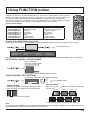
SETUP menu
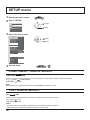
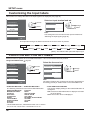
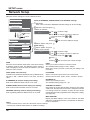
1 Display the menu screen.
2 Select “SETUP”.
PICTURE
2
access
1
select
SETUP
POS. /SIZE
SOUND
3 Select the item and set.
3D SETTINGS
SIGNAL
WAVEFORM MONITOR
MARKER SETTINGS
RGB/MONO SETTINGS
2
adjust
1
select
SCREENSAVER
EXTENDED LIFE SETTINGS
INPUT LABEL
FUNCTION BUTTON SETTINGS
ON/OFF TIMER SETUP
DAY/TIME SETUP
NETWORK SETUP
COMPONENT/RGB-IN SELECT
RGB
EXTERNAL SCALER MODE
OFF
POWER SAVE
STANDBY SAVE
OFF
ON
ON
PC POWER MANAGEMENT
DVI-D POWER MANAGEMENT
OFF
NO SIGNAL POWER OFF
ENABLE
NO ACTIVITY POWER OFF
DISABLE
OSD DESIGN
TYPE1
OSD POSITION
UPPER LEFT
ENGLISH (US)
OSD LANGUAGE
4 Exit the menu.
or
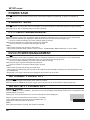
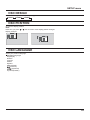
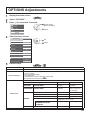
COMPONENT / RGB IN SELECT
COMPONENT
RGB
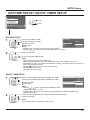
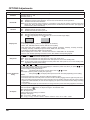
Select to match the signals from the source connected to the Component / RGB or PC input terminals.
“COMPONENT”
Y, PB, PR signals
“RGB”
RGB signals
Note:
Make setting of the selected input terminal (COMPONENT RGB IN or PC IN).
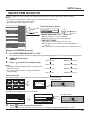
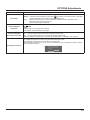
YUV / RGB IN SELECT
YUV
RGB
Select to match the signals from the source connected to the DVI input terminals.
“YUV”
YUV signals
“RGB”
RGB signals
Notes:
• Selection may not be possible, depending on which optional board is installed.
• Make setting of the selected input terminal (SLOT or DVI-D IN).
40