1
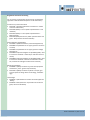
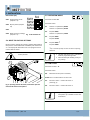
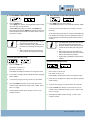
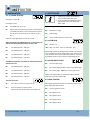
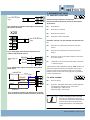
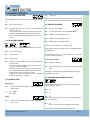
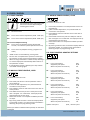
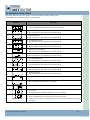
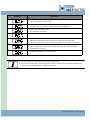
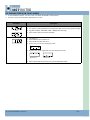
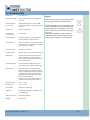
11. DISPLAY IN ”RUN” MODE The display will show the status of limits, some inputs and error codes in ”RUN” mode. During power up, the software version is showed shortly Parameter Description • Nothing active (4 chairs symbol) • Door is stopped between limits and no errors are found • Open limit active • Normal symbol to help adjustment and fault finding • Close limit active • Normal symbol to help adjustment and fault finding • 1/2 OPEN limit active • Normal symbol to help adjustment and fault finding • STOP active • Normal symbol to help adjustment and fault finding • OPEN push‐button active • Normal symbol to help adjustment and fault finding • CLOSE push‐button active • Normal symbol to help adjustment and fault finding • GO FUNCTION active • Normal symbol to help adjustment and fault finding • Photocell 1 active • Normal symbol to help adjustment and fault finding • Photocell 2 active • Normal symbol to help adjustment and fault finding • Safety edge active • Normal symbol to help adjustment and fault finding • Normal symbol indicating door running up • Normal symbol indicating door running down • Not in use • Error code • Monitoring failure of safety edge if this function is activated • Error code • Door is stopped by force control when this function is active. • Symbol is also shown if the adaptive force control is not learned, when returning to run mode 14 ‐ Control Unit DGC 1 / Rev. 1.0 11/10