1
Contents
7.3.8
Operating via the Infra-red Remote Control Transmitter
33
7.4
Upgrading Firmware
36
8
Technical Specifications
36
9
VP-724DS Communication Protocol
37
Figures
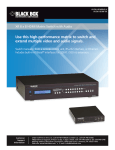
Figure 1: VP-724DS Seamless Switcher / Scaler
Figure 2: Connecting the PC
Figure 3: Connecting the VP-724DS Rear Panel
Figure 4: VP-724DS OUT LED Sequence
Figure 5: OSD PIP Status
Figure 6: OSD SWAP Status
Figure 7: Locking / Unlocking the Front Panel
Figure 8: OSD Input Status
Figure 9: OSD Output Status
Figure 10: MENU Screen
Figure 11: Menu Screen Icons
Figure 12: Brightness and Contrast Screen
Figure 13: Gamma and Color Screen
Figure 14: Gamma, Color Temperature/Manager User 1/2 Screen
Figure 15: Source Selection Screen
Figure 16: Geometry (Scale and Zoom) Screen
Figure 17: Geometry (Scale: Aspect Ratio and Nonlinear) Screen
Figure 18: Geometry (Scale: Aspect Ratio) Screen
Figure 19: Geometry (Zoom) Screen
Figure 20: OSD Enlarge Status
Figure 21: Zoom Ratio Adjustment Example
Figure 22: Zoom Position Adjustment Example
Figure 23: Geometry (Zoom Ratio) Screen
Figure 24: Preset Position Control Keys
Figure 25: Navigation Control Keys
Figure 26: Geometry (Zoom Position Adjustment) Screen
Figure 27: Utility Screen
Figure 28: Graphic Setting Utility Screen
Figure 29: Graphic Setting Color Format Utility Screen
Figure 30: Video Setting Utility Screen
Figure 31: Video Setting Standard Utility Screen
Figure 32: Audio Setting Utility Screen
Figure 33: Audio Setting Stereo Utility Screen
Figure 34: PIP Utility Screen
Figure 35: PIP Activation Utility Screen
Figure 36: PIP Source Utility Screen
Figure 37: PIP Size Utility Screen
ii
4
8
9
11
13
13
14
15
16
17
17
17
18
18
19
19
20
20
21
21
22
22
22
23
23
23
24
24
25
25
25
26
26
27
27
27
28
KRAMER: SIMPLE CREATIVE TECHNOLOGY