1
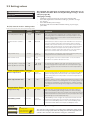
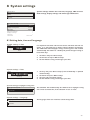
Active alarms
Alarms
2
Active alarms
>
Alarm history
>
Acknowledge all alarms
>
Reset alarm history
>
Alarm receivers
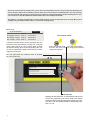
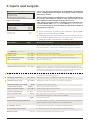
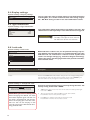
In the alarm menu of S203 device, you can check the active
alarms and what alarms have been active. The number of
active alarms will be shown in the right corner of the main
view.
>
Routing schedule
>
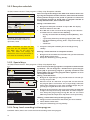
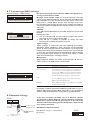
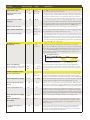
Active alarms
2
07.12.2014 12:24:52 H2 Risk of freeze
>
08.01.2015 01:12:40 Sensor fault H1 Return >
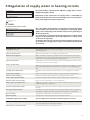
Every active alarm is shown in a separate row, where you can
see when the alarm has become active. Press OK to get more
information about the alarm.
• An exclamation mark in front of the date shows that the
alarm has not been acknowledged.
•
The reason for the alarm is shown in the heading.
•
You can also see, what is the alarm priority (1 ...5 ) and
what alarm group it belongs to
(Group 1 has urgent alarms, group 2 malfunction alarms
and group 3 service alarms).
•
Source of the alarm.
•
Time the alarm was received
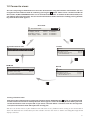
Deviation alarm
PR 1 GROUP 1
H1 Supply water temp. =10.2 °C
Received: 08.11.2014 02:27
Press OK to acknowledge the alarm
ACTIVE ALARMS
Send message: Active alarms
The regulator sends a message showing all
active alarms. Message is informational.
Acknowledge all alarms
You can acknowledge all alarms by pressing OK.
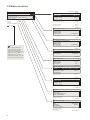
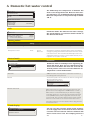
Alarm history
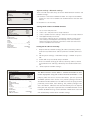
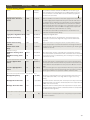
Alarm history
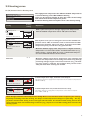
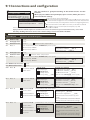
The reason, source and inactivation time (02.02.2015 10:11:42) is
shown for every alarm in alarm history. The last 10 alarms can be
seen in inactive alarms.
2
02.02.2015 10:11:42 Sensor fault H1 Supply w >
17.12.2013 11:22:40 Sensor fault H2 Return w >
ALARM HISTORY
Send message: Alarm history
T h e co ntro ll er s en ds a m e ss a ge
showing the last 10 alarms. Message is
informational.
Reset alarm history
S203 requests confirmation before deleting alarm history.
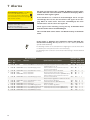
Alarm receivers
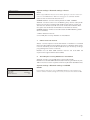
Alarm receivers
Alarm receivers
Team 1
>
Team 3
>
Team 2
>
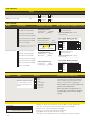
A GSM modem can be connected to the S203 for alarm sending
a text message to the alarm team. The alarms are sent to correct team according to alarm routing schedule. When alarm is
activated, the controller sends alarm messages automatically to
phone numbers defined in team. If the alarm isn’t acknowledged
within 5 minutes, the alarm message will be re-sent to same recipients and also to backup number. The S203 send max. 100
within one day.
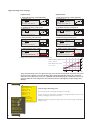
Entering the telephone numbers:
1. Phone number
+
3
5
8
4
0
8
4
0
0
0
0
Hyväksy: Paina pitkään OK:ta
Peruuta: Paina pitkään ESC:iä
1.
Turn the control knob. Press OK to accept a number/sign.
2. Press OK to move to the next square.
Press Esc to return to the previous square. OK
3. Press OK for a number of seconds to accept the number. Press Esc for a number of seconds to cancel
OK
21