1
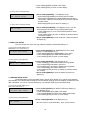
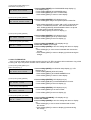
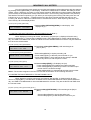
4 Press softkey1[EXIT] to save the setting and return to display
(1).
3. CHARGE RATE SETUP(AOC)
Depend on the network option, the network may send charge information to user side during
conversation.
There are three options provided by network:
a)
No charge information sending
b)
Total Charge with Currency sending
c)
Charge Units sending
In option (a), no charge information displays on the LCD display.
In option (b), total charge with currency will display on the LCD display without entering the charge rate.
In option (c), user have to ask the charge rate from network provider and enter it into this setup. The total
charge with “$xxxxxxx.xxxx” is the product of charge rate by charge units sent from network.
If the charge rate doesn’t set up or total charge is overflow, charge units with “@xxxxxxx” is
displayed only.
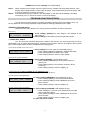
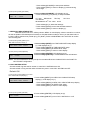
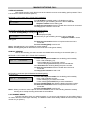
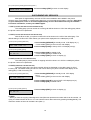
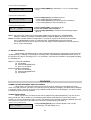
(1) After pressing softkey3[NEXT] from BABY CALL SETUP display (1)
3. CHARGE RATE
EXIT BACK NEXT
ENTER
1 Press softkey3[NEXT] from BABY CALL setup display (1).
LCD displays as (1).
* Press softkey2[BACK] to return to BABY CALL setup.
* Press softkey3[NEXT] to EMERGENCY CALL setup.
* Press softkey1[EXIT] to return to main display.
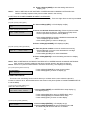
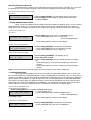
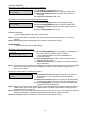
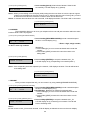
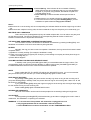
(2) After pressing softkey4[ENTER]
CHARGE RATE: aa.bbb
EXIT CHANGE
2 Press softkey4[ENTER]. LCD displays as (2).
* Press softkey2[CHANGE] to change the charge rate setup as
display(3).
* Press softkey1[EXIT] to return to display (1).
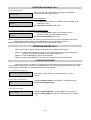
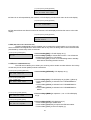
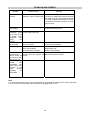
(3) After pressing softkey2[CHANGE]
CHARGE RATE: **.***
EXIT Å SAVE
3 Press softkey2[CHANGE]. LCD displays as (3).
* Press number digit (0-9). (5 digits is required)
for example: if the charge rate is 2.31, 02.310 is required to
input.
* Press softkey2[Å] to erase the last digit.
* Press softkey3[SAVE] to save the charge rate.
* Press softkey1[EXIT] to return to display (1).
4. EMERGENCY CALL SETUP
This function allows you to directly dial the number stored in the emergency call function by just
pressing any dialing pads.
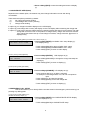
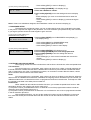
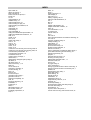
(1) After pressing softkey3[NEXT] from
CHARGE RATE setup display (1)
4. EMERGENCY CALL
EXIT BACK NEXT ENTER
1 Press softkey3[NEXT] from CHARGE RATE SETUP display
(1). LCD displays as (1).
* Press softkey2[BACK] to CHARGE RATE setup.
9