1
Reference
3.
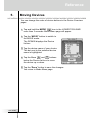
Adding Devices
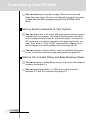
If you have a device that is not provided in the Device Overview
page, you can add it to the RC5400.
There are two possible ways to add a device:
■
■
Create New Device
Copy Existing Device
In the following sections we’ll discuss what these options offer you.
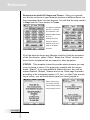
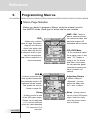
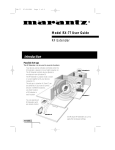
Description for the Template Device
You will be able to choose from a list of preprogrammed templates
“with” or “without” Marantz RC codes.
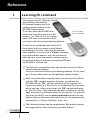
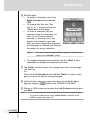
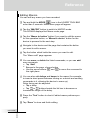
The Device list box will appear. As you scroll down the list using the
Down arrow button, you will notice Device Type Dividers and
Devices you can add. Only select the Device to ADD. Although it is
possible to ADD the Device Type Divider as a Device, it is not useful. Should you accidentally Add a divider to your device list, delete
it.
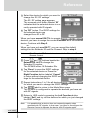
Device Type
Divider
This is not
Device
Template
a device template to
When you add this for
add; it is simply an
a Marantz component,
indication of the type
of device.
you should add “with
RC codes”. When you
plan to teach codes
from an existing remote control, add “without
RC codes”.
With the
device list.
User Guide
33
and
arrows, you can scroll through the complete