1
Chapter 5 ______________________________________________________________ Maintenance
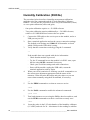
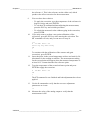
the reference 1. This is the reference on the colder end, which
produces the offset correction for the measurement.
9.
10.
You now have three choices:
- To apply the correction, type the temperature of the reference in
degrees celcius and press ENTER.
- To exit the CT command without adjusting the measurement,
press the ESC key and exit this procedure.
- To refresh the measured value without typing in the correction,
press ENTER.
If you only want to perform a one-point calibration (offset
correction), press the ESC key after entering the correction. The
CT command will exit, and you can move to step 14.
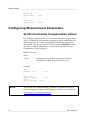
>ct
T 21.9847 Ref1 ? 22
Press any key when ready
OK
>
11.
12.
To continue with the calibration of the warmer end (gain
correction), press ENTER.
Insert the probe in the second temperature refence and wait for 20 –
40 minutes for the reading to stabilize. The measurement reading
for the second point will appear when the measured temperature is
at least 20 ºC warmer than the first reference point.
Type the temperature of the second reference point and press
ENTER to apply the correction.
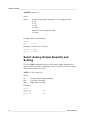
T 44.9847 Ref2 ? 45
OK
>
The CT command is now finished and both adjustments have been
applied.
13.
Use the L command to verify that the new user adjustment
parameters are in use:
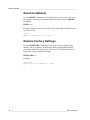
>l
14.
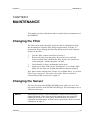
Measure the value of the analog output to verify that the
measurement is OK.
VAISALA _______________________________________________________________________ 57