1
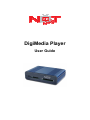
Please insert memory cards into the DigiMedia Player.
6.
Power DigiMedia Player On/Off
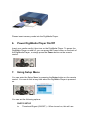
Insert your media card(s), then turn on the DigiMedia Player. To power the
DigiMedia Player on and off, you can press the Power button on the back of
the DigiMedia Player, or simply press the Power button on the remote
control.
7.
Using Setup Menu
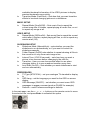
You can enter the Setup Menu by pressing the Setup button on the remote
control. You can do this at any time when the DigiMedia Player is powered
on.
You can set the following options:
PHOTO SETUP
Thumbnail Digest (ON/OFF) – When turned on, this will use