1
CHARGING THE BATTERY
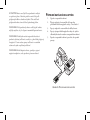
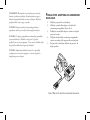
IMPORTANT! The battery must be in an upright position during use and while charging.
IMPORTANT! Remove the charger from the carrying case before charging.
1.
2.
3.
4.
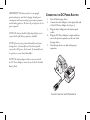
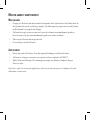
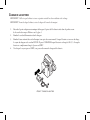
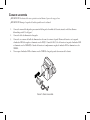
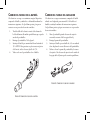
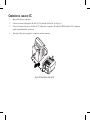
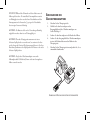
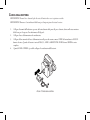
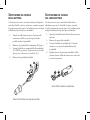
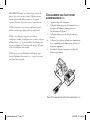
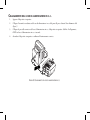
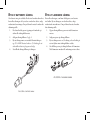
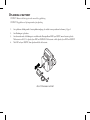
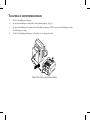
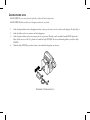
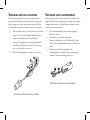
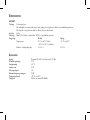
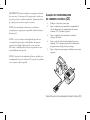
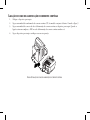
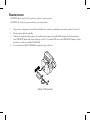
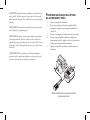
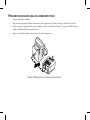
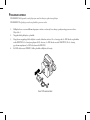
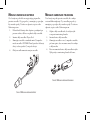
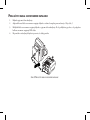
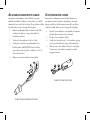
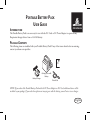
Connect the auto adapter end of the charger into the battery pack socket, located in the front pouch of the
carrying case. See Figure 1.
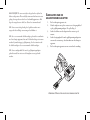
Plug the power cord into the charger.
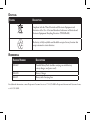
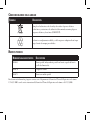
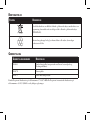
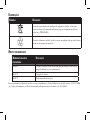
Plug the other end of the power cord into the wall outlet. The battery charger’s LED will appear RED while
it is charging. When the battery is 80-95% charged, the LED will appear ORANGE. When the charger is
fully charged, the LED will turn GREEN.
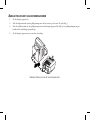
After the LED turns GREEN, the charger can be disconnected from the battery.
1
2
3
FIGURE 1: CHARGING THE BATTERY