1
ManageEngine Support Center Plus :: User Guide
Table of Contents
INTRODUCTION ........................................................................ 2
HOME........................................................................................ 3
Dashboard ....................................................................................... 5
Reminders........................................................................................ 8
Announcements .............................................................................. 12
Preferences .................................................................................... 13
Recent Items .................................................................................. 15
REQUESTS .............................................................................. 16
Request List View ............................................................................ 17
Requests based on Filters ................................................................. 19
Customizing Request List View .......................................................... 21
Search Requests ............................................................................. 22
Creating New Request...................................................................... 23
Auto CC Recipient ........................................................................... 25
Request Details Page ....................................................................... 26
Adding Notes .................................................................................. 28
Printing Request ............................................................................. 29
Viewing Survey Results .................................................................... 30
SOLUTIONS ............................................................................ 31
Browsing Solutions by Topic ............................................................. 32
Search Solutions ............................................................................. 33
MY DETAILS............................................................................ 35
Editing My Details ........................................................................... 36
ZOHO Corp.
1
ManageEngine Support Center Plus :: User Guide
Introduction
ManageEngine SupportCenter Plus is a comprehensive customer suppport management
software that provides help desk agents and account managers, an integrated console to
monitor and maintain the customer accounts and track the support requests from the
customers. The customer support plays an important part in any product vendor or
service vendor firm. It is very often the first contact the contacts have in their use of
product / services when something does not work as expected. The customer support is
a single point of contact for contacts who need help.
To make the process of reporting the issues to the customer support team easier,
ManageEngine SupportCenter Plus provides you with a Self-Service Portal where you can
log your complaints and issues online with the help of a web-based form. Once you have
filed your issue, it gets listed in your request view page, where you can keep track of the
logged issue. You can also update your personal information using the Self-Service
Portal. In the Self-Service Portal, you will be able to access the following modules:
Requests: You can create a new request and view the same. Also all the requests that
you have raised till date will be saved in your requests module for future references.
Solutions: From the solutions knowledge base that has been developed and maintained
by your IT help desk team, you can search for solutions for the issue that you are
currently facing. If you do not find any solution for the problem at hand, then you can
post your issue as a request to the help desk team.
My Details: You can view and edit your account details including your password. This
updated information will be displayed whenever your information is requested.
In addition to this, you will also be able to see check the "presence" of the customer
support support reps; that is, you can know which customer support personnel is
currently available for you to contact him/her immediately.
ZOHO Corp.
2
ManageEngine Support Center Plus :: User Guide
Home
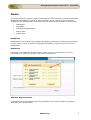
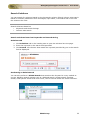
The home page for customer login of SupportCenter Plus has various useful information
displayed that enables a contact to take necessary action. Based on the configures
enabled by the administrator under Settings, the following are available in home page,
Dashboard
Reminders
Add New Request button
Search field
Preferences
Dashboard
Dashboards in the contact login displays the Request Summary, Public Announcements
and an option to raise a request using request template. Click here to know more on
Dashboards.
Reminders
Reminders is a substitute for those sticky notes or post-it notes which you use to
remember your tasks for the day. Click here to know more.
Add New Request button
The Add New Request button beside the Reminders is a quick navigator to instantly
access the new request form.
ZOHO Corp.
3
ManageEngine Support Center Plus :: User Guide
Search Field
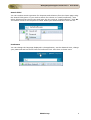
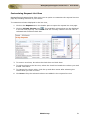
You can conduct search operation for Requests and Solutions from the home page using
the Search Field option. If you wish to search for solution to "install a software", then
select Solutions from the list view and enter the key work as "install software". Click Go.
The search result for the keyword is listed. Select your desired solution from the list.
Preference
You can change the language displayed in the application, set the data and time, change
your password and lots more from the Preference link. Click here to know more.
ZOHO Corp.
4
ManageEngine Support Center Plus :: User Guide
Dashboard
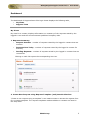
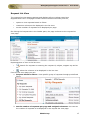
The dashboard of SupportCenter Plus login home displays the following tabs,
My Views
Support Team
My Views
My View for a contact, displays information on summary of the requests raised by the
logged in user and the Announcements published company wide.
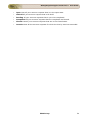
1. Requests Summary
Request Overdue - number of requests raised by the logged in contact that are
overdue.
Requests Due Today - number of requests raised by the logged in contact for
that day.
Pending Requests - number of requests raised by the logged in contact that are
unresolved.
Clicking on each link opens the corresponding list view.
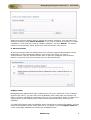
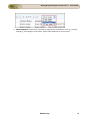
2. Create New Request using Request Template (and) Search Solutions
"Create a new request using a template" is an instant means to access the request form
for a request template. The request templates made available to contacts are listed in
the drop down.
ZOHO Corp.
5
ManageEngine Support Center Plus :: User Guide
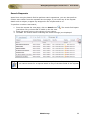
Apart from using the Search field to perform the search operation, you can search for
solutions instantly using Search Solutions. If you wish to search for solution to "install
a software", then enter key word as "install a software" and click Search. The search
result for the keyword is listed. Select your desired solution from the list.
3. Announcement
All announcements that are published by your customer support administrator will be
displayed in the announcements block in your login home page. To view an
announcement, click the Announcement Title to open the complete announcement
details in a pop-up. Click here to know more on announcements.
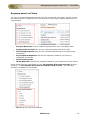
Support Team
ManageEngine SupportCenter Plus enables you to view the "presence" of the customer
support rep; that is, you can check their availability status and reach the support rep
who is currently available for contacting. Else, you can just send an email or submit your
support query to the support team, which will be attended by them once they are
available.
The technical support team's availability chart contains their contact information, such as
email ID and phone number, along with the in-out status. Click the Support Team tab
in the home page dashboard to access the availability chart.
ZOHO Corp.
6
ManageEngine Support Center Plus :: User Guide
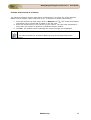
Warning
Support Team tab will be available only if the SupportDesk Plus administrator
has provided you the necessary access permissions for the same.
ZOHO Corp.
7
ManageEngine Support Center Plus :: User Guide
Reminders
Reminders is a substitute for those sticky notes or post-it notes which your use to
remember your tasks for the day.
Adding New Reminder
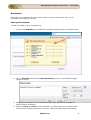
To add new tasks to your reminders list,
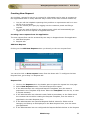
1. Click on the Reminder icon beside the Add New Request button as shown below,
2. Click + Add New link from the My Reminder(s) pop up. The Reminders page
opens as shown,
3. Specify the summary in the provided text field. Say, you want a reminder to
attend a demo on Softcel.
4. Select the Date and Time for the reminder. The date field is set to today's date
and the time is set by default as 11:00 AM. Change the date and time settings.
ZOHO Corp.
8
ManageEngine Support Center Plus :: User Guide
To change the date, select the calendar icon and
choose the date of your
choice. From the time drop down box, choose the time at which the task is
scheduled.
5. Select the reminder duration say before 1 hr or 2 hr from the Remind me
before combo box. By default the message would be Never.
6. Click Add. The new reminder is added along with the list of already existing
reminders in the ascending order based on date and time.
Viewing all Reminders
You can view all the open and completed reminders along with the reminder details such
as Reminder Date and Module. The Link is specified only if the reminder is added from
the request module.
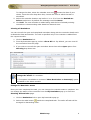
1. Click on Reminders link.
2. From My Reminders pop up, select >Show All link. By default, you can view All
the reminders from this page.
3. If you wish to view all the open reminders alone then select Open option from
Showing drop down box.
Note 1. From this page, you can Add New Reminder, Delete bulk reminders and
Change the status of a reminder.
2. This option is available to contacts if Show Reminders to Contact(s) option
is enabled in the Admin module.
Change the Reminder status
Once you have completed the task, you can change the reminder state to complete. You
can change the status of the reminder from the My Reminders pop up or from the
Showing All Reminder page.
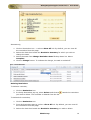
1. Click on Reminders link to open My Reminders pop up.
2. Select the radio button
beside the completed task. The strike off task will be
arranged in descending order.
ZOHO Corp.
9
ManageEngine Support Center Plus :: User Guide
Alternatively,
1. Click on Reminders icon -> select >Show All link. By default, you can view All
the reminders from this page.
2. Select the check box beside the Reminder Summary for which you wish to
change the state.
3. Select the state from Change Reminder State To drop down list. Select
Complete.
4. Click on Change button. To indicate the change, the task is striked off.
Deleting Reminders
To delete a reminder,
1. Click on Reminders icon.
2. In the My Reminders pop up, select Delete radio button
you wish to delete. The reminder is deleted from the list.
beside the reminders
To delete bulk reminders,
1. Click on Reminders icon.
2. From My Reminders pop up, select >Show All link. By default, you can view All
the reminders from this page.
3. Select the check box beside the Reminder Summary you wish to delete.
ZOHO Corp.
10
ManageEngine Support Center Plus :: User Guide
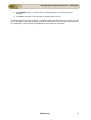
4. Click Delete button. A confirmation message appears on delete operation
appears.
5. Click Ok to proceed. The reminder is deleted from the list.
The advantage of moving the task to completed state instead of deleting is that, you can
revert the state of the task to Open and edit the attributes. But once the task is deleted,
it is completely removed from the application and cannot be retrieved.
ZOHO Corp.
11
ManageEngine Support Center Plus :: User Guide
Announcements
All announcements that are published by your customer support administrator will be
displayed in the announcements block in your login home page.
Representation of icons in announcement widget:
- Announcement made public i.e., announcements visible to all contacts on log in.
- Newly added company wide announcements.
Viewing Announcements
To view an announcement, click the Announcement Title to open the complete
announcement details in a pop-up. If there are more than one announcements, then you
will notice a Previous and Next button in the pop-up. Using this you can navigate
through the announcements list and view all the announcements without closing the
pop-up window.
To view all the announcements that was listed in the announcement block, click Show
All link. Using the Filter Showing drop down, you can view the currently showing
announcements, already shown announcements and all public announcements.
ZOHO Corp.
12
ManageEngine Support Center Plus :: User Guide
Preferences
You can customize your personalization such as the language to be displayed, time zone,
data and time format to be displayed in the application. Apart from this, you can also
change your login password.
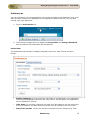
1. Click on Preferences link.
2. The Preference page opens to display the Personalize and Change Password
tab. By default, the Personalize tab is displayed.
Personalize
The Personalize tab consists of display language, time zone, date format and time
format.
Display Language You can select the language to be displayed in the application
from Choose Language drop down list. say, French. All the data in the application
will be displayed in French.
Time Zone You can also customize the time zone according to the site where the
server is installed. The date and time will be set with respect to the time zone.
Date/Time Format
Select the format of the date such as, 2009.09.10, from
ZOHO Corp.
13
ManageEngine Support Center Plus :: User Guide
the Set Date Format drop down box. Similarly, you can also set the time format
from the Set Time Format drop down box. The selected date and time format
will be displayed where ever the date/time is mentioned. Say, while creating a
new request, the request created on and due by time will be displayed in the
selected date and time format. The date and time is set accordingly to the
selected time zone.
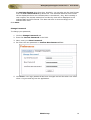
Click Save.
Change Password
To change your password,
1. Click on Change Password tab.
2. Enter the Current Password in the field.
3. Next, enter your New Password.
4. Re-enter the new password in Confirm New Password field.
5. Click Save. Your login password has been changed and will be taken into effect
when u log out and log into the application.
ZOHO Corp.
14
ManageEngine Support Center Plus :: User Guide
Recent Items
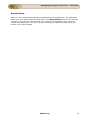
When you are using the ManageEngine SupportCenter Plus application, the application
tracks your last viewed items and lists them in the Recent Items block on the left side.
This has a list of the last 10 items that you viewed in the application, with the latest
viewed item appearing on the top of the list. Clicking the hyperlinked item takes you
directly to the item's details.
ZOHO Corp.
15
ManageEngine Support Center Plus :: User Guide
Requests
ManageEngine SupportCenter Plus provides you a Self-Service Portal with the request
module. Here, you can create new requests to post your concerns and issues to the
customer support team. You can also view the request that you have posted and keep
track of its status. Once the request is closed, you can view the same in the closed
requests.
ZOHO Corp.
16
ManageEngine Support Center Plus :: User Guide
Request List View
The request list view page organises and displays all your tickets raised into
SupportCenter Plus. This page includes various useful functionality such as,
option to view requests based on filters.
customize columns to be displayed in the list view.
set the number of requests to be displayed per page.
On clicking the Request tab in the header pane, the page redirects to the request list
view page.
Representation of Icon in the list view:
on.
- Search for requests on entering the request id, subject, support rep and so
- select the columns to be displayed in the list view.
From the list view page you can:
1. Request based on filters: View specific group of requests through pre defined
filters.
2. Set the number of requests per page and navigation buttons: You can set
the number of requests to be displayed in the request list view page.
ZOHO Corp.
17
ManageEngine Support Center Plus :: User Guide
3. New Request: Create new requests on specifying information such as, priority,
category, sub category and items. [Refer New Request to know more].
ZOHO Corp.
18
ManageEngine Support Center Plus :: User Guide
Requests based on Filters
You can view requests based on filters from the request list view page. There are some
pre defined filters in SupportCenter Plus that sorts and groups requests based on your
requirements.
My Open Requests All your created requests which are in the Open State.
My Requests On Hold Lists all your created requests that is On Hold.
My Pending Requests Lists all your created requests that is unfinished and
incomplete.
My Completed Requests Lists all the requests created by you which is
completed and closed.
My Closed Requests
All My Requests Lists all the requests created by you irrespective of the status.
If the contact has the permission to view "All requests from their account (Primary
Contact)" or "All requests from their account and sub account", the following
options is available for the contact.
All Lists all your account requests.
ZOHO Corp.
19
ManageEngine Support Center Plus :: User Guide
Open Lists all your account requests that is in the open state.
OnHold All your account request that is On Hold.
Pending All your account requests that is yet to be completed.
Completed All your account requests that are completed and closed.
Closed Lists all your account requests that are in the Closed state.
Overdue Lists all the account requests for which the due by time has exceeded.
ZOHO Corp.
20
ManageEngine Support Center Plus :: User Guide
Customizing Request List View
ManageEngine SupportCenter Plus gives you an option to customize the request list view
page by including columns of your choice.
To customize columns displayed in the list view,
1. Click on the Request tab in the header pane to open the request list view page.
. The available columns that can be displayed
2. Click on Column Chooser icon
in the list view pops up. The columns that are currently visible in the list view is
indicated with selected check box.
3. To remove a column, de-select the check box and click Save.
4. To add a column to the list view, select the check box beside the column you wish
to add. Click Save.
5. To change the column order, click the up and down arrow after selecting the
column that you wish to move.
6. Click Save. Only the selected columns are added in the request list view.
ZOHO Corp.
21
ManageEngine Support Center Plus :: User Guide
Search Requests
Apart from using the Search Field to perform search operations, you can also perform
column-wise search from the requests list view page, if you know any of the request
detail such as subject, support rep assigned to the request and so on.
To perform a column-wise search,
. The search field opens
1. From the request list view page, click on Search icon
just below every column that is visible in the list view.
2. Enter the search string in the column of your choice.
3. Click Go. The search results matching the search string(s) are displayed.
Note 1. The search would return the results for any of the text fields of the request.
2. You cannot search for a request based on any of the date fields of the request.
ZOHO Corp.
22
ManageEngine Support Center Plus :: User Guide
Creating New Request
Any incident, request for service or request for information can be sent as requests to
the supportdesk team in many different ways. Some of the most common modes are,
1. You can call the helpdesk reporting their problem or requirement and he in turn
will file it as a request.
2. You can submit your query by logging into the customer portal and filing a
request.
3. Or, you can send an Email to the support team, which will automatically get
logged as a service request in SupportCenter Plus.
Creating a new request from the application
The new request form can be accessed by two ways in SupportCenter Plus application.
a. Add New Request
b. Request tab
Add New Request
Clicking on the Add New Request takes you directly to the new request form.
You can also click on New request button from the Home tab. To configure the New
Request form, go to Step 3 in Request tab.
Request Tab
1. Click on the Request tab in the header pane to open the request list view page.
2. Select New Request button. The New Request form opens.
3. If the administrator has configured Request Templates, then the same is
populated in the Template drop down. Select the Template from the list, to raise
a request instantly.
4. If the administrator has selected certain fields as mandatory or the fields which
the contacts can set while creating the Request Template, then the same is
populated in the New Request form.
5. If the administrator has specified Request Default Values for fields such as
Category and Priority to be displayed in the New Request form, then the same
gets populated.
6. If the administrator has not configured the Request Default Values or the Request
ZOHO Corp.
23
ManageEngine Support Center Plus :: User Guide
Template, select the Priority that can be assigned to the request from the drop
down.
7. By default, the contact logged into the application is displayed as the Contact
Name. This field is non editable.
8. Select the Product to be associated with the request.
9. You can also classify the request category by selecting the Category, SubCategory and Item.
10. Specify the Subject of the request. This field is mandatory.
11. Provide a brief description about the request in the Description field.
12. If you wish to attach any relevant files to the request then click Attach a file
link. The Add/Remove Attachment window pops up.
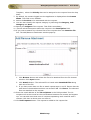
1. Click Browse button and select the file to be attached from the file chooser
window. Click Open button.
2. Click Attach button. The selected file is listed under Attached Files along
with size of the file.
3. If you have more than one file to attach repeat steps 1 and 2. Ensure that the
total size of the attachments does not exceed 5 MB. Click Done. The selected
files are attached to the request.
12. Enter the email address of the CC recipients in the field provided. The CC
recipient will receive email on the conversation between the contact and support
rep. You can add more than one CC recipient separating each email ID with a
comma. Click here to know more on Auto CC.
13. Click Add request button. The request is added to the request list.
ZOHO Corp.
24
ManageEngine Support Center Plus :: User Guide
Auto CC Recipient
For crucial requests, it becomes utmost import to inform your higher officials on the
progress and development of the request. The Auto CC recipient feature is a one time
addition of the CC'ed recipients, after which, the conversations between the contact and
support rep are notified to the CC recipients. The Auto CC recipient option is available
while creating a new request and while replying to a request via the application. The CC
recipients added by the contact can be viewed and modified by the support rep.
Adding CC Recipient
The CC recipient field is available in the new request form of the contact login. Enter the
email address of the CC recipients to be notified. If more than one email ID is specified,
use comma as a separator as shown in the image.
The entered CC recipients will be notified of the conversation between the contact and
support rep via email.
ZOHO Corp.
25
ManageEngine Support Center Plus :: User Guide
Request Details Page
The View Request page organizes the details of the request in a logical manner. To
view the details of a request,
1. Click on the Request tab in the header pane to open the request list view page.
2. Click on the Subject link of the request to be viewed. The View Request page
opens.
Contact Details
This block displays the Request id and Subject of the request, Contact details such as the
Contact Name, the Account, Status, Priority and Due Date for the request. You can also
Add Notes and Print the request from the Actions drop down.
You can view the contact details such as name, account to which the contact belongs,
email address, phone and mobile number by clicking on the contact name link.
The block contains tabs to view Request details, Account Information, View
Resolution, View Time Entry of the request.
Viewing Request Details
The request tab displays the Subject and Description of the request. The
Conversation button appears if there are any conversation threads to the request.
Clicking on Conversation button scrolls down to view the conversation threads.
In addition, the request details block also displays request properties like Status, Group,
Category, Sub Category, Item, Support Rep, Priority, Mode, Level, Created Date, Due
Date, Product, Created By and additional fields (if available).
If you have added any Notes to the request then the same can be viewed under
Discussion Notes block. The notes are displayed in descending order of their date of
creation.
Viewing Account Information
The account info tab displays the Contact Details along with the Contract Details
associated with the Account. Contract details such as Support Type, Support Plan,
Contract Covered and cost per hour is listed under this block.
ZOHO Corp.
26
ManageEngine Support Center Plus :: User Guide
Viewing Resolution
Resolution is a documented information on how the issue was resolved. You can view the
resolution entered by the Support Rep from this tab.
Viewing Time Entry
If you have the permission to view the Request Cost information then the Time Entry tab appears
where you can view the Execution Time, Time Spent on the request and the total cost information.
ZOHO Corp.
27
ManageEngine Support Center Plus :: User Guide
Adding Notes
You can add addition information which includes technical information based on your
observations or information to support reps for a particular request using the Add Notes
option.
1. Click on the Request tab in the header pane to open the request list view page.
2. Click the Subject of the request to which you would like to add a note.
3. From the request details page, select Actions drop down menu -> Add Notes
option. The Add Note window pops up displaying the Request Id.
1. Enter the content in the text box as shown above.
2. You can also notify the support rep assigned to the request about the addition of
note on selecting E-mail the support rep for notes addition check box.
3. Click Add Note button. The note is added at the bottom of the request along with
a date and time stamp. The name of the person who added the note is also
displayed.
You can add any number of notes to a request. The added notes is displayed in the
descending order with recently added note first.
Note 1. Once the notes is added, you will not be able to edit and delete the notes.
2. Only support reps can delete the notes added to a request.
ZOHO Corp.
28
ManageEngine Support Center Plus :: User Guide
Printing Request
You can print and preview the entire request content using Print Preview option. To print
a request,
1. Click on the Request tab in the header pane to open the request list view page.
2. Click the Subject link of the request to be printed.
3. From the request details page, select Actions drop down menu -> Print
Preview option. The pop up of the request in printable format opens. The page
displays request details, contact details, contract details and resolution.
4. Click Ctrl + p to print the request.
ZOHO Corp.
29
ManageEngine Support Center Plus :: User Guide
Viewing Survey Results
Once the contact completes the survey, the administrator and the contact who took the
survey can view the survey results.
To view the survey results,
1.
2.
3.
4.
Click the Requests tab.
In the Requests list view select the My Completed Requests filter.
Click the request Title for which you wish to see the survey results.
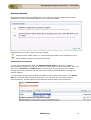
Click View Survey Results link available under the Tasks block. The survey
results opens in a pop-up window.
5. Once you have viewed the results, click the Close button.
Note 1. The View Survey Results link appears only if the you have completed taking
the survey. Else this link will not be present.
2. Once the survey is submitted, the responses cannot be changed.
ZOHO Corp.
30
ManageEngine Support Center Plus :: User Guide
Solutions
ManageEngine SupportCenter Plus gives a provision for the customer support personnel
to add resolutions for all the requests that have been posted. These resolutions can be
directly converted to knowledge base articles that are grouped under the solutions head.
If your help desk team has already added such knowledge base articles to the solutions
section, then you can search for solutions, specific to your problem and fix it. Thus, the
solutions module serves as a knowledge base to find solutions for known problems using
the keyword-based search.
You can access the solutions even without logging in to the application, but will be able
to view only those solutions that are published in the Self Service Portal. To access the
knowledge base directly without having to login to the application, type the URL provided
below in the address bar of the browser:
http://<server name>:<port number>/sd/SolutionsHome.sd
(OR)
http://<server name>:<port number>/portal
where,
<server name> is the name of the server where SupportCenter Plus is installed and
<port number> is the port where the application is running.
ZOHO Corp.
31
ManageEngine Support Center Plus :: User Guide
Browsing Solutions by Topic
You can view the list of solutions for a topic using this option. To browse solutions under
individual topics,
1. Click the Solutions tab in the header pane.
2. Click on Browse by Topics drop down. The Topics window drops down listing all
the available topics and their sub topics.
3. To view all the sub topics, click >> Show All link. This lists out the topics and
sub topics in logical manner.
4. On clicking the topic, the solutions of the topics and its corresponding sub-topics
gets listed.
5. To view solutions under a sub-topic, click on the sub-topic.
6. Click the solution's title to view the complete solution.
ZOHO Corp.
32
ManageEngine Support Center Plus :: User Guide
Search Solutions
You can search for solutions based on the keywords, solution ID and column wise search
based on solution parameters such as subject, topic name, view status and so on from
the solutions list view.
Search Solutions based on
Keywords and Search Strings
Column-wise search
Search solutions based on Keywords and Search String
Solutions tab
1. Click Solutions tab in the header pane to open the solution list view page.
2. Enter the keyword in the search field provided.
3. Click Search. All solutions that match the keyword provided by you in the search
field is displayed.
Performing a Global Search
You can also perform a Global Search that searches the keyword in every module at
one go. Advance search options such as, Wildcard search, phrase search, boolean
search, field specific search and much more, can be used to make the search effective.
ZOHO Corp.
33
ManageEngine Support Center Plus :: User Guide
Column-wise search of solutions
You can also perform column-wise search of solutions if you know any of the solution
detail such as subject, topic name and so on. To perform a column-wise search,
. The search field opens
1. From the solution list view page, click on Search icon
just below every column that is visible in the list view.
2. Enter the search string in the column of your choice. You can enter keywords in
more than one column to perform a combined column search.
3. Click Go. The search results matching the search string(s) are displayed.
Note 1. The search would return the results for any of the text fields of the solution.
2. You cannot search for a solution based on any of the date fields of the
solution.
ZOHO Corp.
34
ManageEngine Support Center Plus :: User Guide
My Details
When creating your login details in the SupportCenter Plus application, your profile
would have some default information. In the My Details section of the Self-Service
Portal of SupportCenter Plus, you are allowed to modify the information relating to your
profile, including the password. This helps you maintain your profile updated with the
latest changes. It also gives you the freedom to edit your profile at your will.
ZOHO Corp.
35
ManageEngine Support Center Plus :: User Guide
Editing My Details
You can edit your details through the Self-Service Portal and need not depend on your
customer support team to do the same for you. It enables you to modify your own
profile whenever you want and saves considerable time.
To edit your profile
1. Click the My Details tab on the header pane.
2. Click the Edit Contact button in the center pane. The next page displays your
user profile as created/edited last time in an editable form.
3. All the fields except the Login Name and Account Name in this form are
editable. Your name is a mandatory field in the form. You can choose to leave
the other fields blank. You can also change your password using the Change
Password link. Click here to know how to change password.
4. When you are done with the modifications, click Update My details.
ZOHO Corp.
36