1
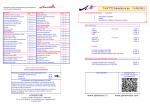
The “hidden “keys
SYSTEM and 12 VDC - lights
These functions are only available when connected to Dr.Bell speech computer
“HIDDEN” KEY
FUNCTION
Light
ON
SYSTEM
System OK
By alarm situation:
1. Silences the siren
2. Makes an acknowledgement of all alarm entries on
complete system (handled by Dr.Bell)
3.Announces the alarm entries regarding complete system
RESET
HORN
Indicates by lighting LEDs for how many minutes the siren
will sound.
Controlled by dip switch 6 and 7
MUTE
Silence the on-going stream of speech
STATION
PHONE
TEST
12 VDC
Indicates by lighting LEDs the station number series.
1 = Main unit
2= first expanding unit, 3 = second expanding unit and so on.
Controlled by dip switch 1, 2 and 3
Power
supply
(13.8 V)
OK
1. Alarm entry by local input
2. Alarm entry by other unit
3. Faulty communication
4. Faulty telephone line/system
5. Faulty power supply
1. service break
1. Power supply below 12.5 VDC for more then 15 minutes,
or below 11.5 VDC.
2. Power supply below 11.5 VDC during battery test. D-key
is also flashing
Remote control through telephone
Makes Dr.Bell go into setting mode. Only useable by fixed
line system
Please, do also read the user guide for Dr.Bell speech computer, which handles this function.
To test the siren.
Version number is announced in speaker when key is no
longer pressed.
Below: Some examples how to control Dr.Mayday through telephone.
1. Establish connection to Dr.Bell by calling the telephone number.
2. Enter code
3. Use the commands shown below
FUNCTION
Begin service break. Press this key to suspend alarm
supervision for 60 minutes. It will automatically return to
normal supervision when 60 minutes have passed. Or simply
press once more to return to normal supervision again.
SYSTEM light will indicate service break mode by flashing
slowly - once every two seconds.
PAUSE
Every 0.5 seconds:
Every 2.seconds:
Announces the alarm entries regarding complete system even
if they are acknowledged.
SYSTEM light flashes if there are any.
SPEECH
FLASHING
Toggle the alarm supervision ON and OFF
for each input.
Toggle output A, B and C ON and OFF
Battery test
Request announcement of alarm entries
Battery test uses output D to activate an input on the power supply which makes this switch to battery
power mode for 10 minutes. An additional load of power resistors are engaged. The light in the D-key
will be on.
If battery capacity is to low, i.e. voltage drops below 11.5 VDC, the test will stop, and an alarm
situation will be triggered. SYSTEM, 12 VDC and the D-key lights will be flashing. Press hidden key
RESET to acknowledge. New alarm will occur next day. In the meantime please change the battery.
Setting alarm entry acknowledgement time
1-255 seconds (Default 5 seconds)
Set the internal clock
Command sequence
Input 1:
401 * 0 #
...
Input 8: 408 * 0 #
Output A:
Output B:
Output C:
501 * 0 #
502 * 0 #
503 * 0 #
99 * #
601 * 4 * <seconds> #
601 * 29 * <time> #
(8.00, press 800)
Battery test will take place every 24 hours. The time of day may be settled by pressing D-key in 2
seconds at that time. Internal time will be set to 8.00. You may set the internal clock through
telephone, see chapter: “Remote control through telephone”
This function is controlled by dip switch No.5. ON-position means function activated.
Mayday-128-Users Guide - Klima Design A/S - 11 June 2007
3
4
Mayday-128-Users Guide - Klima Design A/S - 11 June 2007