1
Chapter 6 ___________________________________________________Calibration and Adjustment
NOTE
Fixed pressure compensation value of 1013.25 hPa is used when in
adjustment mode
Relative Humidity Adjustment
Using Push-Buttons
A simple push-button adjustment is carried out by using two relative
humidity references: 11 % RH (LiCl) and 75 % RH (NaCl).
1.
Carry out the chemical purge (if available).
LiCl reference
2.
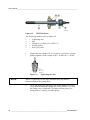
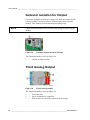
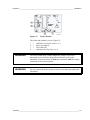
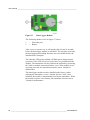
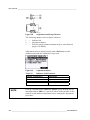
Press the ADJ button (see Figure 68 on page 140) on the
motherboard to open the adjustment mode. The indicator led
starts flashing.
3.
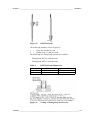
Remove the filter from the probe and insert the probe into a
measurement hole of the 11 % RH (LiCl) in the humidity
calibrator HMK15. Use the adapter fitting for the probes of
HMT334, HMT335, HMT337 and HMT338.
4.
Wait at least 30 minutes for the sensor to stabilize (the indicator
led is lit continuously). Adjustment cannot be done if the
conditions are not stabilized (indicator led is flashing).
5.
When the indicator led is lit continuously, press the button
LiCl~11% to adjust the 11 % RH condition. After adjustment
transmitter returns to normal operation mode (indicator LED is
unlit).
NaCl reference
6.
When adjusting in the second reference 75 % RH, press the
ADJ button to open the adjustment mode. The indicator led
starts flashing.
7.
Insert the probe into a measurement hole of the 75 % RH (NaCl)
reference chamber of the humidity calibrator HMK15. Use the
adapter fitting for the probes of HMT334, HMT335, HMT337
and HMT338.
VAISALA ______________________________________________________________________ 141