Transcript
HC4/135/01/06.04
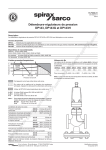
EC Actuators – Limit Open Travel Stop
Operating Instructions
1
2
3
4
1. Unscrew the plastic indicator cover (1)
by rotating in an anti-clockwise
direction.
4. Rotate the adjustment indicator (3) to
the desired travel and hold firmly with
the correct spanner.
2. Using an appropriate spanner*, hold
adjustment indicator (3) firmly in
position.
5. Rotate the seal locknut (2) clockwise
until it is seated on the adjustment
indicator (3) and lock them into
position. Once tightening torque has
been applied the sealing element is
engaged.
3. Using an appropriate spanner*, unwind
the seal locknut (2) by rotating this in
an anti-clockwise direction – this
disengages the locknut sealing
element.
6. Replace the plastic indicator cover (1)
by rotating it in a clockwise direction
onto the limit stop indicator (4) M4
thread.
*10mm on DN15, DN20 & DN25 & 16mm on DN40 & DN50
Crane Process Flow Technologies Ltd.
Grange Road, Cwmbran, Gwent. UK NP44 3XX
Tel : +44 (0)1633 486666 Fax : +44 (0)1633 486777
e-mail : [email protected]
www.saundersvalves.com