1
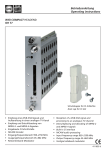
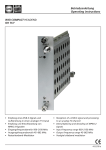
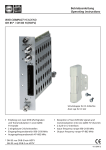
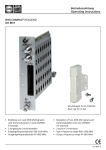
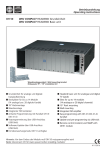
Betriebsanleitung Operating instructions WISI COMPACT HEADEND OH 79 Schutzkappe für CI-Schächte Dust cap for CI slot • • • • • • • mpfang eines DVB-T/C-Signals und E Aufbereitung in einen analogen TV- Kanal per Modul Empfang und Entschlüsselung von MPEG-2- und MPEG-4-Signalen Eingebaute CI-Schnittstelle NICAM Encoder Eingangsfrequenzbereich 110–878 MHz Ausgangsfrequenzbereich 45–862 MHz Restseitenband-Modulator • R eception of a DVB-T/C signal and processing to an analogue-TV-channel per module • Demultiplexing and decoding of MPEG-2 and MPEG-4 signals • Built-in CI interface • NICAM audio processing • Input frequency range 110–878 MHz • Output frequency range 45–862 MHz • Vestigial sideband modulator 411 837 d Headend OH 41 (OK 41 A) (Zubehör) / Headend OH 41 (OK 41 A) (Accessory) WI S I OH 5 0 HEADEND V1 . 0 0 Up Right Left Down Hinweis: Nach erfolgter Programmierung ziehen Sie das Handset ab. Note: After programming disconnect the handset. Stand by Betriebsspannung am Grundgerät angeschlossen und „Initialisierung der Module“ abgeschlossen. Handset an Buchse des Grundgerätes einstecken. Durch Drücken einer Taste gelangt man in das Modul- oder System-Menü. Stand by Supply voltage connected to basic unit and wait till mode “Initialising the modules” has finished. Plug the handset into the socket on the basic unit. Press any key to call the module menu or System menu. Modul-Menü / Module menu Modul 1 OH 79 / Module 1 OH 79 Parameter-Menü / Parameter menu Modul 2 OH 85 / Module 2 OH 85 DVBMode In-Freq Parameter-Untermenü / Parameter sub-menu 826.000 Modul 14 OH 88 H / Module 14 OH 88 H Modul-Menü / Modul menu ▲▼ Tasten / keys — Modul 1… 14 wählen / Select module 1...14 ▶ Taste / keys — Weiter zum Parameter-Menü / Move to parameter sub-menu ◀ Taste / keys — Zurück / Back -2- Headend OH 41 (OK 41 A) (Zubehör) / Headend OH 41 (OK 41 A) (Accessory) Parameter-Menü / Parameter menu ▲▼ Tasten / keys — Parameter wählen / Select parameter ▶ Taste / keys — Weiter zum Parameter-Untermenü / Move to parameter sub-menu ◀ Taste / keys — Zurück / Back Parameter-Untermenü / Parameter sub-menu ◀▶ Tasten / keys — Zu ändernde Stelle wählen Cursor blinkt unter der Stelle z.B. 1894 Bei Überschreiten des dargestellten Zahlenbereiches, zurück zum Parameter-Menü Select the digit to be changed Cursor blinks below the digit, e.g. 1894 If the permissible range is exceeded, the unit returns to the parameter menu ▲▼ Tasten / keys — Wert ändern z.B. 1894 in 1834 Change the value, e.g. change 1894 to 1834 Speichern / Saving data Autom. nach Verlassen des Parametermenüs oder ca. 60 Sekunden nach der letzten Eingabe. Data are saved automatically after leaving the parameter, or 60 seconds after the last entry. Front-LED / Front LED indication rot/red kein Eingangssignal / no input signal grün/green Eingangssignal wird dekodiert / decoding input signal Front Klinkenbuchse 3,5 mm (A/V) / Front A/V connector 3.5 mm Audio-Links / audio left Video (1 Vss / 75 Ω) GND für Audio + Video / GND for audio + video Audio-Rechts / audio right -3- Bedienung / Instructions DVBMode Art des Eingangsignales (Gerät startet bei Änderung neu!) DVB-T ..........................DVB-T-Eingangssignal DVB-C .........................DVB-C-Eingangssignal, Gerät startet neu Input signal type (Device reboots after changes) DVB-T ..........................DVB-T- input signal DVB-C .........................DVB-C- input signal, device reboots In-Freq In-SymR In-Prio 826.000 Eingangsfrequenzwahl 110,000–878,000 MHz in 1-kHz-Schritten 826.000 Input frequency selection 110,000–878,000 MHz in 1-kHz-steps 6900 kS/s Eingangssymbolrate 1000–9999 kS/s (nur im DVB-C-Modus) 6900 kS/s Input symbol rate 1000–9999 kS/s (only in DVB-C mode) Eingangssignal Prioritätsauswahl low...............................Eingangssignal mit low Priorität wird dekodiert high . ...........................Eingangssignal mit high Priorität wird dekodiert (nur bei DVB Mode = DVB-T) Priority selection of the input signal low...............................It decodes the input signal with the lower priority high . ...........................It decodes the input signal with the higher priority (only if DVB Mode = DVB-T) In Mode -4- 256 QAM 128 QAM 64 QAM 32 QAM 16 QAM QPSK Eingangssignal Modulationsart Im DVB-C-Modus muss hier die Modulationsart des zu empfangenden Signals eingestellt werden. Im DVB-T-Modus wird die Modulationsart des empfangenen Signales angezeigt. 256 QAM 128 QAM QAM 32 QAM 16 QAM QPSK Modulation scheme of the input signal Select the modulation scheme of the input signal in the DVB-C mode. In the DVB-T mode, it also 64 shows the modulation scheme of the input signals. Bedienung / Instructions In-CNR In-BER Program 35,5 dB Signal-Rauschabstand des Eingangssignals 35,5 dB Signal to noise ratio of the input signal <1.00e-9 Eingangssignal Bitfehlerrate <1.00e-9 Bit error rate of the input signal Programmauswahl 1 Das Erste _T ..........Pgm.-Name; „_“ = FTA; T = TV 2 zdf_neo _T*..........Pgm.-Name; „_“ = FTA; T = TV; „*“ = ausgewählt 3 NDR Kultur _R . ........Pgm.-Name; „_“ = FTA; R = Radio Programme selection 1 Das Erste _T ..........Pgm.-Name; “_” = FTA; T = TV 2 zdf_neo _T*..........Pgm.-Name; “_” = FTA; T = TV; “*” = selected 3 NDR Kultur _R . ........Pgm.-Name; “_” = FTA; R = Radio Die Darstellung dient nur als Beispiel und ist aus verschiedenen Programmströmen zusammengefügt. Hier werden die vorhandenen Services dargestellt. Der Service wird mit einer laufenden Nummer dargestellt, dann folgt der Service-Name. Die Zeichen „_“ oder „#“ zeigen den Verschlüsselungsstatus des Eingangssignales an: „_“ steht für FTA (free to air) nicht verschlüsselt und „#“ steht für einen verschlüsselten Service. Das nächste Zeichen gibt den Servcie-Typ an „T“ = TV, „R“ = Radio. Ein Service kann durch verlassen des Untermenüs ausgewählt werden. Der Service wird daraufhin eingestellt, erkennbar durch den sich drehenden Balken rechts. The following description only serves as an example, which is combined from services of different transponders. It displays the available services. The services are represented with a consecutive number, followed by the service name. The symbol “_” or “#” are showing the status of the Decryption: “_” stands for FTA (free to air), and “#” stands for an encrypted service. The next symbol shows the type of service: “T” for TV, “R” for radio. A service can be selected by leaving the sub menu. The service will then be tuned. While this is happening you will see the “active” bar turning on the right side of the display. PgmLang Sprache des gewählten Programmes deu Stehen bei einem Service mehrere Sprachen zur Verfügung, so werden diese hier dargestellt und es kann eine ausgewählt werden. Language of selected programme deu If multiple languages are available, one of the displayed can be selected. -5- Bedienung / Instructions F-Out Out-Att Zoom 471,25 Ausgangsfrequenz 45,00–862,00 in 0,25-MHz-Schritten 471,25 Output frequency 45,00–862,00 in 0,25-MHz-steps 5 dB Ausgangsdämpfungssteller 0–15 dB in 1-dB-Schritten 5 dB Output attenuator 0–15 dB in 1-dB-steps Bildausgabeformat 4:3 box.........................Bildformat 4:3 in Letterbox 16:9 .............................Bildformat 16:9 4:3 pan ........................Bildformat 4:3 pan scan Aspect ratio format 4:3 box.........................Aspect ratio 4:3 in Letterbox 16:9 .............................Aspect ratio 16:9 4:3 pan ........................Aspect ratio 4:3 pan scan VPSMode Video Programming System Modus off................................keine Übertragung der VPS-Info from EIT .......................VPS-Info aus EIT wird eingefügt from TTX .....................VPS-Info aus Teletext wird eingefügt Video programming system info mode off................................no distribution of the VPS info from EIT .......................VPS info from EIT will be inserted from TTX .....................VPS info from teletext will be inserted SubMode Untertitel Modus teletext.........................Untertitel aus Teletext DVB .............................Untertitel aus DVB-TS-Daten Sub title mode teletext.........................Sub title from teletext DVB .............................Sub title from DVB-TS data SubLang Untertitel Sprache off................................keine Untertitel deu...............................ausgewählte Untertitelsprache Sub title language off................................No sub title deu...............................selected sub title language -6- Bedienung / Instructions Bor.Up* Videosignalausgabe Rand oben 0..................................Startzeile für ausgegebenes Videosignal Video signal output border up 0..................................Start line for displayed video signal Bor.Dwn* Videosignalausgabe Rand unten 576...............................Endzeile für ausgegebenes Videosignal Video signal output border down 576...............................End line for displayed video signal Bor.Lft* Videosignalausgabe Rand links 0..................................Startpixel auf der linken Seite des Videosignales Video signal output border left 0..................................Start pixel for displayed video signal Bor.Rgh* Videosignalausgabe Rand rechts 720...............................Endpixel auf der rechten Seite des Videosignales Video signal output border right 720...............................End pixel for displayed video signal VidNorm PAL NTSC-M SECAM PAL NTSC-M SECAM Video Norm des Ausgangsignals Video standard of the output signal * Werden die voreingestellten Boarder-Werte verändert, so wird automatisch der Teletext ausgeblendet. If the boarder values are changed the tele text will be surpressed. -7- Bedienung / Instructions TV-Std TV-Standard des generierten Ausgangssignals B/G ..............................alle Audiosignalarten sind zulässig D/K ..............................alle Audiosignalarten sind zulässig I . .................................Audiosignal stereo oder dual wird auf mono umgestellt L ..................................wie bei I M ................................wie bei I TV standard of the generated output signal B/G ..............................any audio signal is permitted D/K ..............................any audio signal is permitted I . .................................stereo or dual tone will be changed to mono L ................................ stereo or dual tone will be changed to mono M .............................. stereo or dual tone will be changed to mono SCRatio Bild-Tonträgerabstand 10–17Wird bei Änderung des TV-Standards oder der Ausgangsfrequenz entsprechend des TV-Standards gesetzt. Video to sound carrier ratio 10–17Automatically adjusts according to selected TV standard, if TV standard or output frequency is changed . A-Mode Art des generierten Audioausgangssignals auto..............................Die Art des Ausgangssignals wird automatisch anhand des Eingangssignals ausgewählt stereo...........................Als Audiosignal wird fest stereo generiert dual..............................Als Audiosignal wird fest dual generiert mono-r.........................Das Audiosignal wird aus Kanal rechts generiert mono-l.........................Das Audiosignal wird aus Kanal links generiert Mode of the audio output signal auto..............................The mode selection operates automatically dependant on the input signal stereo...........................Audio signal is generated in stereo dual..............................Audio signal is generated in dual tone mode mono-r.........................Audio signal is generated from right channel mono-l..........................Audio signal is generated from left channel A-Level -8- +12 … -12 Audiosignal Pegelanpassung +12 … -12 Audio signal level adjustment Bedienung / Instructions NICAM Art des generierten NICAM-Ausgangssignals off................................das NICAM-Signal ist aus, Audio analog on.................................NICAM-Audiosignal wird generiert backup..........................NICAM und analog Audio wird generiert Type of generated NICAM output signal off................................NICAM signal off, audio analogue on.................................NICAM audio signal will be generated backup..........................NICAM and analogue audio signal will be generated NIC-Lev Absenkung des NICAM-Signales 0 – -3Hier kann der NICAM-Ausgangspegel um bis zu 3 dB abgesenkt werden. Sound carrier attenuator for NICAM 0 – -3Here the NICAM sound carrier can be lowered up to 3 dB. TP-Gen Testbildgenerator Ausgangssignal off................................Testbild aus B/W..............................Testbild schwarz/weiss color.............................Testbild Farbbalken Test pattern generator output signal off................................Test pattern off B/W..............................Test pattern black and white color.............................Test pattern color MPEG-SW MPEG Dekoder Software-Version V1.00Hier wird die Version der MPEG-DekoderSoftware dargestellt. Auch diese kann geg. durch Update verändert werden. MPEG decoder software version V1.00It displays the version of the MPEG decoder software. It can change by software updates. MPEG-HW MPEG-Dekoder Hardware-Version V1.00Hier wird die Hardware-Version des MPEGDekoders ausgegeben. MPEG decoder hardware version V1.00It displays the hardware version of the MPEG decoder. -9- Bedienung / Instructions NICAM-V NICAM-Modul Software-Version V1.00Hier wird die Software-Version des NICAMModules ausgegeben. NICAM module software version V1.00It displays the software version of the NICAM module. SW-Ver OH 79 Modul Software-Version V1.00Hier wird die Software-Version des OH 79 Modules dargestellt. Diese ändert sich geg. Nach einem Software-Update. OH 79 modul software version V1.00It displays the software version of the module. It may change in case of a software update. HW-Ver OH 79 Modul Hardware-Version V1.00Hier wird der Hardwarestand des OH 79 Modules ausgegeben. Wird vom SoftwareUpdate benötigt. V1.00 BL-Ver OH 79 module hardware version It displays the hardware version witch is needed for software updates. OH 79 Modul Bootloader-Version V1.16Hier wird die Bootloader-Version des Modules ausgegeben. OH 79 module bootloader version V1.16It displays the boot loader version of the module. - 10 - Bedienung / Instructions Update OH 79 Modul Update noDurch Wahl von „yes“ kann hier gezielt ein yesSoftware-Update an dem gewählten OH Modul durchgeführt werden. Insert USB StickUSB Stick mit OH 79 Software in OH 50 USB Anschluss einstecken. V1_59.bin_Es wird immer die Software mit der höchsten Versionsnummer angezeigt. Durch die „Up“ „Down“ Tasten kann, wenn vorhanden, aber auch eine andere Version ausgewählt werden Die Versionen sind aufsteigend sortiert. Durch Drücken der „Rechts-Taste“ wird die Version für das Update ausgewählt. Start Update:Yes Nun bei Start Update „Yes“ wählen und mit der V1_59.bin„Rechts-Taste“ bestätigen. Das Update wird dann gestartet. Mit „No“ wird das Update der Modul software übersprungen. Hinweis: Liegen den Update-Dateien auch Erweiterungsupdates bei werden diese ebenso angezeigt. Der Updatevorgang erfolgt wie bereit beim Modulupdate beschrieben OH 79 module update no A controlled software update of the selected yesmodule can be done by selecting “yes”. Insert USB StickConnect a USB-stick with the OH 79 software to the USB-connector. V1_59.bin_It displays the software with the highest version number first. Other versions can be selected with the “Up” and “Down” keys. The versions are sorted in ascending order. The selection of the version can be done by the “right”-key. Start Update:Yes Now select Start Update ‚yes‘, and confirm it V1_59.binwith the “right”-key. The update will be started. Selecting “no” skips the update of the module software. Note: If in the Update files extention updates are available they will be also displayed. The update procedure is the same as described in the module update. - 11 - Technische Daten / Specifications Eingang / Input Eingangsimpedanz / Input Impedance 75 Ω Eingangsfrequenzbereich / Input frequency range 110–878 MHz Eingangsfrequenzschritte / Input frequency steps 250 kHz Rückflußdämpfung am Eingang / Input return loss > 8 dB Kanalbandbreite einstellbar / channel bandwidth selectable 7/8 MHz Eingangspegelbereich / Input level range 47–90 dBµV COFDM-Spektrum / COFDM spectral 2 k and 8 k FFT Modulationsart / Modulation scheme QPSK, 16 QAM, 64 QAM Guard Intervall / Guard interval 1/32, 1/16, 1/8, 1/4 FEC inner code / FEC inner code Conv., K=7, G=1/2, 2/3, 3/4, 4/5, 5/6, 7/8 Ausgang / Output Ausgangsimpedanz / Output impedance Ausgangsfrequenzbereich / Output frequency range Frequenzschritte / Frequency steps Frequenzstabilität / Stability of output frequency Ausgangskanal Bandbreite / Output channel bandwidth Ausgangspegel (1-dB-Schritte) / Output level (1 dB steps) TV-Normen / TV-standards Video-Norm / Video-Standard Video-Farmat / Video-format Video-Decoder / Video decoder Audio-Decoder / Audio decoder Audio-Format / Audio format Gruppenlaufzeit / Group delay (-0,5 … 4,43 MHz) S/N Video / S/N video (CCIR-rec. 567-1) S/N Audio / S/N audio ( color test pattern) Amplitudengang / Stability of output level Störabstand / Spurious innerhalb Kanal / inside TV-channels außerhalb Kanal / outside a TV-channes - 12 - 75 Ω 45–862 MHz 250 kHz ± 30 kHz 7/8 MHz 90–105 dBµV B/G, D/K, I, L, M, N PAL, SECAM, NTSC 4:3, 16:9, 4:3-Zoom MPEG-2 (ML@MP) H.264 (MPEG-4) MPEG-2 (L1/L2) Mono, Stereo, Dual (and NICAM) < 80 ns > 57 dB > 50 dB ± 1,5 dB > 55 dB > 55 dB Technische Daten / Specifications Allgemeine Daten / General specifications Abmessungen / Dimensions Anschlüsse / Connectors RF-input RF-output Power Control Stromaufnahme (ohne CAM-Modul oder LNB-Versorgung) / Current consumption (without CAM module or LNB-supply) Leistungsaufnahme / Power consumption Betriebstemperaturbereich / Operating temperature range Solltemperaturbereich / Nominal temperature range 220 (253 *) x 105 x 29,5 mm * with F-connector 1 x F-connector 1 x F-connector Connector on board Connector on board 12 V / 0,80 A < 10 W - 20 °C to + 55 °C + 5 °C to + 55 °C - 13 - - 14 - - 15 - WISI Communications GmbH & Co. KG Empfangs- und Verteiltechnik Wilhelm-Sihn-Straße 5–7 75223 Niefern-Oeschelbronn, Germany E-mail: [email protected], http://www.wisi.de Technische Änderungen und Druckfehler vorbehalten! Technical Modifications reserved. WISI cannot be held liable for any printing error. 11/10 Tel.: +49 72 33-66-292, Fax: 66-320,