1
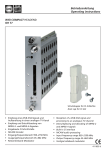
Betriebsanleitung Operating instructions WISI COMPACT HEADEND OH 86 Schutzkappe für CI-Schächte Dust cap for CI slot • • • Empfang von zwei DVB-T/C-Signalen und Transmodulation in zwei QAM-TVKanäle (gekoppelt) Eingangsfrequenzbereich 110–878 MHz Ausgangsfrequenzbereich 45–870 MHz • • • Reception of two DVB-T/C signals and transmodulation into dual QAM-TV channels (bonded) Input frequency range 110–878 MHz Output frequency range 45–870 MHz 412 273 f Headend OH 41 (OK 41 A) (Zubehör) / Headend OH 41 (OK 41 A) (Accessory) WI S I OH 5 0 HEADEND V1 . 0 0 Up Right Left Down Hinweis: Nach erfolgter Programmierung ziehen Sie das Handset ab. Note: After programming disconnect the handset. Stand by Betriebsspannung am Grundgerät angeschlossen und „Initialisierung der Module“ abgeschlossen. Handset an Buchse des Grundgerätes einstecken. Durch Drücken einer Taste gelangt man in das Modul- oder System-Menü. Stand by Supply voltage connected to basic unit and wait till mode “Initializing the modules” has finished. Plug the handset into the socket on the basic unit. Press any key to call the module menu or System menu. Modul-Menü / Module menu Modul 1 OH 86 / Module 1 OH 86 Parameter-Menü / Parameter menu Modul 2 OH 85 / Module 2 OH 85Channel Modul 14 OH 88 H / Module 14 OH 88 H Modul-Menü / Modul menu ▲▼ Tasten / keys — Modul 1…14 wählen / Select module 1...14 ▶ Taste / keys — Weiter zum Parameter-Menü / Move to parameter sub-menu ◀ Taste / keys — Zurück / Back -2- Headend OH 41 (OK 41 A) (Zubehör) / Headend OH 41 (OK 41 A) (Accessory) Parameter-Menü / Parameter menu ▲▼ Tasten / keys ▶ Taste / keys ◀ Taste / keys — Parameter wählen / Select parameter — Weiter zum Parameter-Untermenü / Move to parameter sub-menu — Zurück / Back Parameter-Untermenü / Parameter sub-menu ◀▶ Tasten / keys — Zu ändernde Stelle wählen Cursor blinkt unter der Stelle z.B. 1894 Bei Überschreiten des dargestellten Zahlenbereiches, zurück zum Parameter-Menü Select the digit to be changed Cursor blinks below the digit, e.g. 1894 If the permissible range is exceeded, the unit returns to the parameter menu ▲▼ Tasten / keys — Wert ändern z.B. 1894 in 1834 Change the value, e.g. change 1894 to 1834 Speichern / Saving data Autom. nach Verlassen des Parametermenüs oder ca. 60 Sekunden nach der letzten Eingabe. Data are saved automatically after leaving the parameter, or 60 seconds after the last entry. Front-LED / Front LED indication rot/red grün/green kein Eingangssignal / no input signal Eingangssignal wird dekodiert / decoding input signal blinkt rot flashing red kein Eingangssignal, entsprechender Ausgangskanal ist ausgeschaltet no input signal, the corresponding output channel is turned off blinkt grün flashing green Eingangssignal wird dekodiert, entsprechender Ausgangskanal ist ausgeschaltet decoding input signal, the corresponding output channel is turned off blinkt grün/gelb Eingangssignal wird dekodiert, Datenrate am Ausgang zu hoch Es müssen Dienste entfernt werden! flashing decoding input signal, output data rate too high green/yellow Some services must be removed! -3- Bedienung / Instructions Channel Kanalauswahl A / B A = Oberer Eingang B = Unterer Eingang Channel Selection A / B A = Upper input B = Lower input DVBMode Art des Eingangsignales DVB-T ..........................DVB-T-Eingangssignal DVB-C .........................DVB-C-Eingangssignal, Gerät startet neu Repeater.......................Repeater Input signal type DVB-T ..........................DVB-T- input signal DVB-C .........................DVB-C- input signal, device reboots Repeater.......................Repeater In-Freq In-BW In-SymR Eingangsfrequenzwahl 826.000 110,000–878,000 MHz in 1-kHz-Schritten 826.000 Input frequency selection 110,000–878,000 MHz in 1-kHz-steps 8 MHz Bandbreite des Eingangssignales 7–8 MHz (nur im DVB-T-Modus) 8 MHz Input signal bandwith 7–8 MHz (only in DVB-T mode) Eingangssymbolrate 6900 kS/s 1000–7000 kS/s (nur im DVB-C-Modus) 6900 kS/s In-Prio Input symbol rate 1000–7000 kS/s (only in DVB-C mode) Eingangssignal Prioritätsauswahl low...............................Eingangssignal mit low Priorität wird dekodiert high .............................Eingangssignal mit high Priorität wird dekodiert (nur bei DVB Mode = DVB-T) Priority selection of the input signal low...............................It decodes the input signal with the lower priority high .............................It decodes the input signal with the higher priority (only if DVB Mode = DVB-T) -4- Bedienung / Instructions In-Const IN-CNR 256 QAM 128 QAM 64 QAM 32 QAM 16 QAM QPSK Eingangssignal Modulationsart Im DVB-C-Modus muss hier die Modulationsart des zu empfangenden Signals eingestellt werden. Im DVB-T-Modus wird die Modulationsart des empfangenen Signales angezeigt. 256 QAM 128 QAM QAM 32 QAM 16 QAM QPSK Modulation scheme of the input signal Select the modulation scheme of the input signal in the DVB-C mode. In the DVB-T mode, it also 64 shows the modulation scheme of the input signals. Signal/Rauschabstand Eingangssignal in dBBis ca. 35 dB Dekodierung des Eingangssignals mit Bitfehlerrate 0 Signal to noise ratio of the input signal in dBThe Bit error rate is 0 for a SNR > 35 dB IN-BER CAMName CAM info <1.00e-7 Bitfehlerrate Eingangssignal Bitfehlerrate des dekodierten Signales <1.00e-7 Bit error rate of the input signal Bit error rate of the input signal no CAM CAM init Name des CAM-Modules Kein CAM-Modul vorhanden CAM-Modul wird initialisiert, Menü verlassen und 1 Minute warten no CAM CAM init Name of the CAM-module no CAM-module available CAM-Modul will be initialized, leave the menu and wait 1 minute Menü des CAM-Modules Kann nicht bei jedem CAM dargestellt werden. CAM menue Can not be displayed for any type of module -5- Bedienung / Instructions Decr PID ** Manuelle Eingabe der zu entschlüsselnden Elemantary stream PID Manually input of the elementary PID for decryption * Sollten bei Betrieb mit CAM-Modulen, Artefakte im Bild auftreten, so kann dieser Wert die Taktrate beeinflussen. Dazu den Maximal- und Minimalwert, des Offsets ermitteln, bei dem eine Artefaktbildung auftritt. Für den Normalbetrieb nun den Wert zwischen den ermittelten Grenzwerten einstellen. * If there are artefacts in the picture when using a CAM, this value may influence the clock rate. Determine the maximal and minimal value at which the artefacts occur. For normal operation set the value between the determined limits. ** Zur Optimierung der CAM-Resourcen können die Elementary stream PID‘s manuell eingegeben werden, diese müssen bekannt sein (z.B. SAT-Provider). Normaleinstellung „inactive“ die PID werden automatisch ermittelt und die Elemantary streams entschlüsselt Decr PID Beispiel: Auto: Service Auswahl im Program Menü Service Test 0x1234$ Man: Zusätzlich zur Auswahl im Program Menü, werden die zu entschlüsselnden Elementary PID‘s im DecrPID Menü eingestellt Service Test 0x1234$ Audio El. PID 0x0100 Video El. PID 0x0110 ** For optimization of the CAM resources it is possible to configure the Elementary stream PID‘s manually, these must be known (e.g. SAT provider) Normal setting is „inactive“, the PID‘s will be automatically detected and the elemantary streams decrypted Decr PID sample: Auto: Service selection in the Program Menu Service Test 0x1234$ Man: Additional to the selection in the Program Menue the Elemantary PIDs for decryption must be set in the DecrPID Menu. Service Test 0x1234$ Audio El. PID 0x0100 Video El. PID 0x0110 -6- Bedienung / Instructions PID-Mode DVB-Filtermodus select ...........................Die unter Program markierten Programme werden in den Ausgangs-TS eingefügt. PID-0..9 werden aus diesem TS ausgefiltert. PID+0..9 werden in den TS eingefügt. transp ..........................Der Eingangs-TS wird komplett zum Ausgang durchgelassen. Ausserdem können mit PID-0..9 Daten aus diesem TS ausgefiltert werden. DVB filter mode select ...........................Programs marked in the column “programs” will be inserted into the output transport stream. PIDs 0 to -9 will be filtered out, PIDs 0 to +9 will be inserted instead. transp...........................The input-TS passes the unit directly through. Additional the PID 0 to -9 the data can be filtered out. -7- Bedienung / Instructions Program Programmauswahl 1 Das Erste _T ..........Pgm.-Name; „_“ = FTA; T = TV 2 zdf_neo _T* .........Pgm.-Name; „_“ = FTA; T = TV; „*“ = ausgewählt 3 Sky Cinema#T$ .........Pgm.-Name; „#“ = scrambled; „$“ = descramble 4 NDR Kultur _R ..........Pgm.-Name; „_“ = FTA; R = Radio Programme selection 1 Das Erste _T ..........Pgm.-Name; “_” = FTA; T = TV 2 zdf_neo _T* ........Pgm.-Name; “_” = FTA; T = TV; “*” = selected 3 Sky Cinema#T$ .........Pgm.-Name; “#” = scrambled; “$” = descramble 4 NDR Kultur _R ..........Pgm.-Name; “_” = FTA; R = Radio Die Darstellung dient nur als Beispiel und ist aus verschiedenen Transpondern zusammengefügt. Hier werden die vorhandenen Services dargestellt. Der Service wird mit einer laufenden Nummer dargestellt, dann folgt der Service-Name. Die Zeichen „_“ oder „#“ zeigen den Verschlüsselungsstatus des Eingangssignales an: „_“ steht für FTA (free to air) nicht verschlüsselt und „#“ steht für einen verschlüsselten Service. Das nächste Zeichen gibt den Servcie-Typ an „T“ = TV, „R“ = Radio. Ein Service kann durch Drücken der Links-Taste ausgewählt werden, es wird ein „*“ ganz rechts im Display dargestellt. Wird die linke Taste nochmals betätigt, so wird der Service zur Entschlüsselung hinzugefügt, der „*“ wird dann durch ein „$“ ersetzt. Wird die Links-Taste nochmals betätigt, so wird der Service wieder abgewählt. Bei Entschlüsselung ($), im Suchlauf der Set-Top-Box auch verschlüsselte Programme suchen. Achtung: Befindet sich der PID-Filter im Filter-Modus, so können keine Services aus der Liste entfernt werden und es kann bei den einzelnen Services nur zwischen „*“ ausgewählt und „$“ entschlüsselt gewählt werden. Ist der Modulator-Ausgang eines Kanales abgeschaltet und das Modul befindet sich nicht im Remultiplexer-Modus, so kann in diesem Kanal kein Service ausgewählt werden und alle Services werden als abgewählt dargestellt. The following description is only an example, which is combined from services of different transponders. It displays the available services. The services are represented with a consecutive number, followed by the service name. The symbol “_” or “#” are showing the status of the Decryption: “_” stands for FTA (free to air), and “#” stands for an encrypted service. The next symbol shows the type of service: “T” for TV, “R” for radio. One service can be selected by pushing the left-key, and a “*” symbol appears at the right hand side on the display. By pushing the same key again, the selected service wil be added to the list for decryption, and the symbol “*” will be replaced by the symbol “$”. By pushing the left button another time, the selected service will be removed from decryption. Attention: If the PID-filter operates in filter mode, any service can‘t be removed from the list, it only can be selected between “*” and “$”. If the output of one channel is switched off, or the module isn‘t within the multiplexing mode, no service selection can be done, and all services are displayed as disabled. -8- Bedienung / Instructions PIDFilt PID-Filter-Menü FiltEMM on Wird dieses Filter auf „on“ gesetzt, so off werden bei entschlüsselten Programmen ($) die EMM‘s ausgefiltert und die CAT korrigiert. PID-0 0x1234* PID wird aus TS ausgefiltert PID-1 0x1234* PID wird aus TS ausgefiltert PID-2 0x1234* PID wird aus TS ausgefiltert PID-3 0x1234* PID wird aus TS ausgefiltert PID-4 0x1234* PID wird aus TS ausgefiltert PID-5 0x1234* PID wird aus TS ausgefiltert PID-6 0x1234* PID wird aus TS ausgefiltert PID-7 0x1234* PID wird aus TS ausgefiltert PID-8 0x1234* PID wird aus TS ausgefiltert PID-9 0x1234* PID wird aus TS ausgefiltert PID+0 0x1234* PID wird in TS hinzugefügt (FiltMode =select) PID+1 0x1234* PID wird in TS hinzugefügt (FiltMode =select) PID+2 0x1234* PID wird in TS hinzugefügt (FiltMode =select) PID+3 0x1234* PID wird in TS hinzugefügt (FiltMode =select) PID+4 0x1234* PID wird in TS hinzugefügt (FiltMode =select) PID+5 0x1234* PID wird in TS hinzugefügt (FiltMode =select) PID+6 0x1234* PID wird in TS hinzugefügt (FiltMode =select) PID+7 0x1234* PID wird in TS hinzugefügt (FiltMode =select) PID+8 0x1234* PID wird in TS hinzugefügt (FiltMode =select) PID+9 0x1234* PID wird in TS hinzugefügt (FiltMode =select) * Wird „inactive“ angezeigt, ist das Filter nicht aktiv. Hier kann eine PID im Bereich von 0x0000 bis 0x1fff gewählt werden. Wird beim einstellen der Wert 0x0000 unterschritten, so wird das Filter auf „inactive“ gesetzt. Die Eingaben mit führender 0x erfolgen im Hexadezimal-Format. Sollen keine PID-Filter verwendet werden, bitte den Menüpunkt PID-0 auf „inactive“ setzen. Achtung: Bei Änderung der Eingangsparameter „Sat-IF“ oder „SymRate“ werden alle Filtereinstellungen gelöscht und auf „inactive“ gesetzt. -9- Bedienung / Instructions PIDFilt PID filter menue FiltEMMon if this filter set to „on“ the EMMs will be filtered off out and the CAT will be corrected for decrypted programms ($) PID-0 0x1234 PID is filtered from the TS PID-1 0x1234 PID is filtered from the TS PID-2 0x1234 PID is filtered from the TS PID-3 0x1234 PID is filtered from the TS PID-4 0x1234 PID is filtered from the TS PID-5 0x1234 PID is filtered from the TS PID-6 0x1234 PID is filtered from the TS PID-7 0x1234 PID is filtered from the TS PID-8 0x1234 PID is filtered from the TS PID-9 0x1234 PID is filtered from the TS PID+0 0x1234 PID is added to the TS (FiltMode =select) PID+1 0x1234 PID is added to the TS (FiltMode =select) PID+2 0x1234 PID is added to the TS (FiltMode =select) PID+3 0x1234 PID is added to the TS (FiltMode =select) PID+4 0x1234 PID is added to the TS (FiltMode =select) PID+5 0x1234 PID is added to the TS (FiltMode =select) PID+6 0x1234 PID is added to the TS (FiltMode =select) PID+7 0x1234 PID is added to the TS (FiltMode =select) PID+8 0x1234 PID is added to the TS (FiltMode =select) PID+9 0x1234 PID is added to the TS (FiltMode =select) * If „inactive“ displayed, the filter is not active. It is possible to select a PID in the range from 0x0000 to 0x1fff. Is the selected value under 0x0000 the filter will be set to „inactive“. The inputs with leading 0x must be entered in hexadecimal format. Should no PID filter be used, set the menu PID-0 to „inactive“. Attention: If the settings for the input parameter „Sat-IF“ or „SymRate“ are changed, all filter settings will be deleted and set to „inactive“. - 10 - Bedienung / Instructions NITconf NIT Konfiguration NITGen NIT off..........es wird keine eigene NIT generiert, eine vorhandene NIT wird durchgereicht intern ...........automatische Generierung der NIT aus den Moduleinstellungen (Standard) extern*..........extern eingespielte (z.B. über USB) NIT wird eingefügt. Menüpunkt nur angezeigt wenn Lizenz vorhanden und NIT zum Modul übertragen wurde. NITOrg..............................Parameter der NIT im Eingangssignal TS-ID und Org-NW-ID werden angezeigt. Diese werden benötigt um eine extere NIT zu erstellen. NETname ..........................Network-Name kann editiert werden NET-ID ..............................Network-ID der NIT kann editiert werden ONET-ID ...........................Original-Network-ID der NIT kann editiert werden TS-ID ................................TS-ID kann editiert werden, ist 0xFFFF eingestellt wird die TS-ID automatisch ermittelt PAT Mon on Das PAT-Monitoring überwacht Änderungen der off Versionsinformation der PAT. Bei einer Änderung werden die PID-Filter im Ausgangsmodulator aktualisiert (select mode). Zusätzlich werden die Änderungen in die Entschlüsselung übernommen. Dies wird insbesondere bei der dynamischen Änderung des Transportstromes benötigt z.B. bei Regionalumschaltung. License** 30 days.........zeigt die übrige Laufzeit der extern eingespielten NIT und somit der NIT-Lizenz an. * NITGen extern: Übertragung über OH 50 1. OH 50 in Standby-Modus versetzen 2. USB-Stick mit aufgespielter NIT einstecken. 3. NIT transfer auswählen 4. Modul auswählen 5. Modulkanal auswählen 6. NIT-Datei auswählen ** License: Lizenz für NIT übertragen 1. OH 50 Standby 2. USB-Stick mit Lizenz einstecken 3. LIC transfer auswählen 4. Lizenzdatei auswählen Achtung: Die Lizenz-Laufzeitanzeige funktioniert nur dann wenn ein Eingangssignal angeschlossen ist, da hieraus die Zeitinformationen gewonnen werden. - 11 - Bedienung / Instructions NITconf NIT configuration NITGen NIT off .........no own NIT will be generated, an existing NIT will be passed through intern ...........the NIT will be automatically generated from the module settings (standard) extern*..........external generated (ex. over USB) NIT will be inserted. The menu will only displayed if a license is available and the NIT is transferred to the module NITOrg..............................The parameters TS-ID and Org-NW-ID of the input signal are displayed. These are needed to create an external NIT. NETname ..........................Network name can be edited NET-ID ..............................Network-ID from the NIT can be edited ONET-ID ...........................Original-Network-ID from the NIT can edited TS-ID ................................TS-ID can be edited, if 0xFFFF has been set the TS-ID will be automatically detected PAT Mon on The PAT monitoring monitors the changes off of the version information in the PAT. In case of a change the PID filter at the output modulator will be updated (select mode). In addition, the changes will be adopted for the decryption. This is in particular needed in the dynamic change of the transport stream for example at regional switching. License** 30 days.........shows the remaining days of the external NIT and the NIT license. * NITGen extern: Transfer over OH 50 1. set OH 50 to standby mode 2. insert USB stick with the NIT 3. select NIT transfer 4. select modul 5. select modul channel 6. select NIT file ** License: Transfer license for NIT 1. OH 50 Standby 2. insert USB stick with license 3. select LIC transfer 4. select license file Attention: The displaying of the license runtime only works if the input signal is connected. The time information will be extracted from the input signal. - 12 - Bedienung / Instructions F-Out Out-Att 450,00 Ausgangsfrequenz 45,00–870,00 in 0,50-MHz-Schritten 450,00 Output frequency 45,00–870,00 in 0,50-MHz-steps Ausgangsdämpfungssteller 5 dB 0–15 dB in 1-dB-Schritten 5 dB Remux Output attenuator 0–15 dB in 1-dB-steps Remultiplexer Funktion offoff = Ausgangskanäle 2 x QAM on = Remultiplexerfunktion in QAM Kanal A QAM Kanal B wird abgeschaltet. Remultiplexer function offoff = Output channels 2 x QAM on = remultiplexing into QAM channel A QAM channel B will switched off. Q-Rate* QAM-Ausgangssymbolrate 6900 kS/s1000–7499 kSym/s ist Q-Stuf auf off geschaltet, so wird die aktuelle Datenrate am QAMModulator angezeigt. QAM symbol rate the output 6900 kS/sif Q-stuff is set to “off”, it displays the current symbol rate Q-Mode 16 QAM 32 QAM 64 QAM 128 QAM 256 QAM QAM Ausgangsmodulationsart Hier wird die Modulationsart des QAMModulators eingestellt. 16 QAM 32 QAM 64 QAM 128 QAM 256 QAM QAM-modulation scheme at the output Selection of the modulation scheme for the QAM output. *Achtung: Symbolrate ist von Kanalbandbreite abhängig ChOffs = 7 MHz > Q-Rate = 6111 kS/s ChOffs = 8 MHz > Q-Rate = 6900 kS/s *Attention:Symbol rate is dependent on the channel bandwith ChOffs = 7 MHz > Q-Rate = 6111 kS/s ChOffs = 8 MHz > Q-Rate = 6900 kS/s - 13 - Bedienung / Instructions Stuff. Stuffing des QAM-Ausgangssignals on 20 %* Hier kann der Stuffing-Modus des QAMoffModulators eingeschaltet werden. Ist dieser eingeschaltet, so wird auf die unter Q-Rate gewählte Datenrate das Ausgangssignal mit Nullpaketen aufgefüllt und ihr Anteil in % angezeigt. Bit-stuffing for the QAM output signal on 20 % Bit-stuffing can be switched on and off. If it is “on”, offthe data rate is stuffed with Null packets to the value being selected under “Q-rate” and the amount of Null packets is displayed in %. SpecInv Invertierung des QAM-Ausgangssignals normal Hier kann das QAM-Ausgangssignal invertiert invertwerden. normal invert ChOffs Inverting of the QAM output signal The QAM output signal can be inverted. Kanalabstand der QAM-Ausgangskanäle 8 MHzHier wird der Kanalabstand der beiden QAMKanäle 4–8 MHz eingestellt. Channel spacing between the QAM output channels 8 MHzSelection of the channel spacing between the output channels 4-8 MHz. ModOut Modulation des Ausgangssignals auto Hier kann der gewählte Ausgangskanal durch on Wahl von „off“ komplett abgeschaltet werden. off Wird „auto“ gewählt, so wird die Modulation nur bei vorhandenem TS eingeschaltet. Modulation of the output signal auto The selected output channel can be switched off on completely by choosing the option “off”. If “auto” off has been selected, the modulator is only active, when a TS-signal appears at the input. *Achtung: Im PID-Mode „select“ sollten min. 20% für Nullpakete im Ausgangssignal reserviert werden, da es sonst bei Änderung der Datenraten im Eingangssignal zu Aussetzern im Ausgangssignal kommen kann. *Attention:In the PID mode „select“ there should be a min. 20 % of Null packets reserved in the output signal, to prevent a failure in the output signal if the input data rate changes. - 14 - Bedienung / Instructions MPEG-SW SmartMPEG Software-Version V1.00Hier wird die Version der MPEG-EncoderSoftware dargestellt. Auch diese kann geg. durch Update verändert werden. SmartMPEG software version V1.00It displays the SmartMPEG software version. The Version can be changed by software updates. ModVer Ausgangsmodulator-Version 27090930Hier wird die Software-Version des QAMModulators ausgegeben. Output modulator version 27090930It displays the software version od the QAM modulator. SW-Ver OH 86 Modul Software-Version V1.00Hier wird die Software-Version des OH 85 Modules dargestellt. Diese ändert sich geg. nach einem Software-Update. OH 86 module software version V1.00It displays the software version of the module. It may change in case of a software update. HW-Ver OH 86 Modul Hardware-Version V1.00 Hier wird der Hardware-Stand des OH 85 Modules ausgegeben. Wird vom SoftwareUpdate benötigt. OH 86 module hardware version V1.00 It displays the hardware version witch is needed for software updates. BL-Ver OH 86 Modul Bootloader-Version V1.16Hier wird die Bootloader-Version des Modules ausgegeben. OH 86 module bootloader version V1.16It displays the bootloader version of the module. Mod-ID OH 86 Modul-ID 12345678Zeigt die 8-stellige Modul-ID an, diese wird zur Lizenzgenerierung benötigt. OH 86 module ID 12345678It displays the identifier of the module, witch is necessary for the license generation. - 15 - Bedienung / Instructions Update* OH 86 Modul Update noDurch Wahl von „yes“ kann hier gezielt ein yesSoftware-Update an dem gewählten OH Modul durchgeführt werden. Insert USB StickUSB Stick mit OH 86 Software in OH 50 USB Anschluss einstecken. Abbruch durch gleichzeitiges drücken der 4 Bedientasten am Handset (Gerät startet neu) V1_59.bin_Als erstes wird immer die Software mit der höchsten Versionsnummer angezeigt. Durch die „Up“ „Down“ Tasten kann, wenn vorhanden, aber auch eine andere Version ausgewählt werden. Die Versionen sind aufsteigend sortiert. Durch Drücken der Rechts-Taste wird die Version für das Update ausgewählt. Start Update:Yes Nun bei Start Update „Yes“ wählen und mit der V1_59.bin„Rechts-Taste“ bestätigen. Das Update wird dann gestartet. Mit „No“ wird das Update der Modul software übersprungen.** OH 86 module update no A controlled software update of the selected yesmodule can be done by selecting “yes”. Insert USB StickConnect a USB-stick with the OH 86 software to the USB-connector. To abort, press all four keys of the handset simultaneously. (The module will reboot) V1_59.bin_It displays the software with the highest version number first. Other versions can be selected with the “Up” and “Down” keys. The versions are sorted in ascending order. The selection of the version can be done by the “right”-key. Start Update:Yes Now select Start Update “yes”, and confirm it V1_59.binwith the “right”-key. The update will be started. Selecting “no” skips the update of the module software. *Update: Bevorzugt Auto update-Funktion verwenden (siehe OH 50-Anleitung). **Achtung: Wurde das Update abgebrochen oder ist fehlgeschlagen, über OH 50 ein Auto-Update durchführen. Dazu im Standby USB-Stick einstecken und Auto update auswählen. *Update: Use preferred the Auto update function (see OH 50 manual). **Attention: If the update was canceled or failed perform a auto update over the OH 50 basic unit. In standby mode insert a USB stick and select the auto update menu. - 16 - Technische Daten / Specifications Eingang / Input Eingangsimpedanz / Input Impedance Eingangsfrequenzbereich / Input frequency range Eingangsfrequenzschritte / Input frequency steps Rückflußdämpfung am Eingang / Input return loss Kanalbandbreite einstellbar / channel bandwith selectable Eingangspegelbereich / Input level range COFDM-Spektrum / COFDM spectral COFDM-Modulationsart / Modulation scheme COFDM-Guard Intervall / Guard interval COFDM FEC inner code / FEC inner code QAM-Modulationsart QAM-Symbolrate Spektrale Invertierung / Spectral inversion 75 Ω 110–878 MHz 250 kHz > 8 dB 7/8 MHz 47–90 dBµV 2 k and 8 k FFT QPSK, 16 QAM, 64 QAM 1/32, 1/16, 1/8, 1/4 Conv., K=7, G=1/2, 2/3, 3/4, 4/5, 5/6, 7/8 16-, 32-, 64-, 128-, 256-QAM 1–7 MBaud auto Ausgang / Output Ausgangsimpedanz / Output impedance 75 Ω Ausgangsfrequenz (Kanal A) / Output frequency (channel A) 45–870 MHz Frequenzschritte / Frequency steps (channel A) 500 kHz Frequenzstabilität / Stability of output frequency ± 30 kHz Ausgangskanal Bandbreite / Output channel bandwidth (bonded) 2 x 8 MHz (Abhängig von QAM-Symbolrate / depending on QAM symbolrate) Ausgangspegel / Output level 88–103 dBµV Amplitudengang / Stability of output level ± 1 dB Störabstand / Spurious innerhalb Kanal / inside TV-channels ≥ 50 dB außerhalb Kanal / outside a TV-channel ≥ 50 dB S/N / SNR ≥ 45 dB MER / MER ≥ 40 dB Modulation / Modulation 16-, 32-, 64-, 128-, 256-QAM Symbolrate / Symbolrate 3,45–7,5 Ms/s Filterung / Filtering Nyquist √ cos Dämpfung / Roll-off 15 % FEC outer code / FEC outer code RS (204, 188, 16) Spektrale Invertierung / Spectral inversion normal/inverted Verschachtelung / Interleaving Conv., I=12 Bit stuffing / Bit stuffing yes PCR-Korrektur / PCR correction yes PID Filterung / PID-filtering yes - 17 - Technische Daten / Specifications Allgemeine Daten / General specifications Abmessungen / Dimensions Anschlüsse / Connectors RF-input RF-output Power Control Stromaufnahme (ohne CAM-Modul oder LNB-Versorgung) / Current consumption (without CAM module or LNB-supply) Leistungsaufnahme / Power consumption Betriebstemperaturbereich / Operating temperature range Solltemperaturbereich / Nominal temperature range - 18 - 220 (253 *) x 105 x 29,5 mm * with F-connector 1 x F-connector 1 x F-connector Connector on board Connector on board 0,84 A / 12,5 V < 10,5 W - 20 °C to + 55 °C + 5 °C to + 55 °C WISI Communications GmbH & Co. KG Empfangs- und Verteiltechnik Wilhelm-Sihn-Straße 5–7 75223 Niefern-Oeschelbronn, Germany E-mail: [email protected], http://www.wisi.de Technische Änderungen und Druckfehler vorbehalten! Technical Modifications reserved. WISI cannot be held liable for any printing error. 06/13 Tel.: +49 72 33-66-292, Fax: 66-320,