1
VIAFILL – Operating instructions V02
3.3
Installation
Toolbox - adapt your VIAFILL
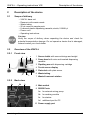
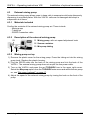
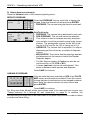
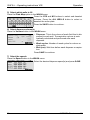
The TOOLBOX is accessible from the Main Menu and the different function screens
(Repeat Dispense, Variable Dispense, Serial Dilute and Wash).
Simply press the red TOOLBOX case to access the
TOOLBOX MAIN MENU. Once in the Toolbox, select the
desired function to change its settings.
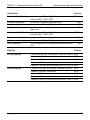
Toolbox options
Description
Prime/purge
Allows the height and speed of the prime to be adjusted for each
dispensing cassette.
Allows the pump to be turned ON or OFF. The interval and timer
settings can also be adjusted.
Choose from Straight and Stagger pipetting directions.
Allows beep tones to be turned ON or OFF.
Turns PC communication capability ON or OFF.
Allows cassette nozzles to be properly positioned over a well.
Displays the serial number, software version and display version.
The owner name can also be modified using this option.
Allows the height and speed of the recover function to be
adjusted for each dispensing cassette.
Allows to change the calibration factor of the pump.
Allows the pump to be turned ON or OFF. Also allows the wash
interval and timer to be adjusted.
Allows the Stacker to be turned On or Off.
Mix pump
Pipet direction
Sounds
Communication
Stage alignment
Owner information
Recover
Pump calibration
Wash
Stacker
3.3.1
Prime/purge
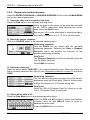
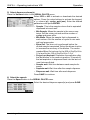
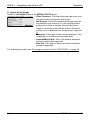
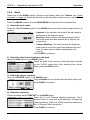
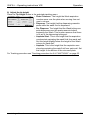
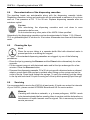
A prime/purge is performed when pressing the PRIME button in the function menus
(Repeat Dispense, Variable Dispense, Serial Dilute and Wash).
PRIME speeds can be set for the different tubing sets;
PLASTIC TIPS, METAL TIPS, WASH TUBE and PIPET
TIPS. Select the Speed.
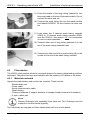
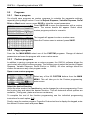
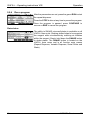
Press the Position (mm) button to adjust the height that
the PRIME and PURGE will be performed at.
16
INTEGRA Biosciences AG