1
Contents
MAIN FEATURES ......................................................................................................................5
NETWORK CAMERA SCREEN AND SETUP WINDOW .......................................................12
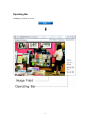
Operating Bar...........................................................................................................................14
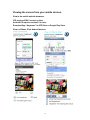
Viewing the camera from your mobile devices. .......................................................................16
Camera ....................................................................................................................................19
Camera Setup ................................................................................................................................ 19
Stream Setup ................................................................................................................................. 20
The camera supports three streams: primary stream, secondary stream and mobile stream. ........ 20
OSD Setup..................................................................................................................................... 22
Night Vision Setup (IR IPCAM) ................................................................................................... 23
Network ....................................................................................................................................24
Wireless Setup ............................................................................................................................... 24
TCP/IP Setup................................................................................................................................. 26
DDNS Setup.................................................................................................................................. 28
UPNP Setup .................................................................................................................................. 29
P2P Setup…………………………………………………………………………………….......31
Storage Setup ........................................................................................................................................ 32
Store to NAS ................................................................................................................................. 33
Browse Storage ............................................................................................................................. 34
Format SD Card ............................................................................................................................ 34
Motion Detection .......................................................................................................................... 35
Digital I/O Setup ........................................................................................................................... 37
Schedule Setup .............................................................................................................................. 38
Task Management ......................................................................................................................... 39
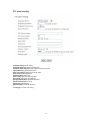
E-mail Period Sending .......................................................................................................... 41
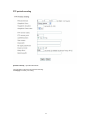
FTP alarm sending ................................................................................................................ 42
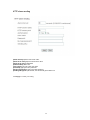
FTP periodic sending ............................................................................................................ 43
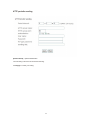
HTTP alarm sending ............................................................................................................. 44
HTTP periodic sending ......................................................................................................... 45
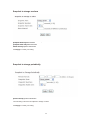
Snapshot to storage on alarm ................................................................................................ 46
Snapshot to storage periodically ........................................................................................... 46
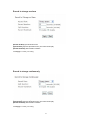
Record to storage on alarm ................................................................................................... 47
Record to storage continuously ............................................................................................. 47
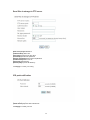
Send files in storage to FTP server ........................................................................................ 48
IOS push notification……………………………………………………………………….49
Tools .........................................................................................................................................49
System Identity ............................................................................................................................. 49
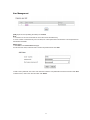
User Management ......................................................................................................................... 51
Date & Time .................................................................................................................................. 52
Backup or Reset ............................................................................................................................ 53
Automatic Reboot Setup ............................................................................................................... 55
Firmware Upgrade ........................................................................................................................ 54
SPEEDREAD YOUR NETWORK CAMERA ...........................................................................56
Wizard ........................................................................................................................................... 56
System ........................................................................................................................................... 57
Support .......................................................................................................................................... 57
Reboot ........................................................................................................................................... 57
ADVANCED SETTINGS ..........................................................................................................58
Port Forwarding ............................................................................................................................ 58
Proxy Server Setting ..................................................................................................................... 59
Reset the camera ........................................................................................................................... 60
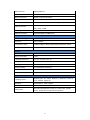
DEFAULT SETTINGS ..............................................................................................................61
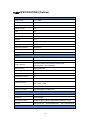
720P SPECIFICATIONS (Options)..........................................................................................66
1080P SPECIFICATIONS (Options)........................................................................................68
2